CS-Cart Product Package Builder allows store owners to create product bundles by combining multiple products into a single package.
The add-on helps merchants offer package deals, increase cross-selling opportunities, and improve the average order value of the store.
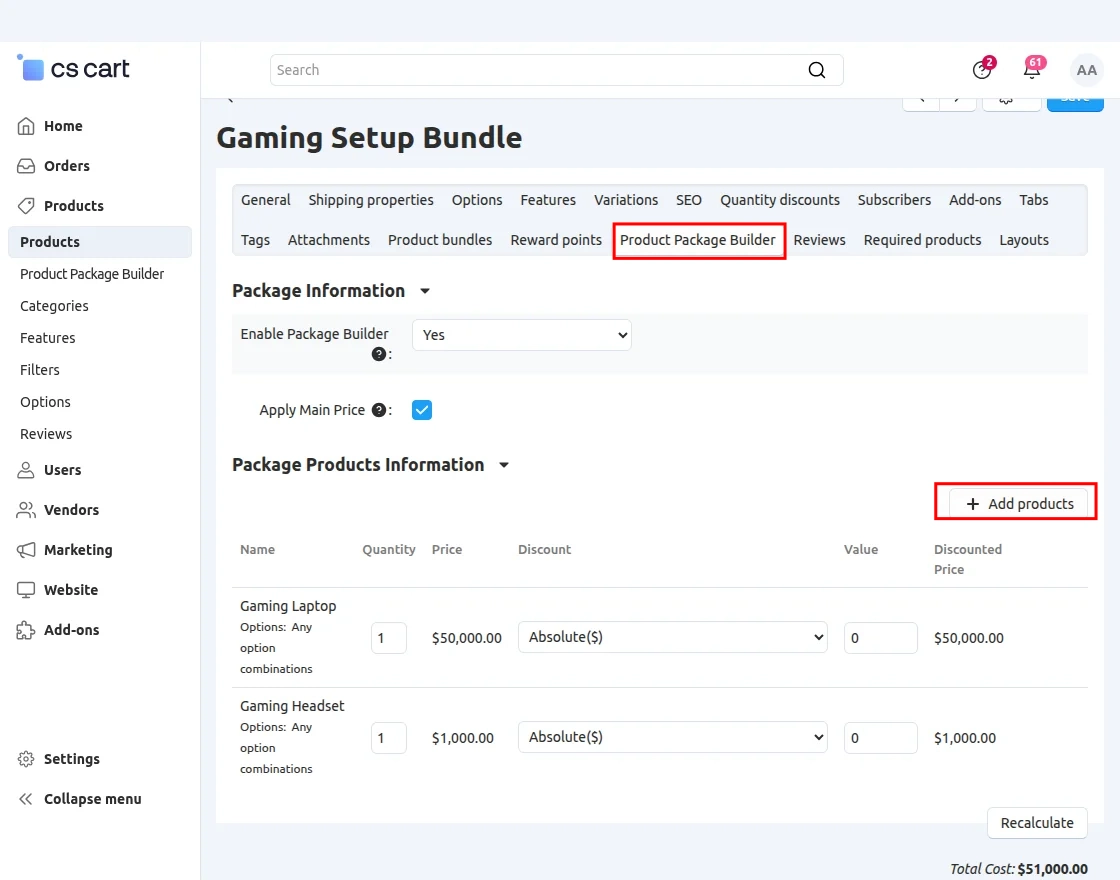
Using this add-on, the admin can add different products to a package, configure package pricing, and apply discounts to individual products or the complete package.
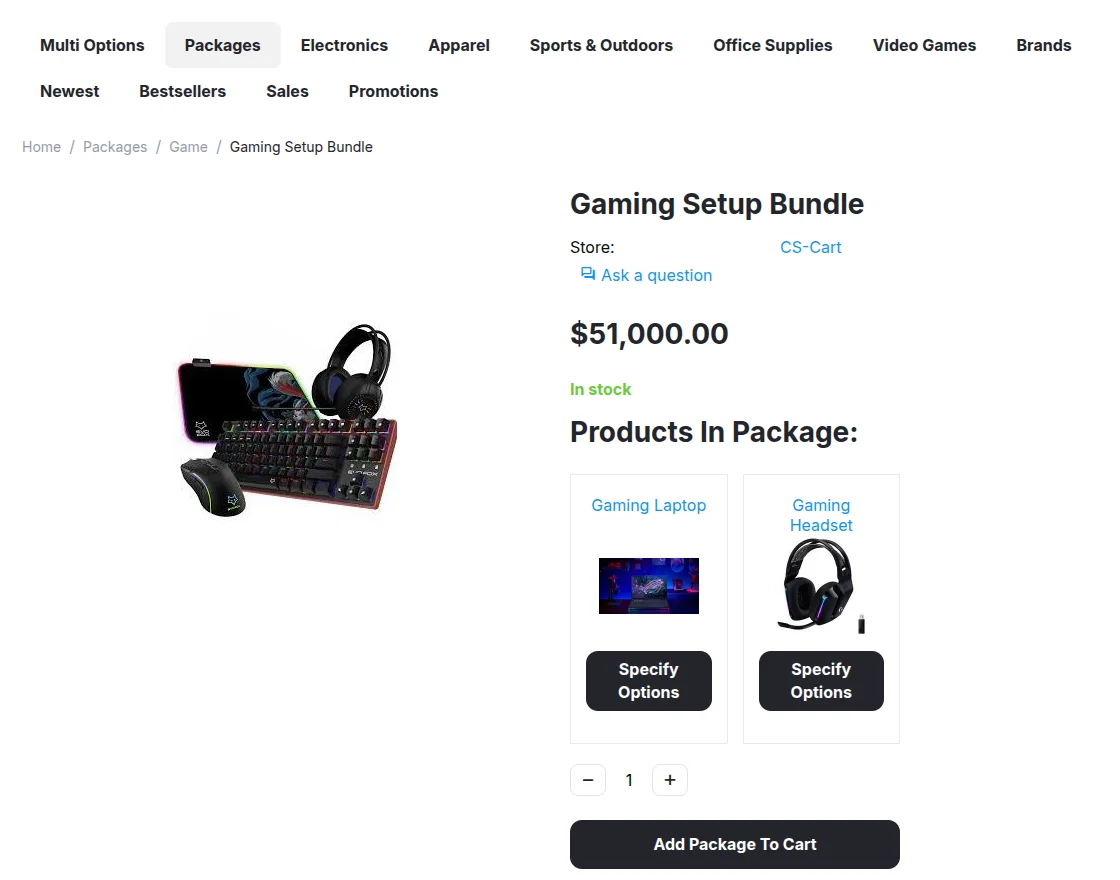
Customers can purchase related products together from a single package page, which simplifies the shopping process and improves product selection.
Note: Before installing the add-on, extract the downloaded package.
- Install the License Manager add-on first.
- Then install the required add-on.
- Follow the license activation steps to generate your license key.
Features
- Create multiple product packages in the CS-Cart store.
- Add different products to a single package.
- Apply discounts to individual products or the complete package.
- Configure package pricing from the admin panel.
- Display bundled products on the storefront.
- Allow customers to purchase multiple products together.
- Manage package products and quantities easily.
- Create combo offers and promotional packages.
- Support grouped product selling in the store.
- Show package details on a dedicated product page.
- Increase cross-selling opportunities with product bundles.
Also, check CS-Cart Product Badges to display custom badges on products such as new arrivals, discounts, featured products, and promotional offers.
Installation
After downloading the CS-Cart Product Package Builder add-on, you’ll get one zip file, one install.txt file, and a relevant User Guide manual doc.
Please read it carefully for proper configuration.
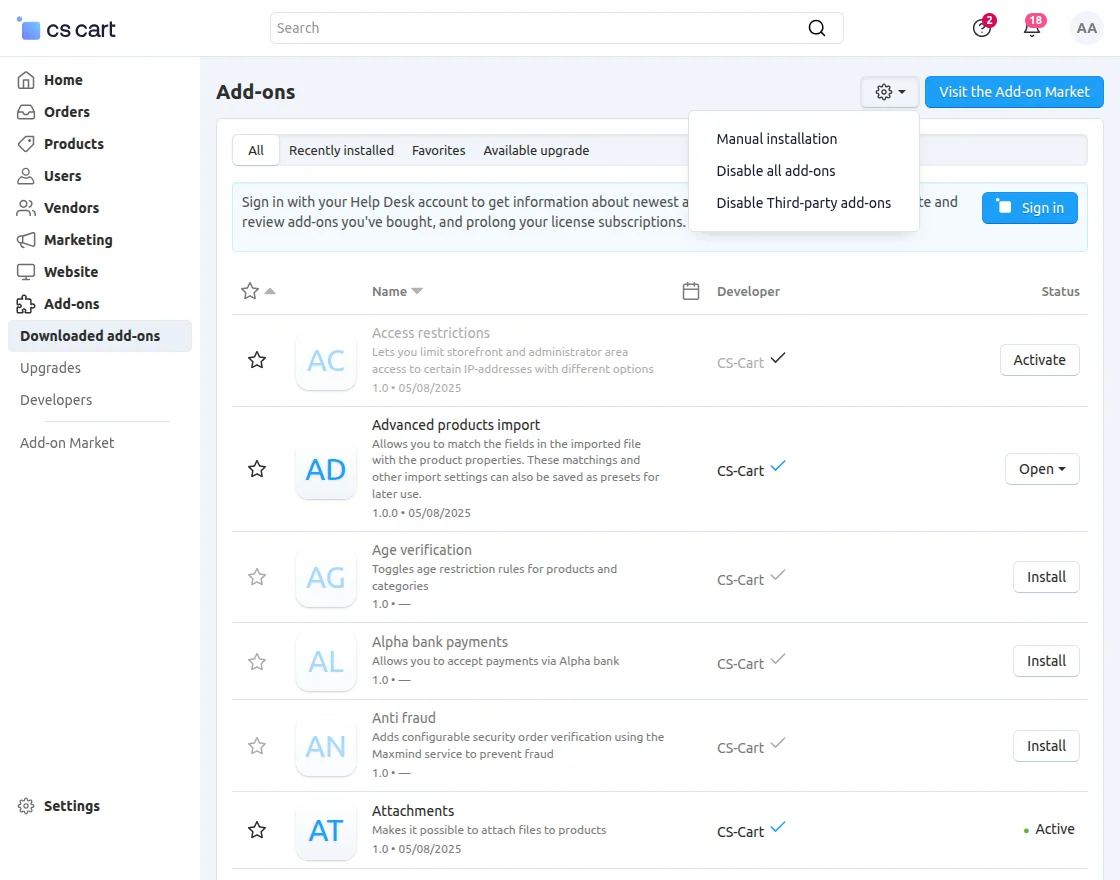
Go to Manage Add-ons, and click on “Manual Installation” as shown below in the snapshot.
 Click on “Local” to browse the zip file, and then click on “Upload & Install” as shown below in the snapshot.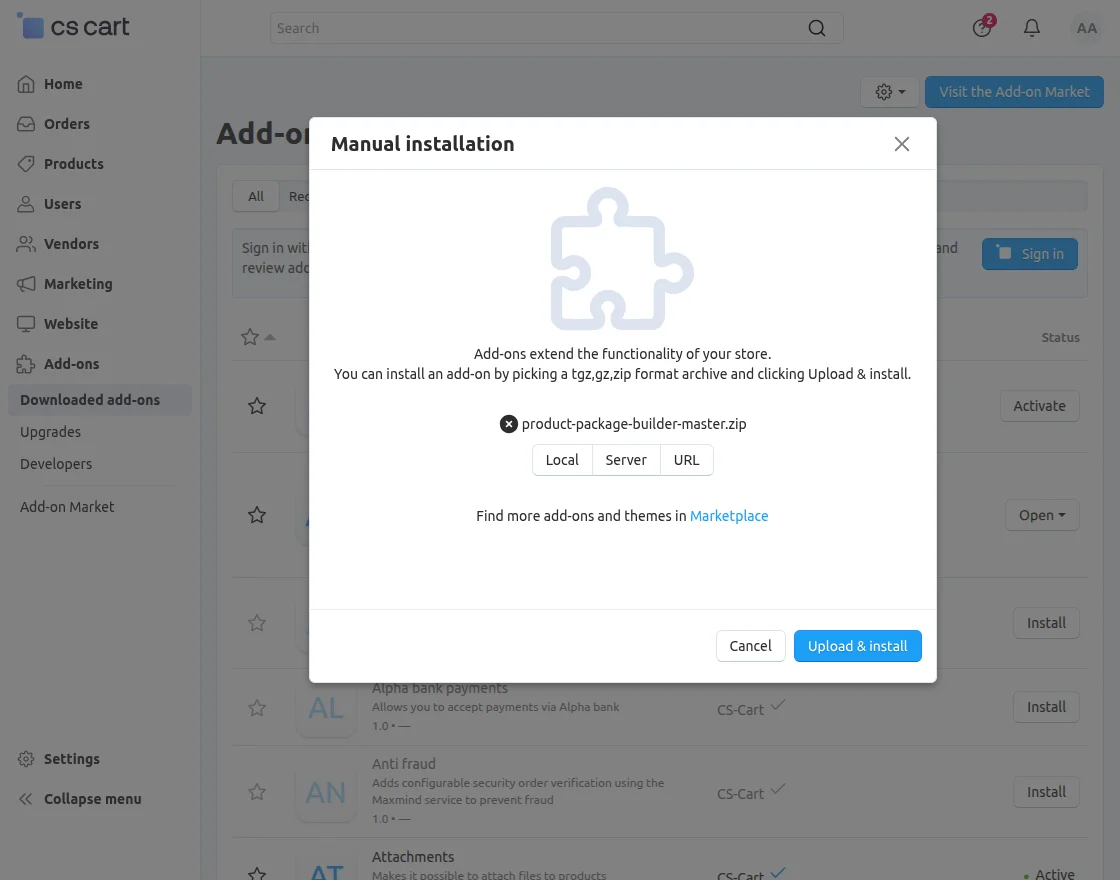
Module Configuration
To configure the module, go to the Add-Ons >> Developers >> Webkul Software Pvt Ltd. >> Product Package Builder >> Settings
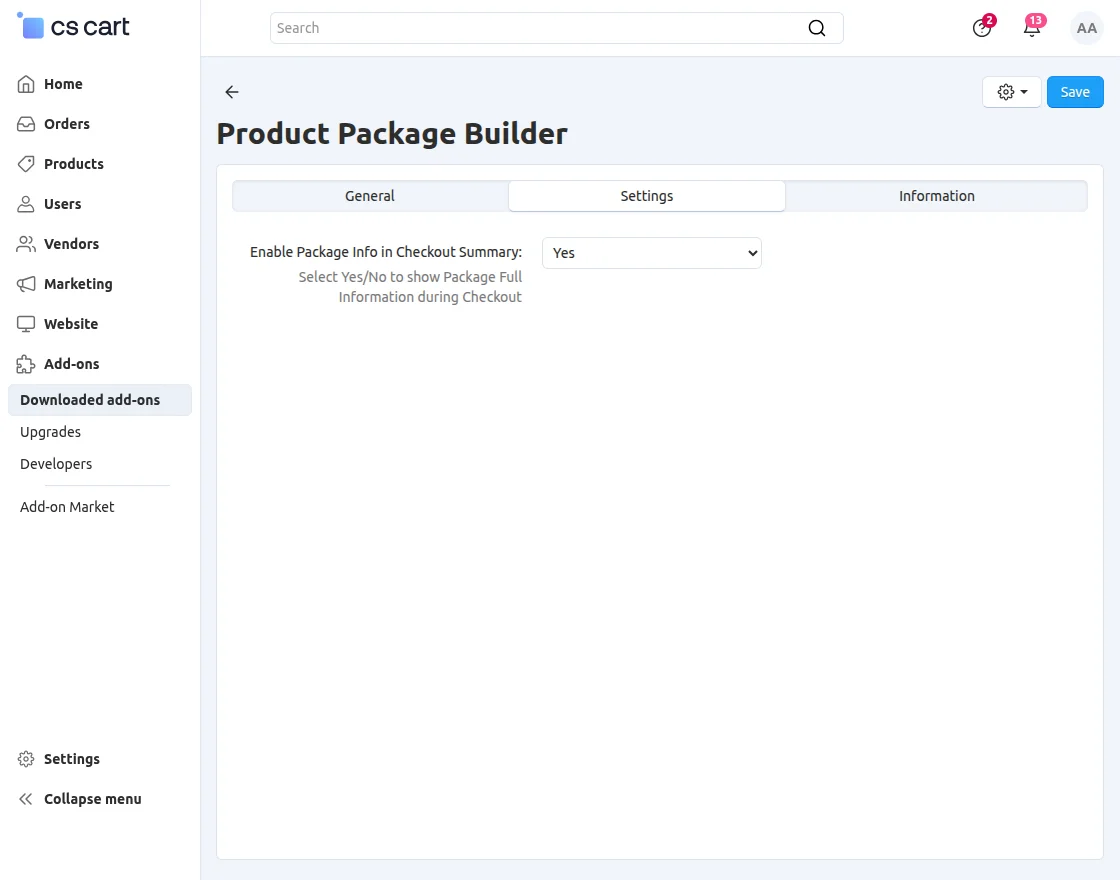
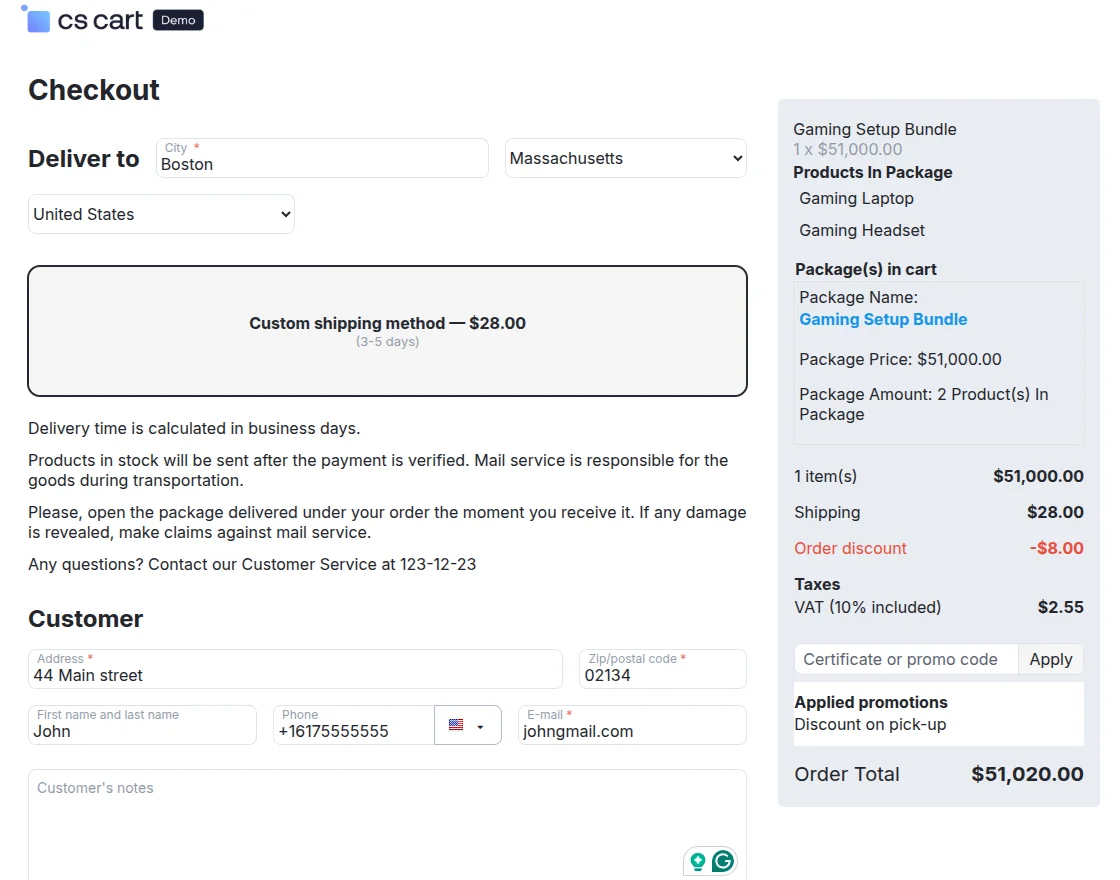
Enable Package Info in Checkout Summary: Enable this setting to display package information in the checkout summary.
Product Package Builder
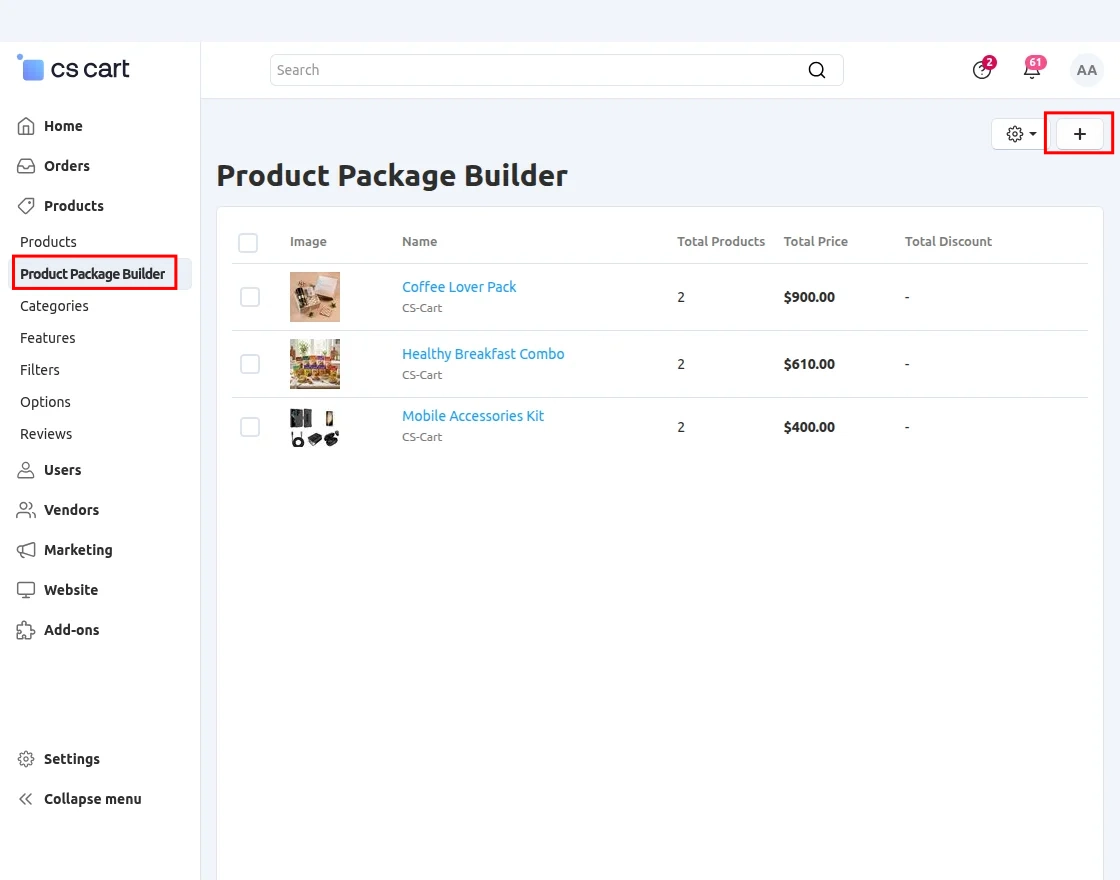
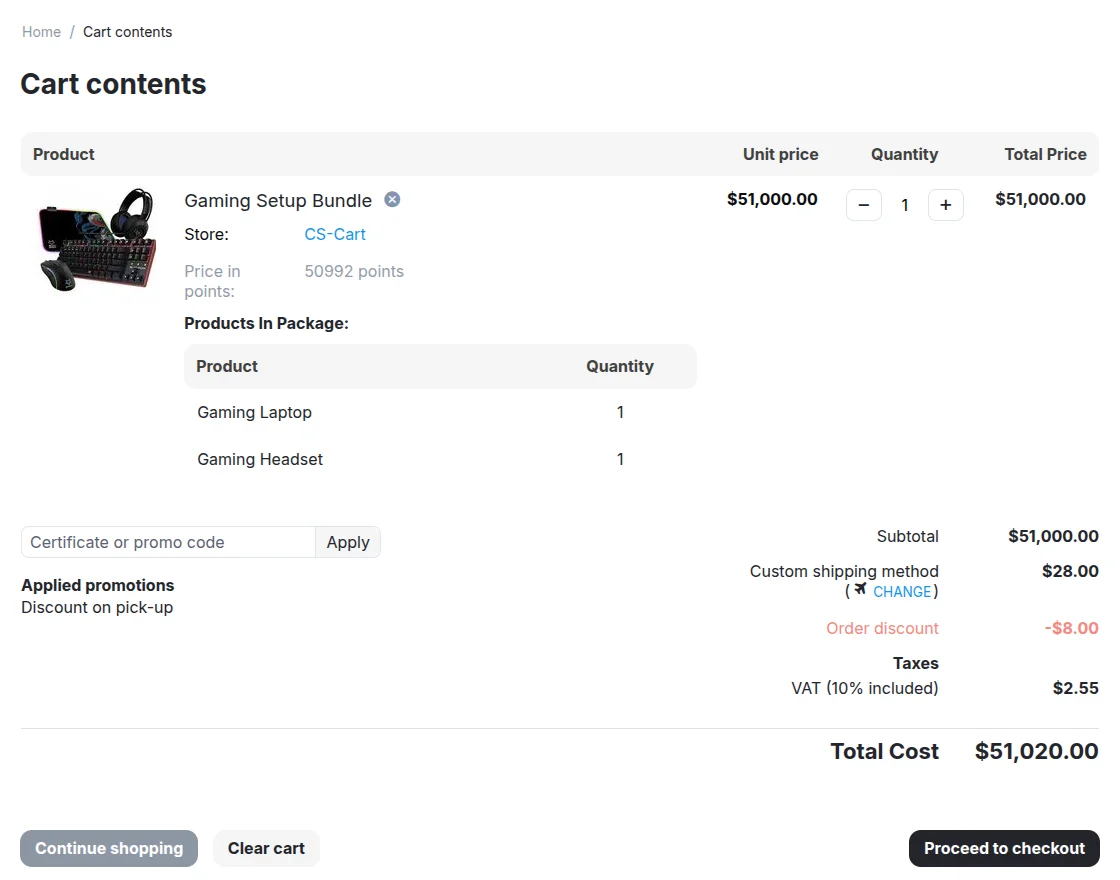
Cart View
Customers can also view package details on the cart page.
Support
If you have any questions, suggestions, or customization requests, feel free to contact us at [email protected] or submit a ticket at webkul.uvdesk.com.
Explore our premium-quality CS Cart Extensions to enhance your store functionality.
You can also explore our CS-Cart Development Services and Quality CS-Cart add-ons.
Current Product Version - 1.3
Supported Framework Version - 4.18.x, 4.19.x, 4.20.x

2 comments
Please generate a ticket at [email protected]
We would be really happy to assist you.
Regards,
Webkul