CS-Cart Custom Stock Status:
This impressive add-on adds a custom message or image instead of a default In Stock/Out of stock line. It provides customers the information about the quantity of products left in stock. So, make the look of your product detail page attractive by using desired product availability custom message in place of In stock/Out-of-stock information.
Note: Before installing the add-on, extract the downloaded package.
- Install the License Manager add-on first.
- Then install the required add-on.
- Follow the license activation steps to generate your license key.
Features
- Well integrated with CS-Cart Multi-vendor.
- In addition functionality to replace the default In stock/Out-of-stock status with an image or custom message.
- Functionality to specify quantity ranges and a stock status for each range.
- Also feature to add any desired number of quantity range and corresponding custom messages.
- Works well with product options i.e; stock status changes as per the inventory of product option.
- Functionality to display default In stock/Out-of-stock status in case product quantity is not found in the specified range.
- Feature to use WYSIWYG editor to set the custom message for stock status.
- Option to set custom stock status message for products in bulk via Global update.
- Moreover Functionality to set custom status messages for individual product.
Video Tutorial
How To Upload And Install
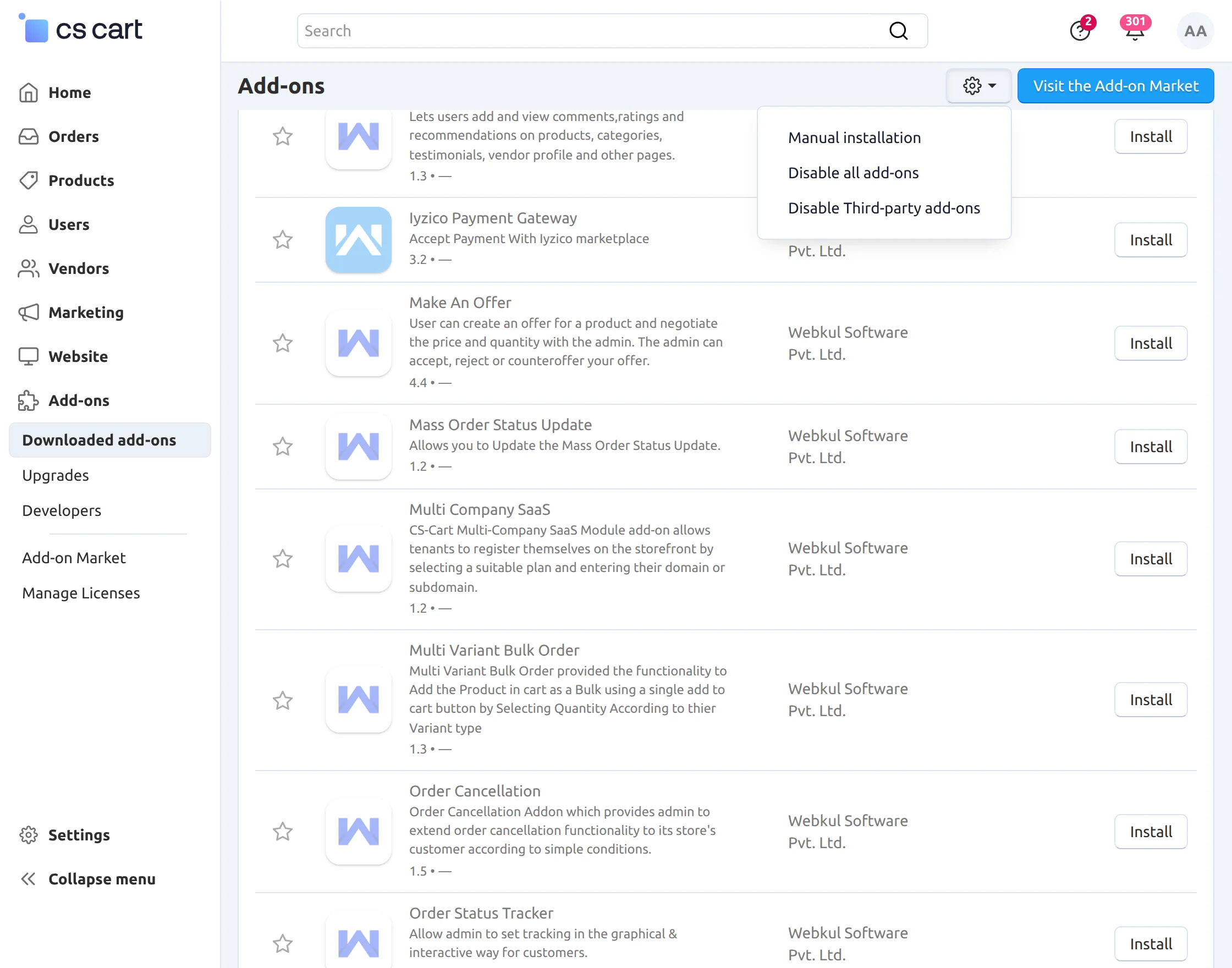
Click on “Local” to browse the zip file and then click on “Upload & Install” as shown below in snapshot.
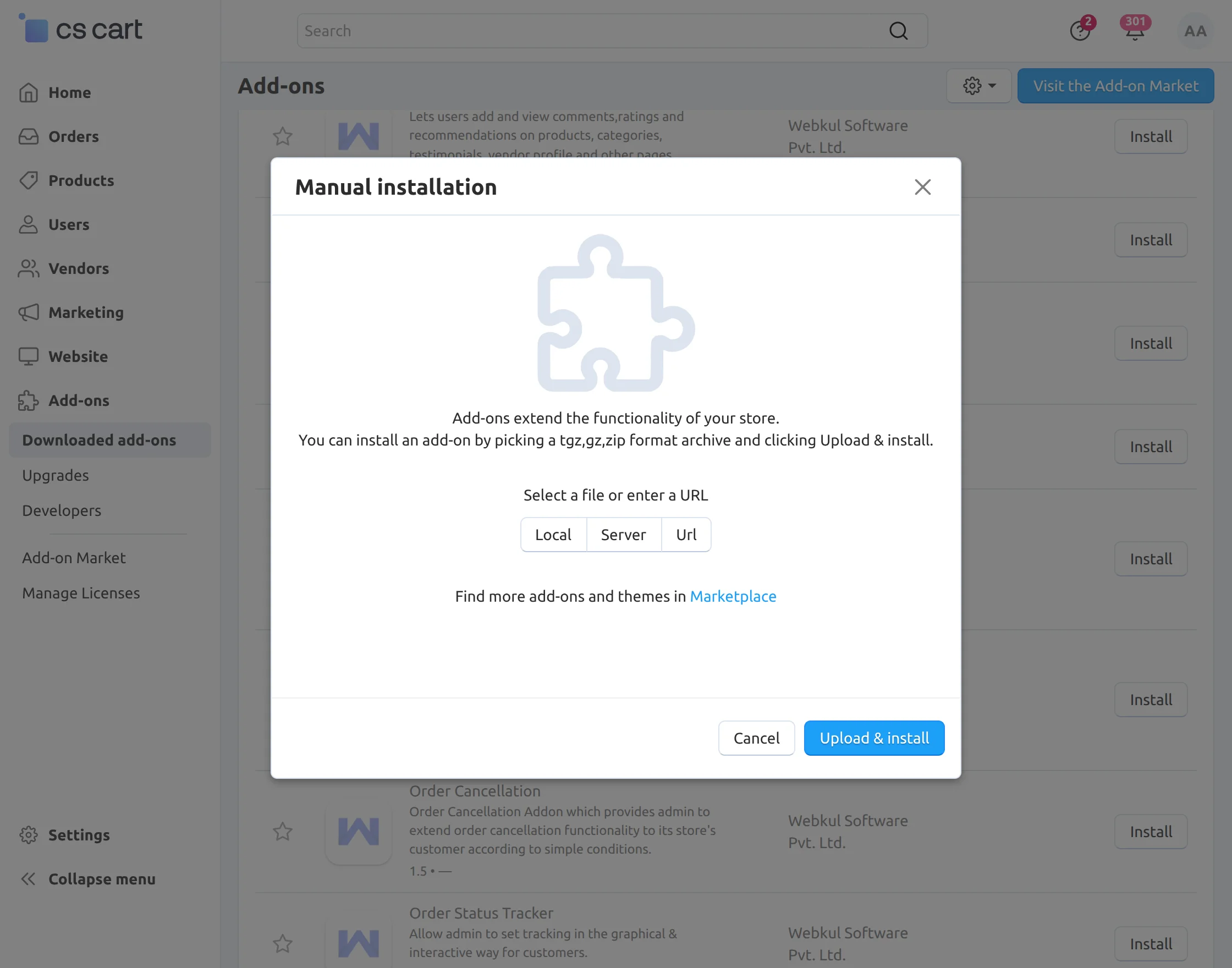
Configuration
After successful add-on installation, Click on addon “Custom Stock Message” to configure it.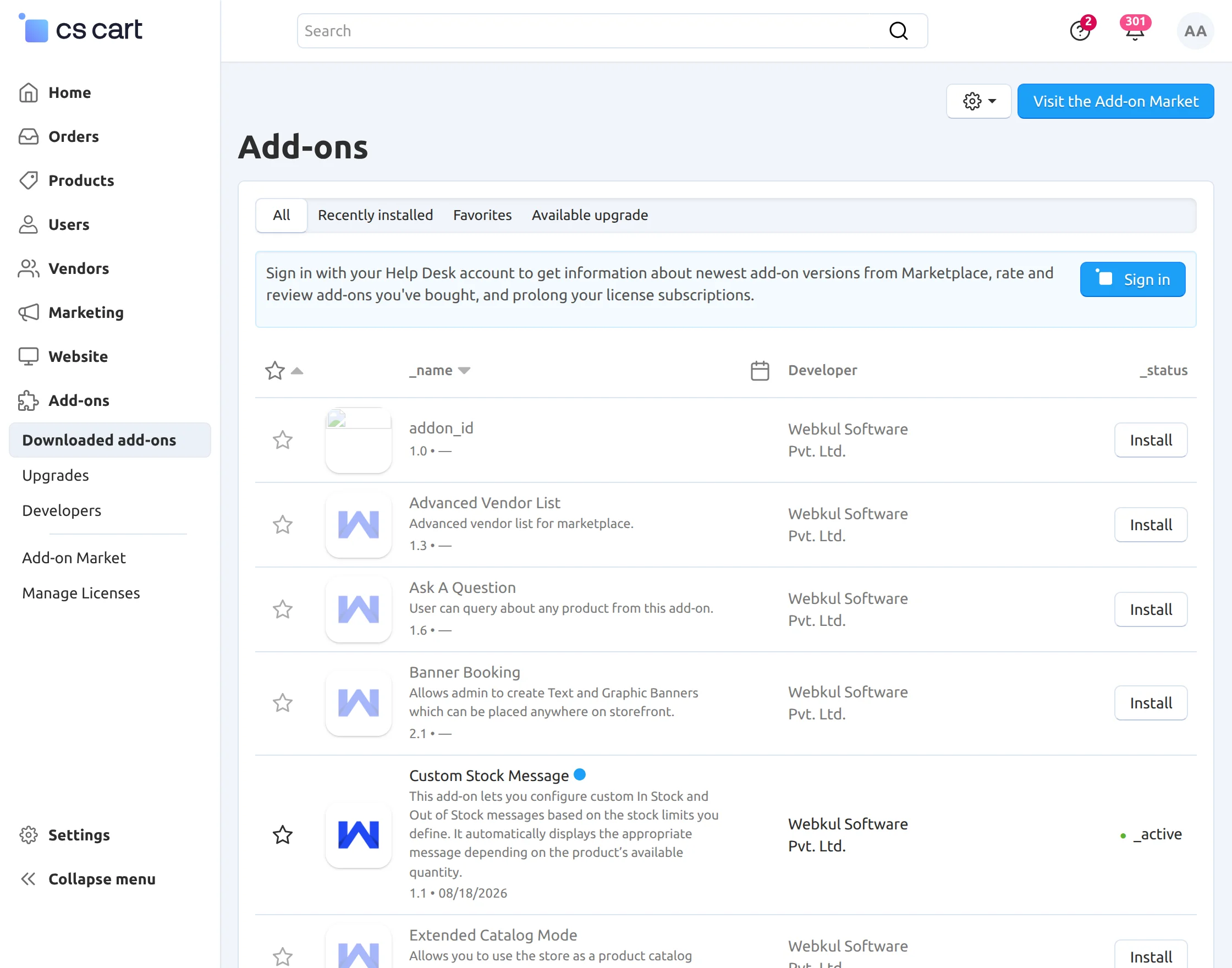
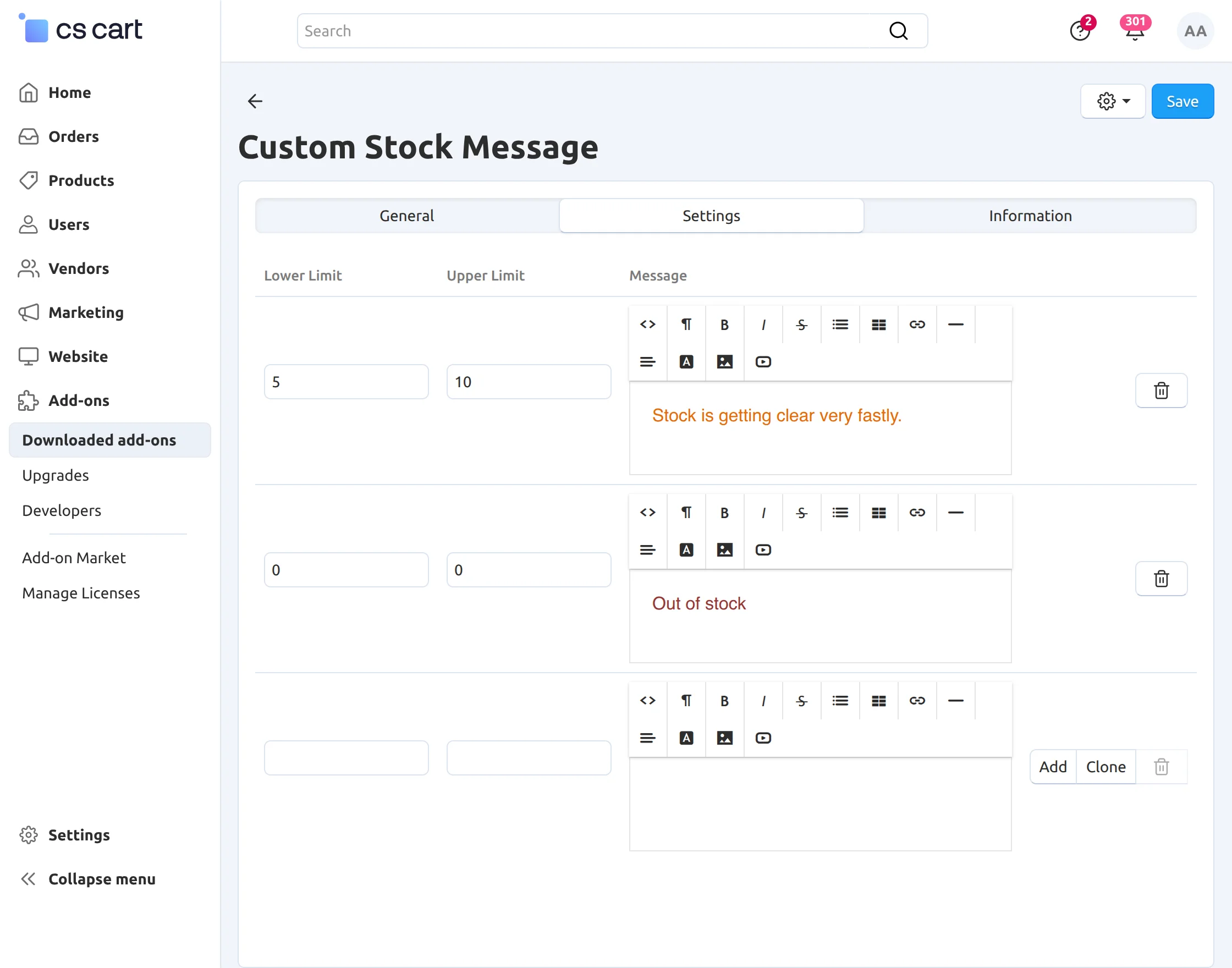
Back End View
How to Set a Custom Stock Availability Message for an Individual Product?
Go to the Product Details page in the admin panel and click on the Custom Stock Status tab.
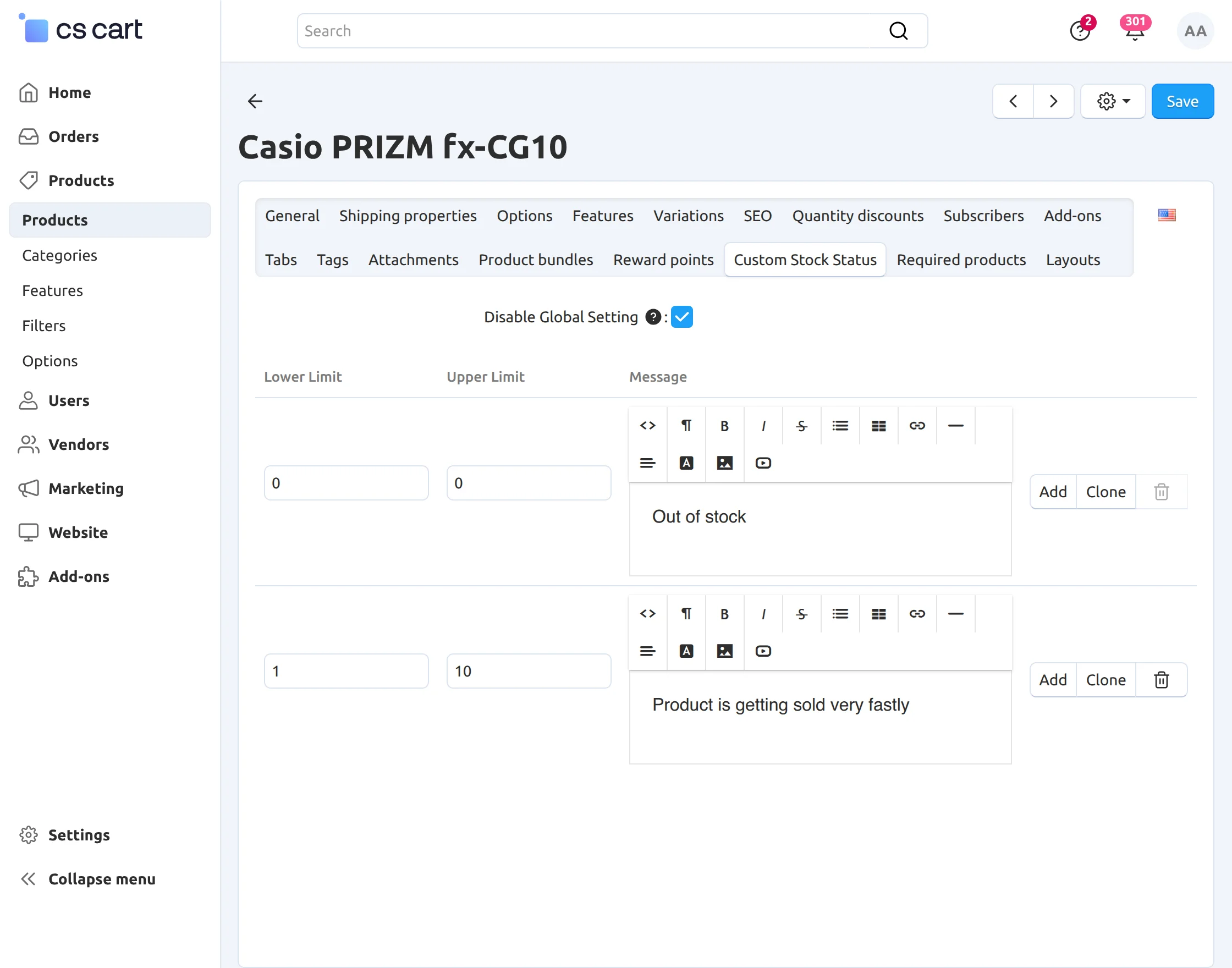
- Disable the global settings by clicking the checkbox provided.
- Set the quantity range and custom product availability status which need to be displayed. You can add as many as desired quantity ranges and corresponding message.
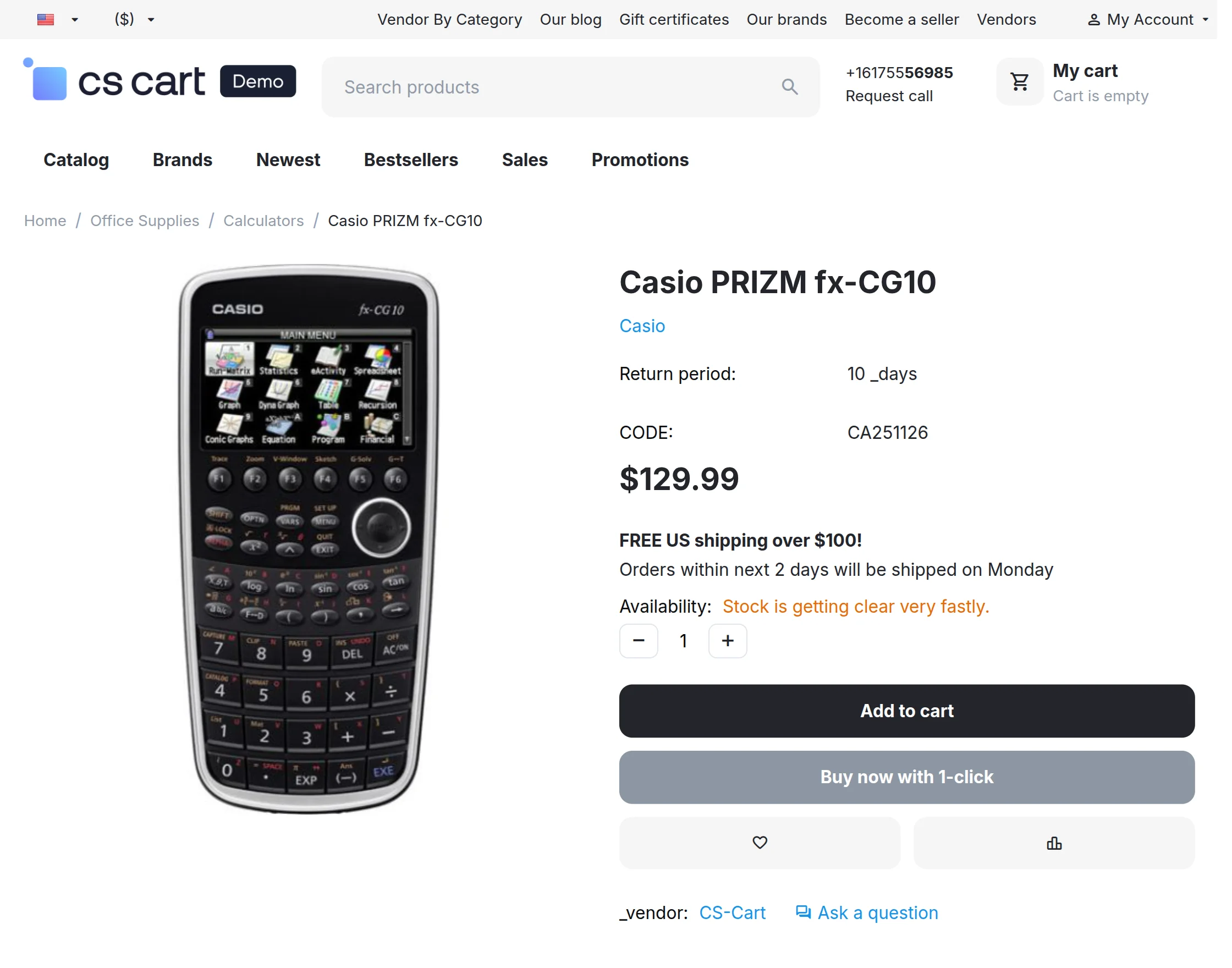
Front End View
Here on the product detail page, the custom status can be seen in place of In Stock/ Out-of-Stock Message.This is all about CS-Cart Custom Stock Status.
Support
If you encounter any issues or have any questions, feel free to contact us through Webkul Support and share your feedback with us. Your valuable suggestions help us improve the module.
You can also explore our CS-Cart Development Services and browse our range of high-quality CS-Cart Add-ons.
Current Product Version - 1.1
Supported Framework Version - 4.20

Be the first to comment.