Back to Top

CS-Cart Advanced Backup Management

Updated 14 May 2026

CS-Cart Advanced Backup Management add-on helps you secure your store data by providing a reliable and automated backup solution.

It allows you to create, manage, and restore backups with ease, ensuring your business stays protected from unexpected data loss or system failures.

With features like scheduled backups, cron-based cleanup, and cloud storage integration, the add-on ensures your store remains optimized and safe at all times.

It simplifies backup management and helps you maintain smooth and uninterrupted store operations.

Features

  • The add-on provides a user-friendly interface that makes it easy for the admin to use and manage backups efficiently.
  • It offers advanced backend options that allow the admin to create a complete store installer with ease.
  • The admin can enable automatic log clearing, cache cleanup, and database optimization to maintain store performance.
  • The admin can schedule cron jobs to back up files, the database, or the entire store, including the store installer.
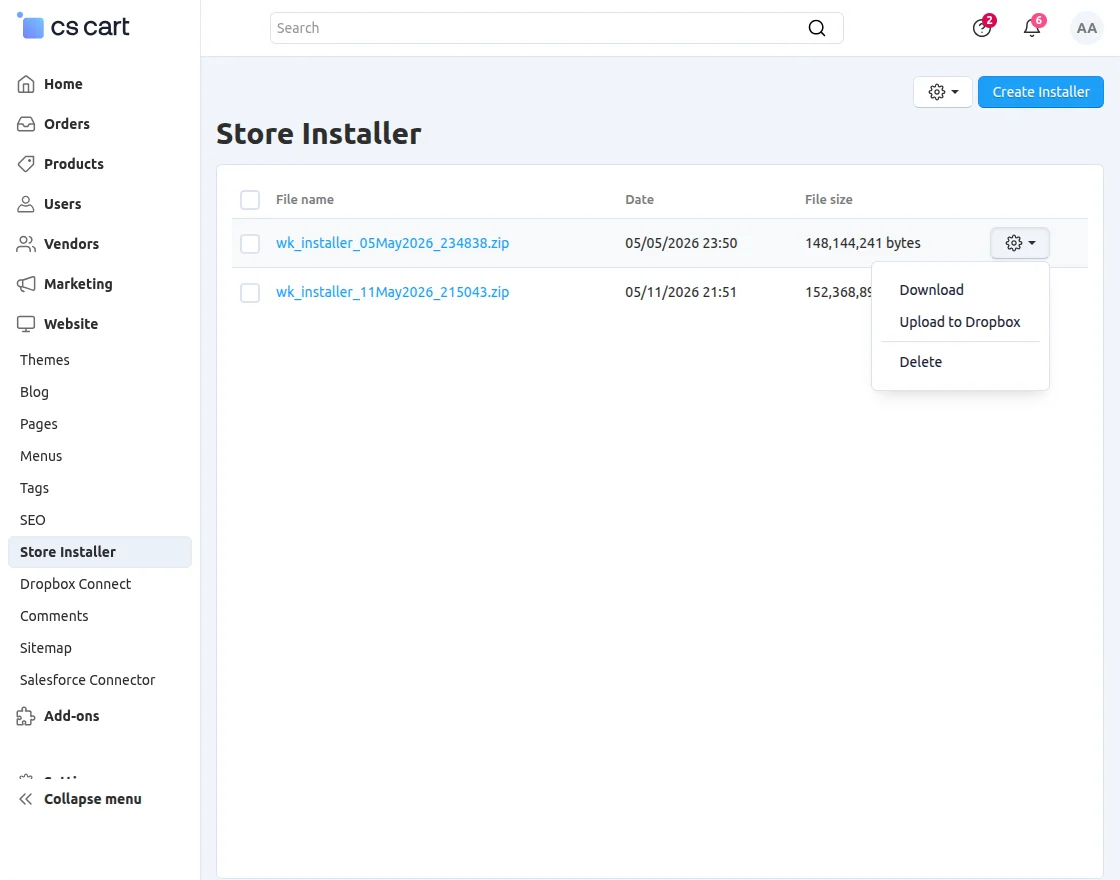
  • The admin can integrate Dropbox to upload backups automatically for secure off-site storage.
  • The admin can enable email notifications to receive cron execution logs and stay updated on backup activities.

Note: The Backup Management add-on cannot be added to the demo store because creating backups on the demo environment is not supported.

However, we can provide a live demonstration of the add-on’s workflow and features.

Installation

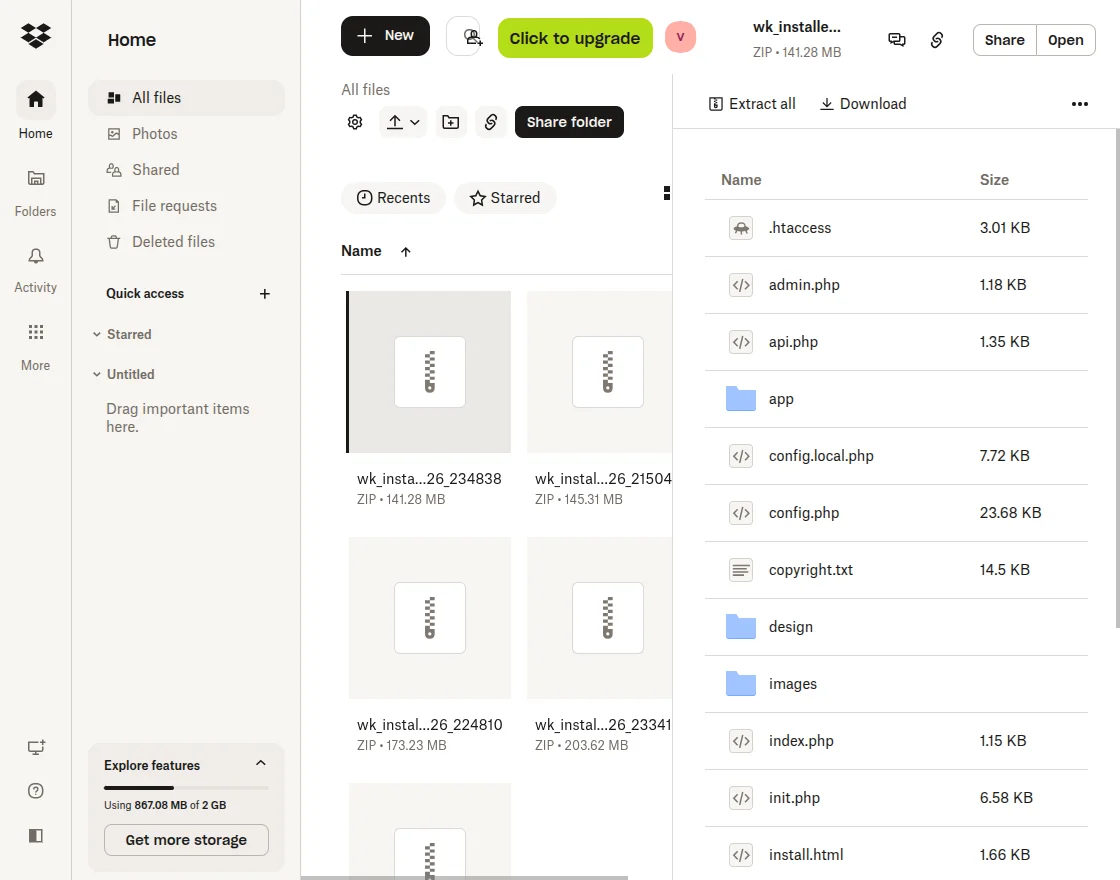
After downloading the CS-Cart Advanced Backup Management add-on, you’ll get one zip file, one install.txt file, and a relevant User Guide manual doc.

Please read it carefully for proper configuration.

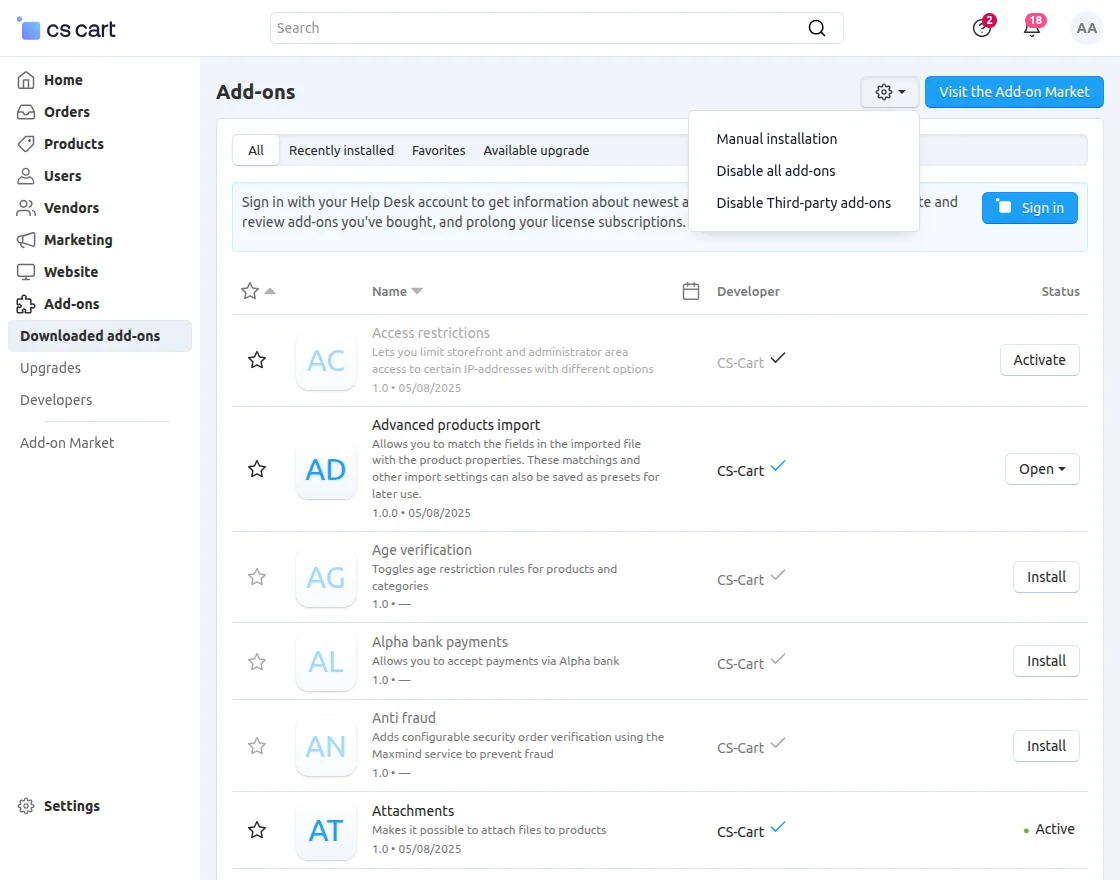
Go to Manage Add-ons, and click on “Manual Installation” as shown below in the snapshot.

CS-Cart Advanced Backup Management addon installation

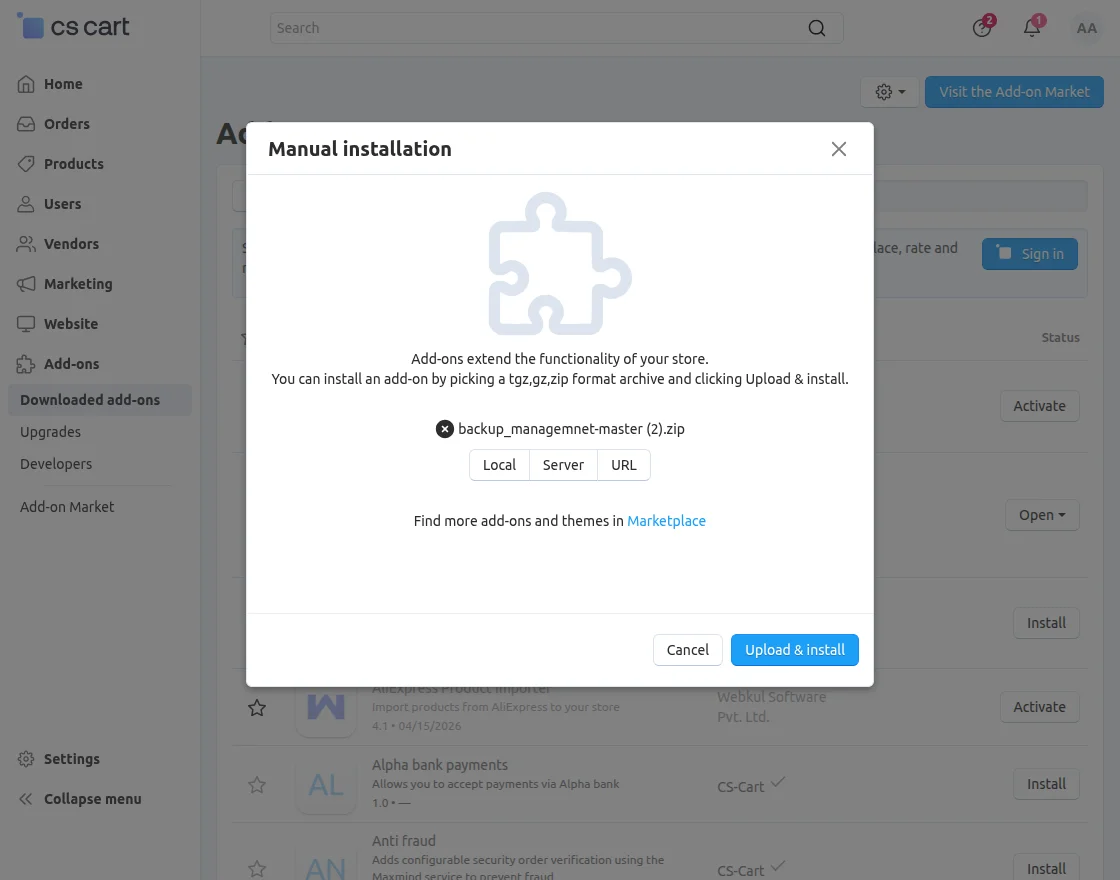
Click on “Local” to browse the zip file, and then click on “Upload & Install” as shown below in the snapshot.

CS-Cart Advanced Backup Management Addon Installation

Library installation

You can also download the library manually if needed.

Navigate to the following location using the terminal:

app/addons/wk_backup_management/lib/dropbox

Run the command:

composer update

Module Configuration | Admin
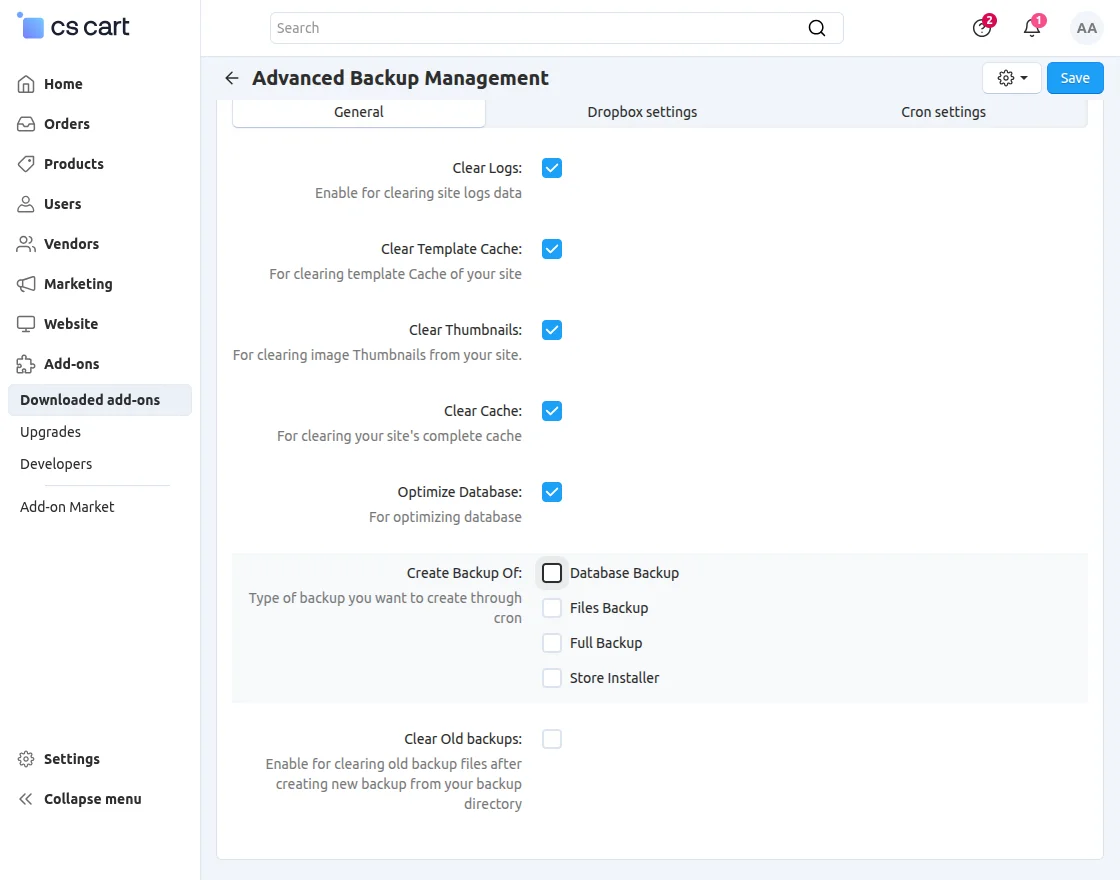
To configure the module, go to the Add-Ons >> Developers >> Webkul Software Pvt Ltd>> Advanced Backup Management>> Settings.

CS-Cart Advanced Backup Management Addon Configuration

  • Clear Logs: Enable this option to automatically clear site log data and reduce unnecessary storage usage.
  • Clear Template Cache: Enable this setting to remove cached templates and improve site performance.
  • Clear Thumbnails: Use this option to delete image thumbnails and free up storage space on your server.
  • Optimize Database: Enable this feature to optimize your database and enhance overall store performance.
  • Create Backup Of: Select the type of backup you want to create through cron, such as files, database, or full backup.

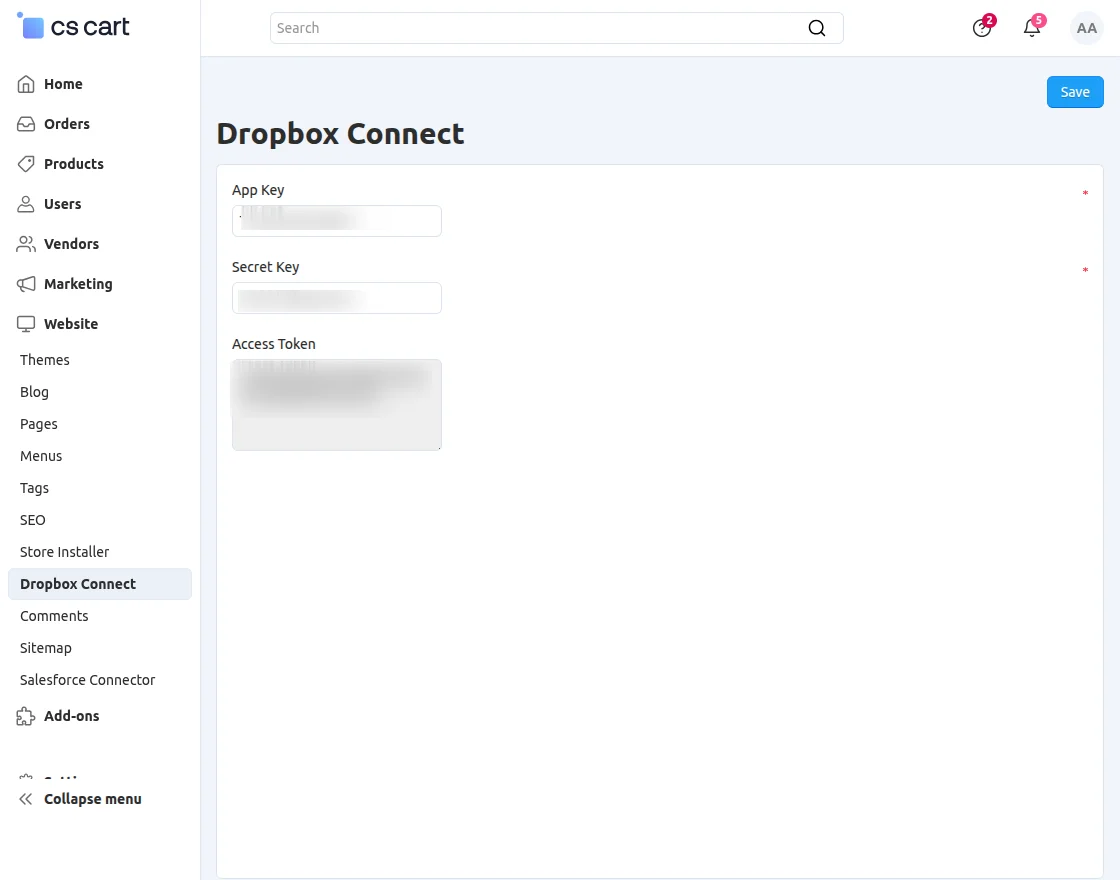
Dropbox Settings
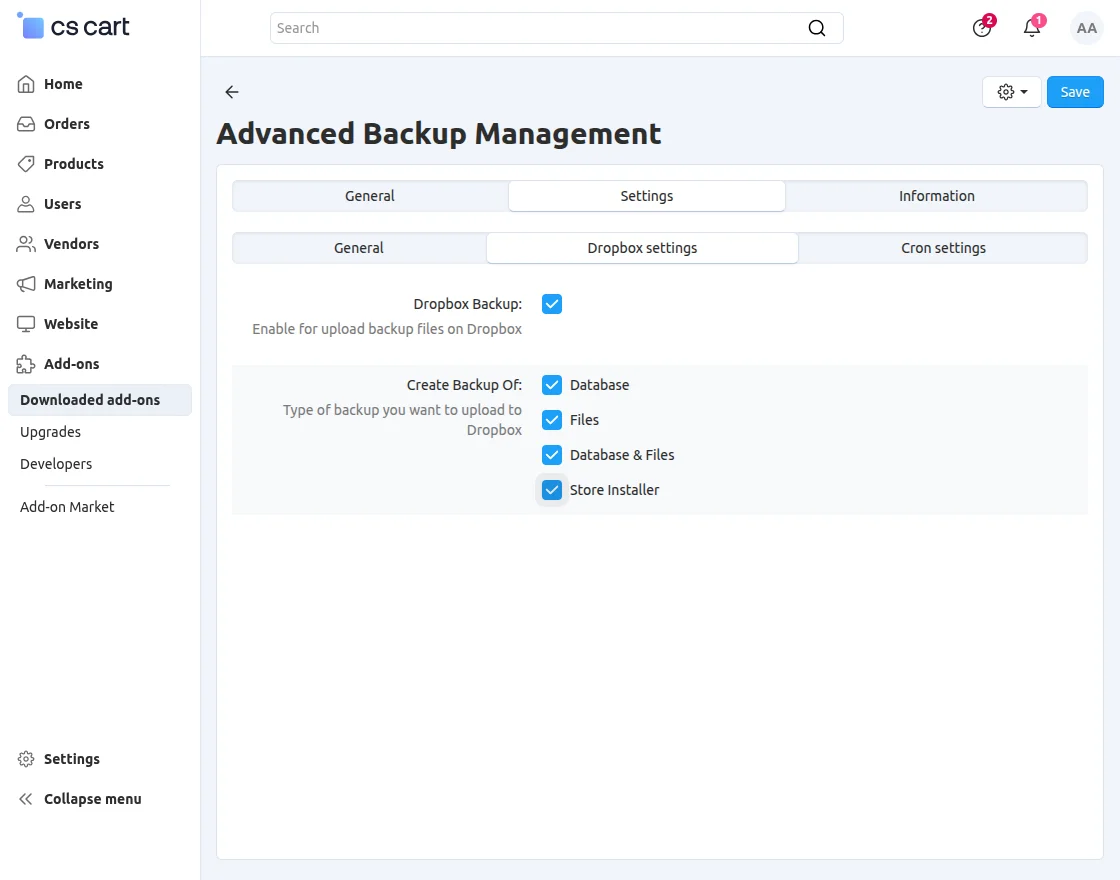
CS-Cart Dropbox settings

  • Dropbox Backup: Enable this option to upload backup files to Dropbox.
  • Create Backup Of: Select the type of backup that you want to upload to Dropbox.

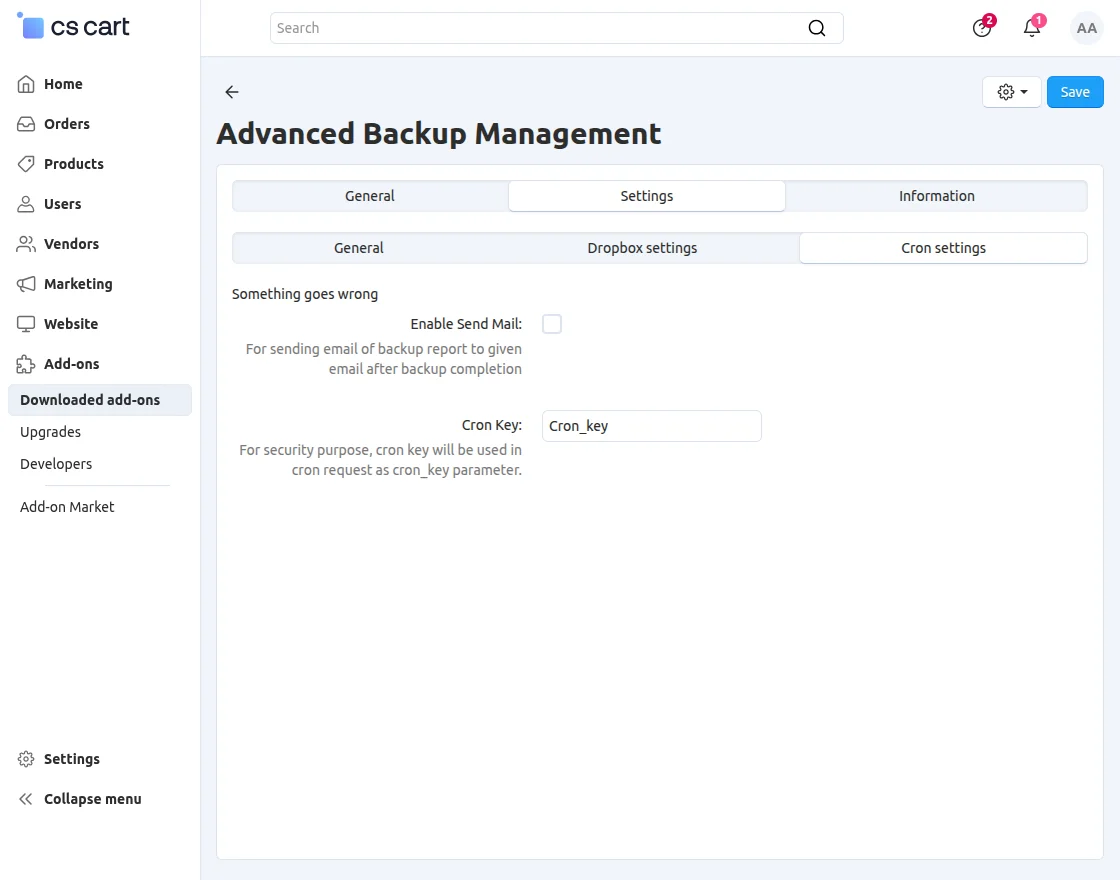
CS-Cart cron job settings

  • Enable Send Mail: Enable this option to send a backup report to the specified email after the backup completes.
  • Cron Key: Use this key in the cron request as the cron_key parameter for security.

Dropbox Folder

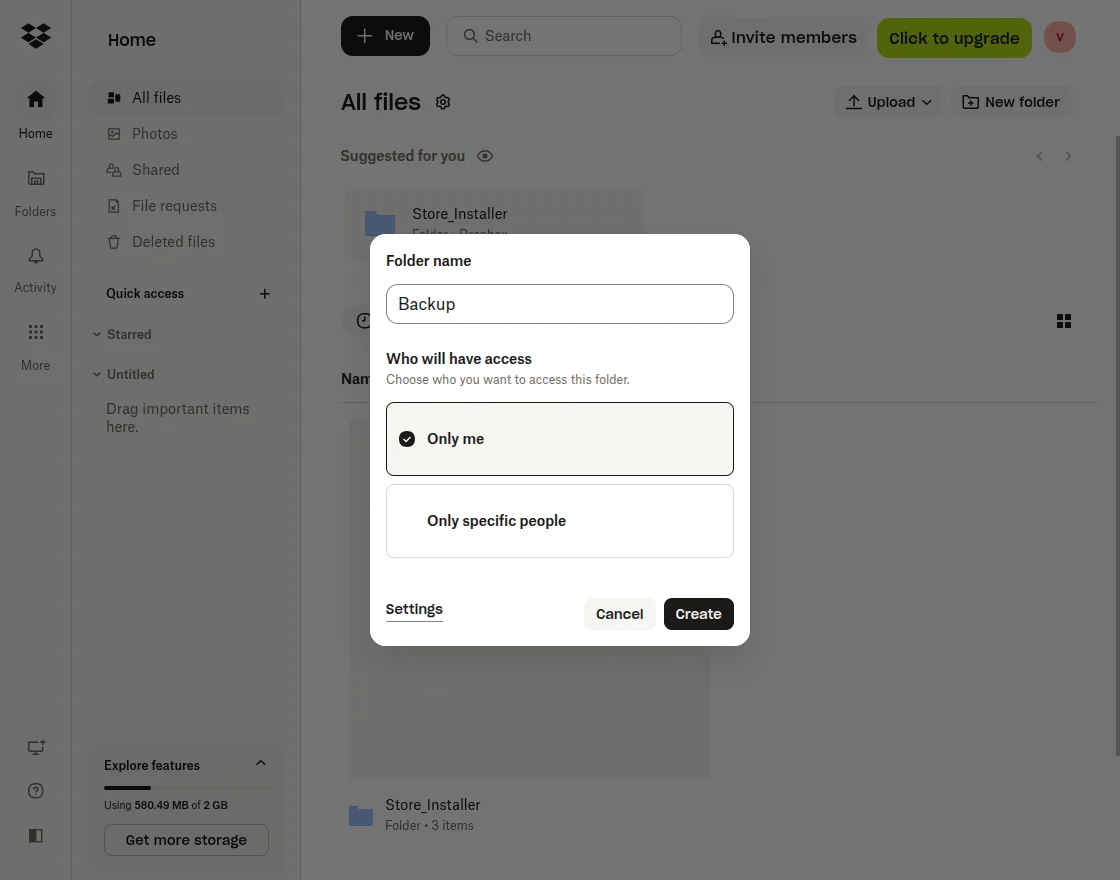
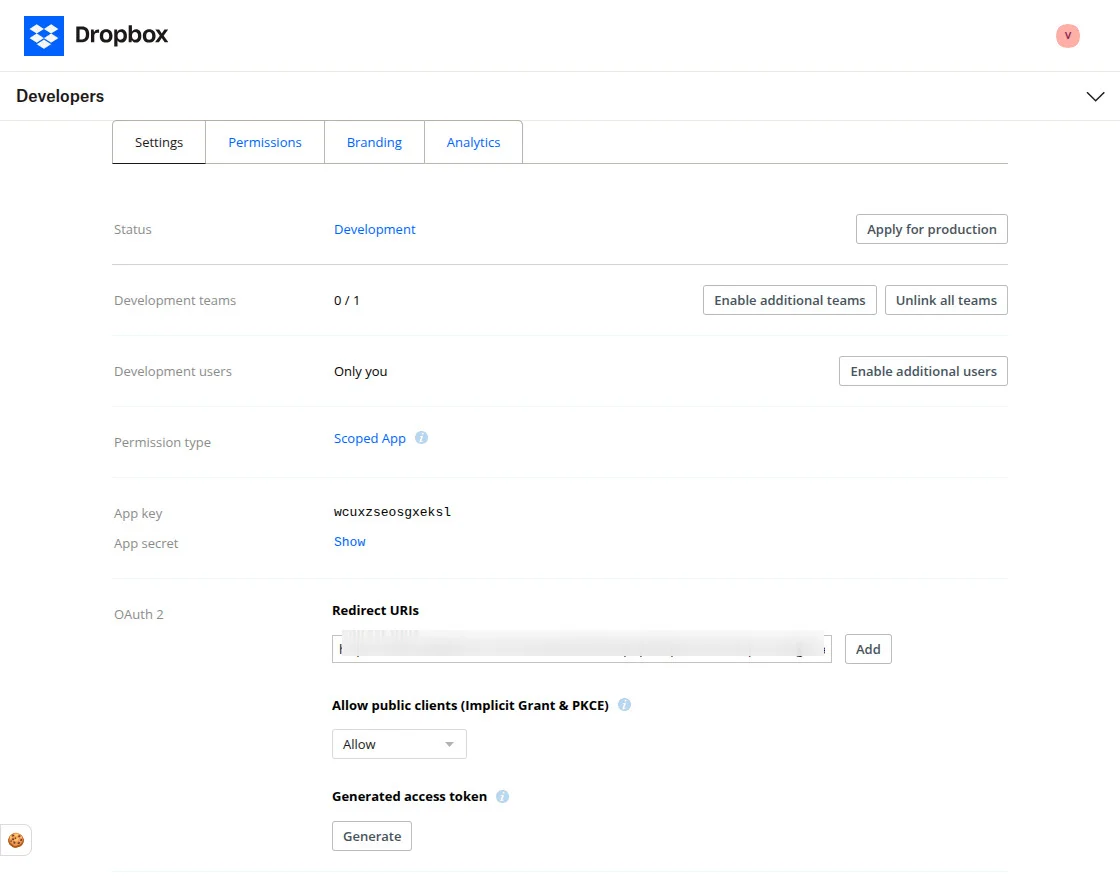
To crete a Dropbox folder, go to the Dropbox homepage.

Create Folder on Dropbox

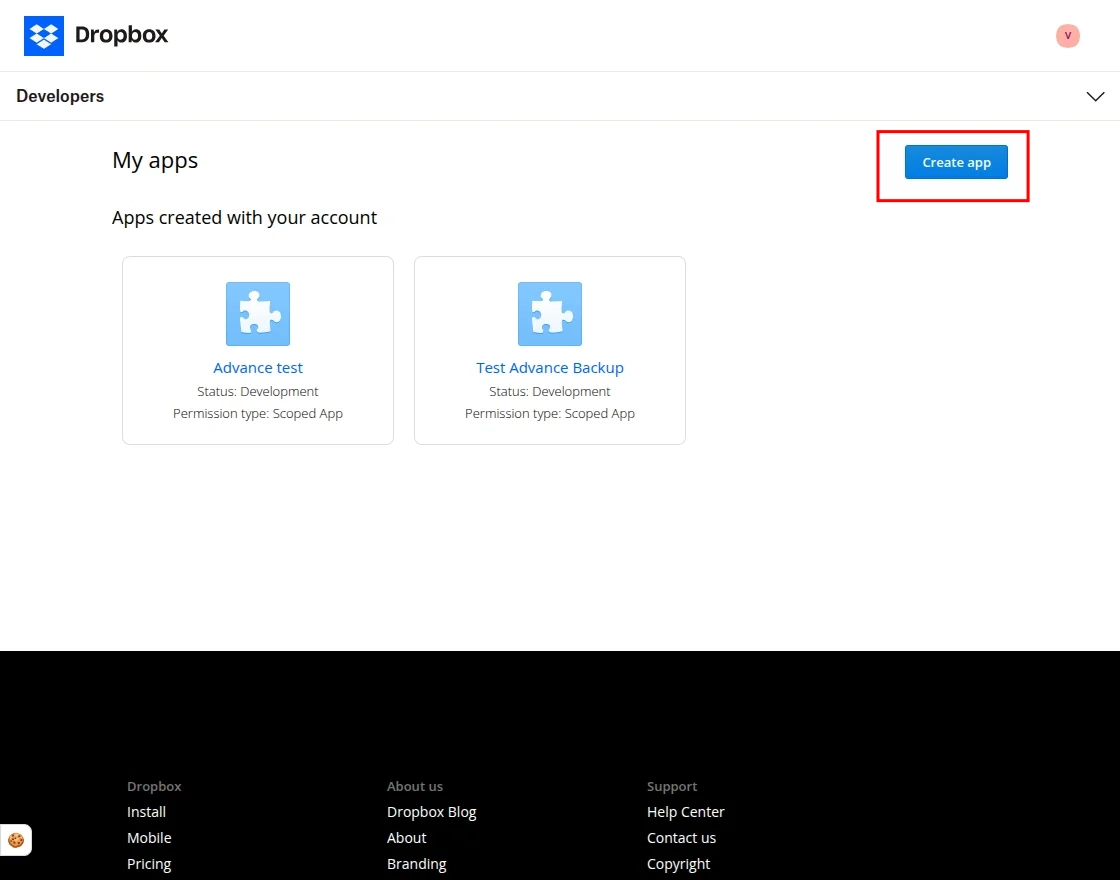
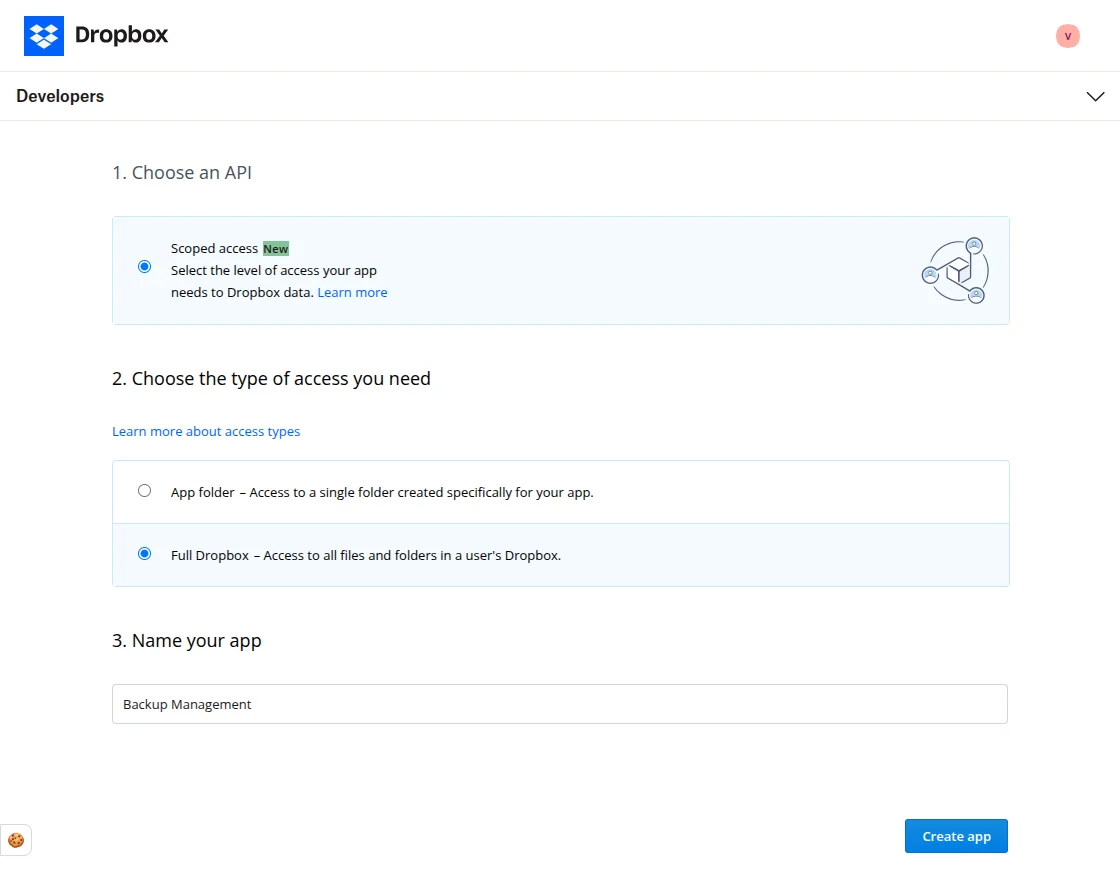
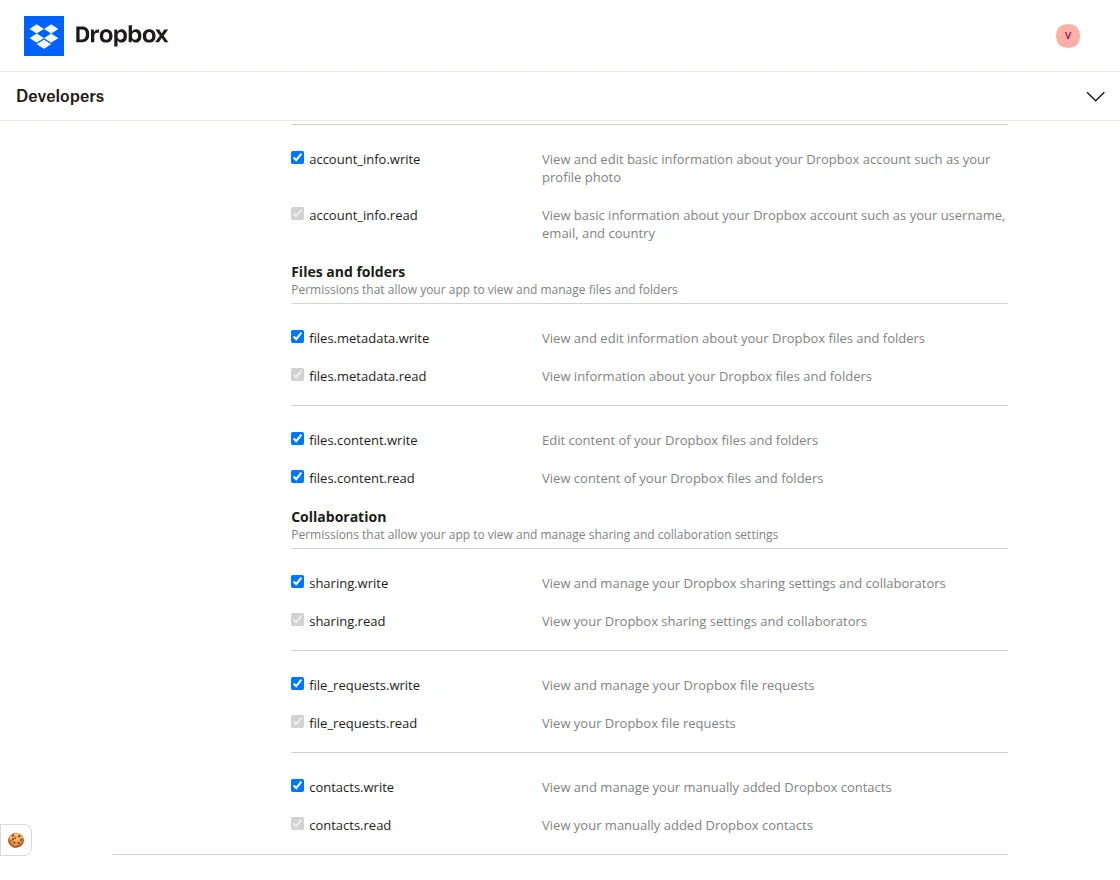
Give permissions

Support

If you have any questions, suggestions, or customization requests, feel free to contact us at [email protected] or submit a ticket at webkul.uvdesk.com.

Explore our premium-quality CS Cart Extensions to enhance your store functionality.

You can also explore our CS-Cart Development Services and Quality CS-Cart add-ons.

Current Product Version - 1.2

Supported Framework Version - 4.18.x, 4.19.x, 4.20.x

Blog Version - 4.18.x, 4.19.x, 4.20.x
  • Version 4.18.x, 4.19.x, 4.20.x
  • Version 4.18
. . .

Leave a Comment

Your email address will not be published. Required fields are marked*


Be the first to comment.

Back to Top

Message Sent!

If you have more details or questions, you can reply to the received confirmation email.

Back to Home

CS-Cart Advanced Backup Management