CS-Cart Advance Live Currency Converter addon is a powerful extension that automatically updates and displays currencies based on the latest exchange rates directly within the CS-Cart backend.
The sources of exchange rates are Free Currency Converter, Oanda Currency Converter, Fixer Currency Converter, and European Central Bank Currency Converter, which show the live exchange rate of the day.
Check a brief overview of the plugin –
Features
- Supports almost all global currencies.
- Auto-updation of the currency depends on the interval period configured at the backend.
- It retrieves the latest exchange rates from the Free Currency Converter, Oanda Currency Converter, Fixer Currency Converter, and European Central Bank Currency Converter.
- Also, the feature automatically updates the secondary currency’s value based on the current exchange rate to the primary one set by the admin.
- A modifier for the currency rate is provided at the backend.
- Moreover well integrated with CS-Cart & CS-Cart Multivendor.
Installation
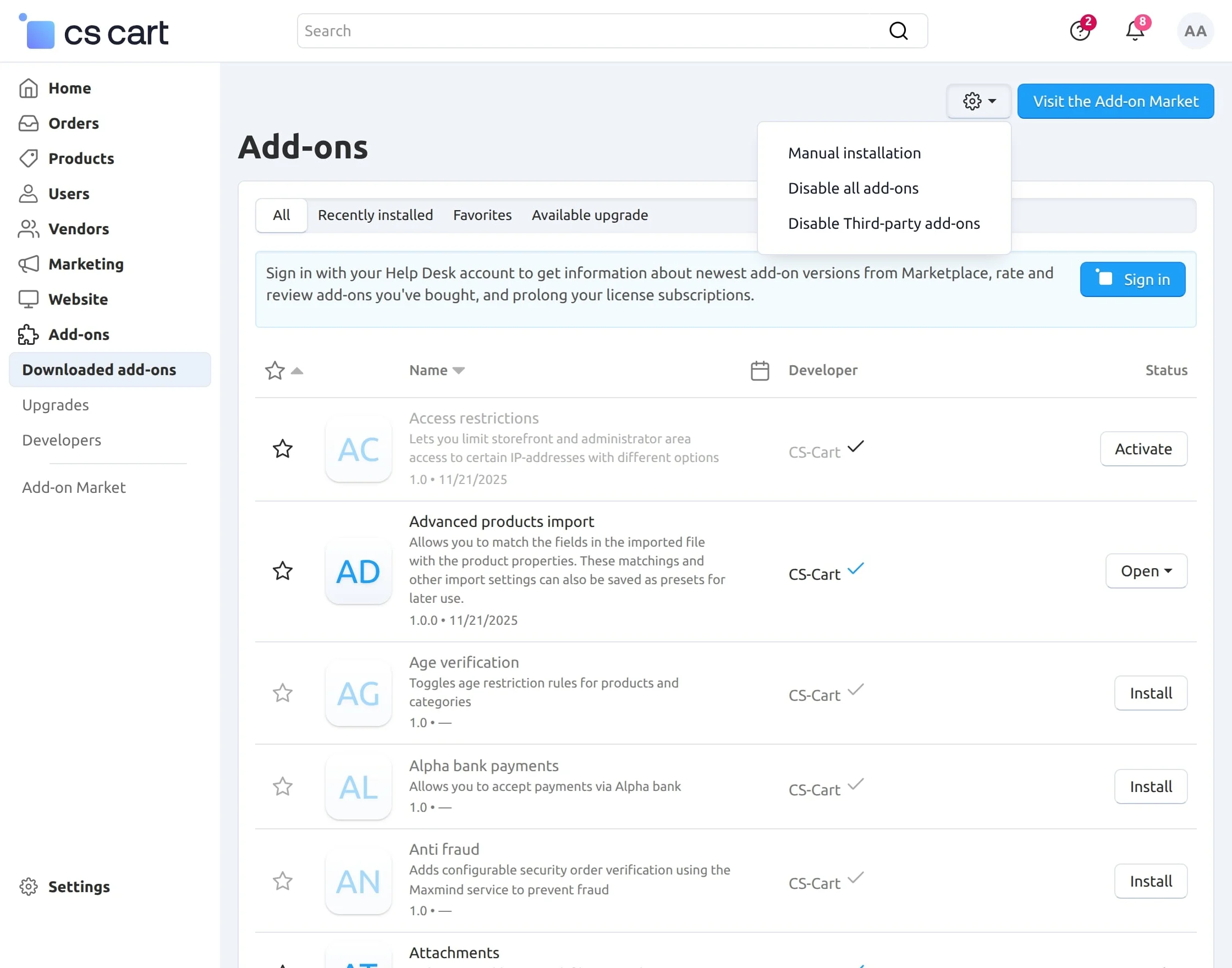
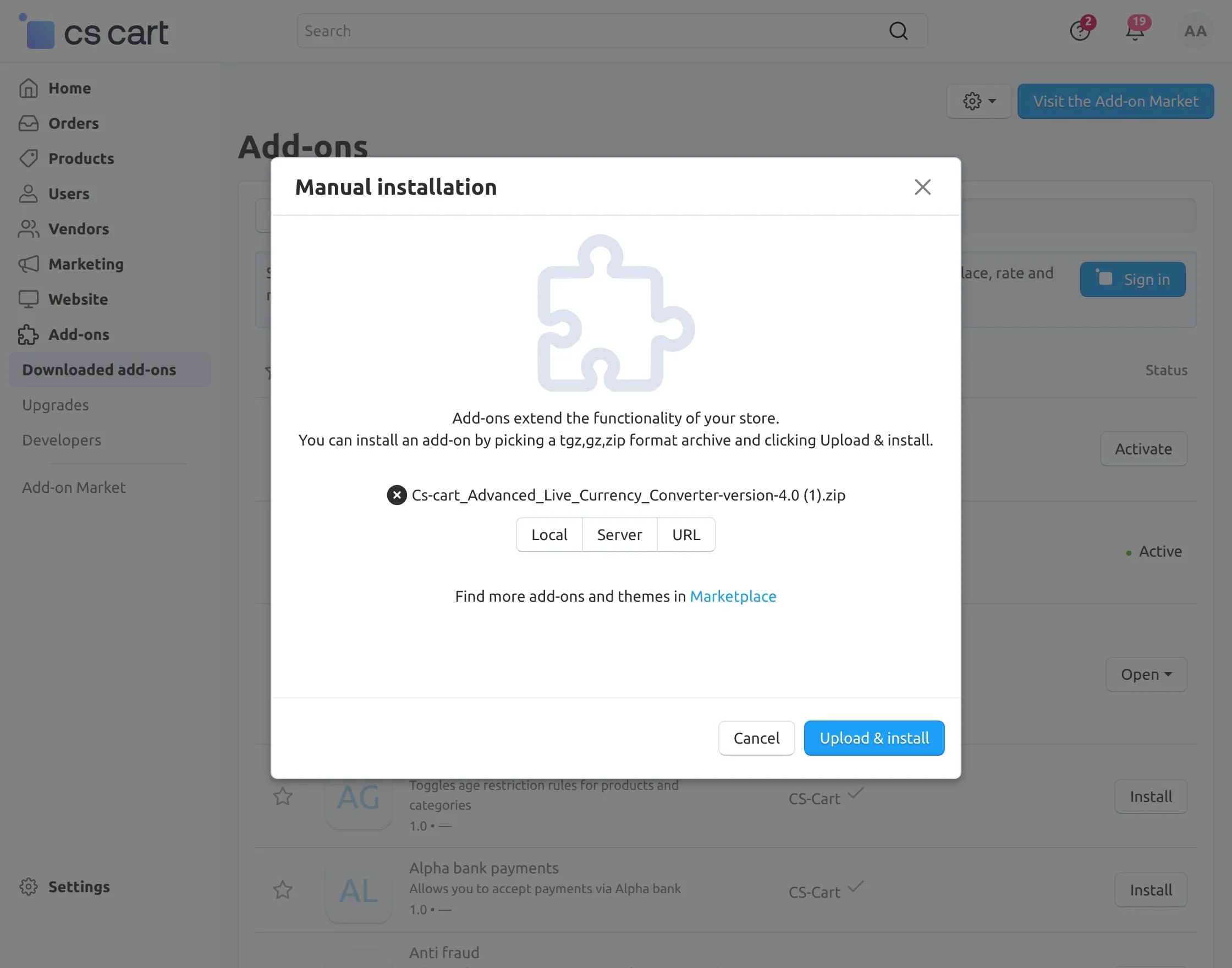
Navigate to Add-ons –> Downloaded add-ons and click on the settings icon, from here you can manually install the zip file as shown below:
Activate Add-on
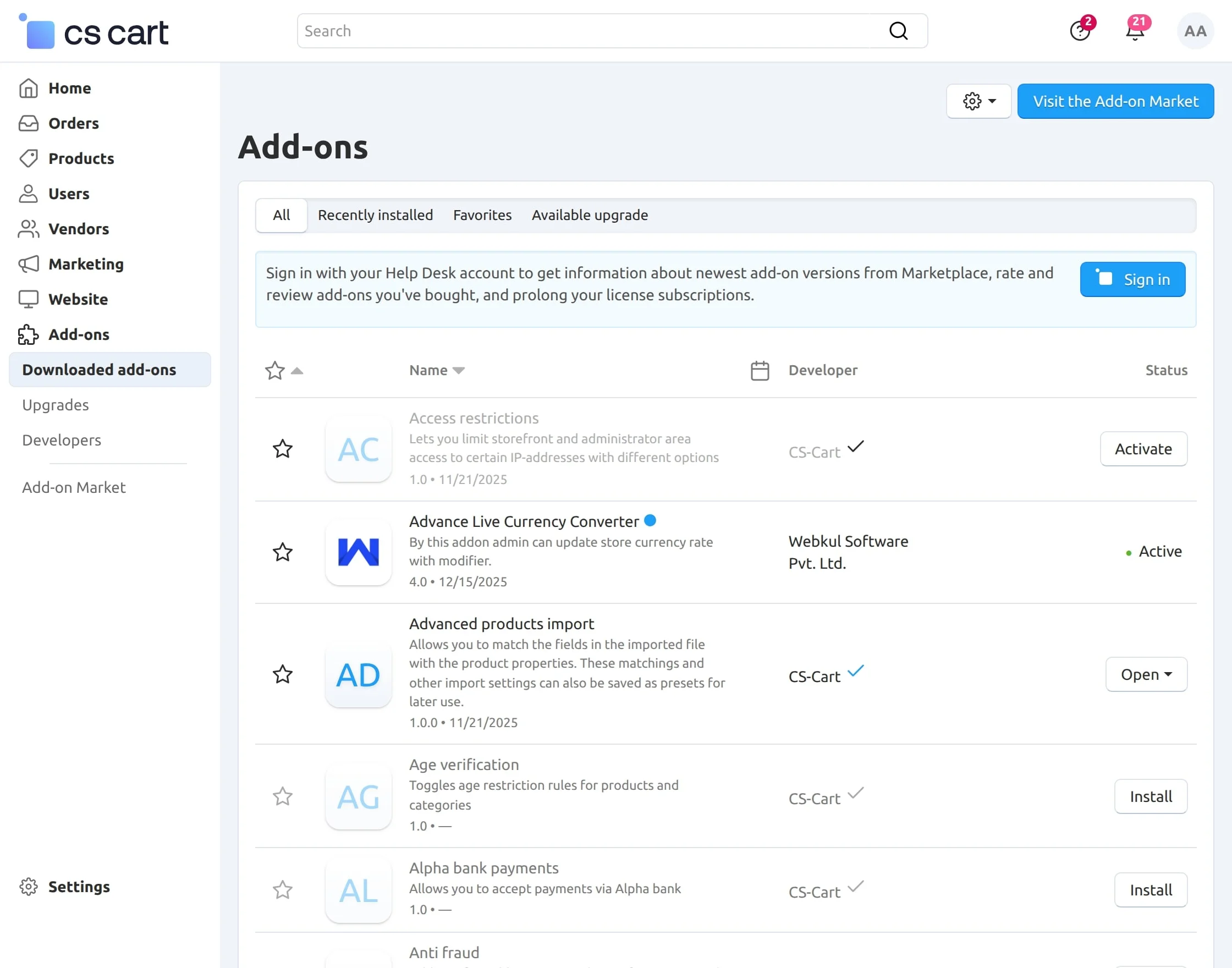
Once you install and activate the CS-Cart Advance Live Currency Converter add-on, you can begin configuring its settings.
Module Configuration
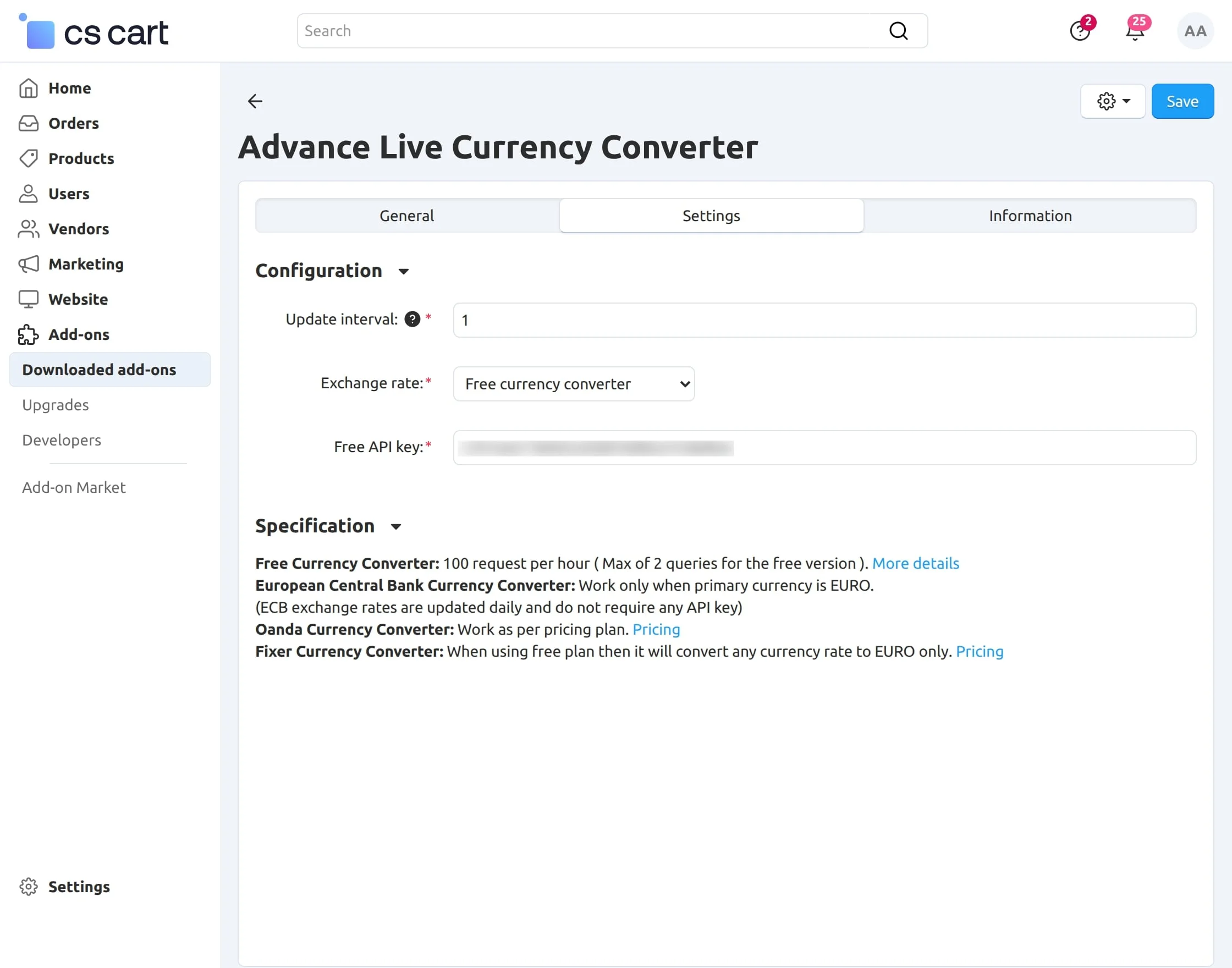
After opening the CS-Cart Advance Live Currency Converter add-on, click on the ” Settings” tab to begin the configuration process :
- Update Interval: Define how often the exchange rates should be auto-updated in the CS-Cart backend.
- Exchange Rate Source: Select the preferred exchange rate provider from the available options:
- Access Token: Enter the required access token/API key for the selected exchange rate service.
Please note that :
- Free Currency Converter provides 100 requests per hour for free. For the paid plan, please check More details here.
- European Central Bank Currency Converter works only when the primary currency is EURO.
- Oanda Currency Converter works as per the pricing plan. Please check the Pricing here.
- Fixer Currency Converter, when using the free plan of this fixer currency converter then it will convert any currency rate to the EURO only. Please check the Pricing details here.
Admin end
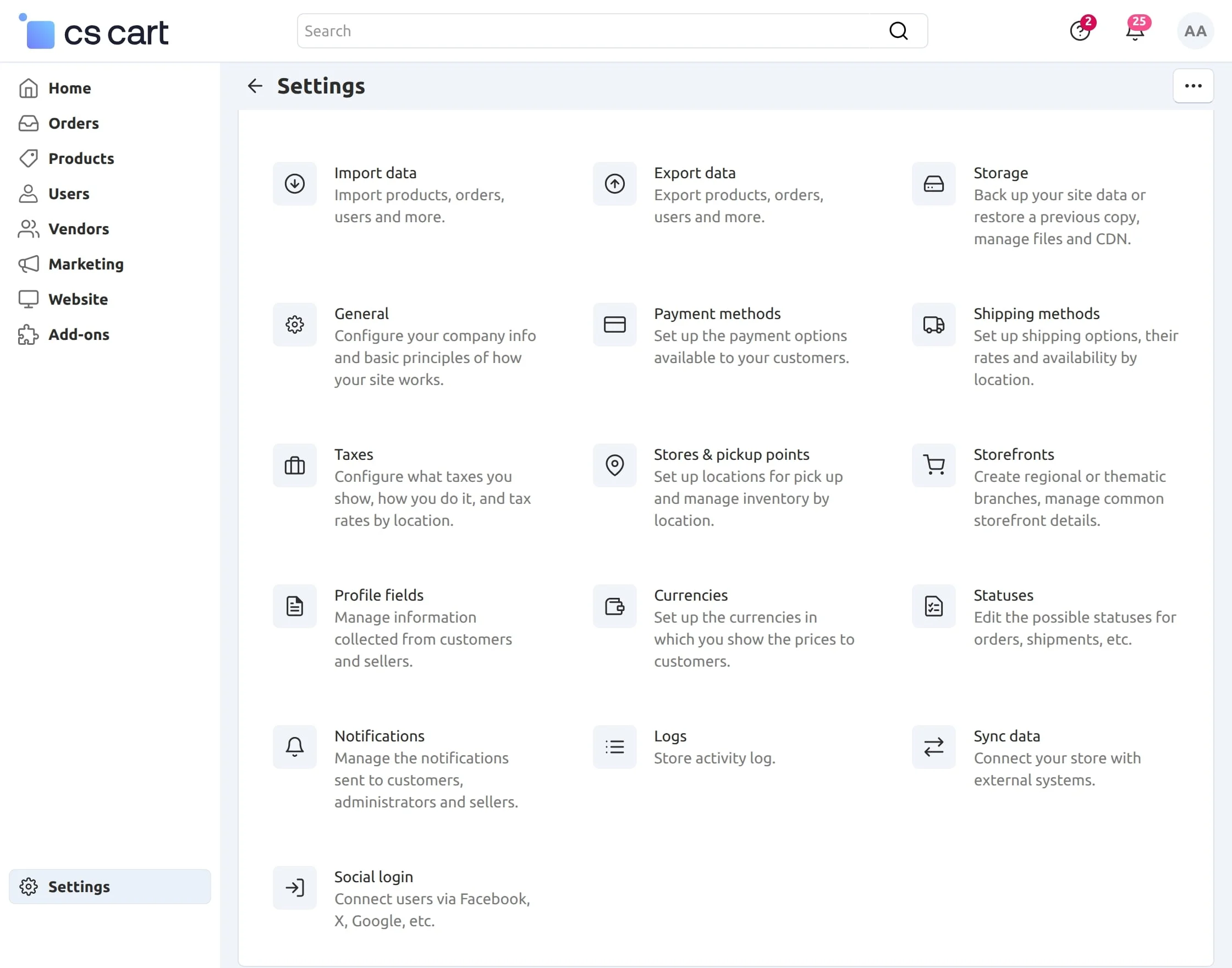
Go to “Settings” and then click on “Currencies” as shown below in the snapshot.
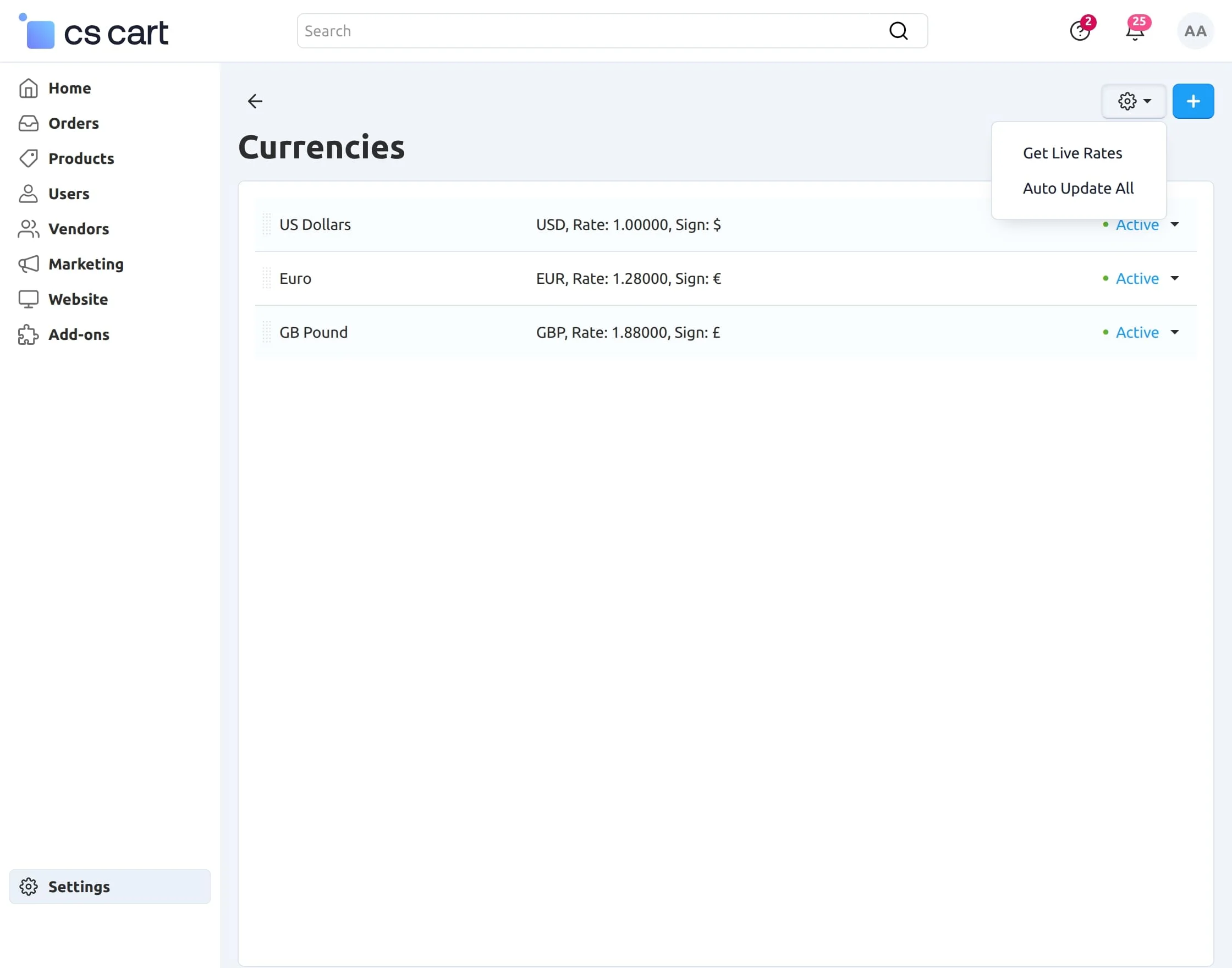
A gear button with a dropdown appears on the right side, as shown in the image below.
- Click on “Get Live Rates” to get the latest live exchange rates
- Click on “Auto Update All” to update live rates for all the listed currencies.
There is an option to update live rates of individual currencies as well on the Currency Edit Page.
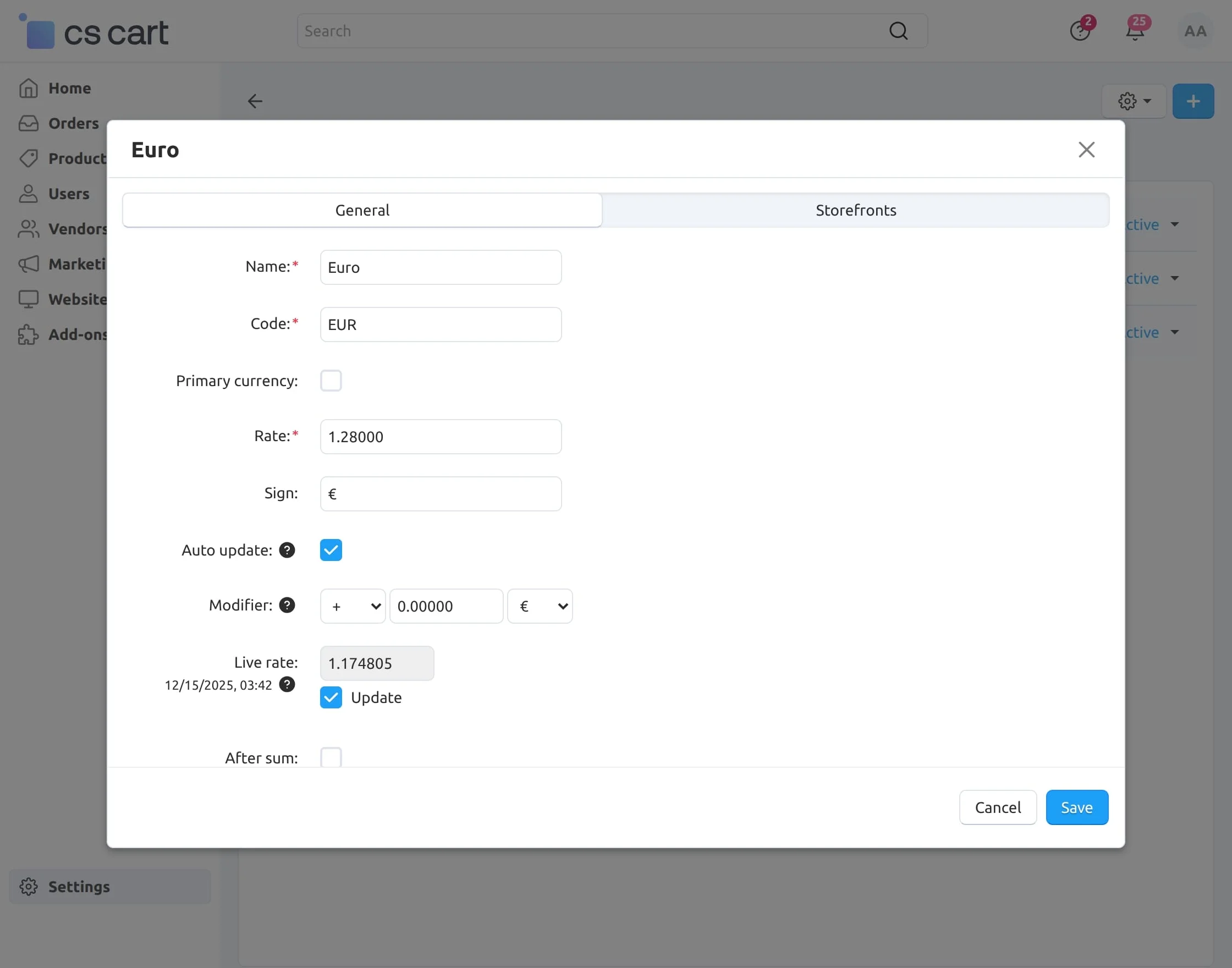
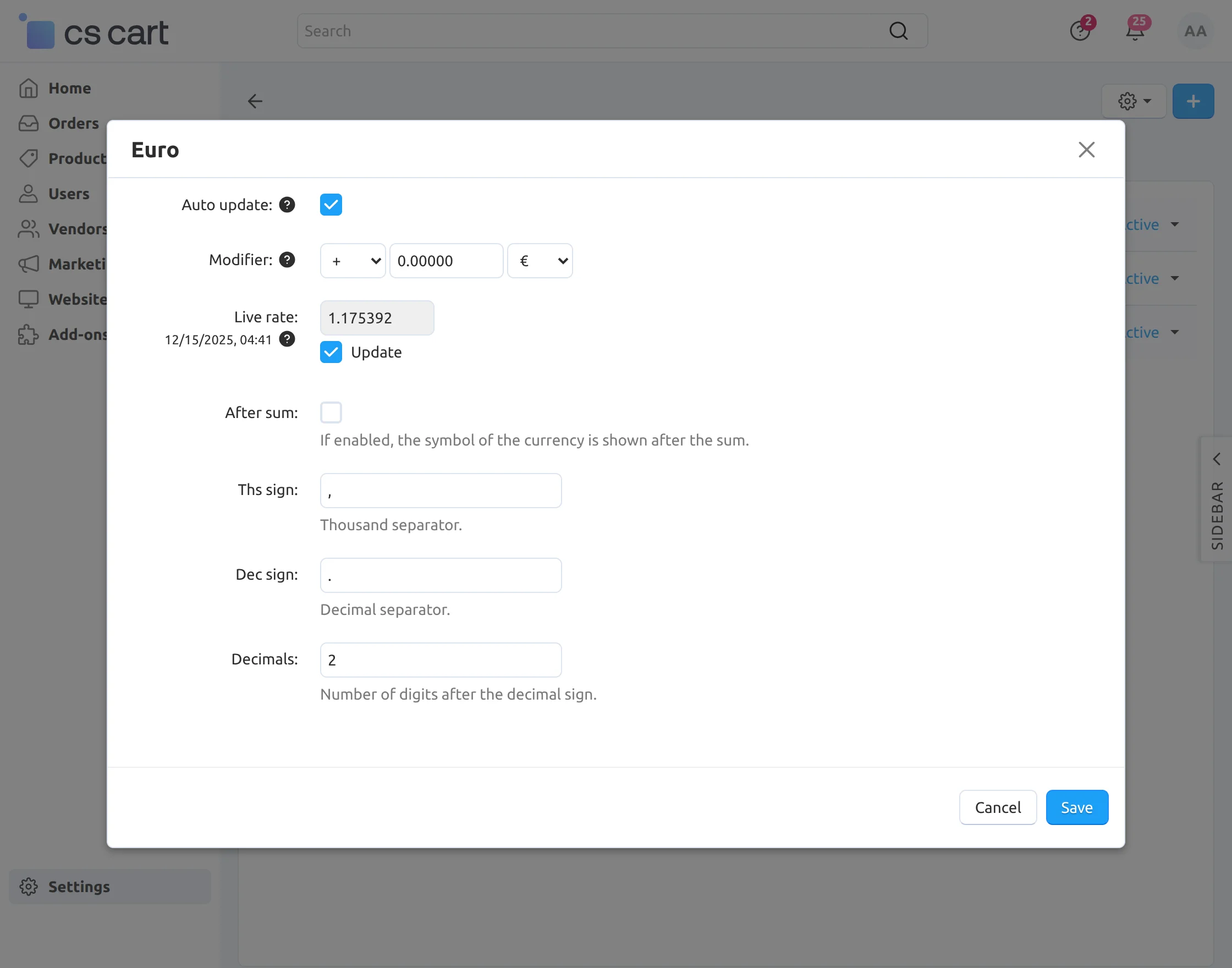
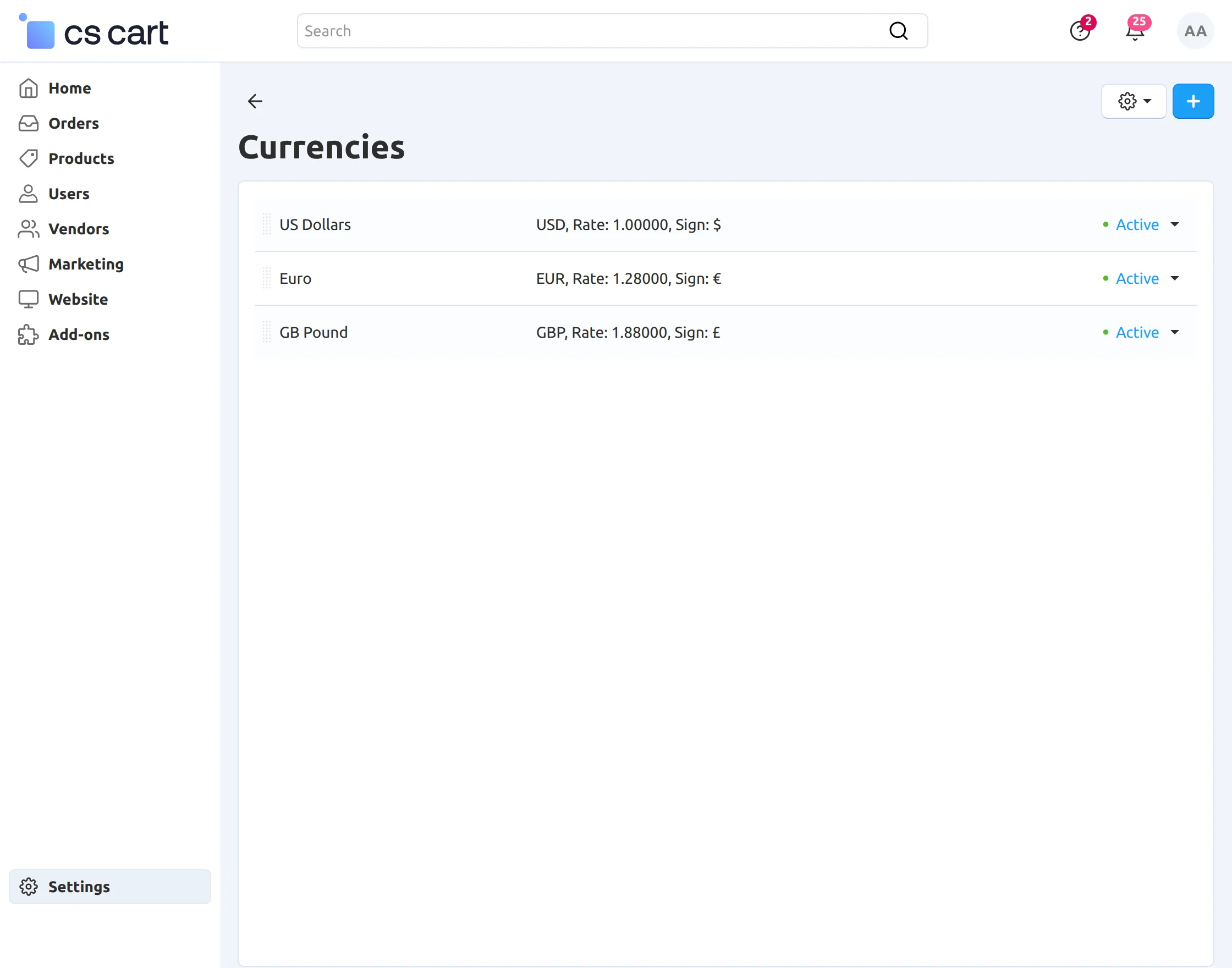
Live exchange rates can also be seen on the currency list page at the backend, as shown below.
Support
This is all about CS-Cart Advance Live Currency Converter. Still, have any issues, feel free to contact us at http://webkul.uvdesk.com and let us know your views to make the add-on better.
Besides this, you can explore our CS-Cart development services and Quality CS-Cart add-ons.
Current Product Version - 4.0
Supported Framework Version - 4.16.x to 4.19.x

1 comments