


















WooCommerce makes it easy to sell products online. But what if you want other businesses to sell their products through your store?
You need a way to register sellers, manage products, calculate commissions, process orders, and handle vendor payments. A WooCommerce marketplace plugin brings these functions together without requiring you to build a marketplace from scratch.
The best WooCommerce marketplace plugins for 2027 are Webkul Multi Vendor Marketplace, YITH WooCommerce Multi Vendor, Dokan, WCFM Marketplace, WC Vendors, MultiVendorX, and Product Vendors by Woo.
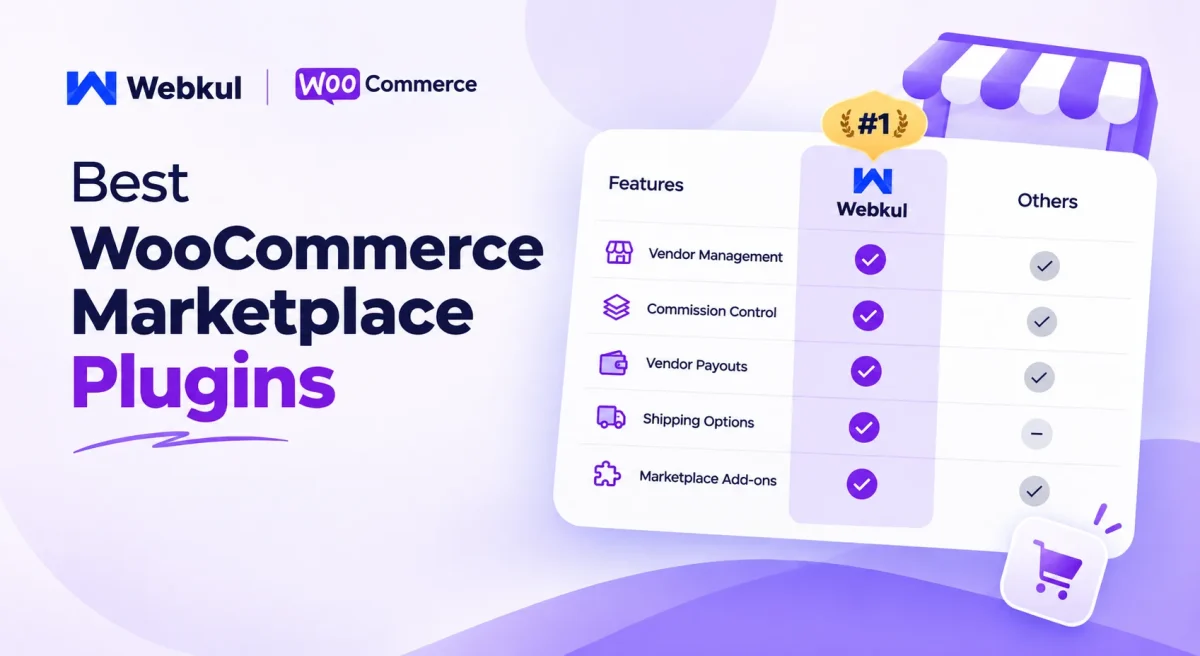
Webkul Multi Vendor Marketplace is our best overall pick for businesses looking for a one-time payment, flexible vendor management, and room to expand through marketplace add-ons.
Dokan is a strong choice for businesses that prefer a free starting option, while WCFM Marketplace is worth considering for stores with detailed commission and withdrawal requirements.
In this guide, we compare seven marketplace plugins based on their features, pricing, seller experience, payment options, limitations, and long-term operating costs.
Whether you want to build a marketplace like Amazon, Etsy, or a small online marketplace for local businesses, this comparison will help you choose the right plugin.

Best WooCommerce Marketplace Plugins in 2027: Quick Comparison
If you are short on time, here is a quick comparison of the top WooCommerce marketplace plugins.
| Marketplace plugin | Best for | Free version | Pricing model |
|---|---|---|---|
| Webkul Multi Vendor Marketplace | Overall marketplace development and long-term license value | No | One-time payment |
| Dokan | Frontend vendor management and modular expansion | Yes | Annual and lifetime options |
| WCFM Marketplace | Flexible commissions and withdrawal rules | Yes | Free core with paid extensions |
| WC Vendors | Small and growing product marketplaces | Yes | Annual plans |
| MultiVendorX | Product, service, and rental marketplaces | Yes | Subscription plans |
| YITH Multi Vendor | Stores using the YITH ecosystem | No | Annual subscription |
| Product Vendors by Woo | Existing stores working with selected suppliers | No | Annual subscription |
Each plugin serves a different type of business. The right choice depends on how your vendors will sell, how you plan to earn revenue, and how much you want to spend as your marketplace grows.
What Is a WooCommerce Marketplace Plugin?
A WooCommerce marketplace plugin is a WordPress extension that allows multiple independent vendors to sell products or services through a single WooCommerce store.
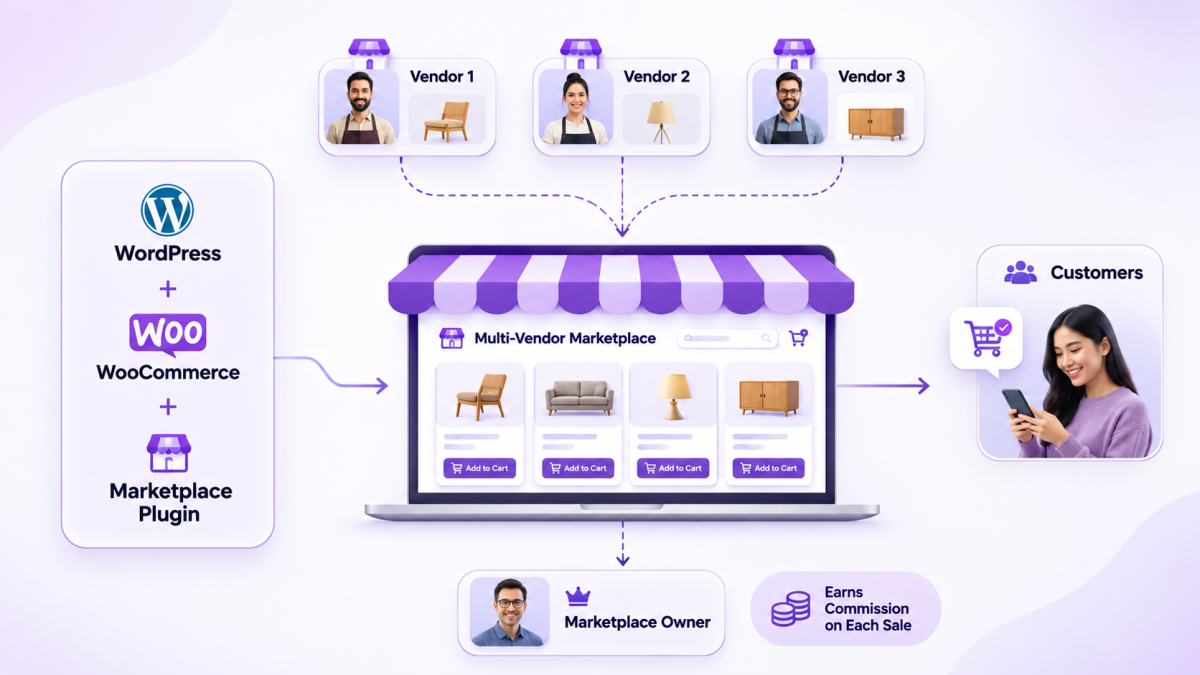
Instead of managing every product yourself, you can allow sellers to add products, manage inventory, process orders, and track their earnings.
The marketplace owner manages vendor access, commissions, product approvals, and other business rules.
For example, imagine an online furniture marketplace with 50 independent furniture sellers. Each seller manages their own products, while customers browse and purchase from a single website.
The marketplace owner earns a commission from each sale.
A marketplace plugin helps manage these activities within WooCommerce.
How Does a WooCommerce Multi Vendor Marketplace Work?
A typical marketplace follows these steps:
- A seller registers on the marketplace.
- The marketplace owner reviews or approves the seller.
- The seller creates products and manages inventory.
- Customers purchase products from one or more sellers.
- The marketplace calculates vendor earnings and commissions.
- Vendors receive payments according to the marketplace’s payout policy.
The exact process depends on the plugin, payment gateway, and marketplace configuration.
How We Compared the Best WooCommerce Marketplace Plugins
A long feature list does not always mean a plugin is right for your business.
For this comparison, we considered seven areas that affect the daily operation of an online marketplace.
| Evaluation criteria | What we considered |
|---|---|
| Vendor management | Registration, approvals, profiles, and seller access |
| Seller experience | Dashboards, product management, inventory, and orders |
| Commission management | Global and individual vendor commission options |
| Payments and withdrawals | How vendors receive their earnings |
| Pricing | Initial license cost, renewals, and additional extensions |
| Marketplace expansion | Shipping, mobile apps, bookings, auctions, and other integrations |
| WooCommerce compatibility | Order storage, themes, product types, and supported integrations |
This comparison is based on publicly available product information and documentation. It does not include controlled speed tests, security audits, or load testing.
1. Webkul Multi Vendor Marketplace – Best Overall WooCommerce Marketplace Plugin
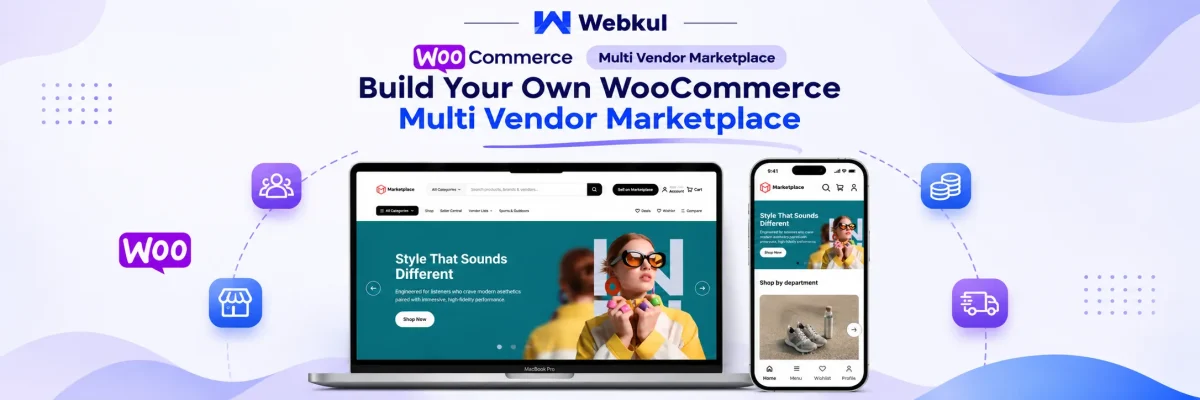
Webkul Multi Vendor Marketplace allows businesses to turn an existing WooCommerce store into a marketplace where multiple sellers can manage their products, orders, and earnings.
It is a strong choice for businesses that want control over their marketplace without paying a recurring subscription fee for the core plugin.
Imagine you are starting a fashion marketplace with 20 independent clothing brands. Some brands agree to pay a 10% commission, while others agree to 15%. You also want to review new products before customers can purchase them.
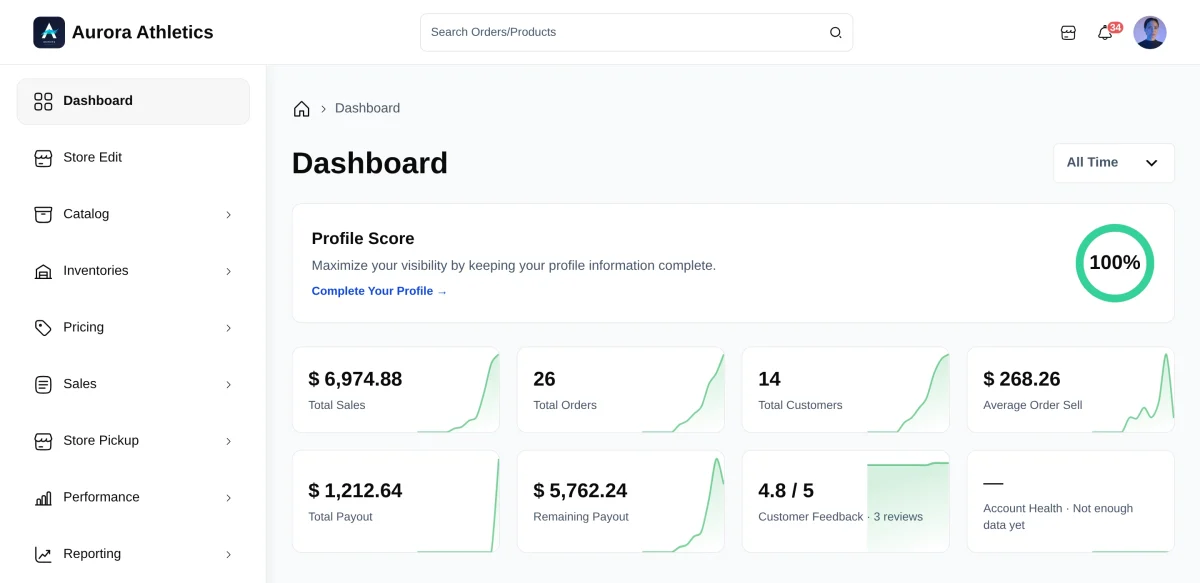
Webkul allows you to manage these requirements from the marketplace admin panel.
As your business grows, you can extend the marketplace with additional payment methods, shipping integrations, mobile apps, and other selling models.
Key Features of Webkul Multi Vendor Marketplace
- Magic AI for Product Listings: Generate product titles and descriptions, enhance product photos, and control AI usage for individual sellers.
- Customizable Seller Central: Attract and onboard new vendors through a dedicated registration landing page.
- Vendor KYC Verification: Review seller identity documents before allowing vendors to sell.
- Frontend Vendor Dashboard: Manage sales, orders, products, inventory, and earnings from a dedicated panel and dashboard.
- Independent Vendor Storefronts: Give vendors their own shop profiles and product collection pages.
- Flexible Commission Management: Configure marketplace-wide and individual vendor commission rates.
- Vendor Payout and Withdrawal Management: Manage withdrawal limits, monthly requests, payment records, and CSV exports.
- Select & Sell Shared Catalog: Allow multiple vendors to sell existing catalog products with independent pricing and stock.
- Bulk Product Upload: Enable sellers to import multiple product listings using CSV files.
- Guided Product Listing: Simplify product creation with step-by-step forms and listing completeness indicators.
- Vendor Staff Management: Allow sellers to create staff accounts with separate roles and access permissions.
- Advanced Product Approval Controls: Restrict product categories, control publishing permissions, and review seller listings.
- Multi-Vendor Checkout: Let customers purchase products from different sellers in a single transaction.
- Vendor Shipping Management: Allow sellers to configure shipping zones, rates, free shipping, and local pickup.
- Inventory and Barcode Management: Manage stock, low-stock alerts, backorders, SKU prefixes, and downloadable barcodes.
- Vendor Vacation Mode: Schedule store closures, display availability messages, and temporarily disable purchases.
- Vendor Order Management: Manage order statuses, cancellations, invoices, and order notifications.
- Customer Trust and Engagement: Support vendor reviews, ratings, favorite sellers, and vendor or product reporting.
- Modern WooCommerce Compatibility: Support standard product types, HPOS, Cart and Checkout Blocks, and WPML.
- 50+ Marketplace Add-ons: Extend marketplace functionality with additional payment gateways, shipping integrations, auctions, and mobile apps.
What Makes Webkul Different?
One of Webkul’s biggest advantages is its one-time licensing model for the core marketplace plugin.
Many marketplace plugins use annual subscriptions. Webkul gives businesses another option, particularly when they want to reduce recurring software license costs.
Webkul offers a free WordPress and WooCommerce AI Agent Checker to evaluate your marketplace’s AI readiness and discoverability.
Its add-on ecosystem also allows businesses to choose additional features according to their requirements.
For example, a business can start with a standard product marketplace and later introduce auctions, advanced commission rules, additional shipping integrations, or a marketplace mobile app.
Webkul WooCommerce Marketplace provides detailed, step-by-step documentation to help store owners easily install, configure, and manage their multi-vendor marketplace.
These additional capabilities may require separate purchases.
Check the Webkul WooCommerce Marketplace Plugin Demo.
Webkul Marketplace Pricing
| Product | Price |
|---|---|
| Core marketplace plugin | $99 regular price |
| Promotional price at the time of review | $59 |
| Billing model | One-time payment |
| Additional marketplace extensions | Purchased separately as required |
Optional support, installation, customization, and integrations may increase the total project cost.
Pros
- No recurring license fee for the core marketplace plugin.
- Flexible control over vendors and product approvals.
- Separate commission rates for individual sellers.
- Extensive marketplace add-on ecosystem.
- Suitable for new and existing WooCommerce stores.
- Supports different default WooCommerce product types.
Cons
- No free edition of the core marketplace plugin.
- Certain advanced features are available through separate add-ons.
Who Should Use Webkul?
Webkul WooCommerce Marketplace is suitable for businesses of all sizes, from startups and small retailers to growing brands, established businesses, agencies, and large enterprises looking to build, manage, and scale a multi-vendor marketplace with flexible seller management, extensive customization, and predictable licensing costs.
It is particularly useful for businesses planning to introduce new marketplace features gradually rather than choosing a large subscription package at the beginning.
Webkul WooCommerce Marketplace Plugin supports B2B, B2C, and C2C marketplace models across diverse industries, including fashion, electronics, automotive, furniture, grocery, healthcare, beauty, and digital products.
Our verdict: Webkul is our best overall WooCommerce marketplace plugin for 2027 when one-time core licensing, flexible vendor management, and marketplace expansion are important buying factors.
Explore Webkul WooCommerce Multi Vendor Marketplace
2. Dokan – Best for Getting Started with a Free Marketplace Plugin
Dokan is a WooCommerce marketplace plugin that allows vendors to create their own storefronts and manage their businesses through frontend dashboards.
Its free Lite version makes it an attractive starting point for entrepreneurs who want to test a marketplace idea before purchasing a premium plan.
Sellers can manage products and view their sales without working directly inside the main WordPress administration area.
As the marketplace grows, owners can move to paid plans that provide additional vendor management, payment, reporting, and business features.
Key Features of Dokan
- Frontend vendor dashboards.
- Individual seller storefronts.
- Vendor product and order management.
- Commission management.
- Vendor withdrawal options.
- Marketplace reporting tools.
- Additional modules through premium plans.
Feature availability varies by edition.
Dokan Pricing
| Plan | Regular pricing |
|---|---|
| Lite | Free |
| Starter | $149/year |
| Professional | $249/year |
| Business | $499/year |
| Enterprise | $999/year |
Dokan also offers lifetime licensing options. Promotional pricing may differ from regular prices.
Pros
- Free version available.
- Frontend seller management.
- Suitable for businesses testing a marketplace idea.
- Multiple plans for different business requirements.
Cons
- Some essential integrations may require a higher-priced plan.
- Annual subscriptions increase recurring software costs.
- Mobile apps and certain integrations may require additional purchases.
Who Should Use Dokan?
Dokan is suitable for entrepreneurs who want to launch a basic marketplace for free and upgrade when additional features become necessary.
Our verdict: Dokan is a strong choice if starting with a free marketplace plugin is your main priority.
3. WCFM Marketplace – Best for Flexible Marketplace Rules
WCFM Marketplace provides a range of features for managing sellers, commissions, withdrawals, and shipping.
It is particularly useful for marketplace owners who want detailed control over how their vendors operate.
Consider a marketplace selling furniture from independent manufacturers. Some manufacturers offer local delivery, while others ship products nationwide.
The marketplace owner may need different shipping rules and commission arrangements for each seller.
WCFM is worth evaluating for these types of requirements.
Key Features of WCFM Marketplace
- Frontend store management through WCFM Frontend Manager.
- Vendor registration.
- Commission configuration.
- Vendor withdrawal management.
- Vendor shipping options.
- Seller store pages.
- Additional integrations through extensions.
WCFM Marketplace Pricing
The core marketplace plugin is free. Additional capabilities are available through WCFM Ultimate and other extensions.
The published starting price for WCFM Ultimate is $59 per year for up to two sites, subject to current licensing terms.
Pros
- Free core marketplace plugin.
- Detailed commission and withdrawal options.
- Flexible seller management.
- Additional extensions for different requirements.
Cons
- Advanced setups may require several companion plugins.
- The number of configuration options can increase setup time.
- Additional extensions may increase overall marketplace costs.
Who Should Use WCFM Marketplace?
WCFM is a good option for businesses that want detailed control over marketplace rules and are comfortable configuring a collection of plugins.
Our verdict: WCFM is worth considering when flexible commission and withdrawal configurations matter more than having a simple initial setup.
4. WC Vendors – Best for Small and Growing Product Marketplaces
WC Vendors helps WooCommerce store owners create a marketplace where independent sellers can list products and earn commissions.
Its free version provides a starting point for smaller marketplaces, while premium plans introduce more seller management and business tools.
For example, a local craft marketplace with ten independent artists can use WC Vendors to test its commission-based business model before investing in additional features.
Key Features of WC Vendors
- Vendor registration and management.
- Commission-based selling.
- Individual vendor stores.
- Frontend vendor dashboards through premium plans.
- Seller shipping and order management.
- Payment and reporting integrations in paid editions.
WC Vendors Pricing
| Plan | Regular annual price |
|---|---|
| Free | $0 |
| Pro | $199 |
| Growth | $399 |
| Business | $599 |
Introductory offers may reduce the first-year cost. Review renewal prices before purchasing.
Pros
- Free version for basic marketplace requirements.
- Suitable for traditional product marketplaces.
- Premium seller management tools.
- Additional features for growing businesses.
Cons
- Advanced frontend seller tools require a paid plan.
- Renewal pricing may be higher than introductory pricing.
- Some advanced product types require additional integrations.
Who Should Use WC Vendors?
WC Vendors is suitable for smaller marketplaces that want to start with basic commission-based selling and add more seller tools over time.
Our verdict: WC Vendors is a practical choice for small and growing product marketplaces that prefer a tiered subscription model.
5. MultiVendorX – Best for Exploring Service and Rental Marketplaces
Not every marketplace sells physical products.
Some marketplaces connect customers with photographers, teachers, rental businesses, or other service providers.
MultiVendorX provides marketplace tools with integrations that can support different selling models.
For example, an equipment rental marketplace needs to manage availability and bookings rather than simply reducing product stock after a purchase.
These requirements make it important to check which rental or booking extensions are supported.
Key Features of MultiVendorX
- Vendor registration and management.
- Seller storefronts.
- Vendor dashboards.
- Commission management.
- Marketplace payment and withdrawal options.
- Extensions for different marketplace business models.
MultiVendorX Pricing
MultiVendorX offers a free starting option and premium subscription plans.
The total cost depends on the selected plan, integrations, and product types required by your marketplace.
Pros
- Free starting option.
- Supports multiple marketplace business models through integrations.
- Suitable for exploring products, services, and rentals.
- Additional features through premium plans.
Cons
- Booking and rental functionality may require separate plugins.
- Advanced requirements need careful integration checks.
- Total costs depend on the selected extensions.
Who Should Use MultiVendorX?
MultiVendorX is worth considering for businesses exploring service-based marketplaces, rental businesses, or marketplaces that combine several selling models.
Our verdict: Shortlist MultiVendorX if your marketplace requires more than traditional physical product selling.
6. YITH WooCommerce Multi Vendor – Best for the YITH Ecosystem
YITH WooCommerce Multi Vendor allows WooCommerce store owners to create a marketplace with multiple independent sellers.
Its main advantage is its integration with other products in the YITH ecosystem.
For example, if you already use a YITH booking extension to sell appointments, you may want independent vendors to offer their own services through your store.
YITH is worth considering because it provides documented integrations between several of its WooCommerce products.
Key Features of YITH WooCommerce Multi Vendor
- Vendor registration and management.
- Individual vendor pages.
- Vendor commission management.
- Seller product and order management.
- Marketplace administrator controls.
- Integrations with other YITH extensions.
YITH WooCommerce Multi Vendor Pricing
YITH Multi Vendor is a premium subscription-based plugin.
Check the official product page for current pricing. Additional YITH extensions may require separate licenses.
Pros
- Suitable for existing YITH customers.
- Integrations with other YITH extensions.
- Marketplace tools for managing vendors and commissions.
Cons
- No comparable free core edition.
- Additional YITH products may increase annual costs.
- Frontend management requirements should be checked separately.
Who Should Use YITH Multi Vendor?
YITH is a sensible choice for businesses that already rely on YITH plugins and want to introduce multiple vendors to their existing WooCommerce store.
Our verdict: Consider YITH if compatibility with your existing YITH products is a major requirement.
Explore YITH WooCommerce Multi Vendor
7. Product Vendors by Woo – Best for Existing WooCommerce Stores
Product Vendors is an extension listed on the WooCommerce marketplace.
It allows store owners to assign products to vendors, manage commissions, and share revenue from sales.
Imagine a bookstore that wants to sell products from independent authors. The bookstore already manages its online catalog but needs a way to record how much each author earns.
Product Vendors can help manage this arrangement without requiring the business to build a large marketplace immediately.
Key Features of Product Vendors
- Vendor product assignments.
- Vendor management.
- Commission calculations.
- Sales and earnings information.
- Manual vendor payouts.
- Scheduled payouts through supported PayPal Payouts functionality.
Product Vendors Pricing
Product Vendors uses an annual subscription model.
Check the official WooCommerce product page for current regional pricing and licensing terms.
Pros
- Available through the official WooCommerce marketplace.
- Useful for stores with existing products and suppliers.
- Suitable for commission-sharing business models.
Cons
- No free edition.
- Less suitable when extensive frontend seller management is a primary requirement.
- Automatic payout options need to match the marketplace’s preferred payment method.
Who Should Use Product Vendors?
Product Vendors is suitable for existing WooCommerce stores that want to introduce selected suppliers and share sales revenue without immediately creating a complex marketplace.
Our verdict: Product Vendors is a good choice for straightforward supplier-based selling and commission sharing.
WooCommerce Marketplace Plugins: Feature-by-Feature Comparison
Before choosing a plugin, compare how each one handles essential marketplace operations.
| Feature | Webkul | Dokan | WCFM | WC Vendors | MultiVendorX | YITH | Product Vendors |
|---|---|---|---|---|---|---|---|
| Vendor management | Yes | Yes | Yes | Yes | Yes | Yes | Yes |
| Vendor storefronts or pages | Yes | Yes | Yes | Yes | Yes | Yes | Yes |
| Commission management | Yes | Yes | Yes | Yes | Yes | Yes | Yes |
| Frontend seller management | Yes | Yes | Companion plugin | Pro | Plan dependent | Additional integration | Limited |
| Free starting option | No | Yes | Yes | Yes | Yes | No | No |
| One-time core license option | Yes | Lifetime option | Free core | Annual plans | Subscription | Annual | Annual |
| Advanced marketplace integrations | Yes | Modules | Extensions | Extensions | Extensions | Integrations | Check requirements |
Feature availability can vary between free and paid editions. Payment gateways, shipping integrations, advanced product types, and automated payouts should be evaluated separately.
WooCommerce Marketplace Plugin Pricing: One-Time vs Annual Payment
The price of a marketplace plugin is only one part of the total cost of running a marketplace.
Some plugins charge an annual subscription, while others offer one-time licensing or free versions with paid extensions.
Here is an illustrative comparison of selected core or entry-level paid licenses over three years.
| Plugin | Regular license price | Illustrative three-year license cost |
|---|---|---|
| Webkul Marketplace | $59 one-time | $59 |
| Dokan Starter | $149/year | $447 |
| WC Vendors Pro | $199/year | $597 |
These calculations assume regular prices remain unchanged. They exclude promotional discounts, lifetime alternatives, additional extensions, support renewals, hosting, taxes, and payment processing fees.
The plans are not identical in their feature coverage.
Webkul has a lower core license cost in this example. However, businesses should compare the total cost of achieving the same marketplace requirements before making a decision.
What Other Costs Should You Consider?
Your marketplace budget may also include:
- WordPress and WooCommerce hosting.
- Premium marketplace themes.
- Payment gateway fees.
- Shipping integrations.
- Advanced commission extensions.
- Marketplace mobile apps.
- Technical support and maintenance.
- Custom marketplace development.
A free plugin is not always the least expensive option once you include the extensions your business needs.
Similarly, a one-time license does not mean your entire marketplace will have no ongoing operating costs.
Which WooCommerce Marketplace Plugin Is Best for Your Business?
Different marketplaces have different requirements. A plugin that works well for a small craft marketplace may not be the best choice for a large business with hundreds of sellers.
| Business requirement | Recommended plugin | Why |
|---|---|---|
| Best overall marketplace solution | Webkul | One-time core licensing, seller controls, and add-on ecosystem |
| Start a marketplace for free | Dokan Lite | Free starting option and frontend vendor experience |
| Detailed marketplace rules | WCFM Marketplace | Flexible commission and withdrawal settings |
| Small product marketplace | WC Vendors | Basic starting option with premium upgrade plans |
| Service or rental marketplace | MultiVendorX | Integrations for different selling models |
| Existing YITH-powered store | YITH Multi Vendor | Integration with the YITH ecosystem |
| Supplier-based WooCommerce store | Product Vendors | Product assignments and commission sharing |
These recommendations are starting points. Test your specific order, payout, and shipping requirements before purchasing.
How to Choose the Best WooCommerce Marketplace Plugin
Before installing a plugin, think about how your marketplace will operate after its first sale.
1. Check Vendor Registration and Approval
Decide whether anyone can become a seller or whether your team needs to review applications.
For a marketplace selling branded products, manual approval may be important to reduce unauthorized selling.
Look for tools that allow you to manage seller registrations and review products before publication.
2. Evaluate the Vendor Dashboard
Your sellers will use their dashboards regularly.
They should be able to add products, update prices, manage inventory, view orders, and understand their earnings without repeatedly contacting your support team.
Ask a potential seller to perform these tasks in the demo before choosing a plugin.
3. Understand Commission Management
Marketplace owners often earn money by charging commissions on vendor sales.
You may want to charge every seller the same commission or agree on individual rates with different businesses.
For example, consider a customer who purchases products from two sellers:
| Order details | Vendor A | Vendor B |
|---|---|---|
| Product value | $40 | $60 |
| Marketplace commission | 10% | 15% |
| Marketplace earnings | $4 | $9 |
| Vendor earnings | $36 | $51 |
The customer pays $100, excluding taxes, shipping, and fees. The marketplace earns $13, while the vendors collectively earn $87.
Your marketplace plugin should support your actual commission arrangement and clearly show how the amounts are calculated.
4. Check Vendor Payments and Withdrawals
Calculating commissions and transferring money are two different processes.
A plugin may calculate how much each seller earns without automatically transferring the money to their bank account.
Before choosing a plugin, check:
- Whether vendors request withdrawals or receive automatic payments.
- Which payment gateways are supported.
- Whether payouts are available in your vendors’ countries.
- Whether additional payment extensions are required.
- How refunds affect vendor earnings.
- What happens when a refund is issued after a vendor has been paid.
This is especially important for marketplaces operating internationally.
5. Review Shipping and Order Management
A customer may purchase products from several vendors in one order.
Each seller may have a different warehouse, delivery method, or shipping policy.
Check whether your chosen marketplace plugin supports the shipping arrangement your business requires.
Test an order containing products from multiple sellers and review what each seller sees in their dashboard.
6. Check WooCommerce HPOS Compatibility
High-Performance Order Storage (HPOS) is designed to improve how WooCommerce stores and accesses order data.
Marketplace plugins work closely with orders, vendor earnings, and transaction records.
Before launching, confirm that your marketplace plugin and its required extensions support your WooCommerce order storage configuration.
HPOS compatibility alone does not guarantee better marketplace performance. Hosting, database queries, extensions, and website traffic also affect performance.
7. Consider Future Marketplace Expansion
Your first marketplace may have only a few sellers and a small product catalog.
Over time, you may want to introduce:
- Vendor subscriptions and membership plans.
- Product auctions.
- Booking and rental services.
- Advanced vendor commission rules.
- Additional payment gateways.
- Hyperlocal delivery.
- B2B marketplace features.
- Customer and vendor mobile apps.
Check whether these capabilities can be introduced without replacing your entire marketplace system.
8. Calculate the Long-Term Cost
Do not compare plugins based only on their advertised starting prices.
Prepare a list of the features required for your marketplace and calculate the cost of running the same setup for three years.
Include licenses, renewals, required add-ons, support, and maintenance.
This gives you a more realistic picture of your marketplace investment.
Test These 7 Things Before Launching Your WooCommerce Marketplace
Once you have shortlisted two or three plugins, try the same marketplace workflow in each one.
| Test | What to verify |
|---|---|
| Vendor registration | Can a new seller register and receive approval? |
| Product submission | Can the seller add a product for review? |
| Multiple vendor checkout | Can a customer buy from two independent sellers? |
| Commission calculation | Are marketplace and vendor earnings calculated correctly? |
| Inventory management | Does stock update correctly after an order? |
| Refund processing | Are vendor earnings adjusted according to |

Be the first to comment.