Want to manage store sales, reduce stock errors, and keep your online and physical stores connected? The right Magento 2 POS extension can help.
This guide compares seven POS solutions: Webkul POS, Magestore POS, Ebizmarts POS, BoostMyShop POS, Magefan POS, ConnectPOS, and Acid POS.
Compare their features, pricing, and benefits to find the right fit for your retail business, from simpler checkout to inventory tracking and daily store operations.
Magento 2 POS Extensions Comparison
The table below gives a quick view of the seven POS solutions before we review each one in detail.
| POS Extension | Best For | Key Features | Listed Price |
|---|---|---|---|
| Webkul POS for Magento 2 | Retailers needing a web-based POS | Offline orders, cashier management, inventory sync, multiple outlets | $199 |
| Magestore POS | Multi-location retail businesses | Real-time sync, offline sales, loyalty programs, stock management | From $69/month |
| Ebizmarts POS | iPad and Mac-based retail operations | Real-time sync, barcode scanning, offline selling, multi-store support | Custom or subscription pricing |
| BoostMyShop POS | Retailers needing POS and inventory tools | Barcode scanning, multiple payments, receipt printing, multi-site support | €495 excl. tax |
| Magefan POS | Retailers seeking a Magento-integrated POS | Web-based checkout and store management | Verify current pricing |
| ConnectPOS | Omnichannel retailers | Connected sales channels, inventory management, customer records | Verify current pricing |
| Acid POS | Retailers wanting a subscription POS integrated with Magento | POS checkout and Magento data synchronization | Request a quote |
Prices and features should be checked against the vendors’ current listings before purchase. Some providers use subscriptions or custom quotes rather than fixed prices.
How We Compared These Magento 2 POS Extensions
We compared the solutions using information from vendor product pages and documentation. The comparison considers:
- Magento 2 compatibility
- Product and inventory synchronization
- Offline checkout support
- Multiple outlet and cashier management
- Barcode scanning and receipt printing
- Order processing and refunds
- Pricing and subscription options
- Hardware and payment compatibility
Features can vary by product edition, Magento version, and integration method. Check the vendor documentation for compatibility with your Magento installation before choosing a solution.
1. Webkul POS for Magento 2
Best suited for: Retailers who need a web-based POS system to manage physical outlets, cashiers, sales, and inventory through Magento 2.
Webkul Magento 2 POS extension supports physical store operations with your online Magento store.
Admins can create outlets, assign products to locations, manage cashiers, and process sales through a separate POS interface.
In-store orders are recorded in Magento and inventory stays in sync. Cashiers can search products, apply discounts and coupons, add customers, and hold carts during checkout.
The POS can also process orders offline and sync the stored sales data once the connection returns.
It runs in the browser, so you can use compatible computers or tablets without a dedicated desktop POS application.

Key Features
- Creates multiple physical store outlets
- Assigns products and inventory to outlets
- Manages cashier accounts and permissions
- Synchronizes sales and orders with Magento
- Supports offline order processing
- Allows cashiers to hold carts
- Applies discounts and coupon codes
- Supports customer creation at checkout
- Provides barcode slip printing
- Supports a Progressive Web App interface
Pros
- One-time listed price of $199
- Browser-based interface for retail staff
- Supports multiple physical outlets
- Includes offline order processing
- Provides separate cashier management
Cons
- Advanced POS needs may require additional extensions or customization
- The vendor notes limits on direct connections to cash drawers and card-swiping machines
- Verify supported product types and hardware before installation
Price
The vendor lists the Point of Sale System for Magento 2 at $199, reduced from $249 at the time of review. Installation and customization may cost extra.
2. Magestore POS for Magento 2
Best suited for: Retailers managing multiple physical stores, warehouses, and online sales through a shared Magento catalog.
Magestore Magento POS page in-store checkout with Magento’s product catalog, inventory, orders, and customer records. It works on computers, Macs, and tablets through a browser-based interface.
It comes in three packages. The Lite version covers basic checkout and order management, while the Simple version adds staff permissions, loyalty programs, barcode management, and reporting.
The Commerce version provides advanced inventory, procurement, and order fulfillment features.
All plans support offline checkout, so staff can keep recording sales during internet interruptions.

Key Features
- Synchronizes products and inventory with Magento
- Supports offline checkout and later synchronization
- Manages multiple stores and POS terminals
- Processes refunds and multiple carts
- Supports barcode scanning
- Accepts different payment methods
- Provides customer and staff management
- Supports gift cards and loyalty programs
- Offers inventory transfers in POS Commerce
- Provides sales and inventory reports
Pros
- Plans for different retail needs
- Supports online and offline selling
- Uses the Magento catalog for product data
- Multi-location inventory management
- Several payment integrations
Cons
- POS Commerce pricing is a custom quote
- Some advanced inventory and procurement functions are limited to POS Commerce
- Compare subscription costs with one-time payment options
Price
Magestore lists these subscription prices:
- POS Lite: $69 per month
- POS Simple: $89 per month, plus $25 per additional store
- POS Commerce: custom quote for a one-time payment option
POS Simple also offers a one-time payment option with custom pricing. Confirm current prices and plan conditions with the vendor.
3. Ebizmarts POS for Magento
Best suited for: Retail businesses that prefer iPads or Macs for in-store checkout.
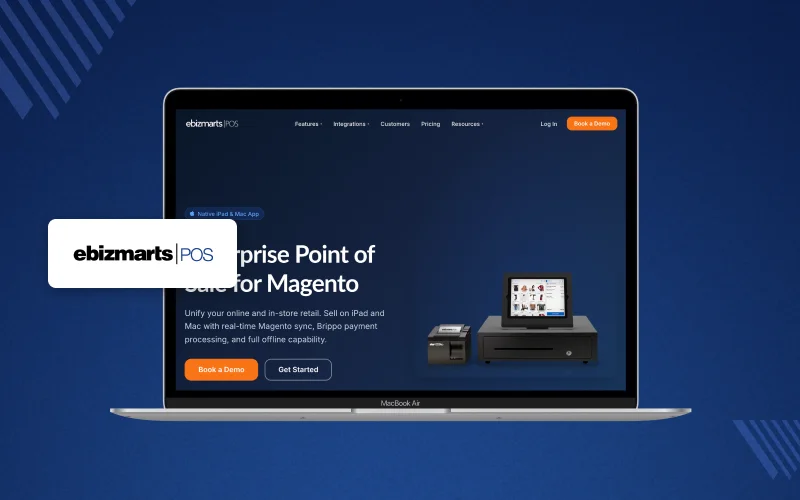
Ebizmarts POS connects Magento with a dedicated POS application for Apple devices. It syncs product, customer, inventory, and order data between the online store and physical locations.
It supports barcode scanning, configurable products, discounts, receipt printing, and staff permissions. You can manage multiple Magento stores and store views, depending on configuration.
Offline mode lets staff keep selling without internet, and sales data syncs once connectivity returns.
Key Features
- Native iPad and Mac applications
- Synchronizes products, customers, and orders
- Updates inventory across sales channels
- Supports barcode and QR code scanning
- Manages multiple stores and locations
- Offline selling
- Receipt printing and customization
- Staff permissions and activity logs
- Customer-facing displays
- Integrates with payment and loyalty services
Pros
- Designed for Apple-based retail environments
- Supports Magento and Adobe Commerce
- Barcode scanning and receipt printing included
- Multi-store configuration
- Integrated payment options
Cons
- The POS app is built for iPad and Mac, not general Android devices
- You must configure the Magento API connection
- Payment processing and extra device access may depend on the subscription
Price
Ebizmarts offers subscription plans, including Enterprise and Enterprise+. Pricing depends on the plan and device count, so contact the vendor for a quote.
4. BoostMyShop Point of Sale for Magento 2
Best suited for: Retailers who want a POS extension alongside inventory and warehouse management tools.
BoostMyShop provides a Magento-integrated POS for creating orders from physical stores.
The interface supports product lookup, barcode scanning, customer selection, payment handling, and receipt printing.
It keeps online and physical sales records connected, and supports multiple POS configurations, multiple websites, and store pickup.
Retailers with deeper inventory needs can also review BoostMyShop’s ERP and warehouse management products.

Key Features
- Creates orders through a Magento POS interface
- Supports barcode scanning
- Provides receipt printing
- Supports multiple payment methods
- Allows customer selection and creation
- Supports multiple POS users
- Multi-site capabilities
- Store pickup functionality
- Supports configurable products
Pros
- Integrates POS operations with Magento
- Barcode-based product selection
- Receipt printing included
- Multi-site functionality
- Pairs with BoostMyShop inventory tools
Cons
- Confirm compatibility with your installed Magento version
- Interface and functions may differ from newer POS applications
- Some advanced inventory needs may require other BoostMyShop modules
Price
BoostMyShop lists its Point of Sales extension for Magento 2 at €495 excluding tax on its Magento extensions page. Verify the current price and included functions before purchase.
5. Magefan POS for Magento
Best suited for: Retailers looking for a POS solution integrated with their Magento store.
Magefan is another option to evaluate. It is described as a web-based POS for Magento 2 that handles checkout and store management.
Before choosing it, confirm that the product is still actively sold and updated.
Some third-party sources report that Magefan has stopped development of its POS, but we could not confirm this on an official page.
Also check the supported Magento version, offline checkout, barcode scanning, receipt printing, and multi-location inventory.

Key Features
- Magento Open Source and Adobe Commerce compatibility
- Product and inventory synchronization
- Cashier and staff management
- Offline order handling
- Barcode scanner compatibility
- Receipt printing
- Multi-store support
- Available support and updates
Pros
- A Magento-focused option to include in your comparison
- Can be evaluated against your existing Magento setup
Cons
- Confirm current availability, version support, and feature list
- Verify licensing and whether updates are still released
- Check required POS hardware support
Price
Pricing varies across sources, so confirm the current price directly with Magefan. Check whether the offer is a subscription or a one-time license before comparing it with other extensions.
6. ConnectPOS
Best suited for: Retailers seeking a POS system that connects online and physical sales operations.
ConnectPOS supports omnichannel retail with product search, Magento customer syncing, loyalty features, and multi-location management.
Before choosing it for Magento 2, confirm how its integration handles products, customers, inventory, orders, and store locations.
Offline behavior is also described differently across sources, so verify it with the vendor.

Key Features
- Magento 2 integration method
- Product and stock synchronization
- Customer and order synchronization
- Multi-store support
- Offline checkout availability
- Payment gateway compatibility
- Receipt printing and barcode scanning
- Subscription and implementation costs
Pros
- Suitable for retailers evaluating omnichannel POS systems
- An alternative to a Magento-only POS interface
- Can be compared against multi-store retail needs
Cons
- Confirm the exact Magento integration and supported version
- Check which features need a higher subscription tier
- Verify total cost for users, registers, and locations
Price
Confirm ConnectPOS pricing on the vendor’s current website. Request a quote based on your number of stores, devices, and required integrations.
7. Acid POS
Best suited for: Retailers considering a subscription-based POS that connects with Magento through an integration.
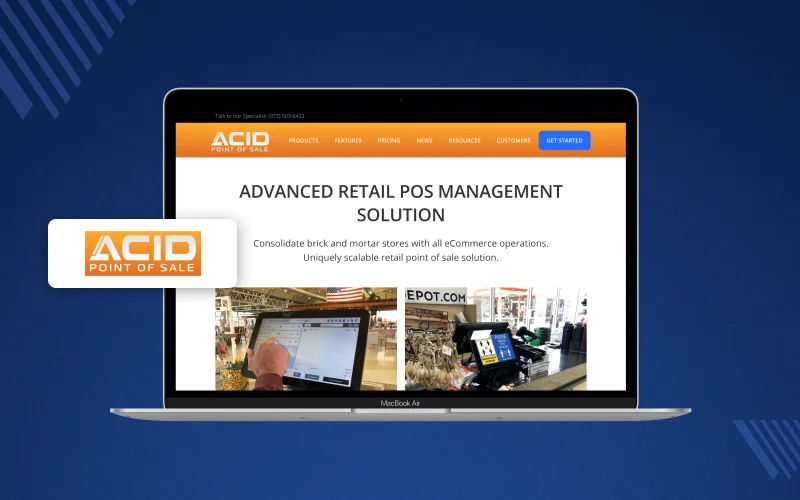
Acid POS is another product to assess when comparing checkout systems for Magento 2.
Third-party reviews mention gift cards, store credit, rewards, barcode and label creation, multi-user permissions, and branding options.
Confirm its current Magento integration, supported versions, and hardware requirements before buying. Also check how it handles offline transactions, product updates, refunds, and sales sync.
Key Features
- Current Magento 2 compatibility
- Product and inventory synchronization
- Order creation and status updates
- Offline transaction handling
- Multiple outlet support
- Barcode and receipt printer compatibility
- Payment processing options
- Support and maintenance arrangements
Pros
- Another POS option for comparison
- Can be assessed for retail checkout requirements
- Lets you compare integration methods
Cons
- Confirm the current Magento integration before purchase
- Verify the feature list and support terms
- Integration and support may be billed separately
Price
Acid POS is sold on a subscription basis, and pricing varies by store setup.
Request a quote from the vendor and compare total cost with other POS systems, including installation, integration, hardware, and recurring fees.
What Should You Check Before Choosing a Magento 2 POS Extension?
The right POS extension depends on your store size, checkout process, inventory setup, and budget. Review these points before buying.
1. Magento Version Compatibility
Check whether the POS supports your Magento 2 version and edition. Also review compatibility with installed themes, custom modules, and inventory extensions.
2. Inventory Synchronization
A POS should keep store sales connected with Magento inventory. Check whether stock updates happen immediately or through scheduled sync.
For multiple warehouses, review support for Magento Multi-Source Inventory (MSI) and location-based stock allocation.
3. Offline Checkout
Internet interruptions can delay sales. Check whether the POS can save orders offline and sync them after the connection returns.
Also confirm whether offline mode supports payments, refunds, customer records, and inventory updates, or only order capture.
4. Multi-Store and Cashier Management
Retailers with several locations may need separate outlets, cashiers, registers, and permissions. Check for location-based stock, staff access controls, and per-store reports.
5. Hardware Compatibility
Review the devices your cashiers will use, including barcode scanners, receipt printers, cash drawers, and payment terminals.
Some POS solutions work through a browser, while others need a dedicated app or specific devices.
6. Payments, Returns, and Discounts
Check whether the extension supports your payment methods and checkout rules. Review split payments, coupons, refunds, returns, and store credits.
7. Pricing and Support
Compare license cost, subscription fees, installation, customization, and support charges. Confirm the number of stores, users, and devices included.
Also check the vendor’s update policy and how they resolve sync errors.
Conclusion
Magento 2 POS extensions connect physical retail with online store data.
They help you record in-store orders, manage inventory, serve customers, and cut manual work between sales channels.
Webkul POS for Magento 2 is worth considering if you want a web-based POS with outlet management, cashier controls, offline order processing, and Magento sync at a listed price of $199.
Magestore suits businesses comparing subscription and one-time plans with advanced inventory features.
Ebizmarts fits retailers using iPads and Macs, and BoostMyShop pairs a POS with inventory tools.
Magefan, ConnectPOS, and Acid POS should be checked against the same compatibility, sync, hardware, and pricing needs before you decide.
Before buying, verify the current Magento version support, exact feature set, and total cost with the vendor.
Frequently Asked Questions
What is a POS extension for Magento 2?
A POS extension connects physical store checkout with Magento. It helps retailers manage orders, inventory, customers, and sales through connected systems.
Which POS extension is suitable for Magento 2?
It depends on your budget and retail needs. Compare Webkul, Magestore, Ebizmarts, and other options for compatibility and features.
How much does a Magento 2 POS extension cost?
Prices vary by vendor and plan. Webkul lists its POS at $199, Magestore subscriptions start at $69 per month, and BoostMyShop lists €495 excluding tax.
Does Magento 2 POS support offline sales?
Some POS solutions support offline checkout and sync saved orders after internet access returns. Check the exact offline functions before buying.
Can a Magento 2 POS system manage multiple stores?
Yes, some POS extensions support multiple outlets, cashiers, and location-based inventory. Confirm the limits and configuration needs of each plan.
Does a Magento POS extension support barcode scanners?
Several Magento POS solutions support barcode scanning. Check the supported scanner types and whether extra setup or hardware is needed.
Can Magento POS extensions synchronize inventory?
Yes, many POS extensions sync inventory between physical outlets and Magento. Timing and inventory controls vary by solution.
What should I check before installing a Magento 2 POS extension?
Check Magento compatibility, inventory sync, offline checkout, hardware support, payment methods, multi-store features, pricing, and vendor support.

Be the first to comment.