


















Odoo 20 brings a wide set of improvements across AI, Sales, CRM, Inventory, Manufacturing, Accounting, HR, and POS, focused on stronger automation and tighter integration between apps.
For businesses planning to adopt these new capabilities, Odoo Implementation can help configure and adapt Odoo to their specific business workflows.
Odoo 19 (September 2025) laid the groundwork with a redesigned interface and the first real steps into AI.
Moreover, Odoo 20 builds on that base, and the biggest shift is how deeply AI now runs through daily work. Where a feature builds on something Odoo 19 already had, we’ve called that out.
A quick note on timing: Odoo 20 is being unveiled at Odoo Experience 2026 in Brussels, and the stable version typically follows a few weeks after.
The features below are drawn from the active Odoo 20 development branch and confirmed by multiple independent trackers, so treat them as a strong, up-to-date preview rather than a locked final list.
Planning to move to Odoo 20 or customize any of the features below for your business? Webkul’s Odoo development team can help you plan and execute the upgrade.
1. AI in Odoo 20: The Biggest Shift from Odoo 19
In Odoo 19, AI mostly worked as a support tool: agents like ChatGPT or Claude helped write content, Studio AI fields generated text on demand, and AI-OCR read scanned documents.
Odoo 20 moves AI from something you call on to something that runs in the background across the system.
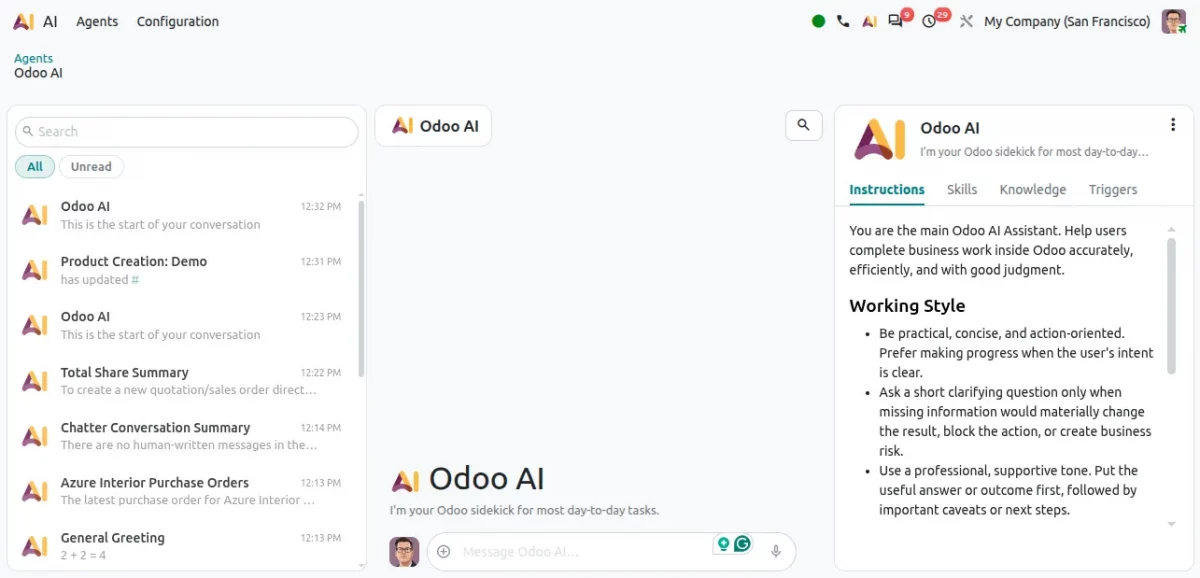
1.1 Odoo 20 Lets You Talk to the AI Agent
AI Agents can now interact directly with Odoo data and complete tasks, and users can talk to the AI Agent using natural voice commands instead of typing.
Key improvements include:
- AI Agents for business operations: agents retrieve information and perform actions inside Odoo without the user manually navigating through multiple screens.
- Voice-based interaction: users can speak to the AI Agent in natural language, which is faster and more convenient than typing for routine tasks.
- AI-powered automation: AI plugs into automated workflows, cutting down repetitive manual activity.
1.2 Odoo 20 Brings AI Help to Non-Accountants
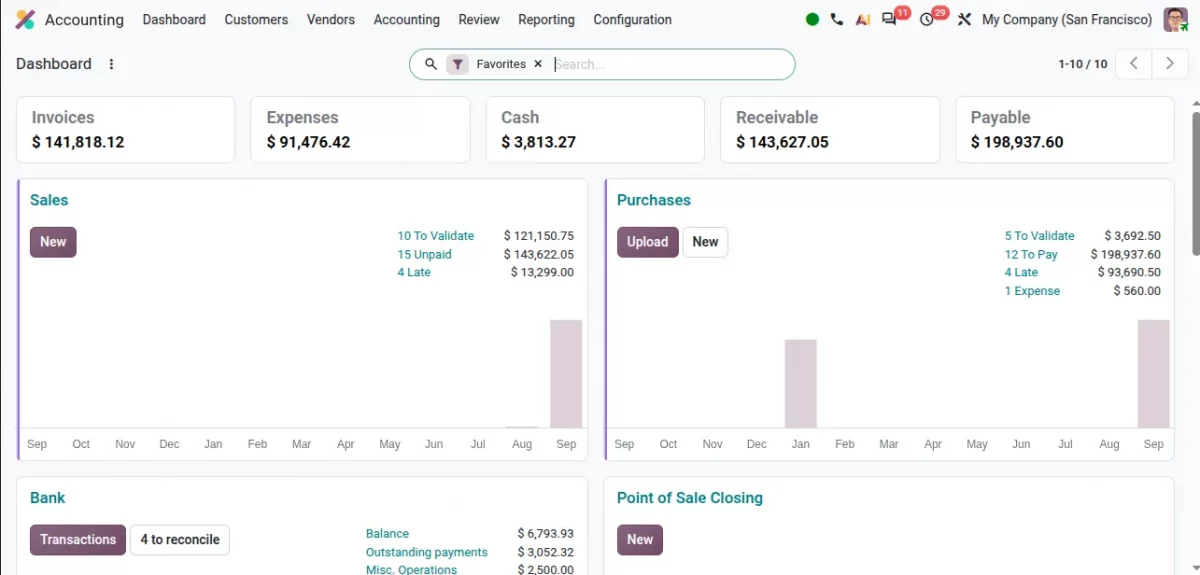
Odoo 20 adds AI assistance for everyday accounting tasks, aimed at people who are not trained accountants, so small business owners can handle basic bookkeeping without waiting on a specialist.
Key improvements include:
- Guided bookkeeping: AI walks non-finance users through routine accounting tasks step by step.
- Fewer errors: AI suggestions reduce mistakes that come from unfamiliarity with accounting rules.
- Faster day-to-day accounting: routine entries and checks are completed without a specialist’s involvement.
1.3 Odoo 20 Adds AI to Website Building and Support
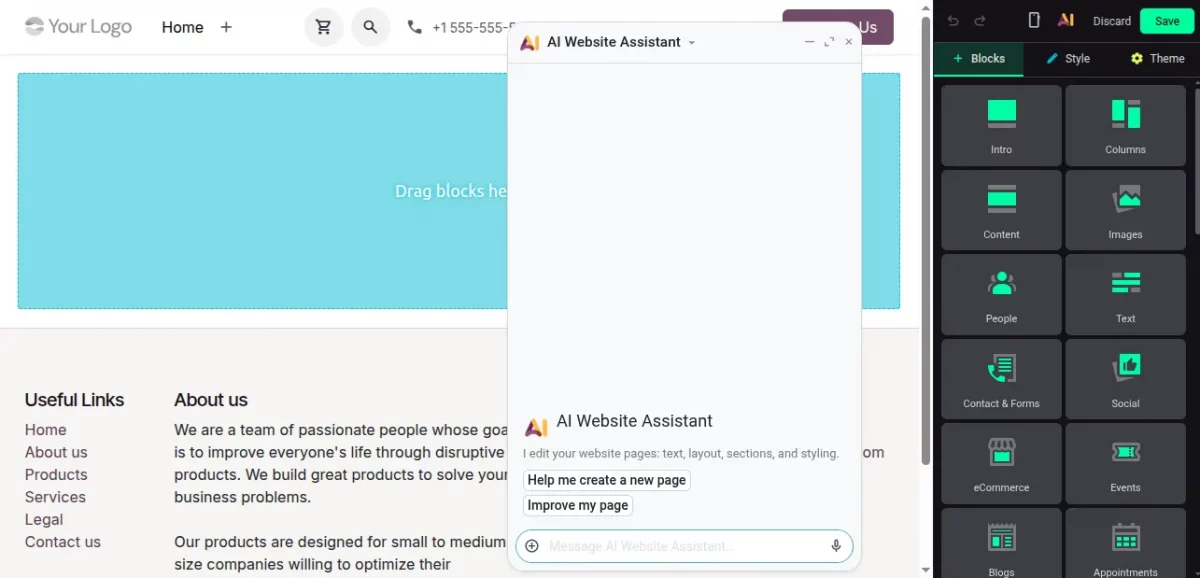
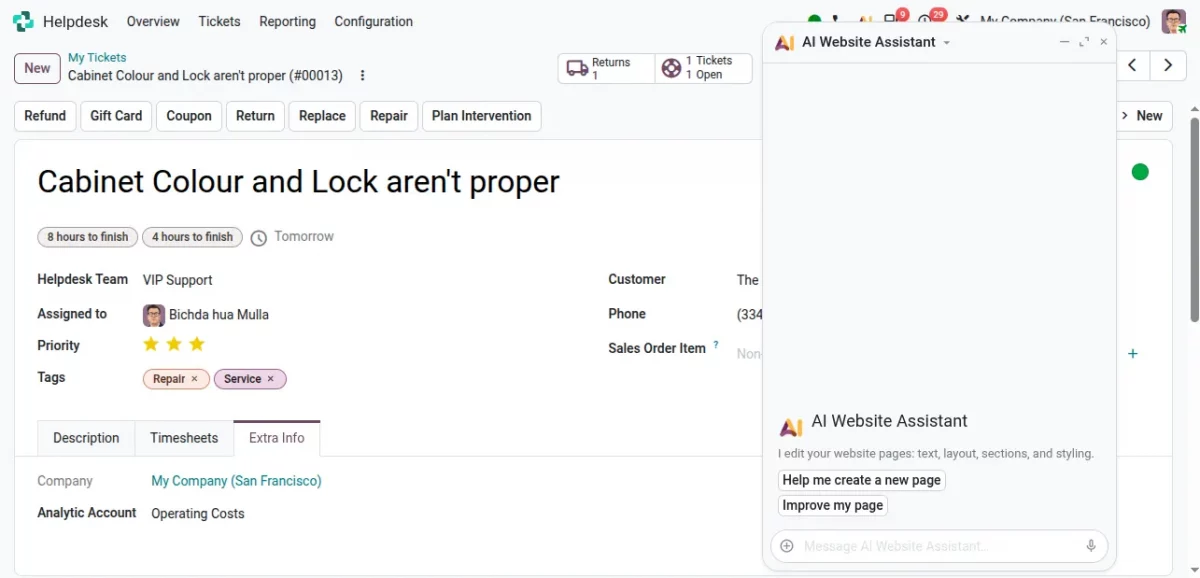
AI assistance now spreads into Website building and Helpdesk, well beyond the content-writing role it had in Odoo 19.
Key improvements include:
- Content and layout help: AI can draft page text and suggest structure while you edit a website.
- Faster helpdesk replies: AI helps draft consistent responses to common support tickets.
- Builds on Odoo 19’s SEO tools: extends the automatic SEO checks Odoo 19 already had.
1.4 Odoo 20 Lets AI Create and Update Records
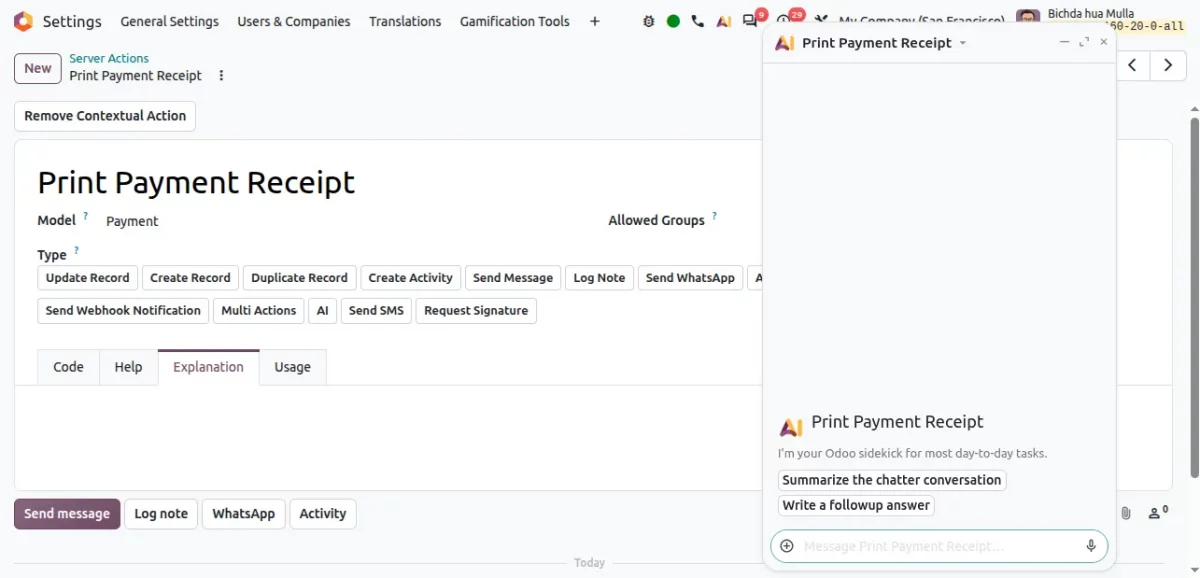
Odoo 20 lets AI directly create or update records inside the system, something Odoo 19 did not offer, cutting down on repetitive manual data entry across applications.
Key improvements include:
- Automatic record updates: AI updates fields based on triggers you define.
- Less manual data entry: routine record creation no longer needs to be done by hand every time.
- Builds on AI server actions: extends the AI server actions Odoo 19 introduced so AI can act on records directly.
1.5 Odoo 20 Adds a Timesheet Assistant That Logs Hours for You
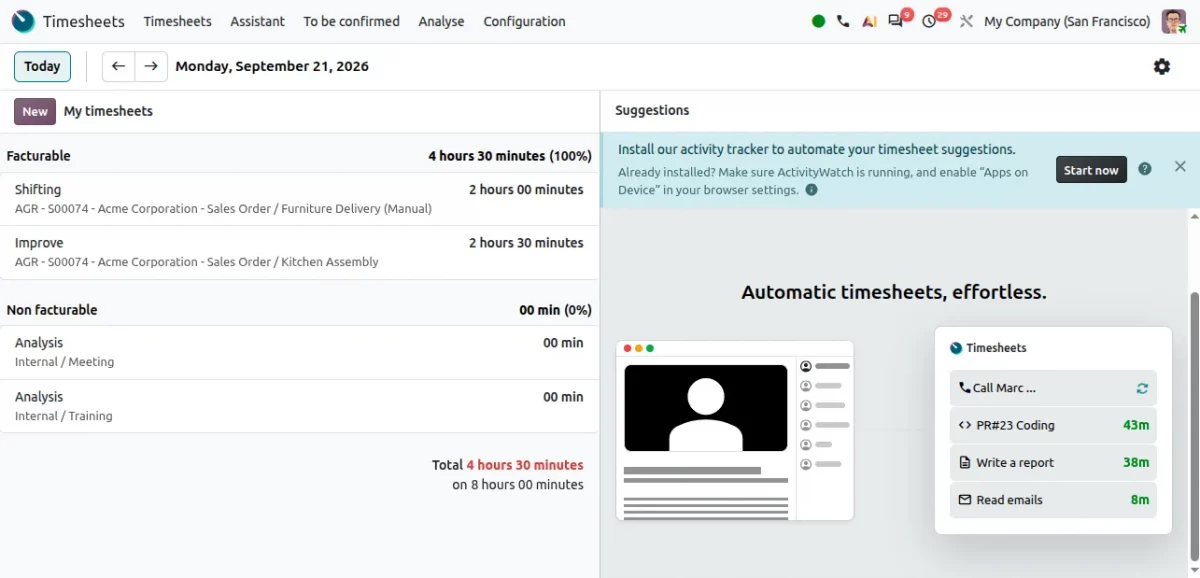
A new Timesheet Assistant watches activity across Odoo tabs and suggests timesheet entries automatically, though it needs a local Odoo app installed on your computer.
Key improvements include:
- Suggested timesheet entries: the assistant identifies activities that likely need time recorded.
- Less end-of-day reconstruction: employees don’t have to remember everything they worked on.
- Better accuracy: more complete timesheets support project profitability analysis.
2. Sales & CRM Improvements in Odoo 20
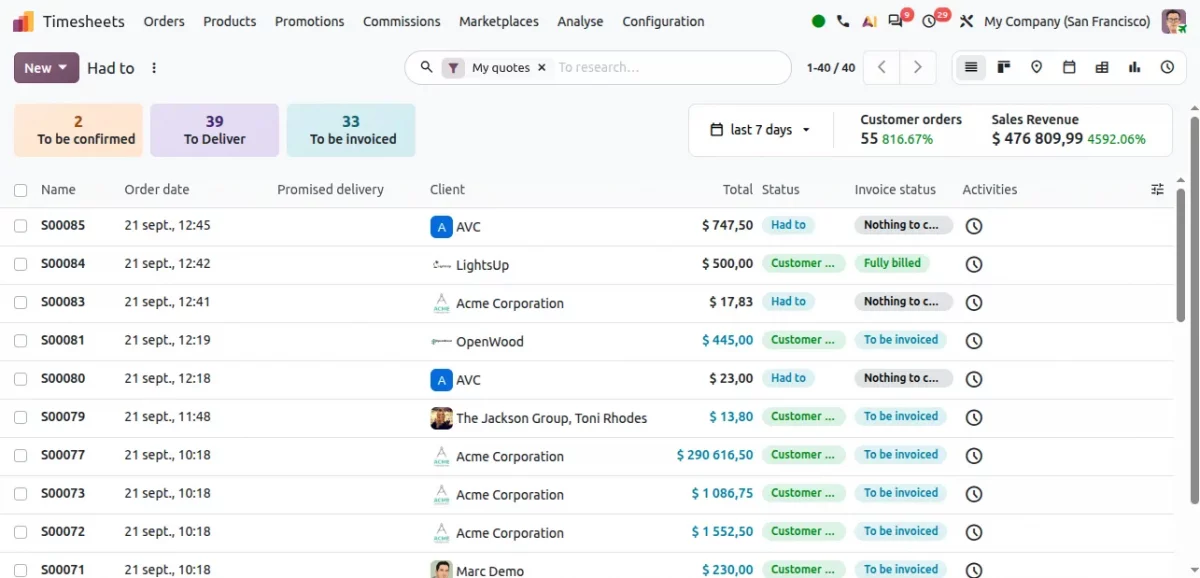
2.1 New Sales Dashboard and Direct Templates
A more centralized Sales dashboard shows quotations, orders, deliveries, invoices, and performance in one place, with a dropdown for admins to pick a template directly.
Key improvements include:
- Centralized sales information: no need to check multiple screens for pending work.
- Faster quoting: templates can be applied straight from the dashboard.
- Better monitoring: managers get a clearer overview of current activity.
2.2 Odoo 20 Adds Product Images and a Quote Calculator
Quotations can now show product images for easier identification, and a built-in quote calculator handles more complex pricing without leaving the quote screen.
Key improvements include:
- Visual identification: customers recognize products at a glance, including in PDF quotes.
- Faster pricing: multiple pricing components can be calculated in one place.
- Less manual work: fewer calculations done outside of Odoo before quoting.
2.3 Package Pricing and a Dedicated Exchange Option
Odoo 20 adds package-based pricing (single units, packs, boxes), reusable quotation section templates, and a dedicated Exchange option during returns.
Key improvements include:
- Flexible packaging: different prices for a Pack of 1 versus a Pack of 2, for example.
- Reusable sections: consistent quotes without rebuilding the same items each time.
- Return or Exchange: both options appear together when starting a return.
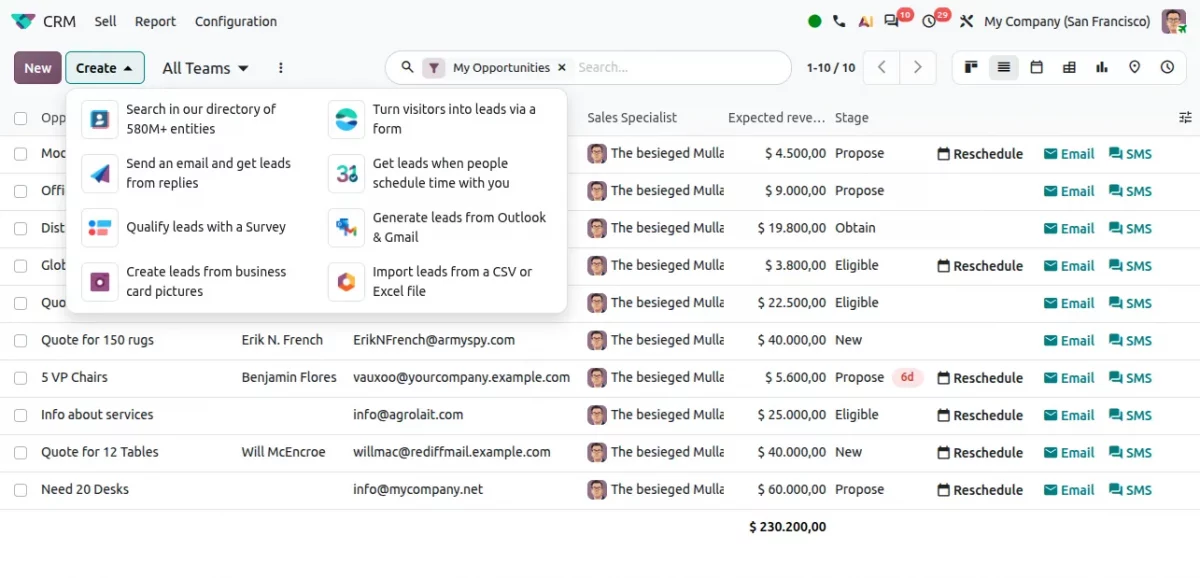
2.4 CRM Leads Now Flow In From More Sources
CRM now pulls leads from more sources into one workflow, reducing manual entry.
Key improvements include:
- Multiple lead sources: website forms, email replies, meetings, surveys, business cards, imported files.
- Centralized lead management: everything lands in the same pipeline.
- Less manual entry: leads are captured automatically instead of created by hand.
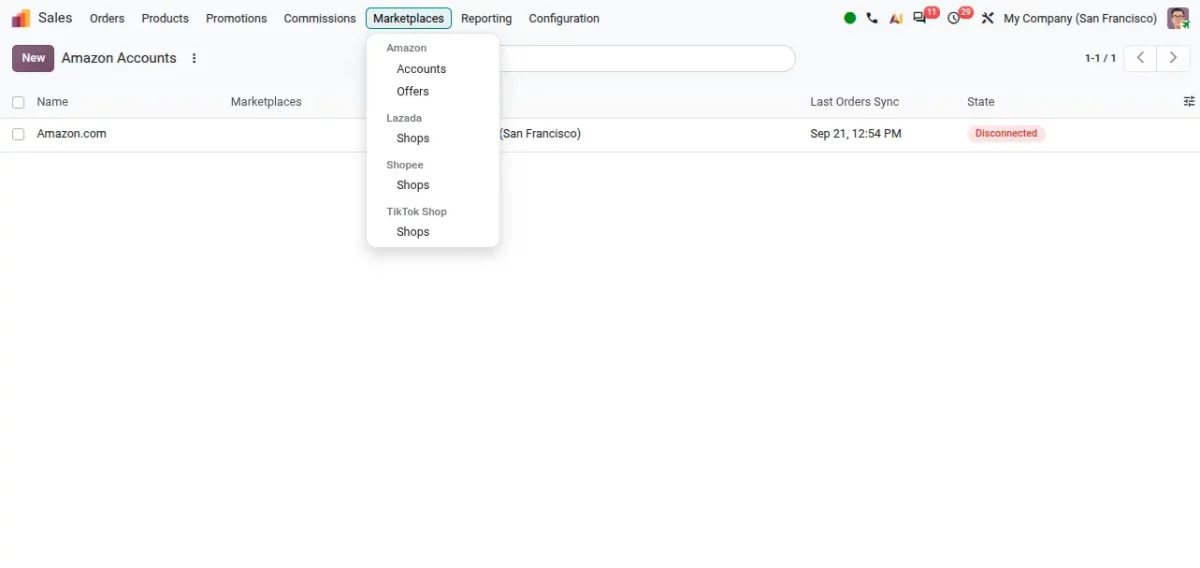
2.5 Odoo 20 Adds a Marketplaces Menu for Every Channel
A new Marketplaces menu in the Sales module groups all marketplace channels in one place, with each platform getting its own submenu, such as Amazon (Accounts, Offers), Lazada (Shops).
Key improvements include:
- Centralized channel view: manage Amazon, Lazada, and Shopee from one menu.
- Platform-specific submenus: each marketplace keeps its own accounts and settings.
- Easier multi-channel selling: less switching between separate apps or tabs.
3. Inventory, Purchase & Manufacturing
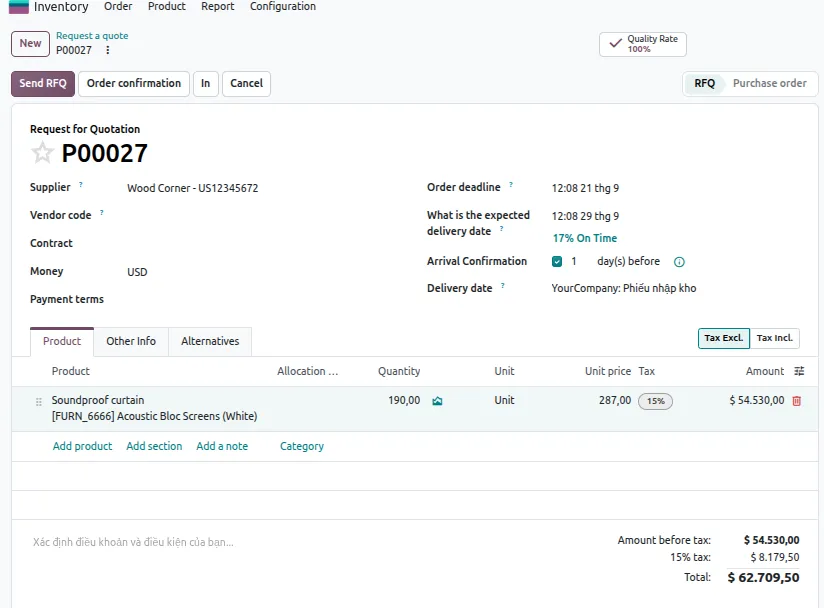
3.1 A Redesigned Purchase Order Screen
The Purchase app gets a cleaner interface, and expected arrival dates can be recalculated with one click when a deadline has passed, using the product lead time and current date.
Key improvements include:
- Cleaner interface: purchasing information is more structured and easier to find.
- Improved product selection: product information is easier to access while preparing an order.
- Flexible tax handling: tax-inclusive and tax-exclusive pricing applied more easily.
3.2 Lot Numbers and Order Splitting, Now Automated
Lot numbers can now be assigned automatically once a manufacturing order finishes, ongoing orders can be split across shifts or priorities, and subcontracting connects more closely with purchasing.
Key improvements include:
- Automatic lot numbers: assigned on production completion, with fewer manual tracking steps.
- Split ongoing orders: divide large orders into manageable batches.
- Closer subcontracting link: external production connects more tightly with purchasing and inventory.
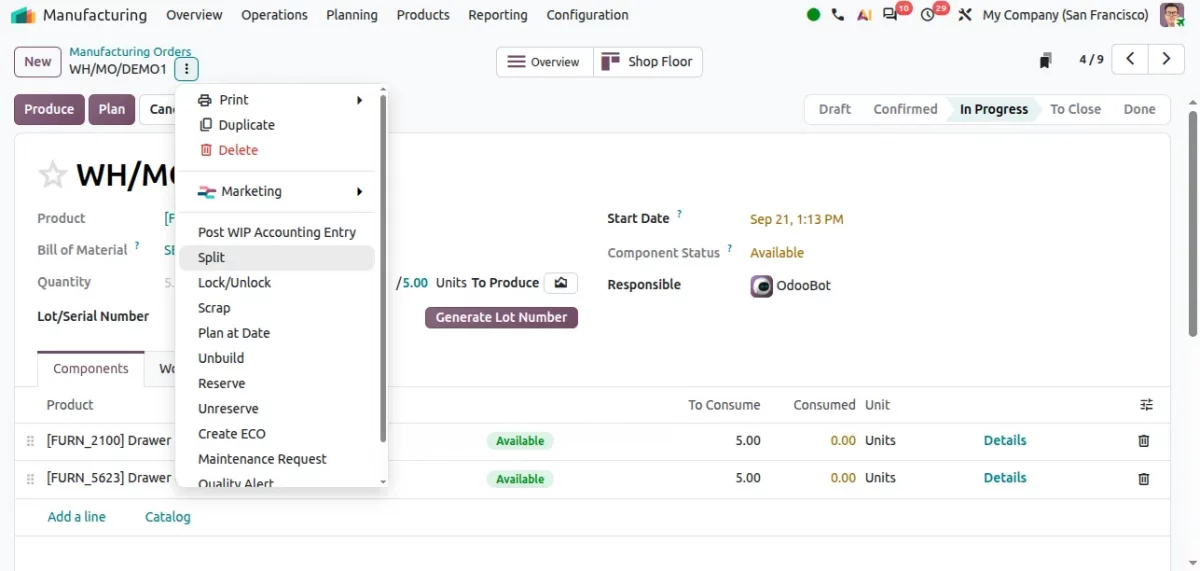
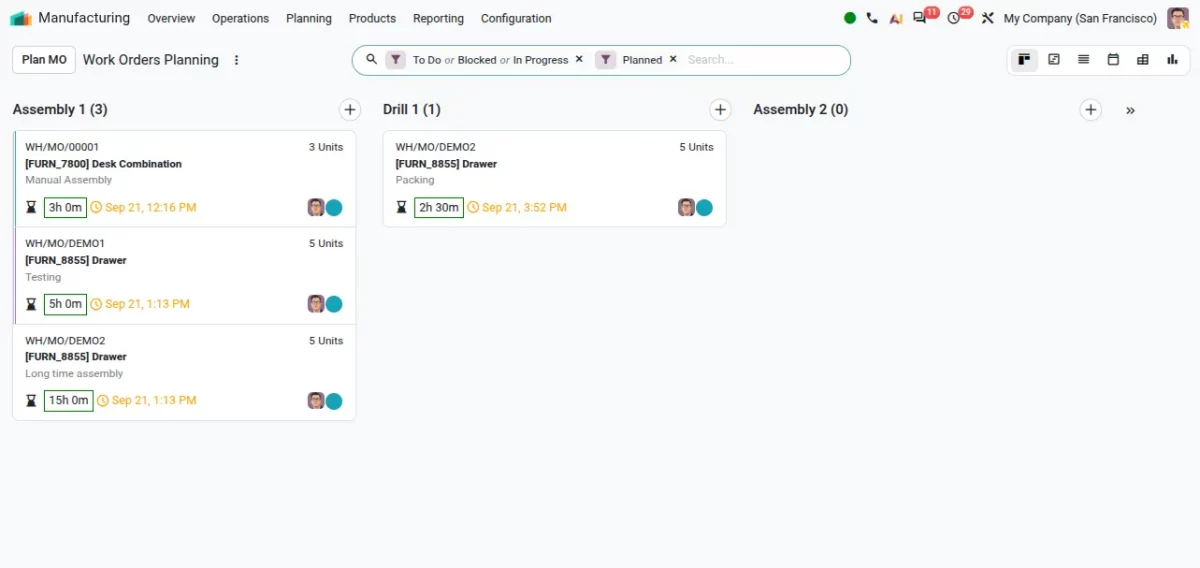
3.3 Odoo 20 Adds a Kanban View for Planning
Odoo 20 adds a Kanban view for planning, so teams can view and analyze work orders visually and simply drag and drop them between stages.
Key improvements include:
- Visual planning: work orders are easier to scan at a glance than in a list view.
- Drag-and-drop scheduling: move work orders between stages without opening each one.
- Better team overview: managers get a quicker read on where production stands.
3.4 Company-Specific Delivery Lead Time and Subcontracting on RFQ
Odoo 20 allows the same product to have different delivery lead times for different companies in a multi-company setup.
It also adds a subcontracting option directly on service-type products through order-triggered creation.
Key improvements include:
- Per-company lead times: each company keeps its own delivery schedule for the same product.
- Subcontracting on RFQ: service-type products can trigger subcontracted production directly.
- Clearer purchase-cost visibility: vendor cost and product unit cost are shown side by side in the catalog.
4. Accounting Improvements in Odoo 20
4.1 Parent Accounts Replace the Old Account Groups
Odoo 20 replaces the previous Account Groups feature with a parent-child structure through a new Parent Account field, so businesses can organize their Chart of Accounts more clearly.
Key improvements include:
- Hierarchical structure: group accounts under a parent account for easier organization.
- Clearer financial reporting: a structured hierarchy makes financial data easier to read.
- Simpler management: large Charts of Accounts become easier to maintain.
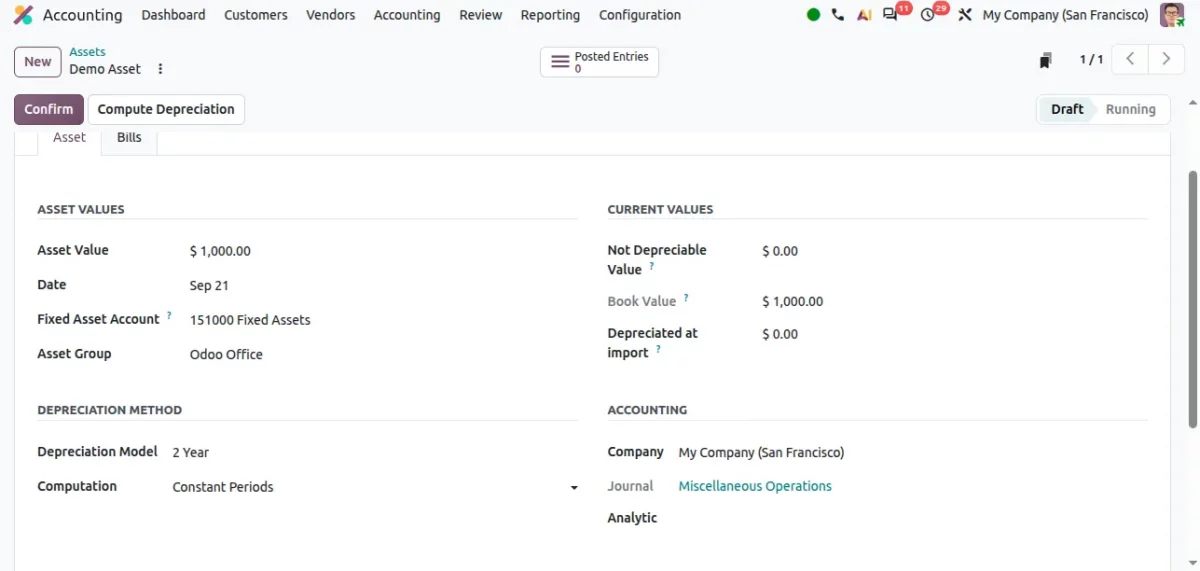
4.2 Odoo 20 Adds a No-Depreciation Option for Assets
A new No Depreciation method covers assets that don’t need a depreciation schedule, and users can now pick the depreciation model directly on a vendor bill line.
Key improvements include:
- Flexible asset setup: record assets without generating depreciation journal entries.
- Faster asset configuration: no separate step needed after recording the purchase.
- Model selection on the bill: choose the right depreciation treatment right where the purchase is recorded.
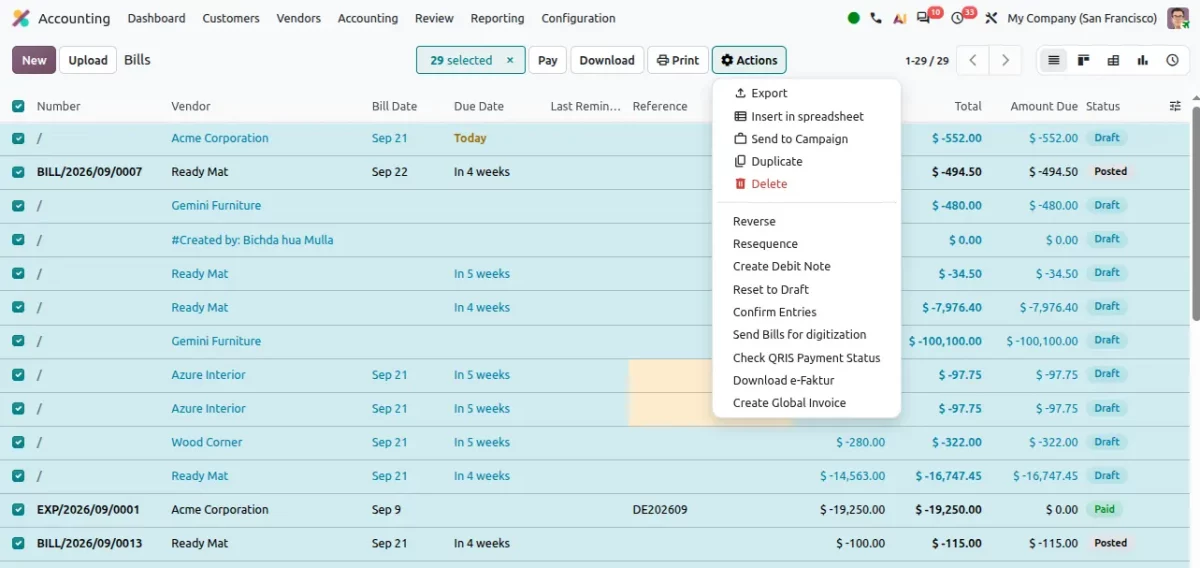
4.3 Bulk Draft Reset
Odoo 20 allows users to select multiple posted invoices or bills and reset them all to Draft status in a single action.
Key improvements include:
- Bulk correction: several documents can be moved back to Draft at once.
- Less repetitive work: no need to open and edit each document individually.
- Easier correction: changes can be made before reposting the documents.
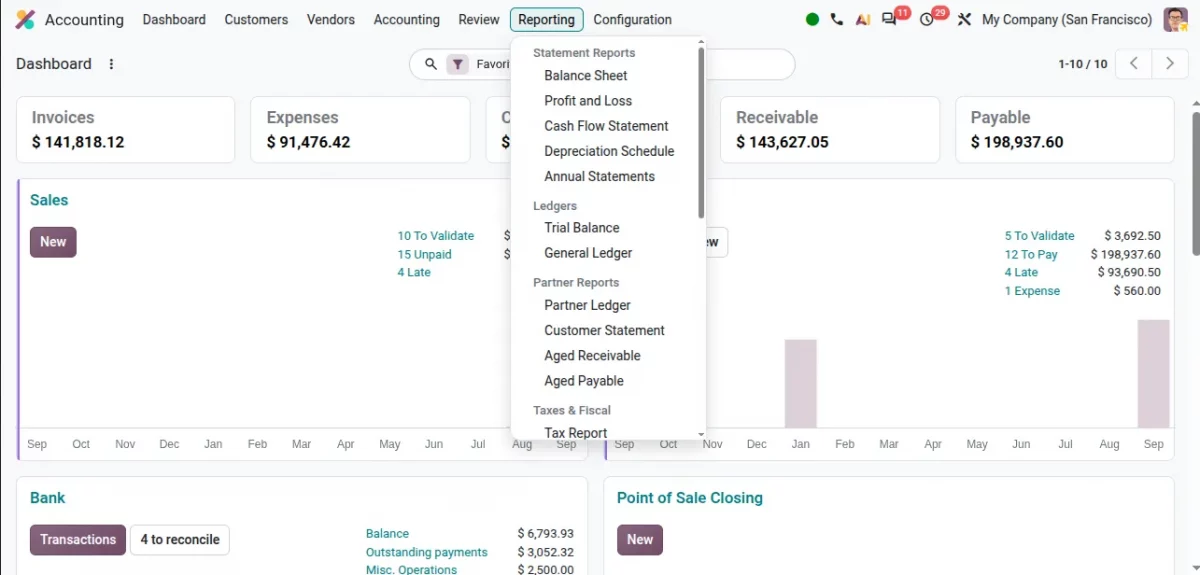
4.4 Period Comparisons and a New Product Margin Report
Financial reports like the Balance Sheet and Profit and Loss now support amount or percentage comparisons between periods, and a new Product Margin Report shows product-level profitability.
Key improvements include:
- Amount and percentage comparison: spot growth or decline quickly between reporting periods.
- Detailed margin data: average selling price, cost of goods sold, expected and actual margin.
- Filterable results: filter the margin report by date range and invoice status.
4.5 Simplifies Journals and Splits Categories by Company
Creating journals is simpler with a dedicated selection interface for Bank, Card, Cash, Miscellaneous, Sales, and Purchase, and product categories are now company-specific .
Key improvements include:
- Guided journal creation: clear descriptions and visual cues for each journal type.
- Company-specific categories: previously shared categories now separate by company.
- Better multi-company organization: logistics and inventory valuation settings are grouped more sensibly.
5. Project, CRM, Field Service & HR
5.1 CRM Opportunities Turn Into Projects Instantly
A confirmed CRM opportunity can be turned directly into a project using a template, and a new Project Roles menu clarifies team responsibilities.
Key improvements include:
- Create a project from an opportunity: no rebuilding project details from scratch.
- Use project templates: start from a predefined structure.
- Defined roles: assign Project Manager, Developer, and other roles clearly.
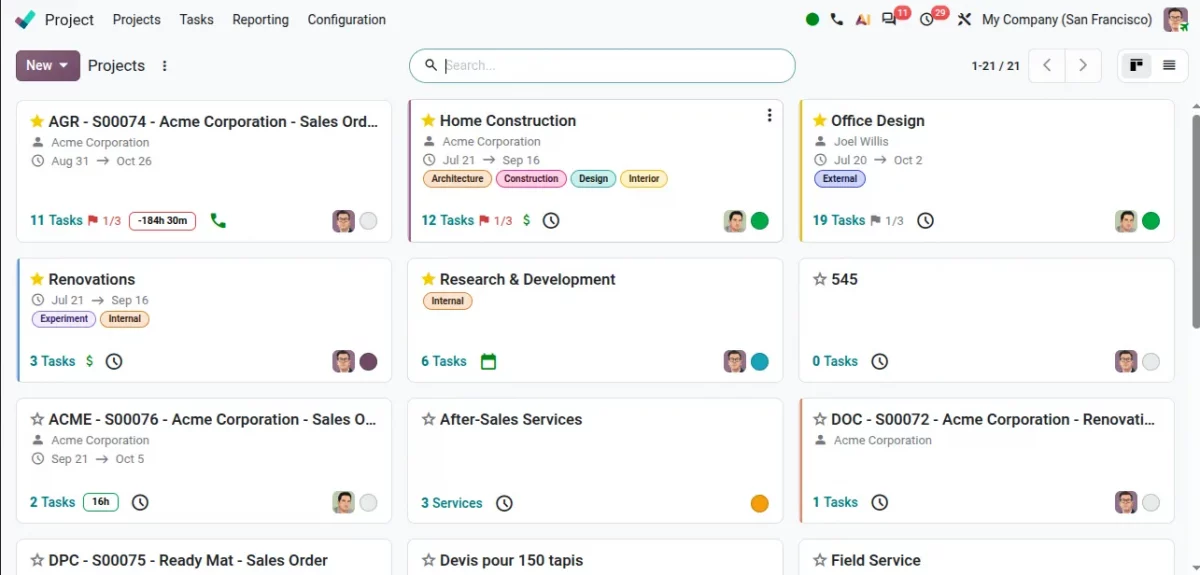
5.2 Odoo 20 Connects Planning, Gantt and Field Service
Project tasks now link to planning schedules, the Gantt view supports drag-and-drop rescheduling, and Field Service is now part of Planning with live technician tracking.
Key improvements include:
- Linked tasks and schedules: coordinate employees and project work together.
- Drag-and-drop Gantt: adjust timelines without opening each task.
- Live technician map: track field staff during working hours from Planning.
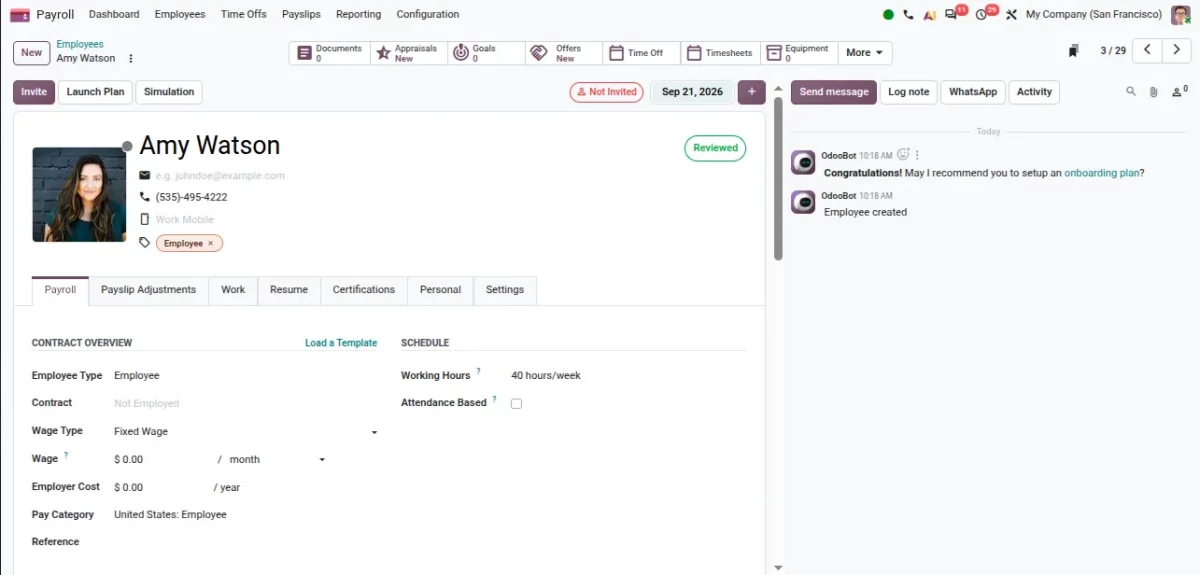
5.3 A Payroll Dashboard and Easier Offboarding
A new Payroll Dashboard flags missing contracts, IDs, and bank details, salary changes can be made from the employee profile, and a new End of Collaboration option manages departures.
Key improvements include:
- Payroll readiness: see missing or outdated records in one place.
- Direct salary updates: change compensation from the employee profile.
- Simplified offboarding: manage departures and reasons from the same record.
5.4 Expense Limits Based on Job Position
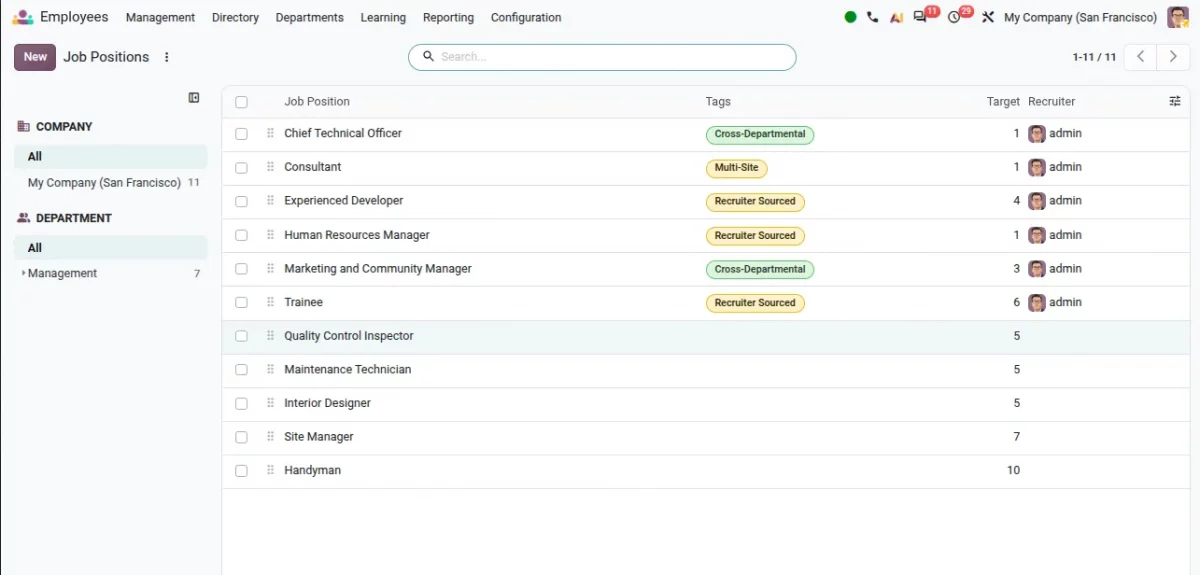
Odoo 20 lets business administrators set expense limits according to an employee’s job position, so different roles can follow different spending rules.
Key improvements include:
- Position-based limits: spending caps tied to job position rather than one rule for everyone.
- Consistent policy enforcement: different employee groups follow rules suited to their role.
- Easier review: managers check expenses against the limit that actually applies to that employee.
6. Website, eCommerce & POS
6.1 Odoo 20 Adds a Dedicated eCommerce Tab for Products
A dedicated eCommerce tab centralizes product descriptions, media, and shop settings, and products, blogs, and variants can be imported directly from other websites.
Key improvements include:
- Centralized settings: everything website-related for a product lives in one tab.
- Faster setup: import products and variants instead of adding them manually.
- Useful for migrations: speeds up moving a store into Odoo.
6.2 A Free-Delivery Bar and Smarter Blog Navigation
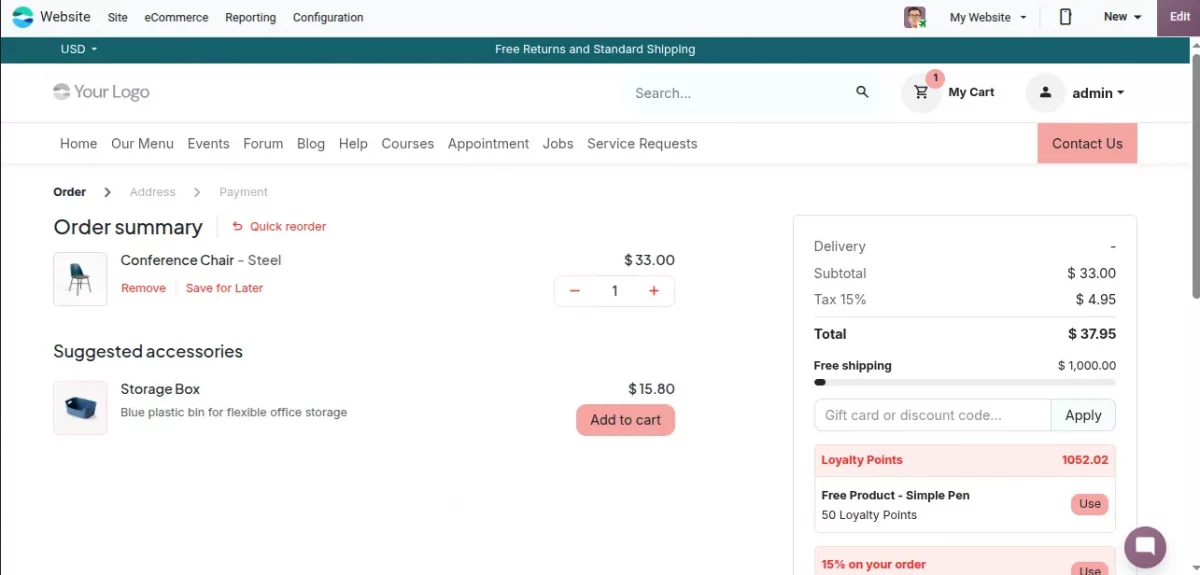
A free-delivery progress bar in the cart encourages larger orders, and long blog posts now get an automatic “On this page” navigation with a sticky table of contents.
Key improvements include:
- Clear incentive: customers see exactly how much more to spend for free delivery.
- Automatic navigation: built from existing headings, with no extra setup.
- Better reading experience: long articles are easier to scroll through.
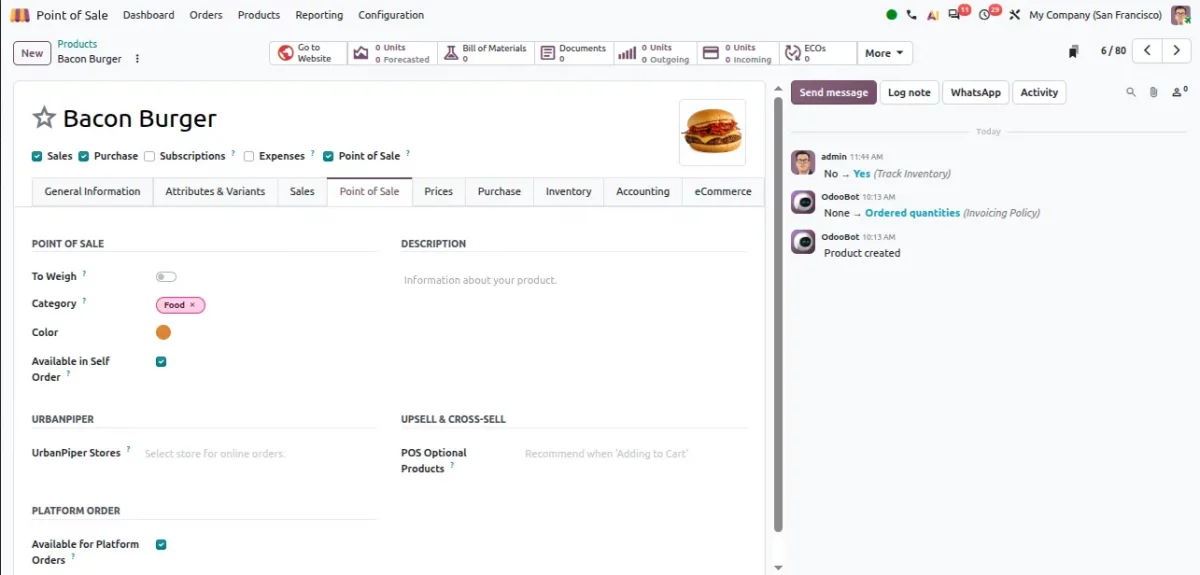
6.3 Snooze Products and Let POS Auto-Detect Combos
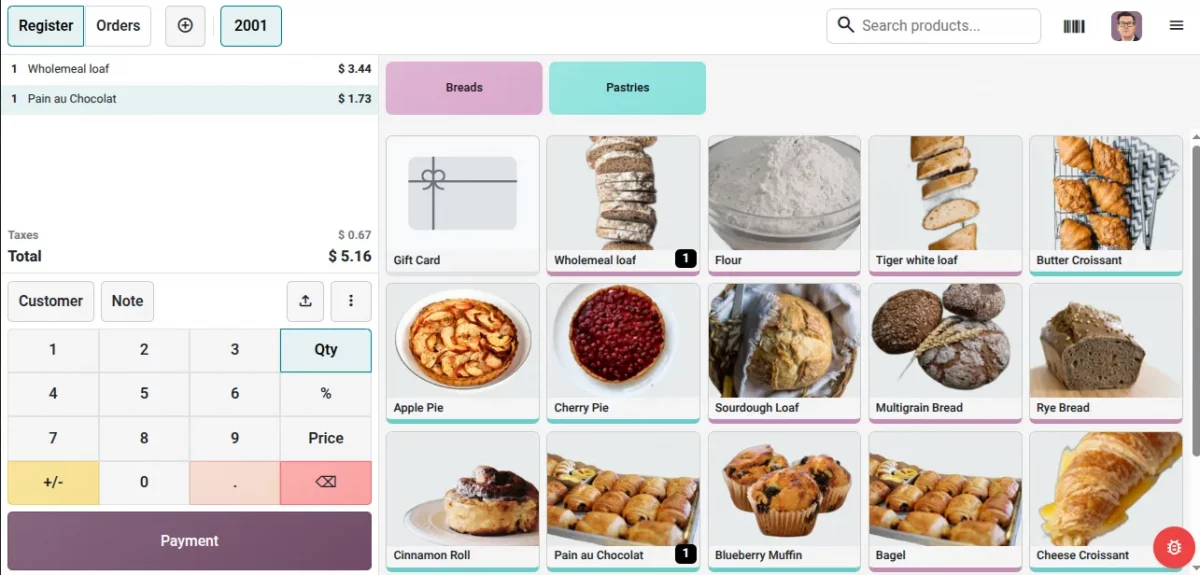
Products can be temporarily marked unavailable with the new Snooze feature, and Odoo now recognizes eligible combos automatically or lets staff break one apart.
Key improvements include:
- Snooze: hide an out-of-stock item; it returns automatically after the set period or next session.
- Automatic combo recognition: the system spots eligible combinations without manual rebuilding.
- Break Combo: staff can split an existing combo back into individual products.
6.4 Odoo 20 Shows Price-Per-Unit on POS Labels
POS labels can now show reference unit pricing (per liter or kilogram), and hardware setup is simpler, with local network printer access and no certificate imports.
Key improvements include:
- Unit-based pricing: helps customers compare products of different sizes.
- Simplified printer setup: fewer steps to get a receipt printer working.
- More stable connections: hardware setup is designed to be more reliable day to day.
6.5 Website Disclaimer and Mobile Interface Redesign
A customizable disclaimer can now sit in the website header for quick visitor notices, and the mobile app gets a redesigned interface that makes fields and actions easier to reach for field workers.
Key improvements include:
- Header disclaimer: gives visitors key information at a glance without disrupting the design.
- Mobile redesign: builds on Odoo 19’s pull-to-refresh and compact menus with easier-to-reach fields.
- Better for field workers: designed with people who work mostly from a phone in mind.
7. Helpdesk, Surveys & Communication
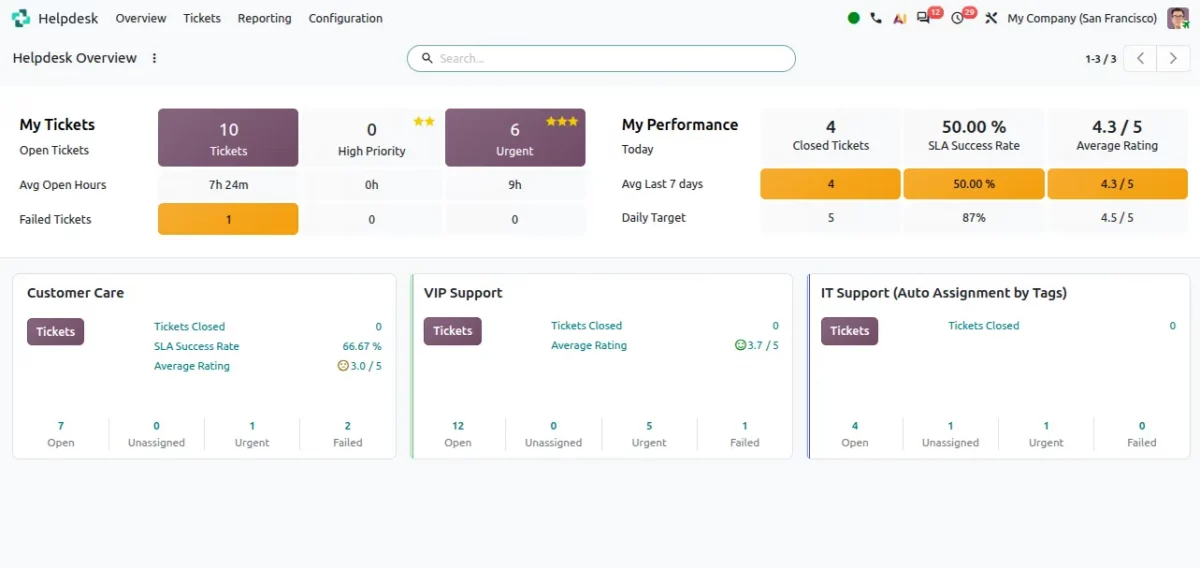
7.1 Odoo 20 Makes Unanswered Helpdesk Tickets Easy to Find
Odoo 20 makes it easier to locate tickets that still need a response, with dedicated filtering for unanswered tickets and improved SLA tracking.
Key improvements include:
- Unanswered ticket filter: teams spot tickets waiting on a reply faster.
- Improved SLA monitoring: track service commitments more effectively.
- Automated feedback: rating requests after a ticket closes help gauge satisfaction.
7.2 Surveys Get a Refresh, Group Chats Get Polls
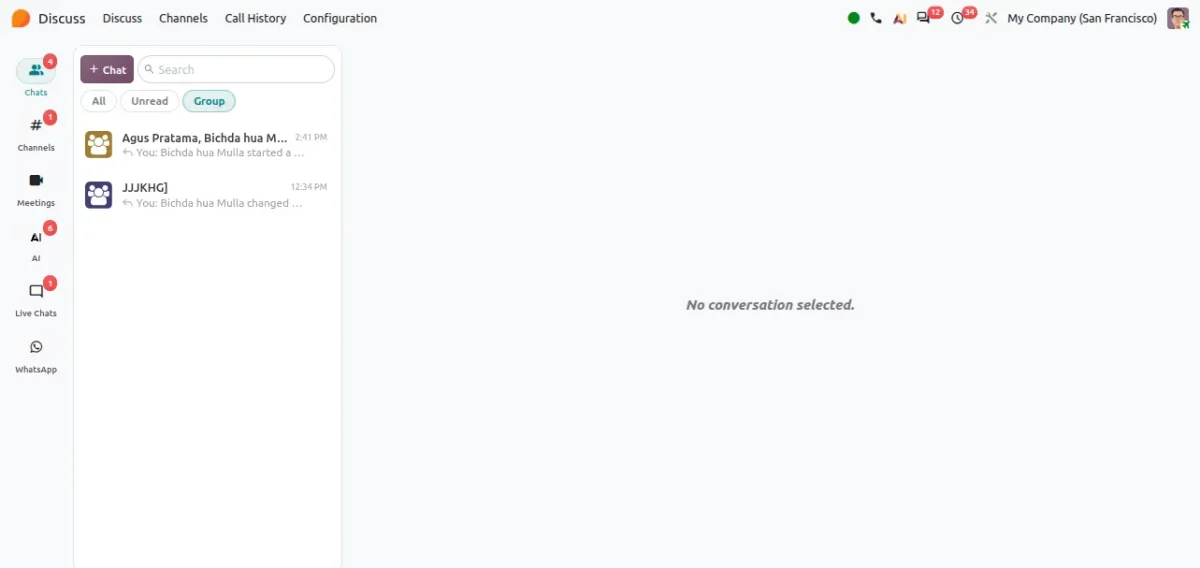
The Survey module gets a cleaner interface with clearer results, and group chats in the Discuss module now support polls with adjustable duration.
Key improvements include:
- Clearer survey results: participants see scores, pass/fail status, and remaining attempts.
- Reviewable answers: participants can look back at what they submitted.
- In-chat polls: multiple options and a set duration, for group chats only.
7.3 VoIP Gets Call Merging, Recording, and More
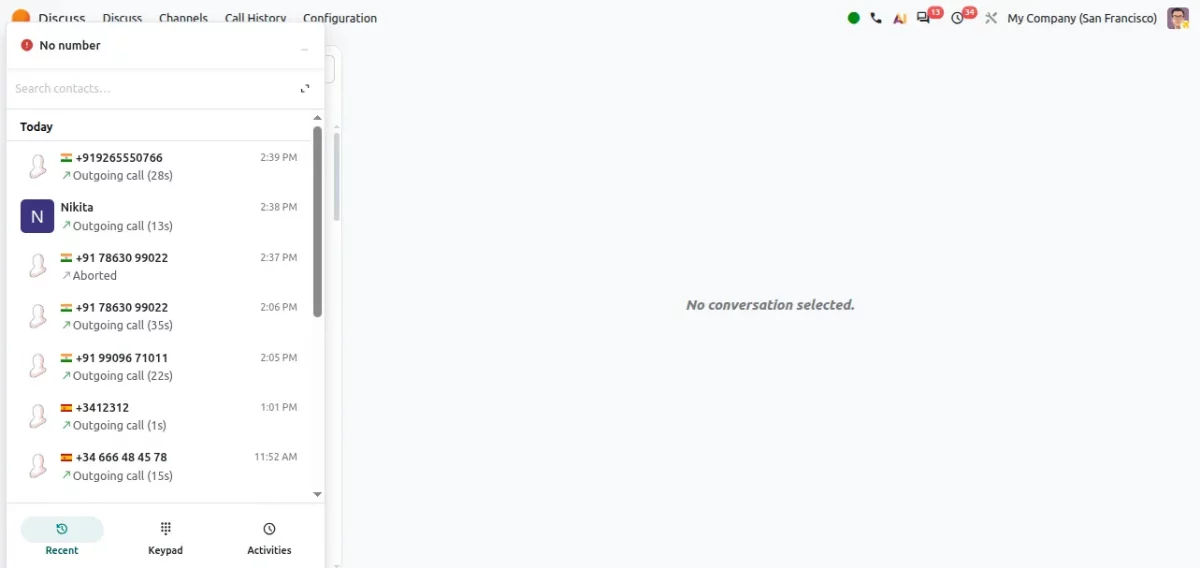
Building on the role mentions and message formatting Odoo 19 introduced, Odoo 20 continues improving VoIP with clearer caller info, easier call transfers, call merging, and recording.
Key improvements include:
- Caller ID preview: see who’s calling before you pick up.
- Call merging and transfers: handle multi-party calls without leaving Odoo.
- Built-in recording: keep a record of important calls for reference.
What Makes Odoo 20 Different?
Odoo 20 isn’t defined by one application.
The release connects CRM, Sales, Inventory, Purchase, Manufacturing, Delivery, and Accounting more tightly, with AI increasingly present across these workflows.
This helps users find information, automate tasks, and move faster.
Odoo 19 vs Odoo 20: Quick Comparison Conclusion
| Area | Odoo 19 (2025) | Odoo 20 (2026 preview) |
| AI | AI agents write content; AI-OCR; AI server actions | AI Agents act on data directly; voice interaction; AI in Accounting, Website, Helpdesk |
| Payroll | Cleaner contracts, unified records | Payroll Dashboard, detailed payslips, End of Collaboration |
| POS | Full redesign, Dark Mode, combos | Snooze, automatic combo recognition, Break Combo, simpler hardware setup |
| Sales | New payment providers, marketplaces | Unified dashboard, quote calculator, package pricing, reusable templates |
| Inventory/Purchase | Combined UoM and packaging | Ministock, better allocation visibility, redesigned purchase orders |
| Accounting | Tax clarity, mobile reconciliation | Product Margin Report, comparison scenarios, Parent Accounts |
| Website/eCommerce | New layouts, social selling | eCommerce tab, product import, free-delivery progress bar |
| Projects/Field Service | Templates, auto-scheduling | Field Service in Planning, Project Roles, live technician map |
Conclusion
Odoo 20 touches nearly every major area of business management, from AI Agents and voice interaction to sharper accounting reports, connected project and field service planning, a
Rather than isolated updates, it connects information and workflows across departments so businesses manage more from one place with less manual work.
Whether you’re already on Odoo 19 or planning your first move to Odoo, the AI-first direction in Odoo 20 is the biggest reason to pay attention to this release.
If you’d like help planning your upgrade or a walkthrough of any feature above, feel free to get in touch.

Be the first to comment.