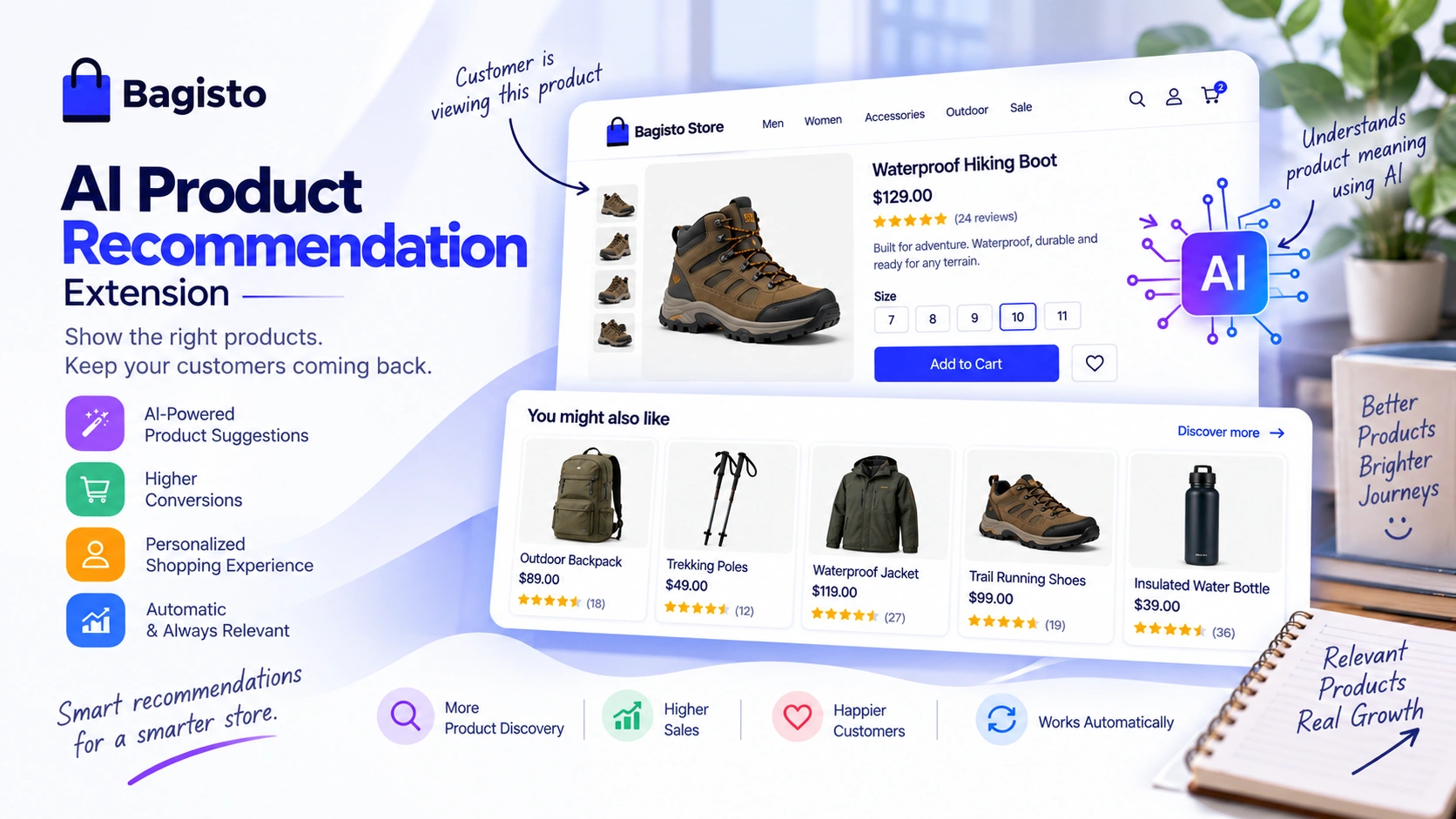
Customers often leave your store because they can’t find what they want.
Showing the right products at the right time keeps them browsing and buying.
The AI Product Recommendation extension does exactly this.
It uses AI to understand what each product is about and suggests similar products on every product page.
Unlike traditional “related products” that rely on manual links, this extension uses AI embeddings to find products that are truly similar in meaning.
A customer viewing a waterproof hiking boot will see other outdoor gear, trail accessories, and weatherproof footwear.
Even if you never linked those products manually.
Complete Features List
- AI-Powered Recommendations – Finds genuinely similar products using AI embeddings.
- Pluggable Vector Drivers – Store and search embeddings in Elasticsearch or MariaDB.
- Text Fallback – Still shows recommendations if AI data is missing
- Native Carousel – Uses Bagisto’s built-in product carousel for a seamless look
- Works for All Visitors – Recommendations show for both guests and logged-in customers.
- Auto Re-Indexing – Updates search index automatically when products change.
- Multi-Product Type Support – Works with simple, virtual, configurable, grouped, bundle, downloadable, and booking products
- Admin Configuration – Full control from the admin panel without touching code.
- 22 Language Support – Every label translated for all Bagisto languages.
Prerequisites
- Bagisto: Version 2.4.10
- Vector Driver: Elasticsearch 8.x, or MariaDB 11.7 or newer (
VECTORcolumn type). - MagicAI: Installed and configured with at least one AI provider API key
Vector Driver Setup
1: Install Elasticsearch and configure bagisto connection
   ELASTICSEARCH_HOST=your-url:9200
   ELASTICSEARCH_USER=
   ELASTICSEARCH_PASS=


   // For API key authentication:

   ELASTICSEARCH_HOST=your-url:9200
   ELASTICSEARCH_API_KEY=your-api-key


   // For Elastic Cloud:

   ELASTICSEARCH_CLOUD_ID=your-cloud-id
   ELASTICSEARCH_API_KEY=your-api-key

//MariaDB - If needed only for the vector driver

   AI_RECOMMENDATION_MARIADB_CONNECTION=mariadb
   AI_RECOMMENDATION_MARIADB_HOST=
   AI_RECOMMENDATION_MARIADB_PORT=
   AI_RECOMMENDATION_MARIADB_DATABASE=
   AI_RECOMMENDATION_MARIADB_USERNAME=
   AI_RECOMMENDATION_MARIADB_PASSWORD=
AI Product Recommendation Installation
The installation is simple just like the installation of the Bagisto extension.
1: Unzip the extension zip and merge the “packages/Webkul” folders into the project root directory.
2: Open the composer.json file and add the following line under the ‘psr-4’ section:
"Webkul\\AIRecommendation\\": "packages/Webkul/AIRecommendation/src"
3: Refresh autoloads
composer dump-autoload
4: In bootstrap/providers.php, import and add the provider class to the returned array:
use Webkul\AIRecommendation\Providers\AIRecommendationServiceProvider;

return [
    AIRecommendationServiceProvider::class,
];
3: Index Commands
php artisan ai-recommendation:index --driver=your-driver-name
//drivers - mariadb or elasticsearch or both

php artisan ai-recommendation:index --driver=your-driver-name --fresh
//reindex after model change
Admin Configuration
AI Provider setup
The AI Product Recommendation module uses the Laravel AI SDK via the MagicAI package.
It supports multiple AI providers (OpenAI, Anthropic, Gemini, Mistral, etc.)
Configure API Keys
Go to Admin >> Configuration >> Magic AI >> Providers.
Enter your API key for the provider you want to use.
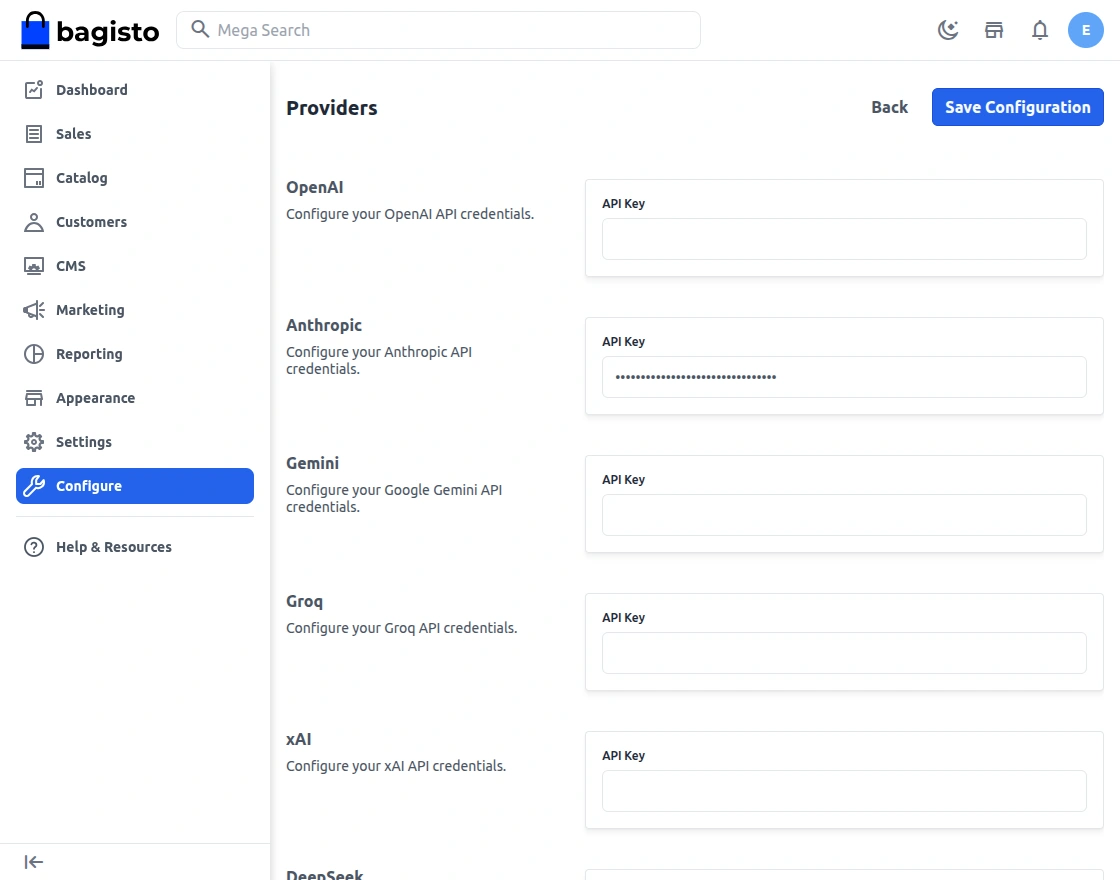
Click on Save Configuration button.
AI Product Recommendation configuration
The admin can navigate to Configure >> AI Product Recommendation >> General.
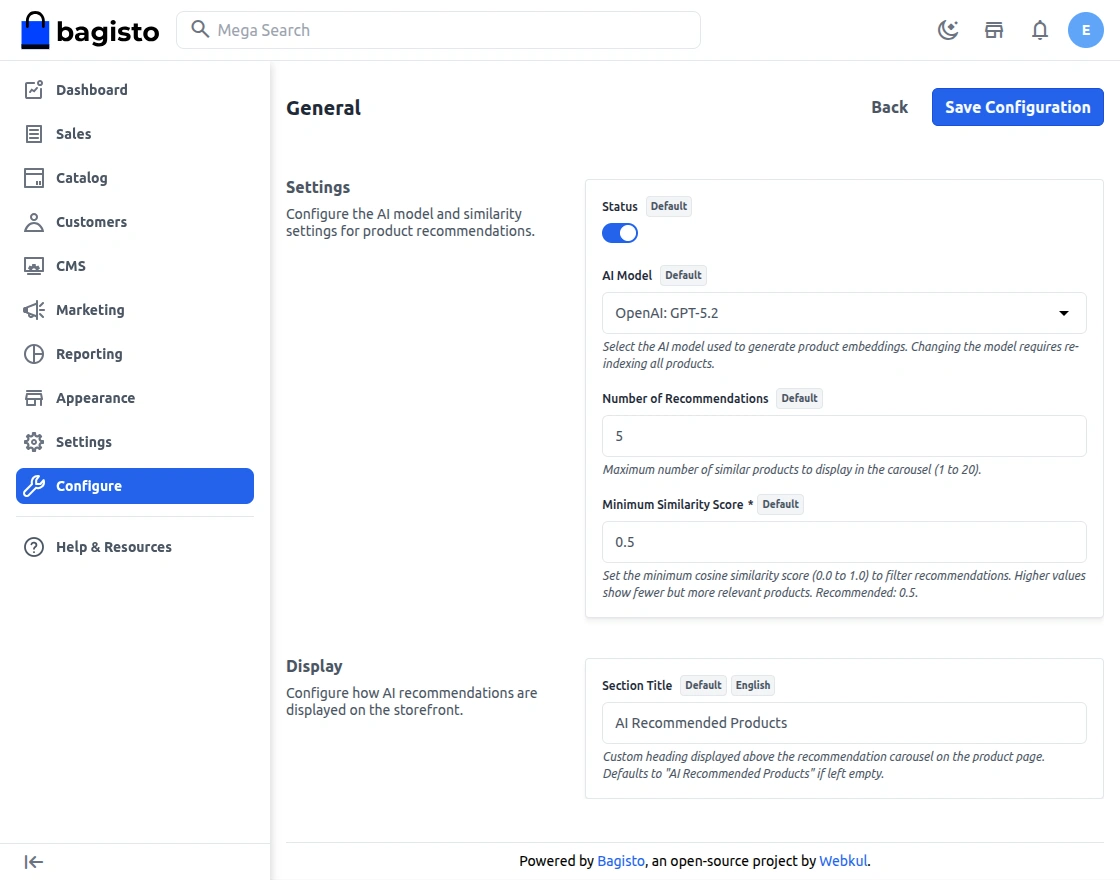
Status – When enabled, the AI recommendation carousel appears on every product page.
When disabled, nothing changes on your storefront.
AI Model – Choose which AI model.
Vector Driver – Select where product embeddings are stored and searched(MariaDB or ElasticSearch).
Number of Suggestions – This controls how many products appear.
Minimum Similarity Score
- Products scoring below this value are excluded from results.
- Lower value (0.1-0.2) – More results, may include less relevant products
- Higher value (0.4-0.5) – Fewer results, more precise matching.
Number of Results– This controls the maximum products retrieved from the semantic index per search.
Customer Front End Panel
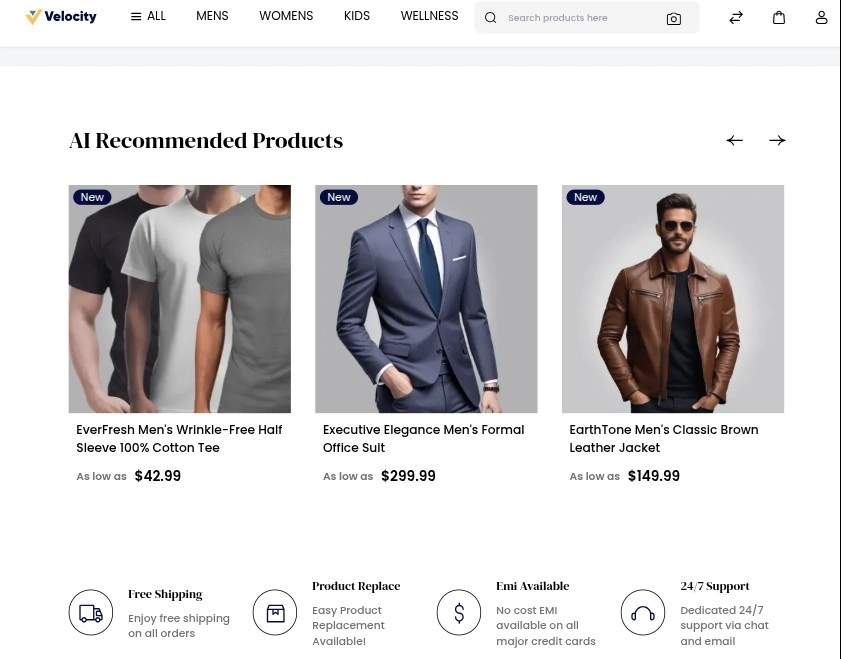
Product Page
A customer opens a product; they see – Product Carousal showing recommended products below the product description section.
Support
So, that was much about the User Guide of the AI Product Recommendation Extension for Bagisto. For any queries or doubts reach out to us at [email protected].
You can also raise a ticket at our HelpDesk System.
Please explore our Laravel Development Services and quality Bagisto Extensions.
Current Product Version - v2.4.10
Supported Framework Version - Bagisto v2.4.10

Be the first to comment.