


















CS-Cart Iyzico Payment Gateway magnificent extension allows users of the site to use Iyzico payment to purchase products on their end.
The payment gateway allows the site owner to receive payment from users.
Moreover, this allows boosting the site with a complete payment success rate, developing transparency, trust, and confidence.
Note:
- Install the add-on.
- Enter the license key.
- Follow the license activation steps to activate the license.
The store currency must be set to Turkish Lira (TRY) to process payments through the Iyzico payment gateway.
Check a brief overview of the plugin –
CS-Cart Iyzico Payment Gateway Features
- Indeed, well integrated with CS-Cart.
- In addition, the functionality of 3D Secure payment is available.
- The feature of BKM Express connectivity in the payment form is available.
- Also In admin order creation, the option to pay via Iyzico is available.
- Moreover, Smooth reconciliation to handle the risk management system.
Installation
After downloading the CS-Cart Iyzico Payment Gateway add-on, you’ll get one zip file, one install.txt file, and a relevant User Guide manual doc.
Please read it carefully for proper configuration.
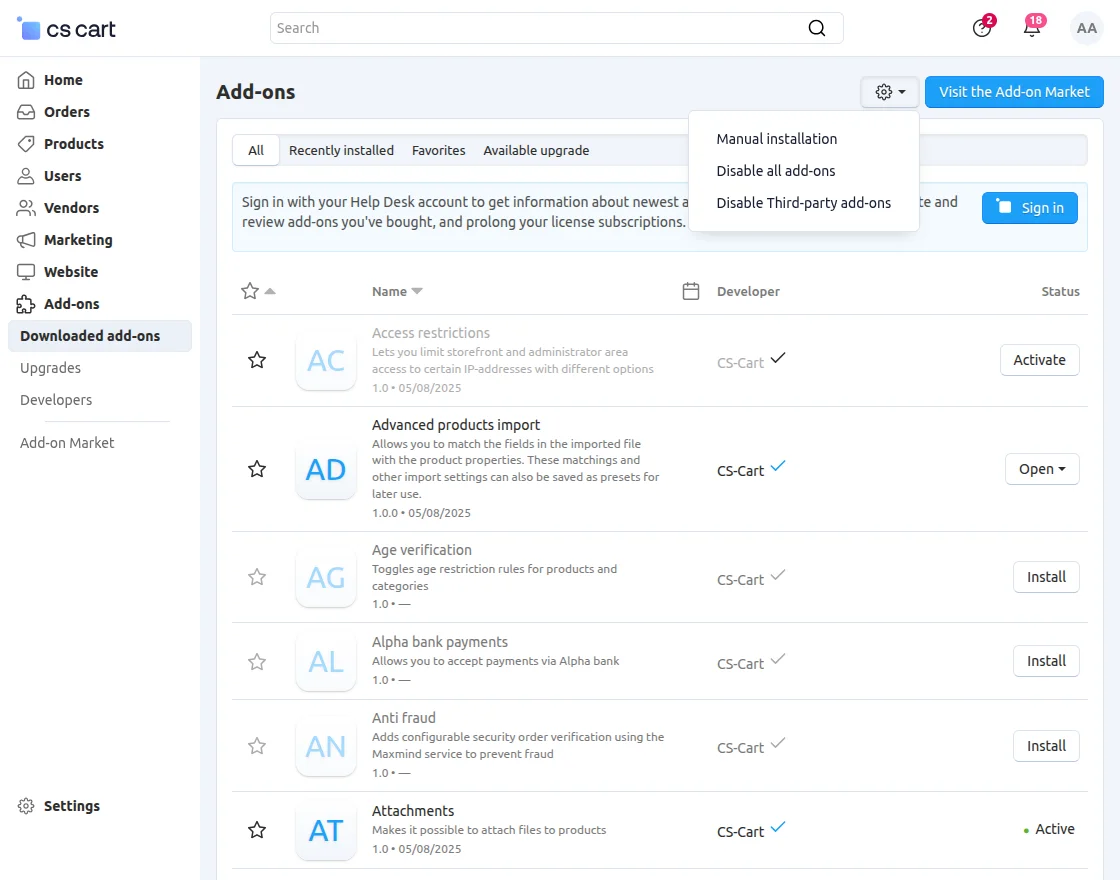
Go to Manage Add-ons and click on “Manual Installation” as shown below in the snapshot.
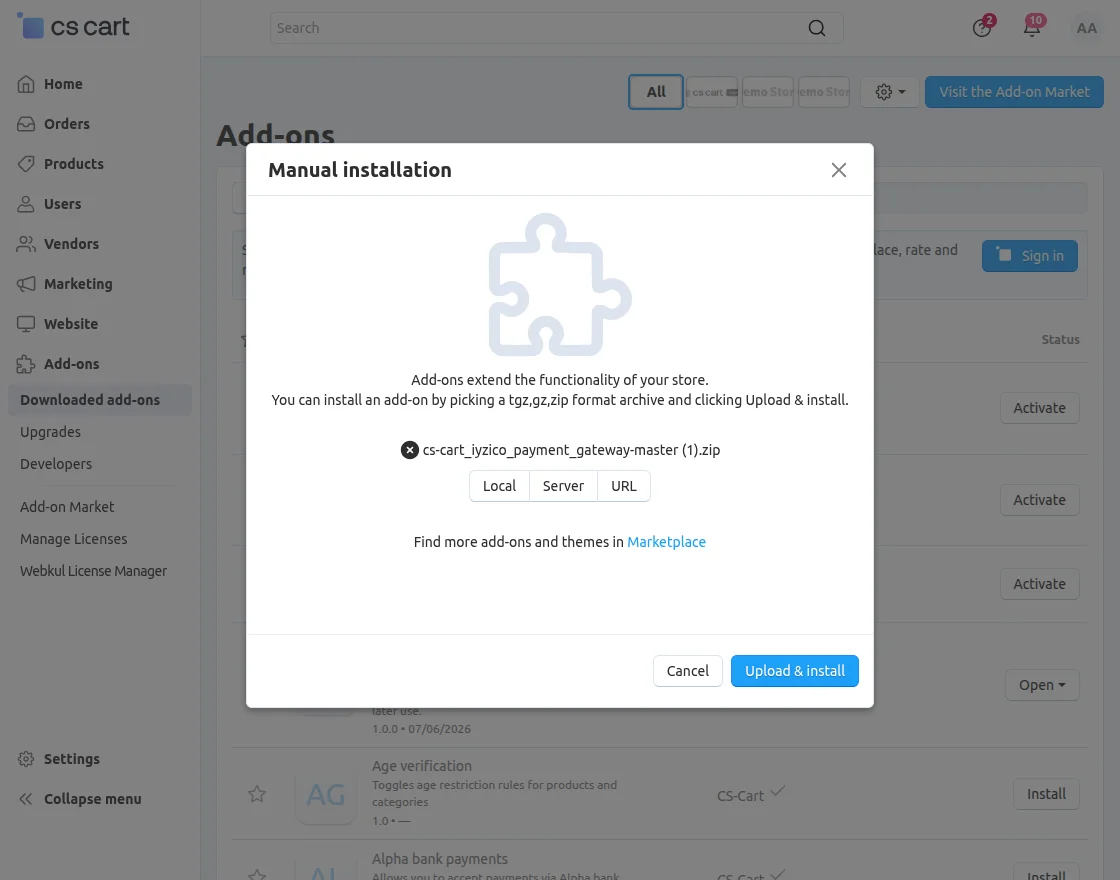
Click on “Local” to browse the zip file, and then click on “Upload & Install” as shown below in the snapshot.
CS-Cart Iyzico Payment Gateway Configuration
To configure the module, go to the Add-Ons >> Developers >> Webkul Software Pvt Ltd. >> Iyzico Payment Gateway >> Settings
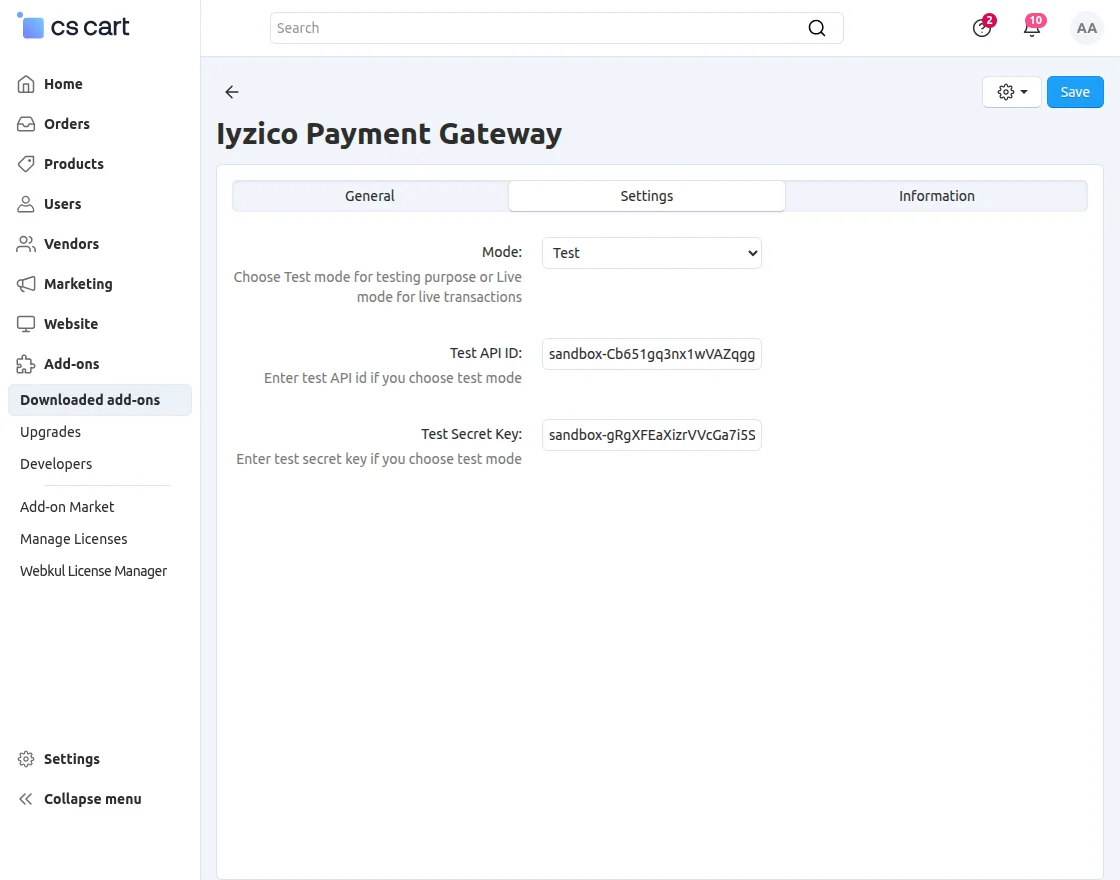
NOTE: Iyzico Payment Gateway credentials are not available in the Live Demo. Customers can enter their own Iyzico Payment Gateway credentials in the Live Demo to check the working of the module.
Payment Method
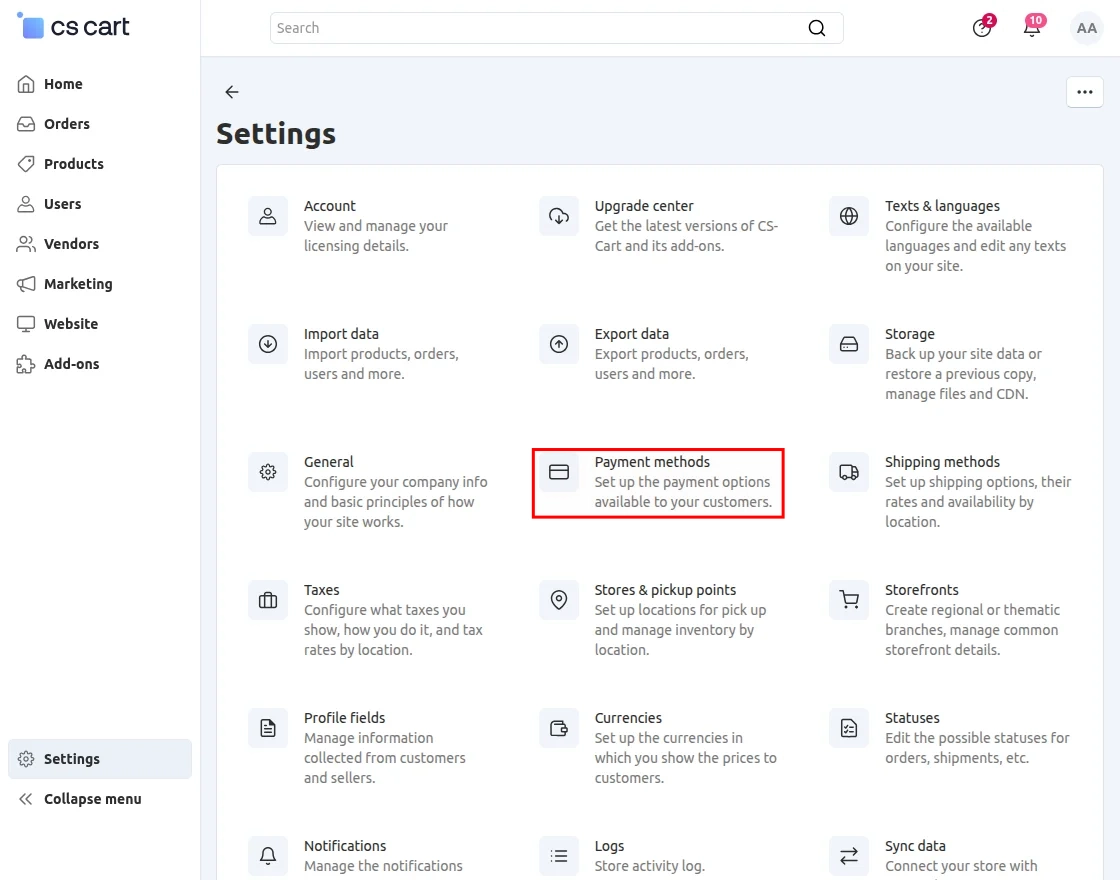
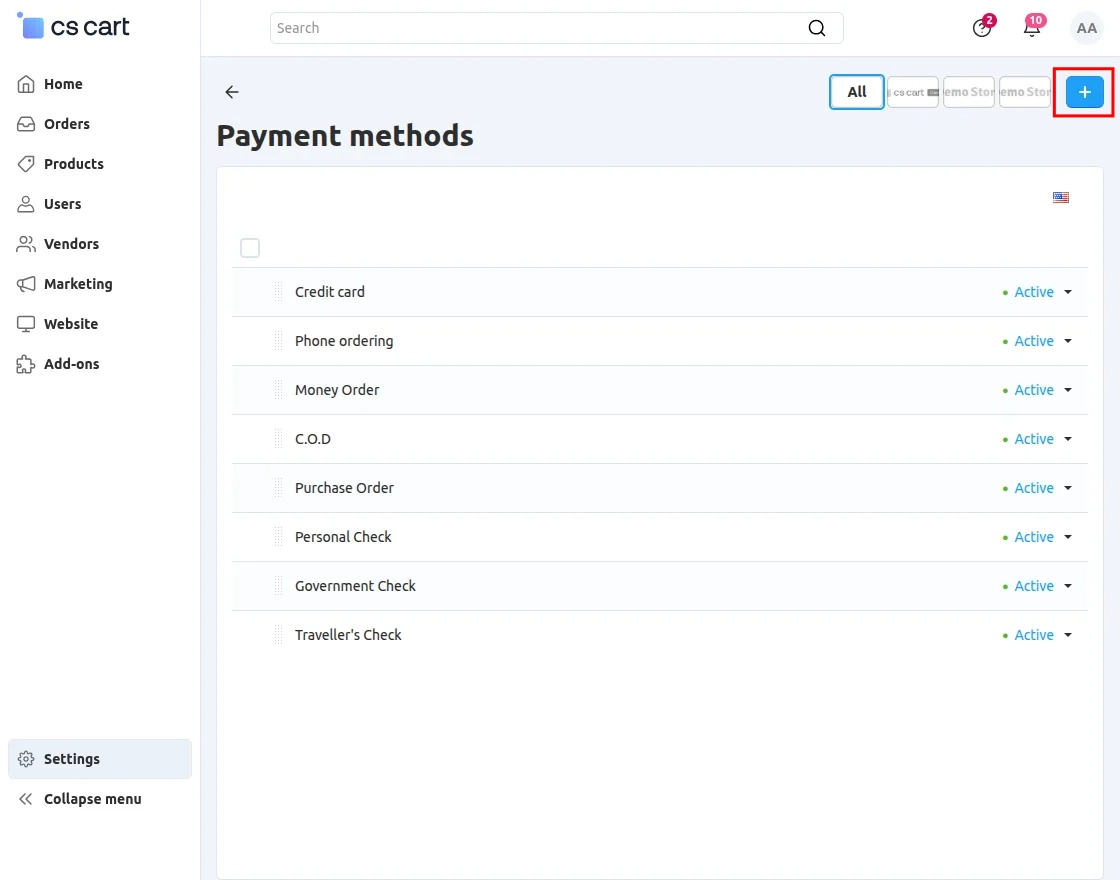
Go to “Settings” and click on “Payment Method”.
Click on “+” to create a new payment method.
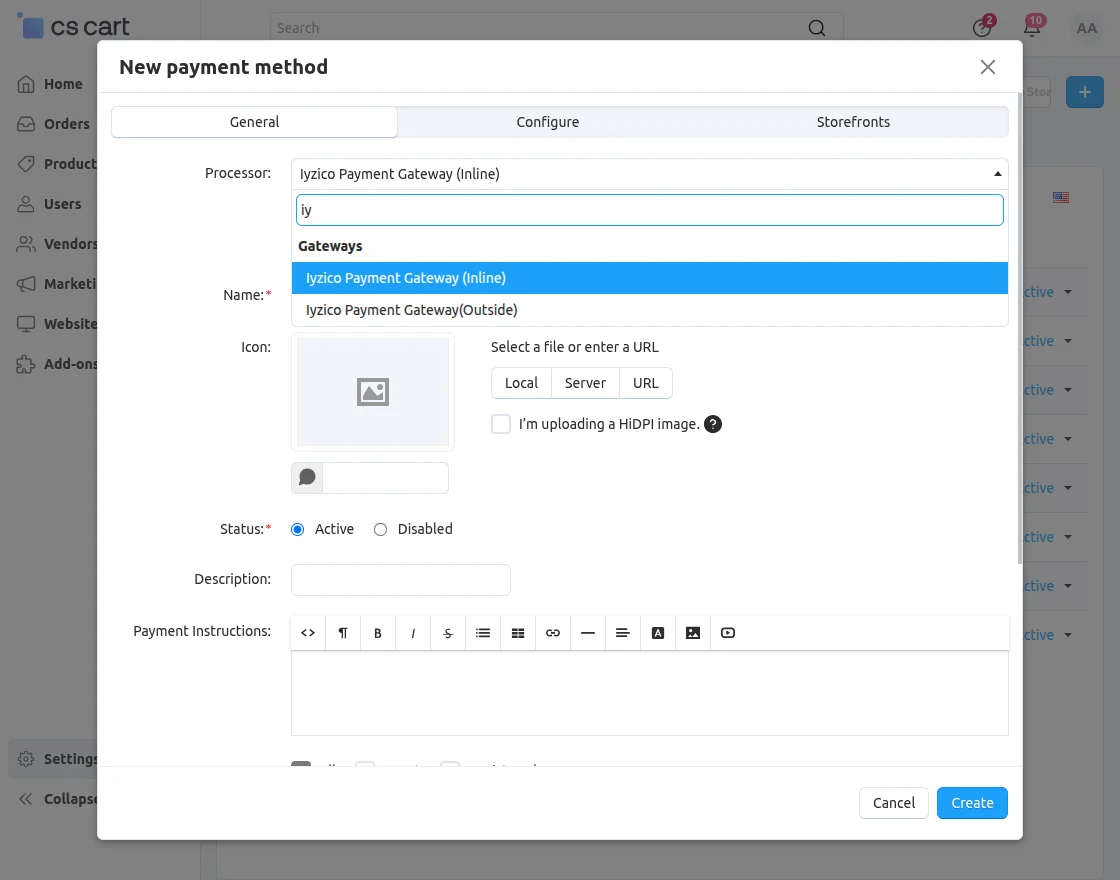
To add a payment gateway, the admin needs to click on the General tab to fill in the following options:
- Enter the name of the payment method.
- Select the processor as “Iyzico Payment Gateway(outside)” for the outside form.
- Select the payment category as “credit card”.
- Fill in the other details accordingly.
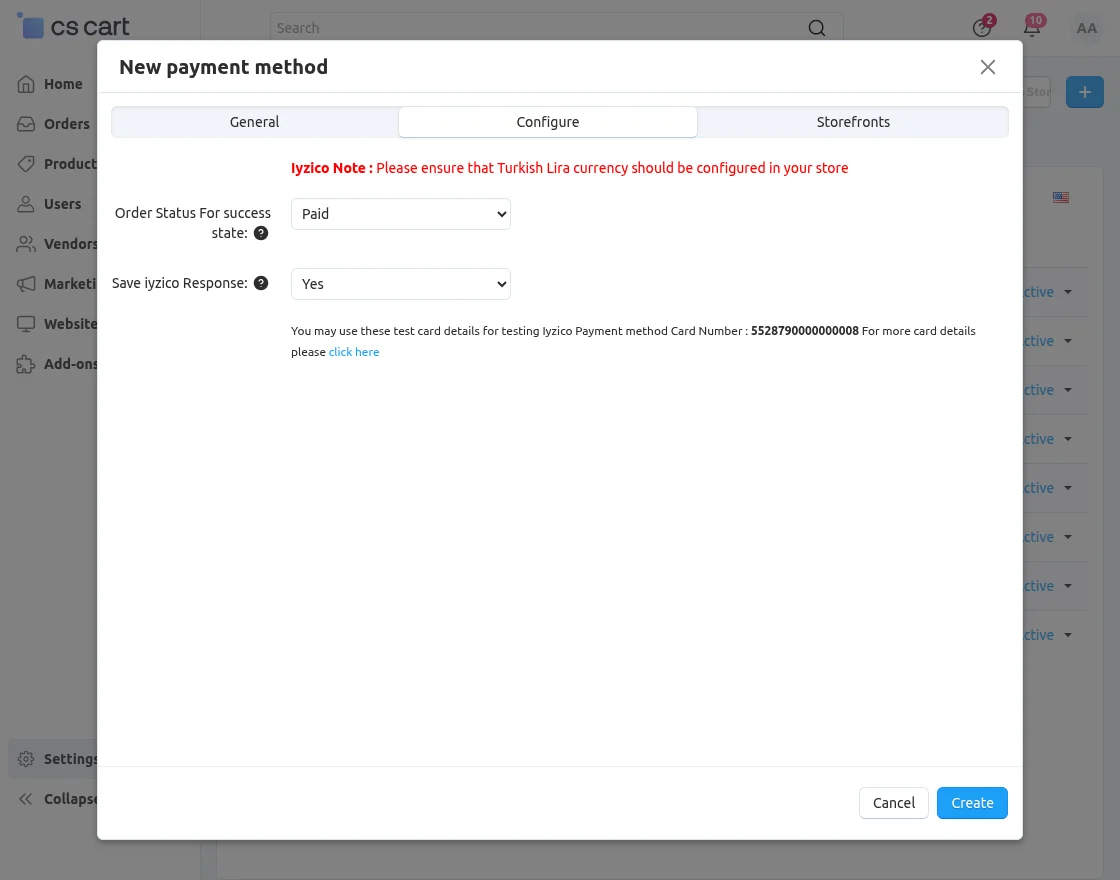
Click on Configure and set the parameters as shown below. Set the order status for a successful payment transaction.
- Select “YES” to save the Iyzico response on the admin end.
- Finally, click on the Save button to save the configuration.
Frontend
After signing in, the customer can select the payment method.

To pay via Iyzico, select Iyzico Payment Gateway.
- Enter the credentials as shown below.
- Moreover, to use BKM Express, click on “Express” and click to pay as shown below.

Support
If you have any questions, suggestions, or customization requests, feel free to contact us at [email protected] or submit a ticket at webkul.uvdesk.com.
Explore our premium-quality CS Cart Extensions to enhance your store functionality.
You can also explore our CS-Cart Development Services and Quality CS-Cart add-ons.
Current Product Version - 3.4
Supported Framework Version - 4.18.x, 4.19.x, 4.20.x

1 comments