Search is how customers find products in your store.
If your search doesn’t understand what customers mean, you lose sales.
The Bagisto Semantic Search Extension changes this.
Instead of matching exact words, it understands the meaning behind what customers type.
A customer searching for “gift for dad who likes cooking” will find kitchen gadgets, cookware, and recipe books.
Even if none of those products contain those exact words.
This is AI-powered search that works the way humans think.
Complete Features List
- AI-Powered Search – Understands natural language queries and finds products by meaning.
- Real-Time Autocomplete – Shows product suggestions as customers type in the search bar.
- Hybrid Search – Combines smart AI search with traditional text search for best results.
- Smart Query Understanding – Extracts filters like price, brand, color, and size from natural language.
- Conversational Query Cleanup – Removes phrases like “do you have” and “show me” before searching.
- Synonym Support – Works with your existing Bagisto search synonyms.
- Auto Re-Indexing – Updates search index automatically when products change.
- Multi-Product Type Support – Works with simple, configurable, bundle, grouped, downloadable, and booking products.
- Admin Configuration – Full control from the admin panel without touching code.
- 22 Language Support – Every label translated for all Bagisto languages.
Prerequisites
- Bagisto: Version 2.4.10
- Elasticsearch: Version 8.x (running and accessible)
- MagicAI: Installed and configured with at least one AI provider API key
Elasticsearch Setup
1: Install Elasticsearch and configure bagisto connection
   ELASTICSEARCH_HOST=your-url:9200
   ELASTICSEARCH_USER=
   ELASTICSEARCH_PASS=


   // For API key authentication:

   ELASTICSEARCH_HOST=your-url:9200
   ELASTICSEARCH_API_KEY=your-api-key


   // For Elastic Cloud:

   ELASTICSEARCH_CLOUD_ID=your-cloud-id
   ELASTICSEARCH_API_KEY=your-api-key
Installation
The installation is simple just like the installation of the Bagisto extension.
1: Unzip the extension zip and merge the “packages/Webkul” folders into the project root directory.
2: Open the composer.json file and add the following line under the ‘psr-4’ section:
"Webkul\\SemanticSearch\\": "packages/Webkul/SemanticSearch/src"
3: Refresh autoloads
composer dump-autoload
4: In bootstrap/providers.php, import and add the provider class to the returned array:
use Webkul\SemanticSearch\Providers\SemanticSearchServiceProvider;

return [
    SemanticSearchServiceProvider::class,
];
Admin Configuration
AI Provider setup
The Semantic Search module uses the Laravel AI SDK via the MagicAI package.
It supports multiple AI providers (OpenAI, Anthropic, Gemini, Mistral, etc.)
Configure API Keys
Go to Admin >> Configuration >> Magic AI >> Providers.
Enter your API key for the provider you want to use.
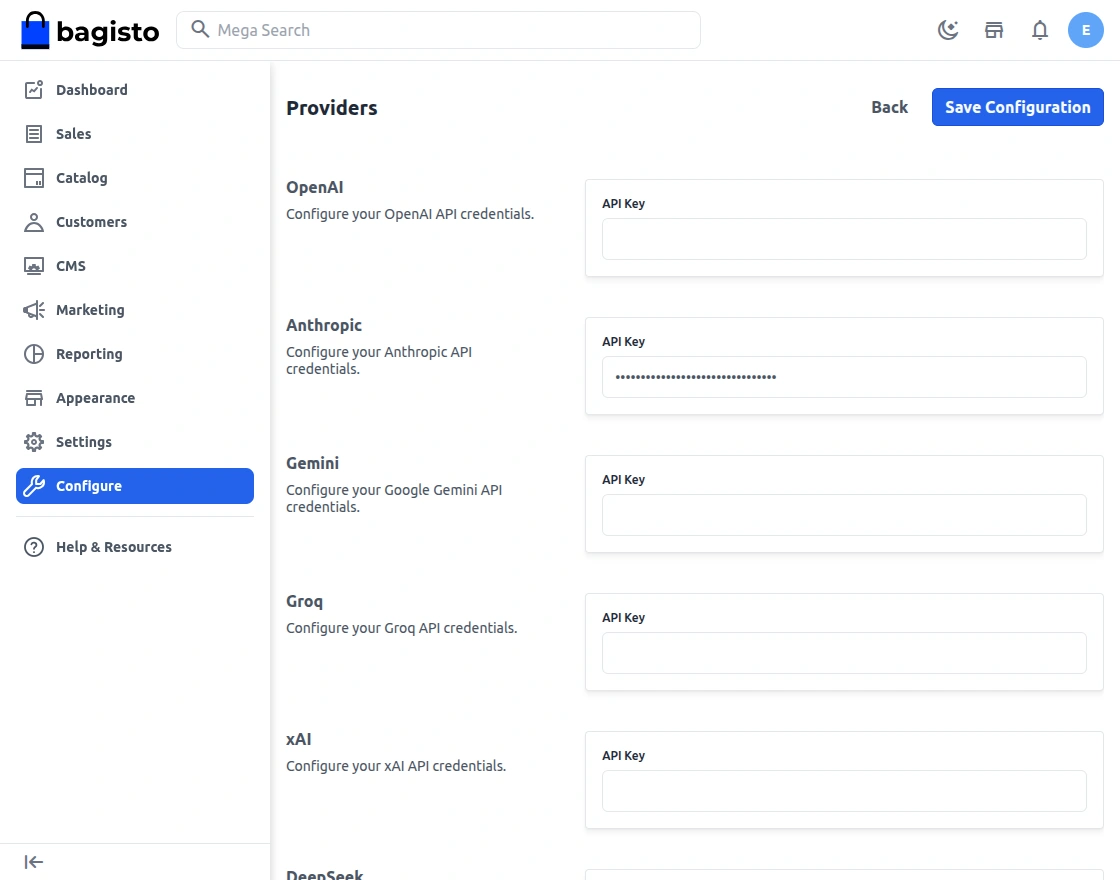
Click on Save Configuration button.
Semantic Search Setup
The admin can navigate to Configure >> Semantic Search >> General.
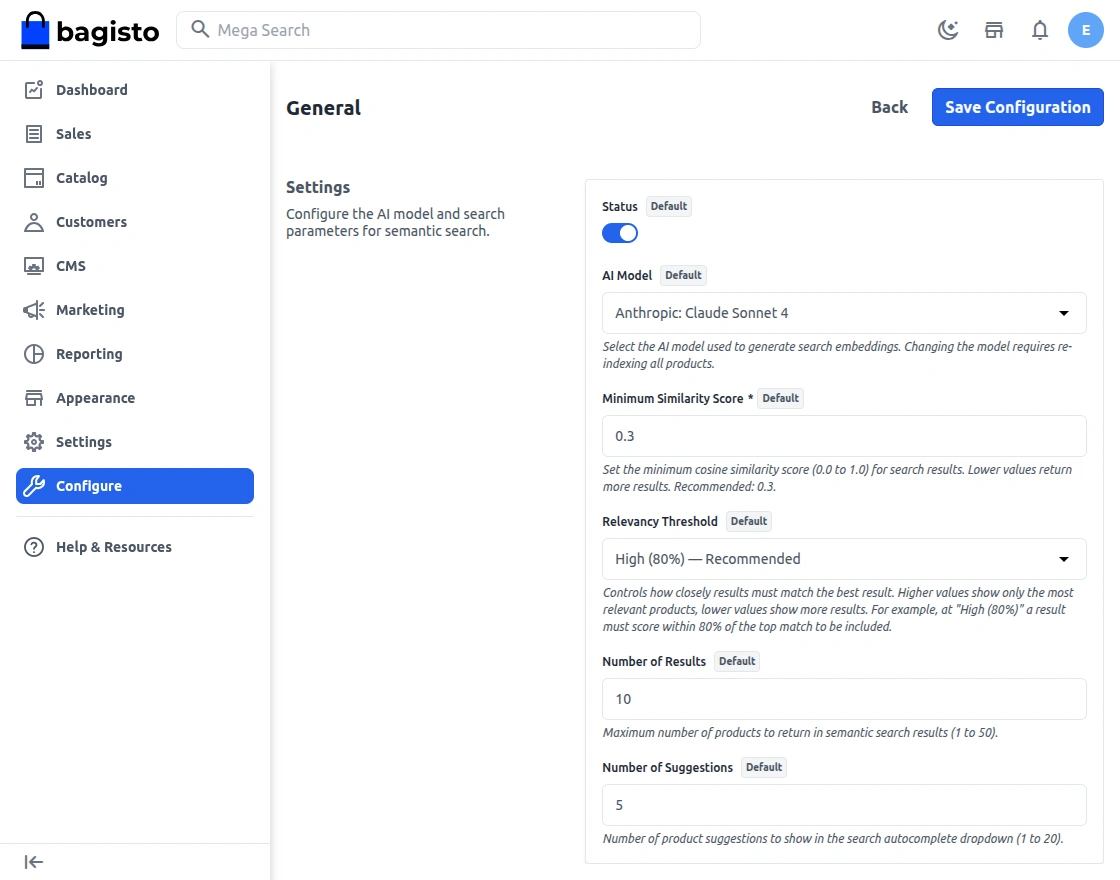
Status – When enabled, semantic search replaces standard keyword search on your storefront.
When disabled, everything works as standard Bagisto.
AI Model – Choose which AI model generates search results.
Minimum Similarity Score
- Default is 0.3.
- Products scoring below this value are excluded from results.
- Lower value (0.1-0.2) – More results, may include less relevant products
- Higher value (0.4-0.5) – Fewer results, more precise matching.
Relevancy Threshold
This determines how closely a product must match the best search result.
By default, the threshold is set to High (80%), which provides a good balance between relevance and the number of results displayed.
Number of Results– This controls the maximum products retrieved from the semantic index per search.
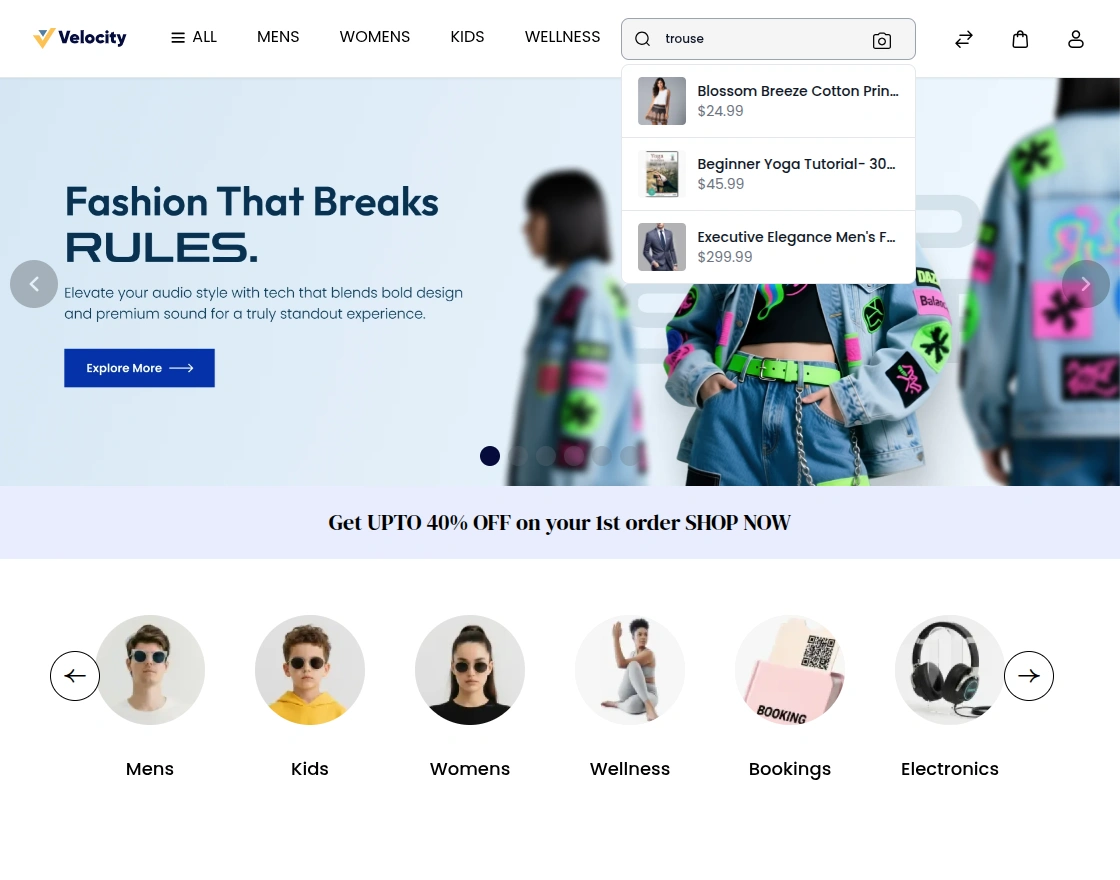
Number of Suggestions – This controls how many products appear in the autocomplete dropdown.
Customer Front End Panel
Search Bar Autocomplete
A customer searches for products in the search bar; they see – Product image, Product name, Formatted price.
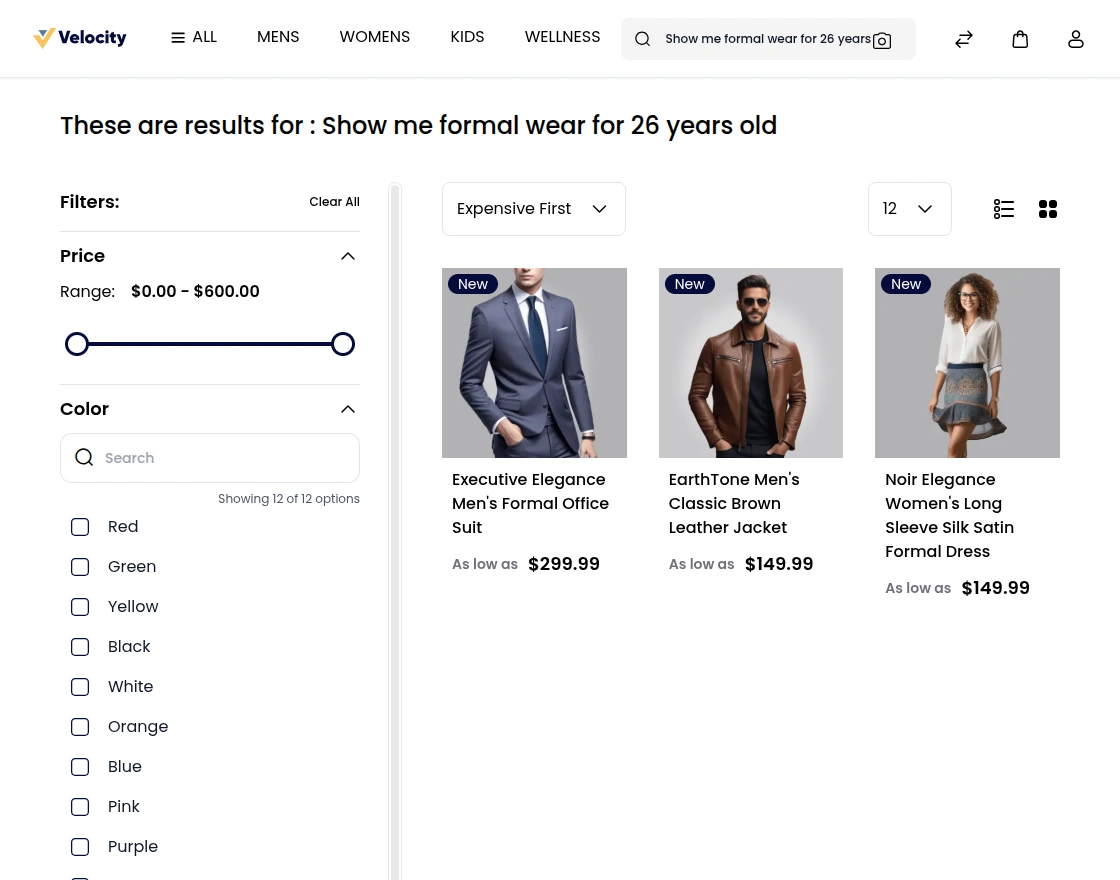
Search Results Page
When customers submit a search, they see similar products based on their search and admin configurations.
Support
So, that was much about the User Guide of the Semantic Search Extension for Bagisto. For any queries or doubts reach out to us at [email protected]. You can also raise a ticket at our HelpDesk System.
Please explore our Laravel Development Services and quality Bagisto Extensions.
Current Product Version - v2.4.10
Supported Framework Version - Bagisto v2.4.10

Be the first to comment.