Introduction
Odoo POS Geidea Pay By Link allows merchants to generate a secure payment link directly from the POS screen and share it with customers via SMS or email.
Customers can open the link or scan a QR code to complete the payment, while the POS automatically updates the payment status and records transactions in the backend.
Odoo POS Geidea Pay By Link helps businesses accept remote payments easily and securely without requiring customers to share card details at the counter.
Features
- Secure Pay By Link payment flow integrated directly inside Odoo POS.
- Generates a unique payment link for each POS order automatically.
- Allows customers to complete payment via link or QR code on mobile devices.
- Supports SMS and email sharing of payment links from the POS screen.
- Displays real-time payment confirmation directly on the POS interface.
- Automatically syncs payment status between POS and backend.
- Records complete Geidea Pay By Link transaction history in backend.
- Ensures secure payment processing through Geidea-hosted payment pages.
- Improves checkout flexibility by enabling remote customer payments.
Installation
- Once you purchase the App from Webkul store, you will receive a link to download module’s zip file.
- Extract the file on your system after download finishes. As a result, you will be able to see a folder named- ‘ pos_geidea_pay_by_link.’
- Copy and paste this folder inside your Odoo Add-Ons path.
- Now, open Odoo App and click on the Settings menu. Here, click on Activate Developer Mode.
- Then, open Apps menu and click on ‘Update Modules List.’
- In the search bar, remove all the filters and search ‘pos_geidea_pay_by_link.’
- You will be able to see module in the search results. Click on ‘Activate’ to install it.
Workflow
- After installing Odoo POS Geidea Pay By Link, Go to the Payment Method configuration menu and enable Geidea Pay By Link.
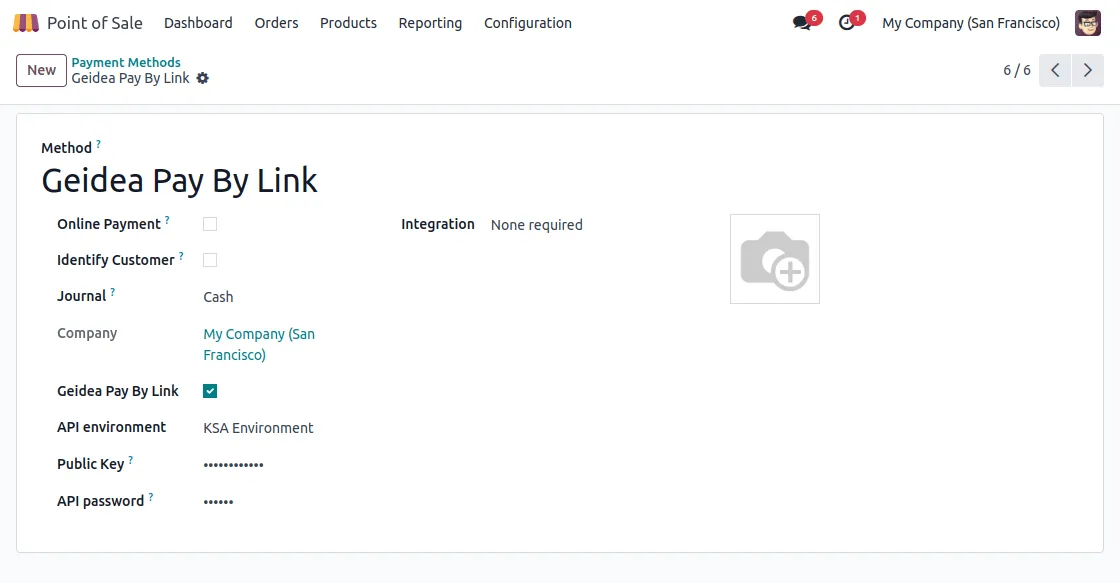
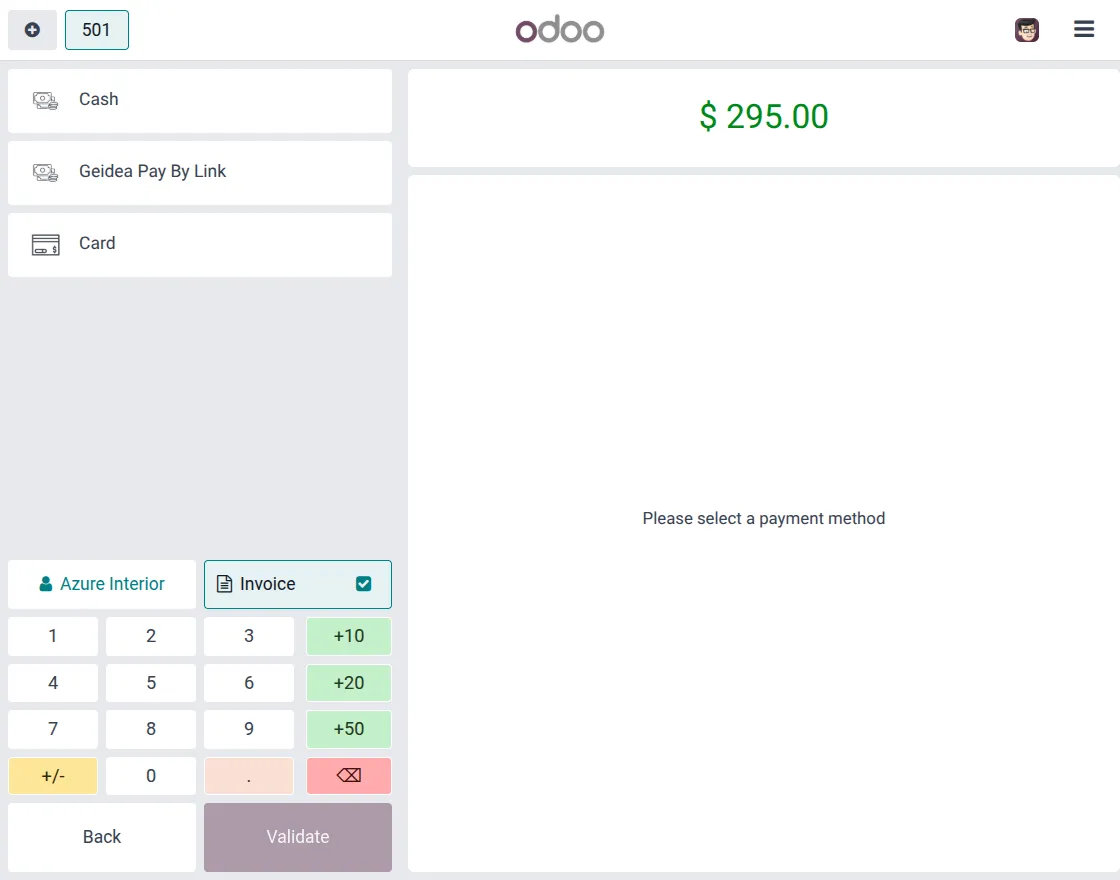
2. After configuring Geidea Pay By Link payment method, it will appear on pos payment page.
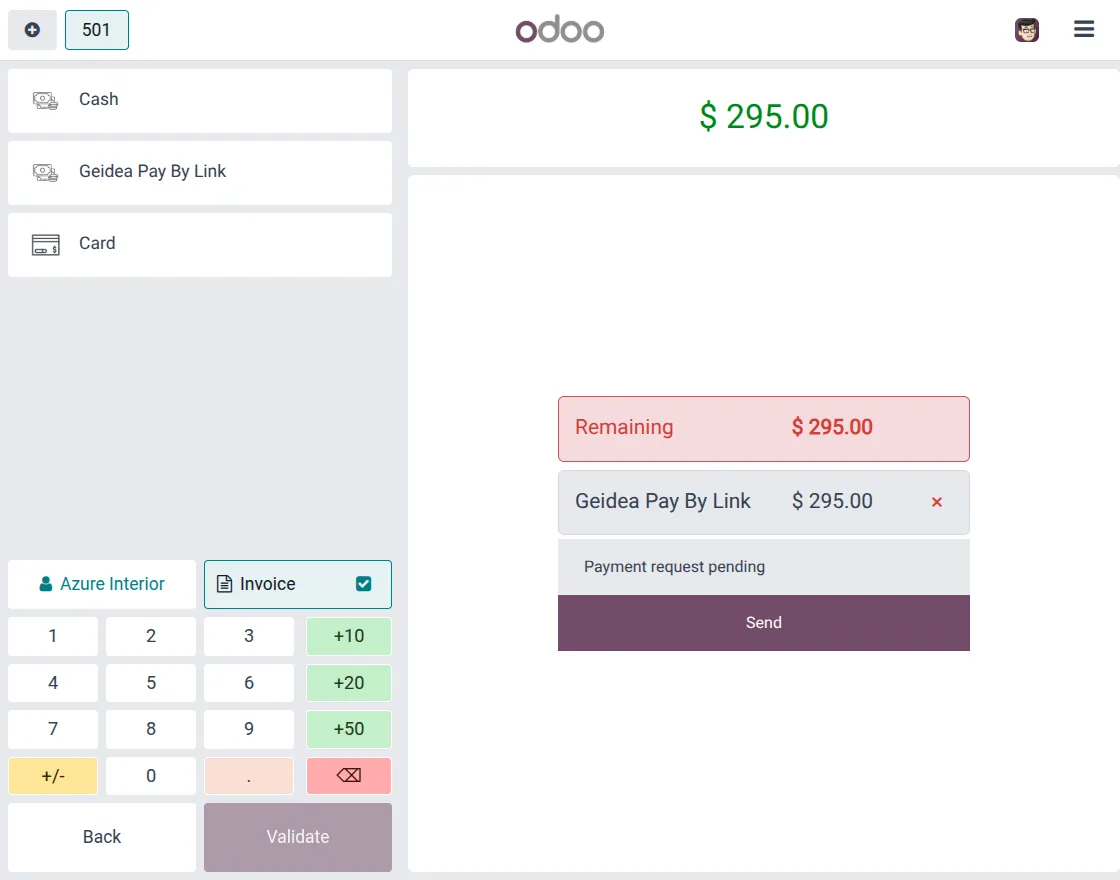
3. After selecting Geidea Pay By Link, Click the Send button to generate and share the payment link with the customer.
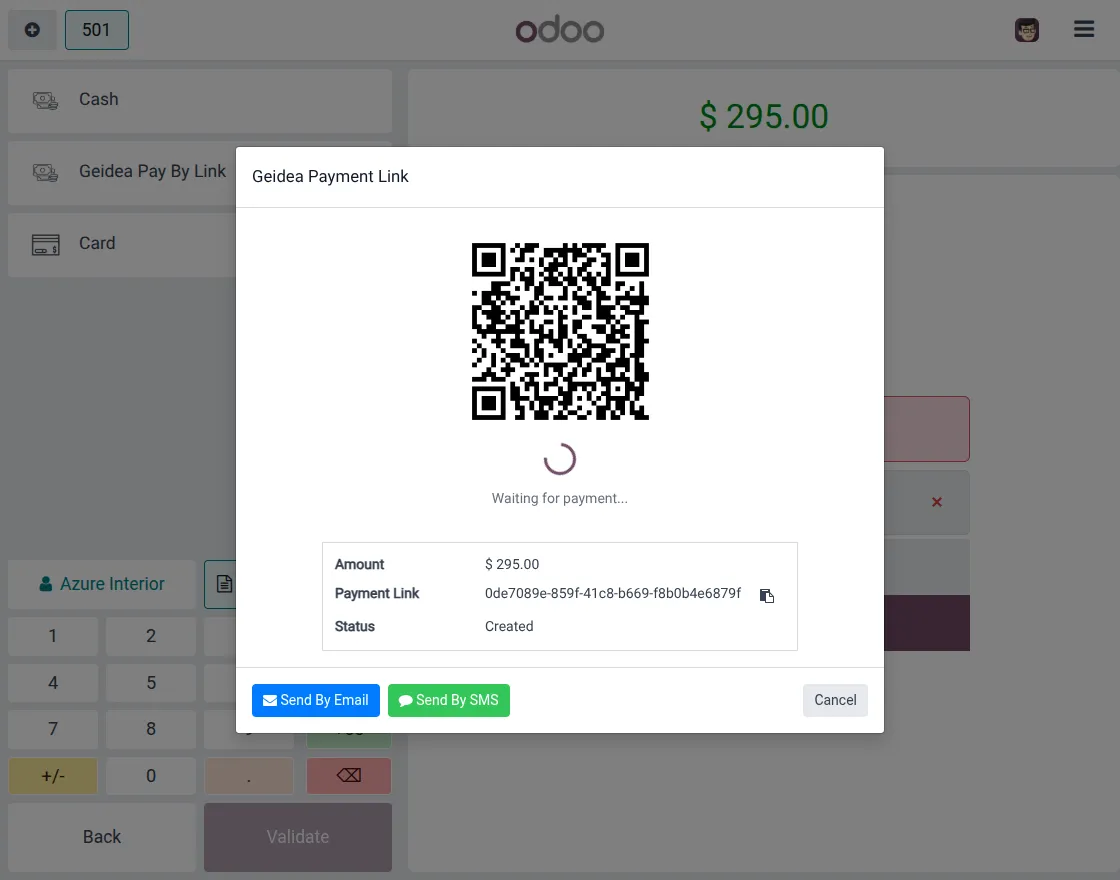
4. Customer opens the link or scans the QR code and completes the payment securely on their device.
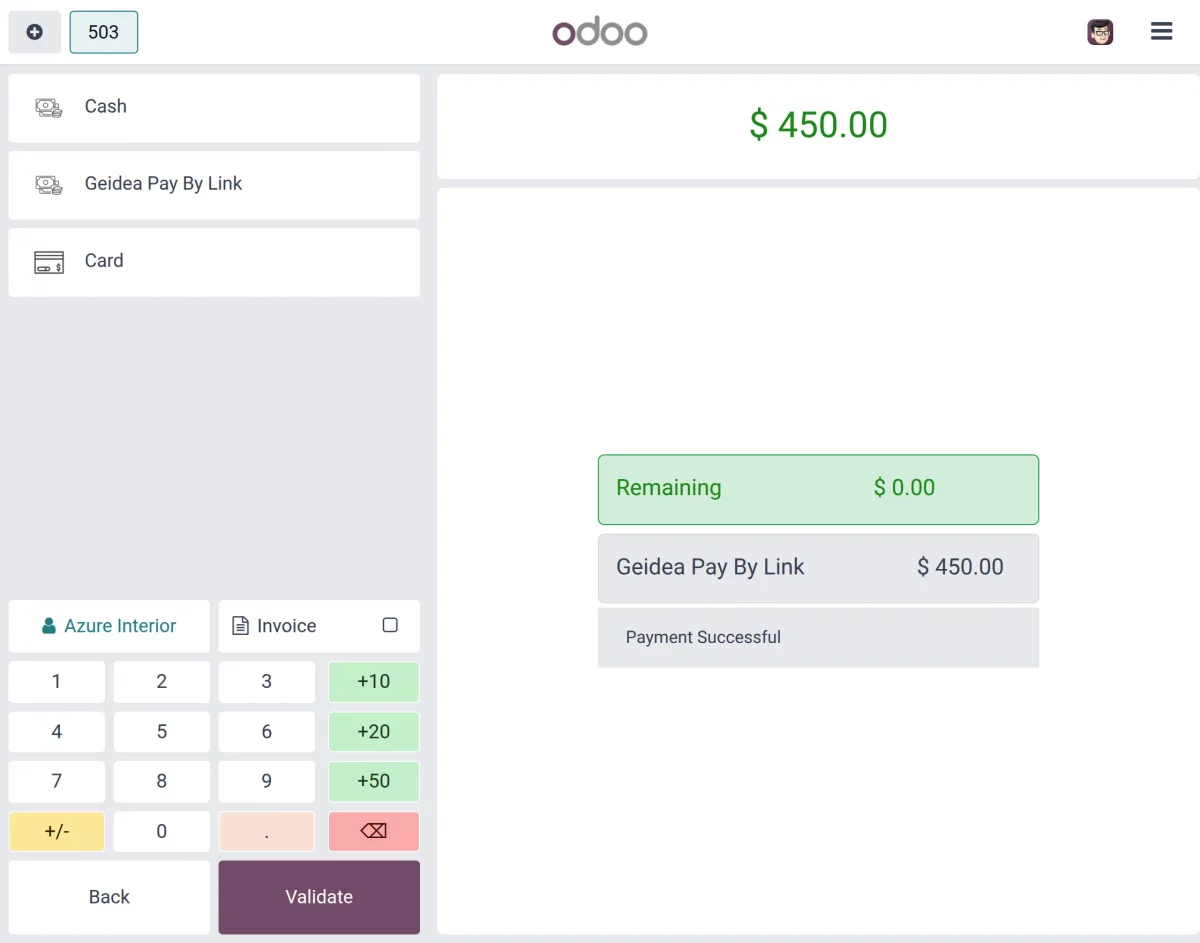
5. Once the customer completes the payment, POS displays a Payment Successful message and updates the payment status automatically.
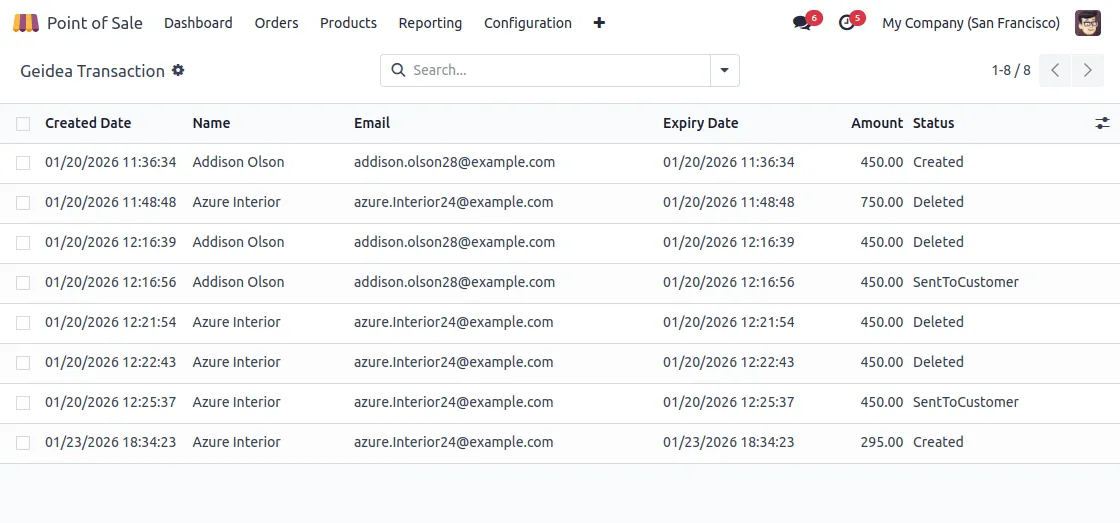
6. In Odoo POS Geidea Pay By Link, you can view all Pay By Link transactions with order reference, amount, and payment status in backend.
Need Help?
Hope you find guide helpful! Please feel free to share your feedback in the comments below.
If you still have any issues/queries, please create a ticket at the UV Desk.
I hope this helps. In case of any further queries, contact us at our support mail.
Thanks for paying attention!!
Current Product Version - 1.0.0
Supported Framework Version - Odoo V19, V18, V17

Be the first to comment.