INTRODUCTION
Odoo POS Pre-Sale Receipt allows POS users to preview and print a complete order detail before payment. Customers can verify items, quantities, and totals, helping avoid mistakes.
The module adds a quick action button inside the POS screen for an instant preview receipt before payment. This helps staff maintain order accuracy and improves customer trust.
It is especially helpful in retail and restaurants where customers prefer to review their order before confirming payment.
FEATURES
- Print a detailed order preview before validating payment.
- Pre-sale receipt excludes payment or transaction details.
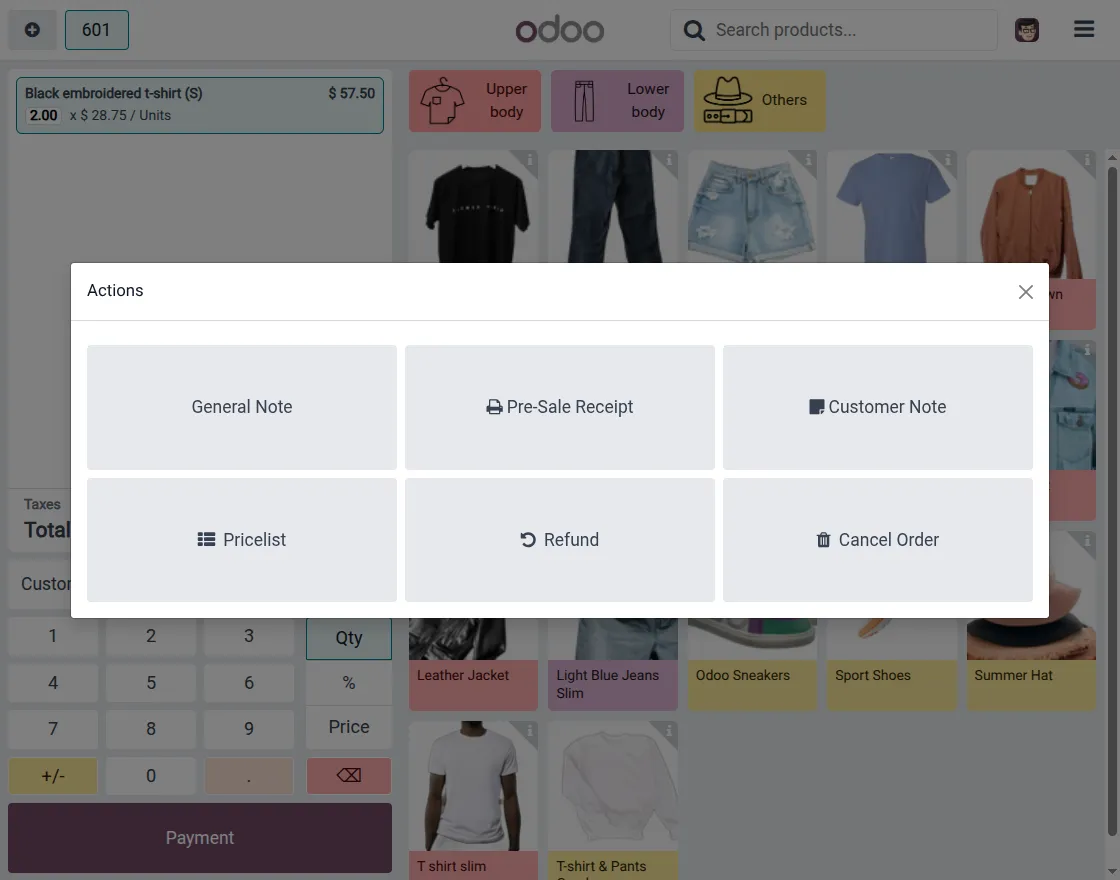
- Dedicated Pre-Sale Receipt button in POS Actions wizard.
- Simply enable or disable the toggle from POS settings.
- Odoo POS Pre-Sale Receipt works consistently across all POS sessions.
- Improves order verification and reduces customer disputes.
INSTALLATION
- Once you purchase the App from Webkul store, you will receive a link to download module’s zip file.
- Extract the file on your system after download finishes. As a result, you will be able to see a folder named ‘pos_pre_sale_receipt’
- Copy and paste this folder inside your Odoo Add-Ons path.
- Now, open Odoo App and click on the Settings menu. Here, click on Activate Developer Mode.
- Then, open Apps menu and click on ‘Update Modules List.’
- In the search bar, remove all the filters and search ‘pos_pre_sale_receipt’
- You will be able to see module in the search results. Click on ‘Activate’ to install it.
Check the video mentioned below for an overview of the workflow of this module:
WORKFLOW
1. Enable POS Pre-Sale Receipt
Enable the feature directly from POS configuration settings. Once enabled, it works seamlessly across all POS sessions.

2. Pre-Sale Receipt Button in Action Wizard
A dedicated Pre-Sale Receipt button appears inside the POS Actions menu. POS users can access it anytime before confirming the payment.
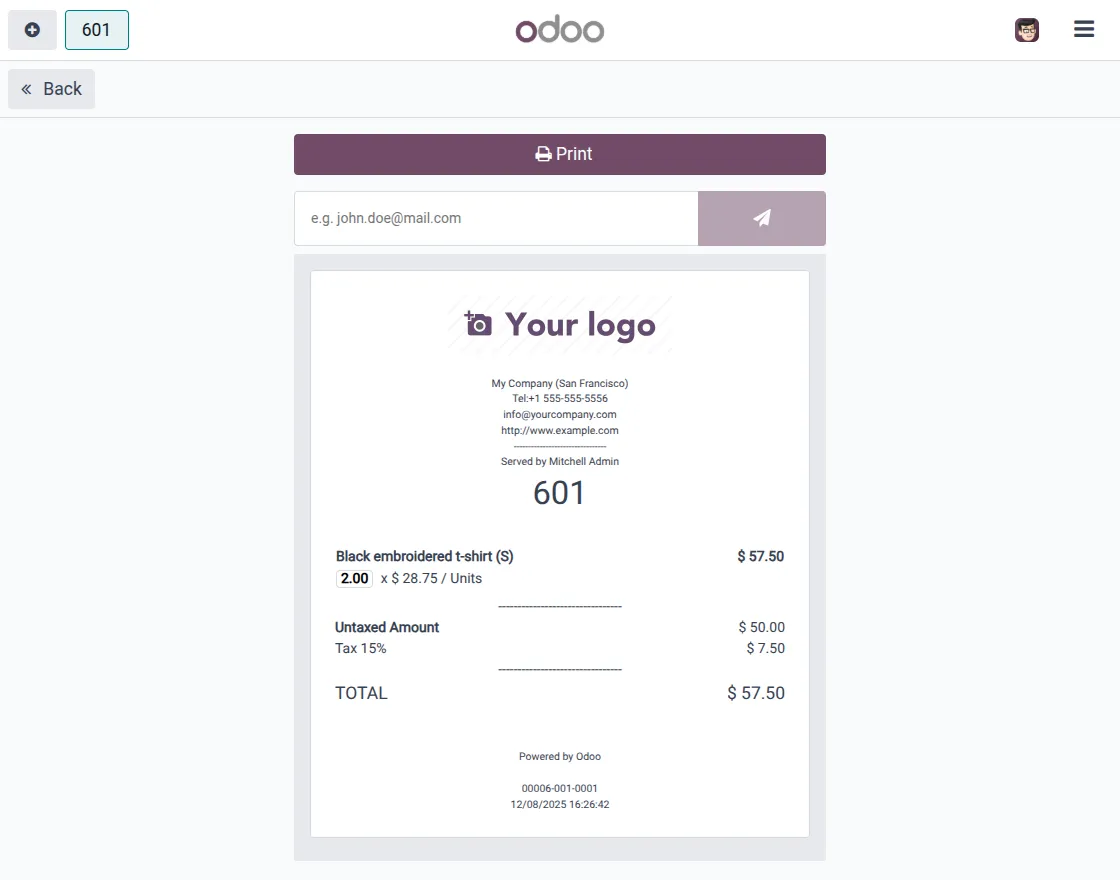
3. Print the Pre-Sale Receipt
Clicking the button prints a preview that includes items, quantities, taxes, and totals. The preview excludes any payment information for clarity and security.
NEED HELP?
Hope you find guide helpful! Please feel free to share your feedback in the comments below.
If you still have any issues/queries, please create a ticket at the UV Desk.
I hope this helps. In case of any further queries, contact us at [email protected].
Thanks for paying attention!!
Current Product Version - 1.0.0
Supported Framework Version - Odoo 19, 18

Be the first to comment.