Are you also one of those merchants who are unable to define different shipping prices for different locations.
Prestashop Postal Code Wise Shipping module will help you to in solving this problem.
Now add shipping price on the basis of zone, country, state and postal code. It also allows merchants to manage shipping price according to the postal code of buyers’ address.
Features of Postal Code Wise Shipping
- Set impact price on the existing shipping rates based on postal code for a particular zone/country.
- Set impact price on shipping rates either for a particular postal code or for a range of postal code.
- Select either to increase or decrease the impact price from the shipping price of the carrier.
- Select the impact behavior, that is, in a case when more than one impact price is applying on one postal code which impact should be applicable.
- Add tax on the impact price.
- Select whether to apply maximum or minimum impact or combine the impacts in a case when more than one impact price is applying on one postal code.
- View the list of impact prices created postal code wise.
- The buyer can view the shipping price according to the postal code of their delivery address.
- Admin can add upload various postal codes at a time through CSV files and thus save time.
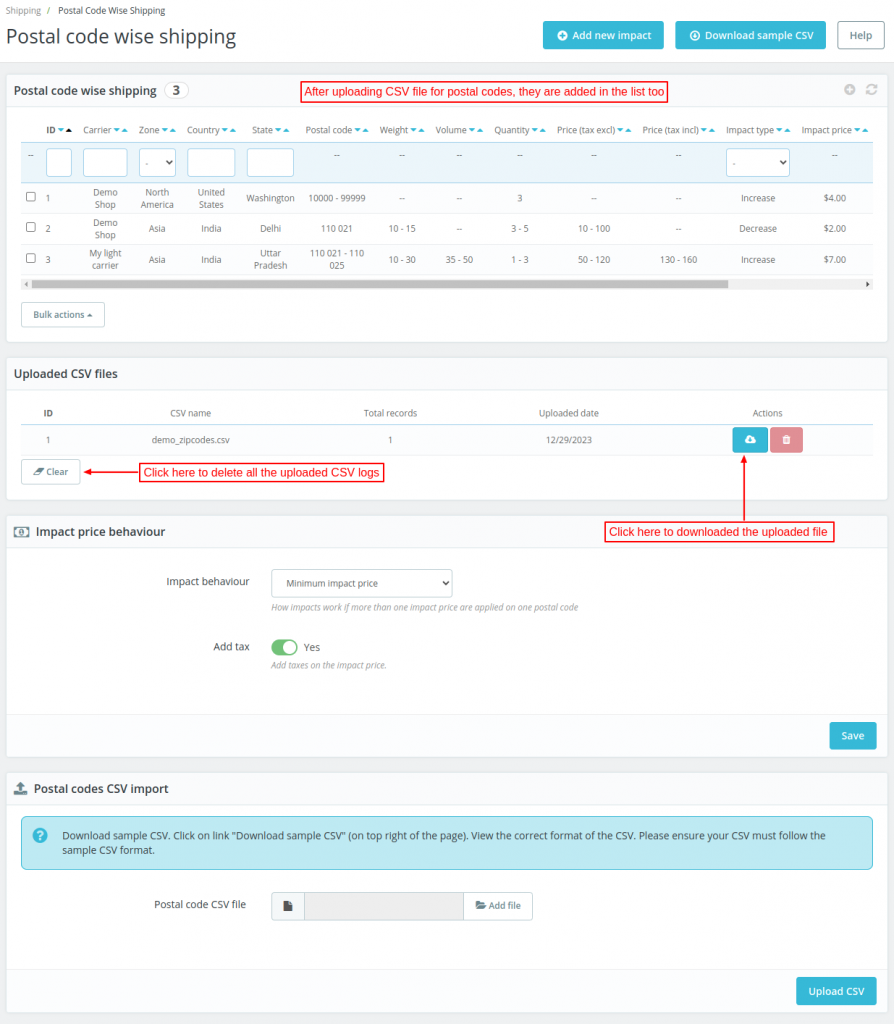
- After uploading CSV file of postal codes, the admin can view the list of postal codes added.
- Admin can download the CSV file at any time for future reference.
- Add impact price on the basis of weight, volume & quantity of the package.
- Set impact price on the basis of the total price of the order inclusive and exclusive of tax.
- Upload a CSV file with the above parameters to add impact price for multiple locations in one go.
- A clear button is added to delete all the uploaded CSV logs.
How to Install Prestashop Postal Code Wise Shipping
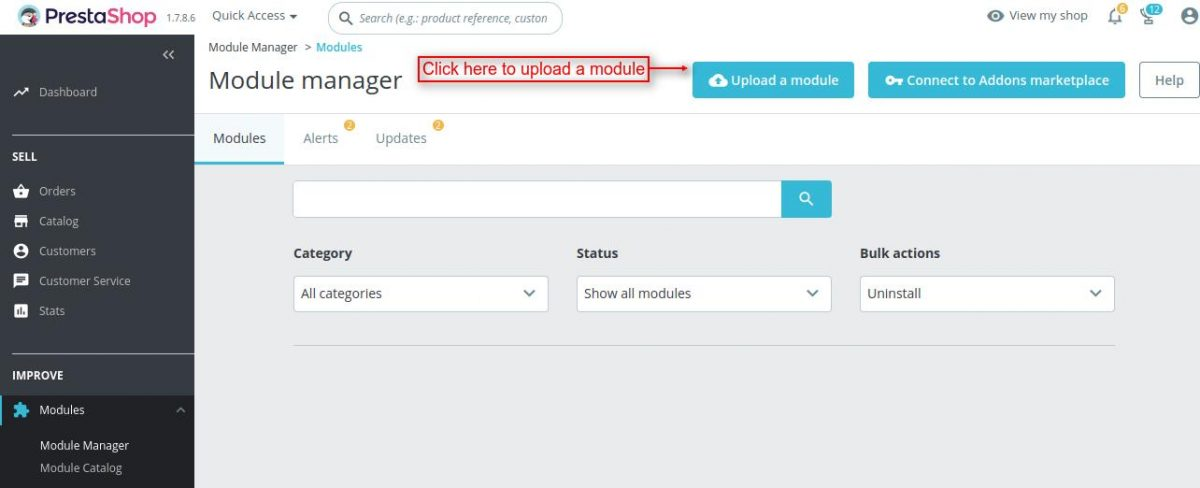
- Firstly, go to the module manager in the back office and click on ‘upload a module’.
- After that, drag and drop the module file or select the file from the system.
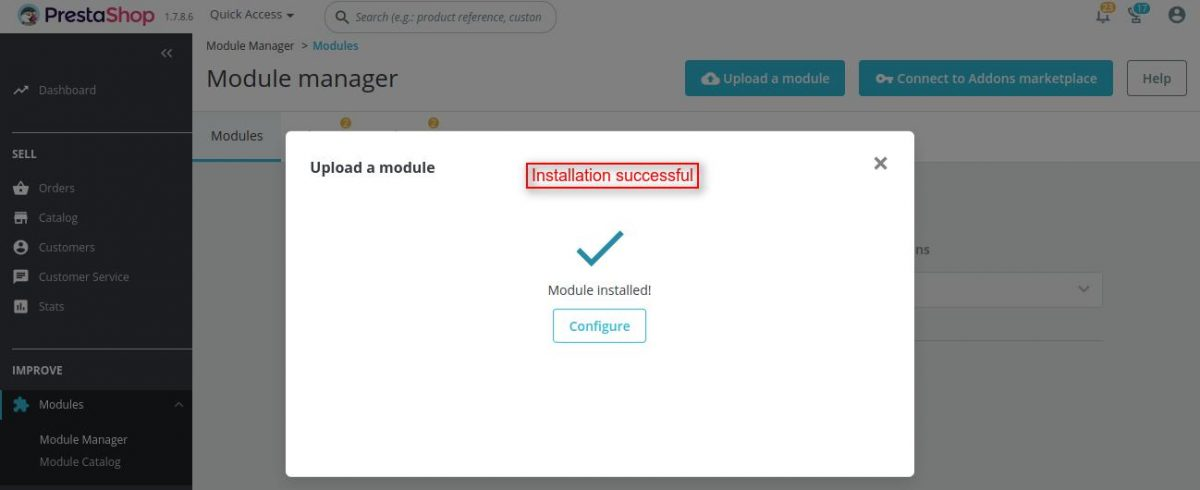
- In this way, the module installation will be successful.

Addition of Postal Codes by admin
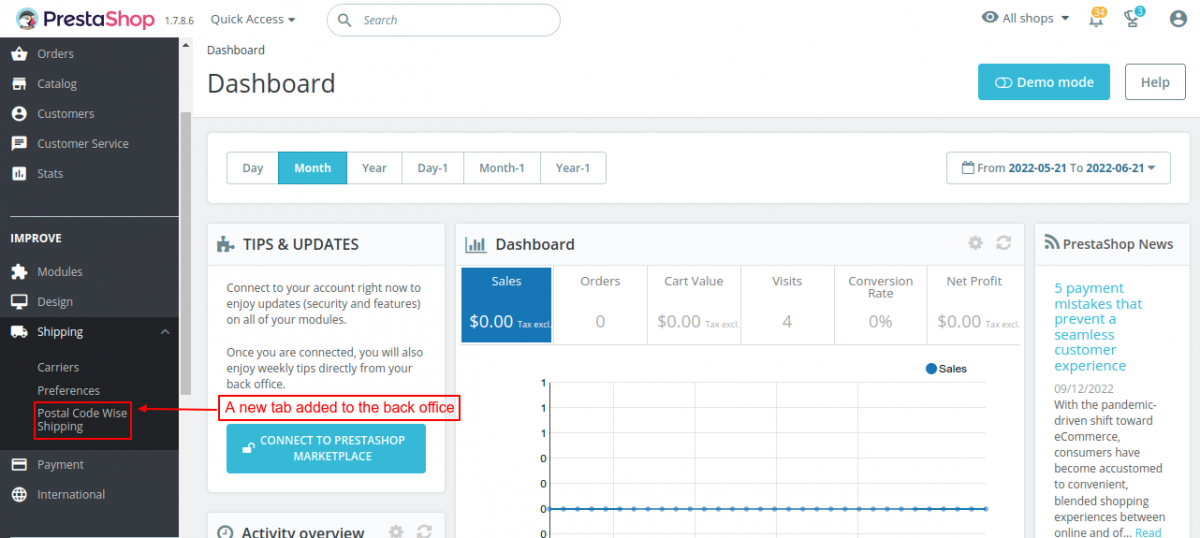
After the installation of the module, a new tab “Postal Code Wise Shipping” gets available under Shipping in the back office.
Here the admin can add impact price according to postal codes on the existing shipping carriers.
Also, the admin can upload CSV files for adding various postal codes at a time.
A sample CSV file for uploading postal codes is available in the module.
Admin can make changes on the sample CSV and enter data according to his requirement.
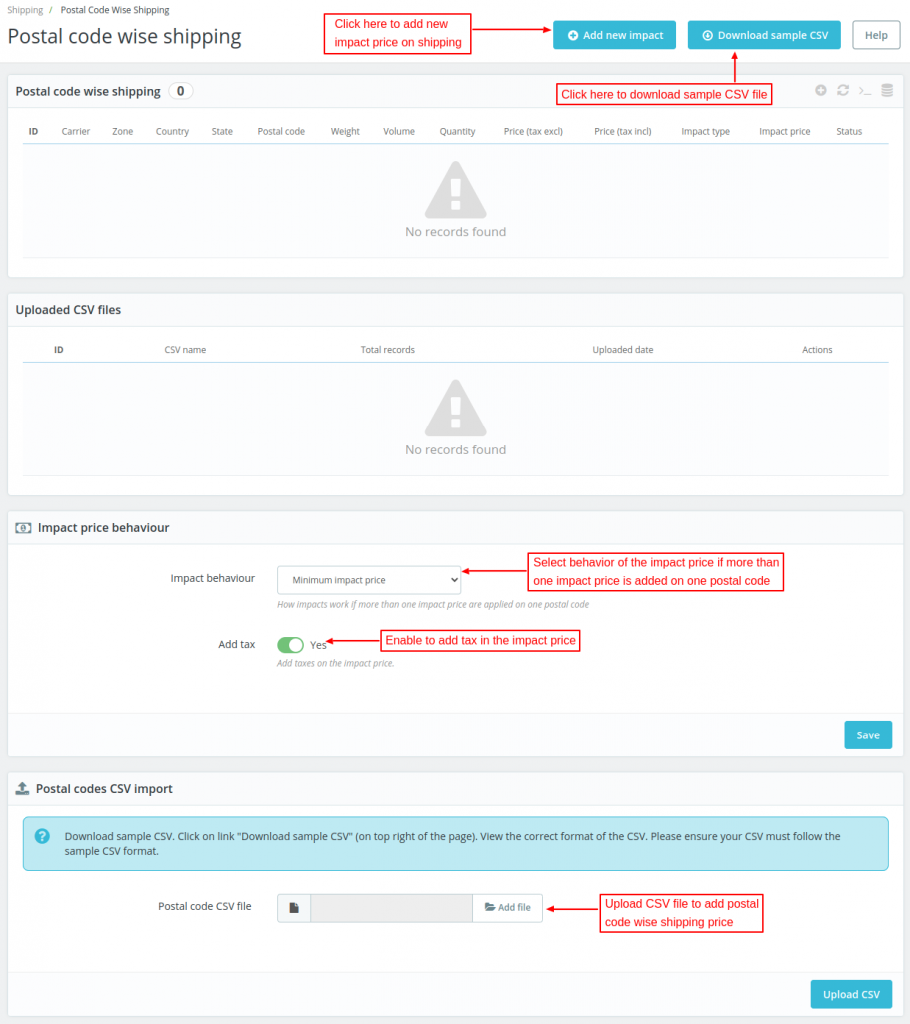
Futhermore, the admin needs to fill information to add impact price on a shipping carrier.

Uploading CSV file for Postal Codes
Workflow
Suppose shipping for any zone is $10.
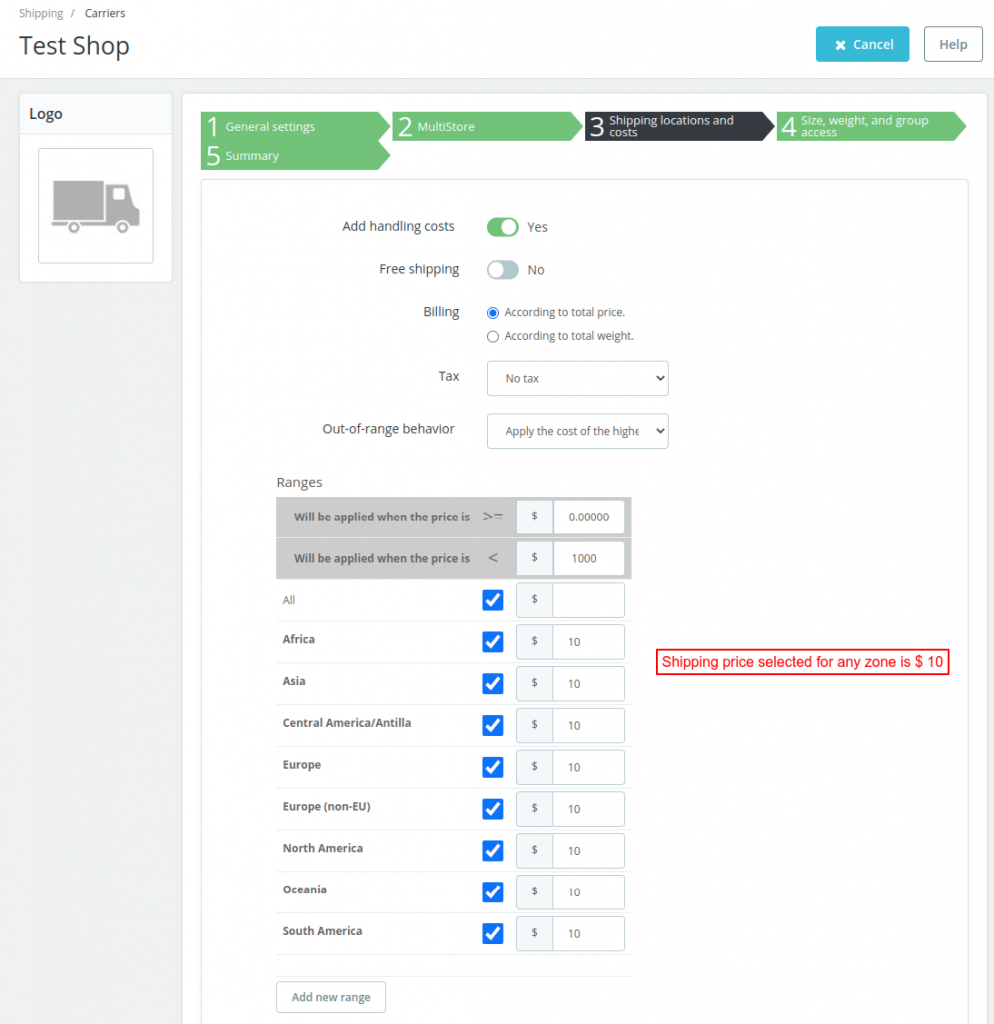
Now for any impact price added , be it for a particular postal code or for a range of postal code, admin selects the impact behaviour.
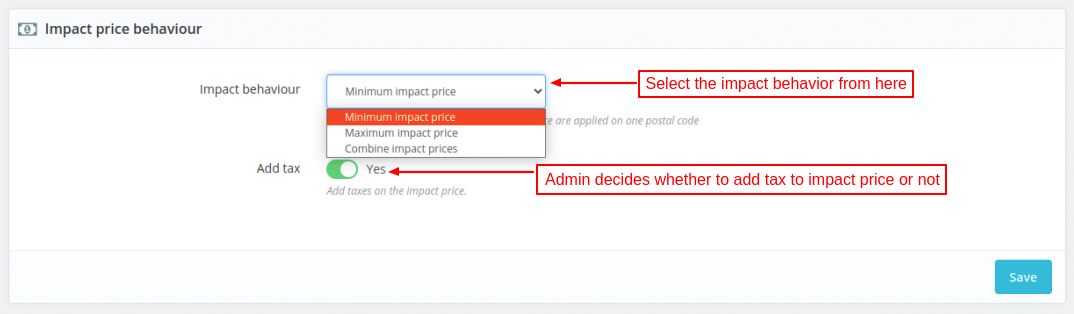
When a buyer’s postal code matches multiple impact prices, the Admin can define the impact behavior.
The impact behavior can be set to maximum, minimum, or combine.
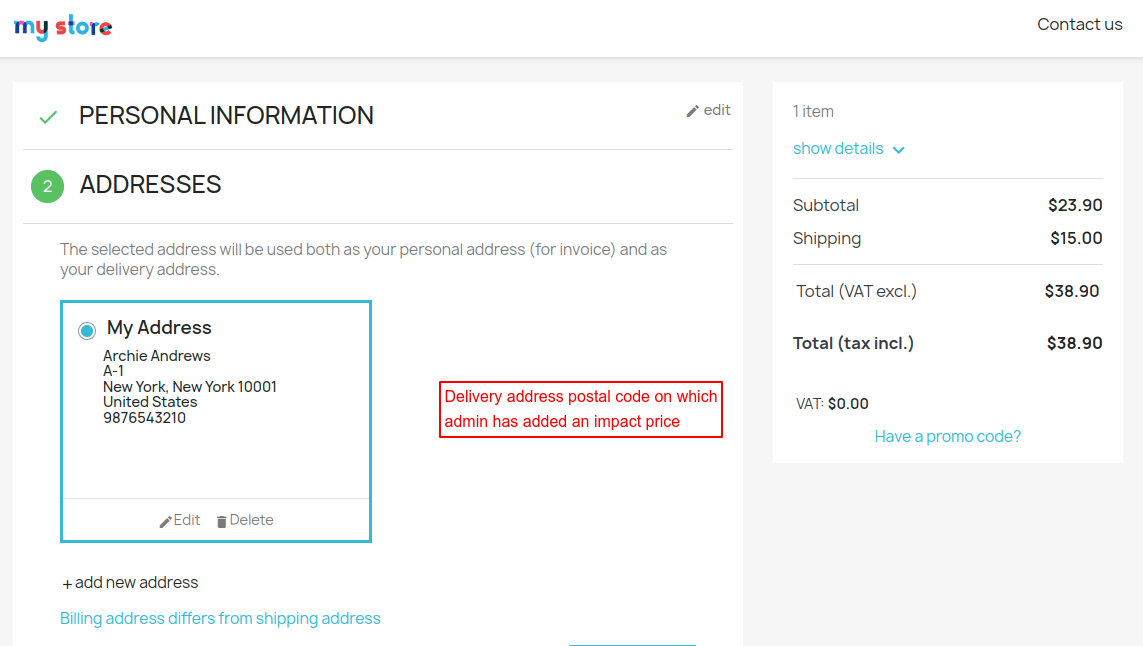
For postal code 10001, there are two impact prices, and the behavior is set to “MINIMUM.”
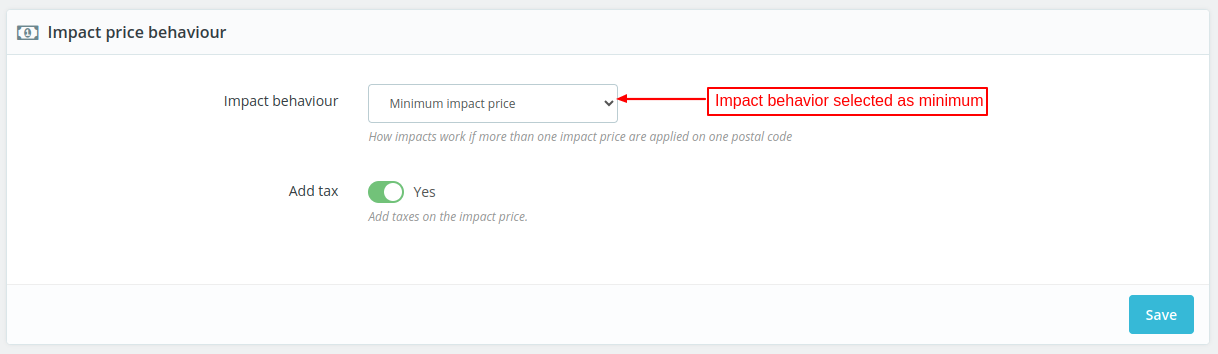
Admin selects minimum impact price in the impact behavior field.
So in this case, when more than one impact price is available for a particular postal code, the impact price with minimum value will apply.
Front End View
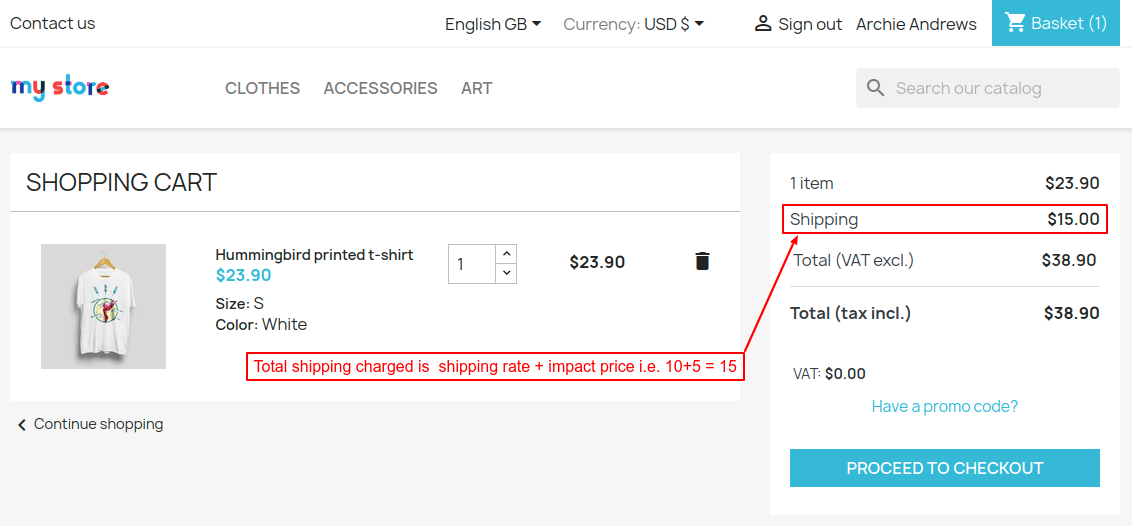
Here from the two available impact price, the one which is minimum is taken into the consideration.
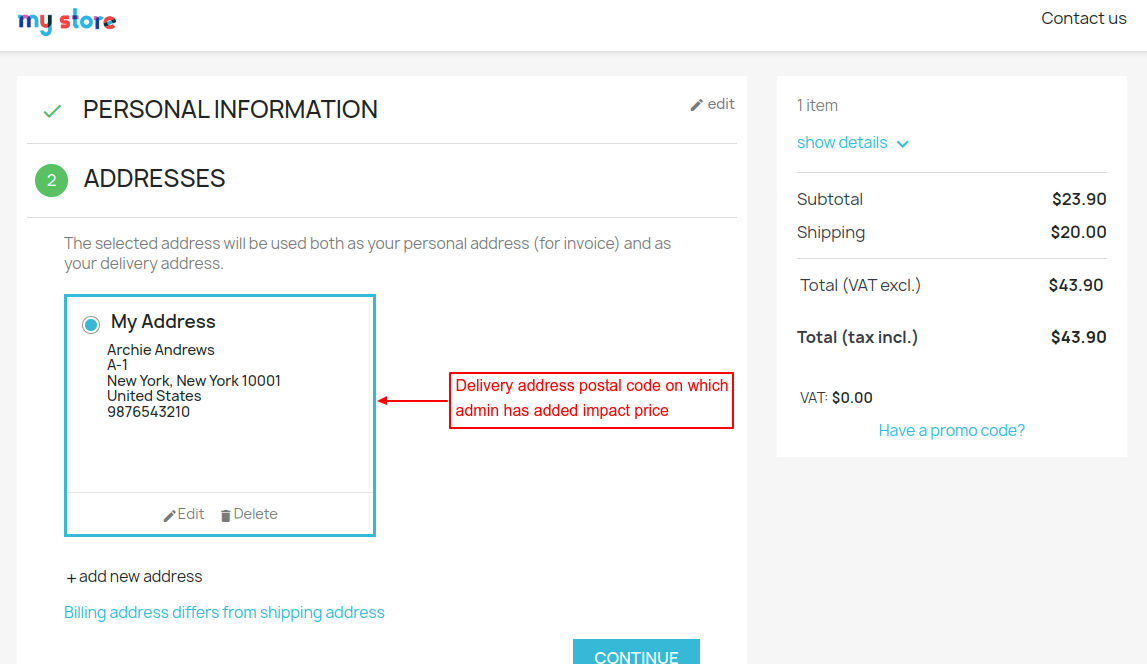
Impact behaviour selected as Maximum
In this case, when more than one impact price is available for a particular postal code, then the impact price with maximum value will apply.

Front End View
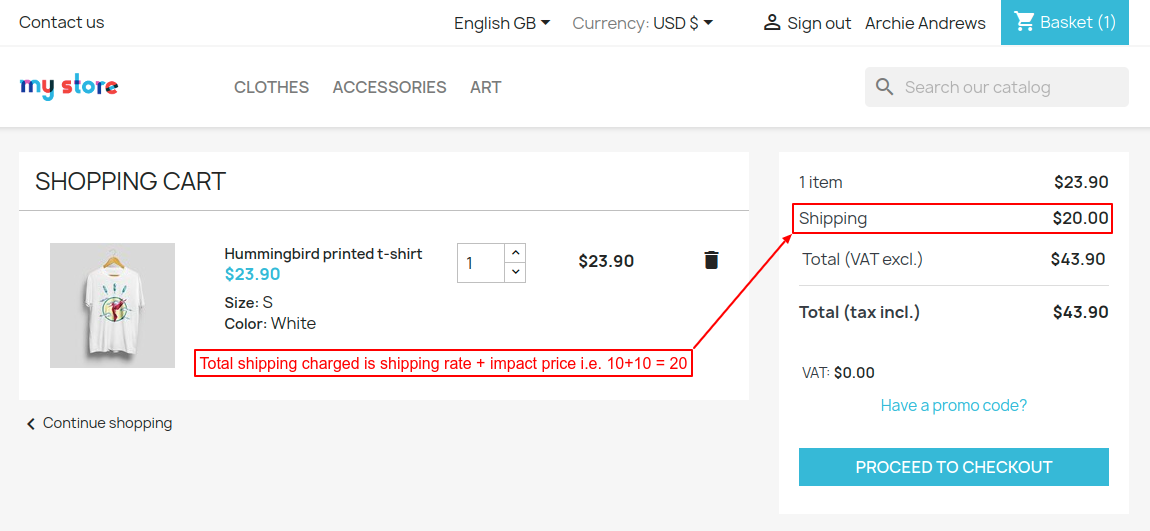
Here from the two available impact price for this postal code the one which has maximum is considered.
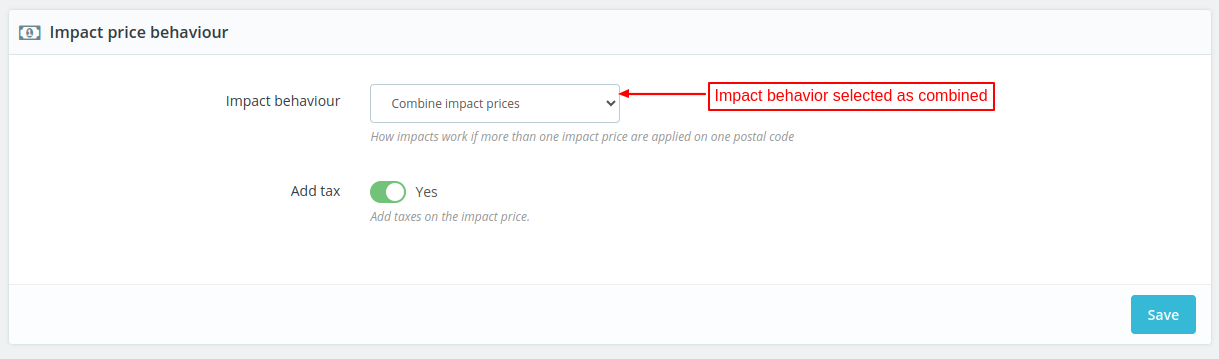
Impact behaviour selected as combined
When more than one impact price is available for a particular postal code, the impact prices will be combined.
Front End View
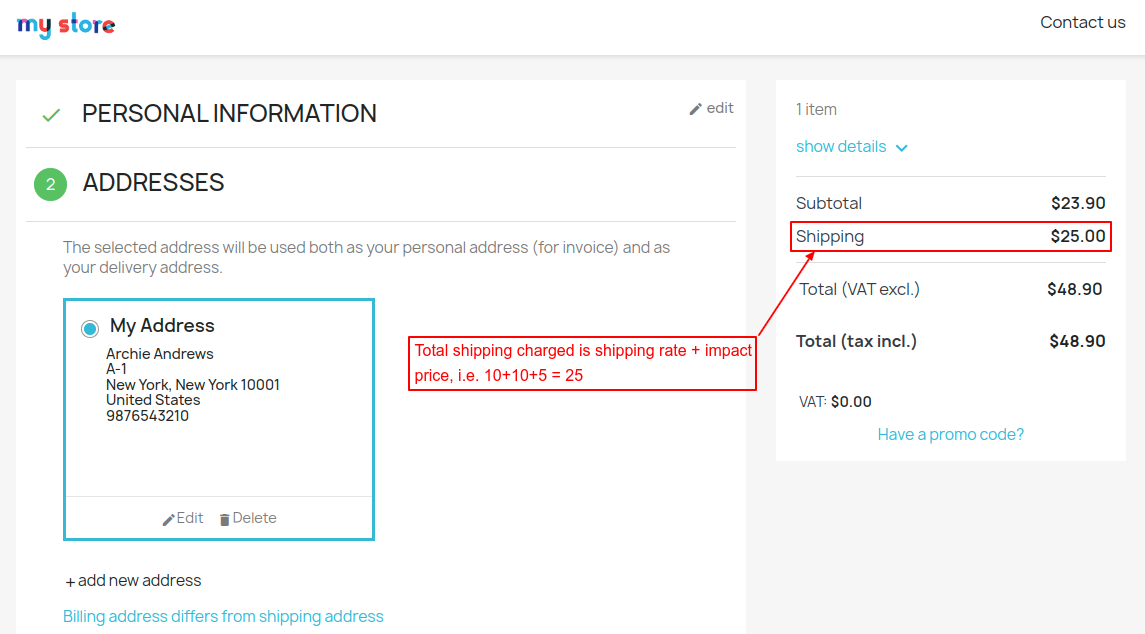
There are two available impact price for this postal code. Both prices are combined as the impact behavior is selected as combined.

Managing Tax on Impact Price
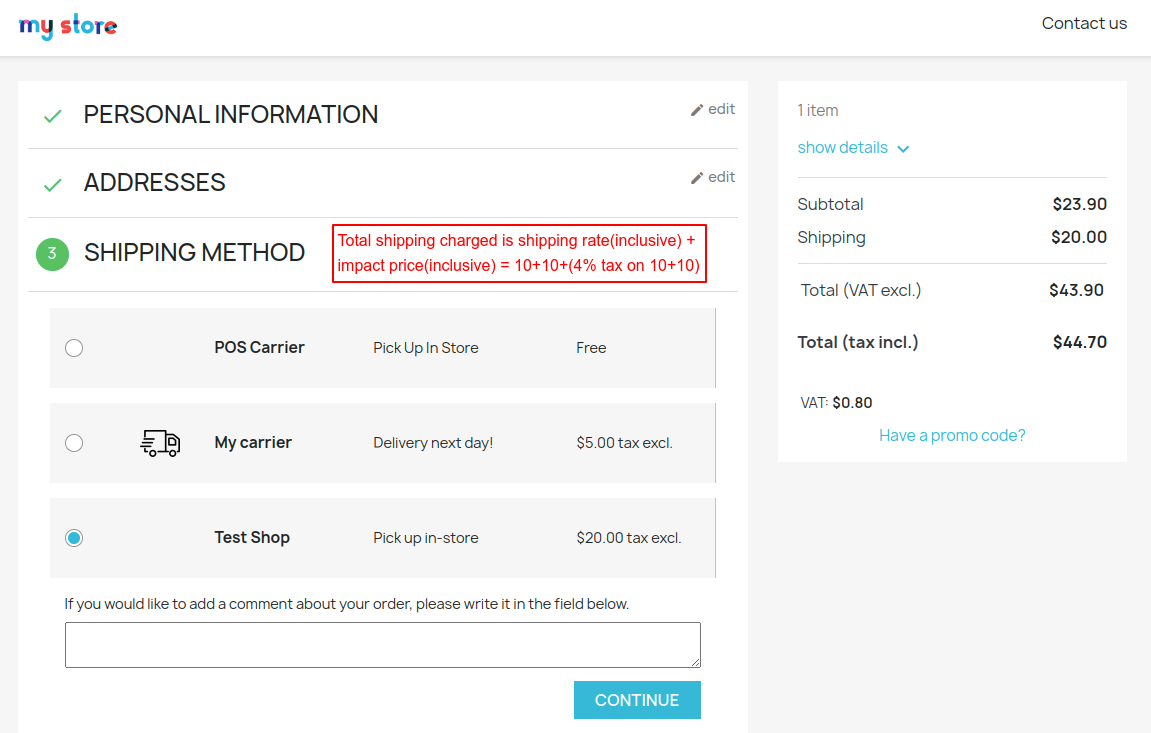
Suppose the admin levies a tax of 4% on the shipping on the existing carrrier.

Admin has added a postal code wise shipping impact price of $10 (increase) for a particular postal code (10001 as in this case).
So, the Normal Shipping price is 10 + 4% on 10 = $10.4
And the impact shipping price is 10 + 4% on 10= $10.4
Hence, Total shipping which a buyer needs to pay with postal code 10001 will be 10.4 + 10.4 = $20.80.
Note- For the proper working of the module, cart.php file is overridden.
This was all about Prestashop Postal code Wise Shipping module. I hope this document will help you in checking the functionality of the module in a better way.
Also, do let us know about your views in comments.
Support
For any kind of technical assistance or query, please raise a ticket or send us a mail at [email protected]
Also, please explore our Prestashop development services and vast range of quality Prestashop addons.
Current Product Version - 4.2.4
Supported Framework Version - 9.x.x, 8.x.x, 1.7.x.x

Be the first to comment.