Note: The User Guide describes the workflow of Odoo Marketplace Multi Step Vendor Signup only. To know how the base module: Odoo Multivendor Marketplace works; kindly refer to the User Guide Of Odoo Multivendor Marketplace.
INTRODUCTION
Simplify Signup with Our Redesigned Odoo Form!
Odoo Marketplace Multi-Step Vendor Signup simplifies vendor onboarding with a guided, step-by-step registration form. It helps collect complete vendor and business details in an organized way.
The module divides the vendor signup process into multiple registration steps. Administrators can manage registration groups, set their sequence, and control the fields shown to vendors.
It also supports mandatory and optional fields, custom registration attributes, and refresh-safe data entry. Vendor information entered during signup remains safe even if the page is refreshed.
FEATURES
- Odoo Marketplace Multi-Step Vendor Signup divides vendor registration into simple, ordered steps.
- Mark signup fields as mandatory or optional according to registration requirements.
- Add new signup fields as attributes directly from the backend without coding.
- Set the sequence of registration steps according to the required signup flow.
- Add helpful placeholder text to guide vendors while filling the form.
- Keep entered vendor information safe even when the signup page is refreshed.
- Group related fields under clear and numbered registration steps.
- Activate or deactivate registration groups whenever required.
- Display a clear confirmation message after completing vendor signup.
- Works with the Multi-Vendor Marketplace module.
INSTALLATION
- Once you purchase the App from the Webkul store, you will receive the link to download the zip file of the module.
- Extract the file on your system after the download finishes. As a result, you will be able to see a folder named- ‘marketplace_vendor_signup’.
- Copy and paste this folder inside your Odoo Add-Ons path.
- Now, open the Odoo Apps and then, click on the Settings menu. Here, click on Activate the Developer Mode.
- Then, open the Apps menu and click on the ‘Update Modules List’.
- In the search bar, remove all the filters and then, search ‘marketplace_vendor_signup’.
- As a result, you will be able to see the module in the search result. Click on ‘Install’ to install it.
WORKFLOW
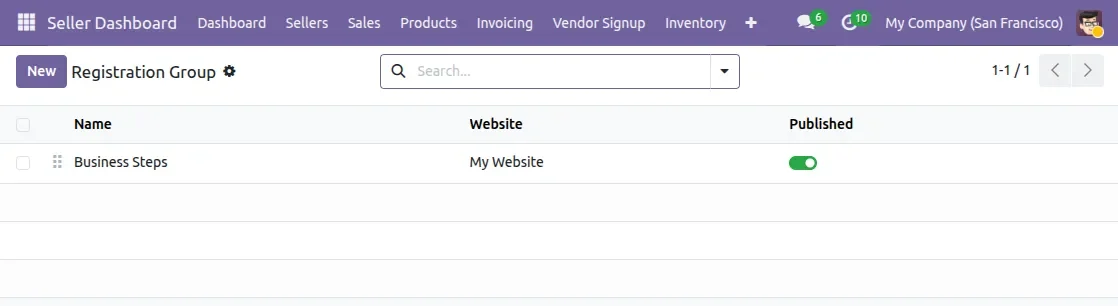
1. Create Registration Groups
- View the available registration groups from the Registration Group section.
- Review the group name, associated website, and published status.
- Enable or deactivate registration groups according to the required vendor signup flow.
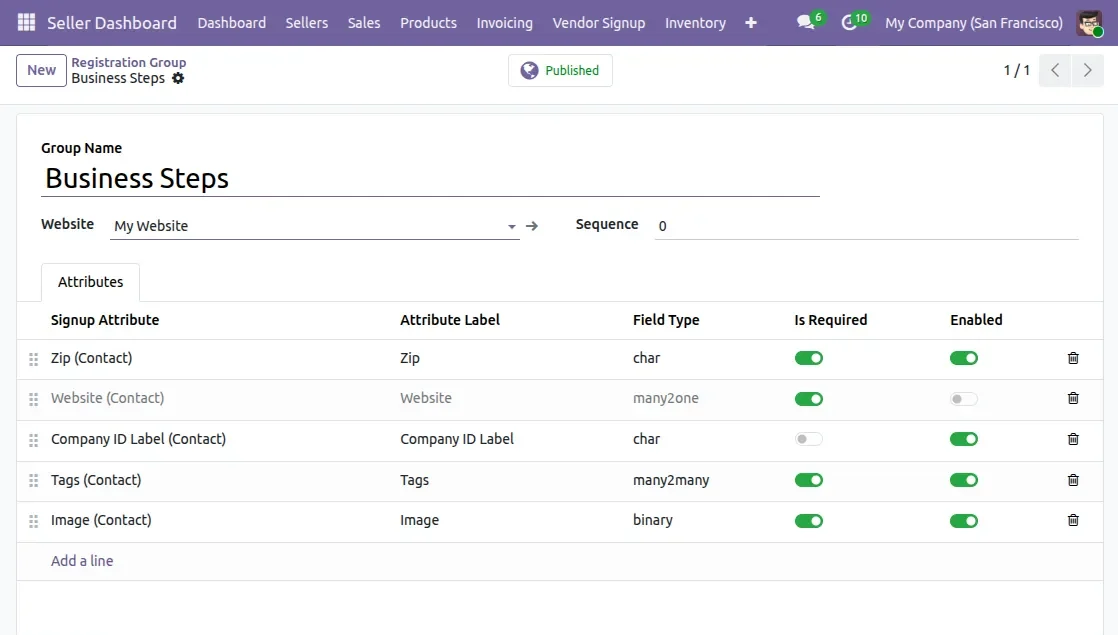
2. Configure Registration Group
- Create a registration group and provide a suitable group name, such as Business Steps.
- Select the website and set the Sequence to define the position of the registration group.
- Add signup attributes to the group and control whether each field is required or enabled.
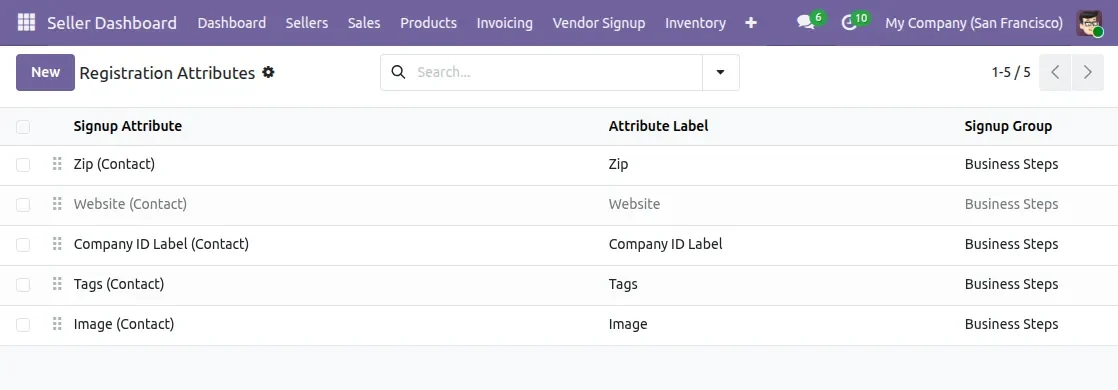
3. Configure Registration Attributes
- View the signup attributes configured for the vendor registration process.
- Each attribute can be associated with a specific registration group.
- Custom attributes can be added and managed from the backend without coding.
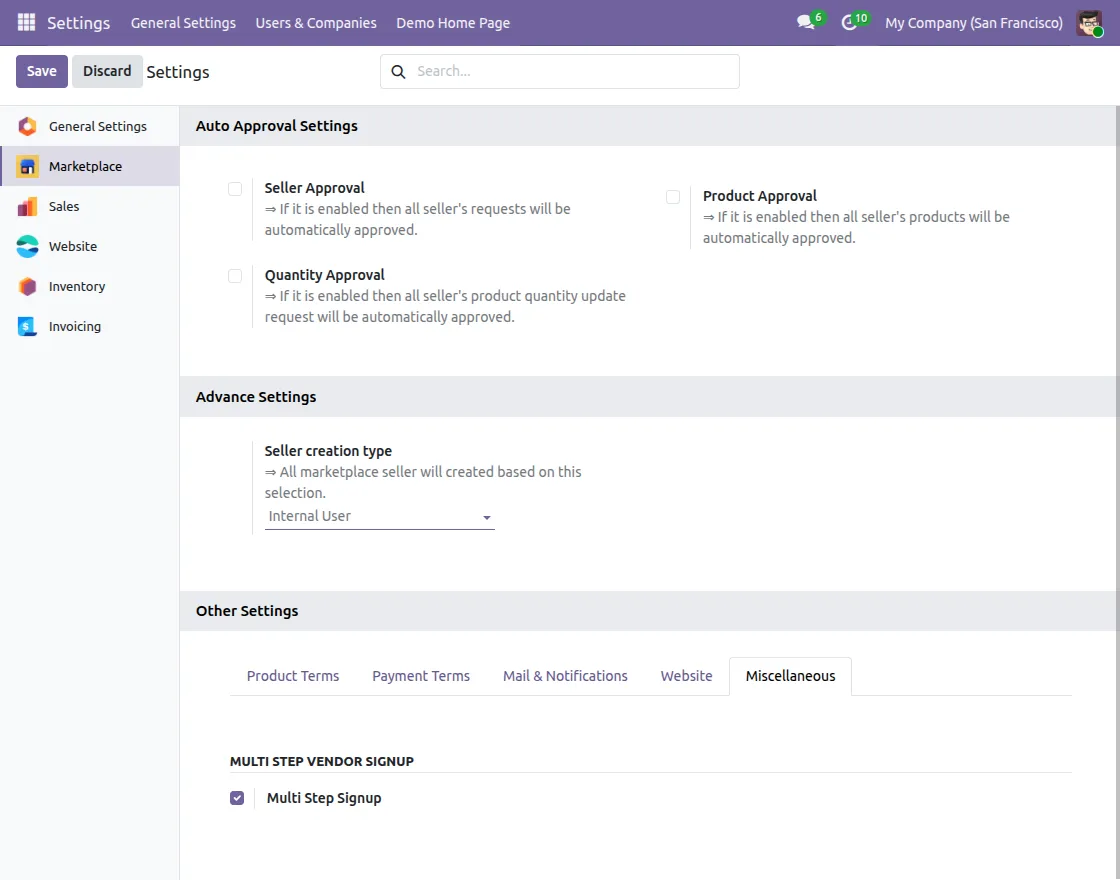
4. Enable Multi-Step Vendor Signup
- Open the marketplace settings and enable the Multi Step Signup option.
- This activates the multi-step vendor registration functionality.
- The enabled setting allows vendors to complete registration through organized signup steps.
5. Register as a Seller
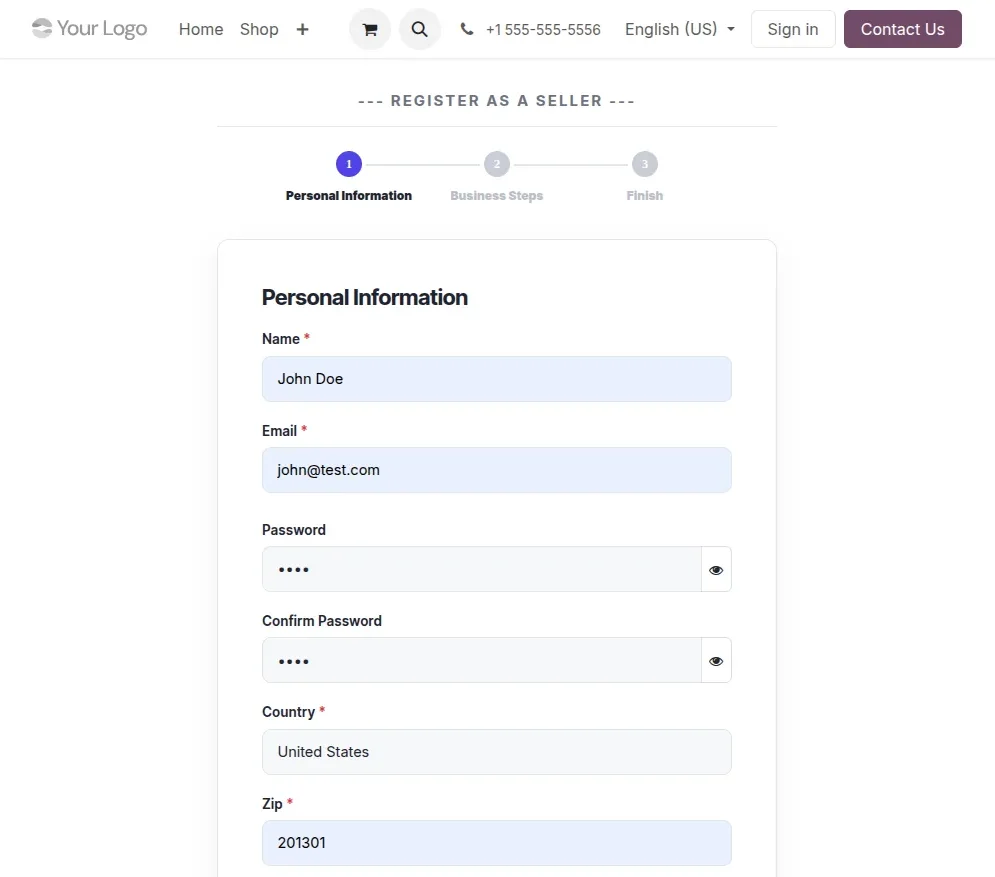
- Vendors can complete registration through the guided, step-by-step signup form.
- The form displays numbered steps such as Personal Information, Business Steps, and Finish.
- Mandatory fields are marked as required, while optional fields can be completed according to the configured settings.
- Refreshing the website during the signup process does not clear the data entered in the previous steps.
NEED HELP?
Hope you find this guide helpful! Please feel free to share your feedback in the comments below.
If you still have any issues/queries, please create a ticket at the UV Desk.
I hope this helps. In case of any further queries, contact us at our support mail.
Thanks for paying attention!!
Current Product Version - 1.0.0
Supported Framework Version - v20, 19, 18, 17, 16

Be the first to comment.