You will get these credentials at Salesforce Marketing Cloud end.
Login your Salesforce Marketing Account, now go to Setup then under Platform Tools you will find Apps >>Installed Packages click on it as shown in the snapshot –
After that, click on New and add new package details as shown below –
View of Created package –
Now after creating the package click on it and add a new component as shown below –
Choose the component type and click on next as shown below –
Further, you have to select server-to-server option then click on next as shown below –
Now, check the boxes accordingly as shown –


Now after selecting the check boxes accordingly. Click on save as shown below –
After this step, you will get the required credentials from here as shown –
For Account Id and Sub Domain you will need to go to Settings >> Company Settings >> Account Settings as shown –

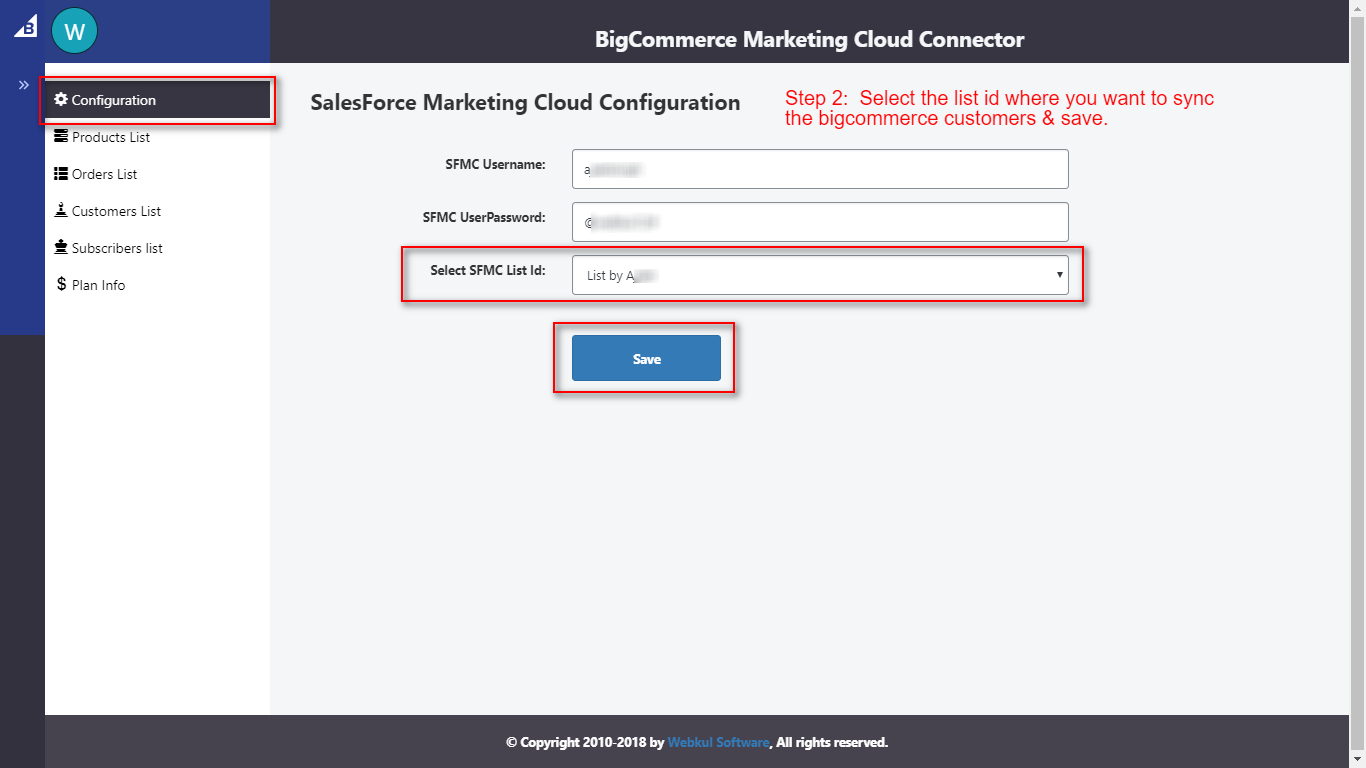
Now, save the credentials in connector app in appropriate fields as shown in reference image below.

Note: Connector settings may look different from above image for Connector application on different platforms.

Be the first to comment.