CS-Cart Voice Search allows customers to search for products using their voice. Customers can speak a product name or keyword instead of typing it manually in the search box.
The add-on uses voice recognition to convert spoken words into text and display relevant search results. This makes product discovery faster and provides a convenient search experience for customers.
With CS-Cart Voice Search, the admin can also configure the microphone icon and select the supported voice search language for the storefront.
Explore the CS-Cart Product Search By Barcode add-on to easily scan and find products using barcodes, making inventory and checkout faster.
Note:
- Install the add-on.
- Enter the license key.
- Follow the license activation steps to activate the license.
Check a brief overview of the plugin –
Features:
- Recognize the customer’s voice and type in the search box.
- Searches the results related to the keyword in the search box.
- Saves customer’s time as they don’t have to type keywords manually.
- Speaker button is visible on the search box to speak a keyword.
- An admin can customize the speaker icon color, background color, and boundary color.
- Allow admin to select the locale with the language code of site languages.
- Support multiple languages.
Note: CS-Cart Voice Search is compatible with Google Chrome only.
Installation
After downloading the CS-Cart Accordian Slider add-on, you’ll get one zip file, one install.txt file, and a relevant User Guide manual doc.
Please read it carefully for proper configuration.
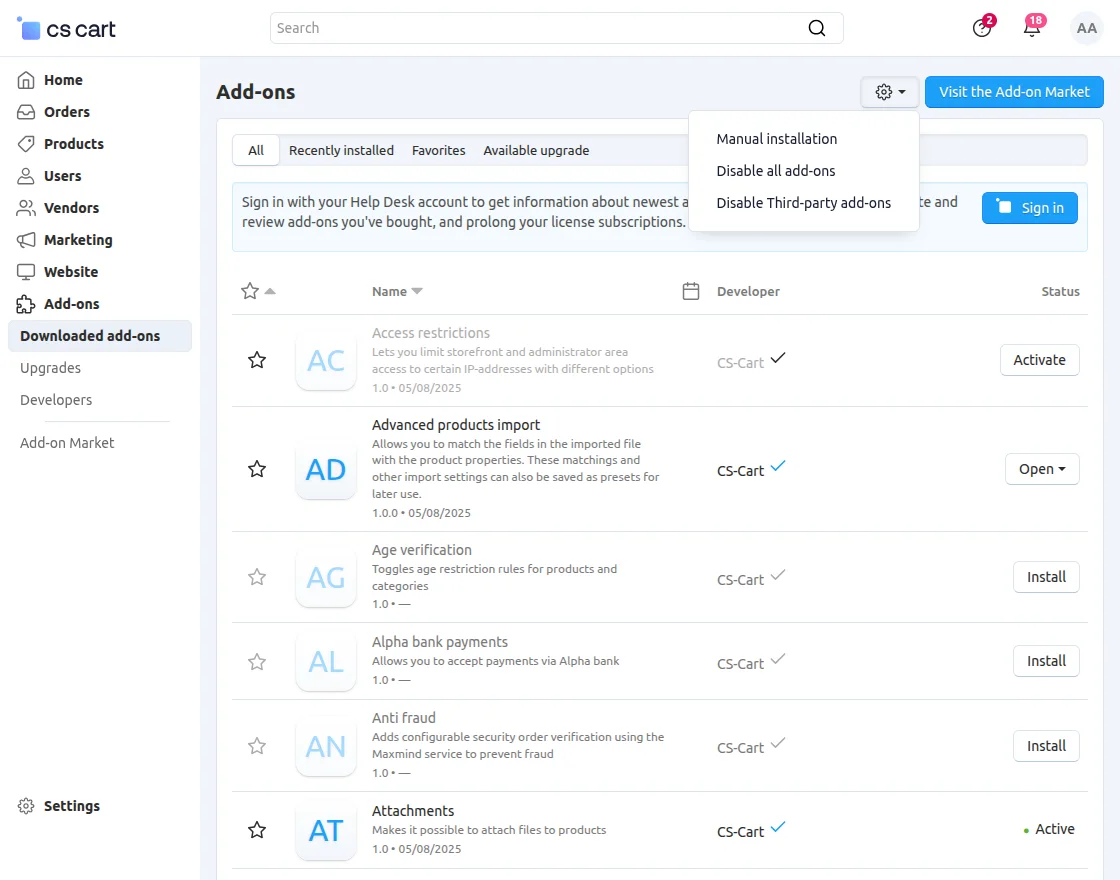
Go to Manage Add-ons, and click on “Manual Installation” as shown below in the snapshot.
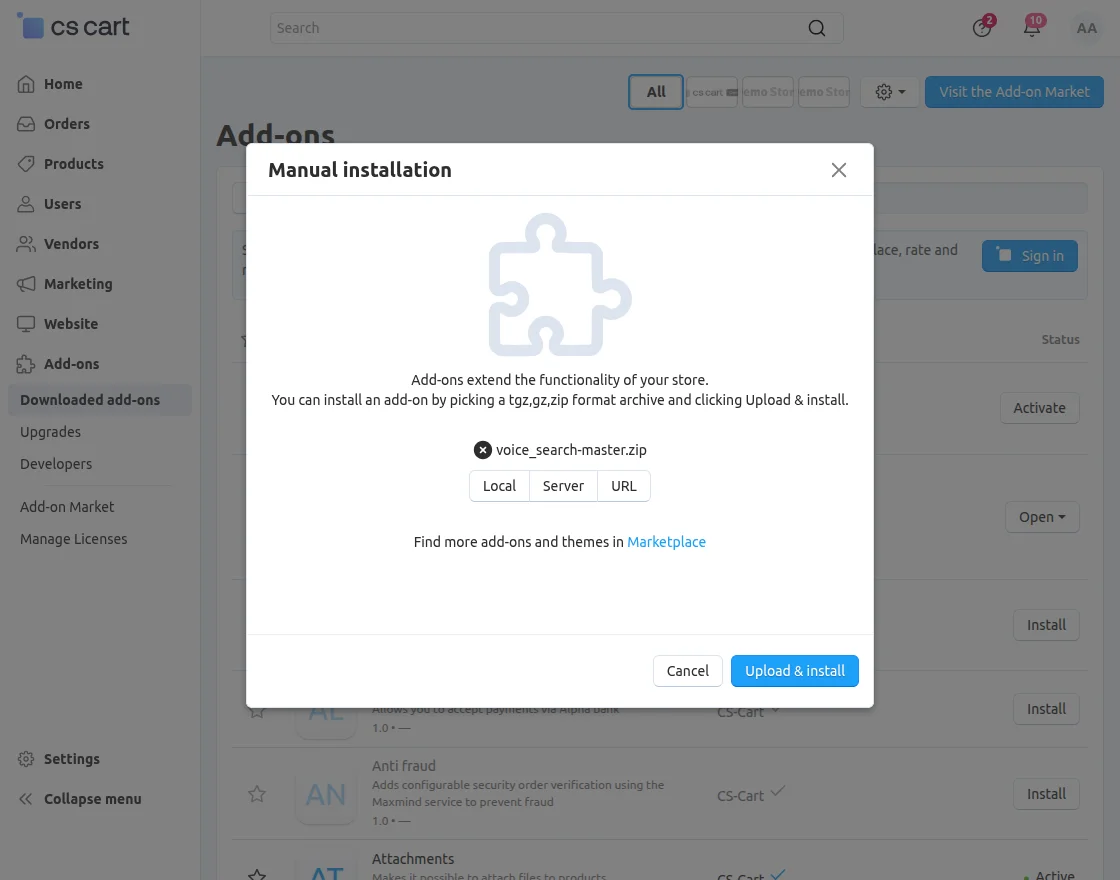
Click on “Local” to browse the zip file, and then click on “Upload & Install” as shown below in the snapshot.
Configure the settings of the add-on. Set the “Icon Color”, “Background Color”, and “Border Color” of the speaker.
Set Language option will show the list of languages that are enabled on your store (You can set only those language that is enabled on your site.)
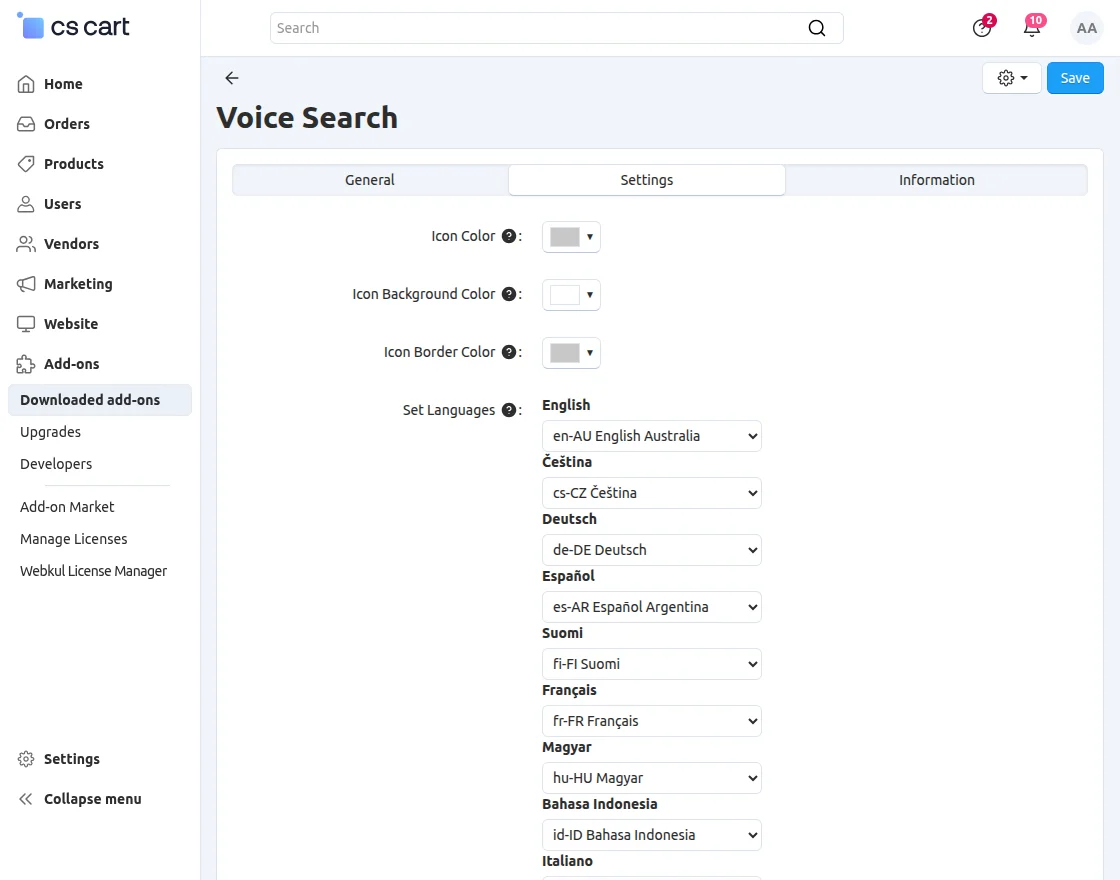
Note: Voice recognition technology support various languages for recognition of the voice.
In the above screenshot, the complete list of the languages that support voice recognition is given. You can set the language that is enabled on your website.
In case you have set the language that is enabled on your site but doesn’t support voice recognition, then you have the option to choose the language from the whole list of supported language.
Front-End View
Once you have configured the settings of this add-on, you will see the speaker button on your search box.
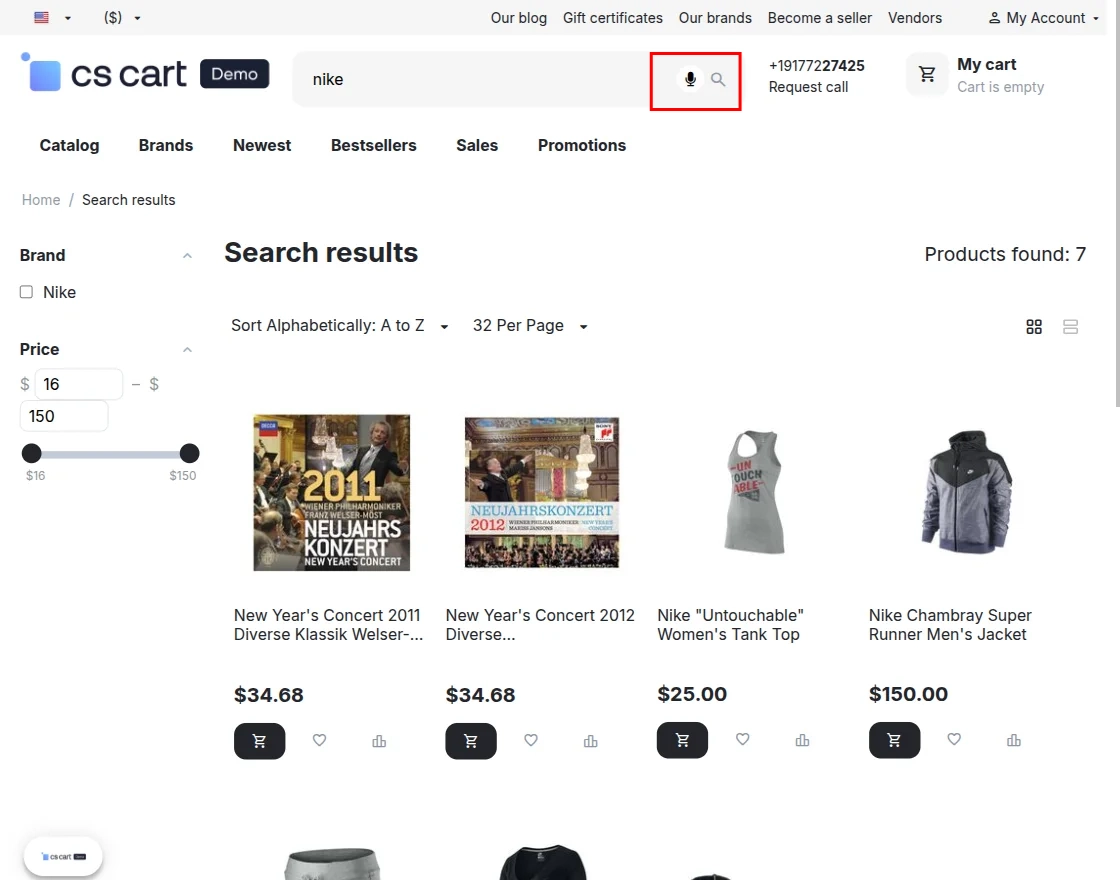
Once you speak a product name or keyword, the voice search automatically displays the related products.
Support
If you have any questions, suggestions, or customization requests, feel free to contact us at [email protected] or submit a ticket at webkul.uvdesk.com.
Explore our premium-quality CS Cart Extensions to enhance your store functionality.
You can also explore our CS-Cart Development Services and Quality CS-Cart add-ons.
Current Product Version - 1.2
Supported Framework Version - 4.18.x, 4.19.x, 4.20.x

Be the first to comment.