Introduction
In Odoo Website Advance Filter Management, when customers apply filters such as size, color, or other product attributes, the system verifies real-time stock availability.
Based on this check, only products that are currently in stock are displayed in the filtered results.
By showing only products with available quantity, this module helps business owners guide customers toward purchasable items and deliver a smoother shopping experience.
Prerequisites for using Odoo Website Advance Filter Management
Odoo Website Advance Filter Management works in conjunction with the following module:
Odoo Website Hide Out Of Stock Products
You must install the above-mentioned module to use Odoo Website Advance Filter Management.
Features
- Displays only those products that are in stock when customers search using website filters.
- Refreshes filter options dynamically whenever product stock availability changes.
- Operates independently without altering existing inventory or stock management rules.
- Helps customers browse products faster and make informed buying decisions.
Installation
- Once you purchase the App from Webkul store, you will receive a link to download module’s zip file.
- Extract the file on your system after download finishes. As a result, you will be able to see a folder named- ‘website_advance_filter_management’
- Copy and paste this folder inside your Odoo Add-Ons path.
- Now, open Odoo App and click on the Settings menu. Here, click on Activate Developer Mode.
- Then, open Apps menu and click on ‘Update Modules List.’
- In the search bar, remove all the filters and search ‘website_advance_filter_management’
- You will be able to see module in the search results. Click on ‘Activate’ to install it.
Workflow
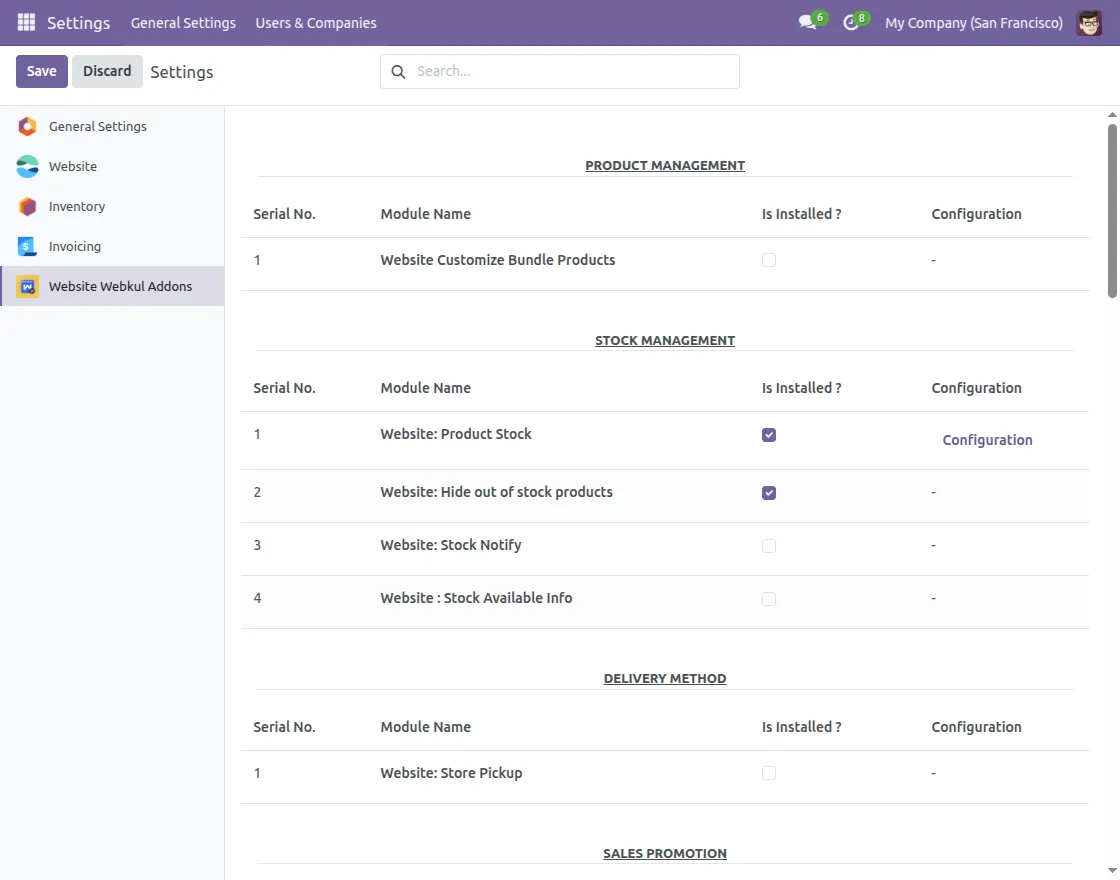
- After installing the module, go to Settings and select product stock options.
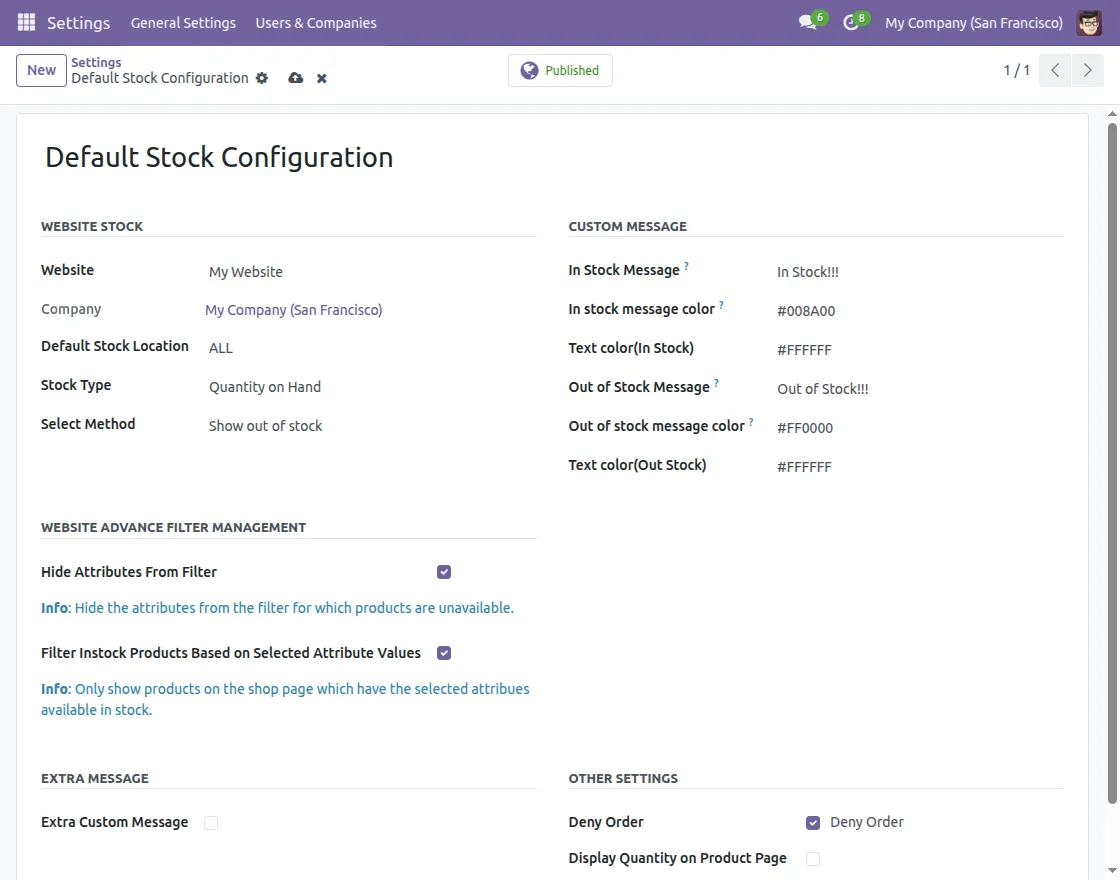
2. Enable both options available under Website Advance Filter Management.
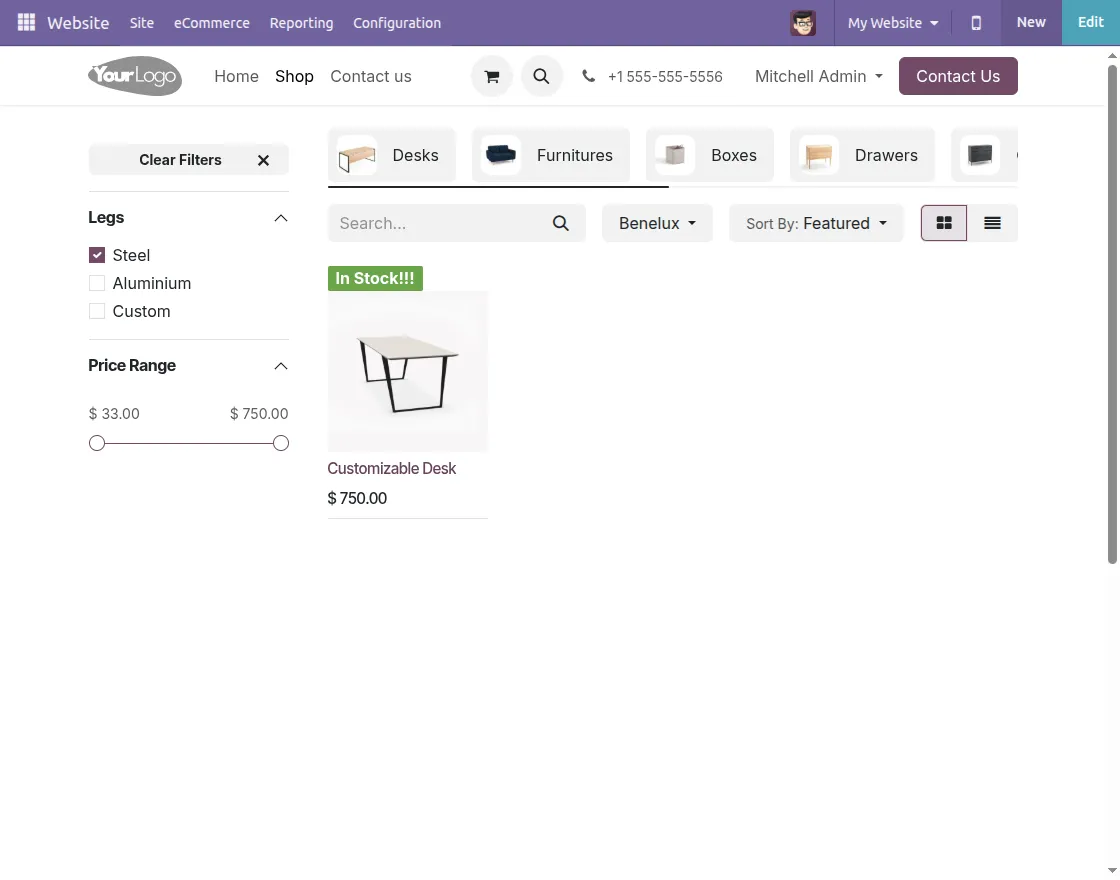
3.On the website, when customers apply filters, products that are out of stock will not be displayed.
Need Help?
Hope you find guide helpful! Please feel free to share your feedback in the comments below.
If you still have any issues/queries, please create a ticket at the UV Desk.
I hope this helps. In case of any further queries, contact us at our support mail.
Thanks for paying attention!!
Current Product Version - 1.0.0
Supported Framework Version - Odoo 17, Odoo 18, Odoo 19

Be the first to comment.