Introduction
Odoo backend theme Manon is designed to transform your Odoo backend into a clean, modern, and highly customizable workspace.
It enhances the overall visual experience with refined styling and user-friendly design elements.
In addition, the theme allows you to personalize colors, fonts, backgrounds, and layouts to match your preferences or brand identity.
With smooth navigation and flexible interface options, it elevates productivity and comfort.
Whether you prefer light or dark mode, a compact sidebar, or quick-access tools, Odoo backend theme Manon ensures a responsive, intuitive experience across all devices.
Features
- Customize your backend with multiple color palettes, font styles, and theme options for a personalized experience.
- Switch easily between light and dark mode for improved comfort and visibility.
- Navigate smoothly with a flexible sidebar that supports pinning, unpinning, and custom styling.
- Quickly locate menus, apps, and records using the powerful global search feature.
- Access all installed applications in one organized view with the App Drawer.
- Work efficiently using floating windows to open bookmarks, quick settings, chats, and notifications.
- Upload custom background images to give your dashboard a modern, unique look.
- Style your interface with multiple button designs, including classic, modern, and simple.
- Adjust grid layouts, sidebar behavior, and other theme controls easily from general settings.
- Bookmark important records for instant access directly from floating windows.
- Enjoy smooth accessibility in Arabic and other right-to-left scripts with full RTL support.
- Experience a clean and responsive backend that adapts perfectly to mobile and desktop devices.
Installation
- Once you purchase the App from Webkul store, you will receive a link to download module’s zip file.
- Extract the file on your system after download finishes. As a result, you will be able to see a folder named- ‘backend_theme_manon’.
- Copy and paste this folder inside your Odoo Add-Ons path.
- Now, open Odoo App and click on the Settings menu. Here, click on Activate Developer Mode.
- Then, open Apps menu and click on ‘Update Modules List.’
- In the search bar, remove all the filters and search ‘backend_theme_manon’
- You will be able to see module in the search results. Click on ‘Activate’ to install it.t
Workflow
1) After the installation is complete, go to Odoo Home screen and click on the Settings icon to access the theme configuration options for Odoo backend theme Manon.

2) The Settings panel displays multiple customization tools that allow you to personalize the appearance and behavior of your backend theme.
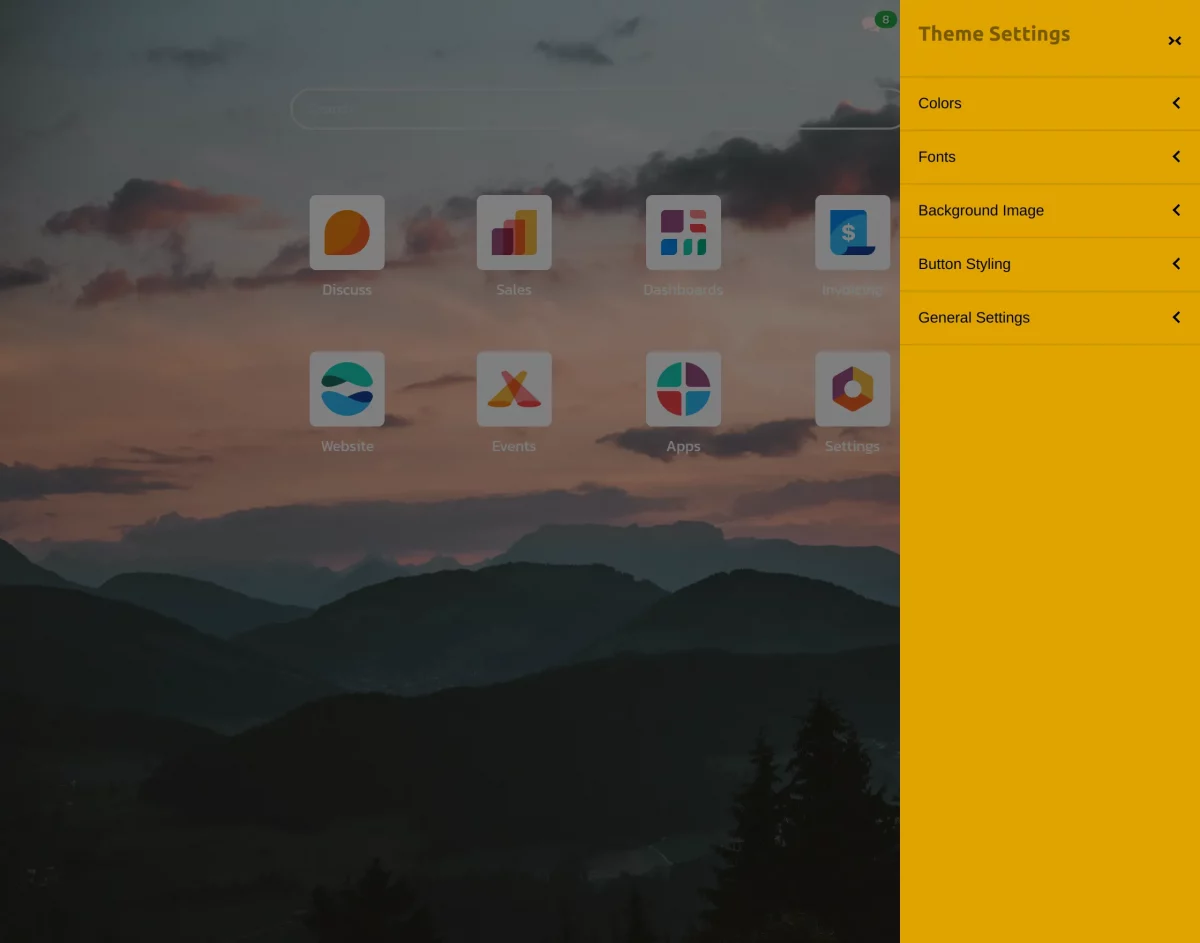
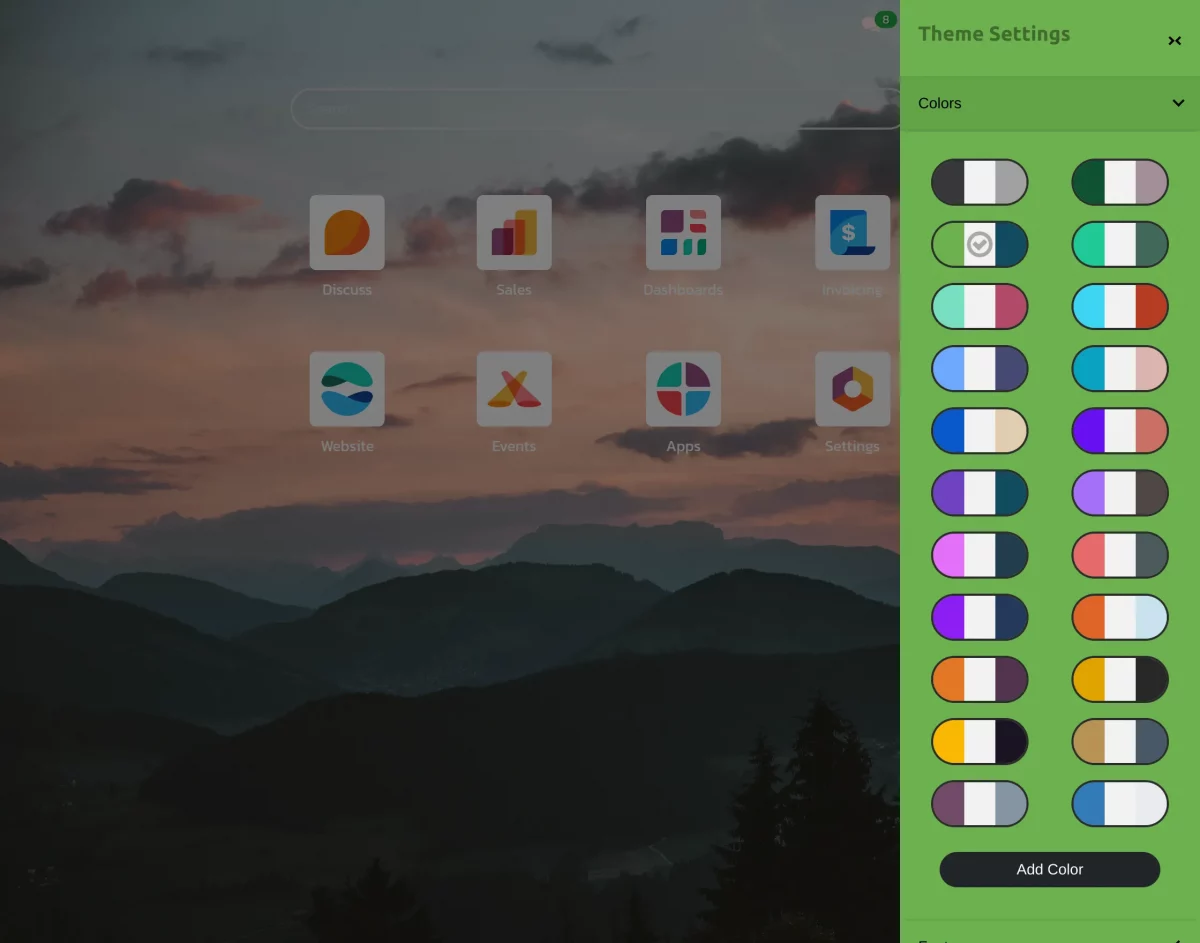
3)Color Palettes: Additionally, this section lets you apply and manage color themes across your Odoo backend.
Moreover, you can choose from predefined color palettes, and any changes made here are instantly reflected in the interface.
Allowing you to match the theme to your brand identity or personal preferences.

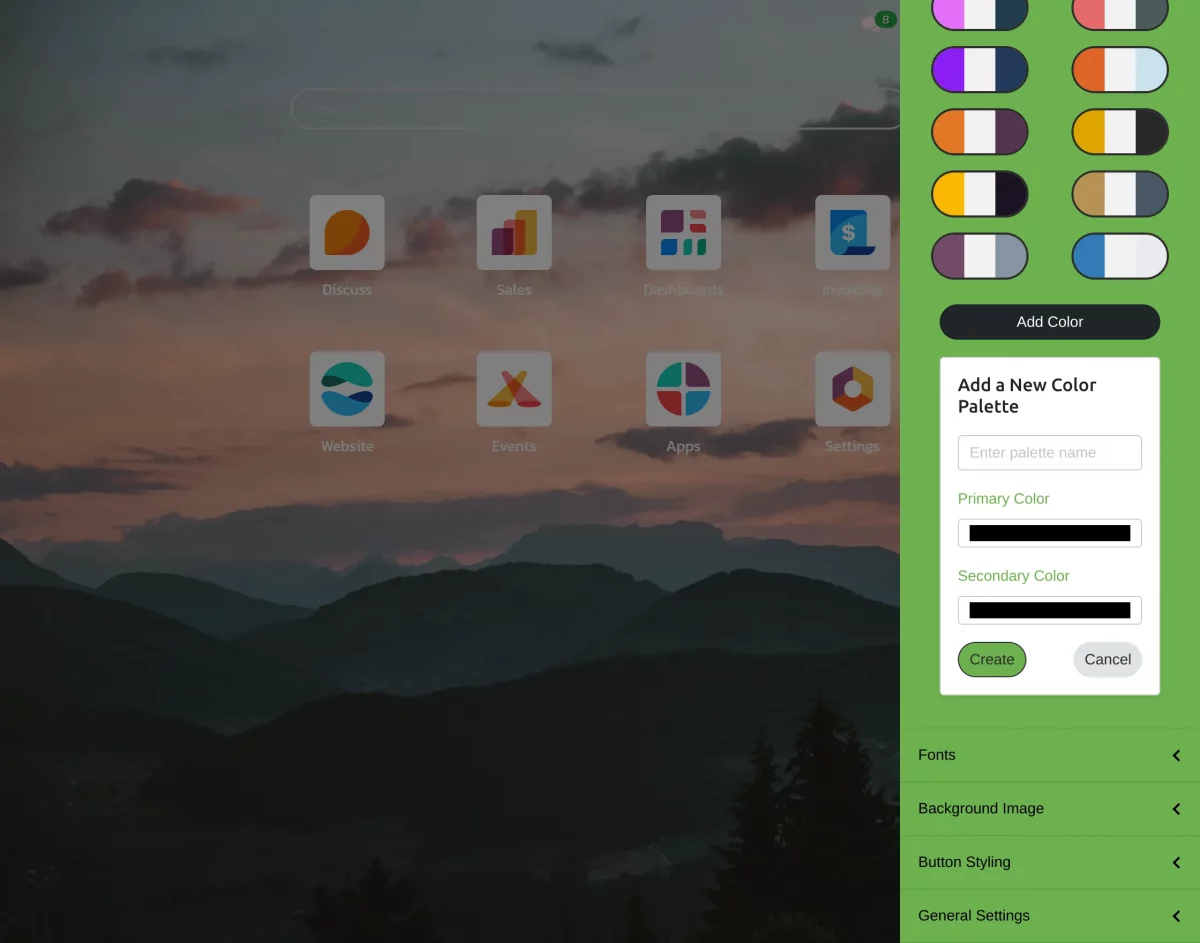
3(a). Moreover, you can select the Add Colour option to choose the colour of your own preference by selecting custom primary and secondary colors.
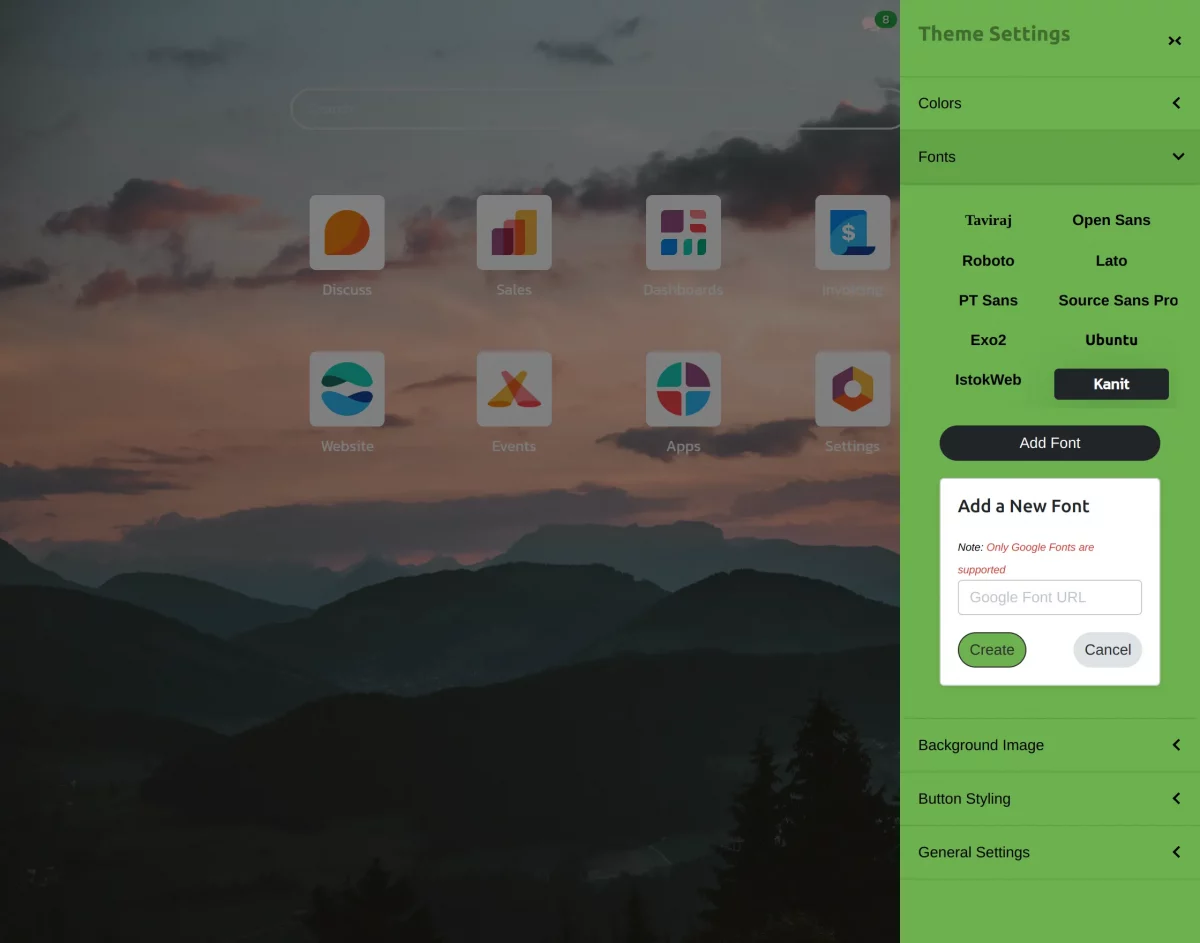
4) Font: You can select from multiple built-in font styles to change the overall look and readability of your backend using Odoo backend theme Manon.
The font selection applies across menus, forms, dashboards, and all backend screens for a consistent UI.
4(a).You can also apply any custom font by clicking on Add Font option, available on Google Fonts by simply pasting the Google Font link into the provided field .
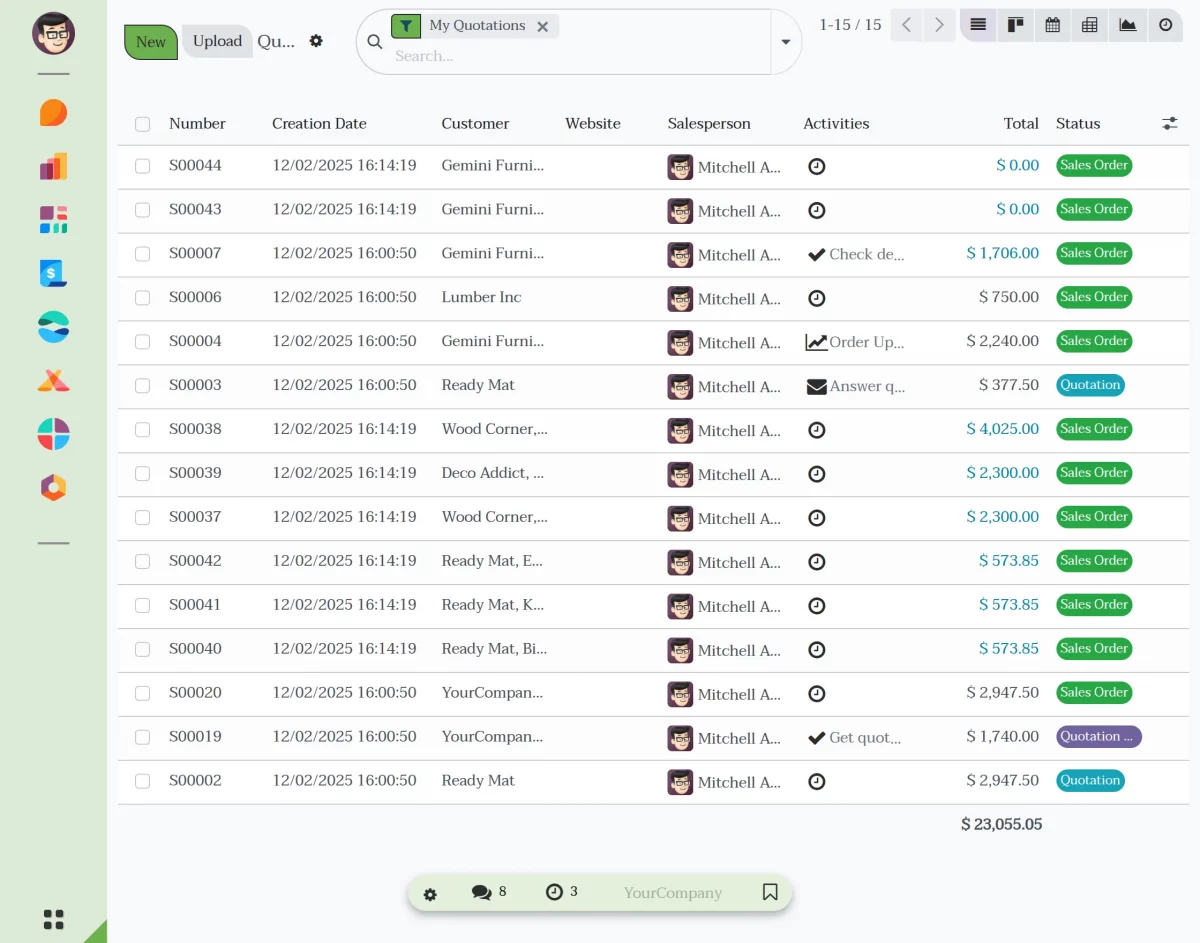
5). Background Image:- Furthermore, the Background Image option allows you to personalize your Odoo backend by uploading custom images that appear behind your workspace.
As a result, you can choose any image that fits your brand style or preference, giving your dashboard a more modern and visually appealing look.
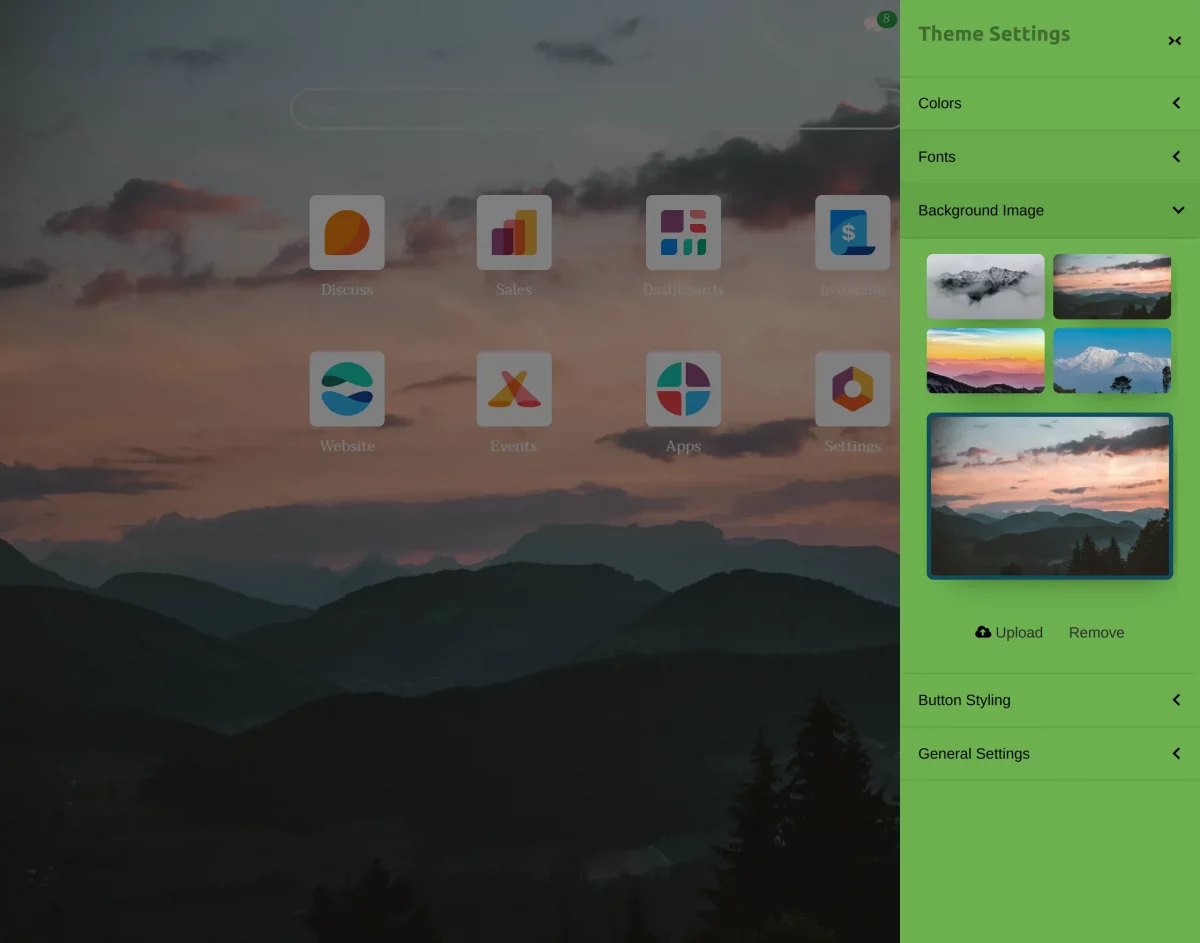
6). Button Styling:- The Button Styling option lets you customize the appearance of buttons throughout your Odoo backend.
These styles enhance both the visual appeal and the usability of your interface, ensuring smoother interactions and a more polished look.
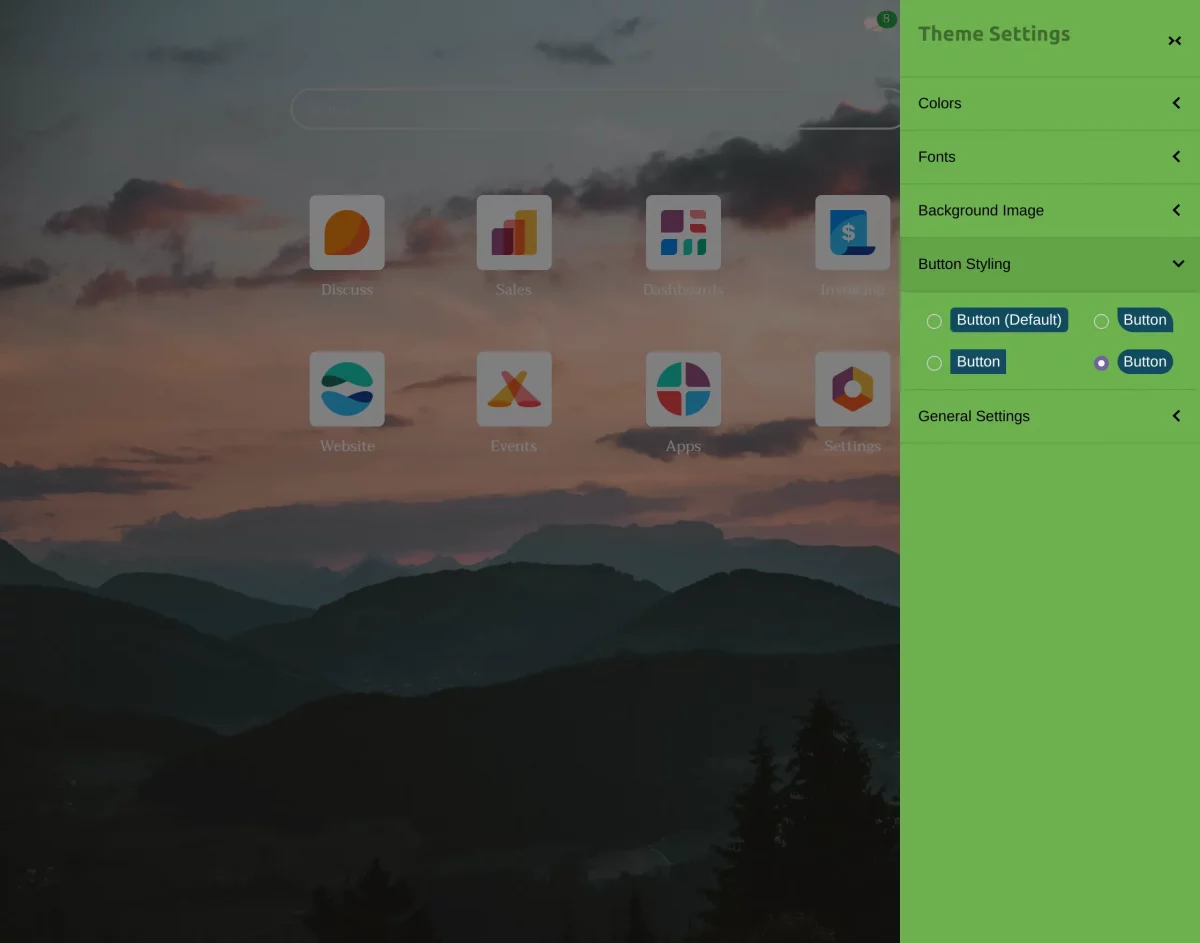
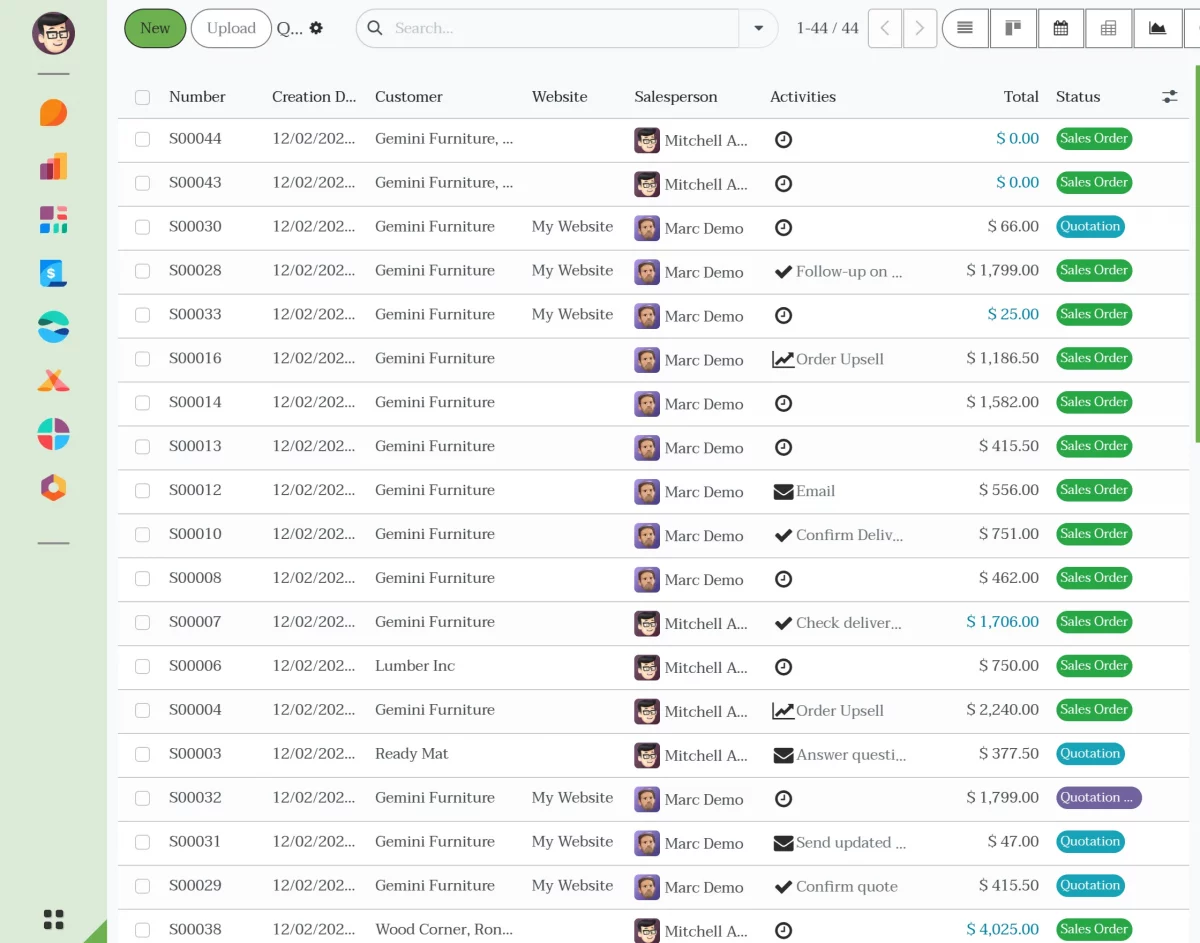
7). General Settings:- The General Settings section lets you control the layout and behavior of the Manon Backend Theme.
Including menu styles, app arrangement, systray behavior, and automatic dark mode based on your workflow preferences.
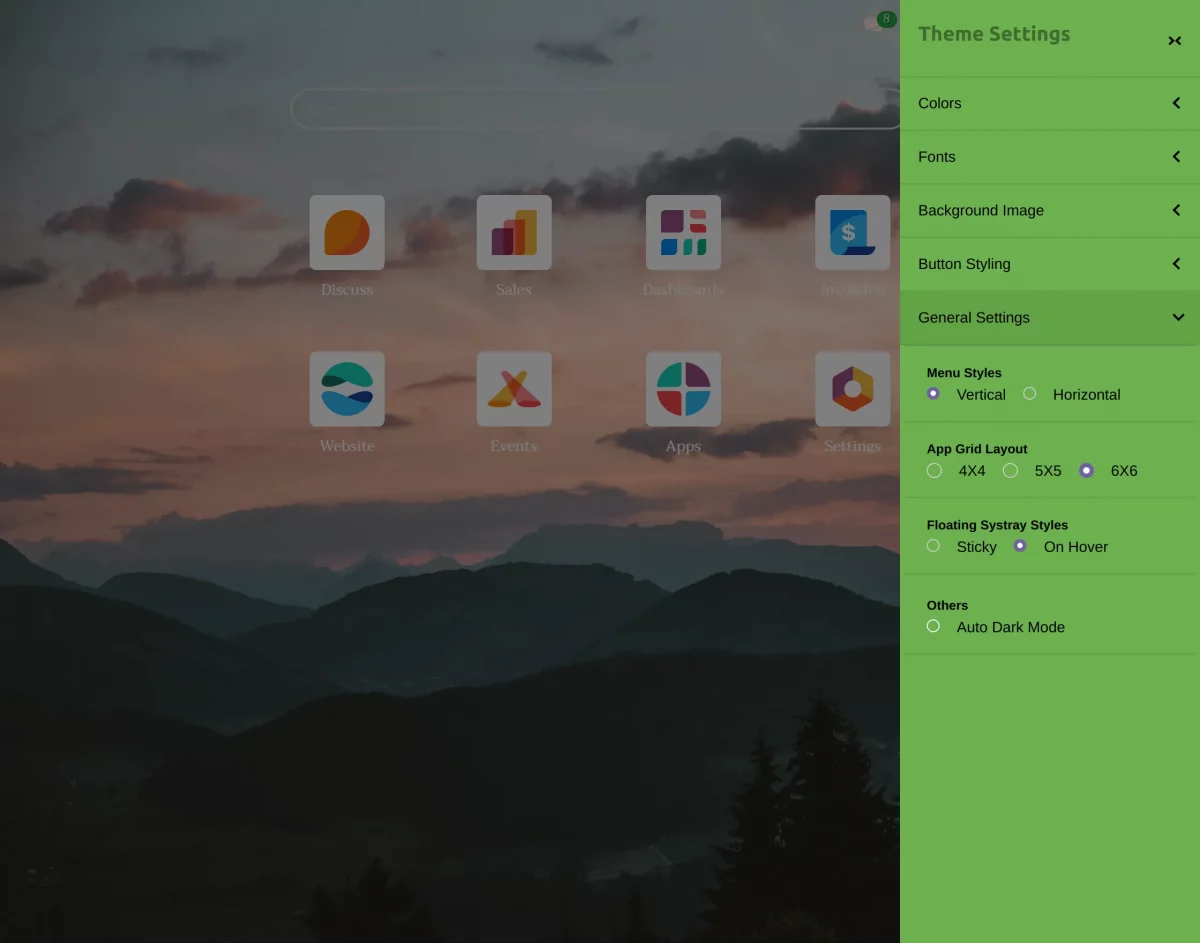
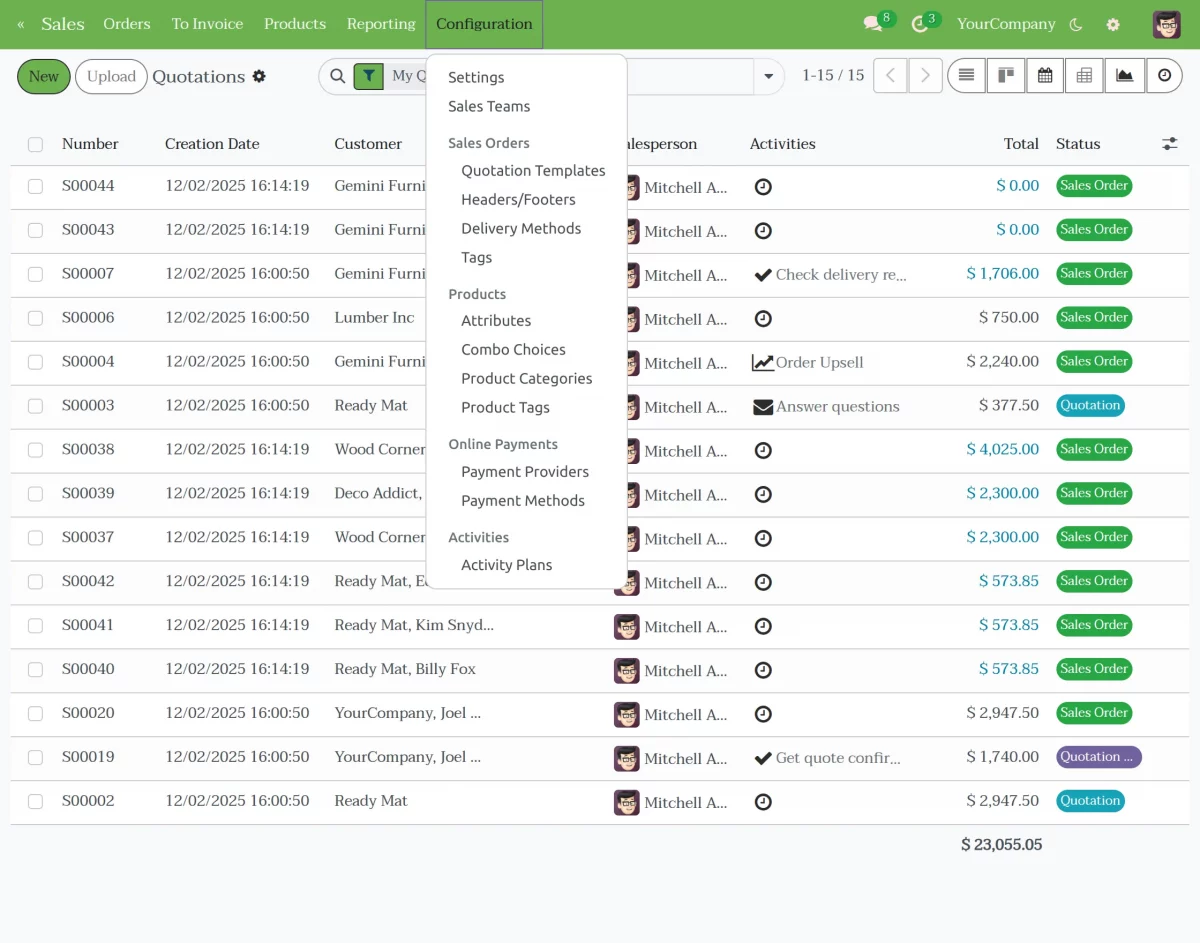
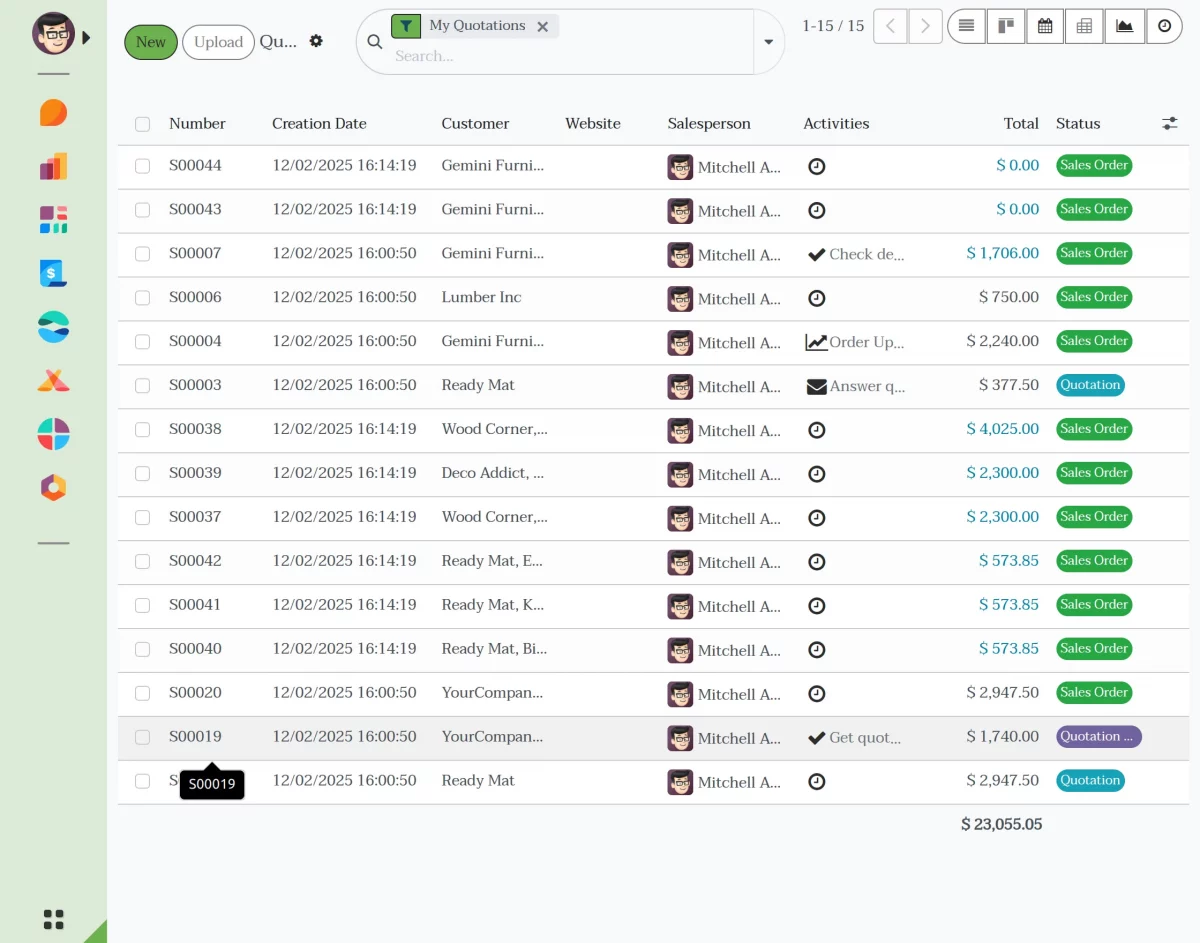
7(a). Menu Styles– Likewise, in Odoo Backend Theme Manon, you can choose how the main menu appears by switching between vertical and horizontal menu styles for better navigation comfort.
Horizontal View (default view) –
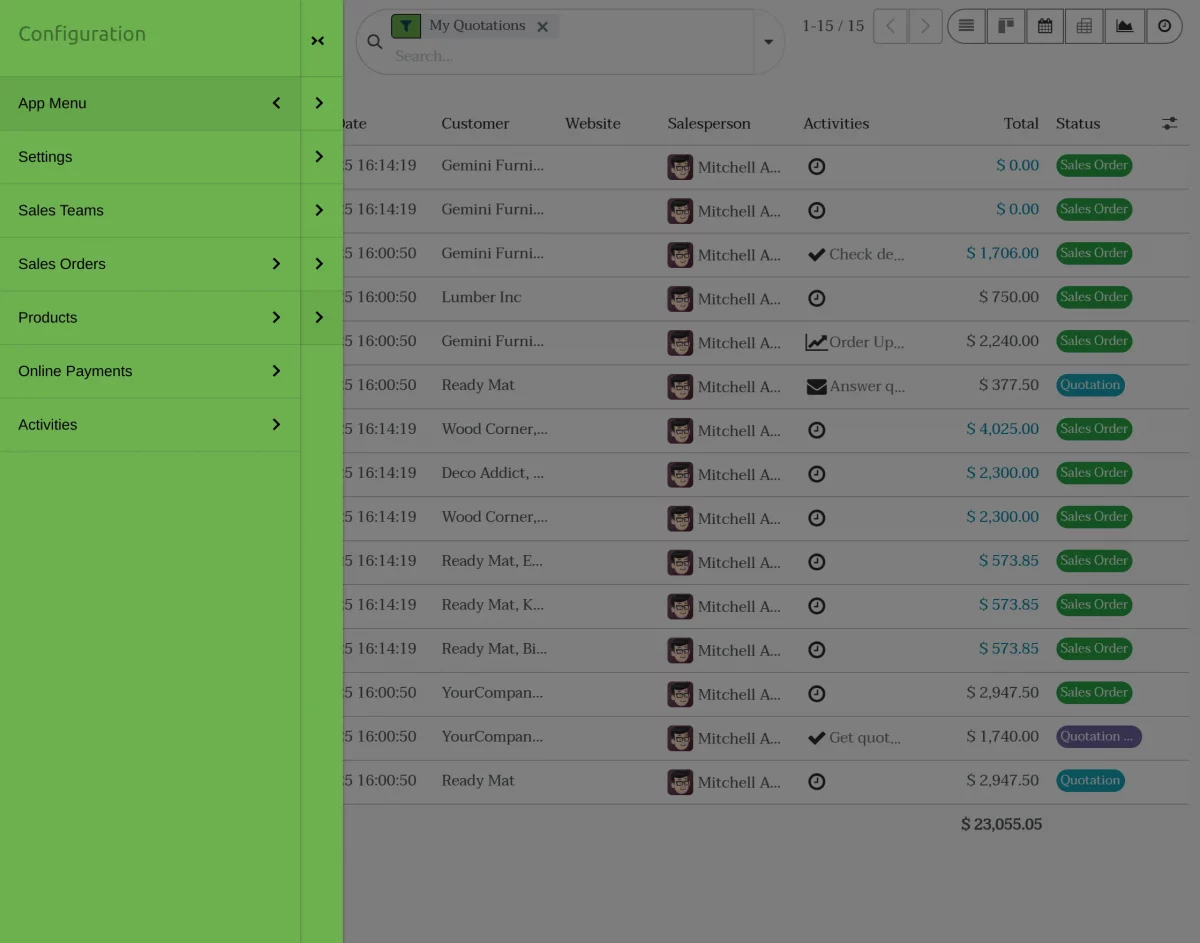
Vertical View:- Click on Arrow icon to navigate to the menu bar.
7(b).App Grid Layout:- Select from different grid layouts (4×4, 5×5, or 6×6) to control how many app icons appear per row on the home dashboard.
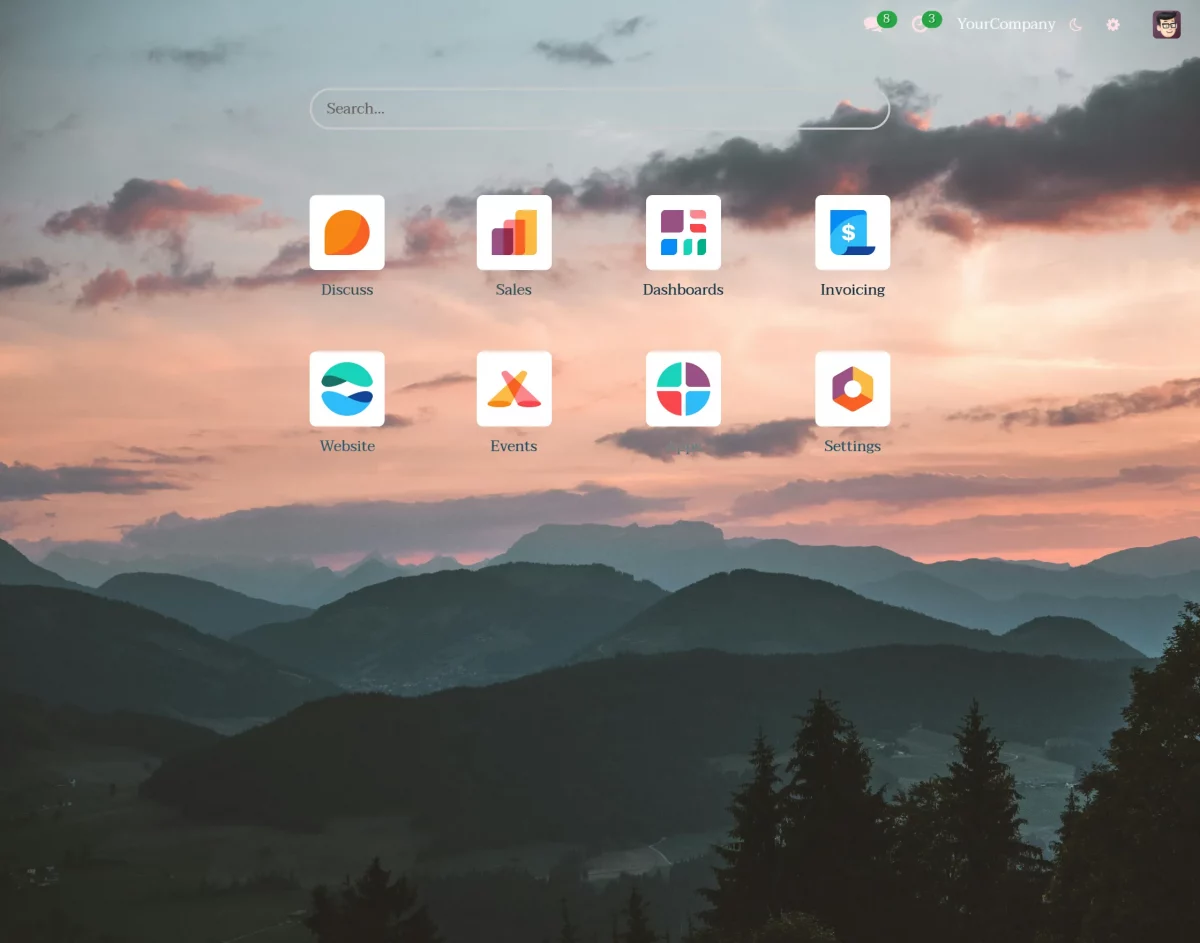
7(c).Furthermore, Floating Systray Styles lets you choose between Sticky or On Hover behavior for floating systray elements,
allowing you to decide how quickly you want to access essential tools.
This is elaborated further in point 8.
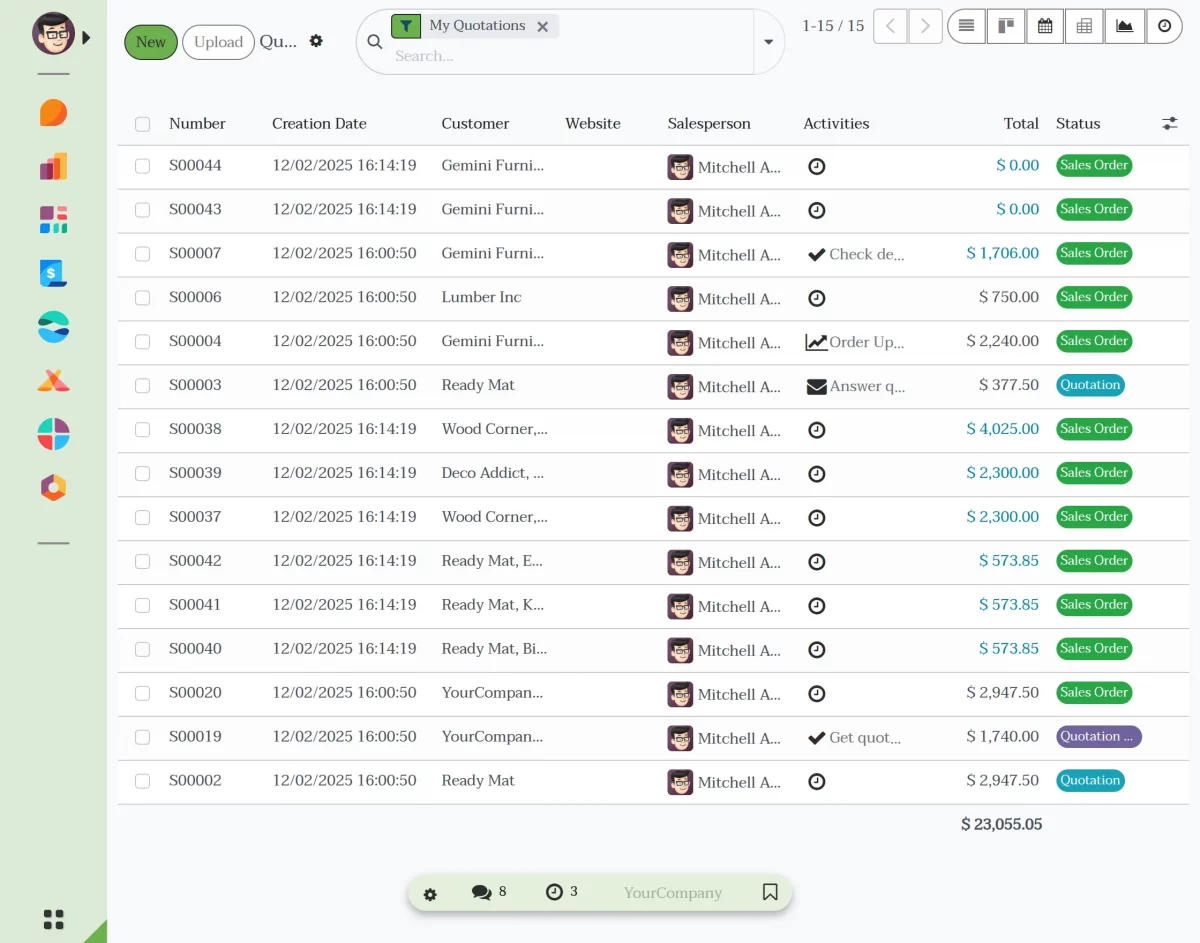
7(d). Auto Dark Mode:- Enable Auto Dark Mode to let the theme automatically switch to dark mode based on the predefined timings set within the software.
8). Moreover, the Manon Backend systray adds quick-access tools that help you navigate and manage your workspace more efficiently.
These features allow you to stay updated, switch companies, manage bookmarks, and open theme settings instantly.
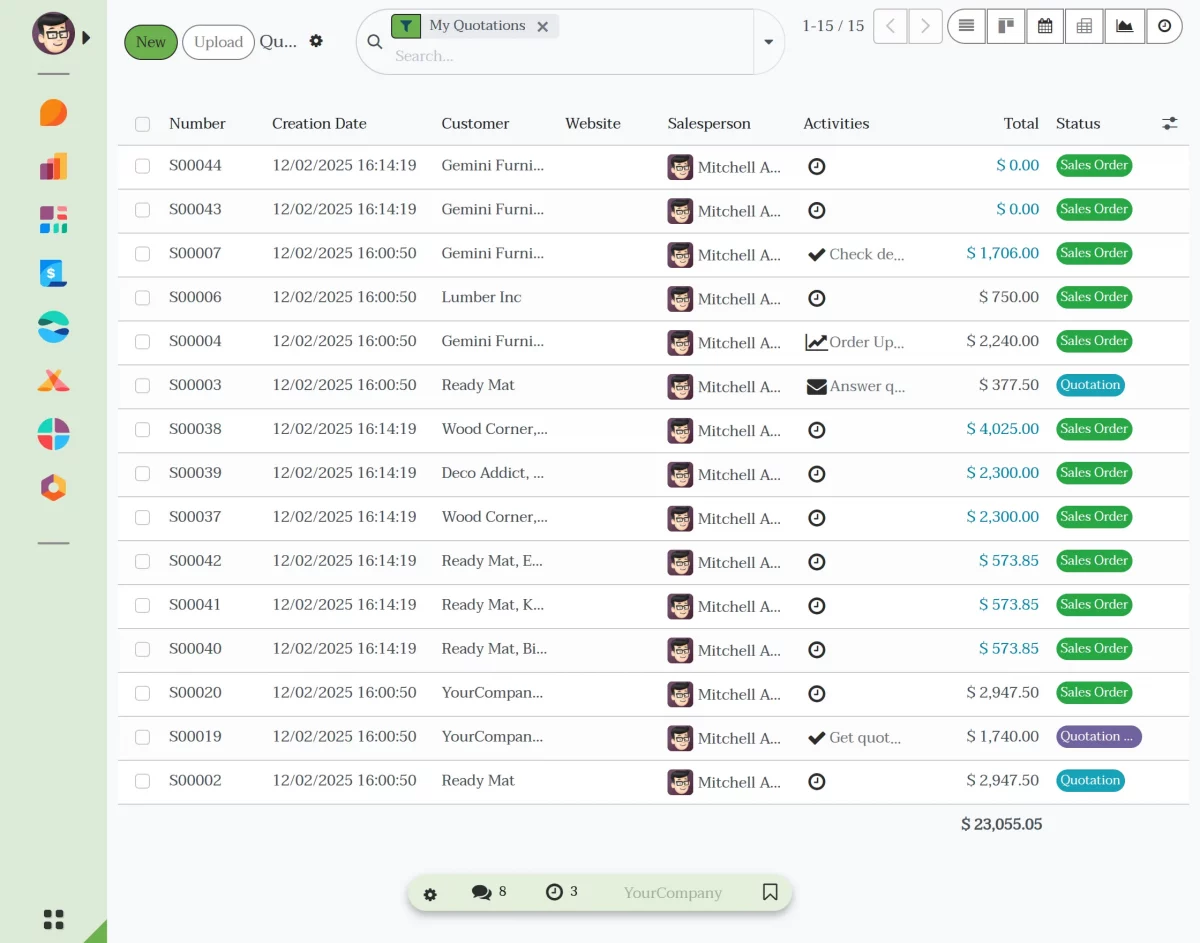
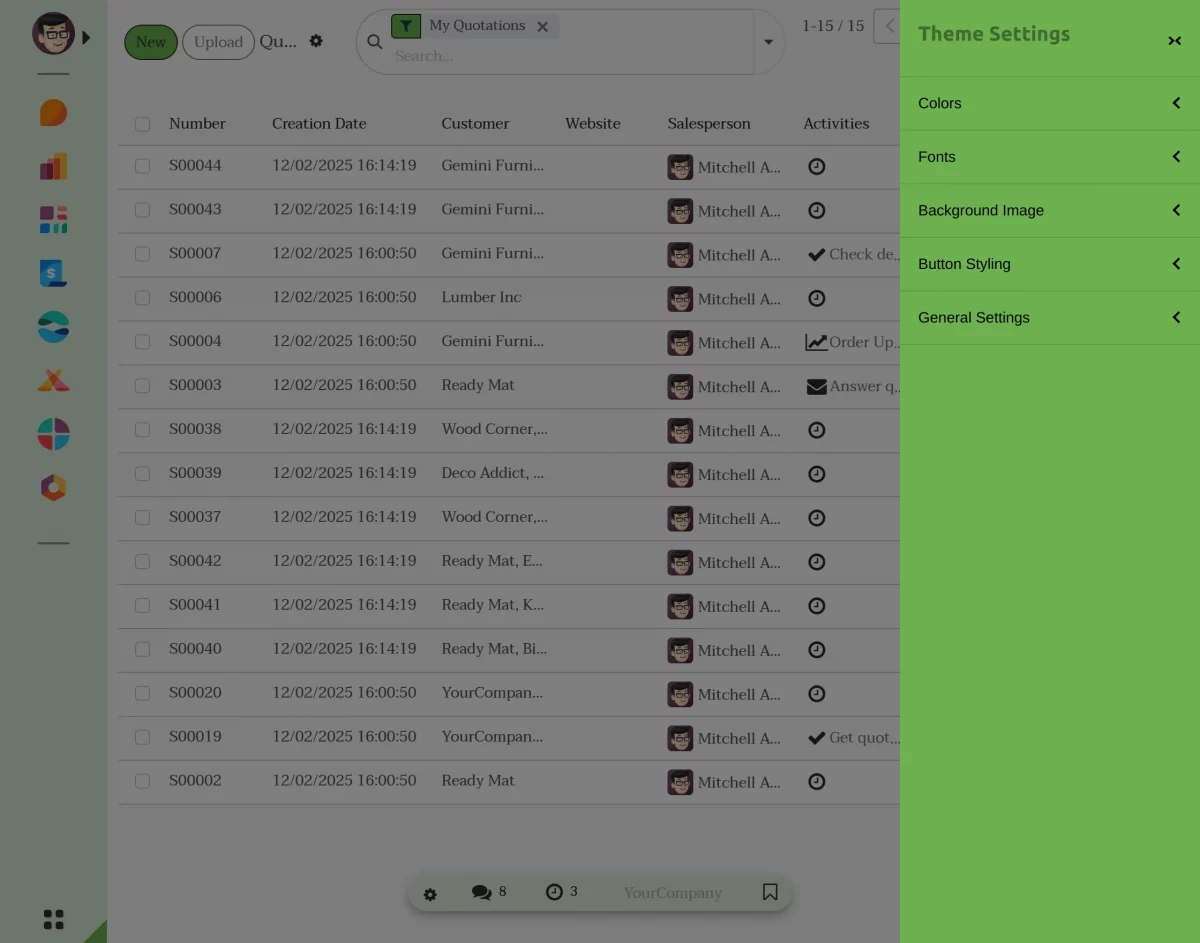
8(a). Theme Settings Shortcut- The settings icon in the systray directly opens the Manon Theme Settings panel.
This quick shortcut allows you to adjust colors, fonts, backgrounds, layouts, and other theme preferences immediately from any screen.
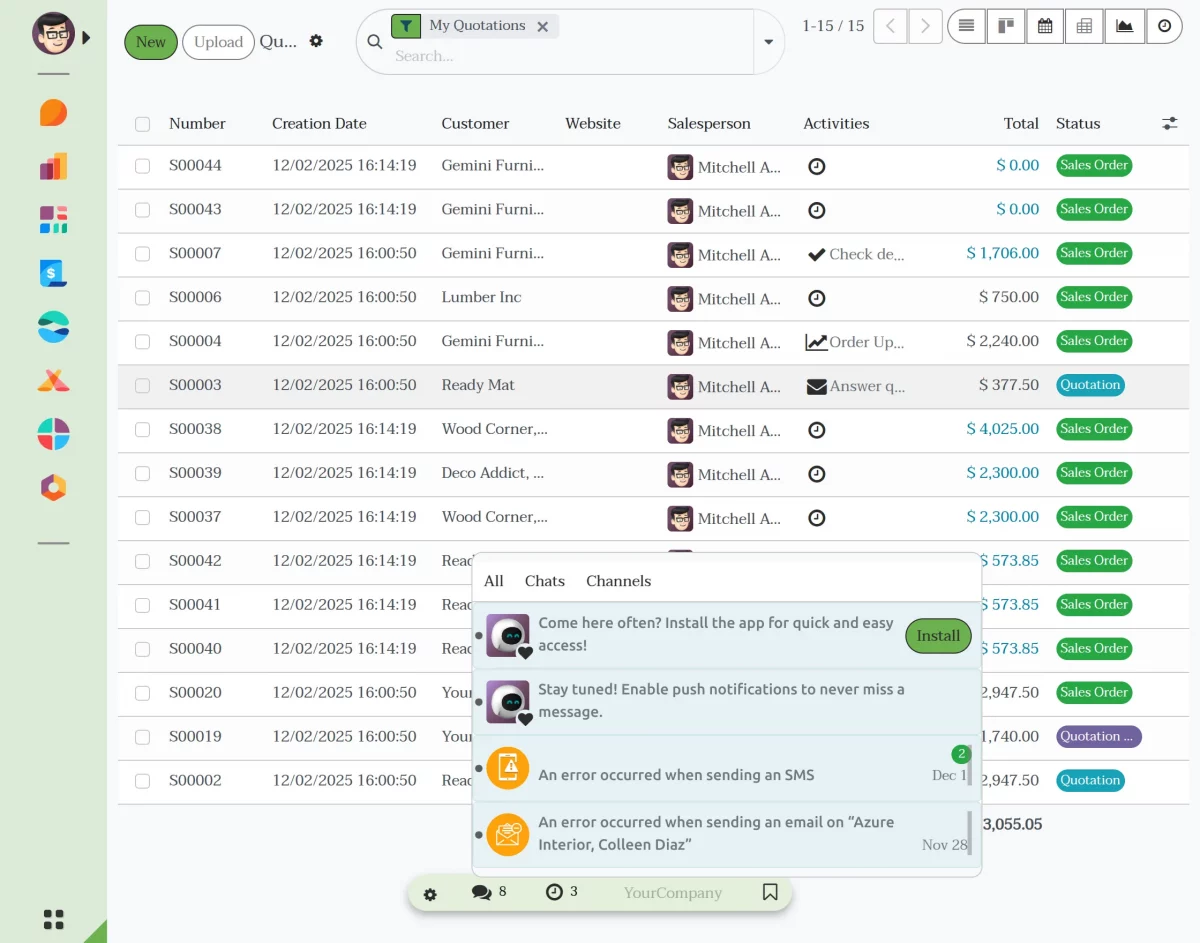
8(b). Notifications- The notification icon displays all your system alerts including messages, activities, and updates.
You can open the panel anytime to view pending tasks, new notifications, or important system logs without leaving your current screen.
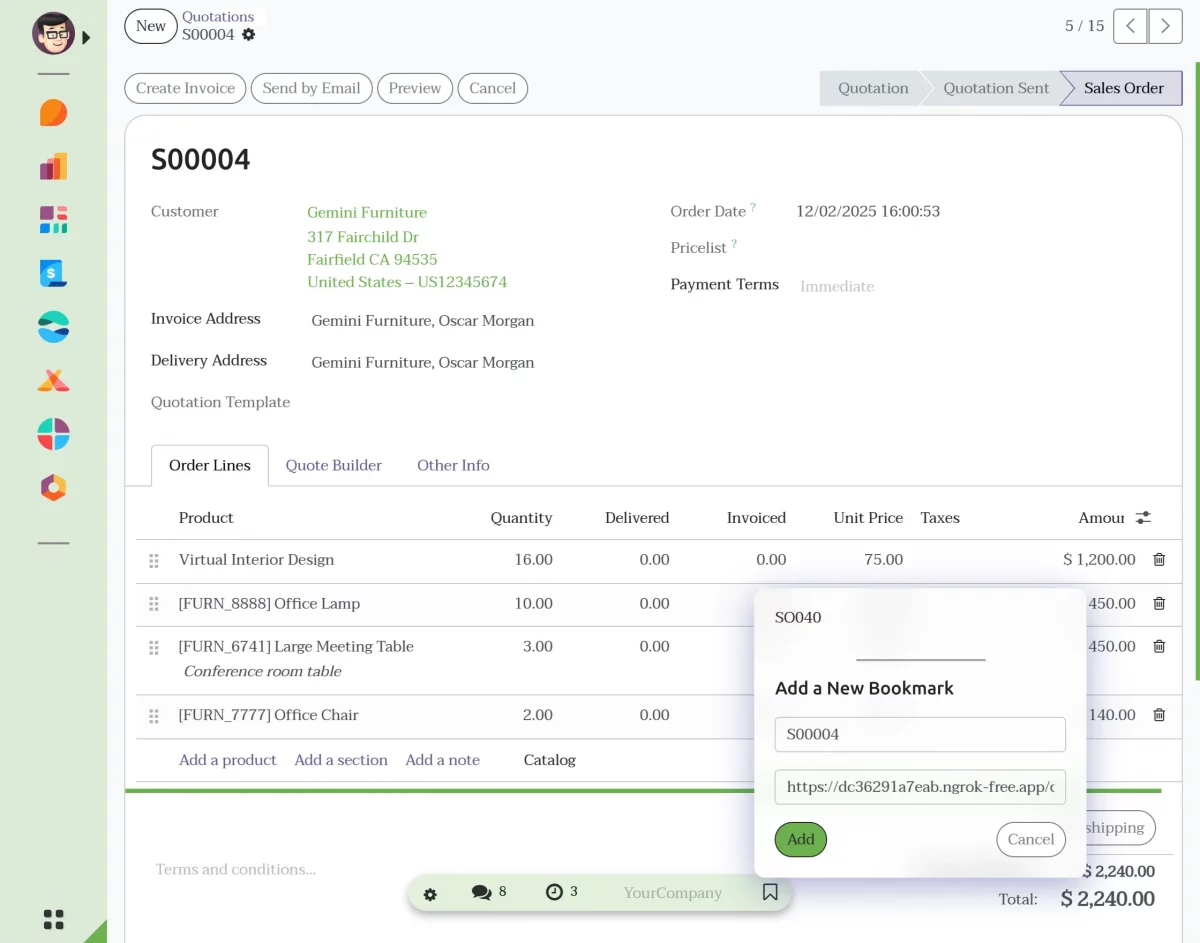
8(c). Bookmark Pages- The bookmark option lets you save frequently used pages such as forms, dashboards, or records.
These saved pages can be accessed with a single click, helping you quickly return to important work areas.
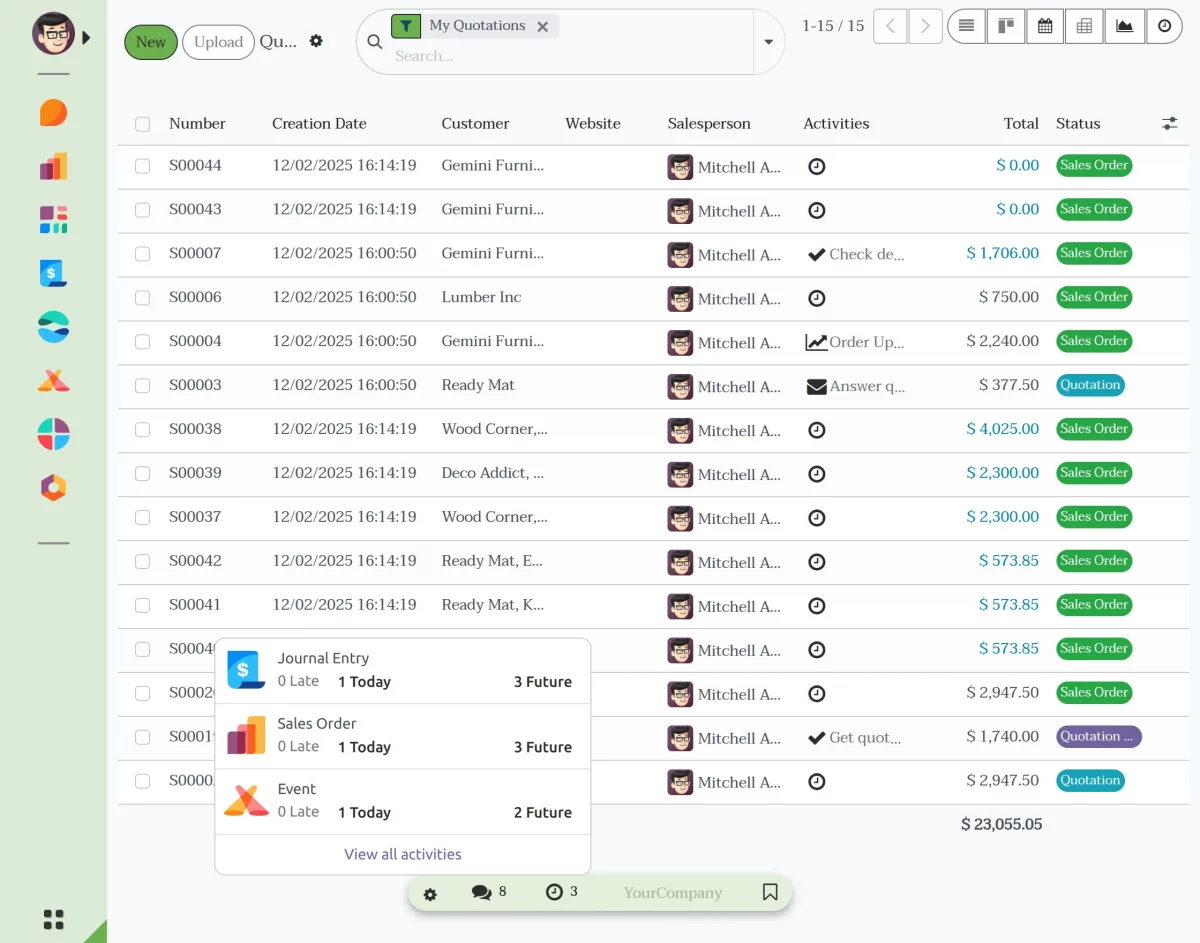
8(d). Reminders: Similarly, the reminders icon shows all scheduled reminders linked to your activities or tasks.
Using Odoo Backend Theme Manon, you can keep track of upcoming deadlines or follow-ups and take action right from the systray.
8(e). Multi-Company Switch- If your Odoo has multiple companies configured, the systray provides a simple switching option.
You can change to another company instantly without navigating through settings, ensuring smoother operations across multiple business units.
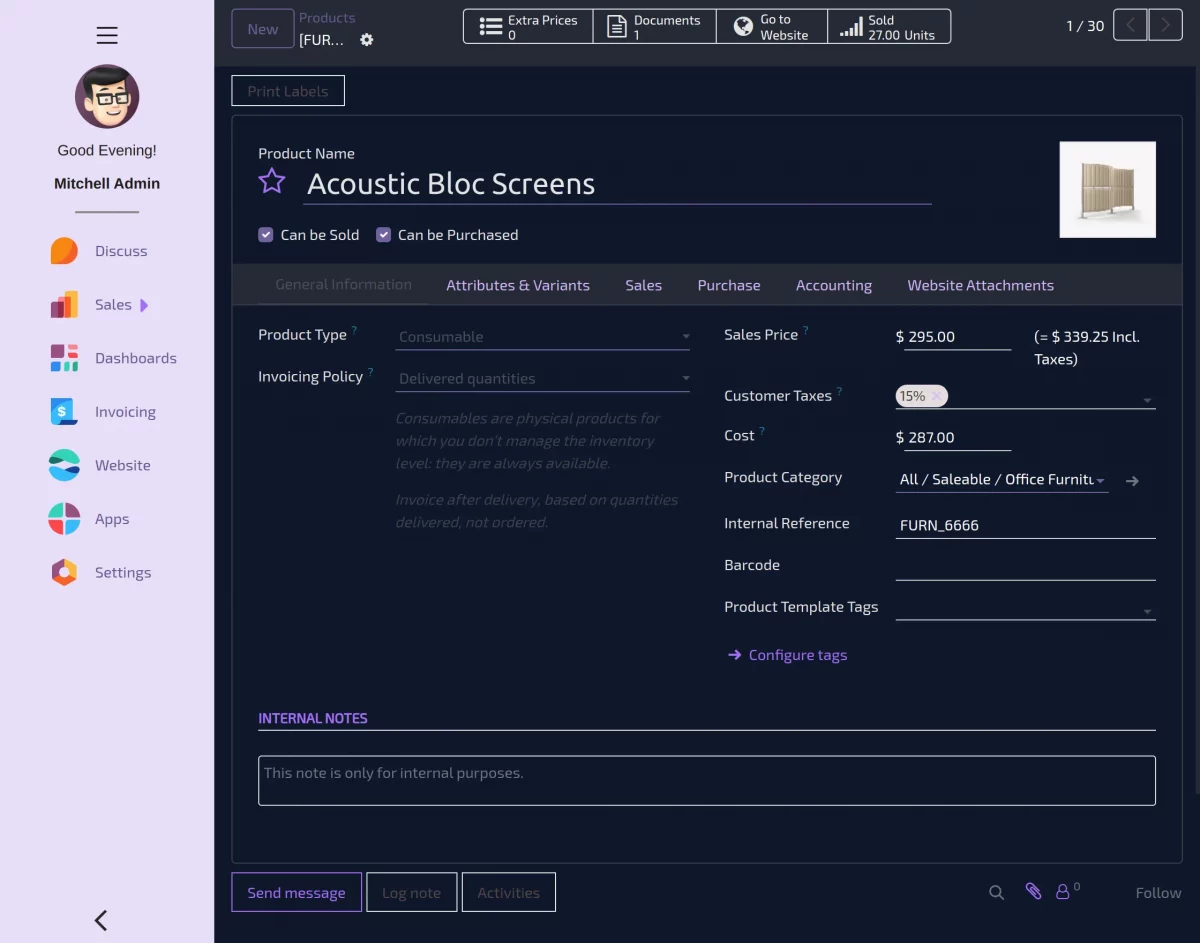
9). The Dark Mode Toggler allows you to switch between light and dark modes in Odoo.
10). RTL Language Support: Additionally, Odoo Backend Theme Manon fully supports right to left languages, ensuring proper text alignment and smooth navigation across the backend interface.
Moreover, it delivers a seamless and comfortable user experience for Arabic and other RTL users, helping them work efficiently without layout or readability issues.
NEED HELP?
Hope you find guide helpful! Please feel free to share your feedback in the comments below.
If you still have any issues/queries, please create a ticket at the UV Desk.
I hope this helps. In case of any further queries, contact us at our support mail.
Thanks for paying attention!!
Current Product Version - 1.0.0
Supported Framework Version - Odoo V19, V18, V17

Be the first to comment.