The Dropbox API allows developers to work with files in Dropbox, including advanced functionality like full-text search, thumbnails, and sharing. The Dropbox API explorer is the easiest way to get started making API calls.
1: Create a Dropbox App
To get started with integrating Dropbox as a source type, follow these steps:
- Open the Dropbox Developer App Console.
- Create a new app and choose the type of access you need.
- Note the App Key and App Secret from the Settings tab. These will be your Dropbox credentials.

Step 2: Set the Redirect URI
In the Dropbox Developer App Console, set the Redirect URI to: https://{{url}}/multisource/dropbox/callback/multisource/dropbox/callback
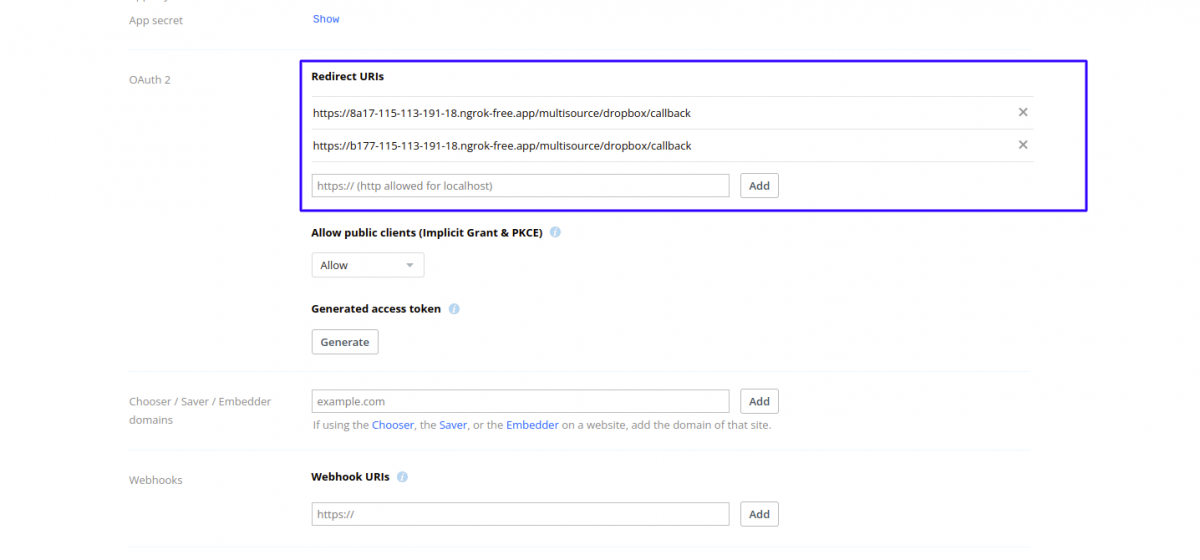
In the Permissions tab, provide the necessary permissions to access Dropbox. Click “Submit” to apply the changes.
here there is a need for the scope permission of ” file. read. content” for allowing to read the file from Dropbox.
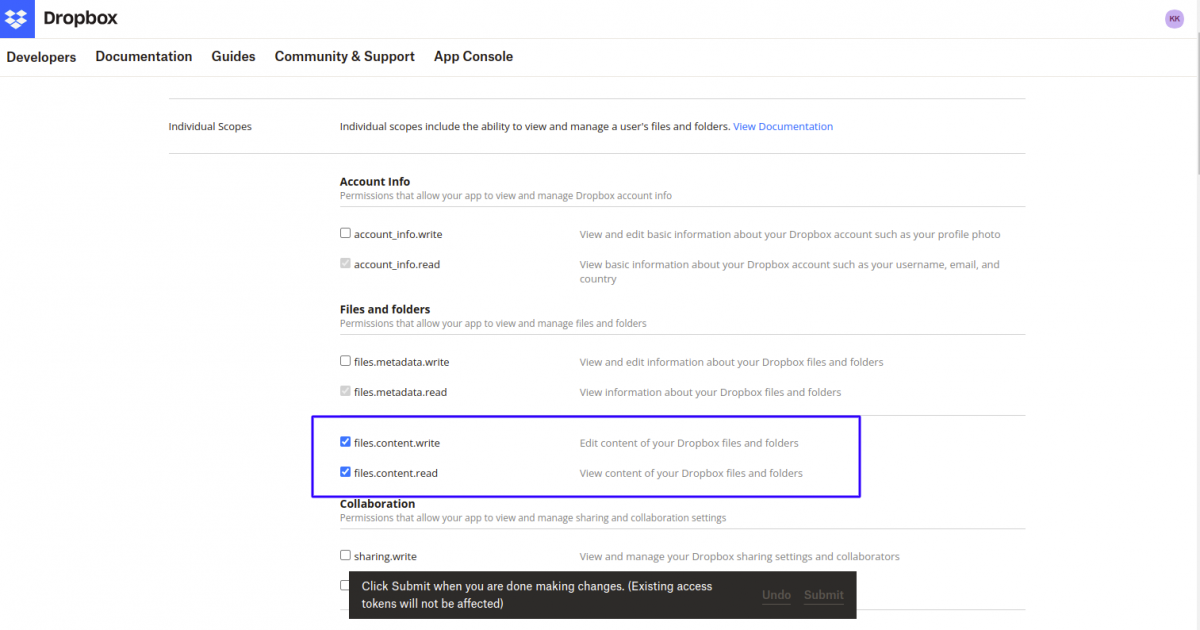
Step 4: Configure Multi Source Import Type Module
In the Akeneo Multi Source Import Type module, create a credential, enter the App Key and App Secret, and click “Authenticate Dropbox” to give access.

After creating the credentials, create the import job and import the csv-stranded file to Akeneo.
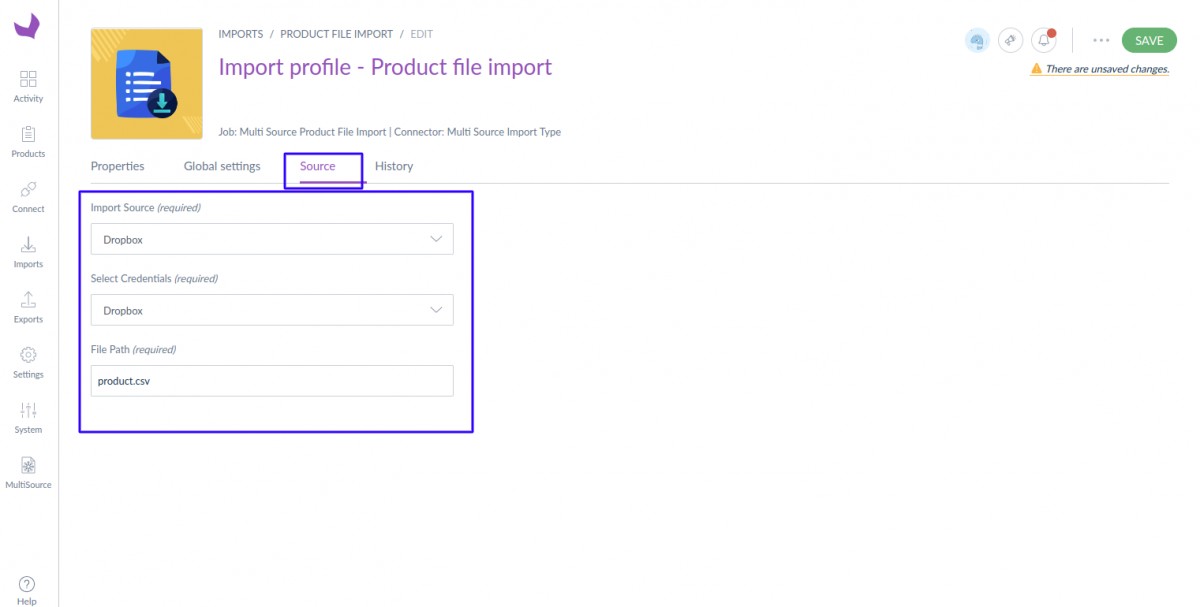
After saving and running the job, the strandred.csv file is successfully imported.

Be the first to comment.