CS-Cart WhatsApp Order Notification allows store admins to notify customers directly through WhatsApp.
The module delivers real-time WhatsApp notifications to both customers and vendors, ensuring timely updates on orders, returns, and product approvals.
Additionally, it supports dynamic variables for accurate and personalized messages.
Furthermore, admins can easily configure message templates and automate communication across the platform
Note: A developer Meta (Facebook) account is required to activate this feature.
This ensures seamless, transparent, and efficient communication for both vendors and customers.
- Before installing the add-on, extract the downloaded package.
- Install the License Manager add-on first.
- Then install the required add-on.
- Follow the license activation steps to generate your license key.
What are the key features of this module?
- Instant Order Alerts: Customers receive confirmation messages the moment an order is placed.
- Status Tracking: Real-time notifications for every change in order status (Processed, Shipped, etc.).
- Vendor Communication: Automatic alerts to vendors when their products are ordered or approved/disapproved.
- Return Updates: Instant messaging for order return requests and status changes.
- Meta Integration: Secure connection using the official Meta (Facebook) WhatsApp Business API.
How to install the CS-Cart WhatsApp Order Notification?
Once you download the add-on, you will receive a package containing a zip file and an install.txt file.
It is important to read the install.txt file carefully before beginning the installation process.
Follow these steps to complete the manual installation:
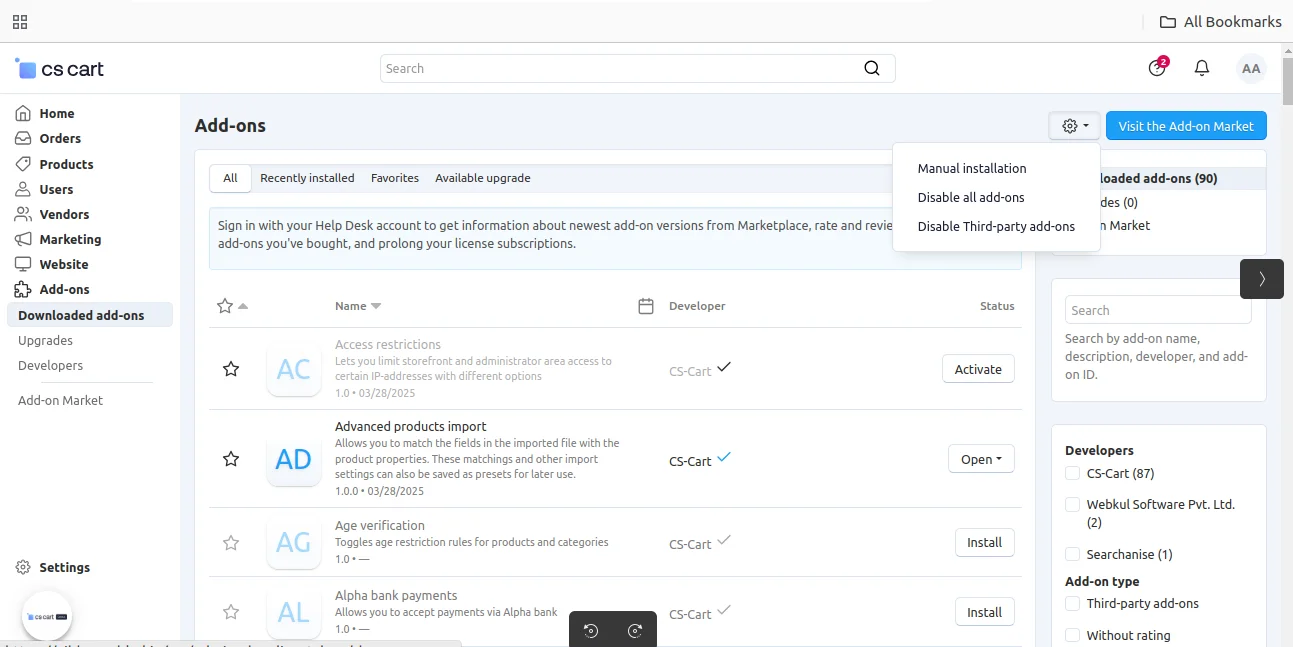
- Open Add-ons Manager: In your CS-Cart admin panel, click on the gear icon and select Manual installation.
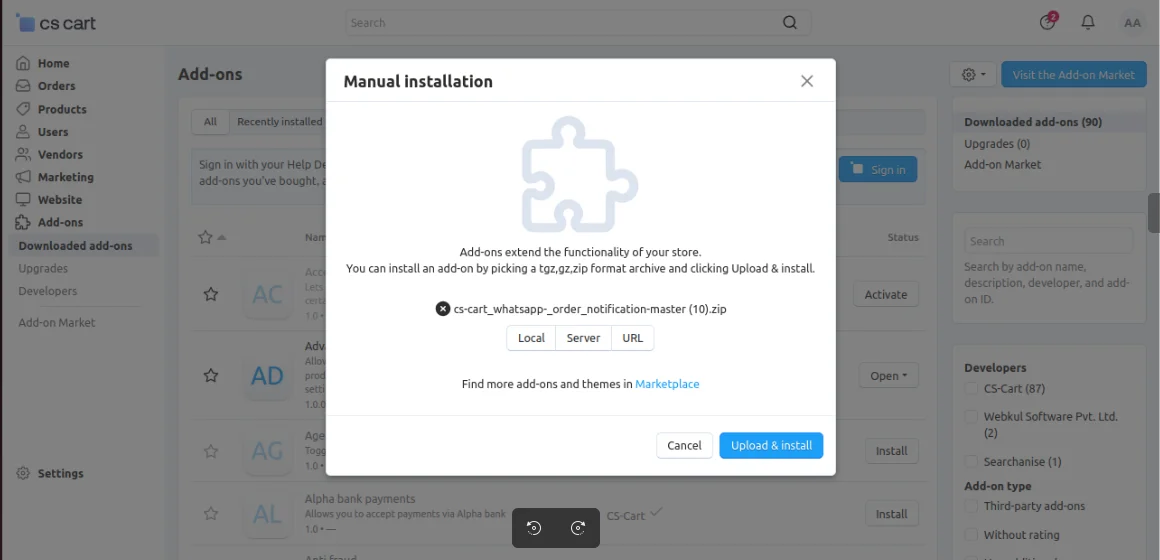
2. Upload the Package: A pop-up will appear; click on the Local button to browse and select the zip file.
Click on Upload & Install to complete the process.
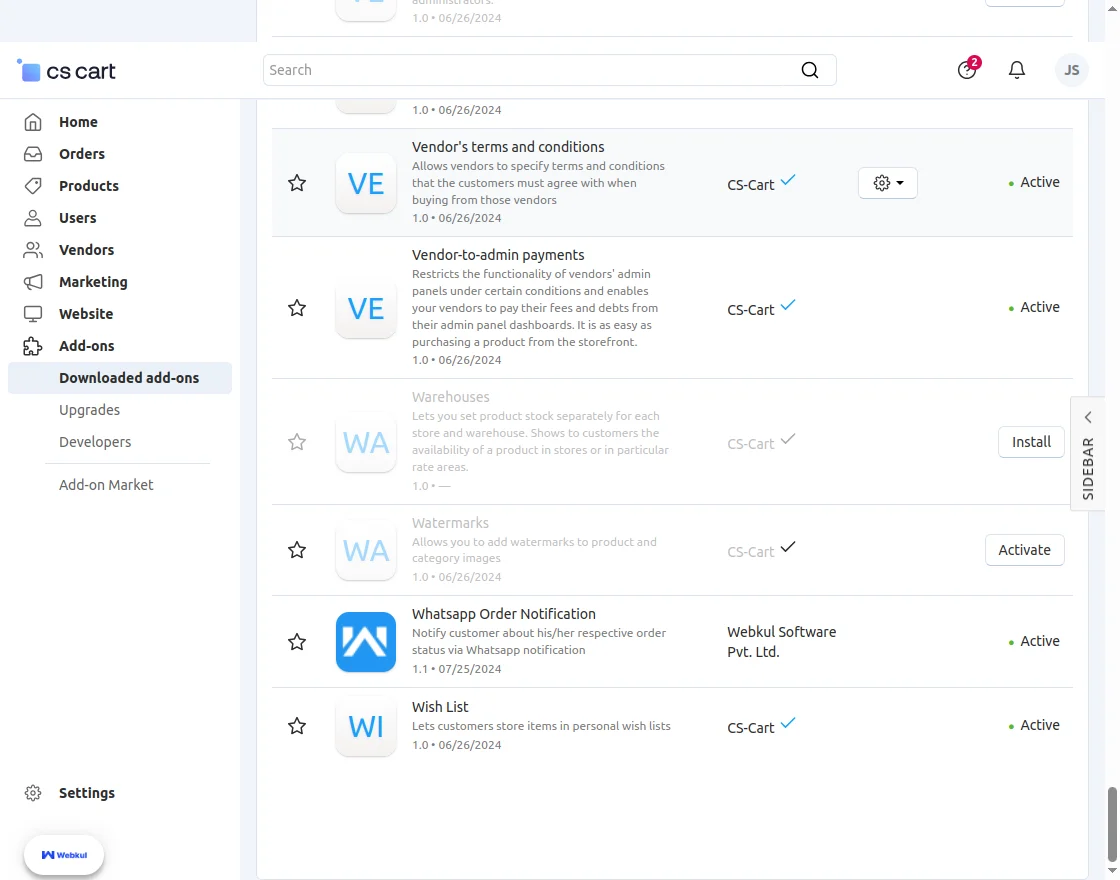
3. Verify Activation: Ensure the “WhatsApp Order Notification” add-on appears in your list and is set to Active.
How to generate Meta Developer credentials?
To use this extension, you must have a Meta (Facebook) Developer account and a WhatsApp Business account.
Follow the steps below to generate the required credentials.
Step 1: Create a Meta Developer Account
First, log in to the Meta Developers Portal using your Facebook account.
If you do not already have a developer account, you will be prompted to register one.

Step 2: Create a New App
After logging in, click on “Create App” from the dashboard.
This app will be used to integrate WhatsApp APIs with your CS-Cart store.
Choose “Business” as the app type.
This option is required to access WhatsApp Business APIs and related features.

Step 3: Add App Details
Enter your App Name and Contact Email.
Then, connect the app to your Meta Business Account to manage WhatsApp services properly.

Step 4: Set Up WhatsApp Product
From the Products section, locate WhatsApp and click on “Set up.”
This will enable WhatsApp messaging features for your application.

Step 5: Retrieve Required Credentials
Once WhatsApp is configured, navigate to the WhatsApp dashboard and copy the following details:
- Access Token
- Phone Number ID
- WhatsApp Business Account ID
These credentials are required for configuring the add-on in your CS-Cart admin panel.

Important Note
It is recommended to use a permanent Meta Business Account.
This helps avoid frequent access token expiration and ensures uninterrupted WhatsApp notifications.
How to configure the module in CS-Cart?
Navigate to the WhatsApp Order Notification module configuration page.
Now, Enter API Credentials
- Input the Phone Number ID generated from your Meta account.
- Enter your unique Business Account ID.
- Paste the Access Token provided by the Meta Developers portal.

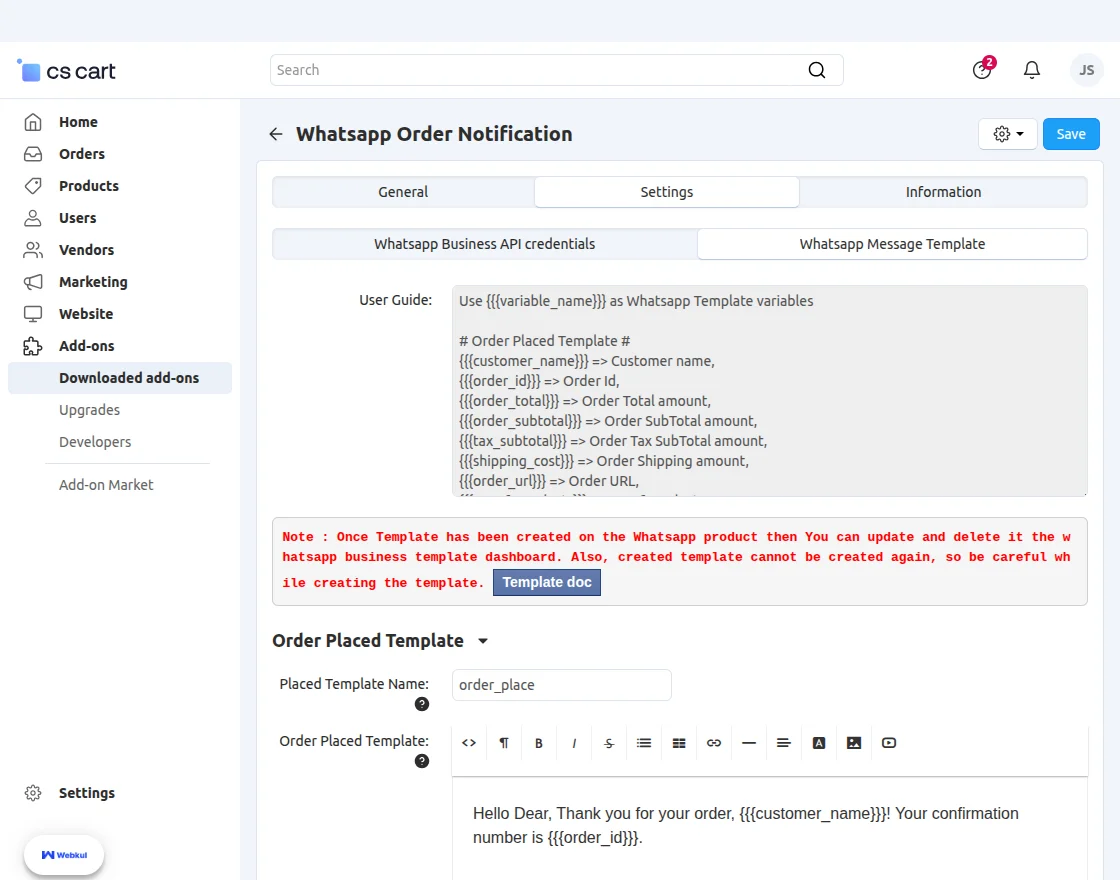
How Does the WhatsApp Message Template Configuration Work?
The CS-Cart WhatsApp Order Notification add-on lets admins create and manage templates easily.
Additionally, it automates notifications for customers and vendors.
Moreover, templates support dynamic variables for real-time order and product details.
What Variables Are Available for the Order Placed Template?
The Order Placed Template triggers instantly when a customer completes an order.
Consequently, customers stay updated, and vendors remain informed.
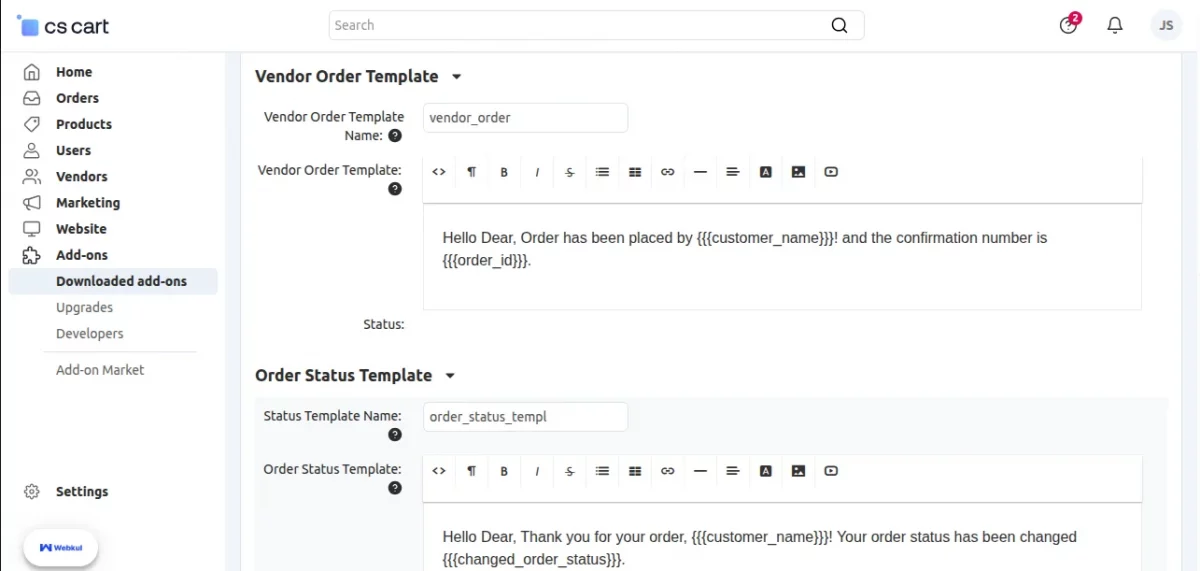
Vendor and Customer Order Notifications
The Vendor Order Template notifies vendors immediately when a new order is placed. Consequently, they receive order details instantly for faster processing.
Similarly, the Order Status Template updates customers whenever their order status changes. As a result, customers stay informed about the latest order updates.
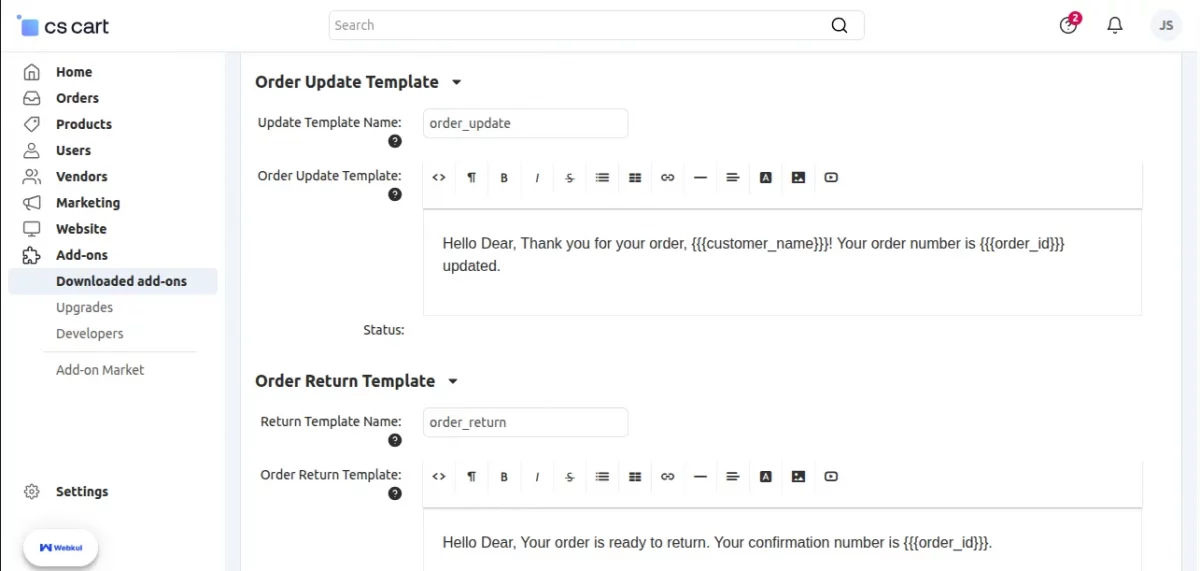
Customer Order Update & Return Notifications
The Order Update Template informs customers immediately when order details change. Consequently, updates are delivered automatically via WhatsApp.
Similarly, the Order Return Template notifies customers when their order is ready for return. As a result, customers receive return confirmation details instantly.
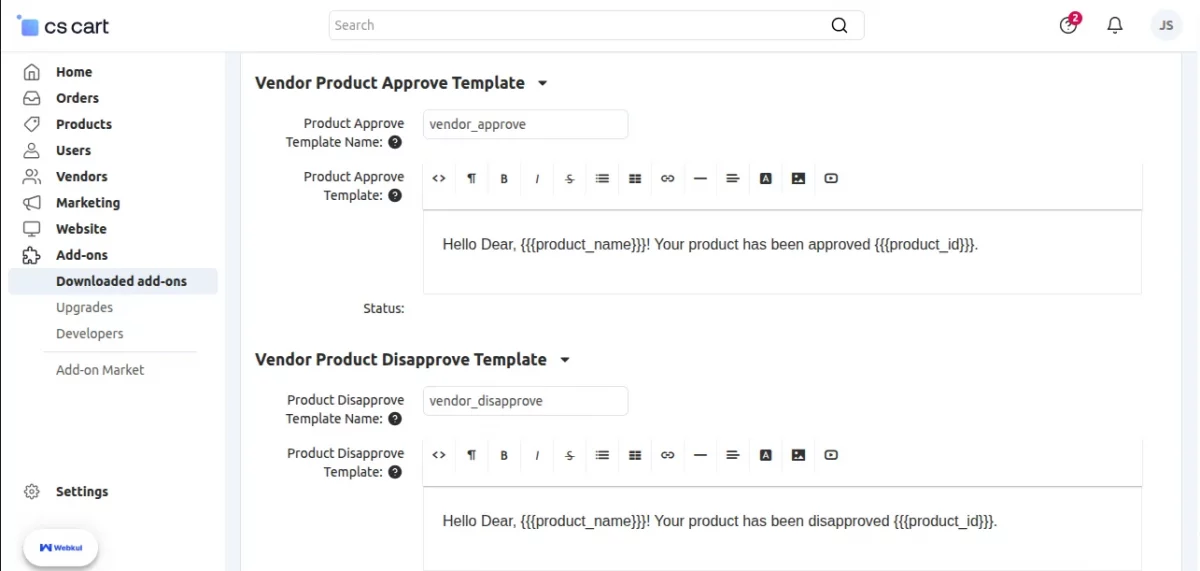
Vendor Product Approval & Disapproval Notifications
The Vendor Product Approve Template notifies vendors immediately when the admin approves their product. Consequently, they can track approval status instantly.
Similarly, the Vendor Product Disapprove Template informs vendors as soon as a product is disapproved. As a result, vendors stay updated without delays.
WhatsApp Order Notification System
With our advanced WhatsApp notification system, customers and vendors enjoy seamless communication throughout the entire shopping journey.
Customer Order Notification
After placing an order, the system immediately sends WhatsApp updates to customers, keeping them informed in real time.
This instant update keeps customers informed and enhances their overall shopping experience.
Customer Order Notification for product

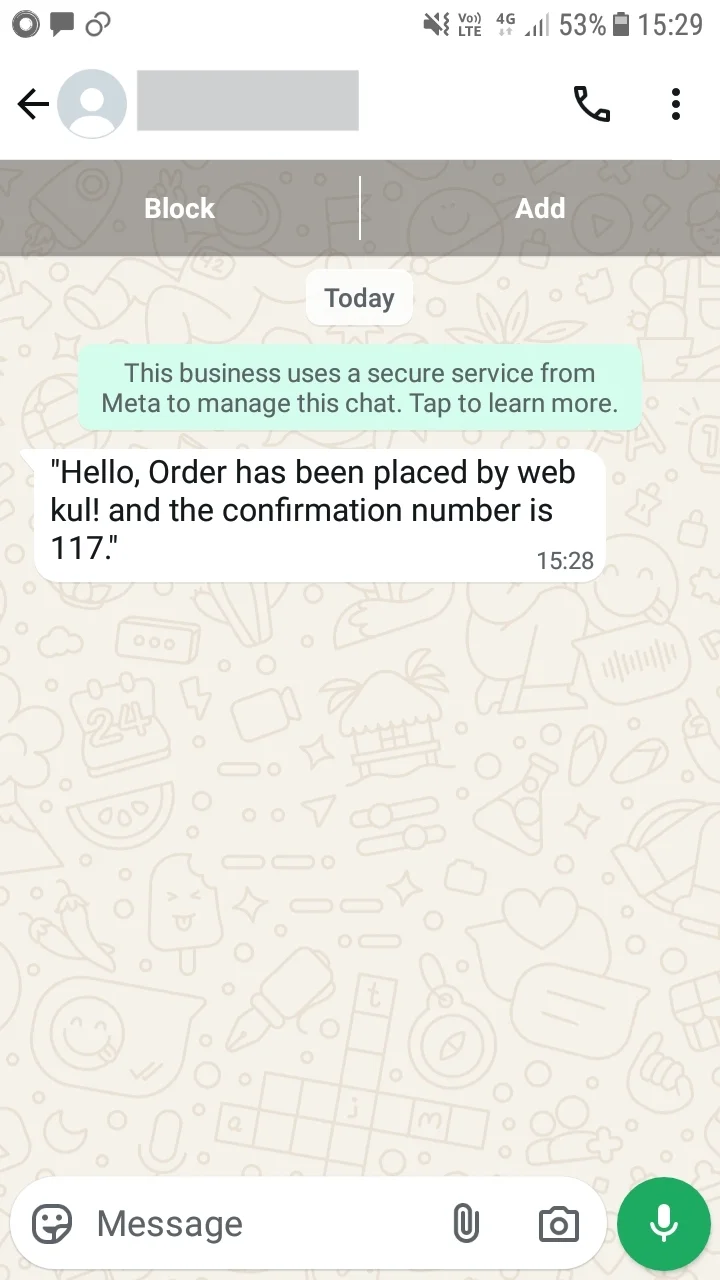
Vendor Order Confirmation Notification
As soon as a customer places an order, the system notifies the vendor, allowing them to process it efficiently.
Vendor Order Confirmantion Notification
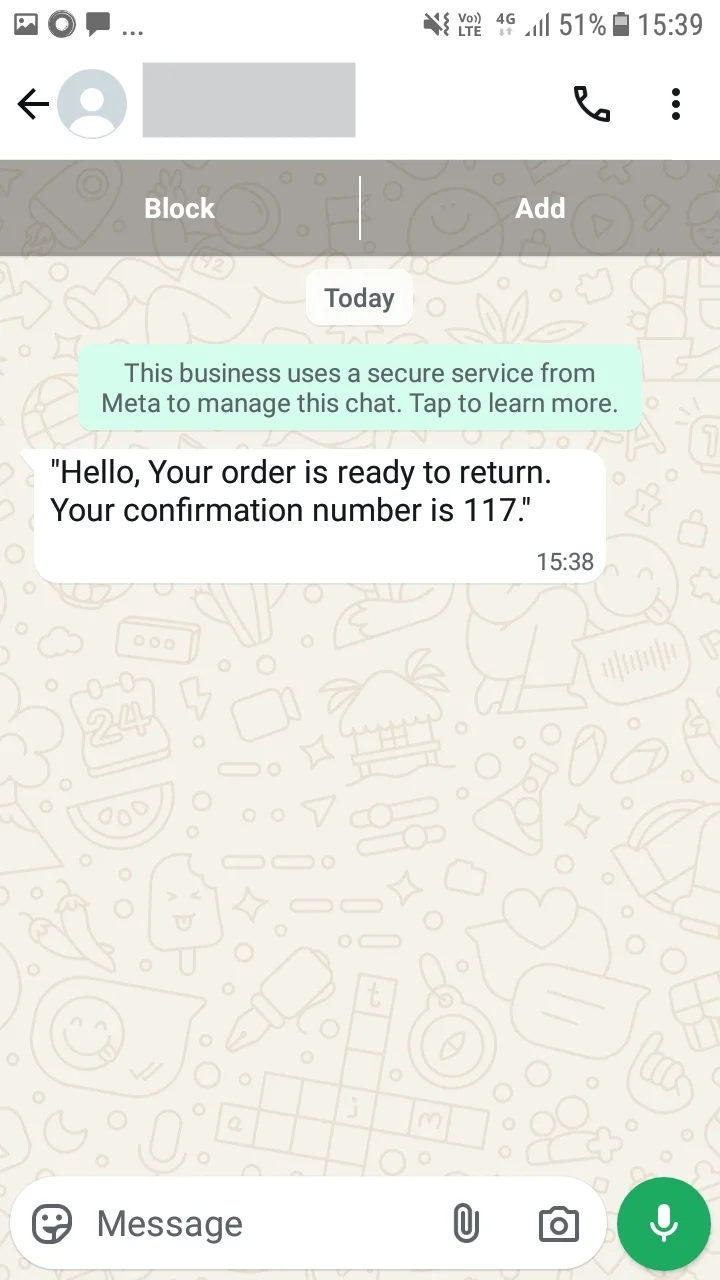
Customer Return Order Notification
When a customer requests a return, the system instantly alerts them via WhatsApp, ensuring transparency.
Return order notification
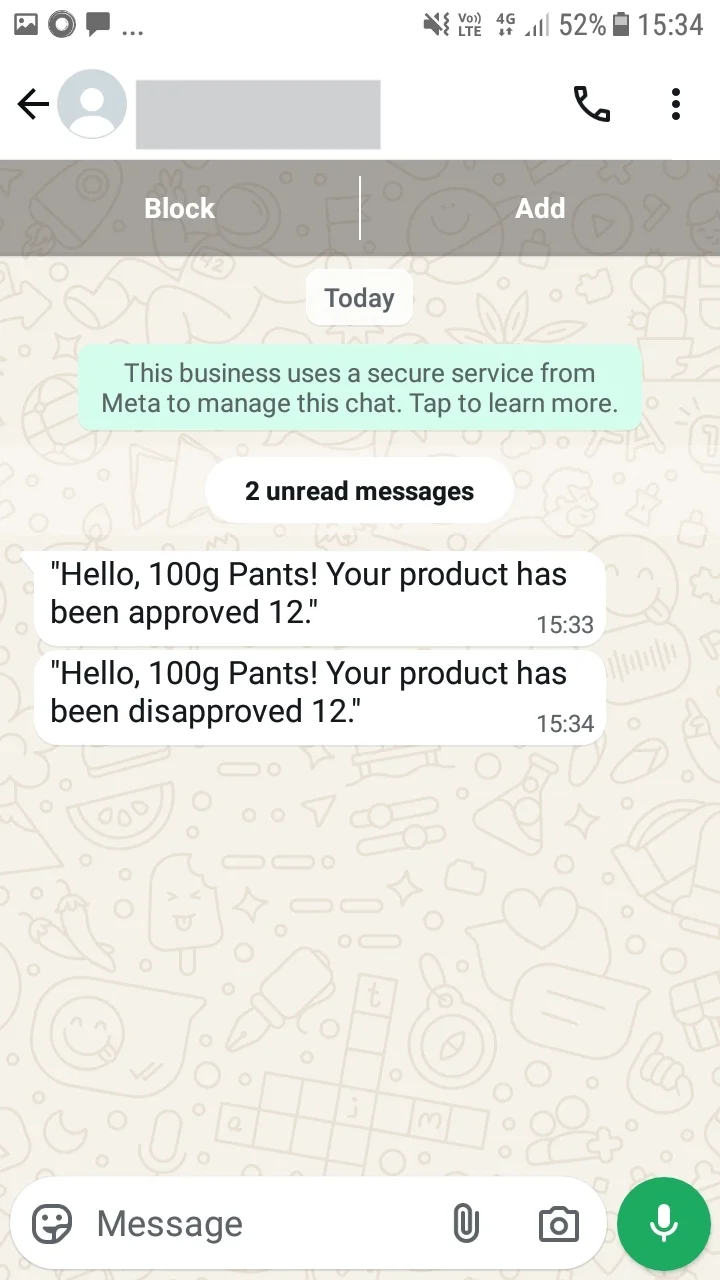
Vendor Product Approval/Disapproval Notification
Whenever a product receives approval or disapproval, the system notifies the vendor, enabling swift actions.
Vendor Product Approval/Dissapproval Notification
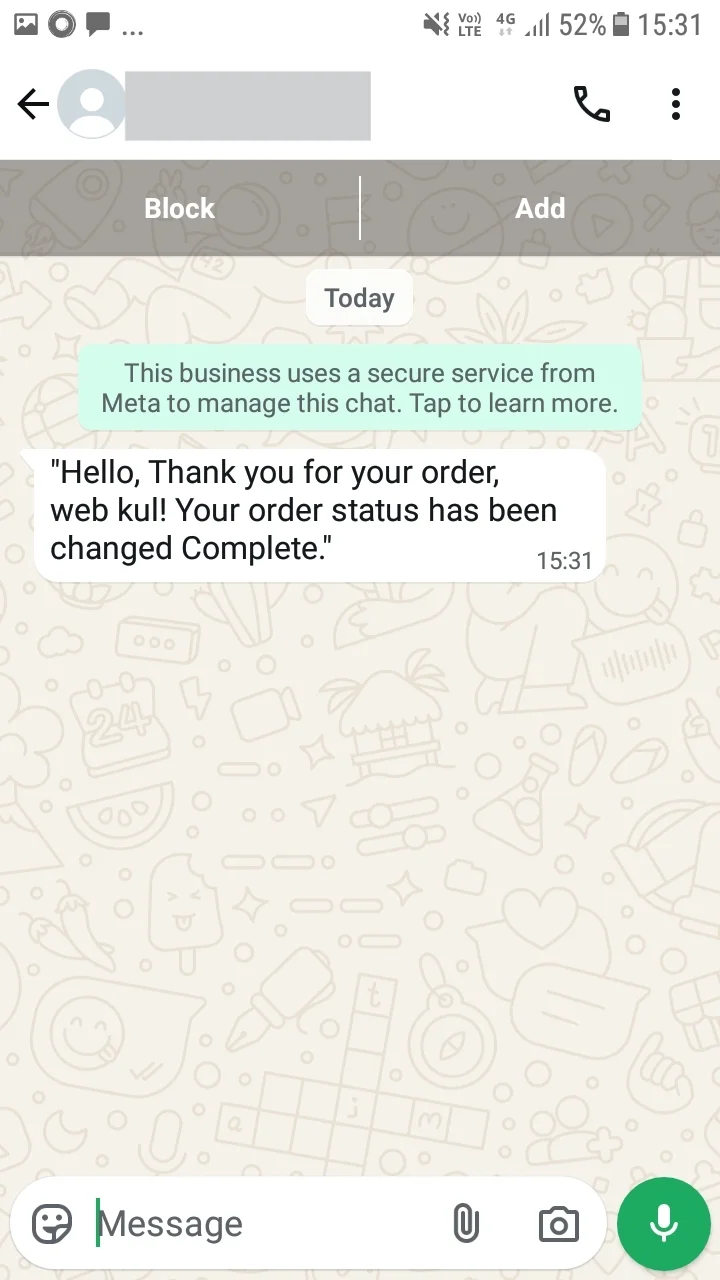
Customer Order Status Change Notification
Whenever an order status changes, the system informs the customer immediately, improving satisfaction and reducing follow-ups.
order status changed Notification
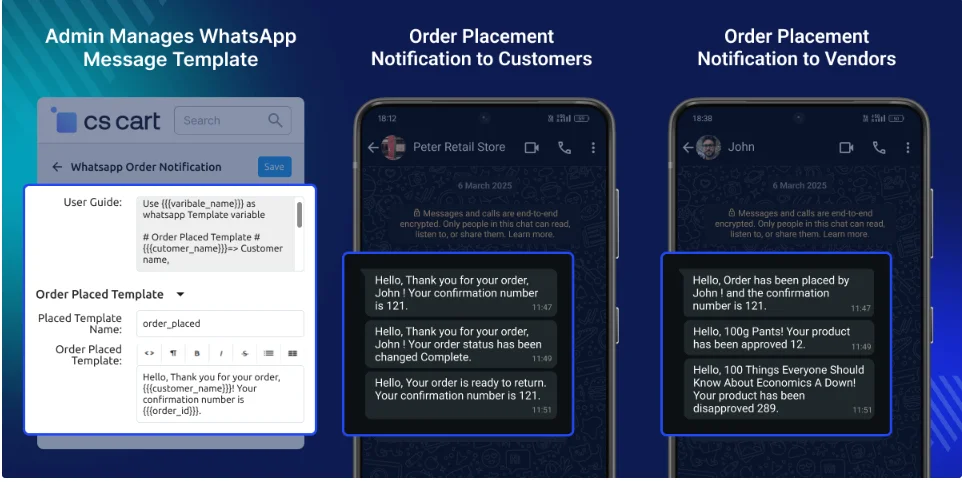
Streamlined Notifications & Template Management
Vendors receive instant updates on product approvals, disapprovals, and new orders.
Customers get real-time alerts on order placement, status changes, and returns.
Admins can manage and customize mail templates efficiently.
As a result, communication becomes seamless, accurate, and fully automated for all users.
Support
That’s all about the CS-Cart WhatsApp Order Notification module. However, if you still have any questions regarding the CS-Cart extensions.
Please create a support ticket by clicking Webkul Support System or send an email to [email protected]
Current Product Version - 1.2
Supported Framework Version - 4.18

2 comments
We have created a ticket on your behalf and our team will connect with you soon regarding your queries.
Thanks and Regards,
Team Webkul