Introduction
Association of products can be described as a marketing strategy to your customer, that what products they are looking for and what they have to consider with this product.
Associativity of the products means a group of products that is closely related. An associative product can be a product with the same types, same price range, and same customer types.
Association Types
Akeneo PIM provides by default 4 types of association mapping. You can create more if you want more association mapping.
- Cross-sell – Cross-selling of products involves products of the same type.
Example: If you are buying a shirt then you will find another shirt by the same designer.
- Upsell – Upsell products typically involve trading up to a better version of what’s being purchased.
Example: If you are going to buy a mobile then you will get the same mobile with the extra specification.

Source: Shopify
- Pack – Pack products are basically a group of products that are used for the same purpose.
Example: A group of furniture products.

Image source: Pepperfry
- Substitution – Substitution products are products that same in category and type as the selected product and services. It provides customers with a wide number of options in addition to the main product.
Example: Shirts with same in type and different in the brand.
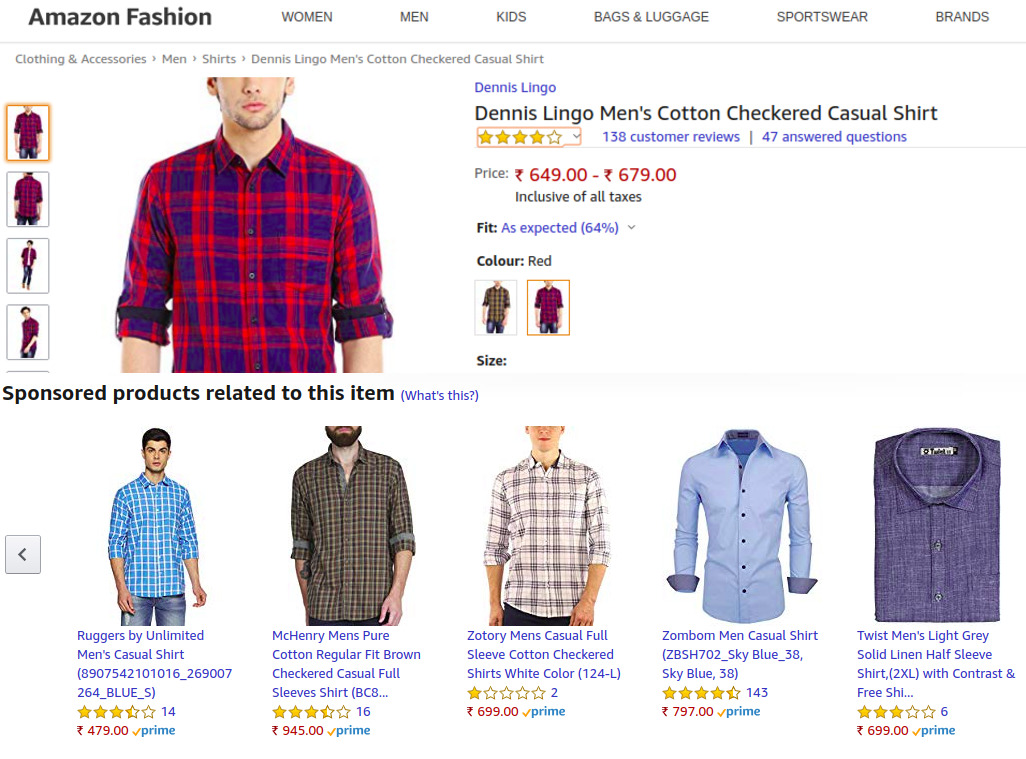
Source: Amazon
Create an Associative product type:
Akeneo PIM provides the functionality to create an Associative product type. For this, you have to navigate Setting -> Association type. Click on the association type.
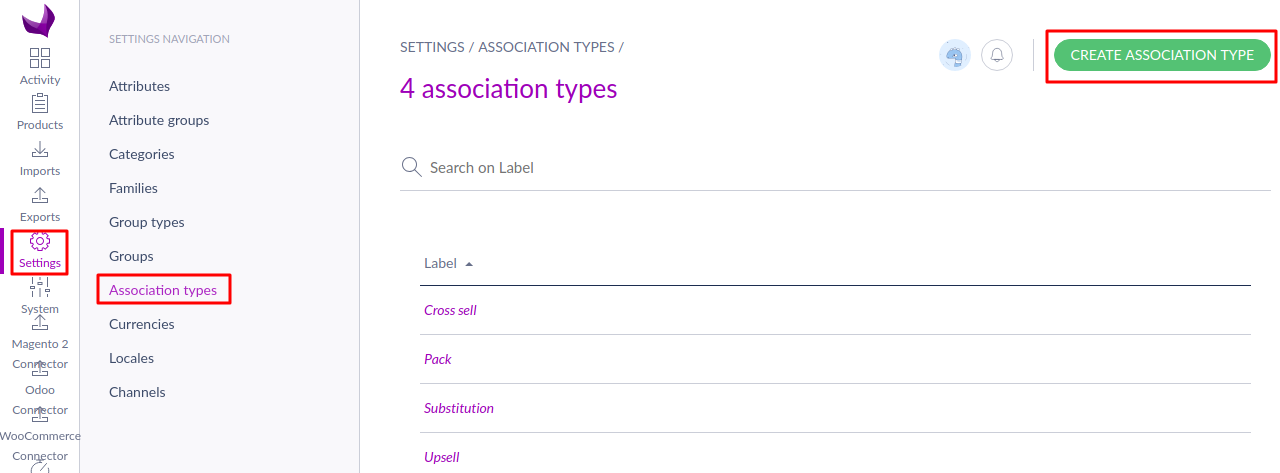
Here you have to enter the code.

You have to enter the label translation for multiple locales.

Now you can see the association type is successfully added.

Now go to your Akeneo product list and click on the product where you have to add an associative product.
 After it, you have to click on the Associations. Now you have to click on the drop-down association type button and choose the association type. After it, click on the Add Association Button.

You can add an associative product here. Here you can filter and add by category, family, and status. You can also search for the product and add them as the associative product.
You can also see the associative product on the right side of the web page in the basket. After it, you have to click on the confirm button.

Now you can see the associative product list with the product.
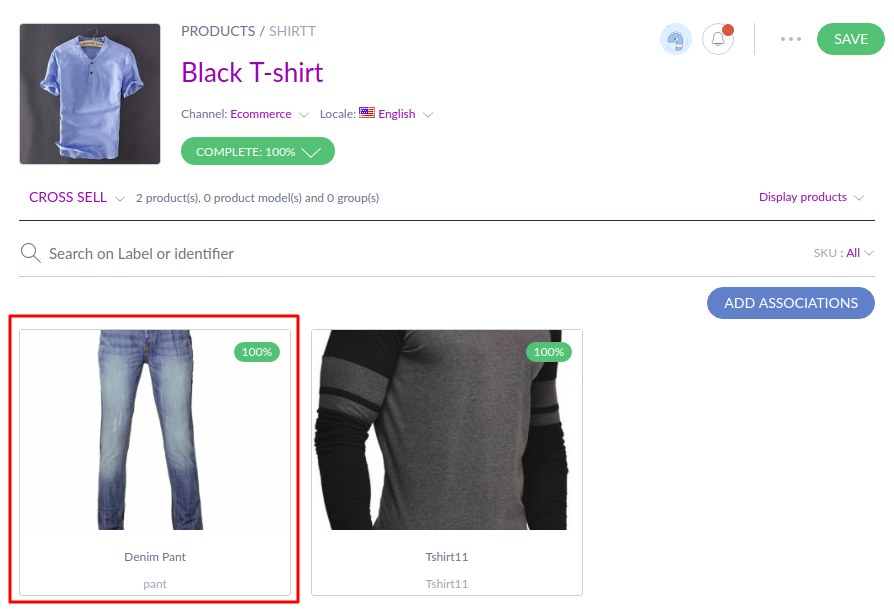
Akeneo Association Types – Support
If you have any queries please create a support ticket at https://webkul.uvdesk.com/en/customer/create-ticket.
If you are a retailer, facing issues in handling a large number of products, drop us a line in the comments below.


Be the first to comment.