Overview
With the Etsy Integration For Wix App, the admin can sync the products from Wix to the Etsy end.
And the orders can easily sync from Etsy to the Wix end.
The Integration helps the store admin to manage a smooth sale on both platforms.
Features Of Etsy Integration For Wix
- The products can sync from the Wix store to Etsy, and you have the option of selective sync as well as bulk sync.
- You can map the category from Wix to Etsy.
- Orders are automatically synced from Etsy to the Wix store.
- Products are automatically synced from Wix to Etsy and Etsy to Wix.
- Physical products, digital products, and products that combine both physical and digital can be synced bidirectionally.
- Whenever a product (quantity) gets sold on either the Wix store or the Etsy store, inventory will be synced accordingly on both platforms.
Important Points to Keep In Mind
- Track inventory (under the Wix manage products). Turn it ON to sync products to the Etsy end.
- The weight of the product should be greater than “0.”
- For managing products and product variants, Price, SKU, and Inventory must have some values under Wix Products Variants to sync to Etsy from Wix.
- The synchronization of products and orders from Etsy to Wix is not in real time.
Note: For a better experience, if you want to sync those product(s) that are out of stock on Wix and/or have no defined dimensions for shipping charge calculation.
Then we can sync those product(s) as well with the default value “1” so that product sync can be done smoothly.
You have to make changes in the Etsy end regarding product stock and/or dimensions in draft mode.
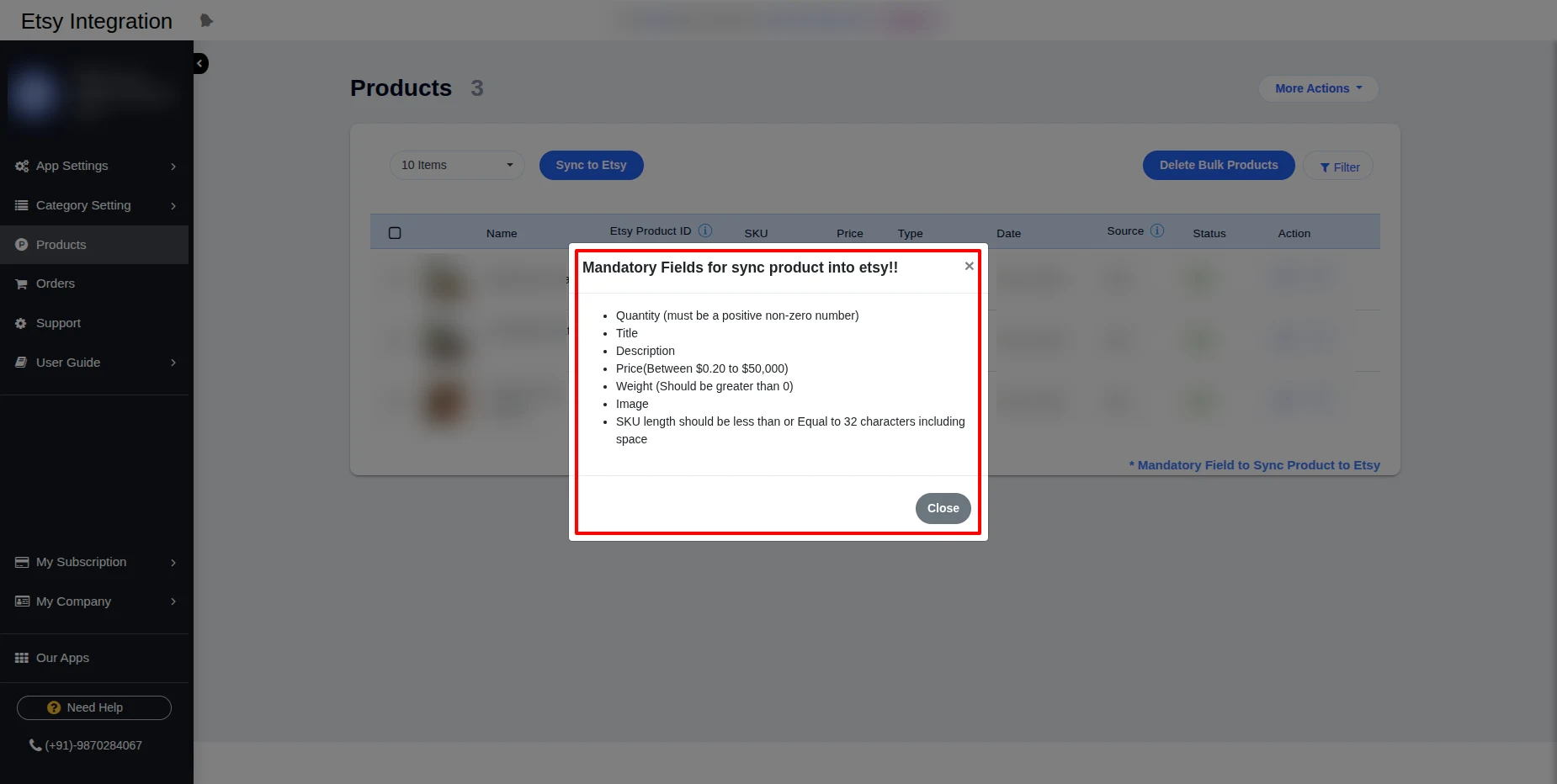
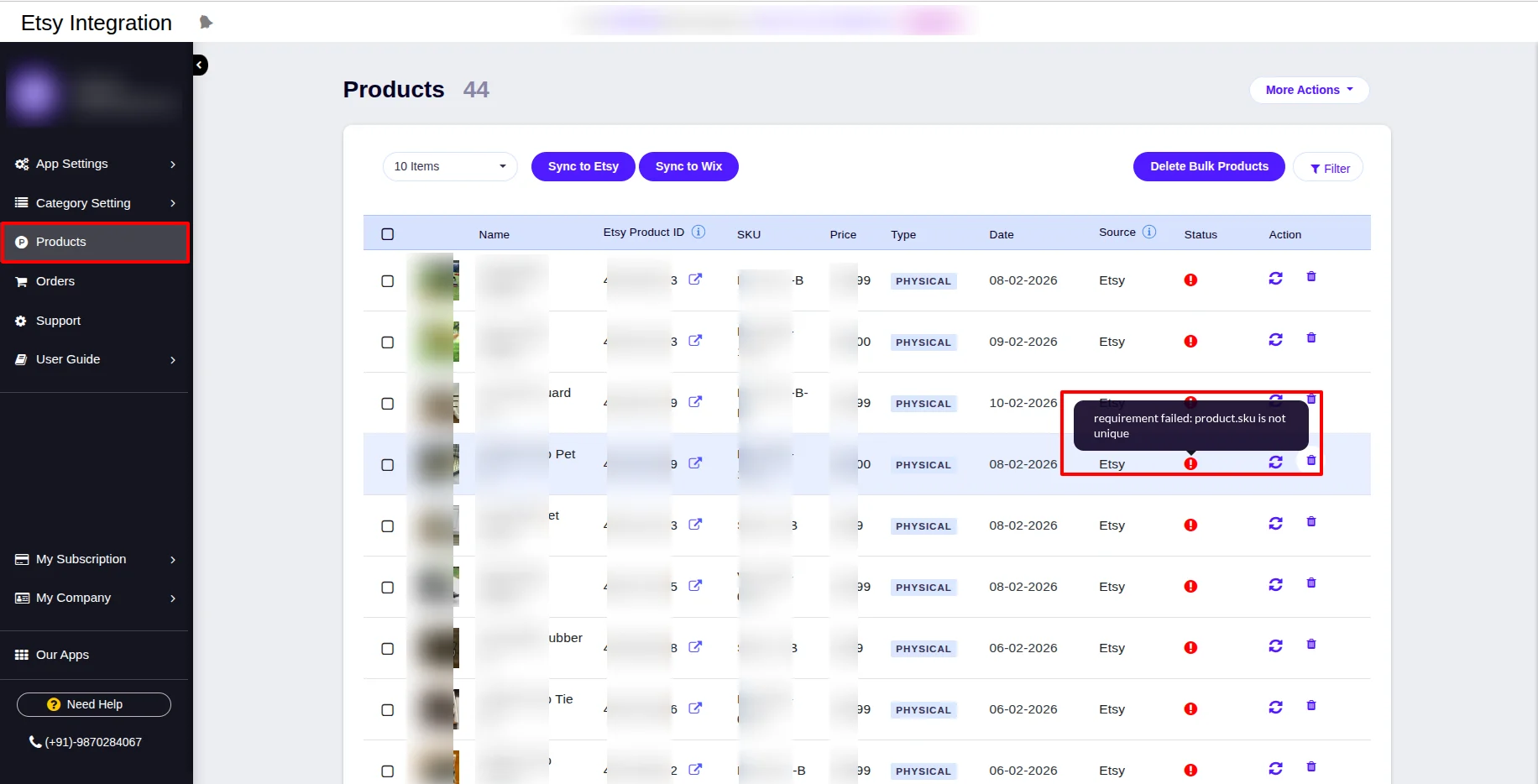
In case any mandatory field is missing, then the sync will not work and will show the error on hovering, as shown in the screenshot below.
The Flow Of Installation And Configuration Of Etsy Integration For Wix
To install the app, follow the following steps –
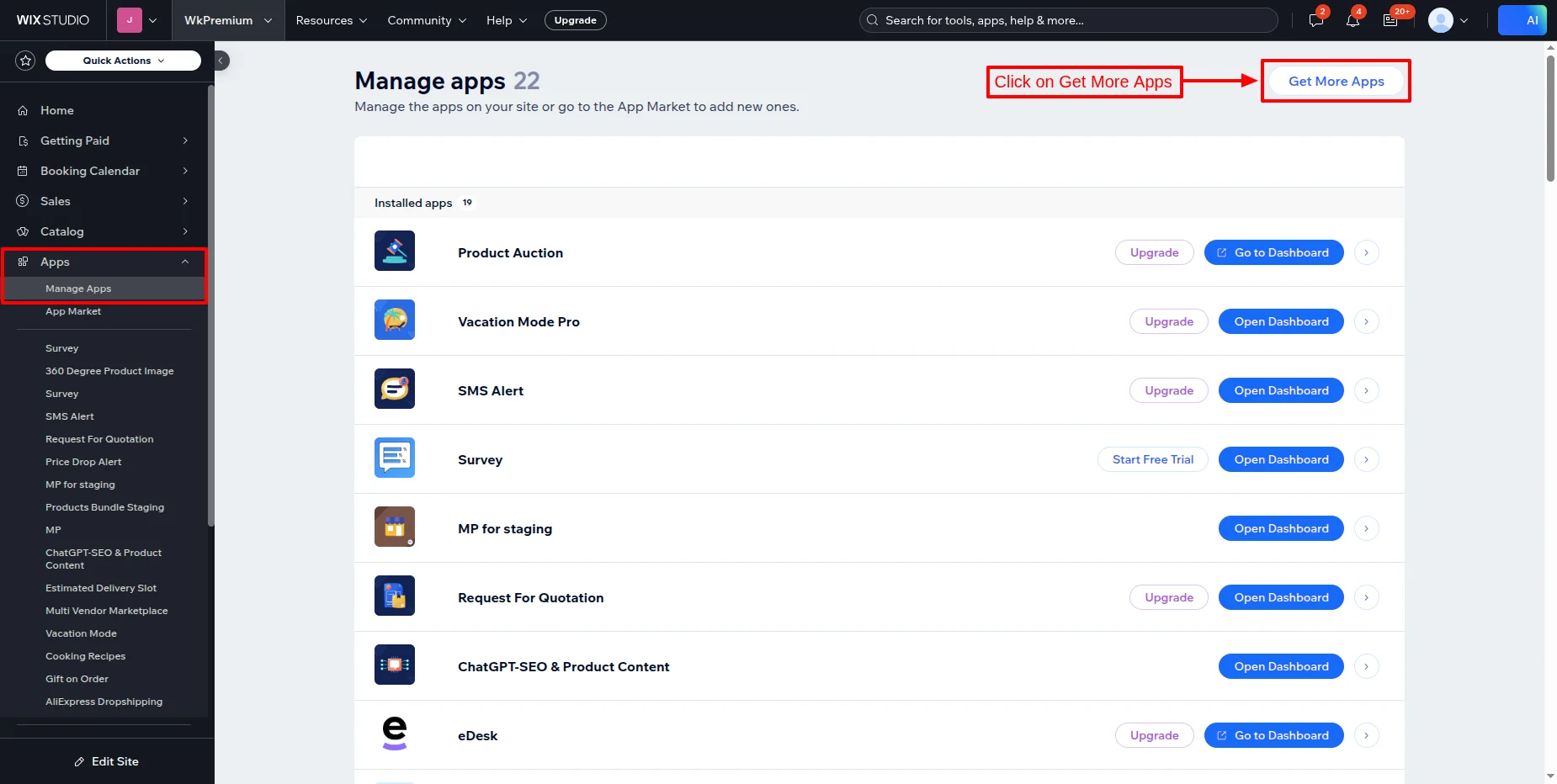
- Go to your Wix store, then click on Apps >> Manage Apps as shown.
- Now, click on Get More Apps.
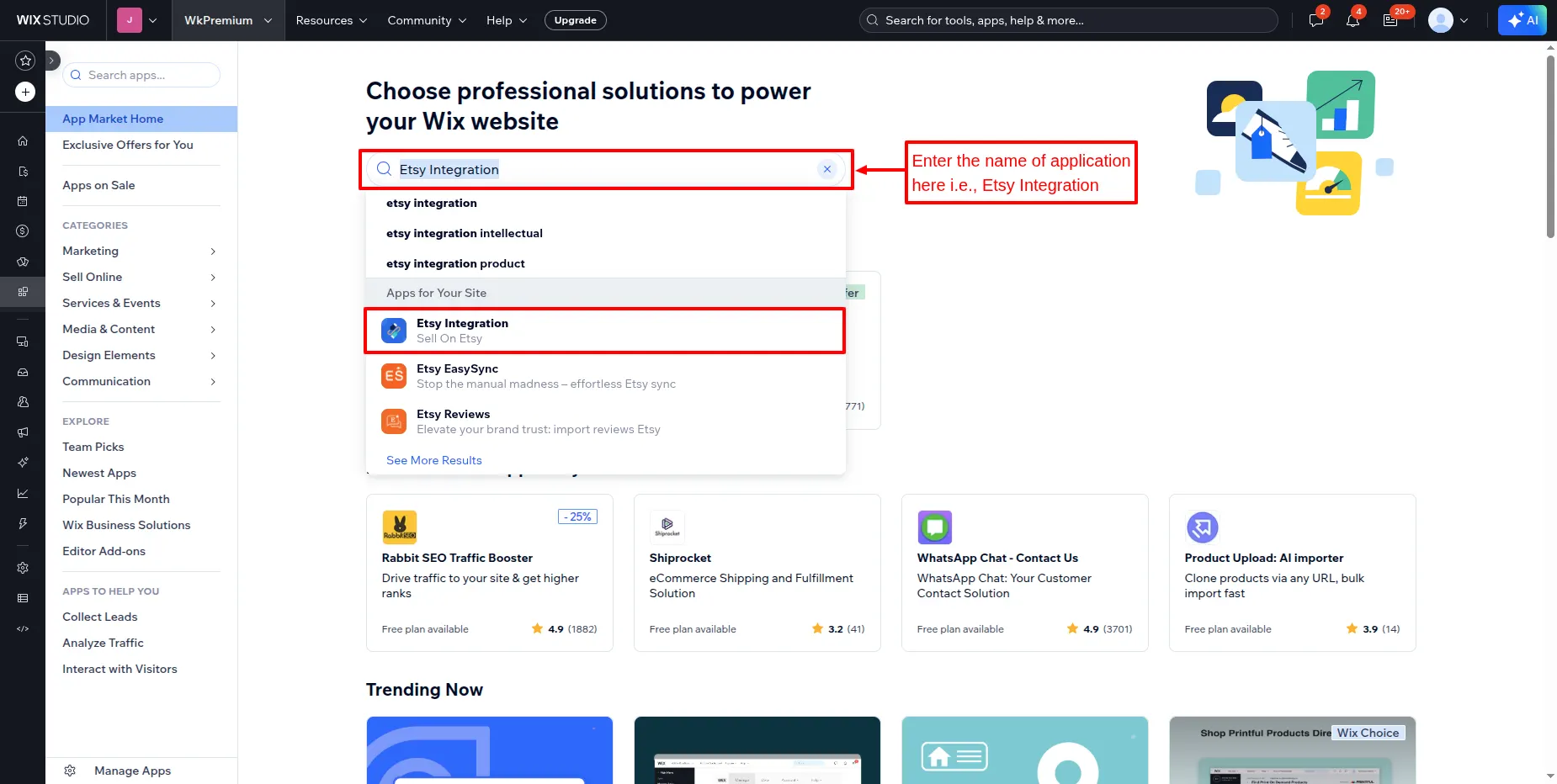
- Now, you’ll be redirected to the app market page from where you need to search for “Etsy Integration“.
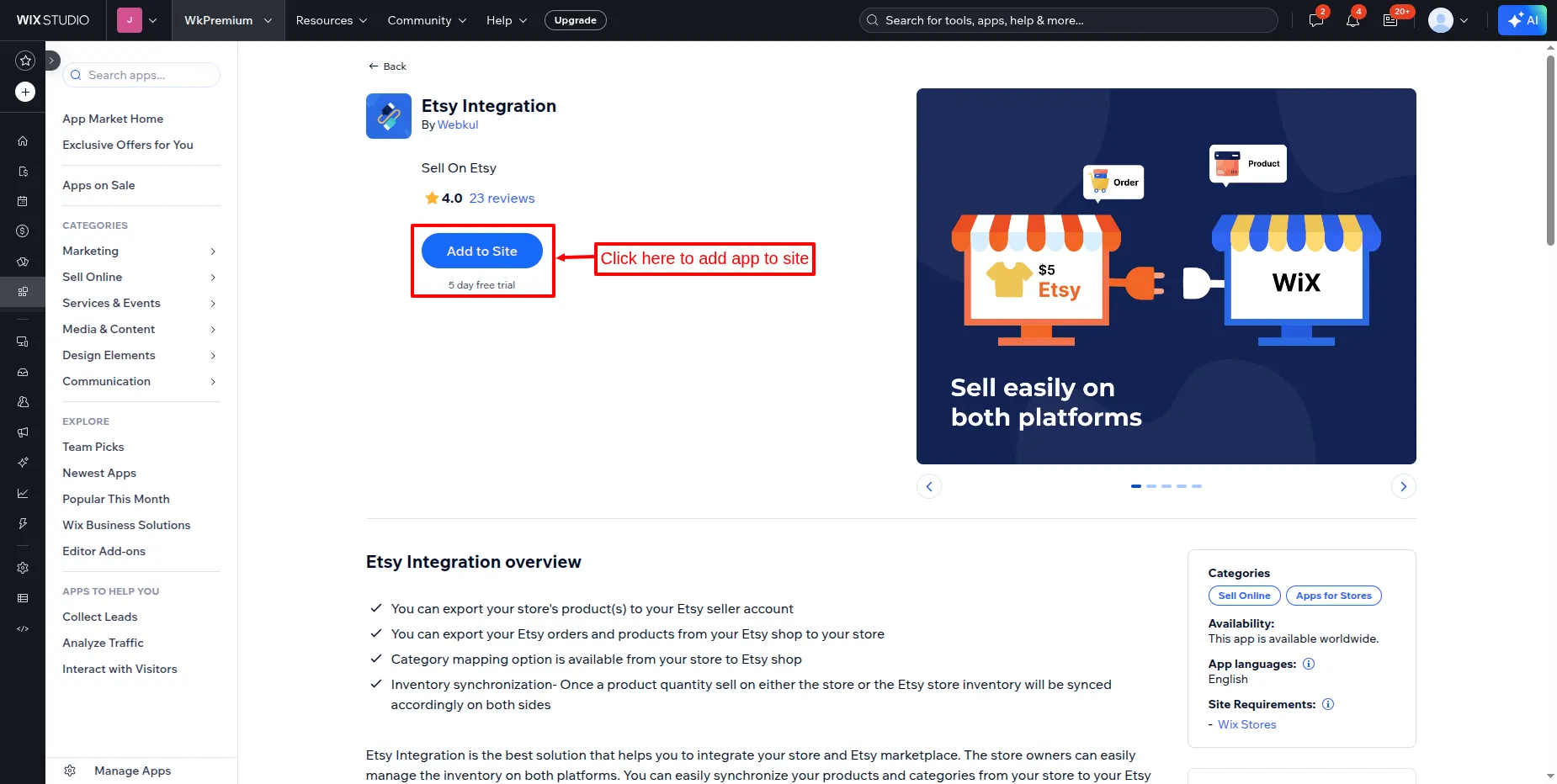
- Click on Add to site button to add the app to your site, as shown below.
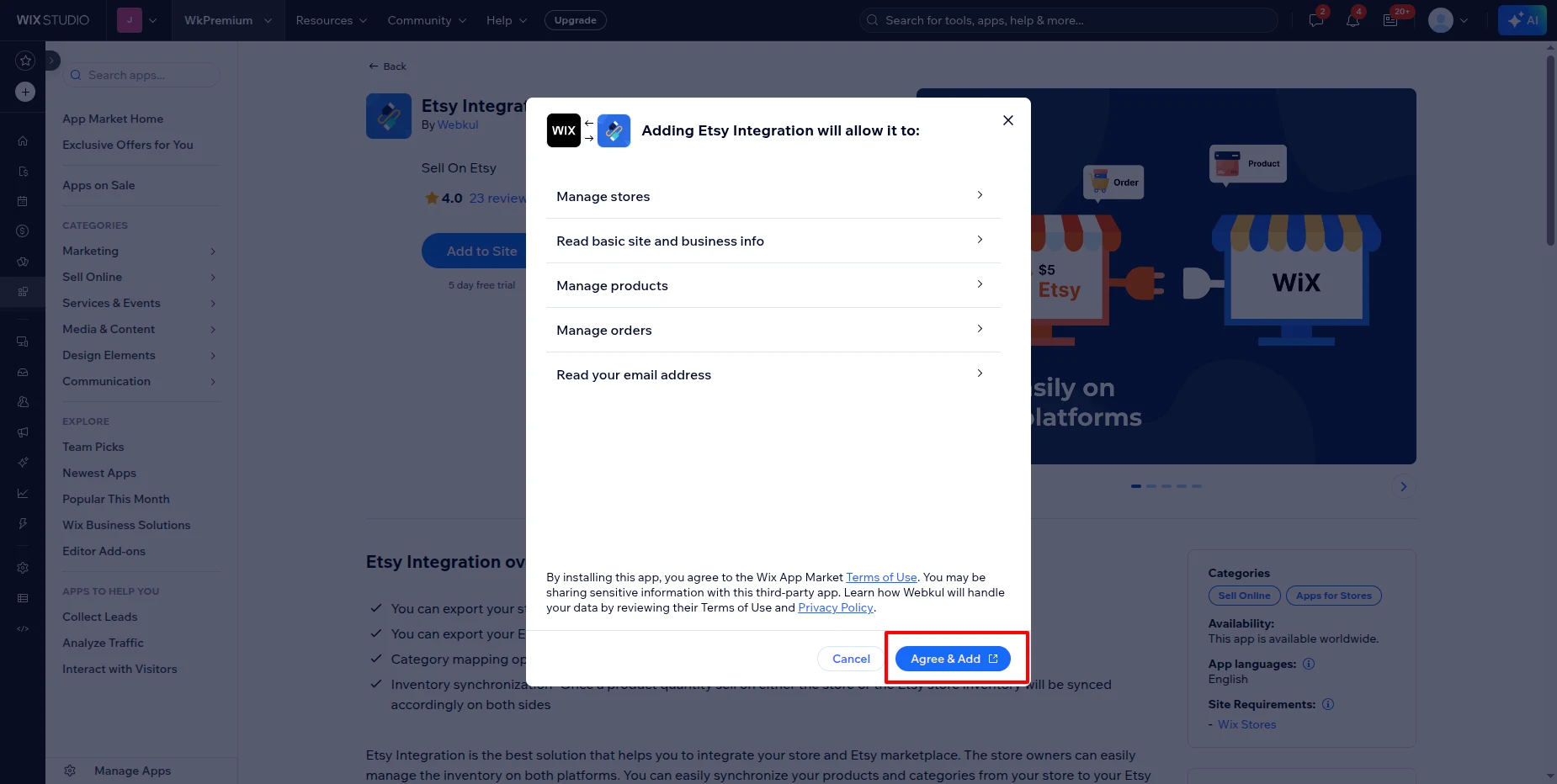
- Click on the “Agree & Add” button.
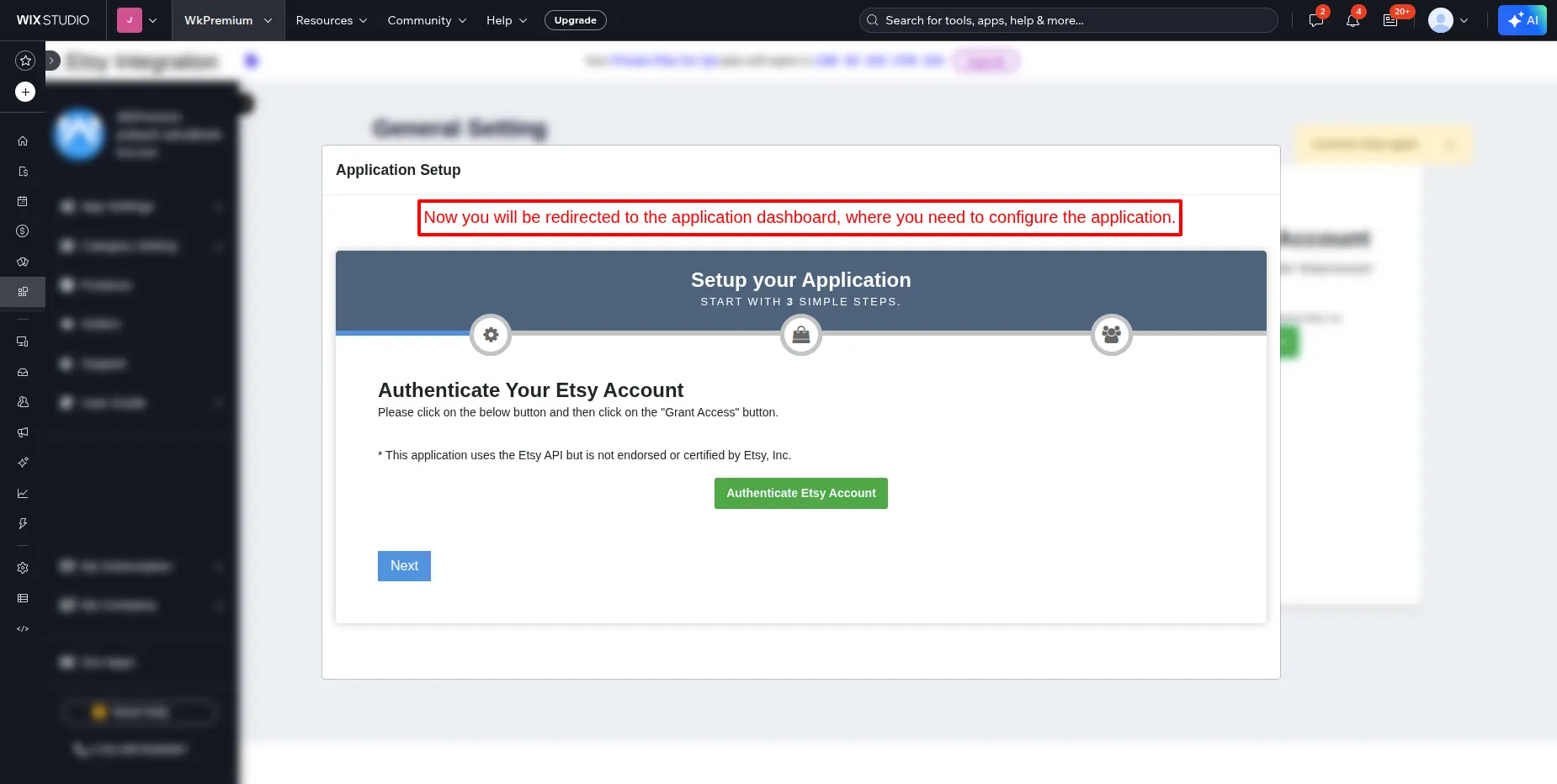
- Now, this button redirects you to the application dashboard, as shown in the screenshot below:
App Subscription :
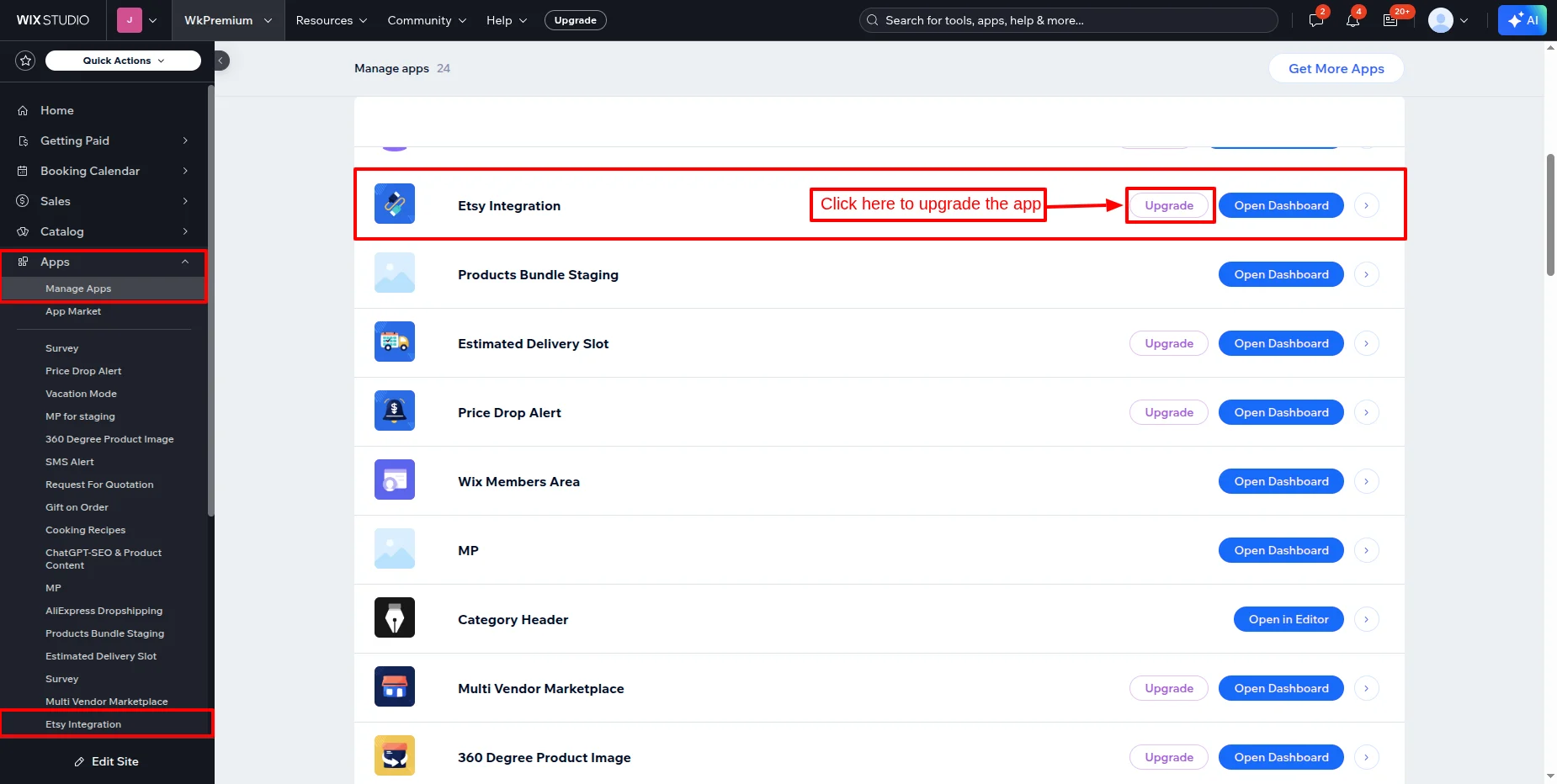
To subscribe to the app, you need to go to the Wix Dashboard, then Apps >> Manage Apps.
In front of the app, there is an upgrade option; click on the upgrade button.
App Settings :
After installing the application, configure the App Settings >> General Settings as shown below.

Sign in to your Etsy account as shown below :

Click on the Grant Access button to authenticate and connect your shop :

It connects the shop automatically and redirects you back to the General Setting page of the Application.

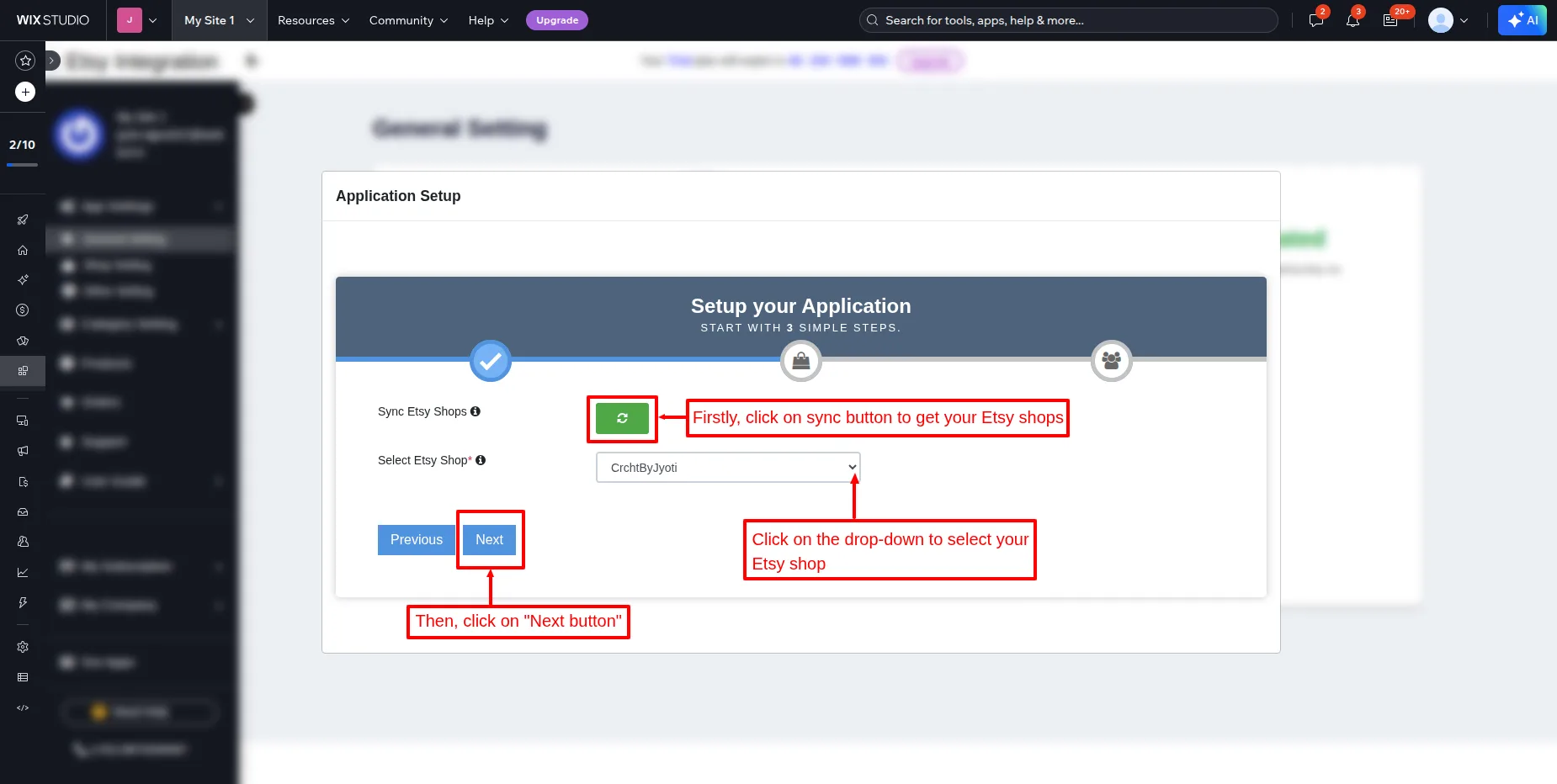
Firstly, click on sync button to ge your etsy shops and then, select the etsy shop from the dropdown and then, click on next.
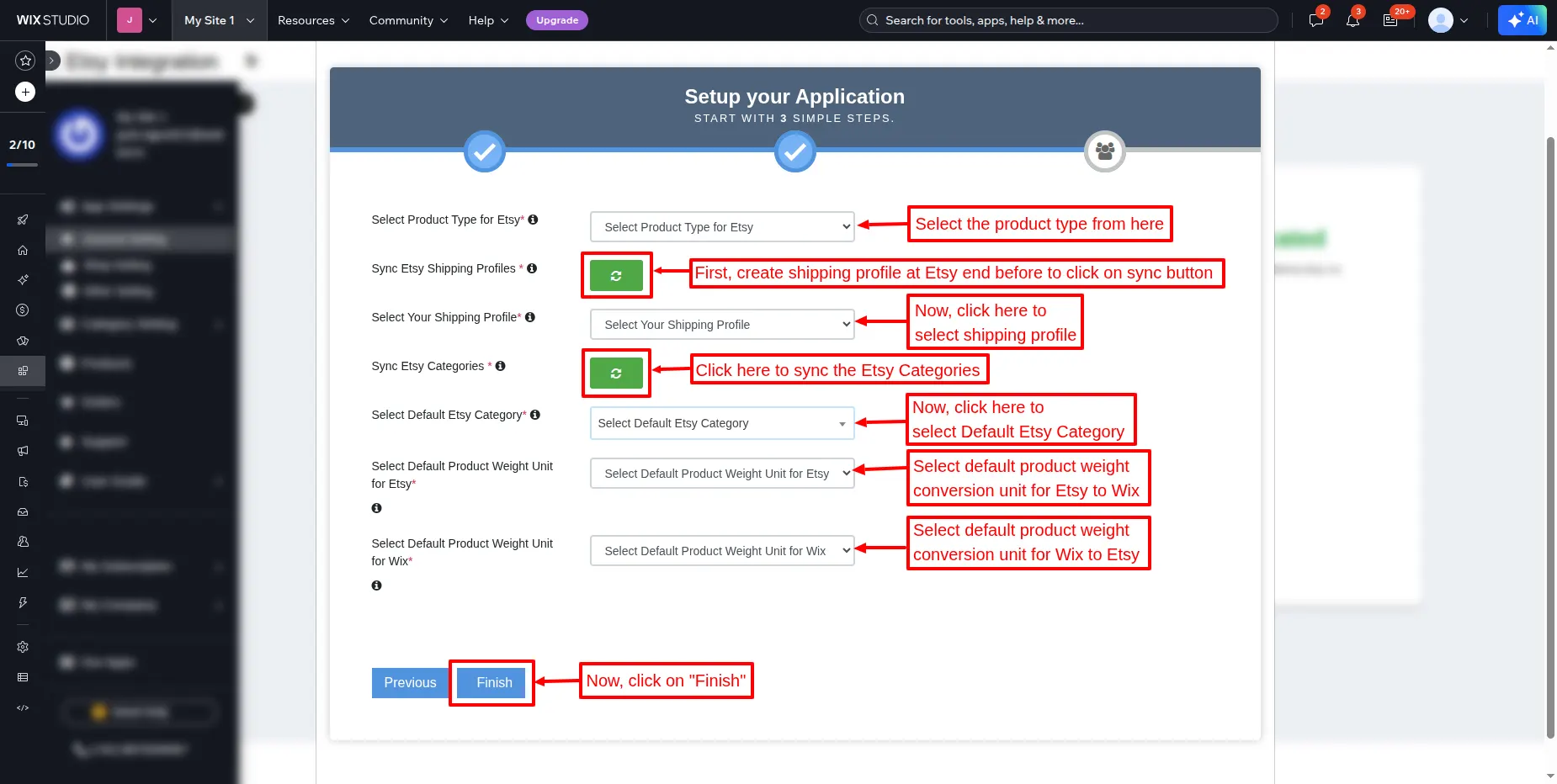
fill in the all required details.
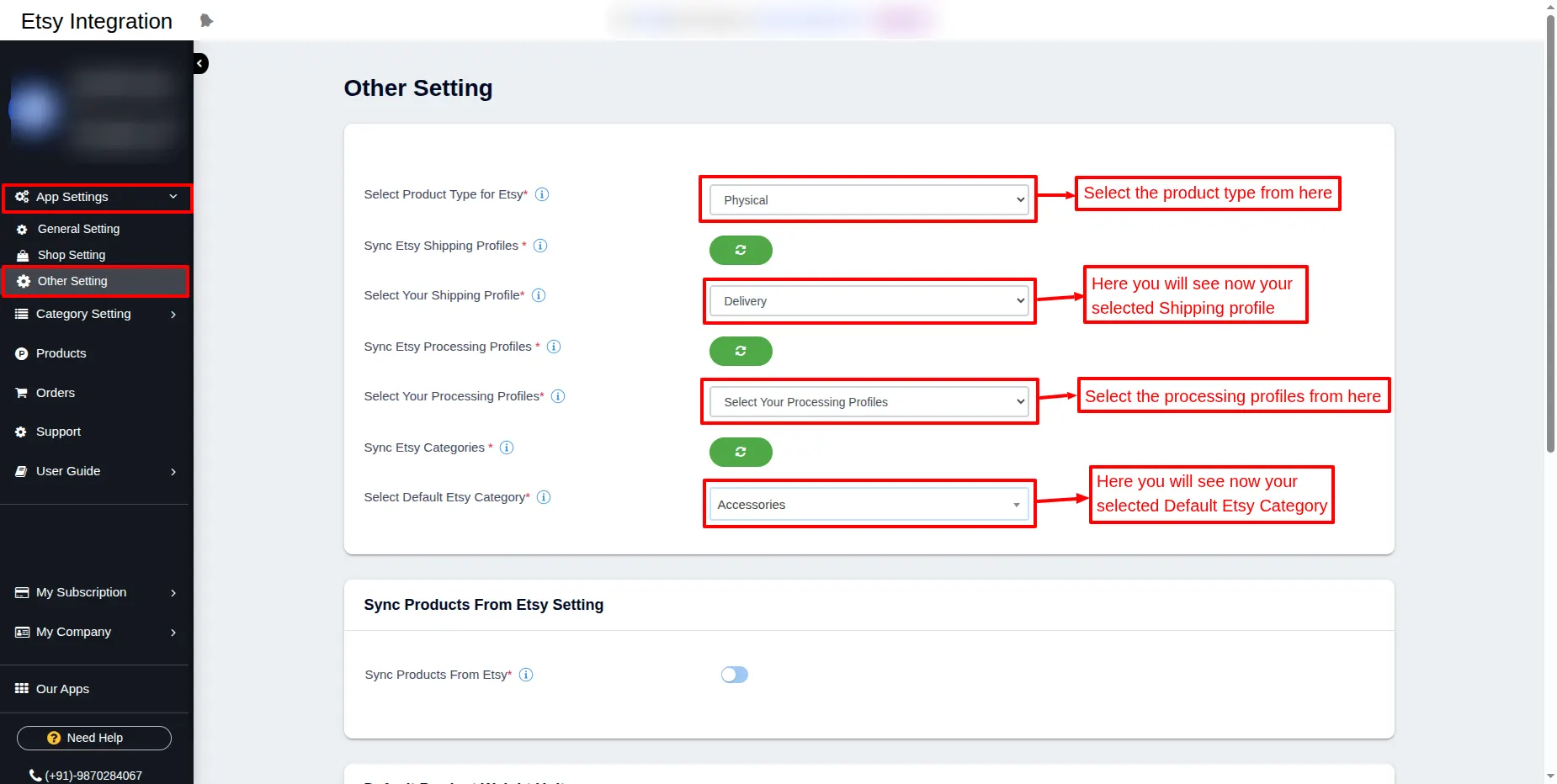
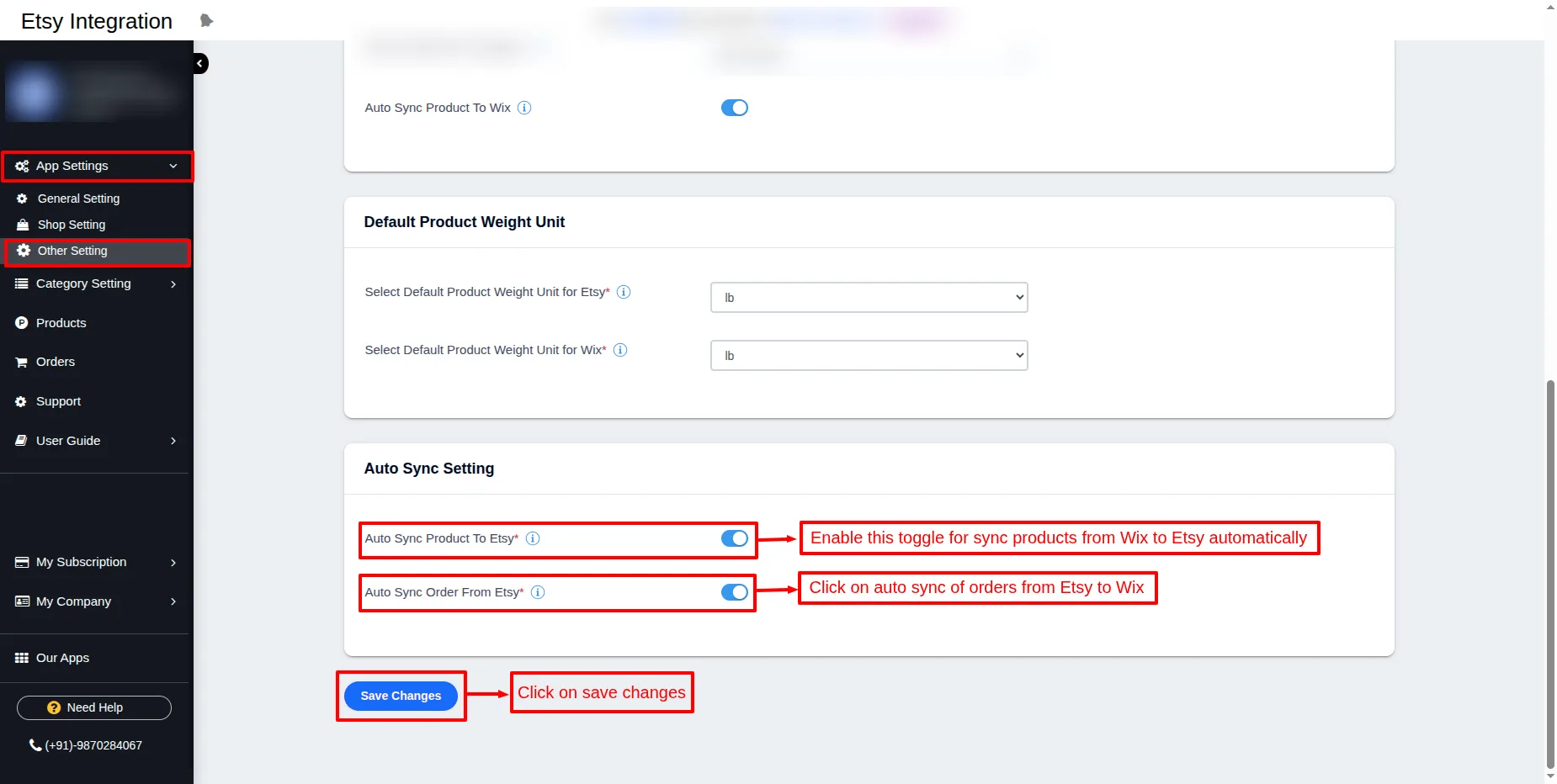
In the “Other Setting,” you will now see that whatever data you filled in wizard format will be displayed here.
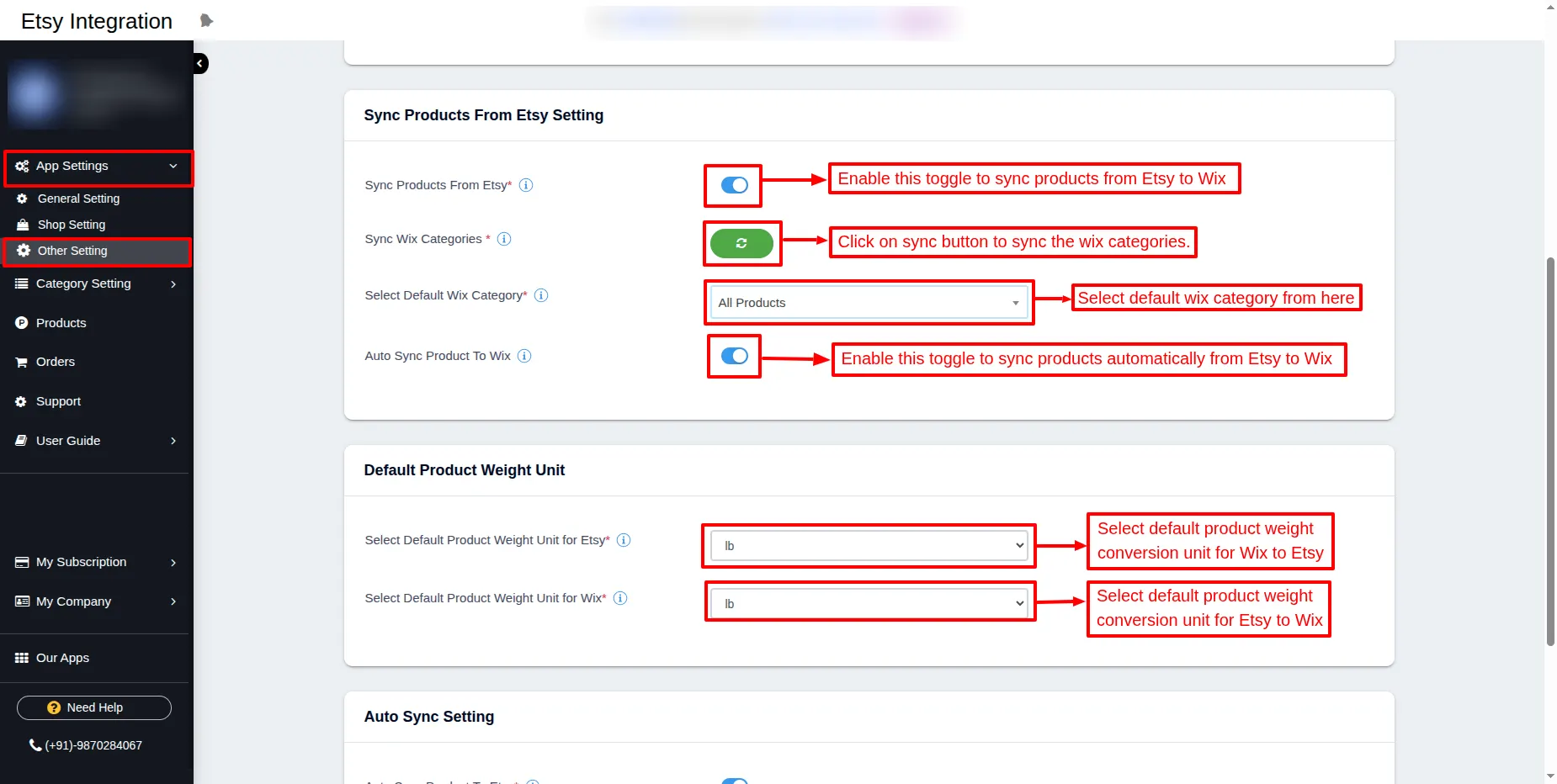
Enable the toggles for automatically syncing products from Wix to Etsy.
Click on the auto sync of orders from Etsy to Wix.
Then, Click on Save Changes.
Note: Now, create the shipping profile and processing profile at the Etsy end.
Before configuring this setting, go to your Etsy account and create the Shipping Profile & Processing Profile first.
Here is the guide to setting up a shipping profile on Etsy
Please note you have to set a fixed shipping profile, not a calculated shipping profile.
Here is the guide to setting up a Processing profile on Etsy.
Please set up a processing profile, as this is a mandatory field. You can refer to the above guide URL for assistance.
Category Mapping :
Firstly, go to Category Mapping and map the categories of both platforms from one to another.

Category Mapping List :
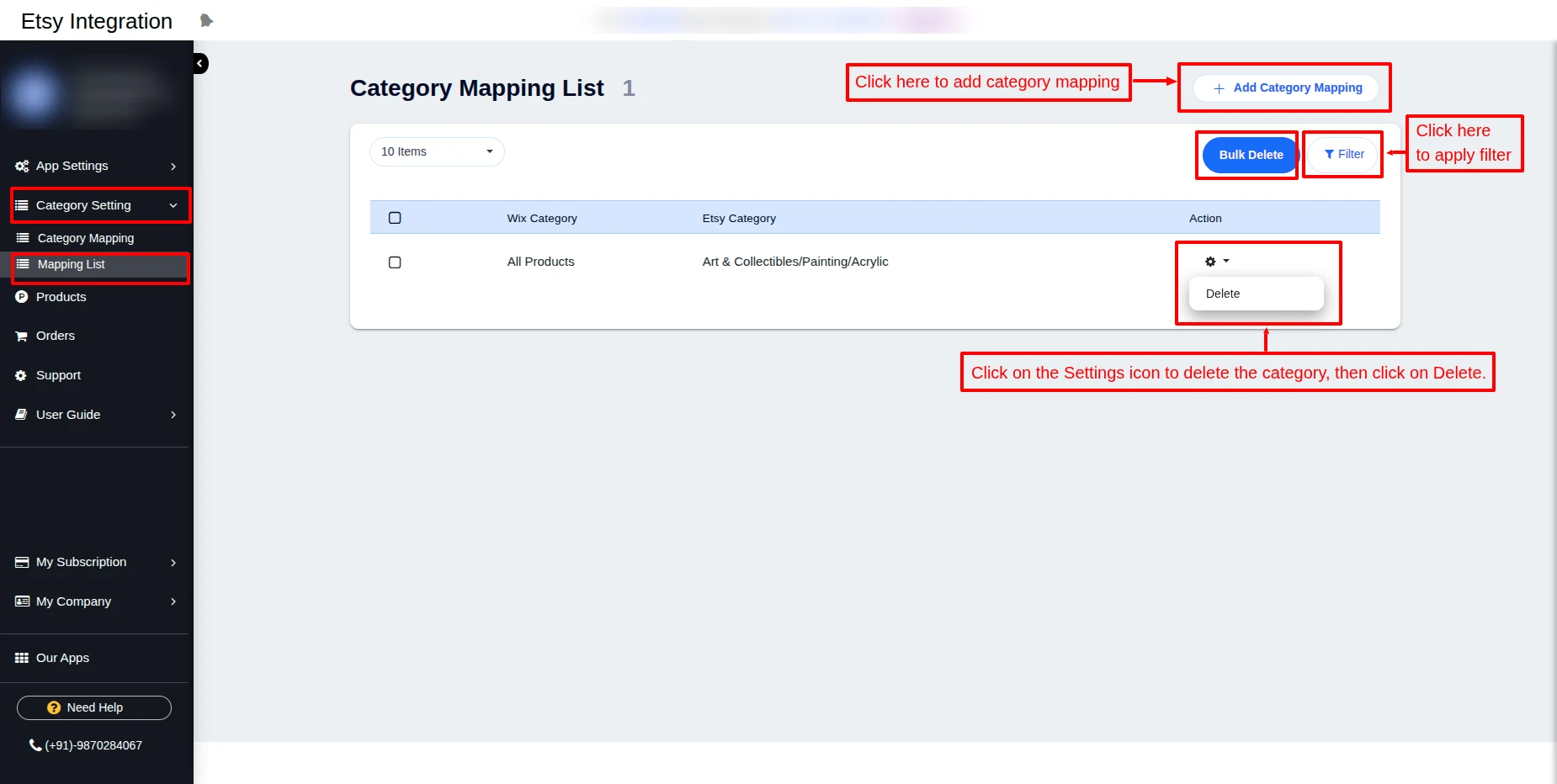
Under the Category Mapping List, you can see the list of mapped categories.
The product sync is done on the basis of category mapping.
The delete option is available for the mapped category using the action button.
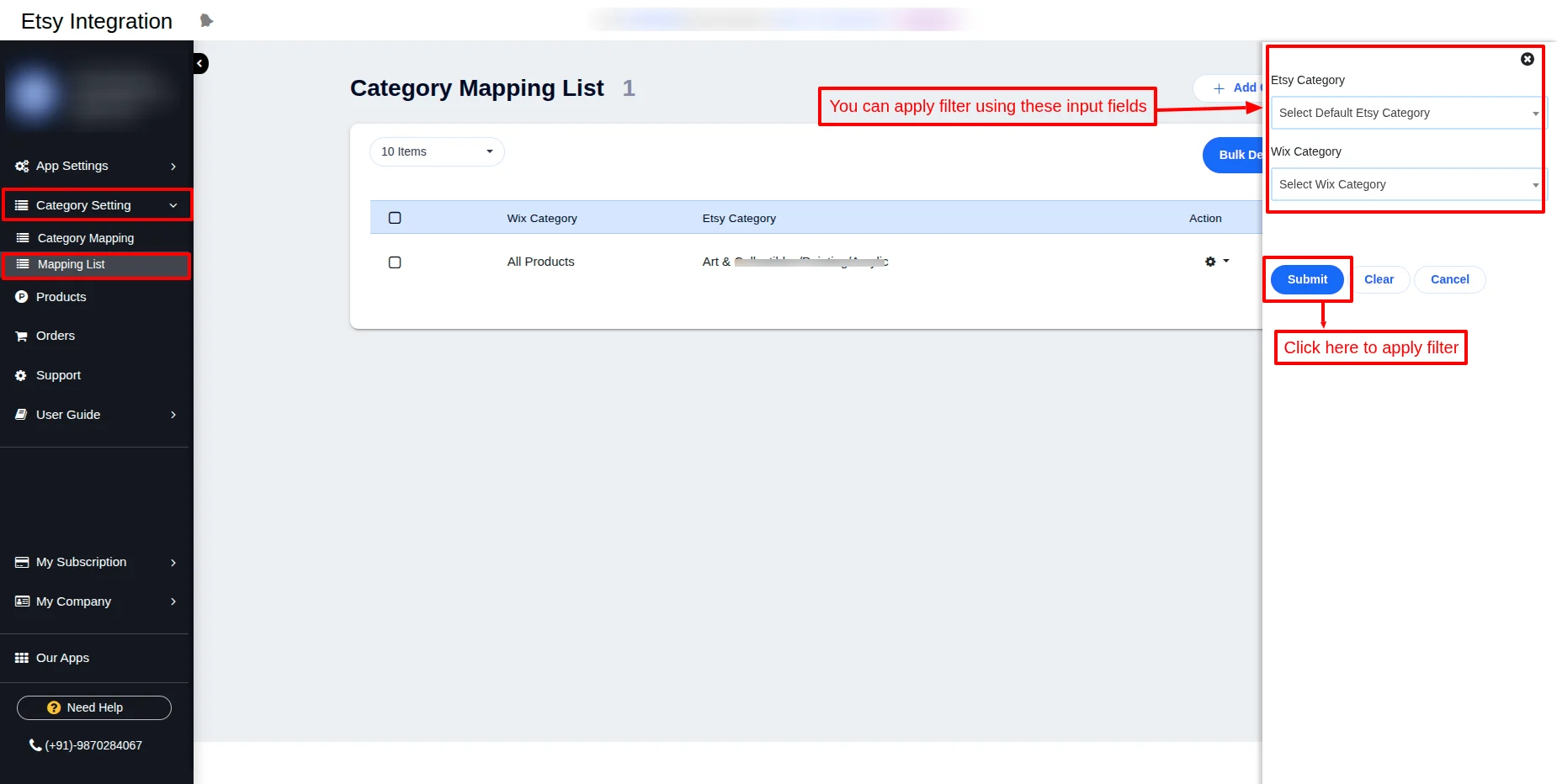
Easily apply filter using filter button.
Apply filter usng Wix and Etsy categories and click on “Submit” button.
Products :
In the products section, you can sync the products from Wix to Etsy and Etsy to Wix.
You can see the products that you have synced before on the same page.
The admin can also sync selective Products and also in bulk.
Whenever a product( quantity) gets sold on either the Wix store or the Etsy store, inventory will be synced accordingly on both platforms.
Note: If any product is not synced to the Etsy end, then under status, you can see the error notification of the reason for not being synced.
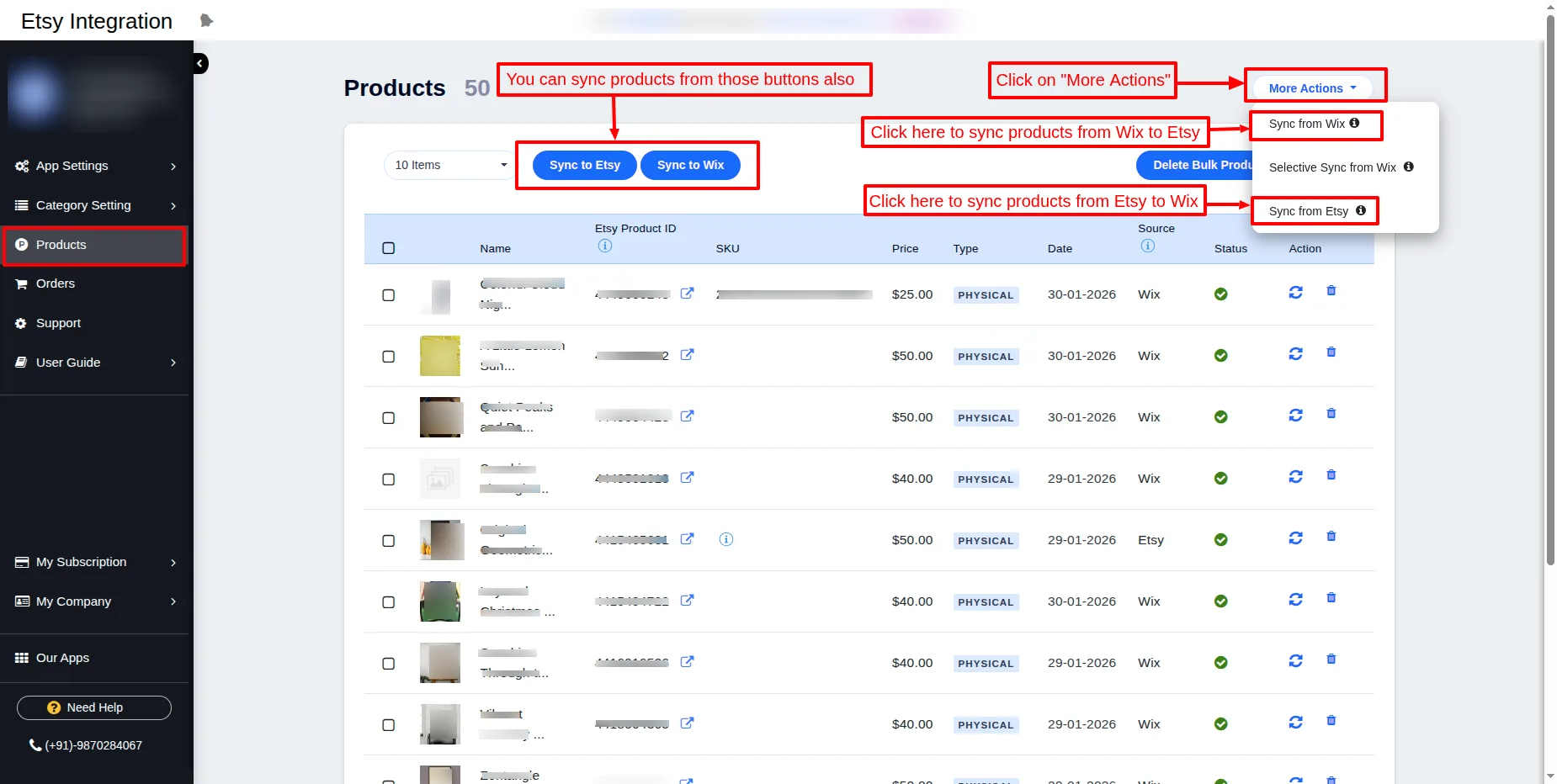
sync-to-etsy.
Digital Products:
Digital products and products that combine both physical and digital can be synced bidirectionally.
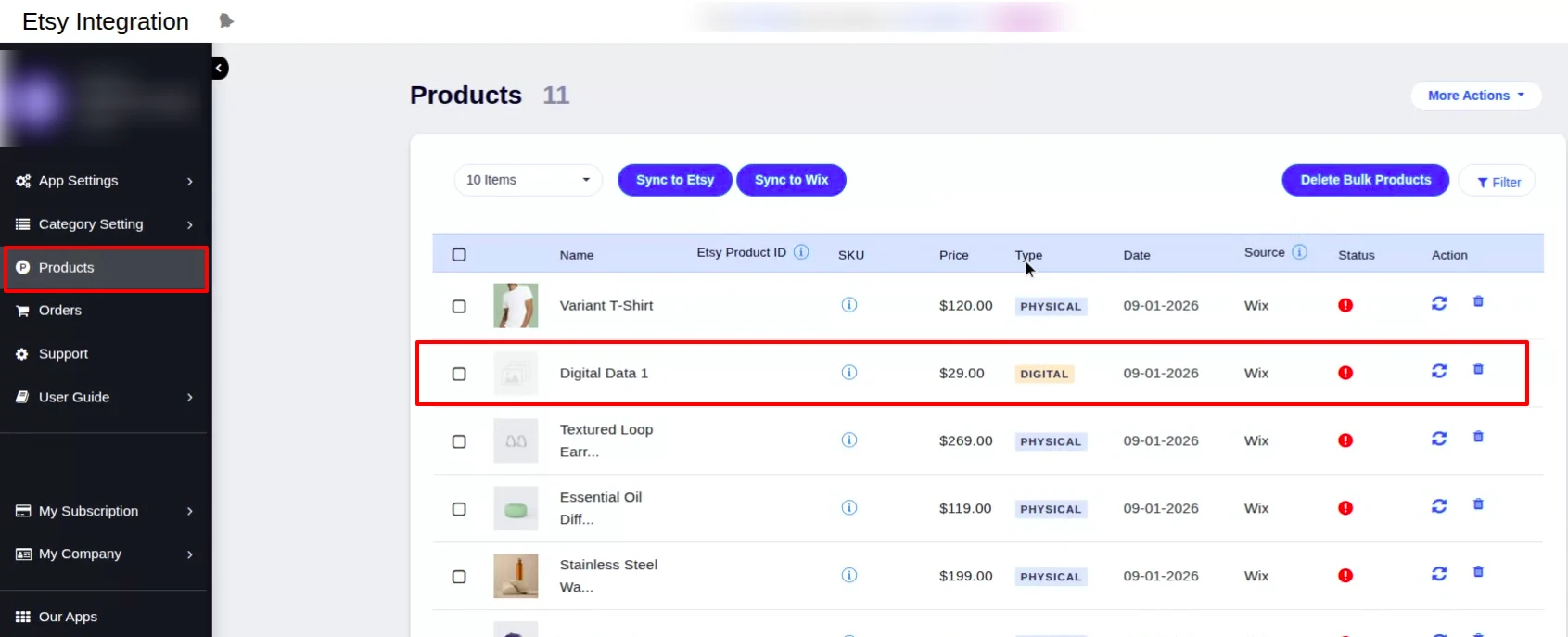
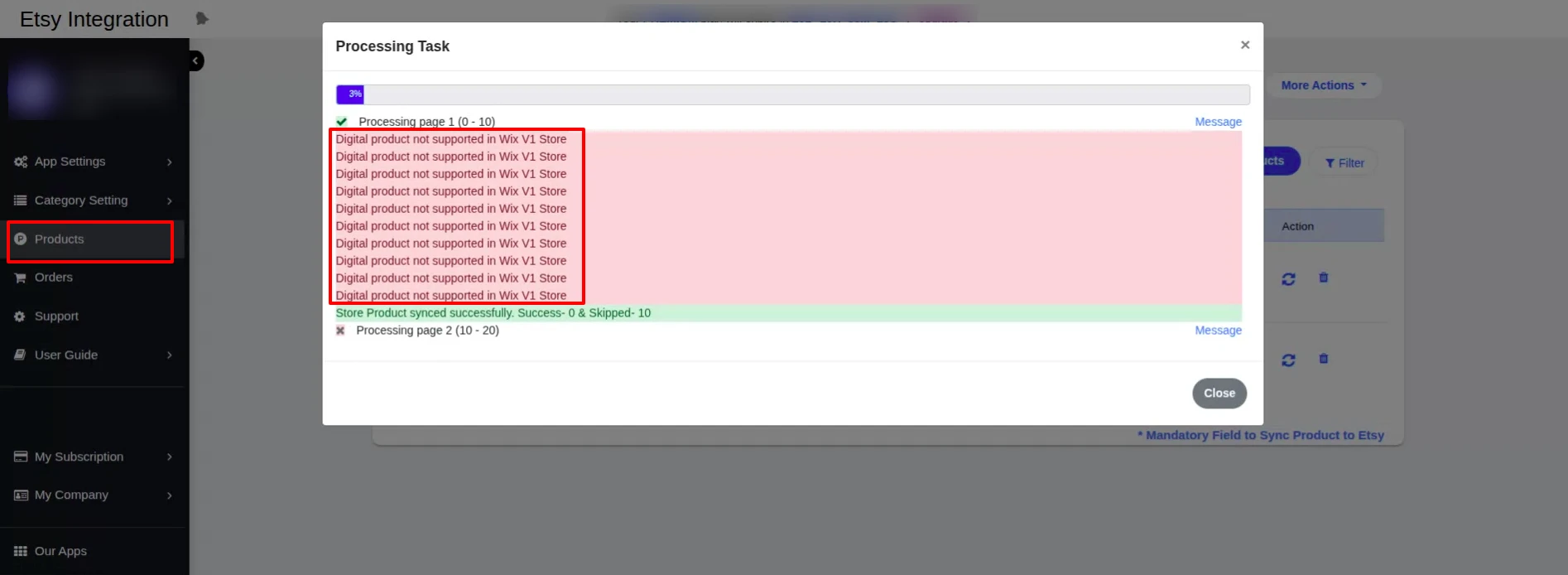
Note: For syncing digital products, your store must be compatible with the Wix Catalog V3.
In stores that are only compatible with Catalog V1, you will encounter an error such as “Digital products not supported in Wix V1 Store”, as shown in the screenshot below.
New Features Upgrade –
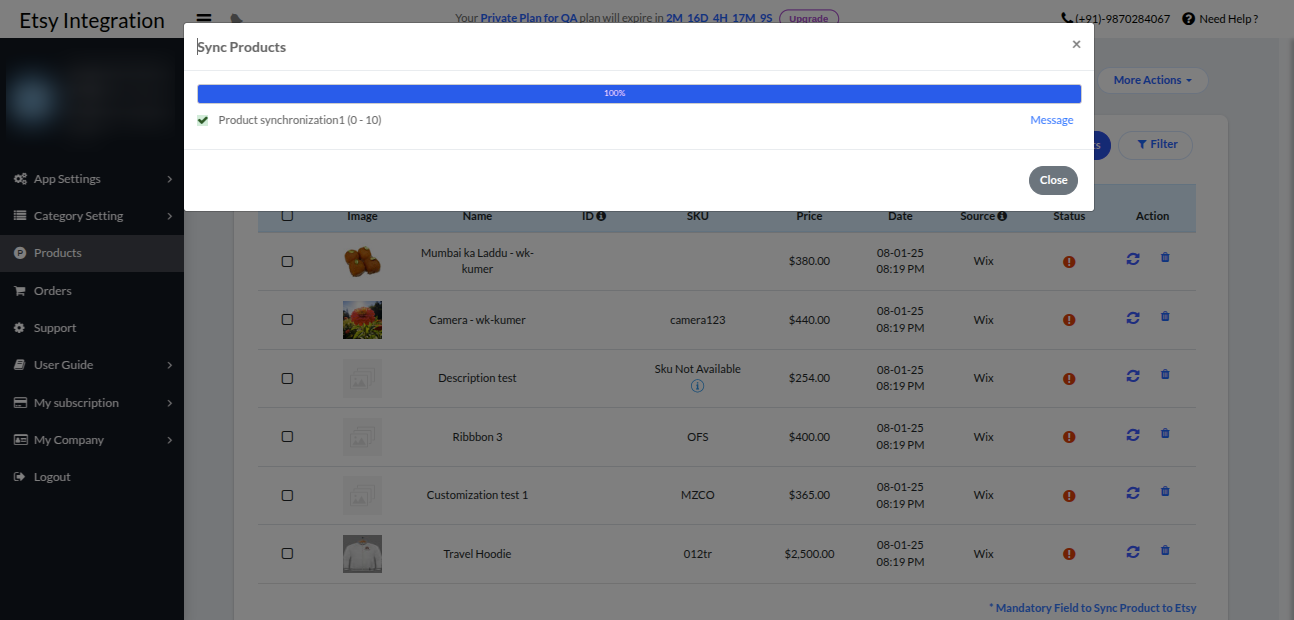
1. Product selective sync functionality
Now you can select the products that you want to sync from Wix to Etsy end.
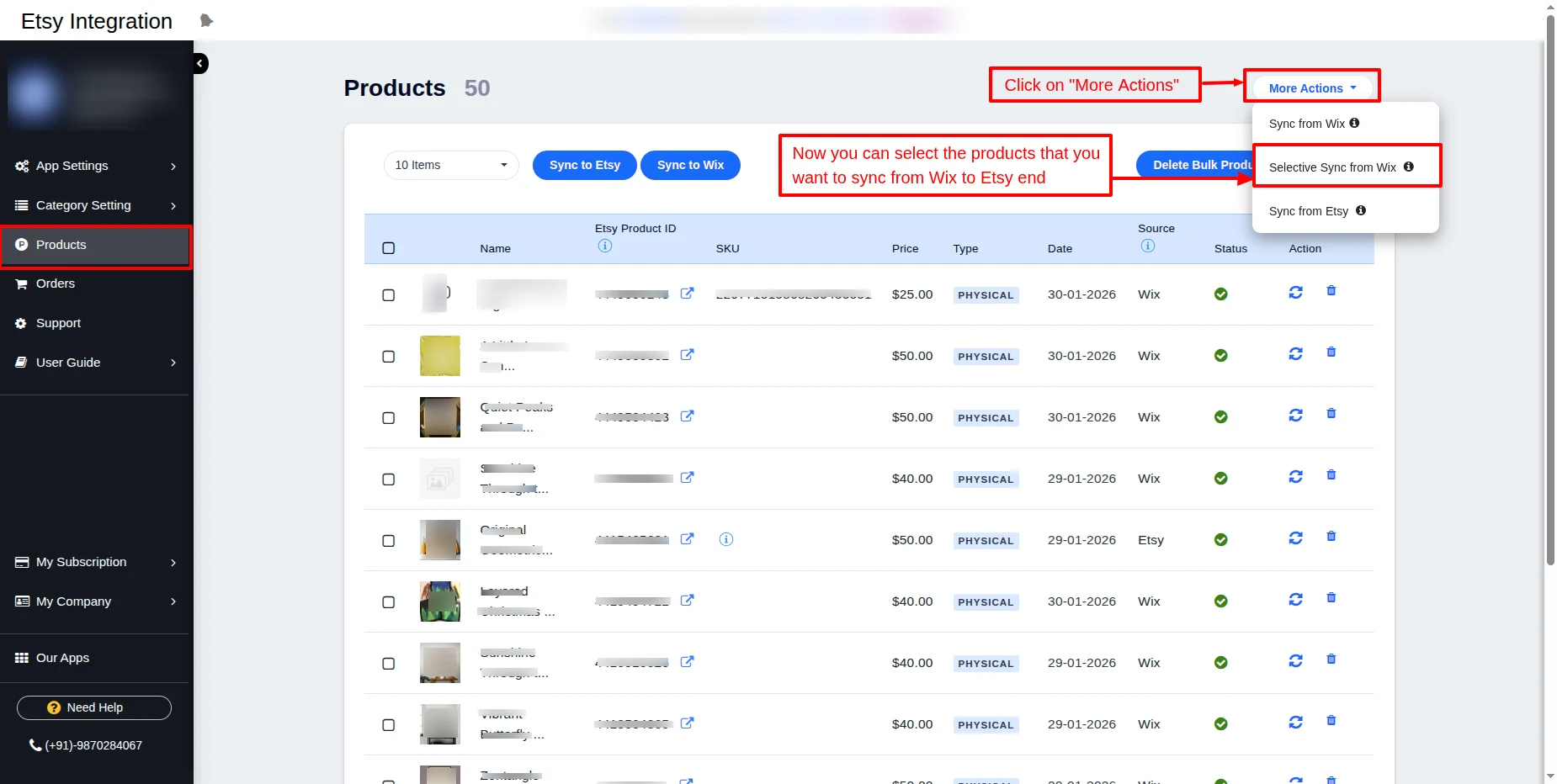
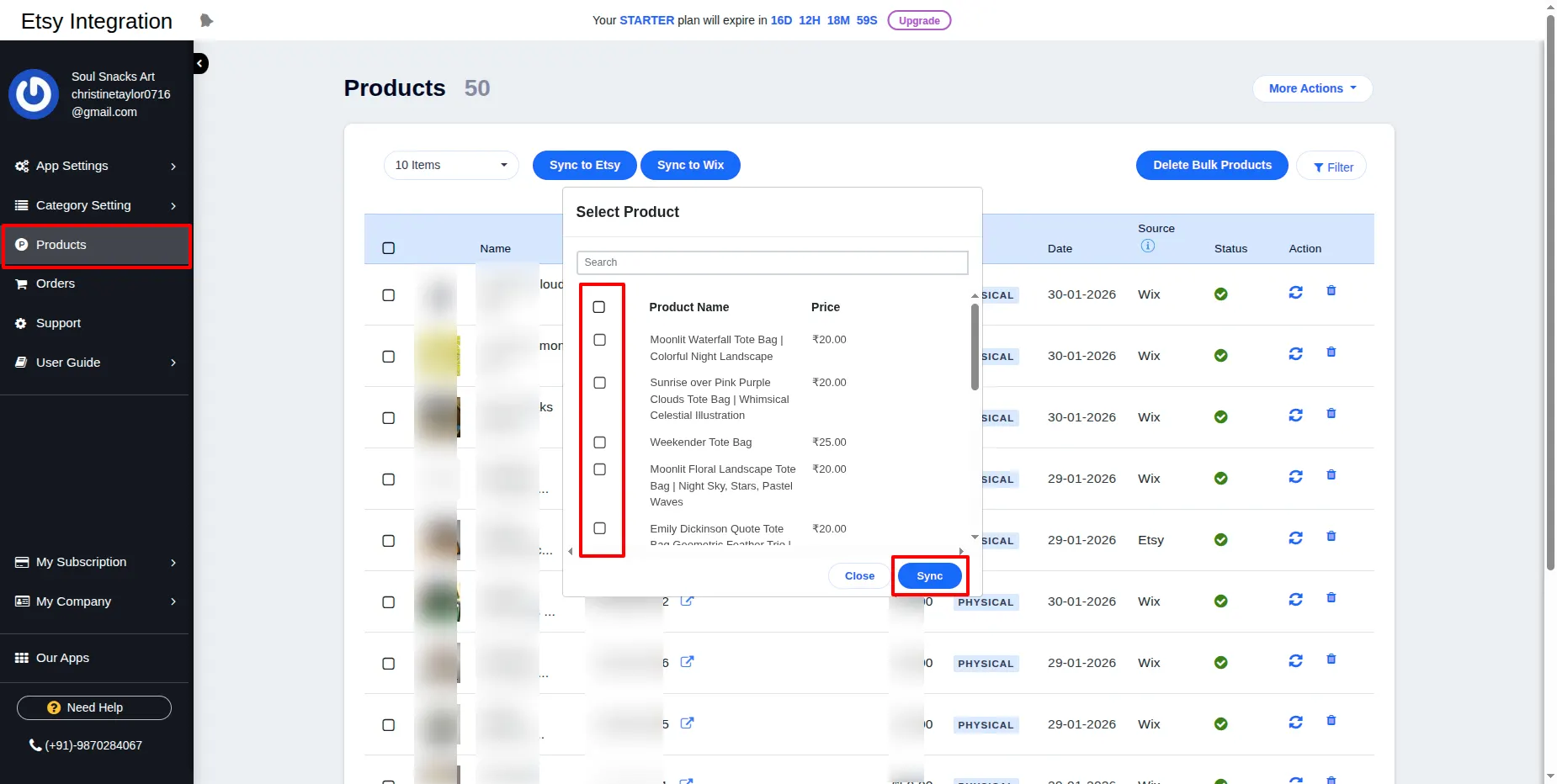
On clicking the Selective Sync from Wix button, as shown in the above screenshot, you will be able to see the pop-up as shown below, from where you can select products to sync.
2. Product single delete and bulk delete functionality:
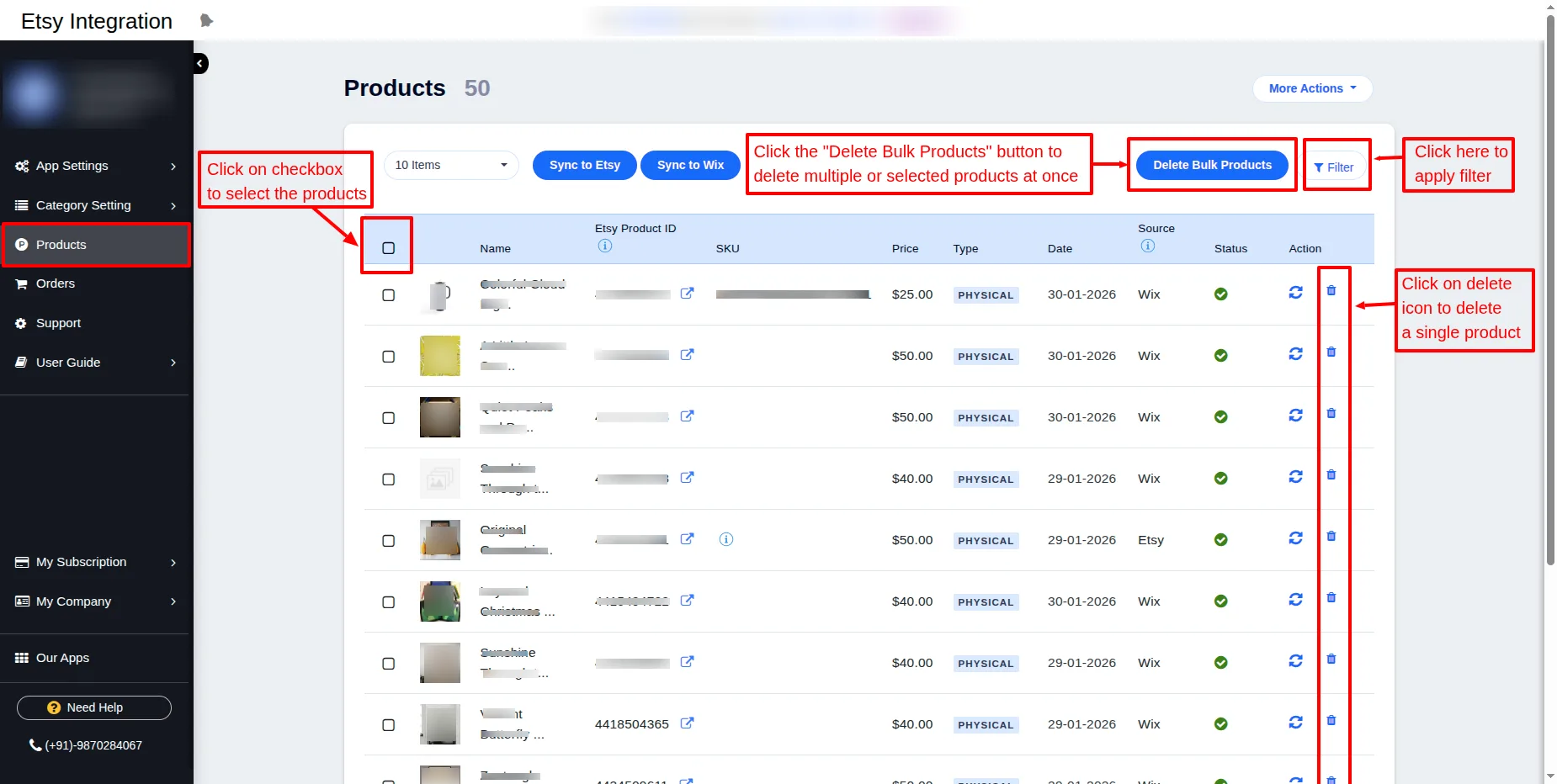
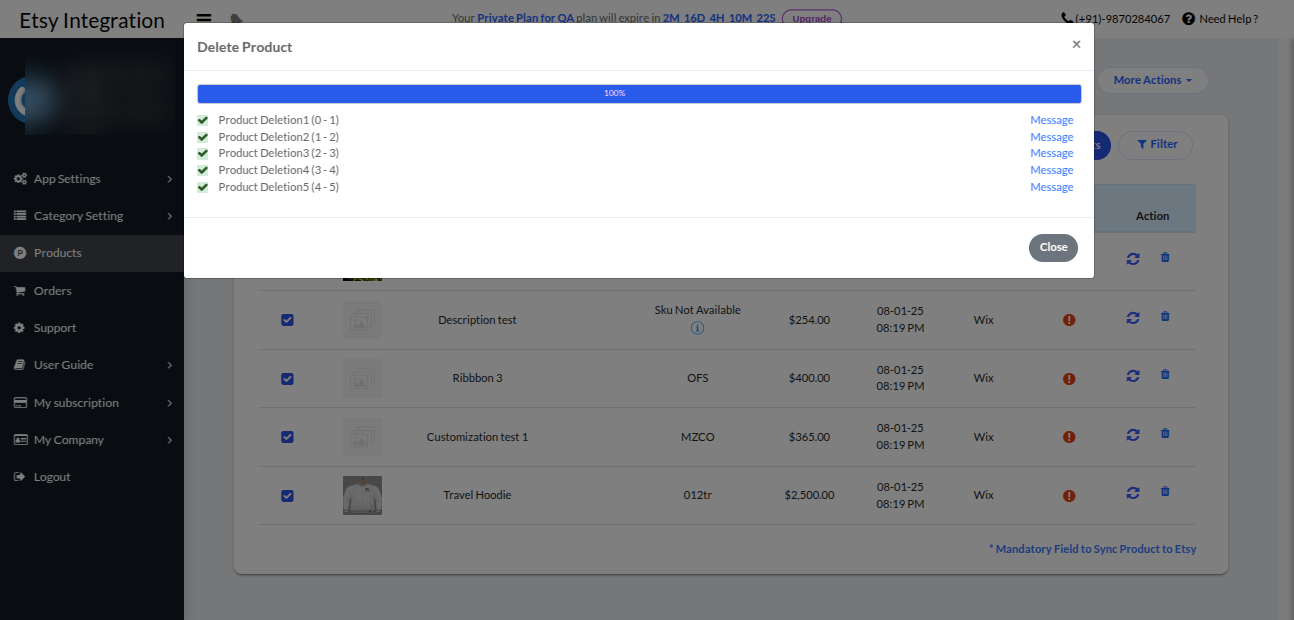
You can delete products by selecting a single or a bulk product that you don’t want to sync.
Also, you can apply filter using filter button.
Orders:
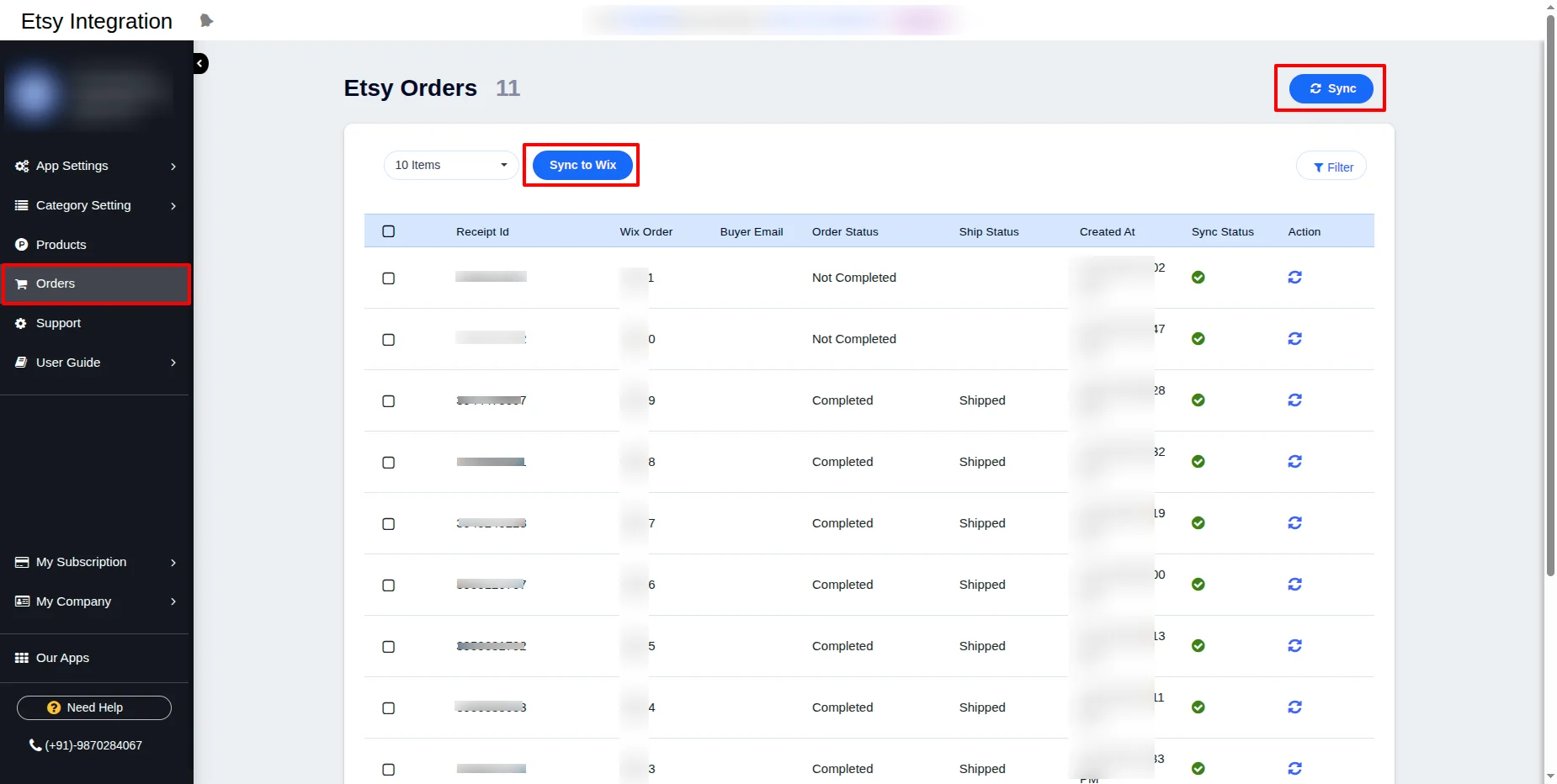
In the orders section, you can automatically sync the orders from Etsy to Wix.
Orders that are already synchronized to Wix are also listed on the same page.
When an order gets placed on the Etsy store, a copy of that order will be created at the Wix end too, with a new ID but having a corresponding Etsy order ID too, so that it can be easily identified.
Note: If any order is not synced to the Wix end, then under status, you can see the error notification of the reason for not being synced.
Support:
For any support/assistance, you can contact Webkul.

Etsy End View
Product View on Etsy End :
You will sync all the products to your Etsy shop with their status “draft.” You can publish them as needed.


Order View on Etsy End :
Synced order view at the Etsy end.

WEBKUL SUPPORT
I hope this blog will help you to understand the complete process involved in the Etsy Integration App for Wix. If in case you have any queries, please generate a ticket https://webkul.uvdesk.com
For More Development on Wix, contact us.


8 comments
We have created a ticket on your behalf and soon you will get a resolution to your queries over that.
Thanks and Regards,
Team Webkul
We have created a ticket on your behalf and soon you will get a resolution to your queries over that.
Ticket URL – https://webkul.uvdesk.com/en/customer/ticket/view/576807
Thanks and Regards,
Team Webkul
We have created a ticket on your behalf and our team will soon revert to your queries over it.
Thanks.
We have created a ticket on your behalf and our team will soon revert to your queries over it.
Thanks.