PrestaShop Add Product with Customization Directly into Cart facilitates customers to add product with customization directly into the cart without saving the customization first.
In default PrestaShop, the customers have to save the customization first and then add product to the cart.
The module removes the step of saving the customization and allows customers to save & add customization to cart with a single click, thus saving their time and speeding up the checkout process.
Features of PrestaShop Add Product with Customization Directly into Cart
- Add the product customization directly to the cart.
- Adds ‘Save & Add to Cart’ customization button on product page.
- Customers can click on this button to save and add product customization into cart.
- Allow customers to edit product customization on the shopping cart page.
- Choose to disable customization fields if stock management is enabled and product is out of stock.
- Add selectors as per your custom theme for different fields and options.
How to Install PrestaShop Add Product with Customization Directly into Cart
- Firstly, go to the module manager in the back office and click on ‘upload a module’.
- After that, drag and drop the module file or select the file from the system.
- In this way, the module installation will be successful.


Module Configuration
Add product customization directly into cart settings

Under this tab, the admin can:
- Choose to hide ‘save and add to cart customization’ button on product page.
- Choose to disable custimzation fields if stock management is enabled and the product is out of stock.
- Allow customers to edit customization on the shopping cart page.
Front End View
As configured by the admin under module settings, ‘Save & Add to Cart’ customization button is displayed on the product page.

The customer can save and add customization to cart by clicking on this button. Also, the customer can save and add customization to cart by clicking on ‘add to cart’ button directly.
If the admin has enabled “Hide save and add to cart customization button” field, the button will not display on the product page.
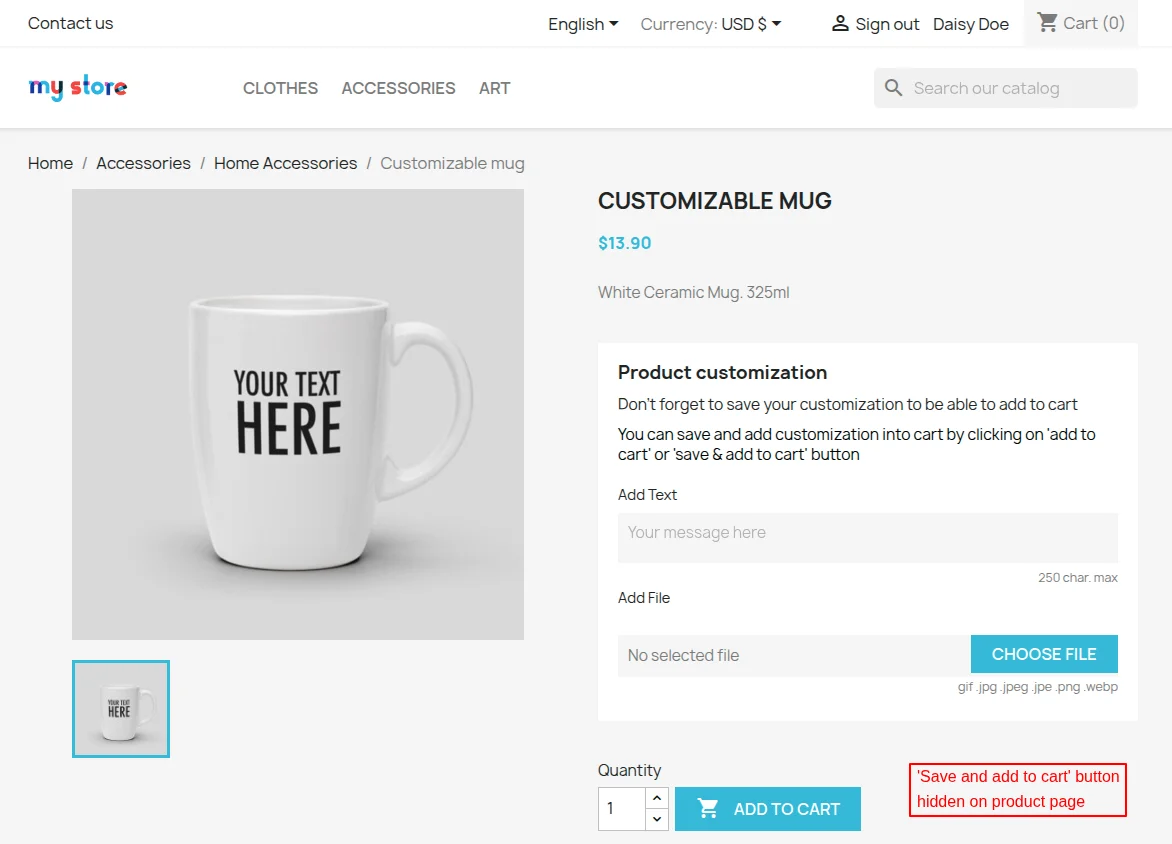
Disable customization fields if stock management is enabled and product is out of stock
If the admin has set this option to yes, then customization fields will be disabled if stock management is enabled and product is out of stock.


Front End View

Add theme selectors

Under this tab, the admin can add selectors as per custom theme for different fields & options.
Although the selectors are already filled according to Prestashop Classic Theme, it’s possible that it might not work correctly with your custom theme.
Hence, in order to make the work easier, we have provided these fields where you can add selectors for various fields & buttons by yourself.
In case, if you face any difficulty while adding selectors, please raise a ticket here. We would be more than happy to assist you.
Front End Flow
After adding the text and uploading the image in the respective custom fields, customer can add customization directly into the cart by clicking on ‘save & add to cart’ button.


Product customization link is mentioned on the cart page. Click on the link to view customization details.

On clicking the link, a popup appears on the page where the customer can view customization details.

As enabled by the admin, the customer can edit product customization details on the cart page.

This was all about PrestaShop Add Product with Customization Directly into Cart module. I hope this document will help you in checking the functionality of the module in a better way.
Also, do let us know about your views in the comments.
Support
For any kind of technical assistance or query, please raise a ticket or send us a mail at [email protected]
Also, please explore our Prestashop development services and vast range of quality Prestashop addons.
Current Product Version - 4.1.4
Supported Framework Version - 9.x.x, 8.x.x, 1.7.x.x


Be the first to comment.