INTRODUCTION
Odoo Marketplace Advance Commission: Set various commission rules efficiently!!
Marketplace is a platform where multiple sellers offer their products to reach more customers and earn profits. As the marketplace admin, you are responsible for managing their commissions.
The Odoo Marketplace Advance Commission Module allows you to set commission rates for products, categories, and sellers based on their sales.
This module lets you apply fixed, percentage-based, or combined commissions, with options to set minimum or maximum rates if a product falls under multiple categories.
Prerequisites For Using Odoo Marketplace Advance Commission Module
Odoo Marketplace Advance Commission works together with this module:
To make the Odoo Marketplace Advance Commission work correctly, you must first install these modules.
FEATURES
- The Odoo Marketplace Advance Commission sets commissions on products, categories, and sellers’ profiles.
- It can choose percentage, fixed, or both types of commissions.
- Product commission takes priority over category and seller commissions.
- If no product commission is set, category commission is applied.
- If no category commission is set, seller profile commission is applied.
- Decide whether to use the minimum or maximum commission rate for multi-category products.
- Define commission type (category, product, etc.) or use default for orders.
- Odoo Marketplace Advance Commission applies commission criteria to all sellers.
INSTALLATION
- Once you have purchased the module from our Webkul store, you will receive a link to download the zip file of the module.
- Extract the file on your system after the download finishes. You will be able to see a folder named- ‘marketplace_advance_commission’.
- Copy and paste this folder inside your Odoo Add-Ons path.
- Now, open the Odoo and click on the Settings menu. Here, click on Activate the Developer Mode. You can activate the developer mode by typing ‘debug’ after ‘web?’ in the URL as well.
- Now, open the Apps menu and click on the ‘Update Modules List’.
- In the search bar, remove all the filters and search ‘marketplace_advance_commission’.
- You will be able to see the module in the search result. Click on ‘Install’ to install it.
WORKFLOW
Configuration
Admin View
- Once the installation is complete, navigate to the Odoo seller dashboard. From there, follow the path Configuration >> Settings to access and configure.
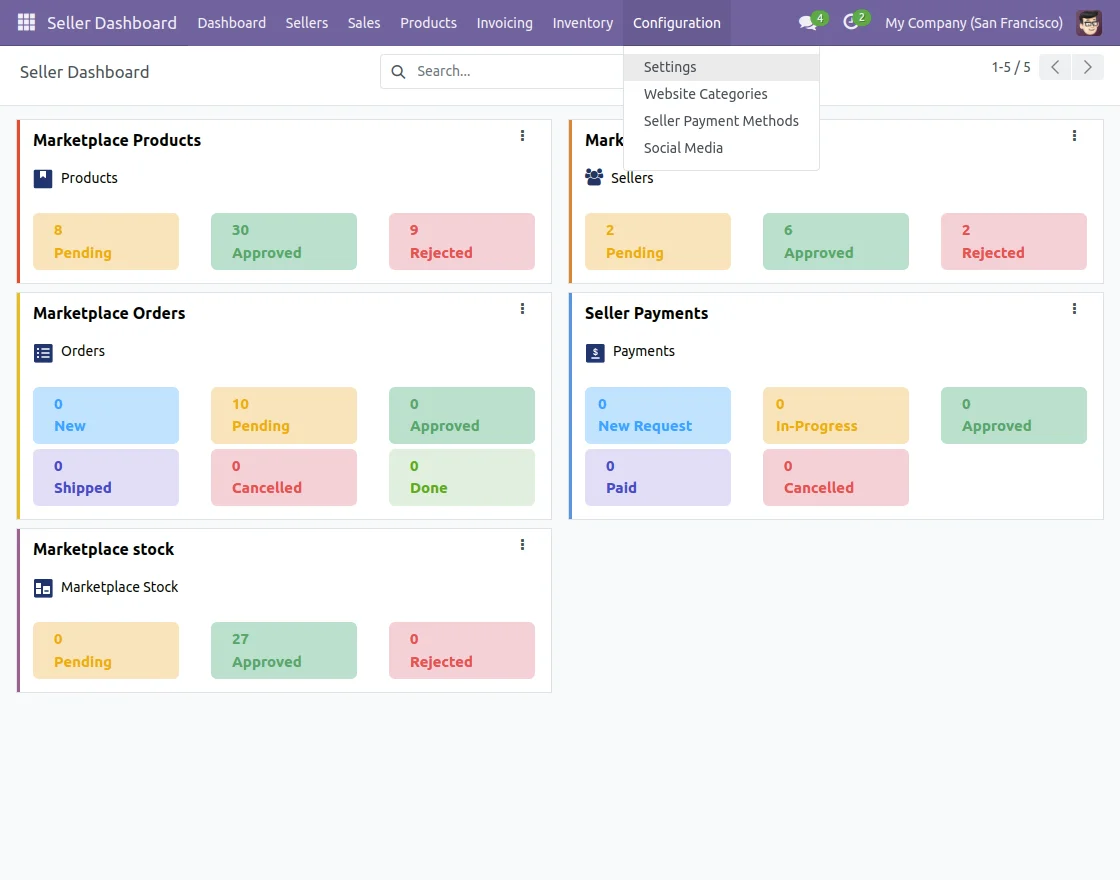
- After that, check under the Payment Terms option, and set the commission type, commission category, and global commission for sellers of the marketplace.
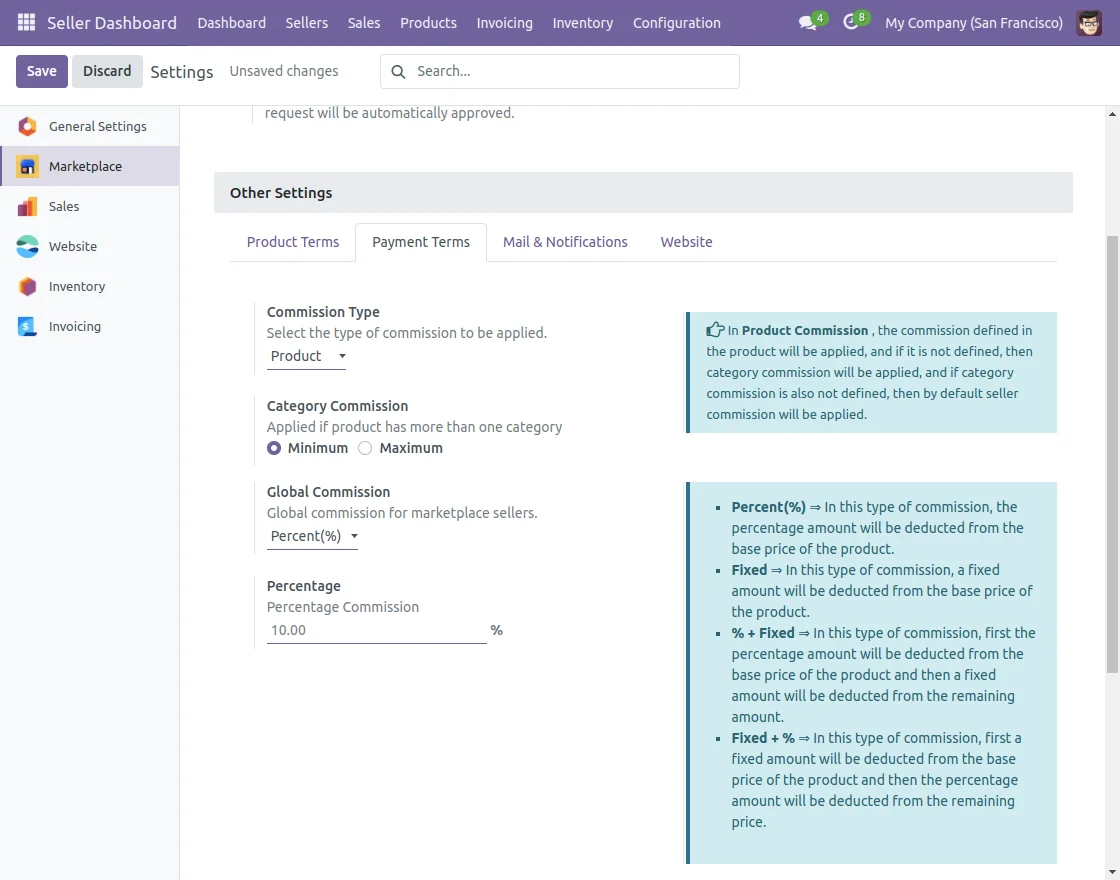
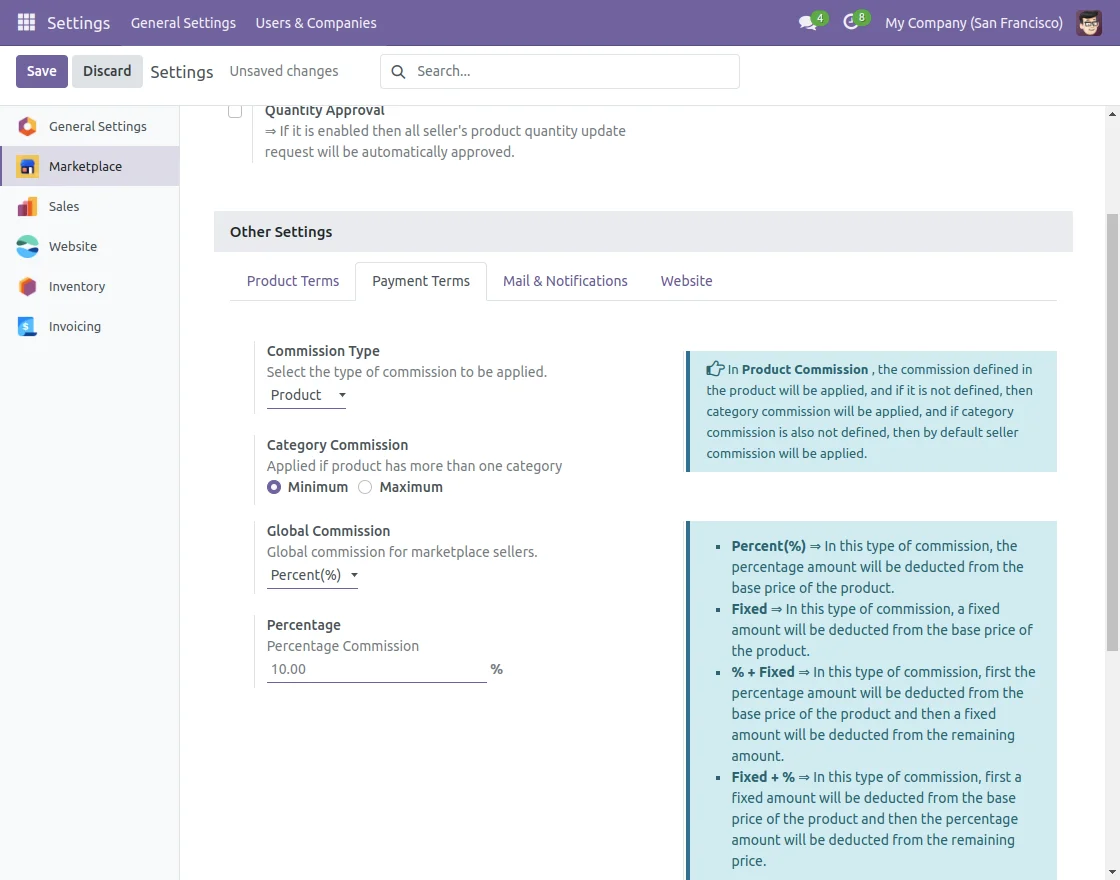
- Select the commission type as ‘Product‘ meaning the commission defined for each product will be applied. This allows for specific rates per product, providing flexibility.
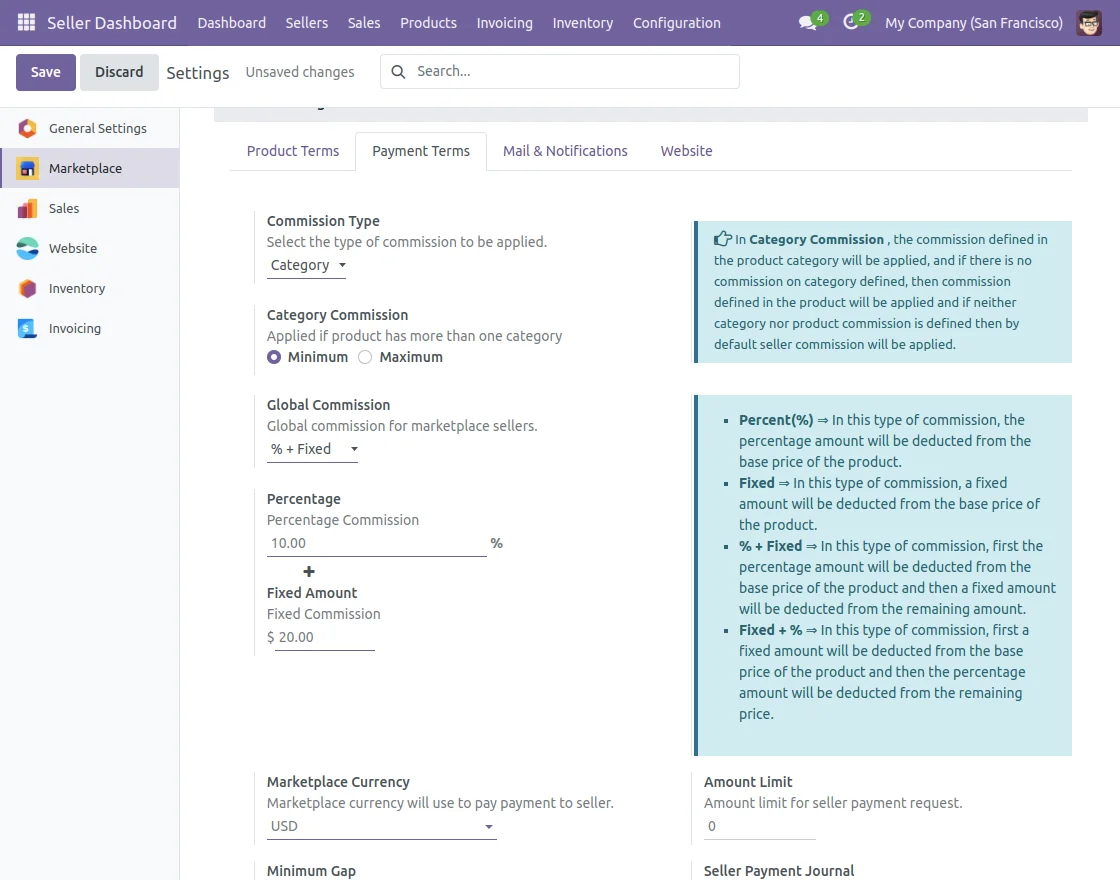
- After that, the Category commission is defined here as a commission type. Therefore, this commission category will set the commission on product categories of the website.
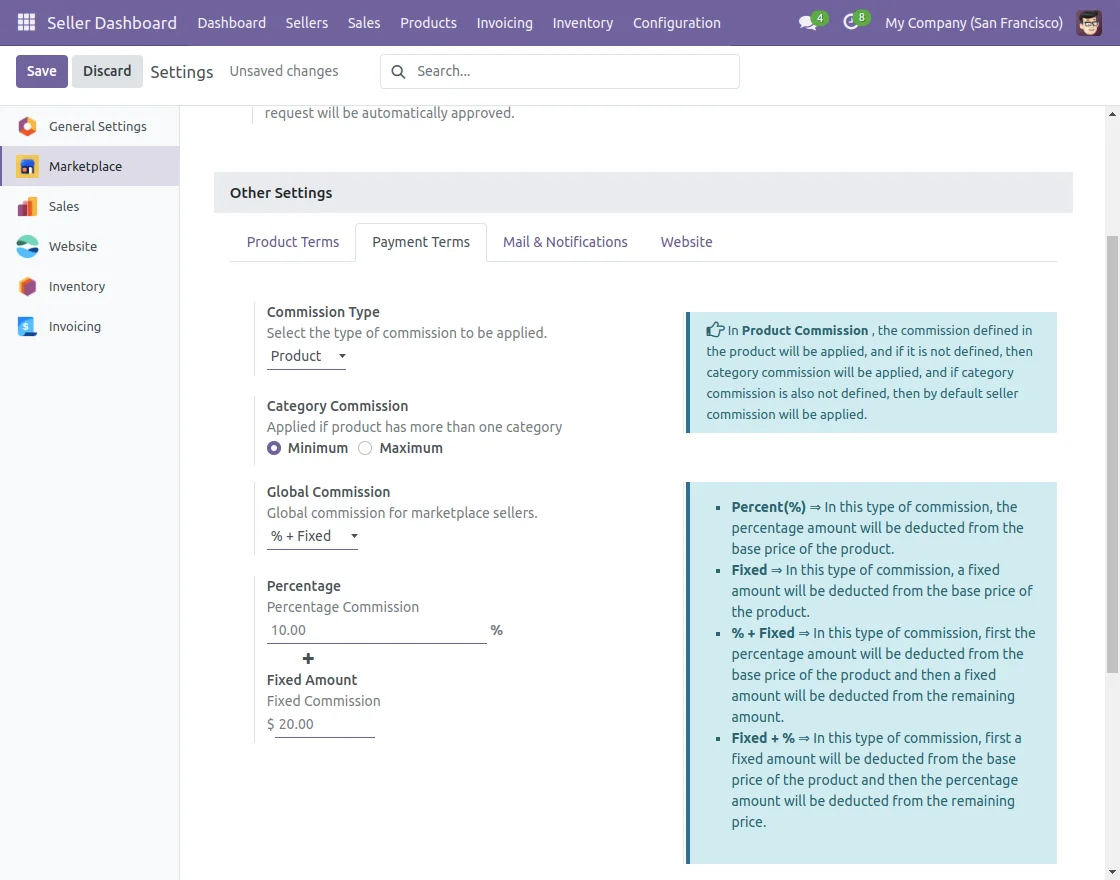
- Also, with the help of this module now you can apply various commission methods such as Fixed, percentage, Fixed plus percentage, and percentage plus fixed.
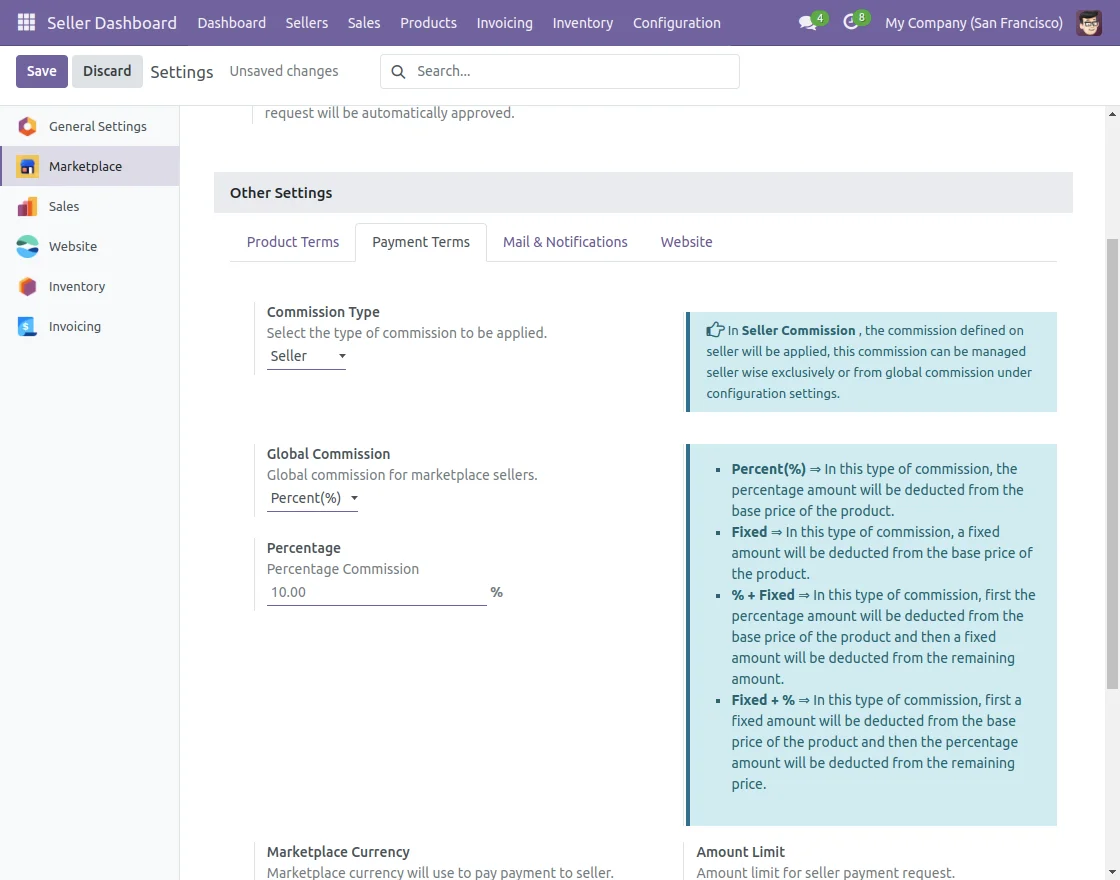
- After that, Admin can choose the commission type as a seller. This category will apply the appropriate commission settings for sellers accordingly.
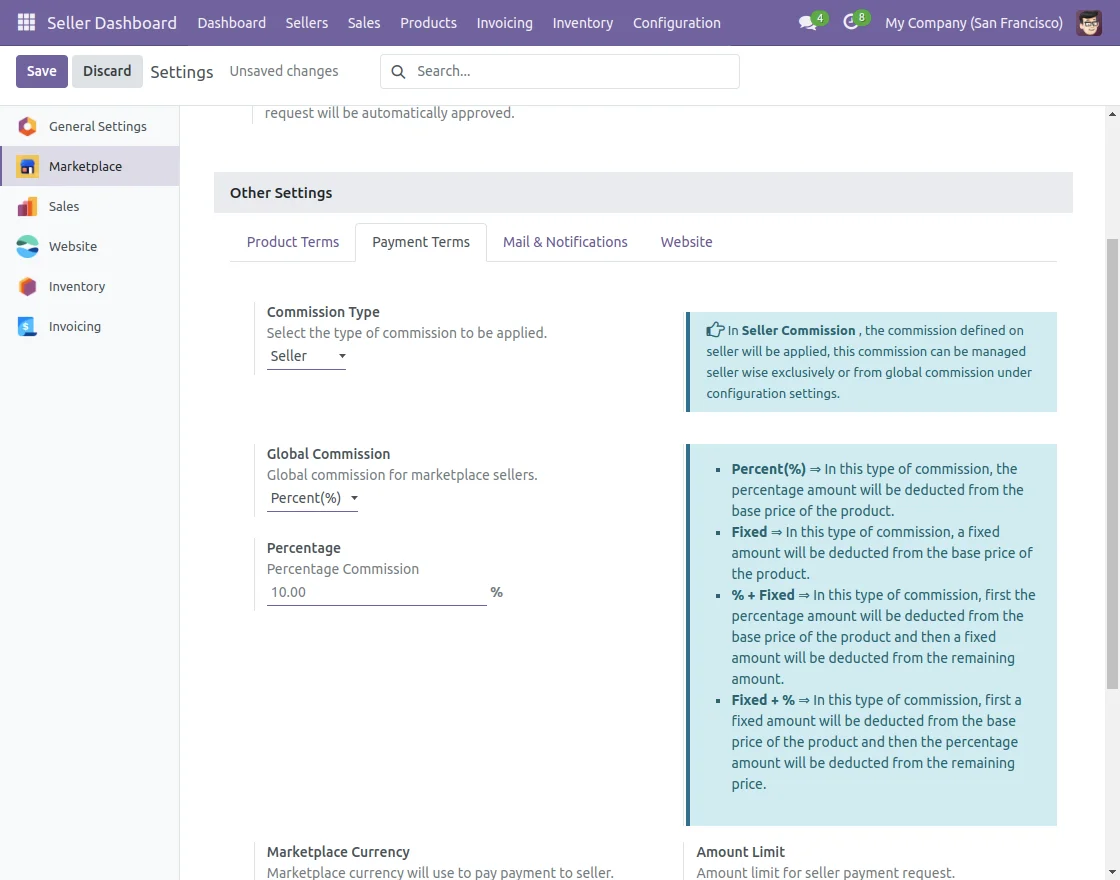
- In this advanced commission module, there are four types of commission methods are following:- Fixed plus percentage, percentage plus fixed, fixed, and percentage.
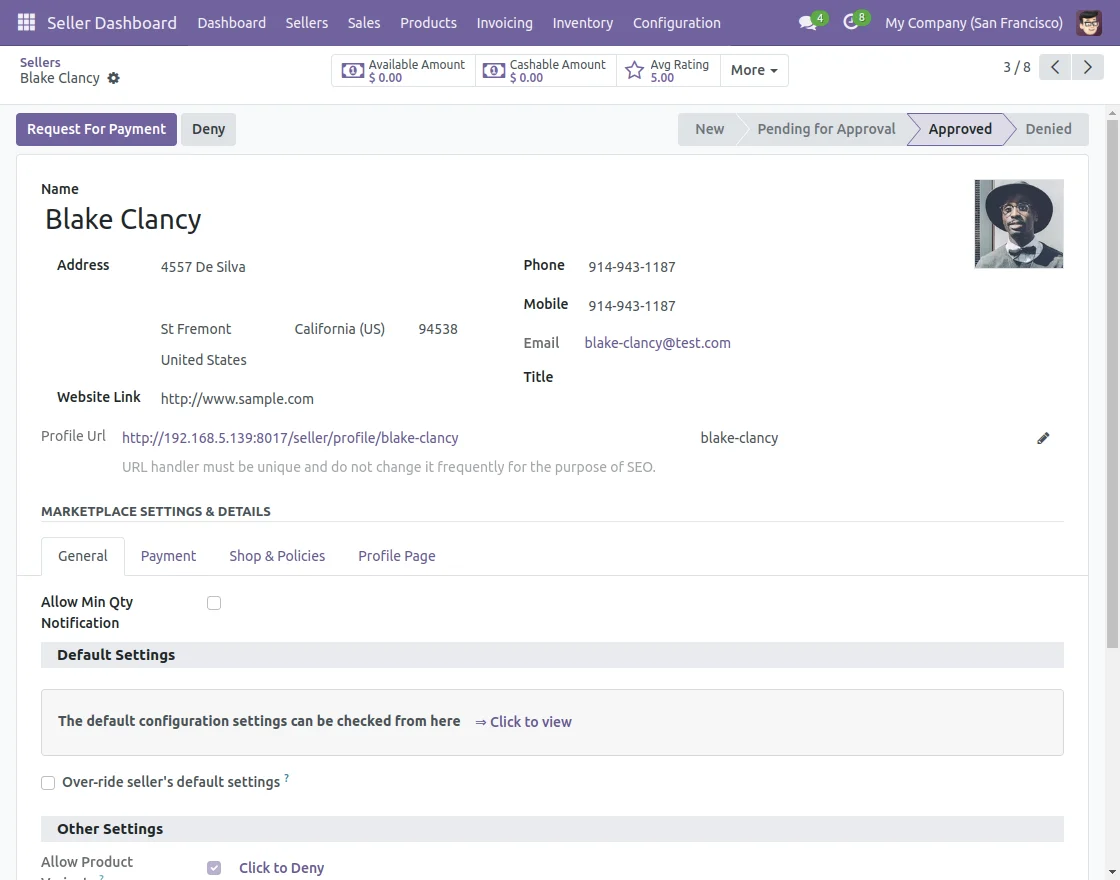
- After that, change the commission method for a seller from their profile by overriding default settings and setting a custom commission method.
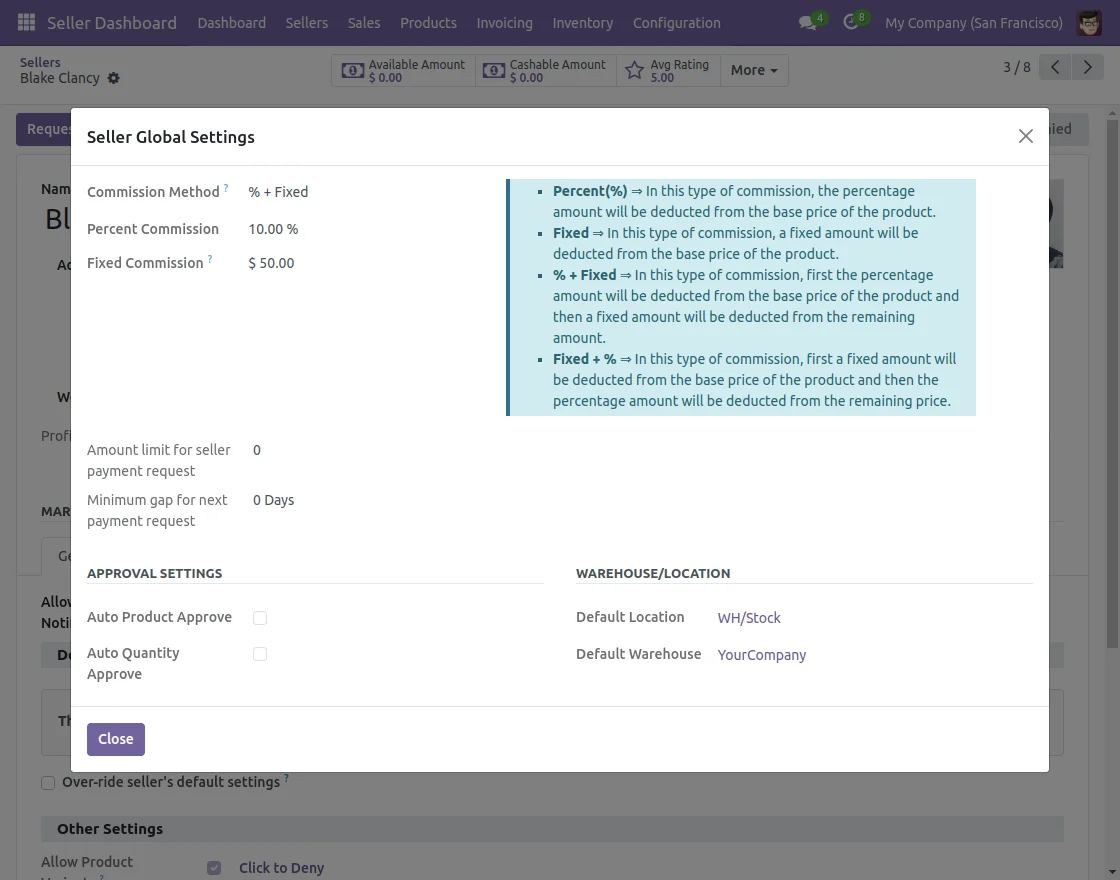
Seller View
- Follow the path for the seller end setup: Sellers >> My Profile. After that, Sellers can check the commission applied by the admin in their profile under the General tab.
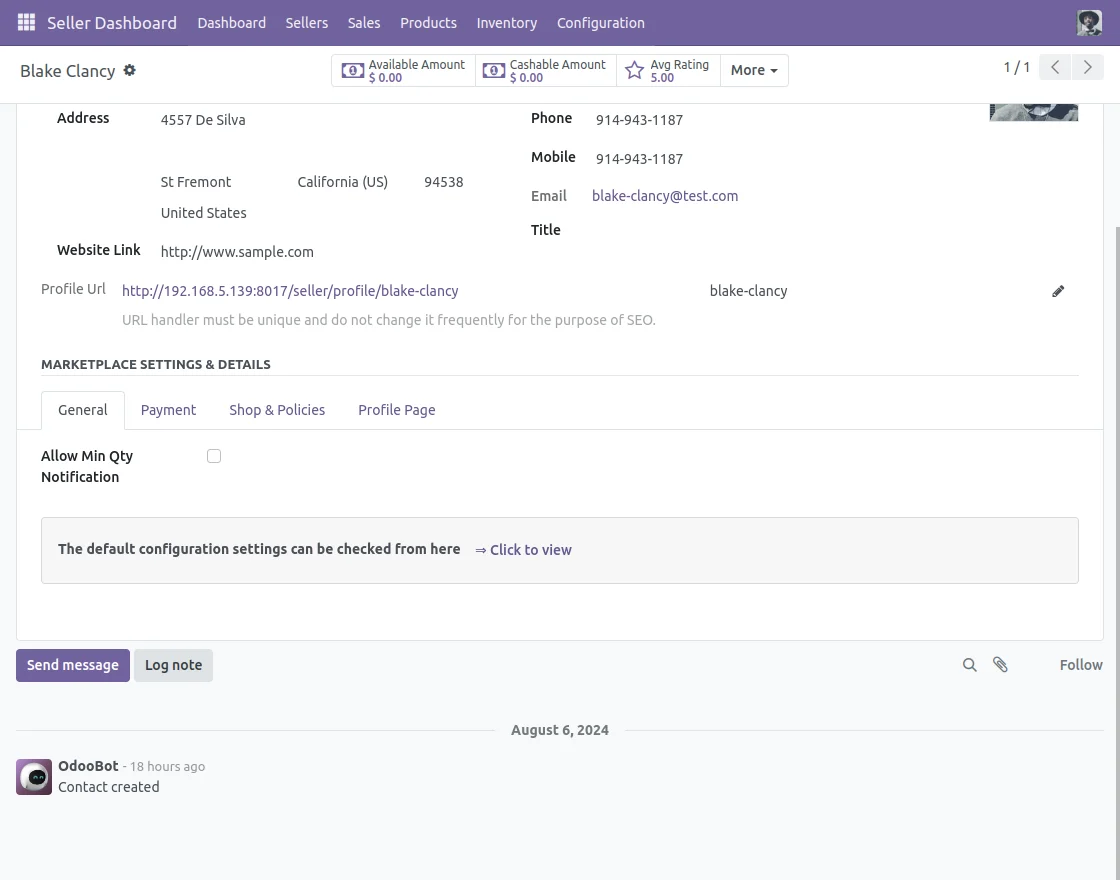
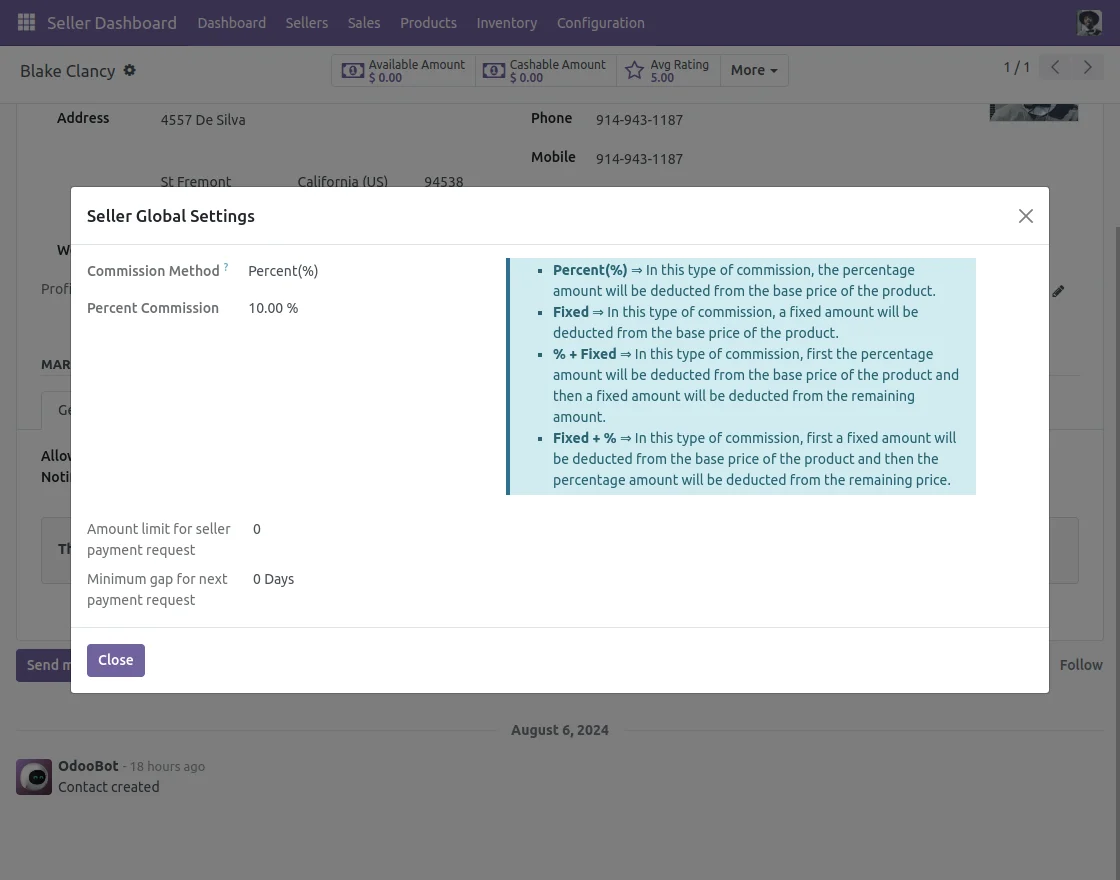
10. After that, the seller can view the commission set on a product by navigating to Seller Dashboard >> Approved Products >> Sales as Product Commission.
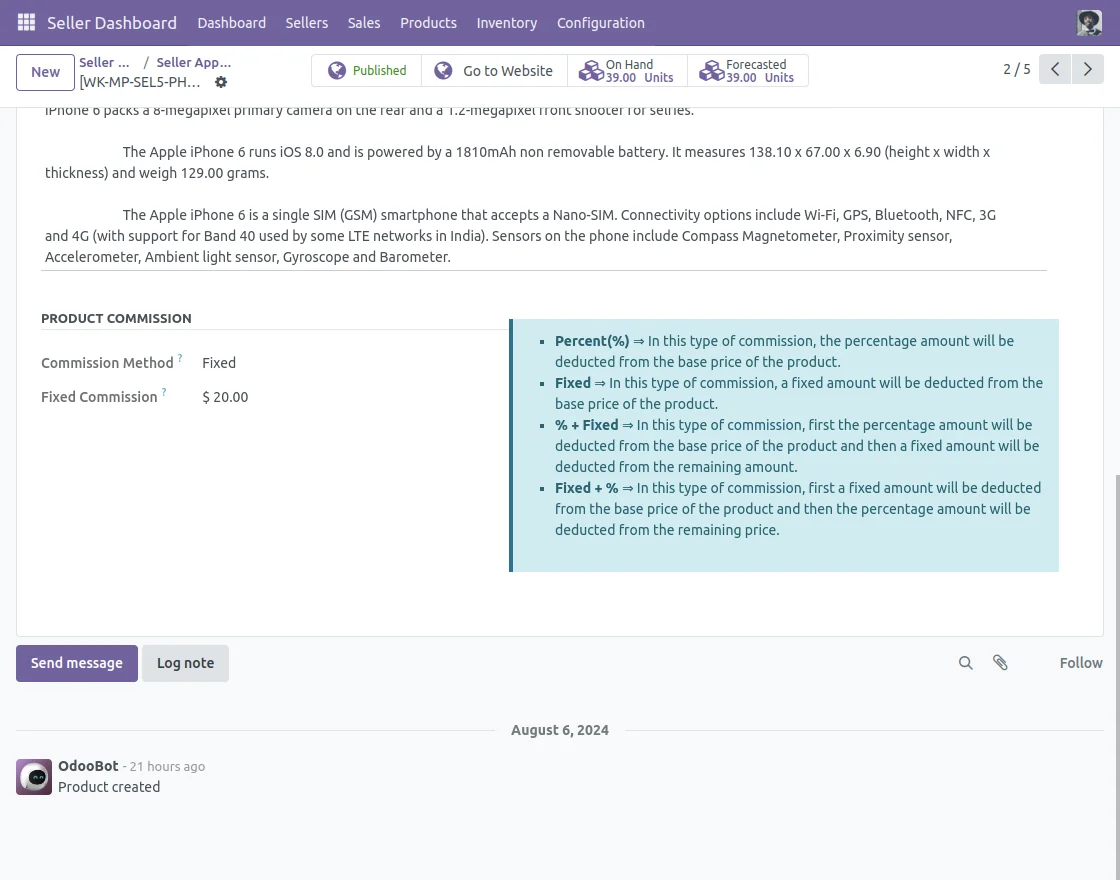
Therefore, Admin will be able to set commissions for sellers.
NEED HELP?
Hope you find the guide helpful! Please feel free to share your feedback in the comments below. If you still have any issues/queries regarding the same, please raise a ticket at the UV Desk.
I hope this helps. In case of any further queries, contact us at our support mail
Thanks for paying attention!!
Current Product Version - 1.0.1
Supported Framework Version - Odoo V19, V18, V17, V16, V15, V14, V13, V12, V11


Be the first to comment.