Introduction
Like every other year, this year also, Odoo released a new version of the software – Odoo 19. And with it, Odoo has introduced several new features and modules across the platform.
However, with this release, Odoo is also updating its Long-Term Support (LTS) policy, which affects enterprise clients using Odoo.sh or On-Premise on much older versions such as Odoo 15 and 16.
Hence, these users will need to migrate to later versions to continue receiving official support and security benefits.
In this article, we will discuss Odoo Long Term Support, Data migration, and how you can still avail of Odoo long term support.
What is Odoo Long Term Support?

Odoo Long term support is a PLMP (Product Lifecycle Management Policy) where they maintain a stable release of the software for a more extended period corresponding to the standard edition.
With the launch of version 19, Odoo has revised its long-term support policy and made a few updates. These are
- Odoo releases one Long-Term Support (LTS) version each year for its Enterprise customers.
- Odoo.sh now supports the five latest versions under its long-term support policy. The latest three get normal support, and the next two require a 25% extra fee
- For example, if Odoo 19 is the latest version, versions 19, 18, and 17 are supported.
- Older versions (like Odoo 16 or below) fall outside the active support range.
- Odoo Online users remain unaffected since their systems upgrade automatically.
- The extra fee for legacy versions will apply from April 2026, giving users time to plan upgrades.
In case, if you are still wondering whether your Odoo version will be supported or not? Check out this supported version list from Odoo- Odoo Supported Versions.
What is Data Migration?

It is a procedure of moving data from a different platform to Odoo, Migrating from a local server to an Online/cloud server without version change or vice versa, and Upgrading to a newer version.
Usually, companies migrate data when a new version is introduced or when an older version becomes obsolete.
Let’s look at the different scenarios of data migration.
Different Odoo Data Migration Scenarios
- Migrating to Odoo from a Different Platform
Many customers wish to migrate their data from a different platform to Odoo because of its ready-to-go solution for their business needs.
For these queries, we perform GAP analysis and access which functionalities are present in the client’s platform and are already available in Odoo.
After that, we sought the remaining functionalities from already prepared Webkul modules. Lastly, we customize the remaining functionalities for the client.
- Migrating from a local server to an Online/cloud server or Vice versa
This might sound simple, but they are not. In server migration, data is migrated from a local host to a cloud host such as Odoo.sh.
In this migration, only the data is transferred from one server to another. Additionally, this involves steps that move data while keeping the Odoo version the same.
- Upgrading to the Newer Version
Here, you migrate the Odoo data from one version to another. Suppose you are using Odoo 17 and want to upgrade to Odoo 19. This upgradation is also a form of migration to a newer version.
Advantages of Data Migration
Data migration has the following advantages for you and your business.
Agility
The most significant benefit of data migration is that it provides enhanced agility for your business.
You need to migrate because technology is constantly changing and evolving, so you need to upgrade to a newer version to enjoy the new features.
Optimum Utilization
If you migrate to a newer version of Odoo, you will get new features and better stability, speed, and user experience. Also, it will help you utilize time and other resources to their optimum.
Improved Operations
Migrating data provides your business with the benefits of simplified management of data, better reliability, and improved performance.
Easier Compliance
You are responsible for ensuring that any data you hold is secure and that your data protection processes adhere to regulatory compliance.
You require multi-level security measures and intelligence threat protection of your data with the appropriate defense against threats and cyber attacks.
But, it should also be accessible for deletion following data regulations and GDPR compliance.
Easier Restructuring
You can efficiently restructure the business when your business data is transferable, accessible, and secure. This helps companies that are in the initial phase of their business.
Why and Who needs to Migrate Data?

Now you understand what data migration is and how it is advantageous to your business. But you must be wondering, why do you need data migration?
The answer is simple: with every new release, Odoo updates its Odoo Long Term Support policy.
As per the latest changes with Odoo 19, older versions beyond the three most recent releases will no longer receive regular maintenance, bug fixes, or security updates.
This means Odoo Enterprise customers using versions like Odoo 16 or below need to migrate to a newer version to continue benefiting from Odoo Long Term Support.
If you migrate to Odoo 17, 18, or 19, you may continue to receive long-term support.
Which Odoo Version to Choose for Migration?
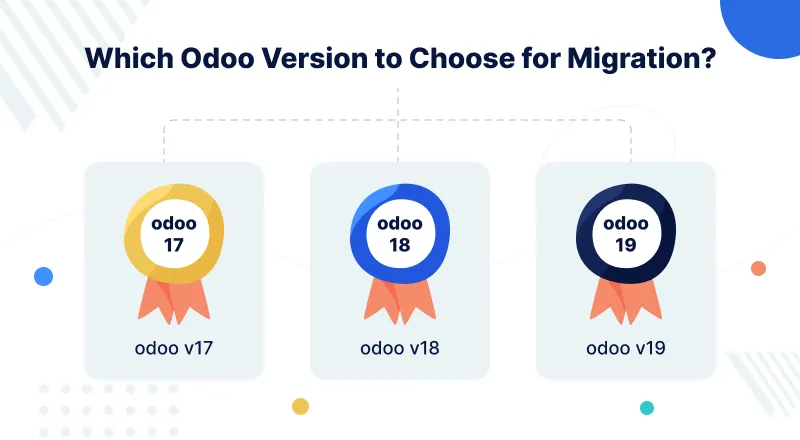
It’s entirely up to you to choose the correct version for migration. We are here to provide any migration assistance you require just contact us. But which version to choose among Odoo 17, 18, and 19?
To help you understand Odoo 17, 18, and 19, we have prepared a concise feature list that can help you make the right decision.
Odoo V17
Odoo V17 or Odoo 17 offered the following new functionalities to its customers.
- A modern and faster UI for improved navigation and accessibility.
- Revamped accounting dashboard with AI-assisted reconciliation.
- Enhanced POS and inventory synchronization for real-time updates
- Improved website builder with drag-and-drop snippets for easier customization.
However, if you want to see the entire list of new features, refer to Odoo 17 Release Note.
Odoo V18
Odoo V18 or Odoo 19 was introduced with these new features.
- Smart AI features across apps like CRM, Email, and Documents.
- A more responsive and mobile-friendly interface for better access.
- Manufacturing and project modules upgraded for smoother workflows.
- Advanced reporting tools for real-time insights and data analytics.
You can check the entire feature list here – Odoo 18 Release Note.
Odoo V19
Odoo V19 or Odoo 19 has been added with the following features to ease your business.
- Extended long-term support with broader version coverage.
- Improved shop floor management with smart scheduling tools.
- Streamlined MRP, HR, and accounting operations for faster execution.
- Integrated AI Copilot for automating repetitive business tasks.
To check out the entire Odoo 16 feature list, refer to Odoo 19 Release Note.
How Can Webkul help you in Data Migration?
Now, you are well aware of the facts and know what needs to be done to continue receiving Odoo Long-Term support in Odoo. But how Webkul comes into the picture?
Webkul is Odoo Ready Partner and who provides Odoo App extension, migration, and development services for the past 15 years.
Moreover, we have assisted many of our customers in Odoo migration. We have migrated their Odoo or any other platform data to their desired version of Odoo, such as 18, 17, 16, etc.
Further, we have helped many customers successfully migrate their data from one version to another. You can check out our Odoo migration service from here.
To know the different stages of Odoo data migration by Webkul, read Odoo 13 Migration – Why and How to Migrate to Odoo 13.
Proration
To conclude, I would suggest that you migrate your Odoo V15 or V16 to the latest or any other version before your Odoo Long term support expires.
And I recommend you move to Odoo 19 because it has many new features and is more secure, reliable, and fast than the previous versions.
Moreover, if you migrate to Odoo 19, you won’t need to migrate your data next year either. However, the final choice is yours because only you know what’s best for your business.
Still, if you have any doubts or queries regarding the same, then connect with us at [email protected] or Create A Ticket Here.
Please further explore our Odoo Development Services & an exquisite range of quality Odoo Apps.
I hope you find the blog helpful, do let us know in the comment how much you like this blog.


Be the first to comment.