Magento 2 Geolocation Currency Converter module automatically adjusts product prices based on the visitor’s location.
If your store is accessed from London, prices in USD will automatically convert to GBP.
Just install, enable and it’s done! No need for complex configuration.
Check out the plugin overview –
Features
- Converts price at category page.
- Converts price at the product page.
- Converts price at checkout page.
- Converts price at compare page.
- Converts price at wishlist page.
- Converts price on the search page.
- Very easy to set up.
- Multi-Store Functionality.
- Multi-lingual support.
- The extension is also compatible with the Hyva theme.
Installation
Customers will get a zip folder and they have to extract the contents of this zip folder on their system.
The extracted folder has an src folder, inside the src folder you have the app folder. You need to transfer this app folder into the Magento 2 root directory on the server as shown below.

After the successful installation, you have to run these commands in the Magento 2 root directory:
php bin/magento setup:upgrade
php bin/magento setup:di:compile
php bin/magento setup:static-content:deploy
php bin/magento indexer:reindex
php bin/magento cache:flush
Configuration of Multi-Lingual Support
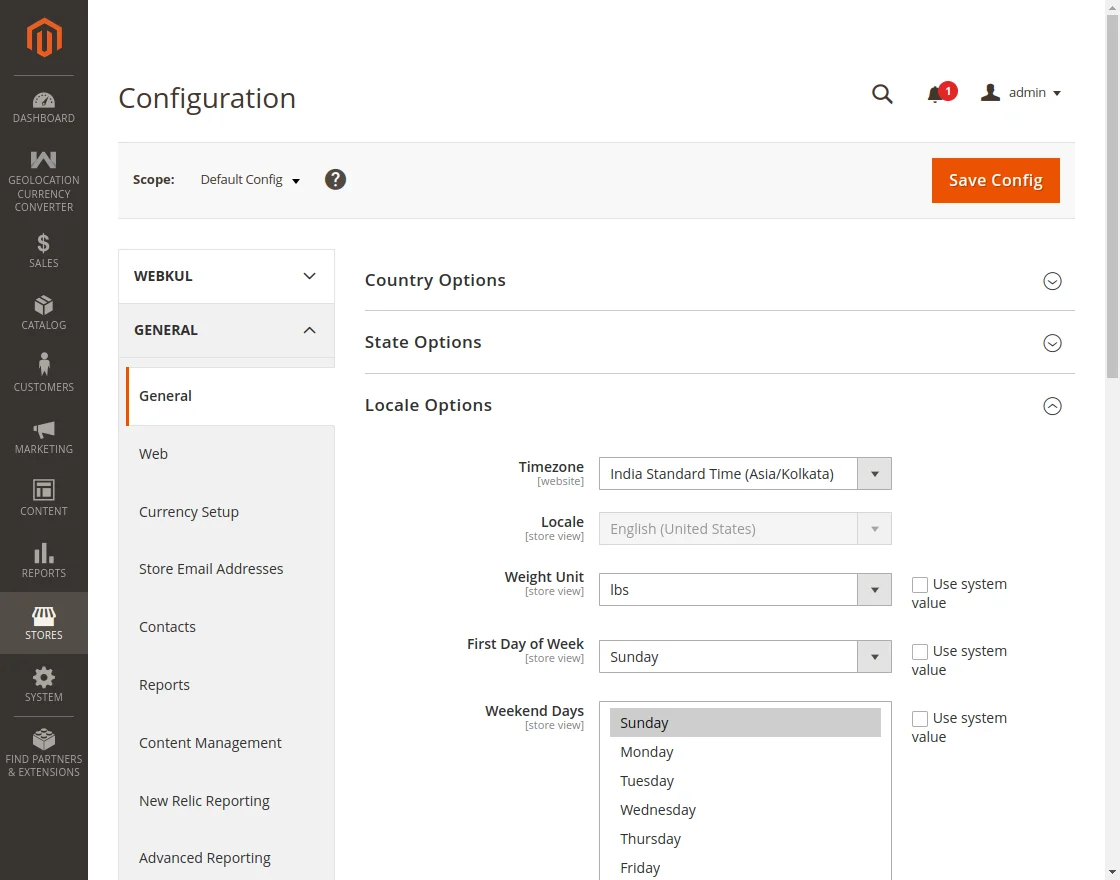
For the multilingual support, the admin will navigate through Store->Configuration->General ->Locale Options.
Select the locale as German (the language into which the admin wants to translate his store content).
Language Translation Of The Module
To translate the module from English to German, the user should go to the path: app/code/Webkul/GeolocationCurrencyConverter/i18n.
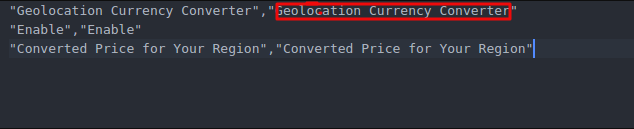
In their unzipped Magento Geolocation Currency Converter folder and will get a CSV file with the name “en_US.csv”.
Now they will rename that CSV as “de_DE.csv” and translate all right side content after the comma in the German language.
After editing the CSV, save it and then upload it to the path –app/code/Webkul/GeolocationCurrencyConverter/i18n, where they have installed Magento2 on their server.
The module will get translated in the German Language. It supports both the LTR and RTL languages.

Geolocation Currency Converter CSV for language.
How To Get The Fixer API Key?
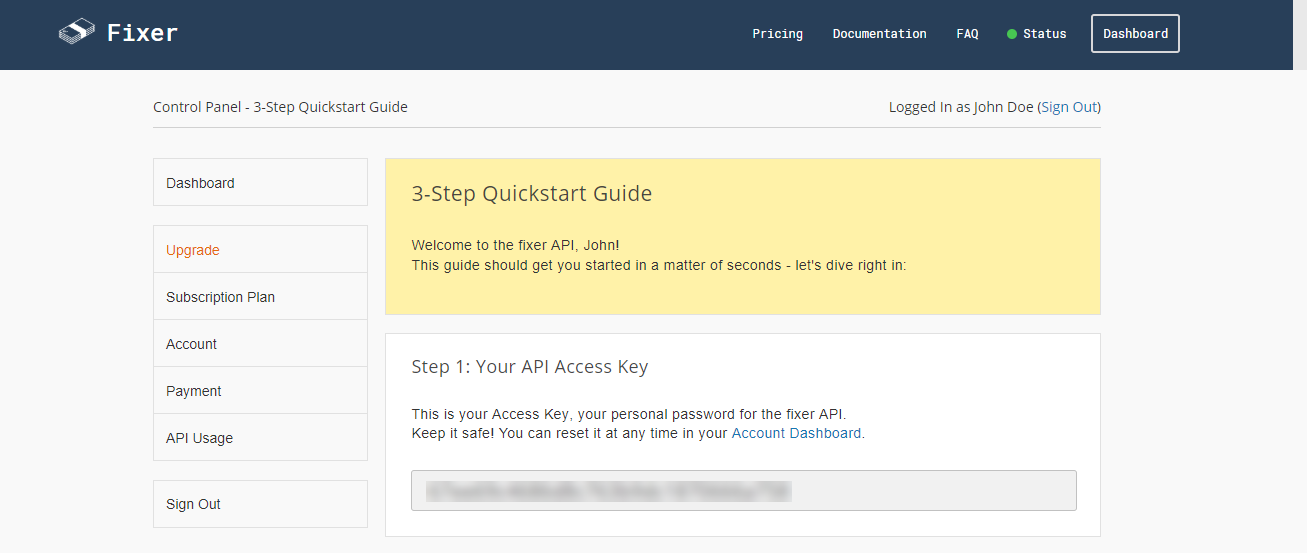
Follow the below-mentioned steps to get the Fixer API key.
- Visit this link for sign up – https://fixer.io/product

- Select the plan as per the choice and proceed further clicking the Sign-Up link.

- After filling all the details, click the Sign-Up button. This will redirect you to the dashboard of the Fixer account where you will have the Fixer API Key as shown below.
Admin Configuration
After the successful installation of the Magento 2 Geolocation Currency Converter.
Admin can configure the module by navigating through Store > Configuration > Webkul > Geolocation Currency Converter.
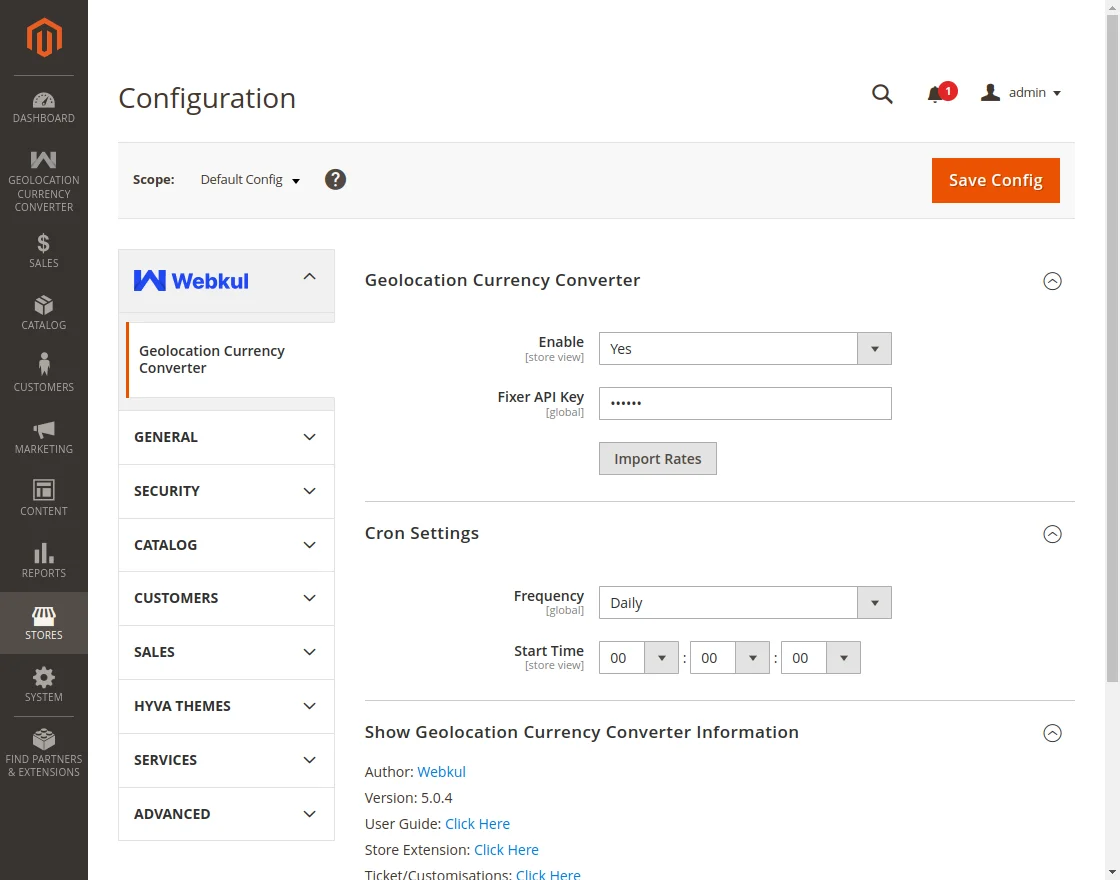
- The admin can enable or disable the module.
- The admin needs to configure the Fixer API Key To get the live exchange rates.
- Import Rates are for importing the currency rates of the countries.
- After installation, the admin has to run a cron command. The default cron is scheduled to update the currency rates. By running the cron command the currency rates will be updated automatically without the use of the “Import Rates” button.
php bin/magento cron:run
Front End View
After the installation and configuration, the converted price can be seen at the front end according to the geolocation of the user.
Category Page

Product Page

Wishlist Page

Compare Page

CART PAGE
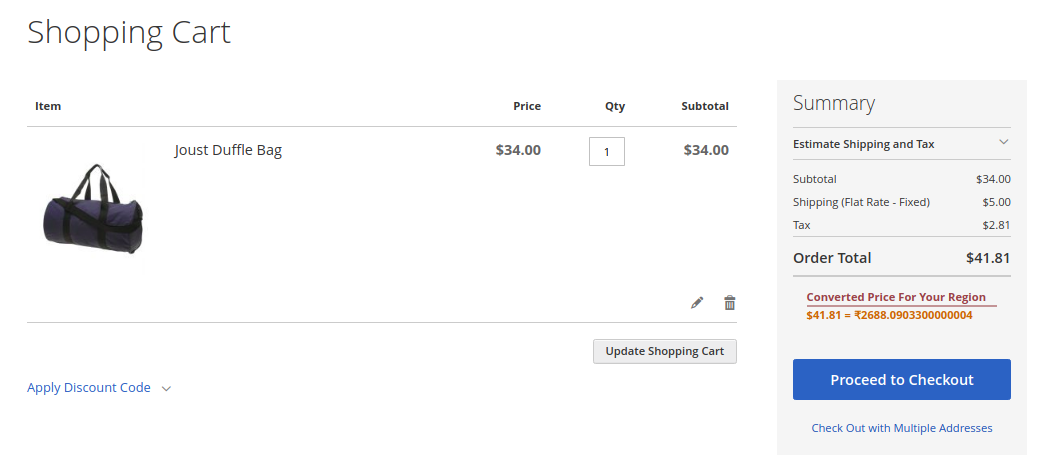
CHECKOUT PAGE

Search Page

For any query or suggestion, you can raise a ticket at https://webkul.uvdesk.com/.
You can also view Magento 2 GeoIP extension, which automatically changes store view and currency based on the customer’s location.
Current Product Version - 5.0.4
Supported Framework Version - Magento 2.0.x, 2.1.x, 2.2.x,2.3.x, 2.4.x


Be the first to comment.