Laravel eCommerce Recurring Payments & Subscriptions module helps the admin to manage their Websites. It helps to manage subscription & recurring payments for the products.
Also, the admin has the facility to manage and view the subscribed products from the back-end. Moreover, they can manage the type of the products from the back-end
Although, it is quite beneficial for customer’s end as they don’t need to log in again & again for recurring products. They can’t only select the recurring products but also can make a subscription to them.
- Admin can enable/disable the Recurring Payment.
- An administrator can manage PayPal Recurring payments.
- Moreover, the admin can view/unsubscribe customer subscriptions.
- The customers can view/unsubscribe to their subscriptions.
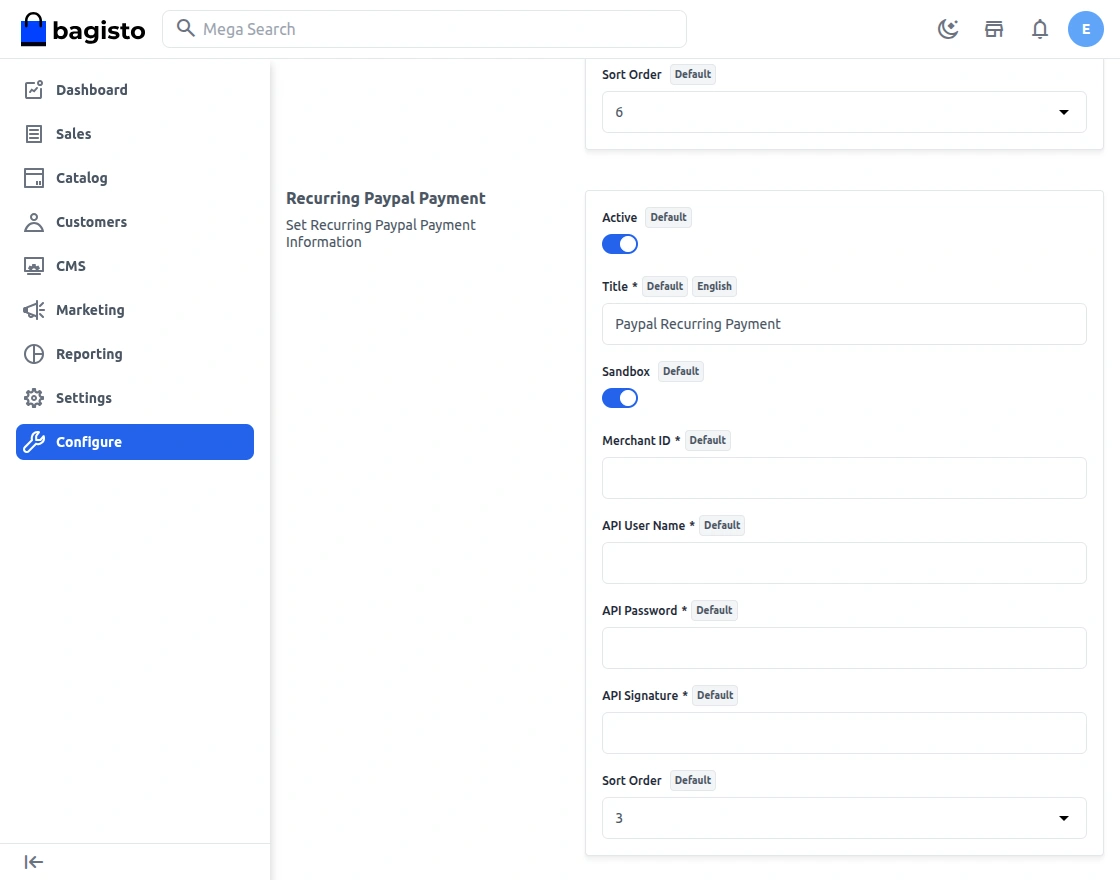
- It supports online recurring payments with PayPal.
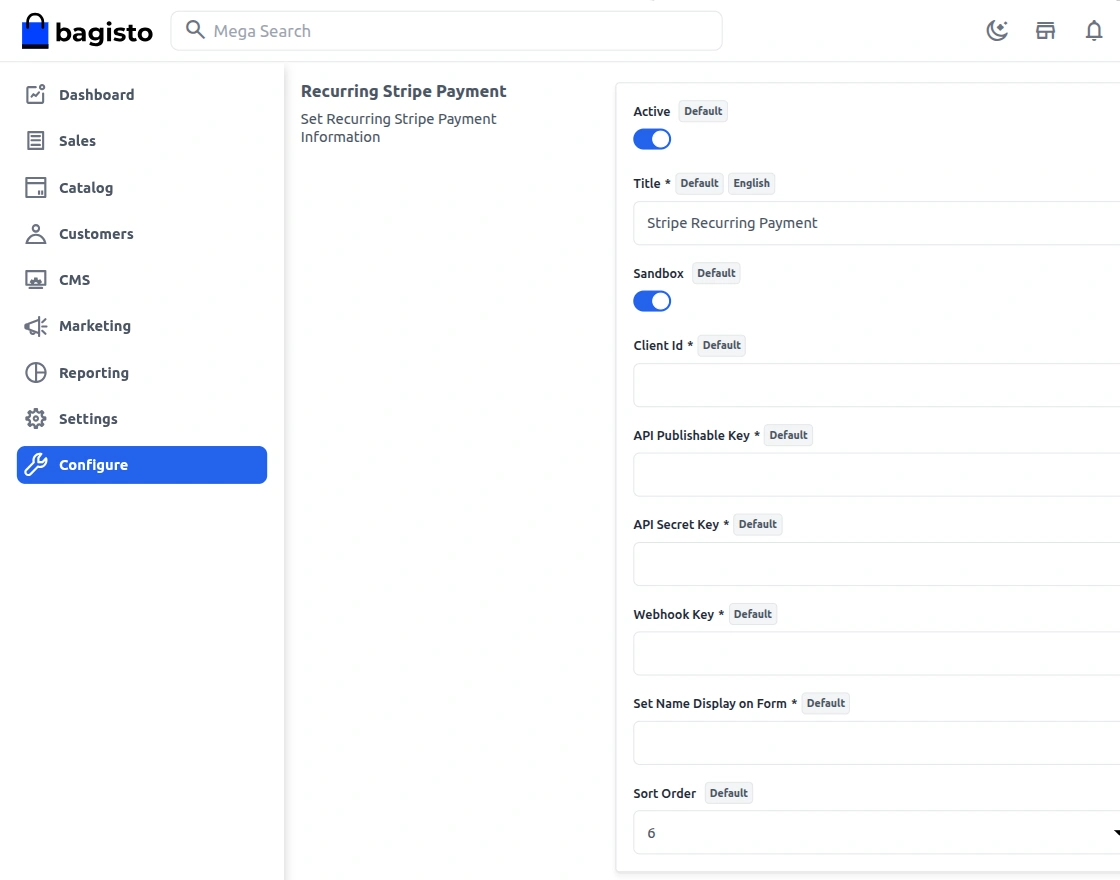
- This module supports online Stripe recurring payments.
- The admin sets the subscription amount & subscription initial fee product-wise.
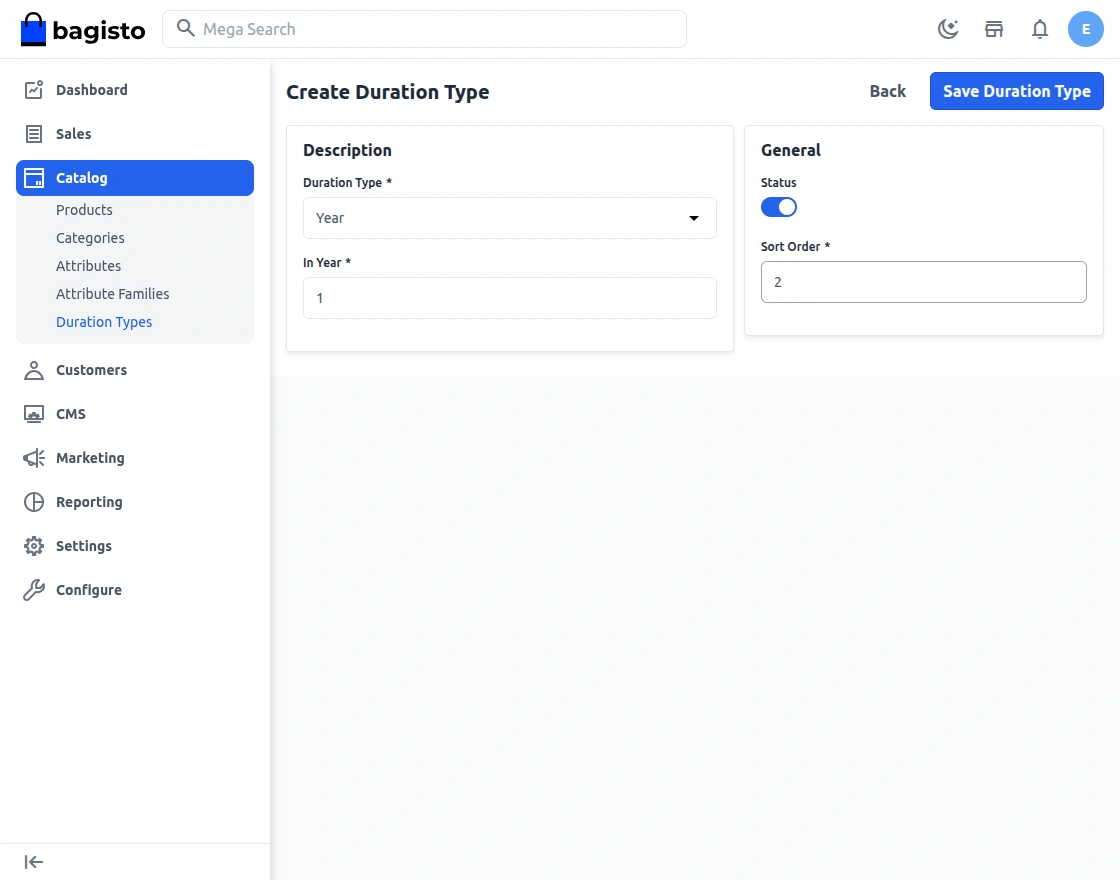
- The admin can manage the duration type.
- The customer can cancel the subscription
Installation
Follow these steps to set up the Bagisto Subscription Product Type.
1. Unzip and Merge
Unzip the respective extension zip and merge the packages folder into the project root directory.
2. Add Namespace Mapping
Open the composer.json file and add the following entry under the psr-4 section:
"Webkul\\RecurringSubscription\\": "packages/Webkul/RecurringSubscription/src"
3. Update Service Providers
Open the config/app.php file and add the following line under the providers array:
Webkul\RecurringSubscription\Providers\RecurringSubscriptionServiceProvider::class,
4. Update CSRF Middleware
Edit the app/Http/Middleware/VerifyCsrfToken.php file and append the following URLs to the $except array:
$except = [
    'paypal/recurring/ipn',
    'stripe/*',
];
5. Configure Webhooks
Stripe:
Go to your Stripe Dashboard and add an API webhook with the following URL:
Domain/stripe/webhook
Select the event: invoice.payment_succeeded.
PayPal:
Set up the IPN webhook with the following URL:
Domain/paypal/recurring/ipn
6. Run Setup Commands
Execute the following commands to finalize the installation:
composer dump-autoload
php artisan recurring-subscription:install
After running the above commands, the Bagisto Subscription Product Type extension will be successfully installed.
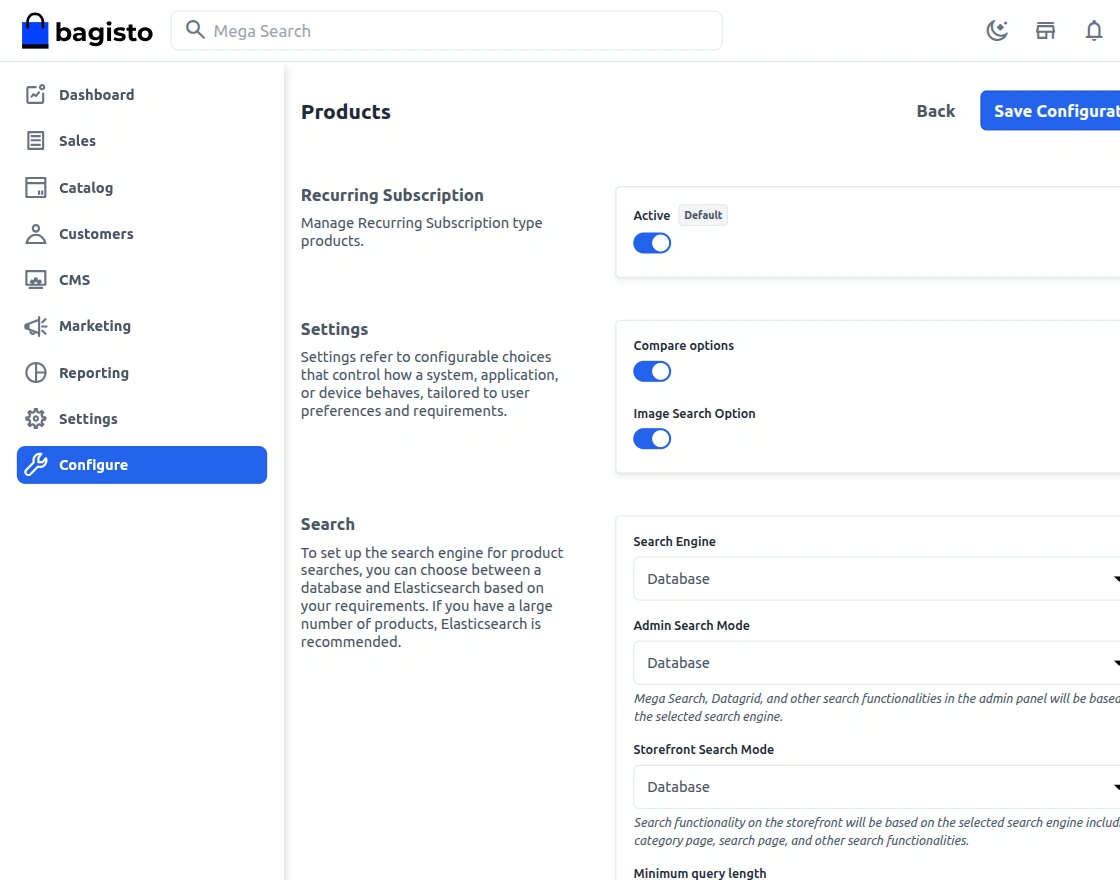
Once the installation is completed, the admin can use the module to manage its settings. The admin can enable or disable the module by navigating to Configure -> Catalog-> Products.
After that admin need to configure paymnet meathods by navigativg to Configure -> Sales-> Payment Meathods.
Now the admin needs to go to the Catalog section and create a duration plan for subscriptions.
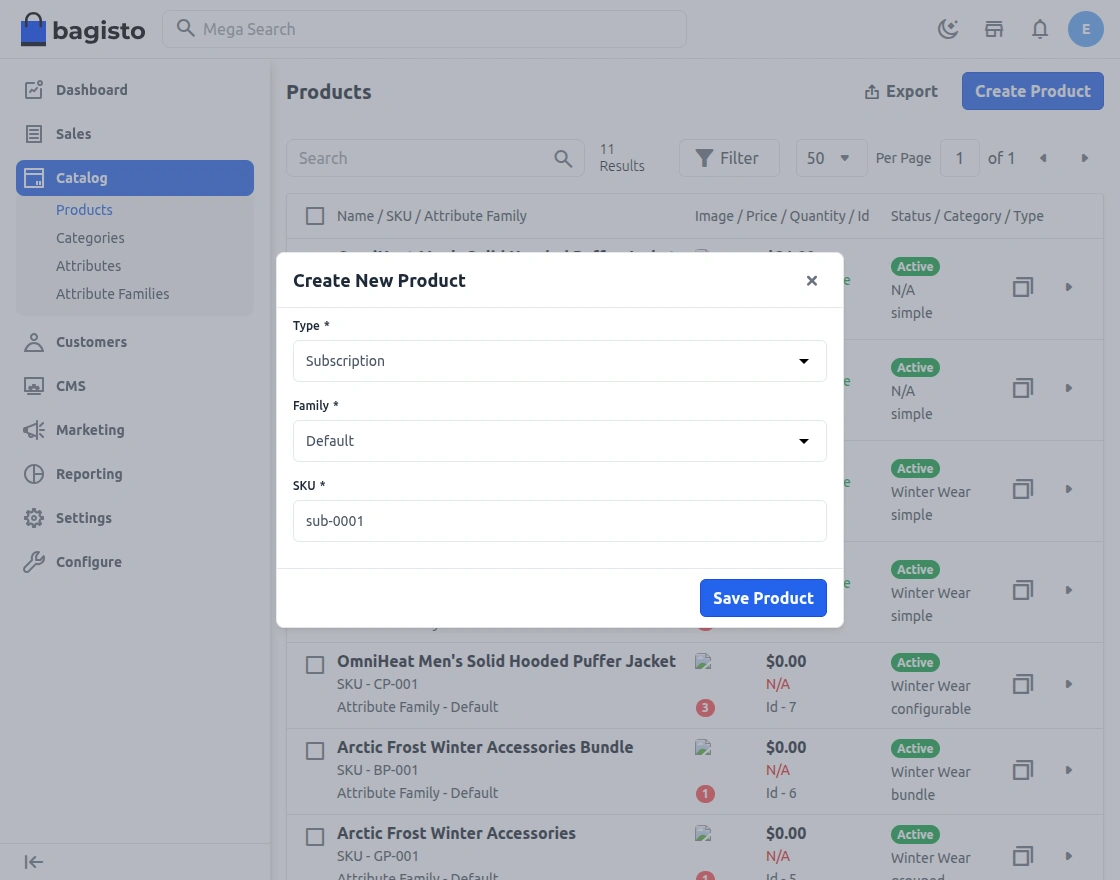
Afterwards, the Admin can select the product type as “Subscription” as shown below:
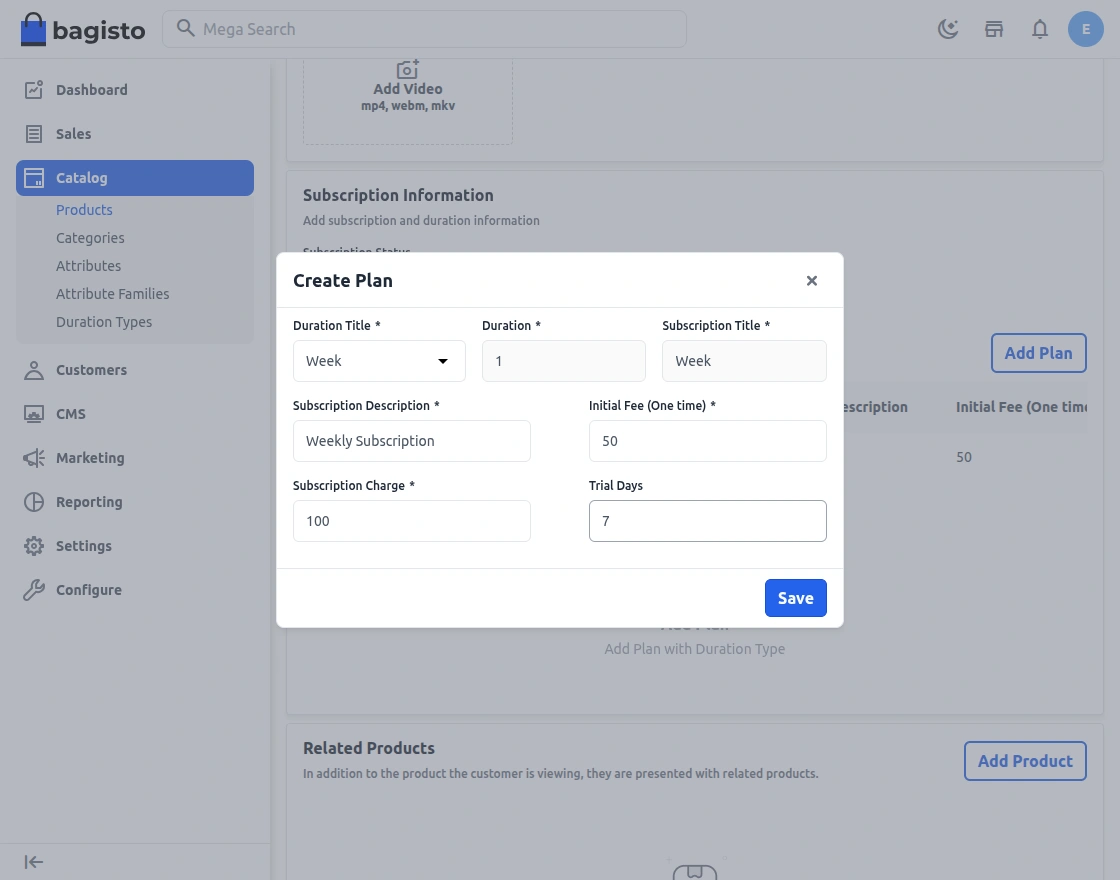
Also, the admin has the option to active/deactivate the subscription package and add plan option as shown below:-
Front-end view:
once the back-end setup is done, it can be visible in the front end part. The Logged in customer can go to the detailed product page and select the date. The customer can also increase the quantity of the subscribed products and write the review for the same. The review can be verified by the admin and then it will be publish.
The process is shown below:-
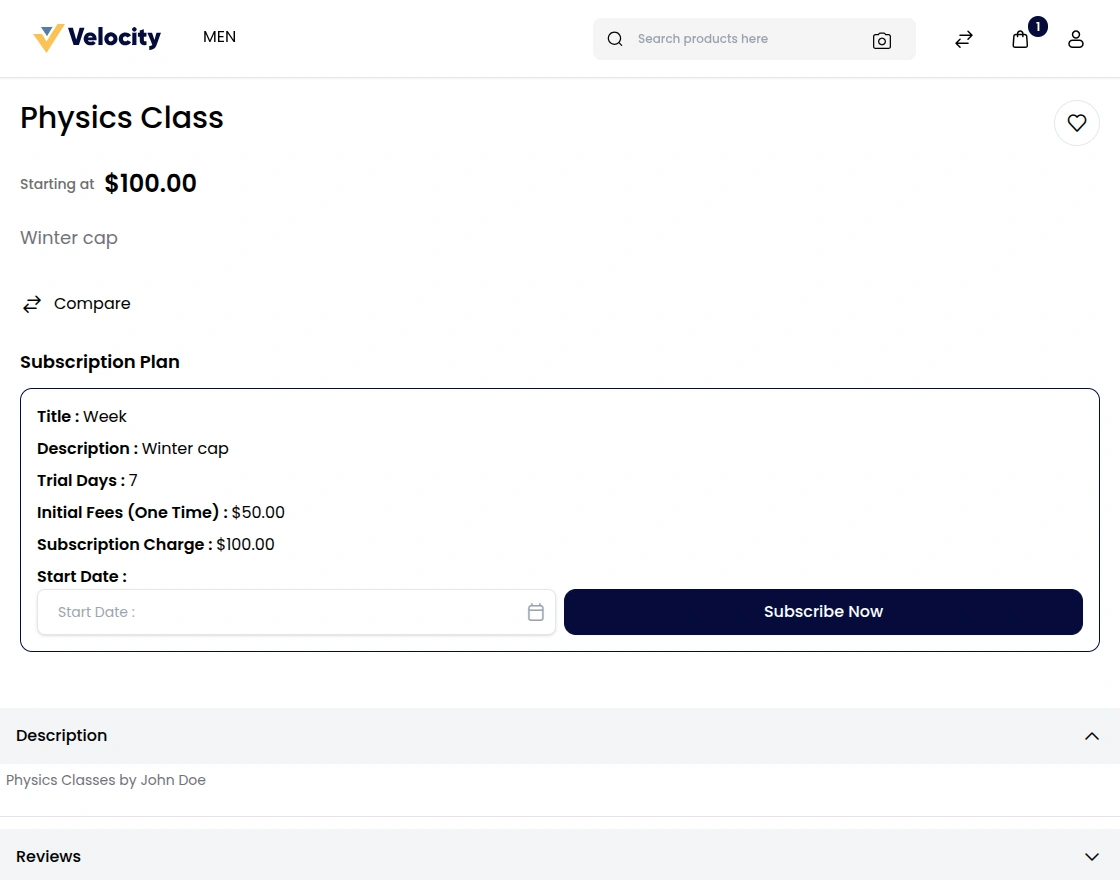
The logged-in customer can put the start date and click on the subscribed button. It will be added to the cart button.
The customer can proceed with the checkout button and can fill the address and other information as shown below:-
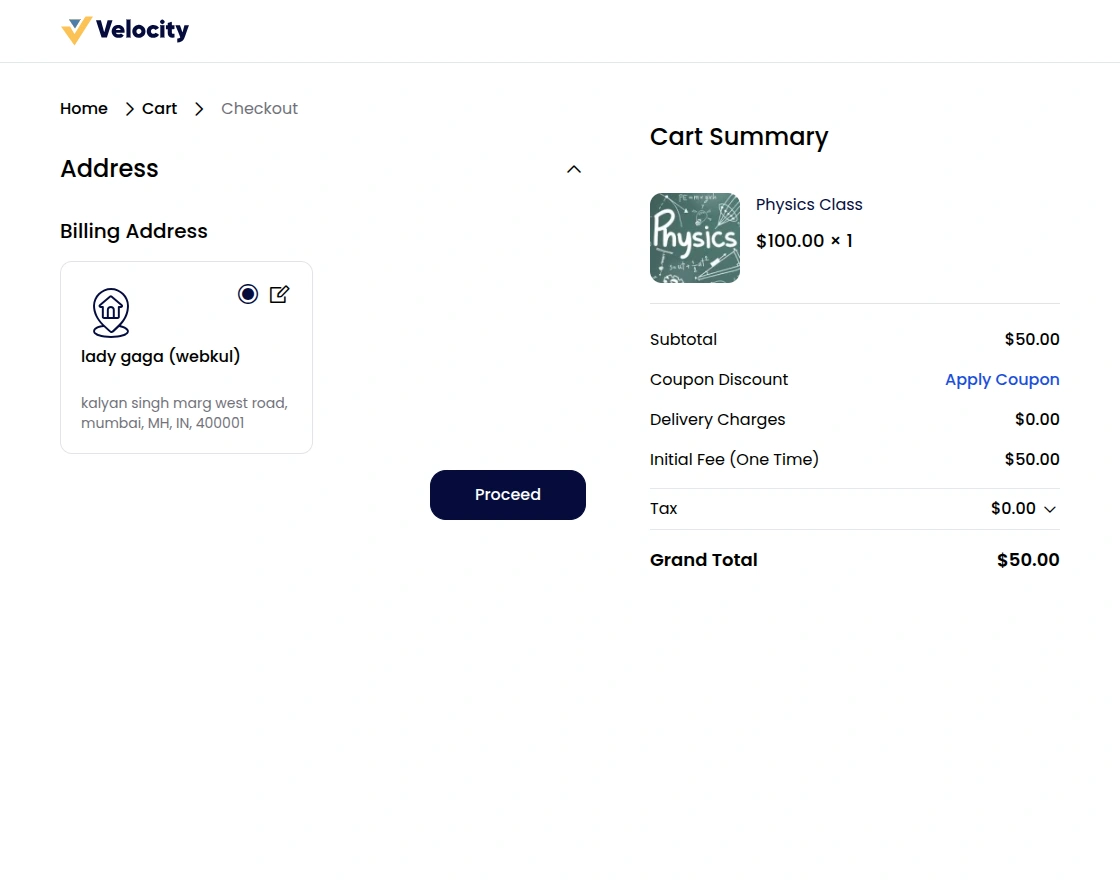
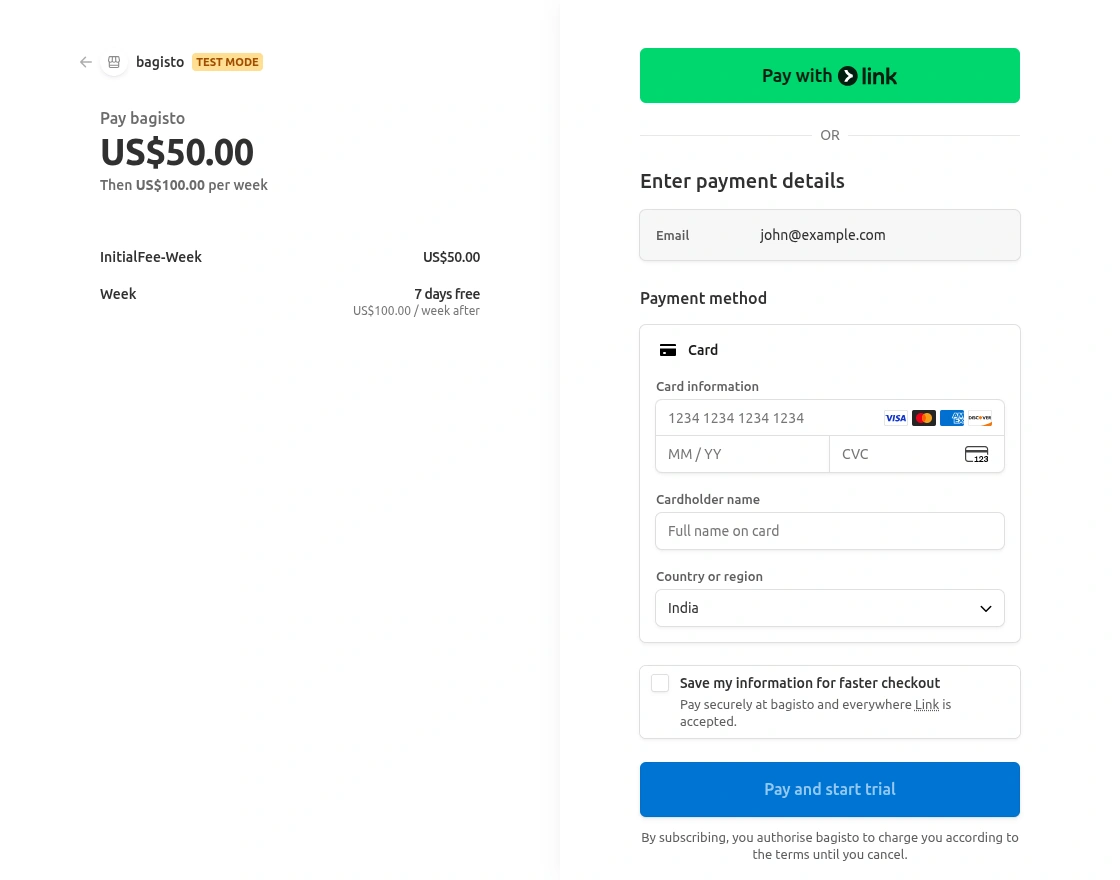
There will be 2 payment methods which are PayPal recurring method and the stripe recurring method.Eventually, customer can choose any one of them as shown below:
Eventually, Payment can be paid through the recurring way as shown below:
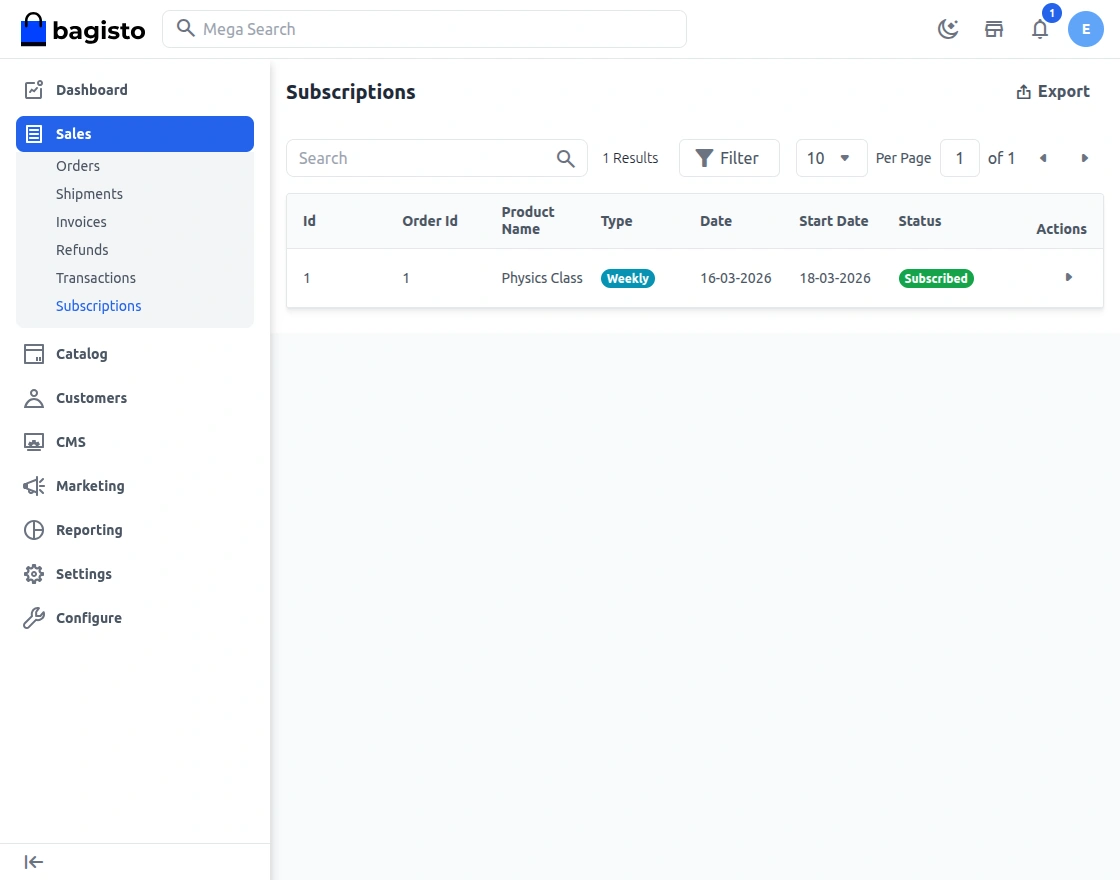
After purchasing the subscribed item, the admin can see the list of the subscribed products. Although, the admin has the option to view and unsubscribed as shown below:
In the meantime, the Admin can view the subscription item by clicking on tab as shown:
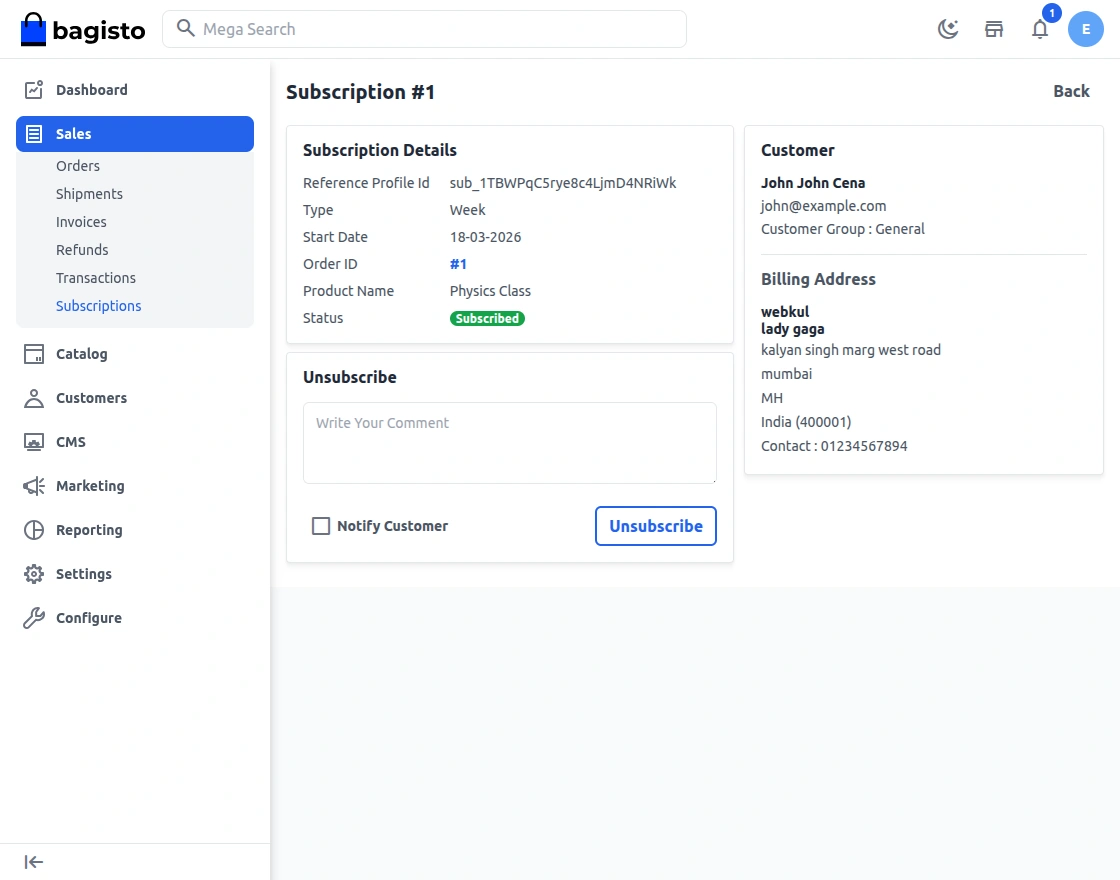
Also,the Admin can unsubscribe the products by clicking on the unsubscribe button.
That’s all for Laravel eCommerce Recurring Payments & Subscription.
If you still, have any issue also feel free to add a ticket and also let us know your views to make the module better https://bagisto.uvdesk.com/en/
Current Product Version - 2.2.3
Supported Framework Version - 2.2.3


Be the first to comment.