Laravel eCommerce Marketplace Per Product Shipping Module allows the admin and the seller to add different shipping price for every product.
This module helps the admin and the seller to manage the delivery of their products from a common shipping method.
**Note: This module is an add-on of “Laravel Multi-Vendor Marketplace Extension“.You must install the main extension before using this module.
Features of Laravel eCommerce marketplace Per Product Shipping
- The seller can add different shipping price of each product.
- This module allows admin to add the different shipping price of each product.
- The admin can active or inactive this addon.
- Laravel eCommerce per product shipping allows the admin to set the default shipping rate from their panel.
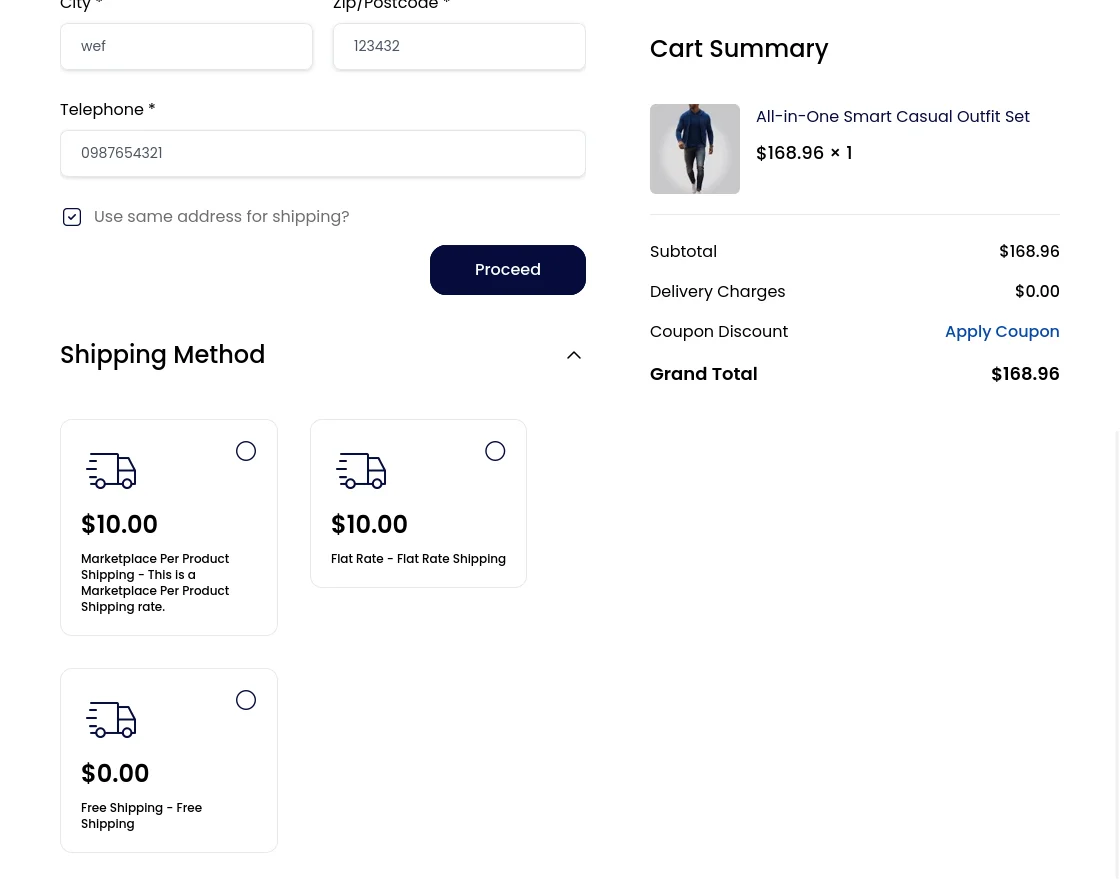
- Shipping price will be displayed on the checkout page.
- Customer can also select the shipping method while doing the checkout.
- With this module, the delivery price will also be calculated for each product separately.
Installation of Laravel eCommerce Marketplace Per Product Shipping
- Unzip the respective extension zip and then merge “packages” folders into project root directory.
-
Goto composer.json file and add following line under ‘psr-4’
"Webkul\\MarketplacePerProductShipping\\": "packages/Webkul/MarketplacePerProductShipping/src"
- Goto bootstrap/providers.php file and add following line under ‘providers’
Webkul\MarketplacePerProductShipping\Providers\MarketplacePerProductShippingServiceProvider::class
composer dump-autoload
php artisan mp-per-product-shipping:install
Admin Management
Once you have successfully executed the module, you will see the Marketplace Per Product Shipping under Configuration>>Sales>>Shipping Methods.
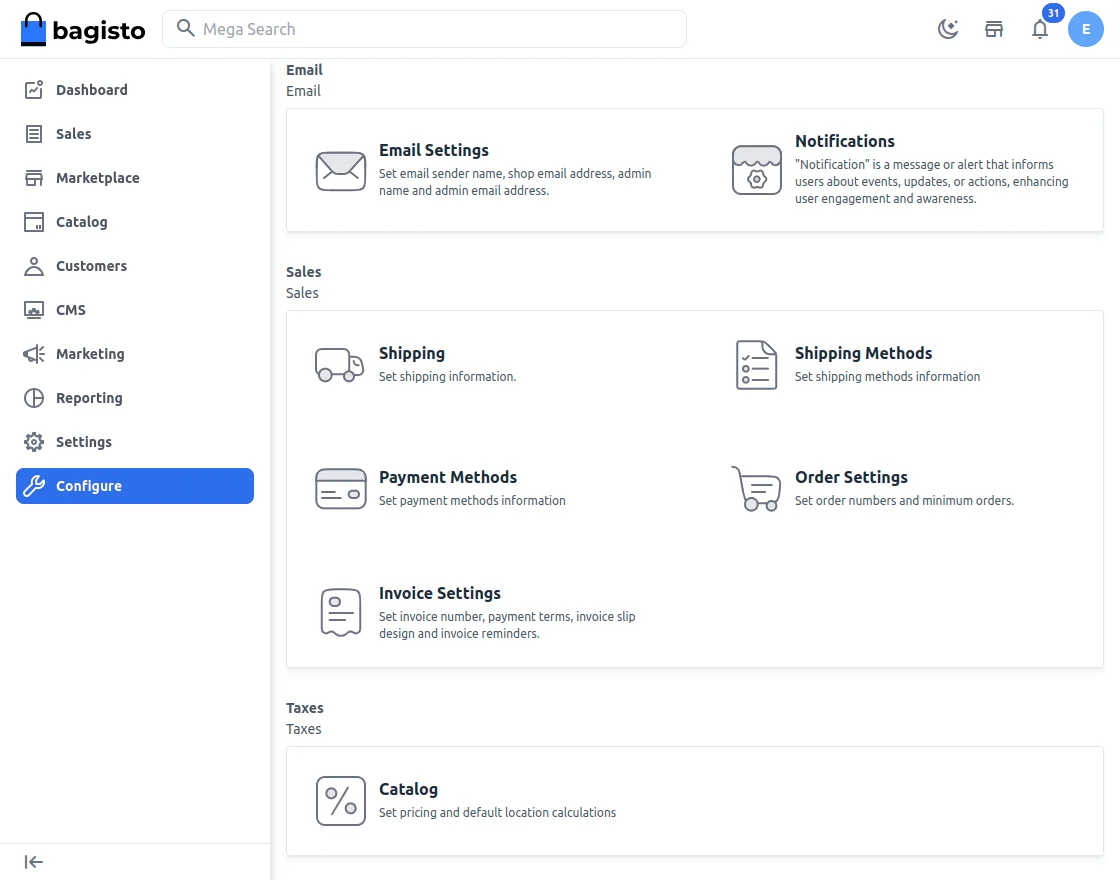
Admin can easily configure the Marketplace Per Product Shipping by navigating to Shipping Methods>Marketplace Per Product Shipping.
- Admin can “Active” or “Inactive” this module.
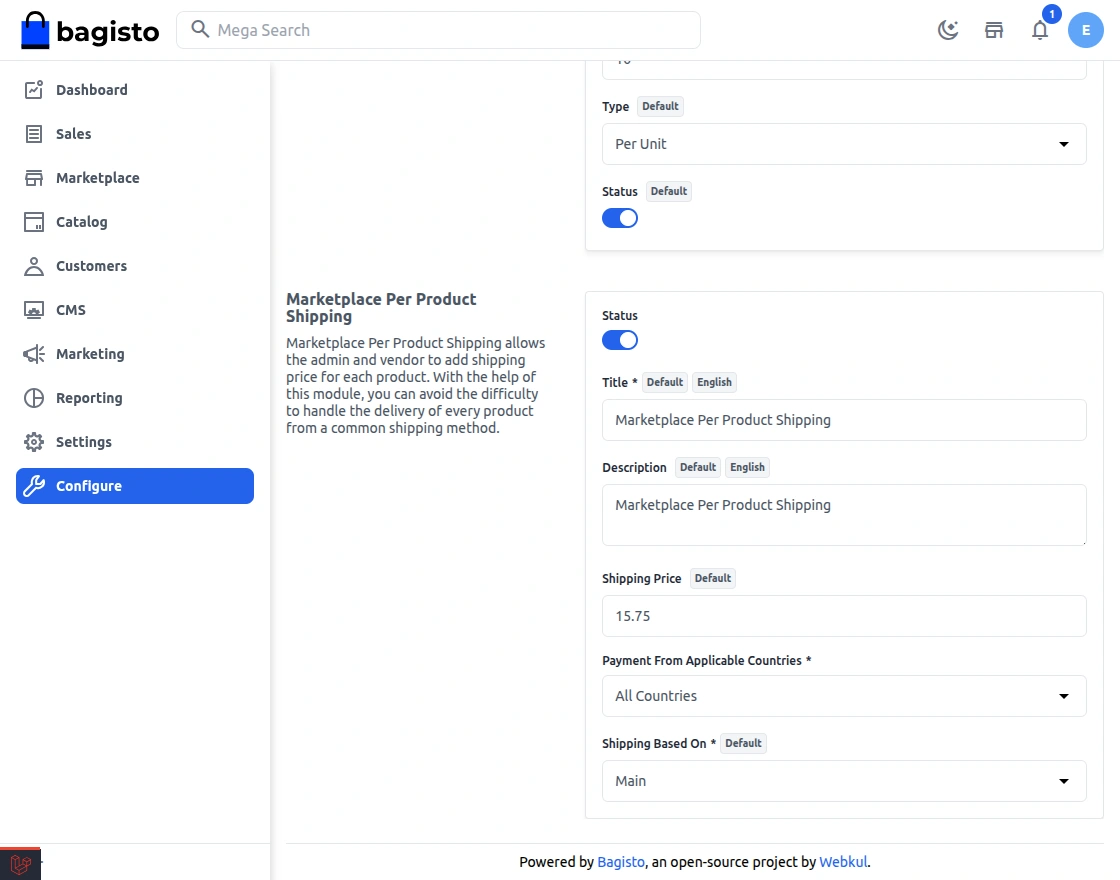
- Here admin can also set the default shipping rate for every product.
Default shipping rate: Is a rate whenever admin or seller does not mention any shipping rate to their product, then this “Default Rate” will be added as the shipping price for the same product.
How to Configure Product Shipping Price
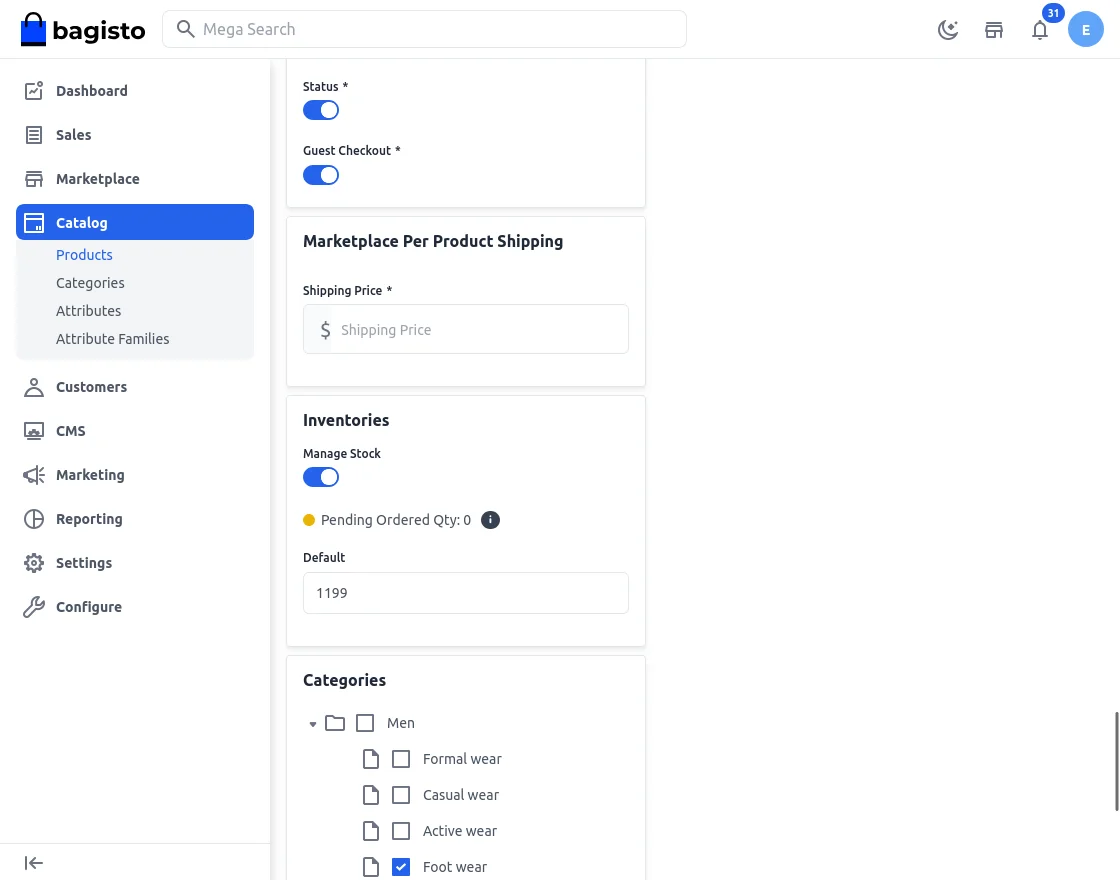
After the successful installation of this module, Admin will find a shipping price field under Catalog>Product>Add Product>Per Product Shipping. Here admin will set the shipping price of the product.
Seller Panel
The seller can also add the shipping price for each product from their dashboard by navigating to Dashboard → Products → Add New Product.
Under the “Edit Product” seller will find the section “Per Product Shipping”.
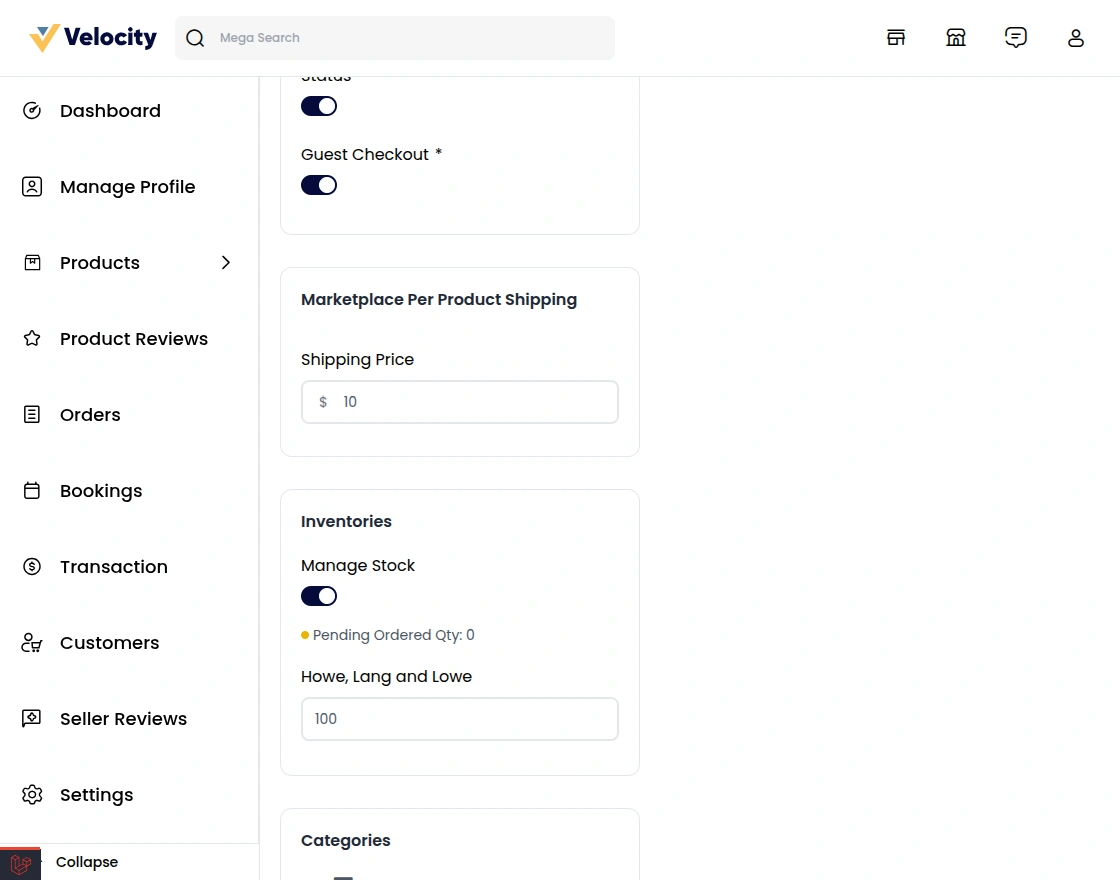
Here Seller can also set the different shipping details for every product.
The customer will also see the Marketplace Per Product Shipping method on the checkout page.
Seller Order Management
When the customer places the order, the seller can see the order under “Orders” as shown in the below image.
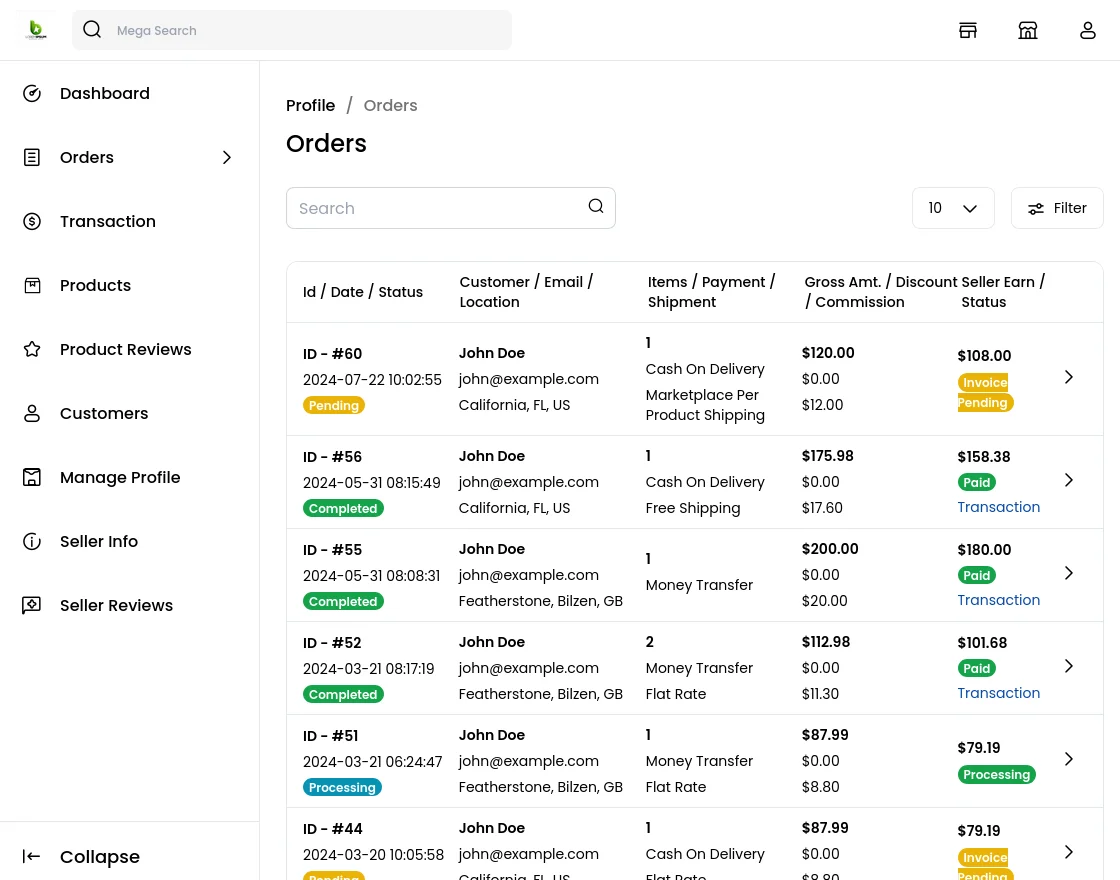
Here, the seller can easily complete their orders.
After clicking the eye icon, the seller will also find more information about their orders like an invoice, shipment details.
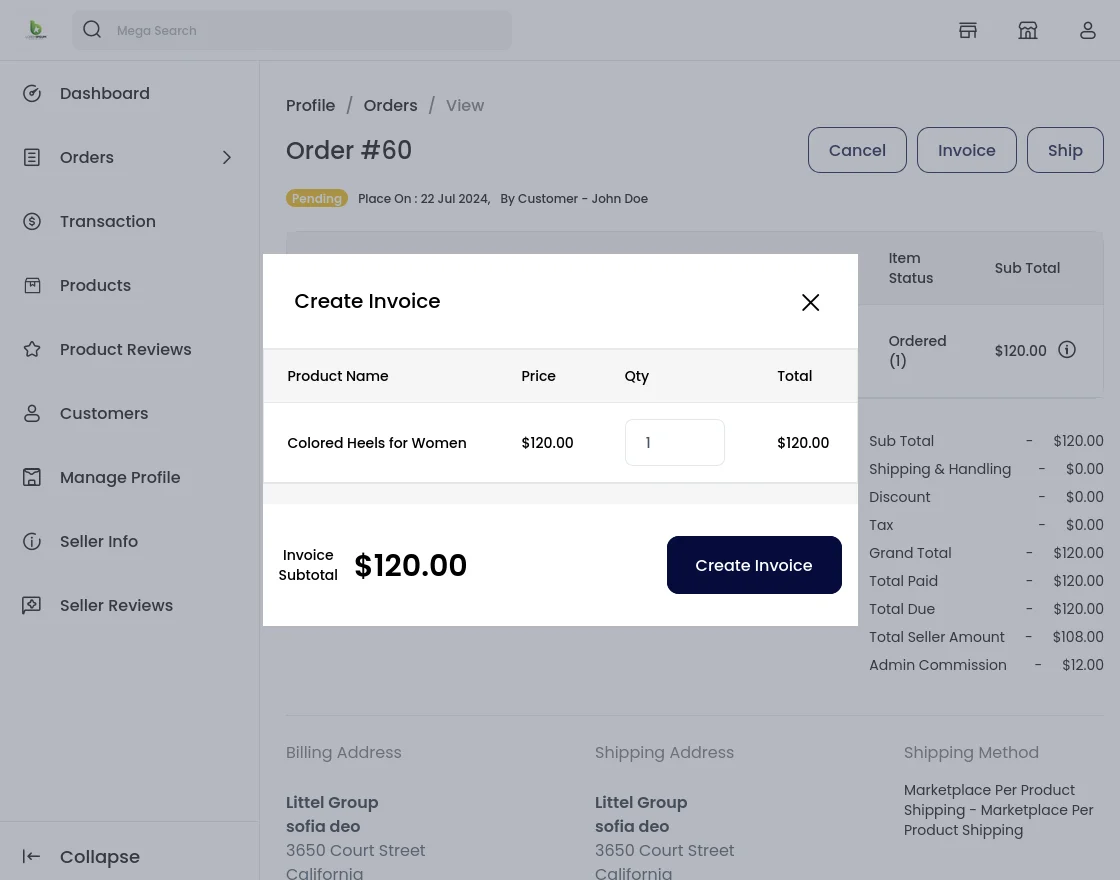
Under the create invoice, the seller can check the shipping method of the product.
Shipping Information
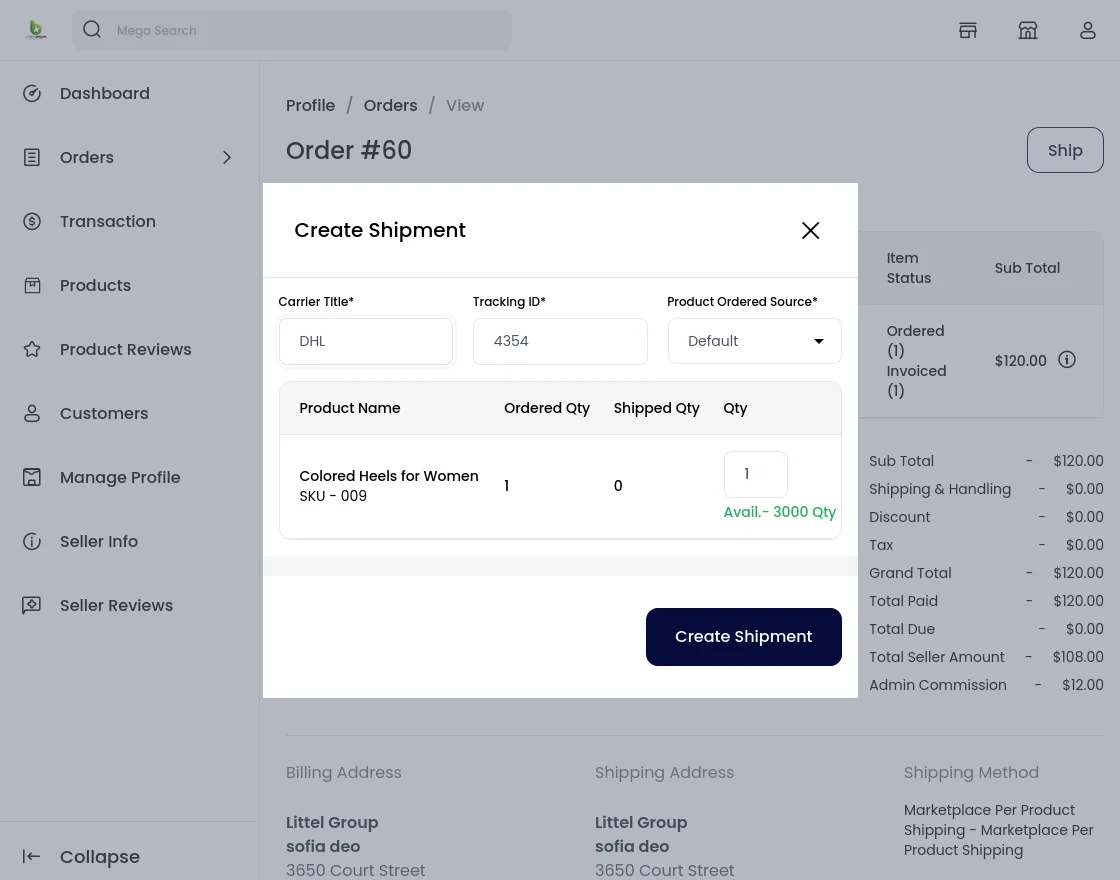
Once the seller generates the shipment, invoice then the seller will be able to see complete order details.
That’s all for Laravel eCommerce Marketplace Per Product Shipping module.
Support
If you have any issues please feel free to add a ticket and let us know your views to make the module better https://bagisto.uvdesk.com/en/
Current Product Version - v2.3.6
Supported Framework Version - v2.3.6


Be the first to comment.