Laravel eCommerce Delivery Time Slot extension helps the customers to choose their preferred date as well as time for the product delivery.
This extension also allows the admin to create multiple slots for each day of the week. For each slot, the admin can set the maximum orders quota better time management.
Check a brief overview of the plugin –
Features
- The admin can select the available days for the delivery.
- Mention how many days to display to the customer.
- Set minimum order time required for order processing.
- Display error when no delivery slot is available.
- The admin can create and edit multiple slots for each day of the week.
Installation
Unzip the respective extension zip and then merge “packages” folder into the project root directory.

Goto bootstrap/providers.php file and add following line inside the array
Webkul\DeliveryTimeSlot\Providers\DeliveryTimeSlotServiceProvider::class,
Goto composer.json file and add following line under ‘psr-4’
"Webkul\\DeliveryTimeSlot\\": "packages/Webkul/DeliveryTimeSlot/src"
Run these command below to complete setup
composer dump-autoload
php artisan delivery-time-slot:install
That’s it, now just execute the project on your specified domain.
Initial Configuration
To configure the module the admin needs to navigate to the Configure>>Delivery Time Slot where under the Delivery Time Setting section the admin can configure the module as shown in the image below:-
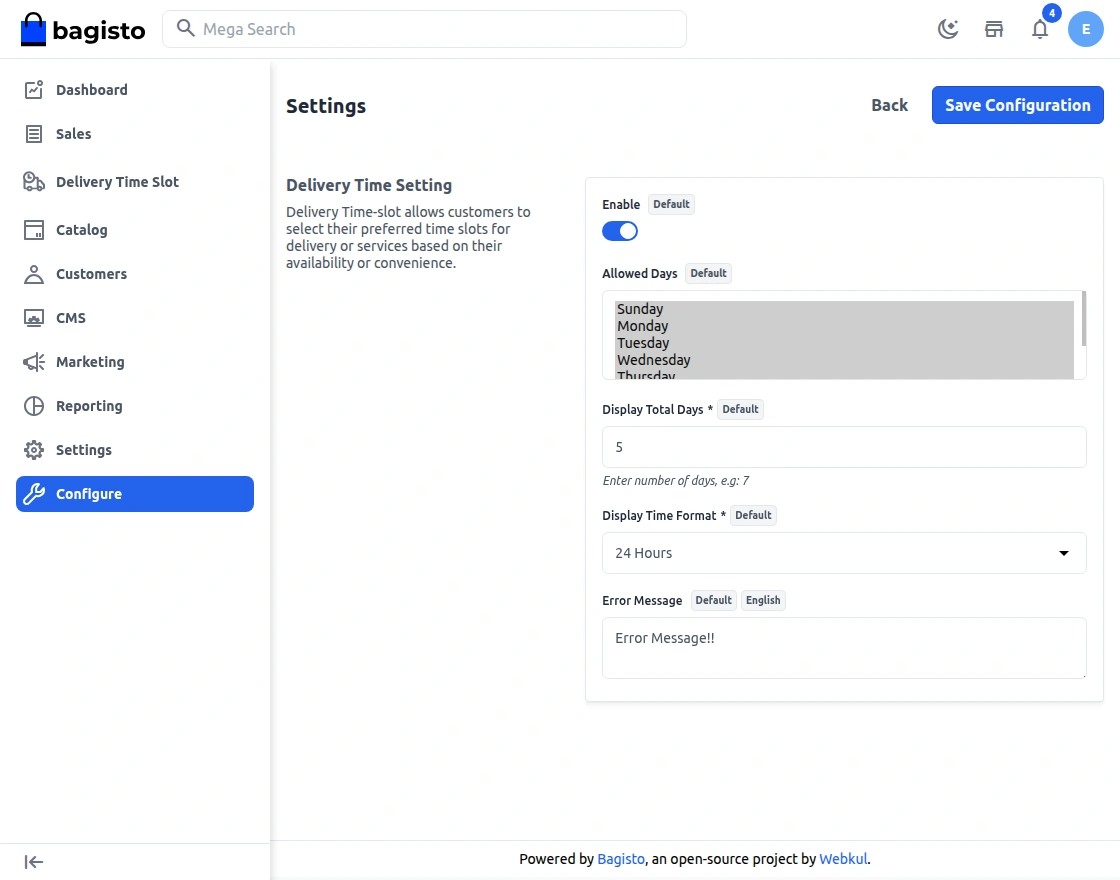
Enable:- The admin can enable or disable the module.
Allowed Days – Admin can select the default allowed days for the delivery time slots, which will appear on the checkout page.
Display Total Days – Enter the total number of days to display at the checkout time. Admin can set the default number of days to display on the checkout page.
Display Time format – Enter the total hours (12hour or 24 hour – Time format) to display at the checkout time. Admin can set the hours to display on the checkout page.
Error message – Enter the message that will be visible if there is no time slot available.
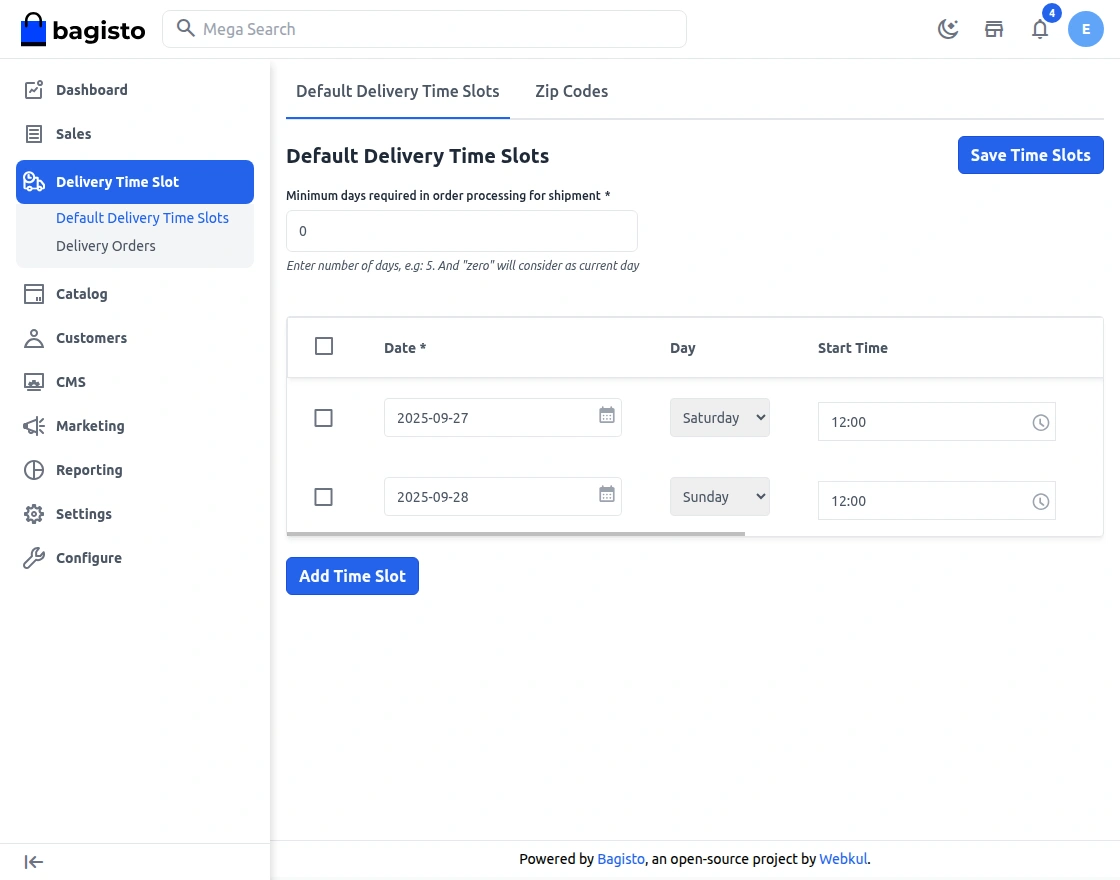
Now the admin need to navigate to the Delivery time Slot that is available in the sidebar menu as shown below:-

Default Delivery Time Slots
In the Minimum Required Time in Order Process, the admin can also set the minimum required time in order processing
The admin can also see the default delivery time slots in this page, to add the new slot the admin just need to click on the add time slot button as shown below:-
Zip Codes
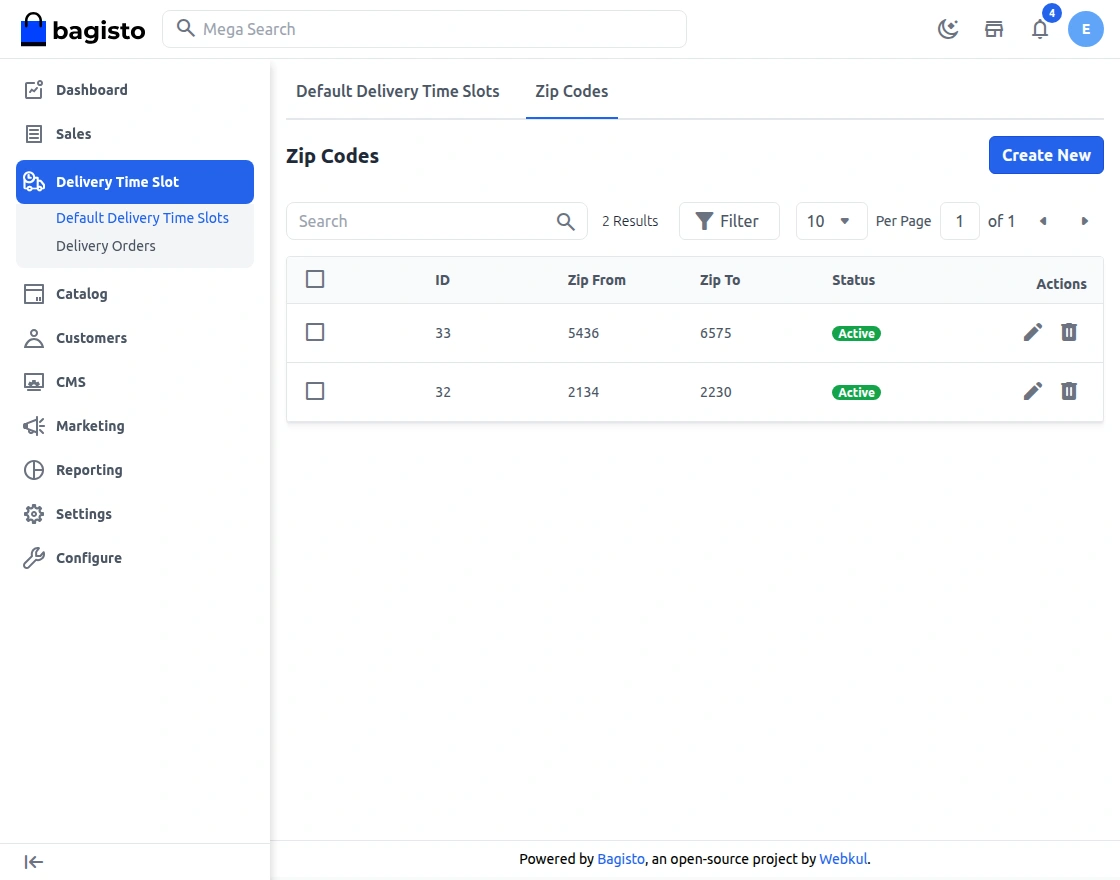
In the Zipcodes section, the admin can manage the list of serviceable areas for delivery. This allows the admin to define specific zip codes where delivery time slots will be available.
This feature helps in managing delivery coverage areas more efficiently, ensuring that delivery time slots are only available for valid and serviceable locations.
Delivery Orders
Under this the admin can find all the orders that have made by the customers as shown below:-
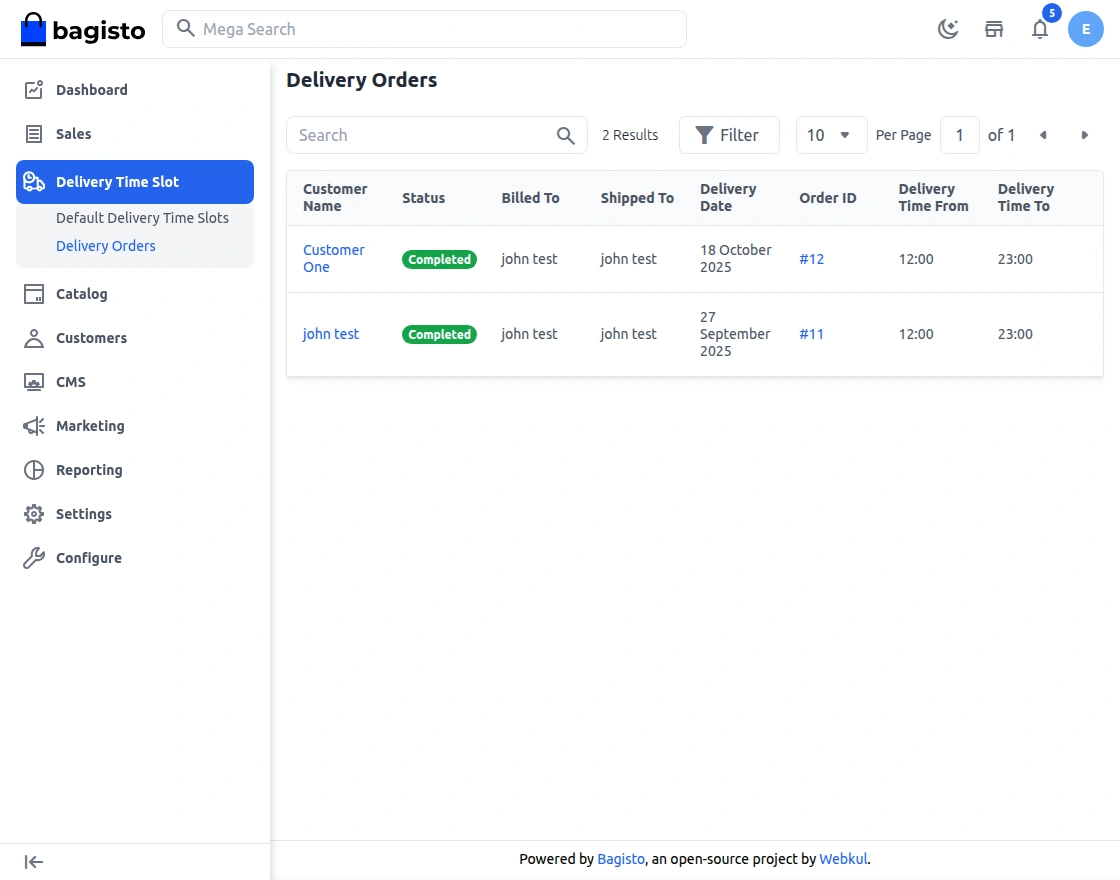
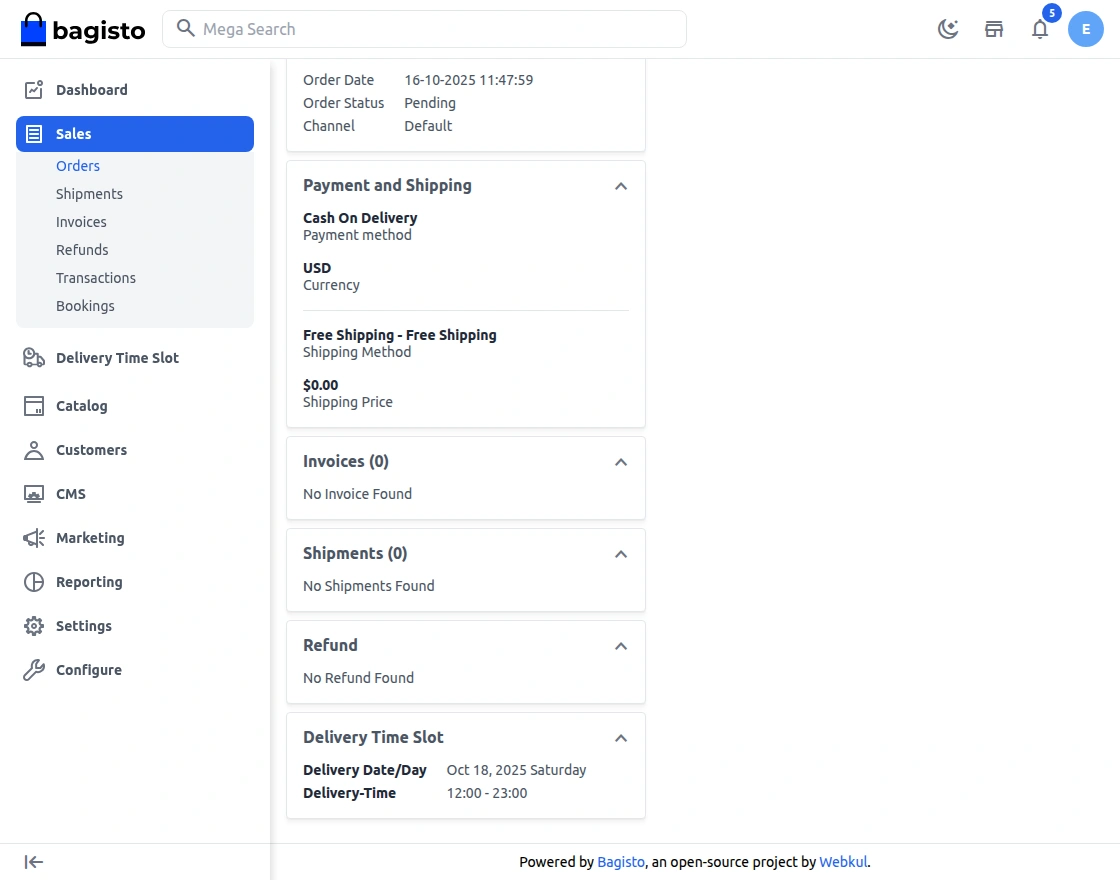
By clicking on the Order ID the admin can see the details for the order as shown below:-
Frontend – Workflow
On the front end, the buyer will add his products to the cart and at the time of checkout.
The customer will also be able to see the available delivery days and time slots available as shown below:-
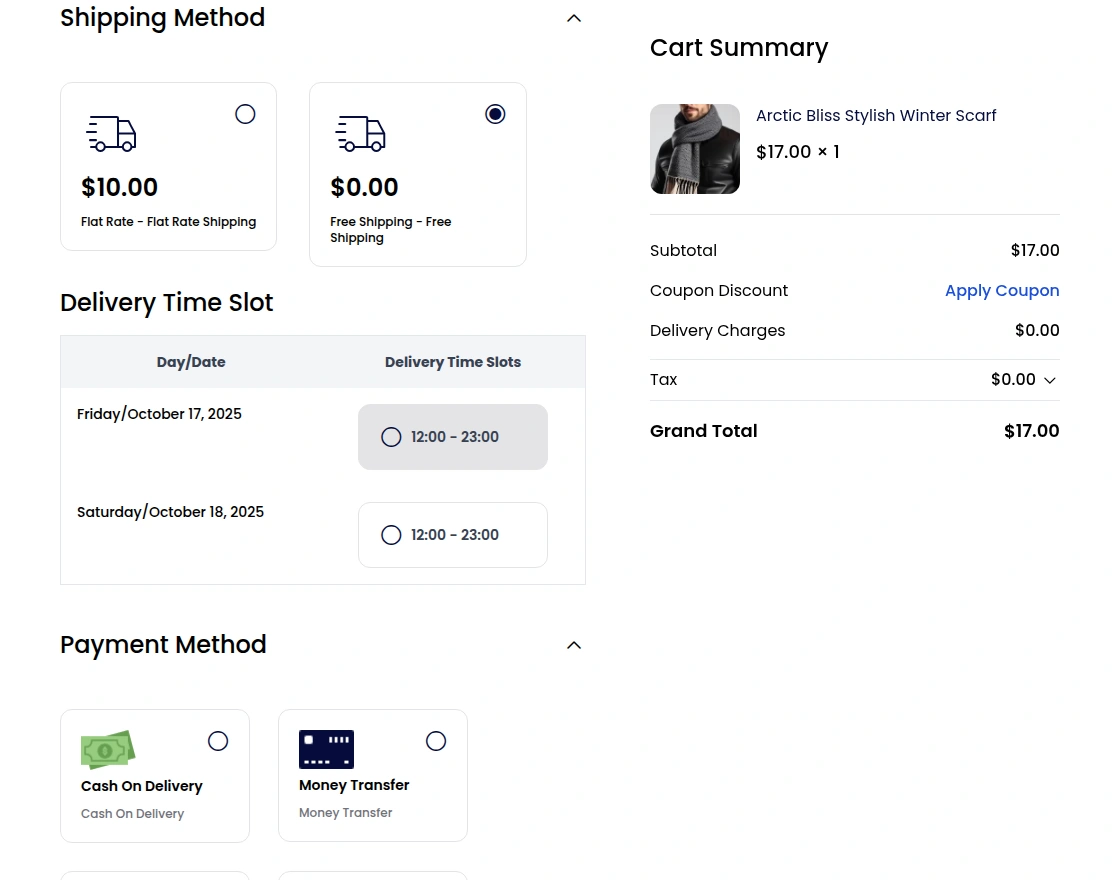
The time slots that are not available will be also marked as red as shown in the image.
**Note: The time slots will be unavailable in two conditions –
- Orders are full (i.e, if the quota set for each of the slots gets full).
- Today’s time slot is less than the current time, then that time slot will be unavailable(if the order process is set to “Zero” both by the admin ).
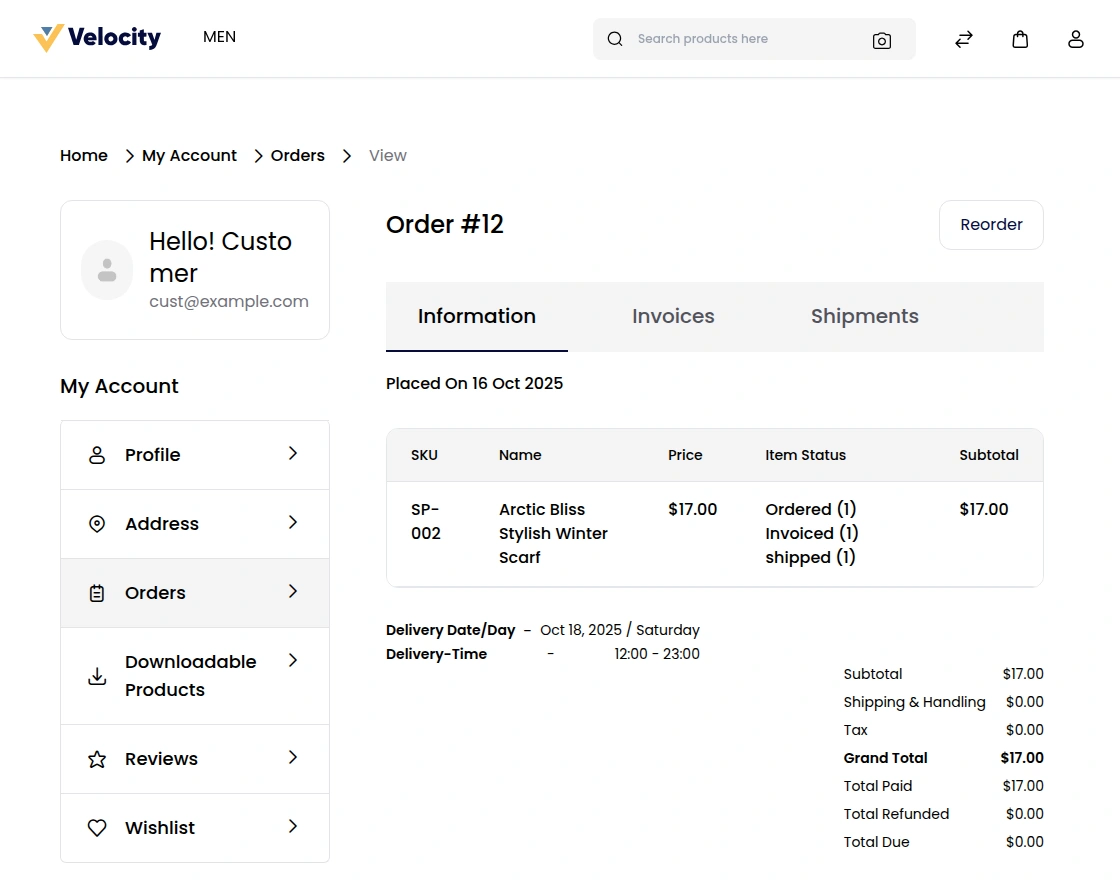
The customer will be able to see the delivery details under each orders shown below.
Support
So, that was much about the User Guide of Laravel eCommerce Delivery Time Slot for any queries or doubts reach out to us at [email protected]. You can also raise a ticket at our HelpDesk System.
Please explore our Laravel Development Services and Quality Bagisto Extensions.
Current Product Version - 2.3.0
Supported Framework Version - Bagisto 2.3.0


Be the first to comment.