Laravel eCommerce Daily Deals module enables the admin to create limited-time product deals to attract customers and boost sales. Admins can offer discounts as either a fixed amount or a percentage.
Set deals using two discount methods: fixed amount or percentage.
Check a brief overview of the plugin –
Complete Features List
- The admin can Activate or Inactivate the deal status anytime for any product.
- This module supports Simple, Virtual, Booking products.
- You can set deals using two discount methods: fixed amount or percentage.
- A dedicated Deal Collection page displays all active deals in one place.
- Daily deals appear on product pages, category pages, search results, and the deal collection page.
- A countdown timer shows the remaining time to claim each deal.
- The deal value clearly displays either the percentage discount or the amount saved.
- Supports English language translations.
- Compatible with multiple stores and store views.
- Customers can search for specific deals directly from the search bar, making it easier to find products on promotion.
Installation of Laravel eCommerce Daily Deals
Unzip the respective extension zip and then merge “packages”
Goto bootstrap/providers.php file and add the following line under ‘providers’
Webkul\DailyDeal\Providers\DailyDealServiceProvider::class,
Goto composer.json file and add the following line under ‘psr-4
"Webkul\\DailyDeal\\": "packages/Webkul/DailyDeal/src"
Run these commands below to complete the setup
composer dump-autoload
php artisan daily-deals:install
Admin Configuration
Once the module is successfully installed, the admin can access the settings by navigating to
Bagisto Store > Configure > Daily Deals Settings.
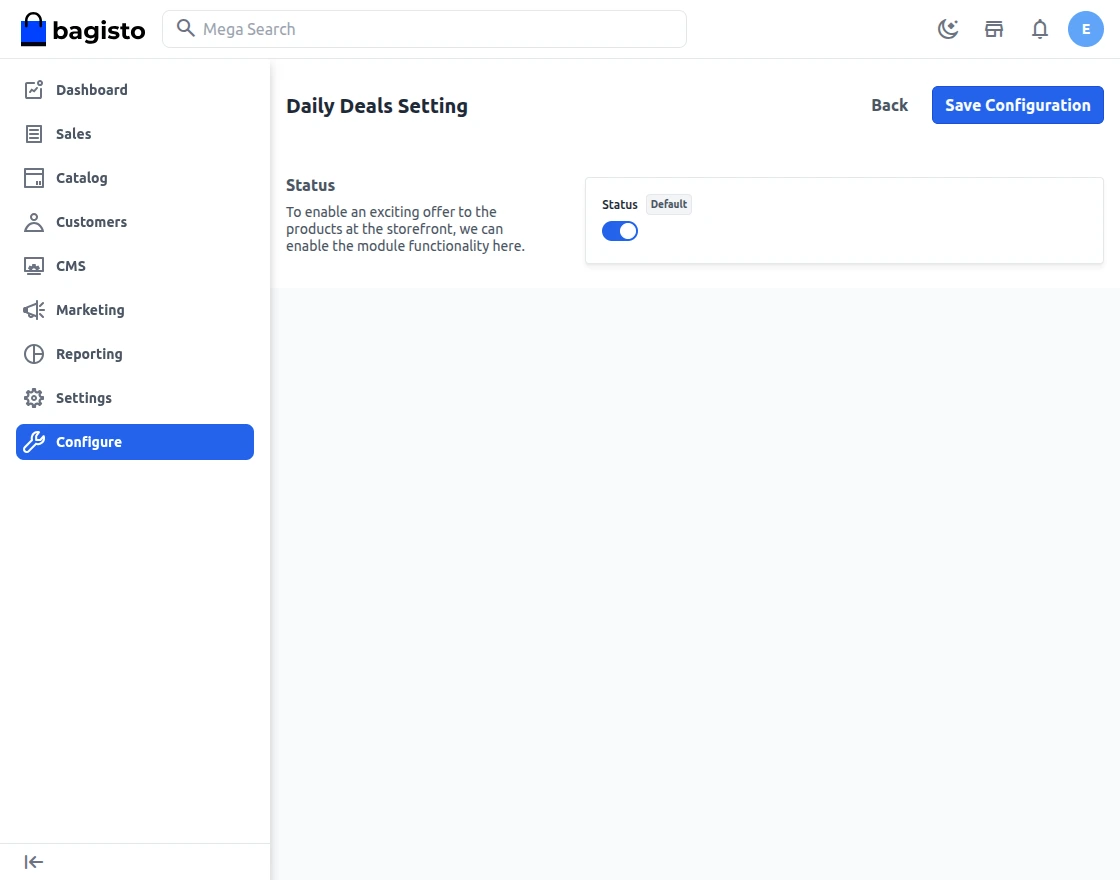
Enable Daily Deal Feature– The admin can activate or deactivate the module by toggling the enable/disable button.
After enabling Daily Deals, the admin should navigate to
Catalog > Products, select a product, and click Edit to configure its deal settings.
The admin can see a Daily Deals tab as in the below image:
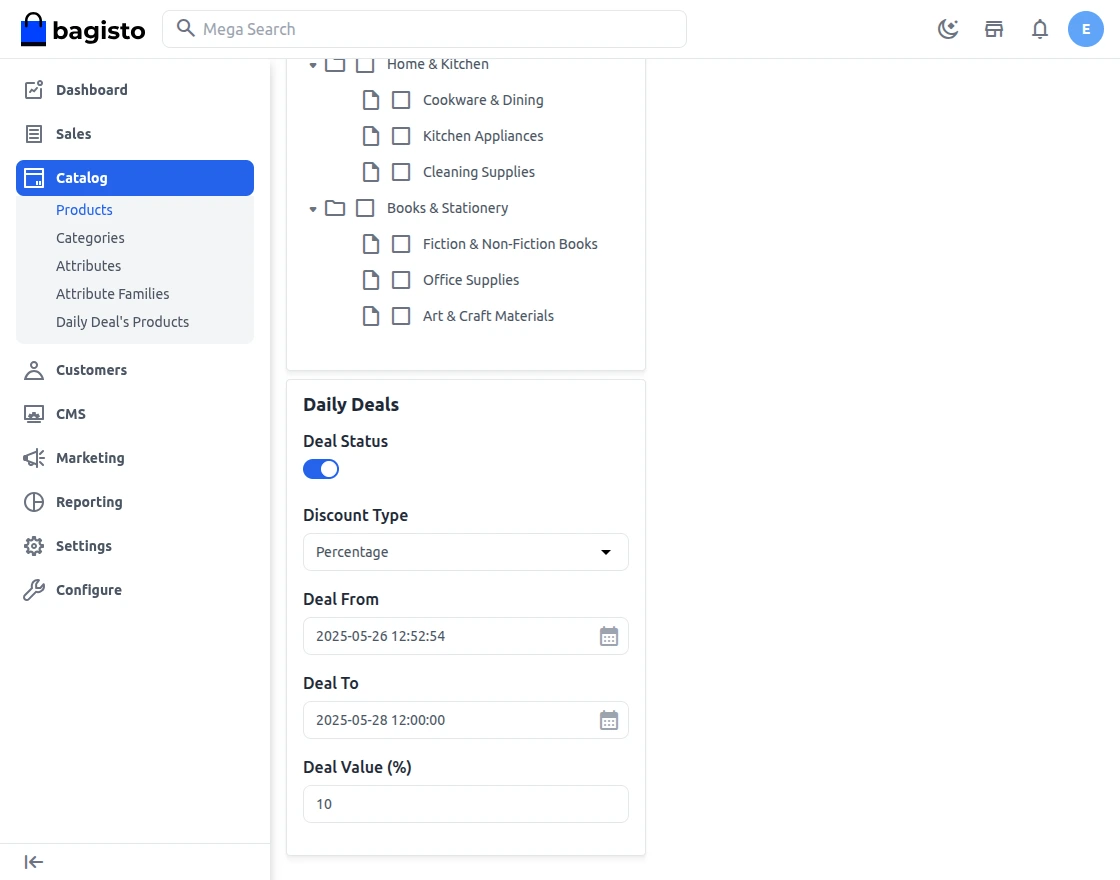
Here, the following buttons are available:
Deal Status – The admin can enable this option to apply a deal to the selected product or disable it to keep the product without a deal.
Discount Type – This option allows the admin to choose the method for calculating the deal price. Two methods are available: Fixed amount or Percentage.
- Fixed – Choose this option to set a specific deal price, then enter the desired amount in the deal value field. For example, if the original price is $599 and you set the deal value to $350, the system sets the product’s deal price to $350.
- Percent – To set the deal price as a percentage of the original price, select this option and enter the percentage in the deal value field. For example, if the original price is $600 and the deal value is 20, the deal price will be $480 (20% off).
Deal From – Select the start date and time for the deal using the calendar. After choosing the desired date and time, click Done to confirm.
Deal To – Choose the end date and time for the deal. After selecting the desired date and time, click Done to save.
Deal Value – Select the fixed discount type to set the entered price as the deal price. Select the percent discount type to apply the entered percentage and calculate the deal price accordingly.
Click Save to apply your changes and make them visible on the front-end.
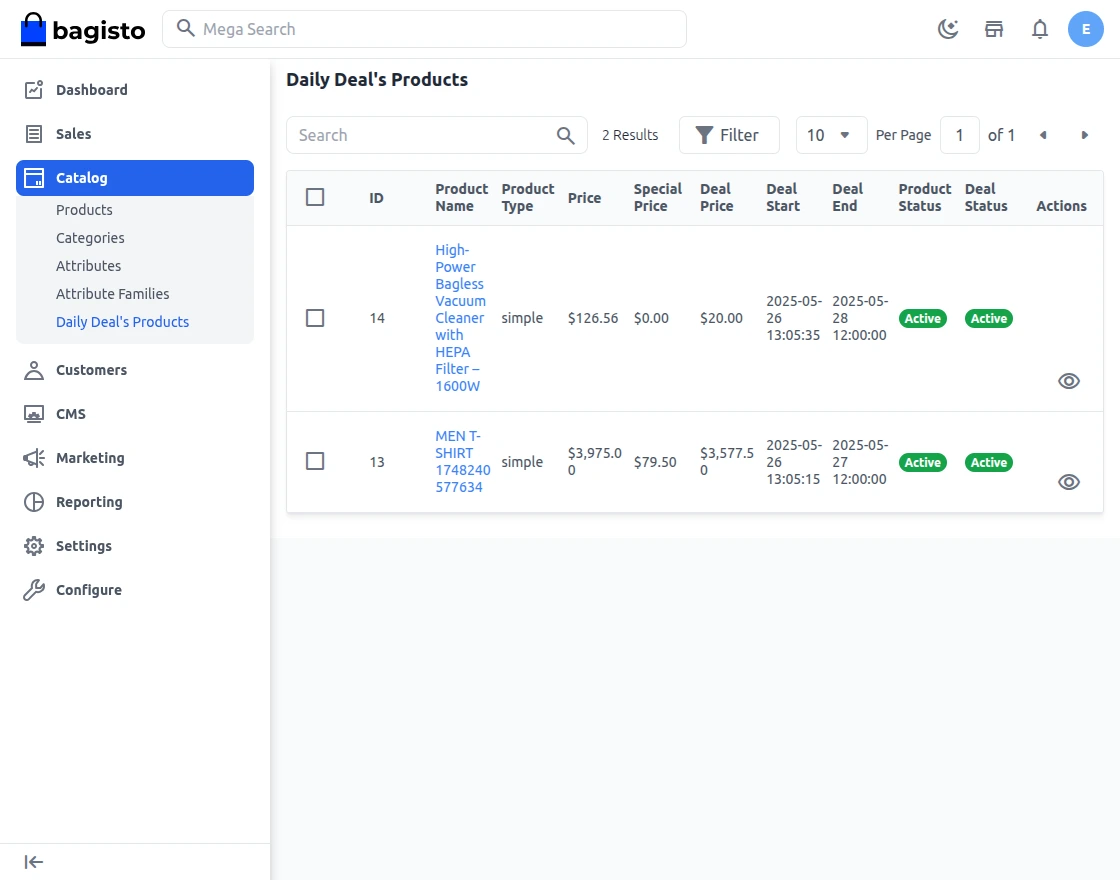
Then, navigate to Catalog > Daily Deal’s Product, where the admin can view all products with active daily deals, including their deal prices, start and end times, and current status.
Customer Front End Panel
Daily deal information is shown on the Deal Collection page, Product page, Category page, and Search page.
Customers can see the deal price, regular price, savings details, and the remaining time to avail the deal.
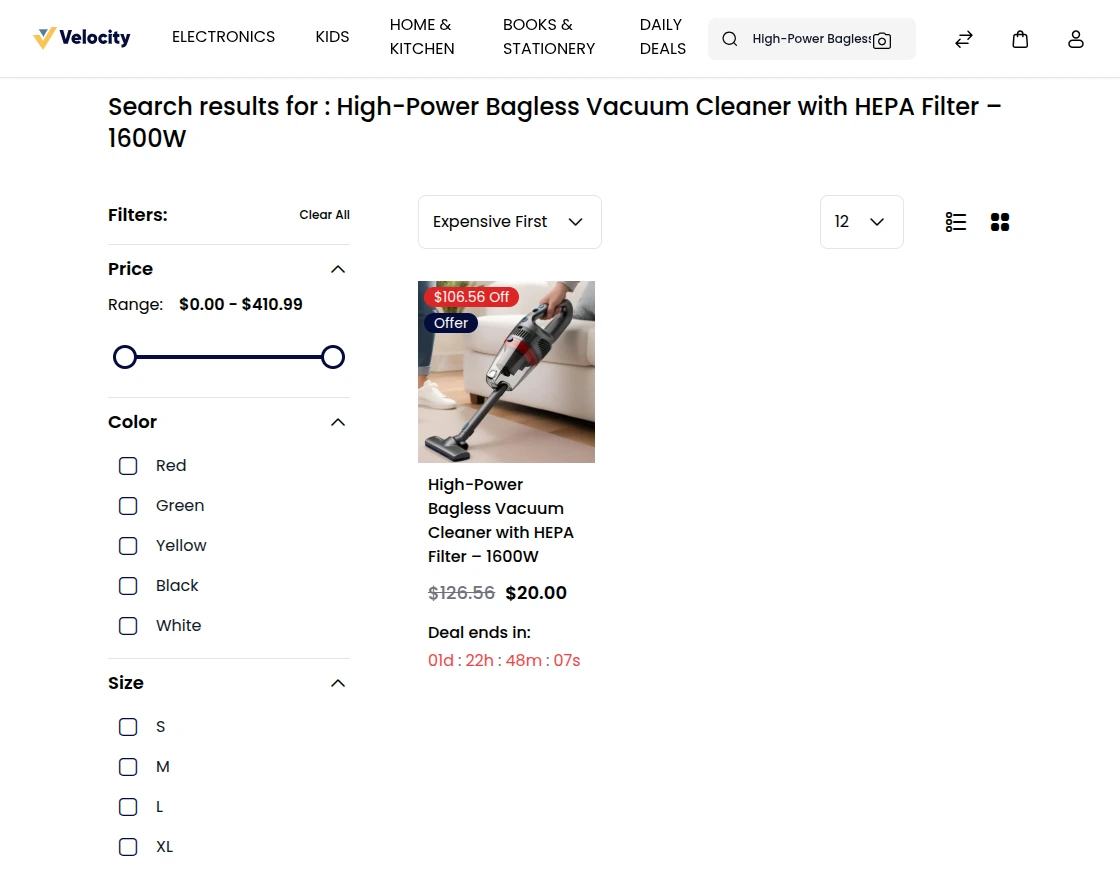
Search Page
To find a specific deal, users can type the product name into the search bar.
From here the users can see the active deals available at the store for that particular product.
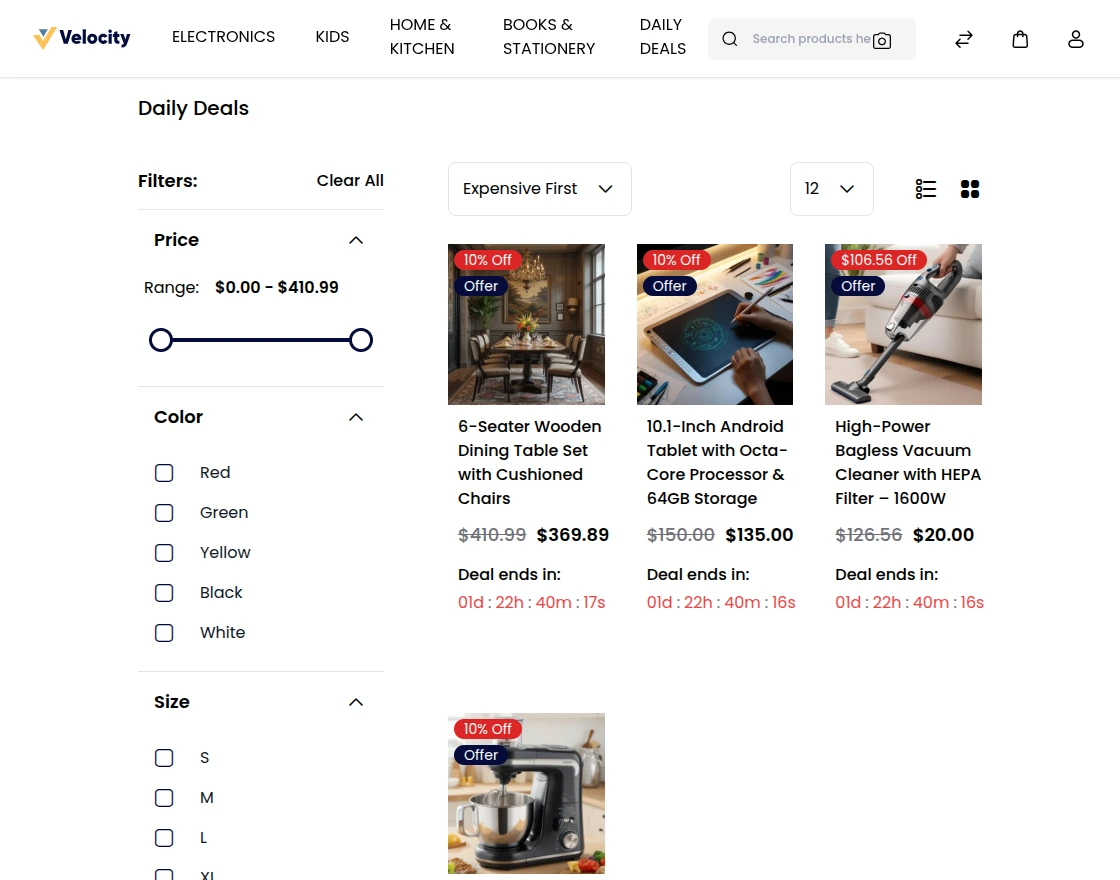
Deal Collection Page
To view all the deals of the store in one place, the users can go to the Deal Collection page.
Note – It can be viewed by logged-in customers only.
From here the users can see all the active deals available at the store. On this page, the users will also see the top deals of the day and top viewed deals as well.
Product Page
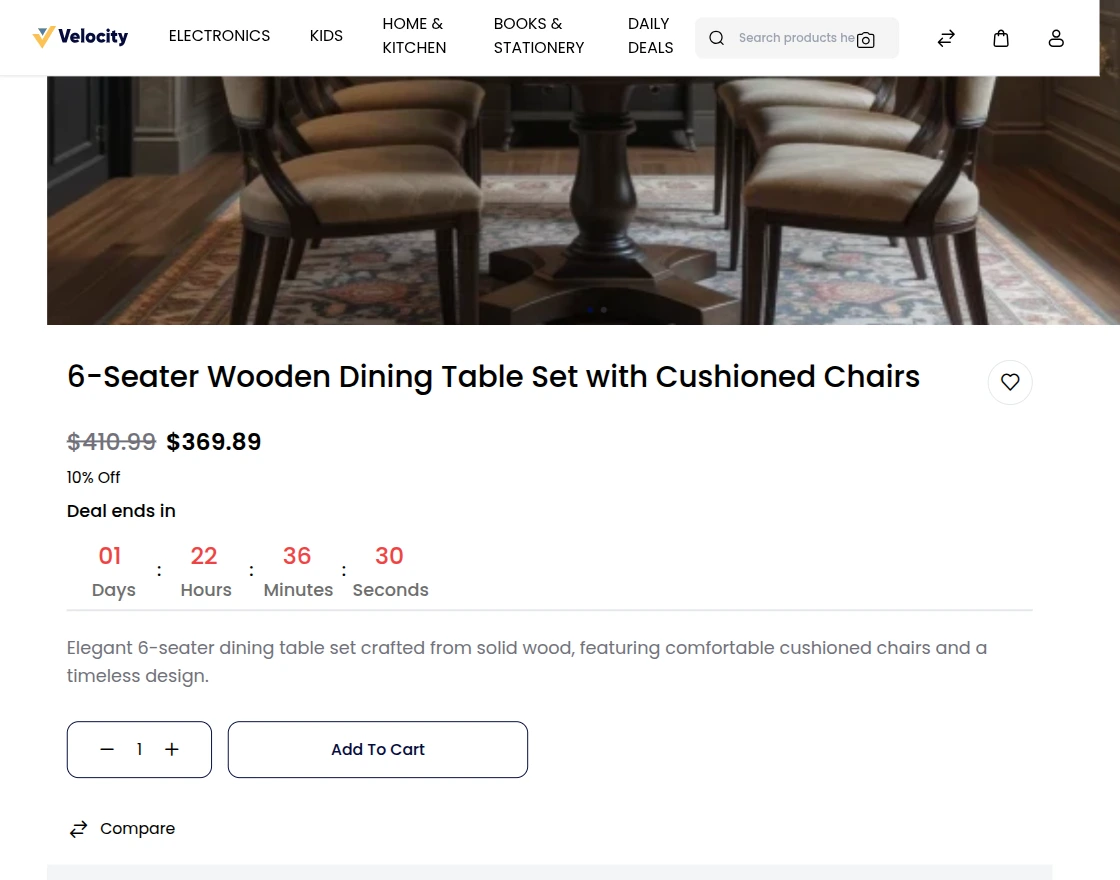
On the product page, users can see detailed information about the deal, including the deal price, regular price, and remaining time to avail the deal.
The page also shows the deal value, such as the percentage discount and the amount saved.
Support
So, that was much about the User Guide of Laravel eCommerce Daily Deals module for any queries or doubts reach out to us at [email protected]. You can also raise a ticket at our HelpDesk System.
Please explore our Laravel Development Services and Quality Bagisto Extensions.
Current Product Version - v 2.3.9
Supported Framework Version - v 2.3.9


Be the first to comment.