In this blog we know about “How to create customer group in shopware 6.”
Introduction
Shopware is a leading Germany based e-commerce platform. Till the date, the platform has received more than 80 thousand users. Shopware is an open-source eCommerce framework.
Meanwhile, the features which are taking this Plateform to prime levels are content management, Multi-warehouse system, and many more.
Shopware is now starting to enter new European nations and is making a big impact in the UK. You can check here other Shopware modules – https://store.webkul.com/Shopware.html
Overview
Here we know about how to create customer group in shopware 6. we will see how admin can add the customer group and how tax will display for customer group .
Create a customer group
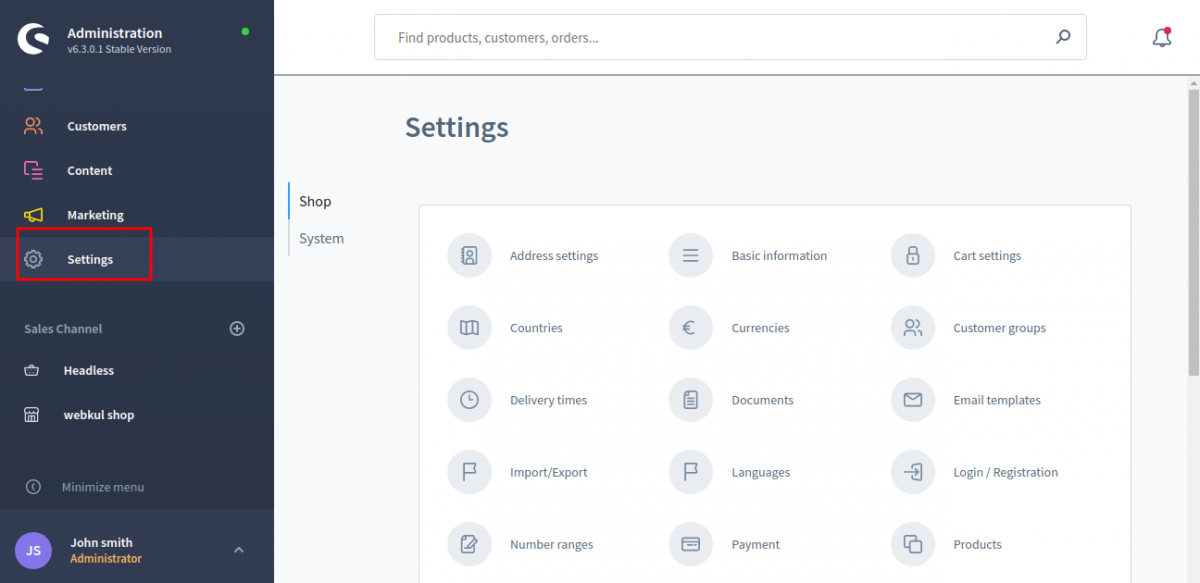
To Create customer group in Shopware, you have to log in to the admin page. And then go to the Shopware 6 Dashboard and click on Setting>Shop>Customer group menu.
Here you can see the existing customer group. if you want to create new customer group then click on the Add customer group button.
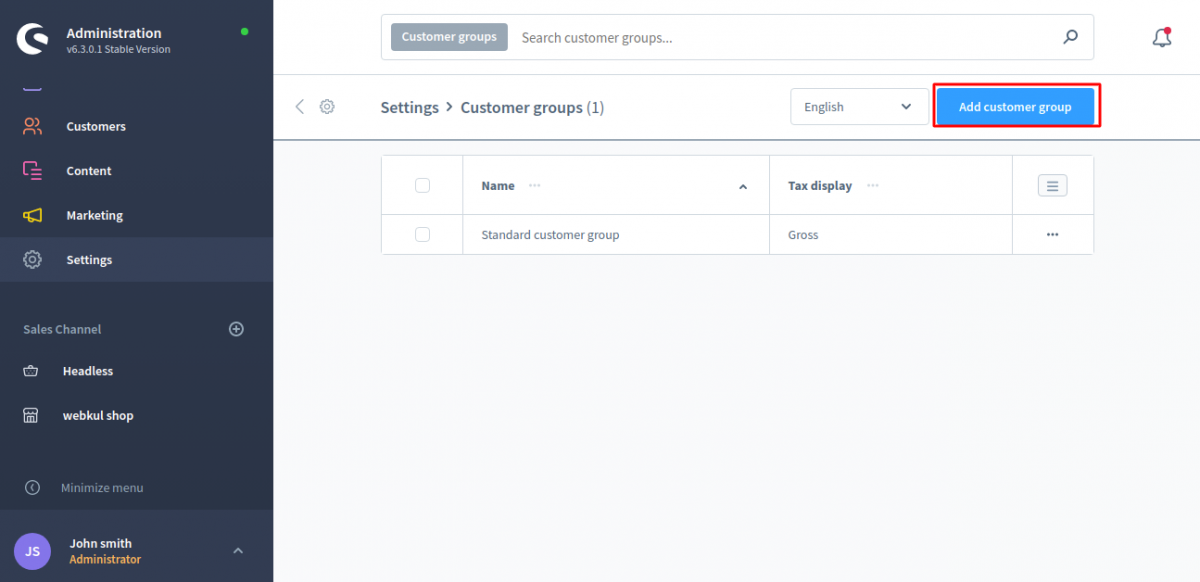
Here you can create and edit the customer groups into which the customers are divided. For example,prices for different customer groups can be displayed in gross or net.
To create the new customer group click on the add customer group button. A new page will get open, here you can fill the name of customer group. And you can also select the tax display for that customer group.After that click on save button.
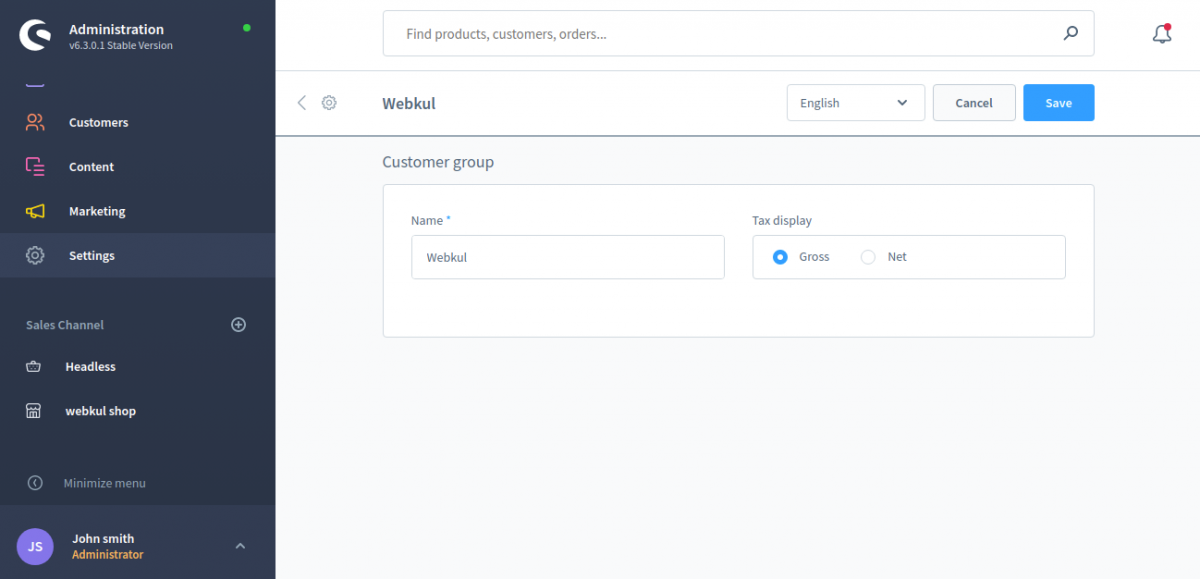
customer group name can be added in multilanguage. Below You can see the added customer group in the list.
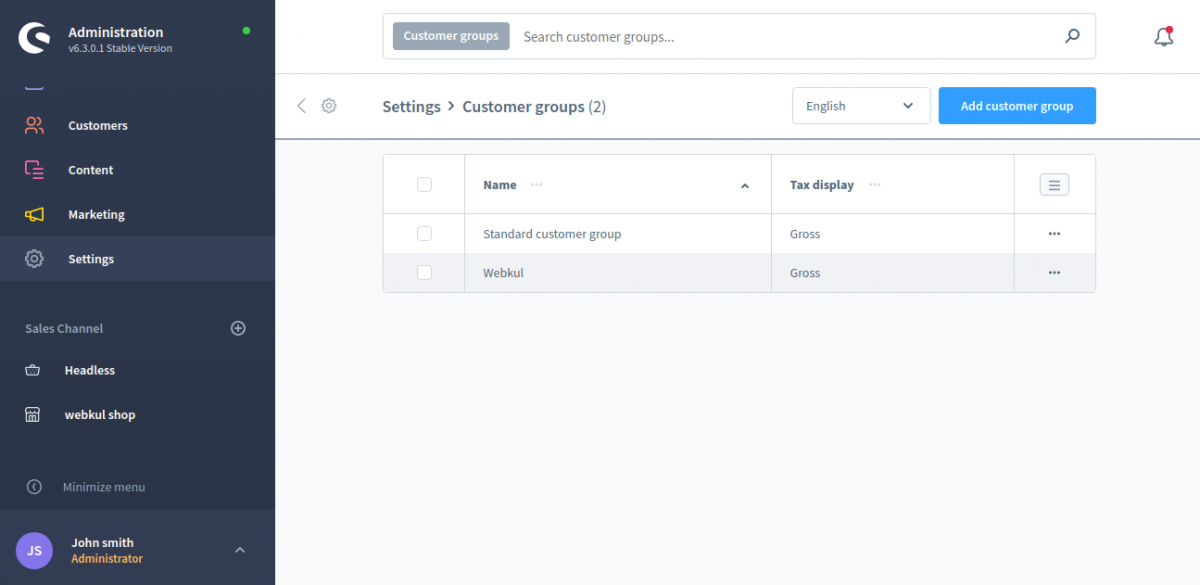
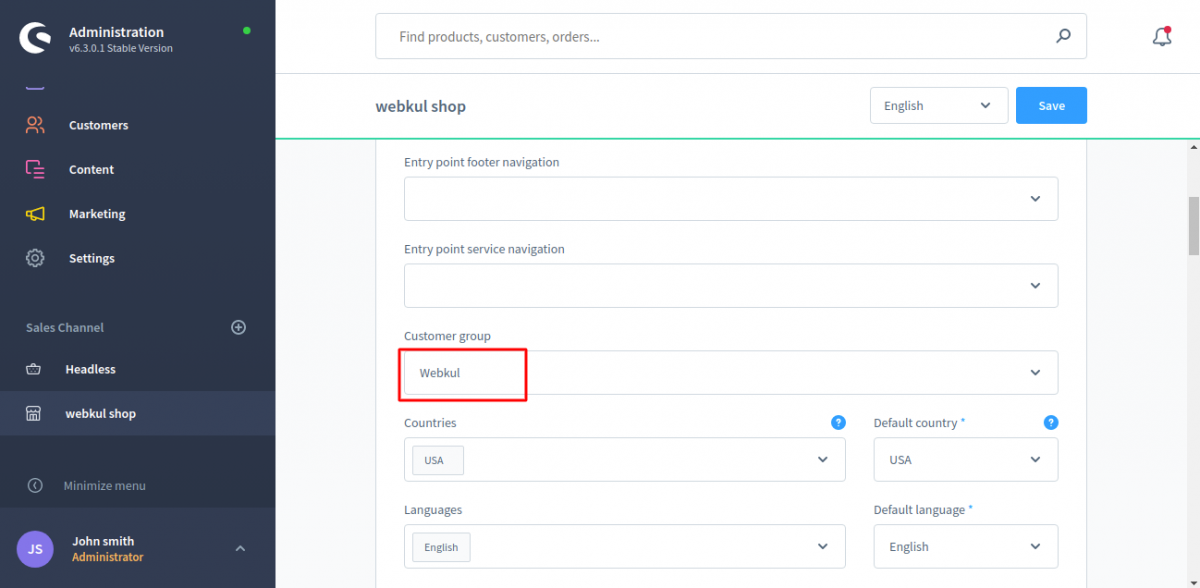
Now you can add this customer group in the sales channel. for this navigate to the sales channel and then select the customer group.
I hope it will helpful for you. if you have still any query or issue please create a support ticket here http://webkul.uvdesk.com
Please explore our shopware development services and Quality shopware extensions.
Thank You.


Be the first to comment.