In the world of e-commerce, managing product information efficiently is crucial. Akeneo, a powerful Product Information Management (PIM) system, helps businesses centralize and organize their product data.
On the other hand, Shopify serves as a popular e-commerce platform to showcase and sell products. When it comes to exporting metafields from Akeneo to Shopify, the Akeneo Shopify Connector provides a seamless integration solution.
In this blog post, we will explore how to leverage the Akeneo Shopify Connector to streamline the process of exporting metafields.
Understanding the Akeneo Shopify Connector:
The Akeneo Shopify Connector is a specialized integration tool that facilitates the synchronization of product data between Akeneo PIM and Shopify. With this connector, you can efficiently export metafields along with other product information from Akeneo to Shopify.
Installing and Configuring the Akeneo Shopify Connector
After that to get started, you need to install the Akeneo Shopify Connector on your Akeneo PIM instance. Follow the installation instructions provided by the connector’s documentation.
Once installed, you will need to configure the connector by providing the necessary API credentials and authentication details for both Akeneo and Shopify.
Mapping Metafields in Akeneo
Before exporting metafields, ensure that you have defined the appropriate metafield attributes in Akeneo.
This involves creating metafield attribute codes and assigning them to the relevant products. Make sure that the attribute codes in Akeneo align with the metafield keys in Shopify to ensure a smooth mapping process.
Mapping Metafields in the Connector:
Within the Akeneo Shopify Connector, you can map the metafield attributes from Akeneo to the corresponding metafields in Shopify. This step establishes the connection between the metafield data in Akeneo and the desired location in Shopify.
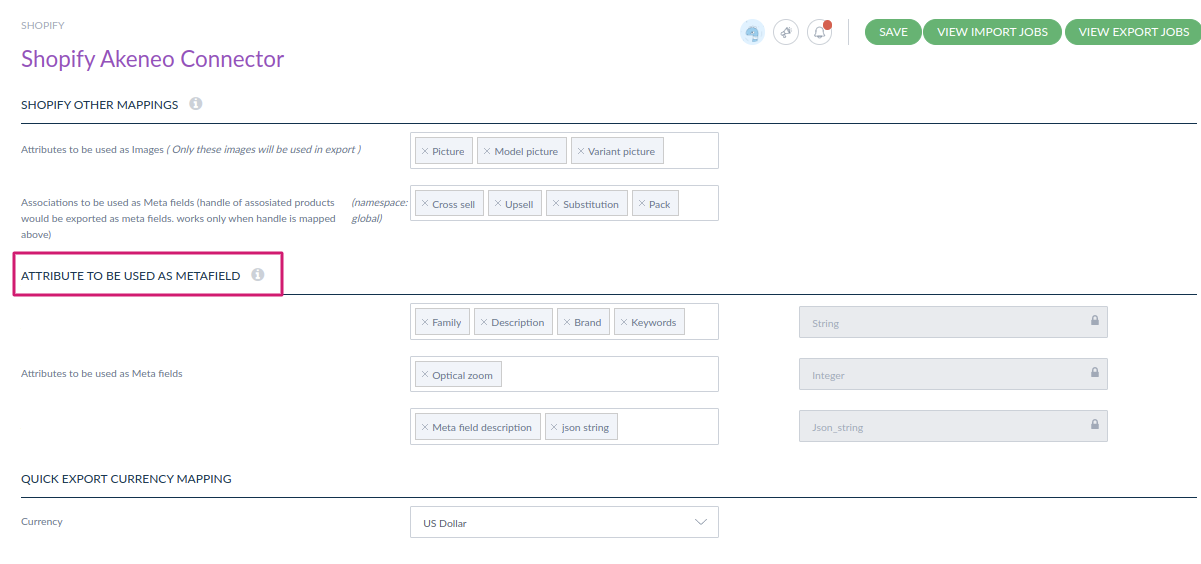

Exporting Metafields:
Once the mapping is complete, you are ready to export the Product with metafields. The Akeneo Shopify Connector provides a straightforward interface to initiate the export process. You can choose to export metafields for specific products or for the entire catalog.
Validating and Previewing the Exported Metafields
After exporting the metafields, it’s essential to validate the results. In Shopify, you need to install the Metafields application for checking the exported metafields at the Shopify end. This step helps ensure that the metafields are correctly mapped and exported according to your requirements.
Synchronizing the Exported Metafields with Shopify:
Once you are satisfied with the product metafields, you can proceed with synchronizing the exported metafields with your Shopify store. The Akeneo Shopify Connector typically provides a synchronization option that updates the metafields in Shopify based on the exported data from Akeneo.
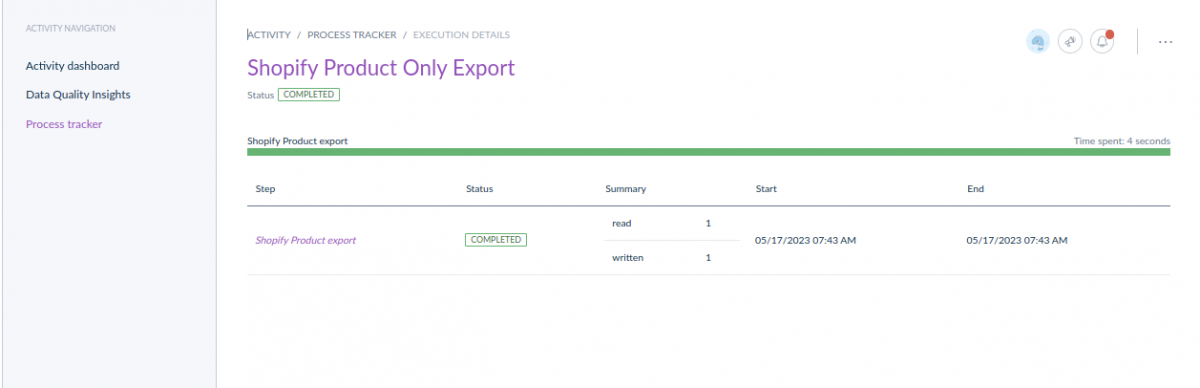
Verifying the Metafield Export in Shopify:
To ensure the successful export of metafields, navigate to your Shopify store and review the product details. Check if the metafields are properly synchronized and contain the expected values. You can select individual products to validate the presence and accuracy of the exported metafields.

Conclusion
Exporting metafields from Akeneo to Shopify becomes significantly more streamlined and efficient with the help of the Akeneo Shopify Connector. This powerful integration tool simplifies the mapping, export, and synchronization processes, allowing businesses to maintain consistent product information across platforms. By leveraging the capabilities of the Akeneo Shopify Connector, e-commerce businesses can enhance their product management workflows and deliver a seamless shopping experience to their customers.


Be the first to comment.