CS-Cart Price Drop Alert: This impressive add-on helps in maintaining customers’ interest in the user’s marketplace.
Also by using this add-on, any customer can subscribe to products for price drop alerts.
Features
- Indeed well integrated with CS-Cart Multivendor.
- Option of mail templates for subscription and notification is available.
- One-click unsubscription facility is available to customers.
- Subscriber log entries can be easily managed or deleted from the admin panel.
- Whenever the price of the product goes down the subscriber of that product will receive an automatic email notification.
-
Benefits
- Easy mail templating process, well integrated with CS-Cart.
- Also, Customers need not track the drop in prices for their desired products.
- Easy at the Admin end to target customers looking for a price drop.
- Customers will enjoy the convenience of receiving auto-generated mail each time the product price goes down.
- Moreover will increase the urge to purchase among customers.
Video Tutorial
Installation-CS-Cart Price Drop Alert
To install CS-Cart Price Drop Alert, follow these steps:
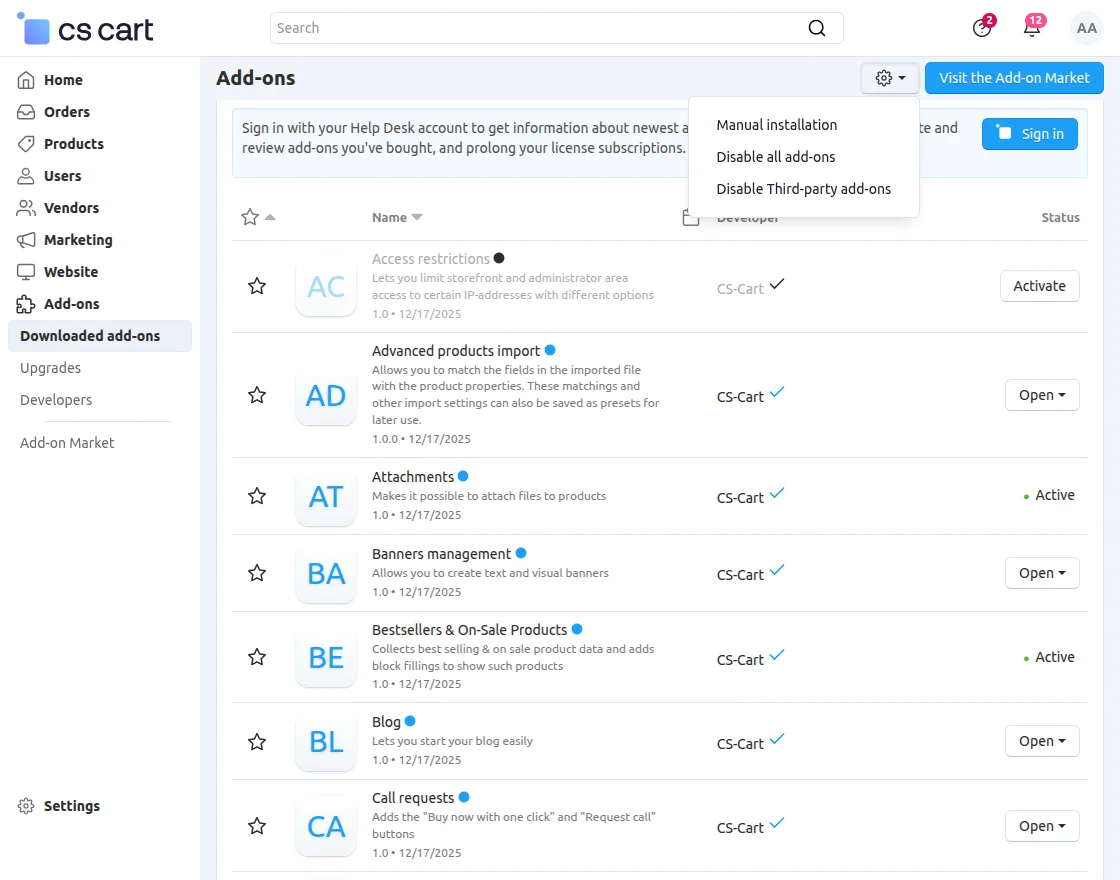
- Go to Manage Add-ons, click on the gear drop-down, and select Manual Installation.
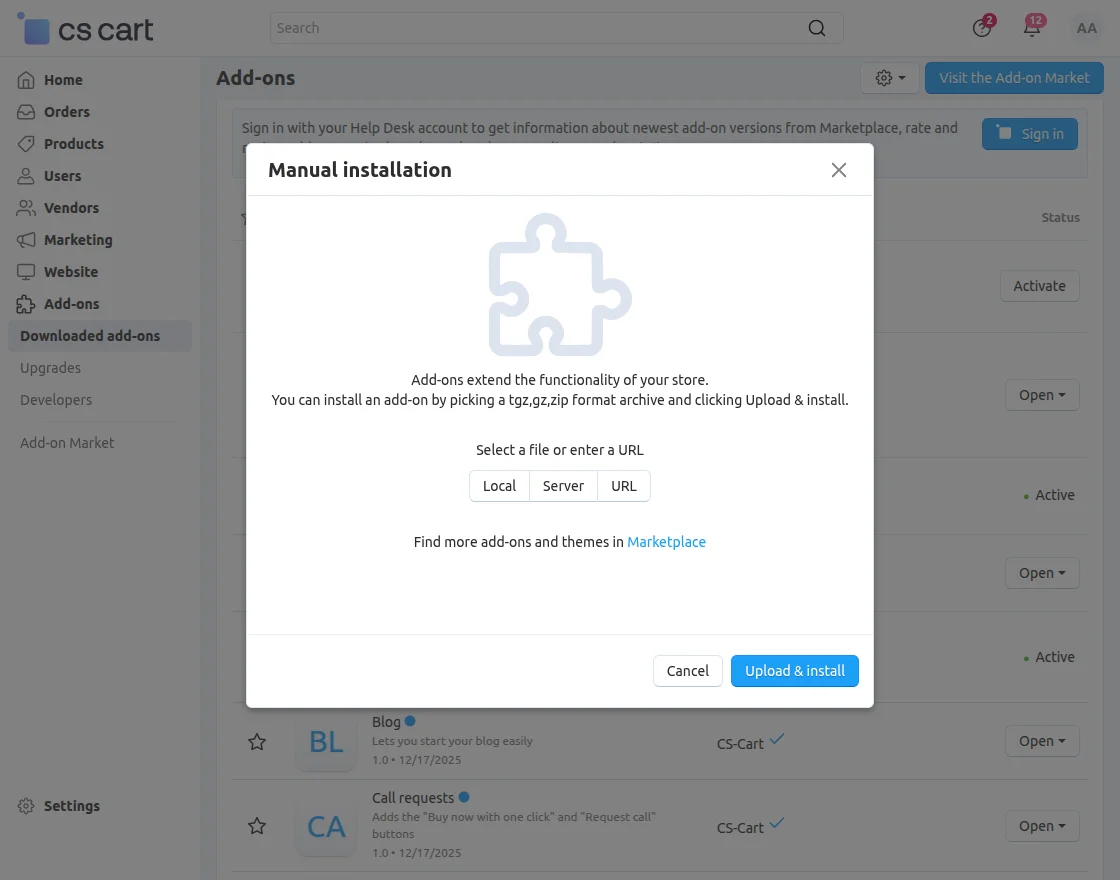
2. Select the zip File and click on Upload&install.
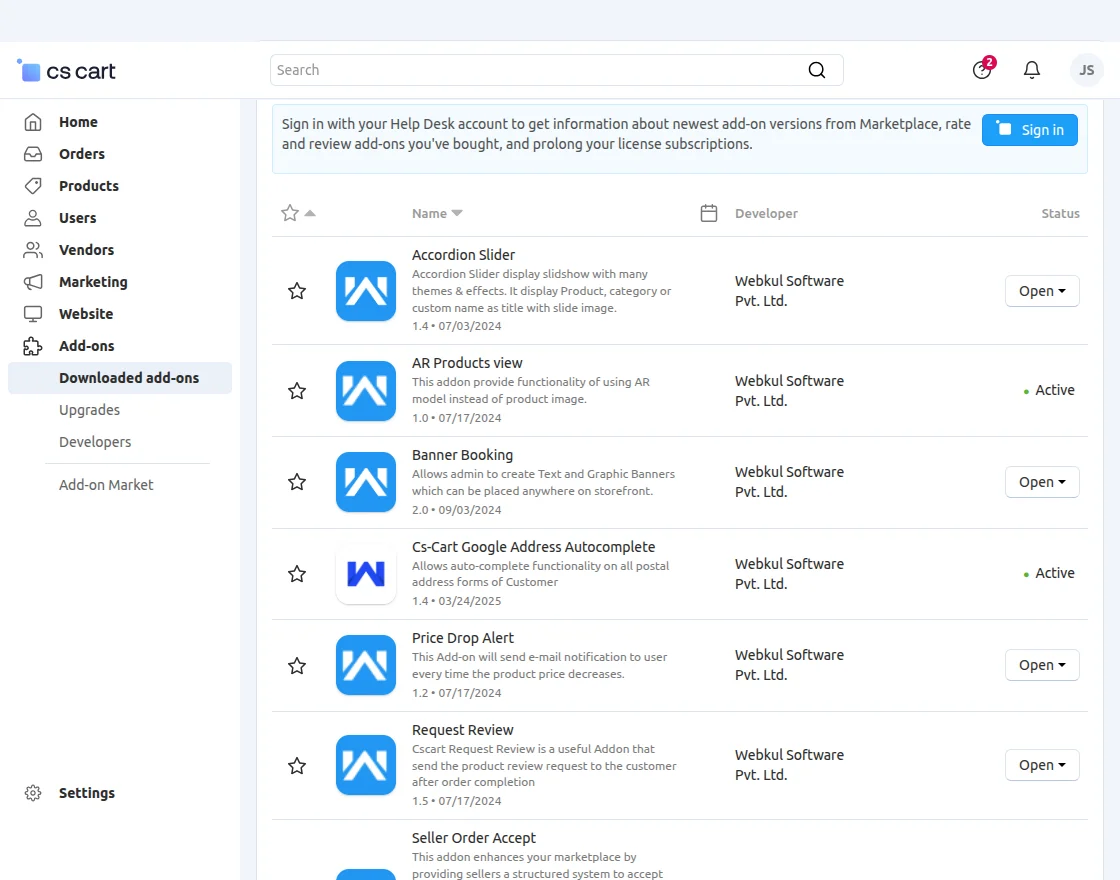
After installation of the add-on, you will find “Price Drop Alert” in the list of the available add-on. Make sure, the add-on is activated as shown in the below snapshot.
General Settings
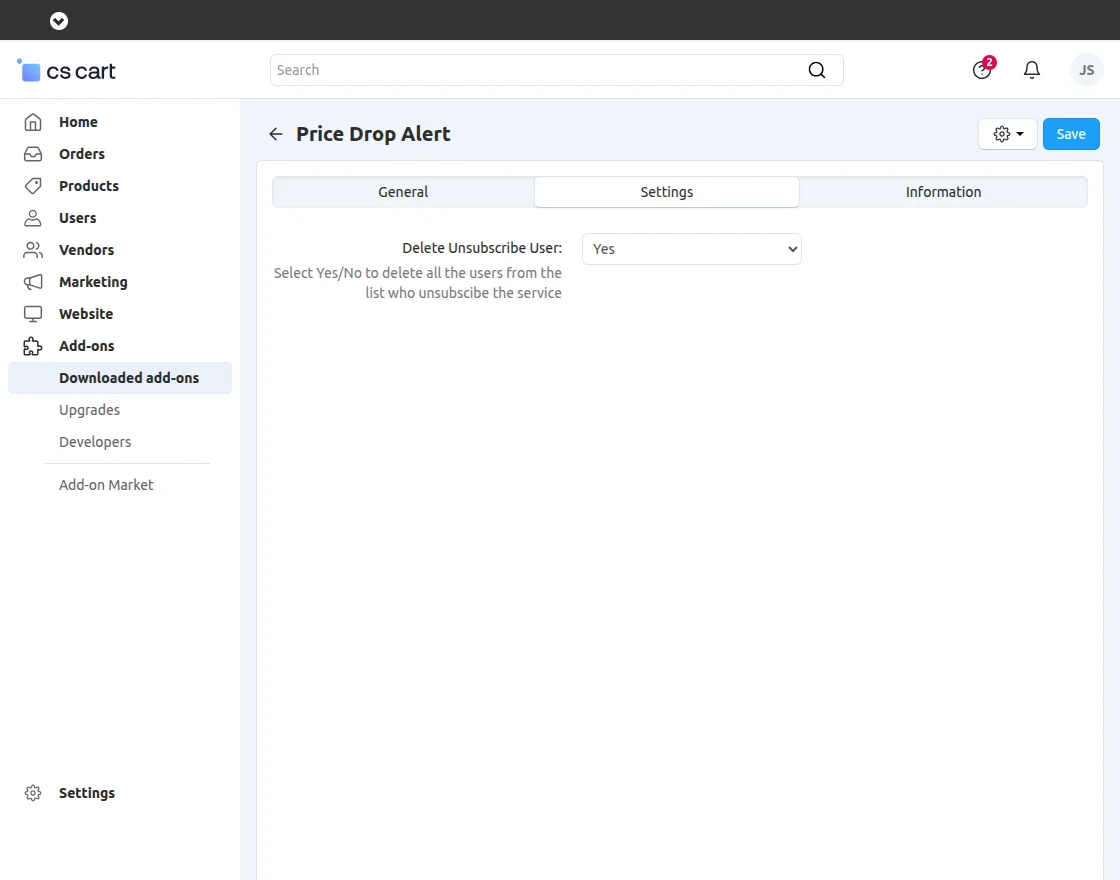
The admin will click on Price DroP Alert and go to the settings tab.
Now in this tab click on Settings to make the module settings enable.
Module Workflow-CS-Cart Price Drop Alert
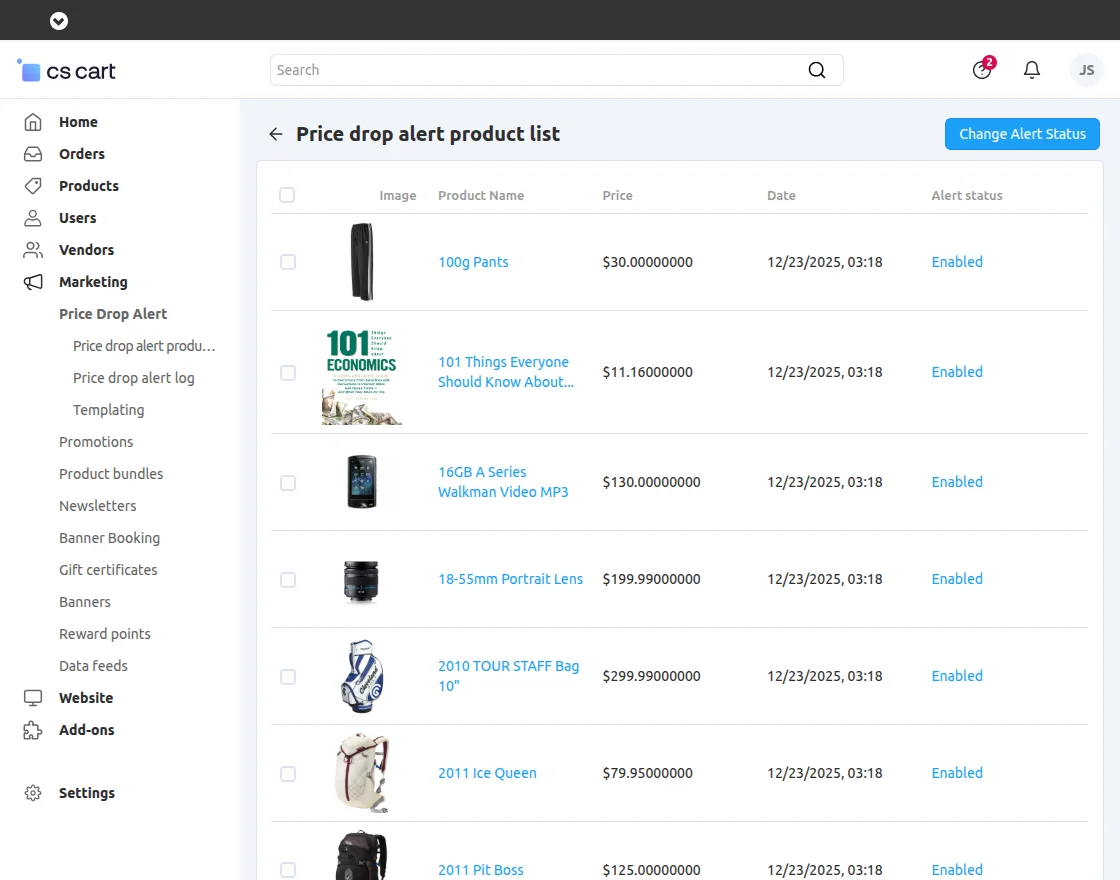
Now the admin will navigate through Marketing>Price Drop Alert>Price Drop Alert Product List.
From here, the admin can view the list of all the products for which the price drop alert notification will be sent.
Template Settings
Now the admin will navigate through Marketing>Price Drop Alert>Templating for the template settings.

Frontend View-CS-Cart Price Drop Alert
The customers will have to enter their email id and click on the email icon as shown in the screenshot.

A notice will pop up when the subscription will get completed for the particular product as per the image below.

Similarly, an email will be sent to the customer for the successful subscription to the entered email address.

Admin View- Price Drop Alert Log
The complete list of the product for price drop alert will display by navigating through Marketing>Price Drop Alert>Price Drop Alert Log to the admin once the user subscribes to the product.
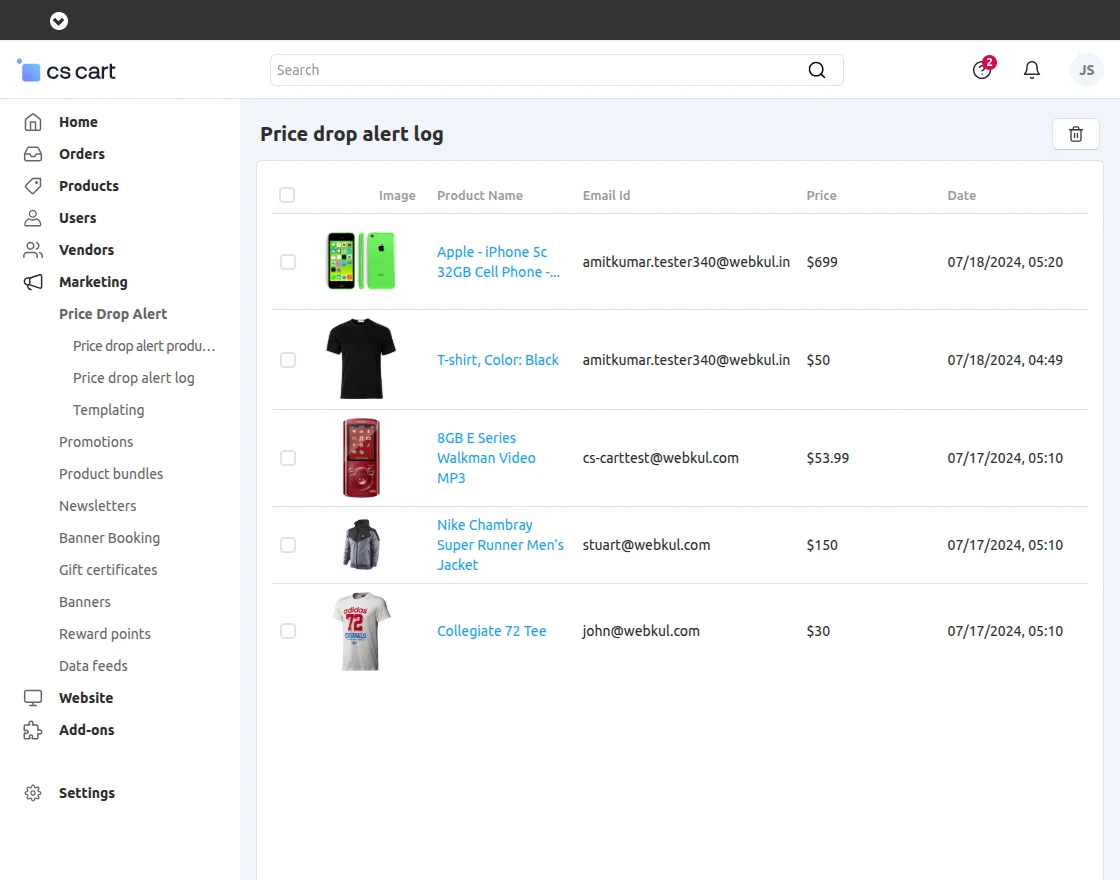
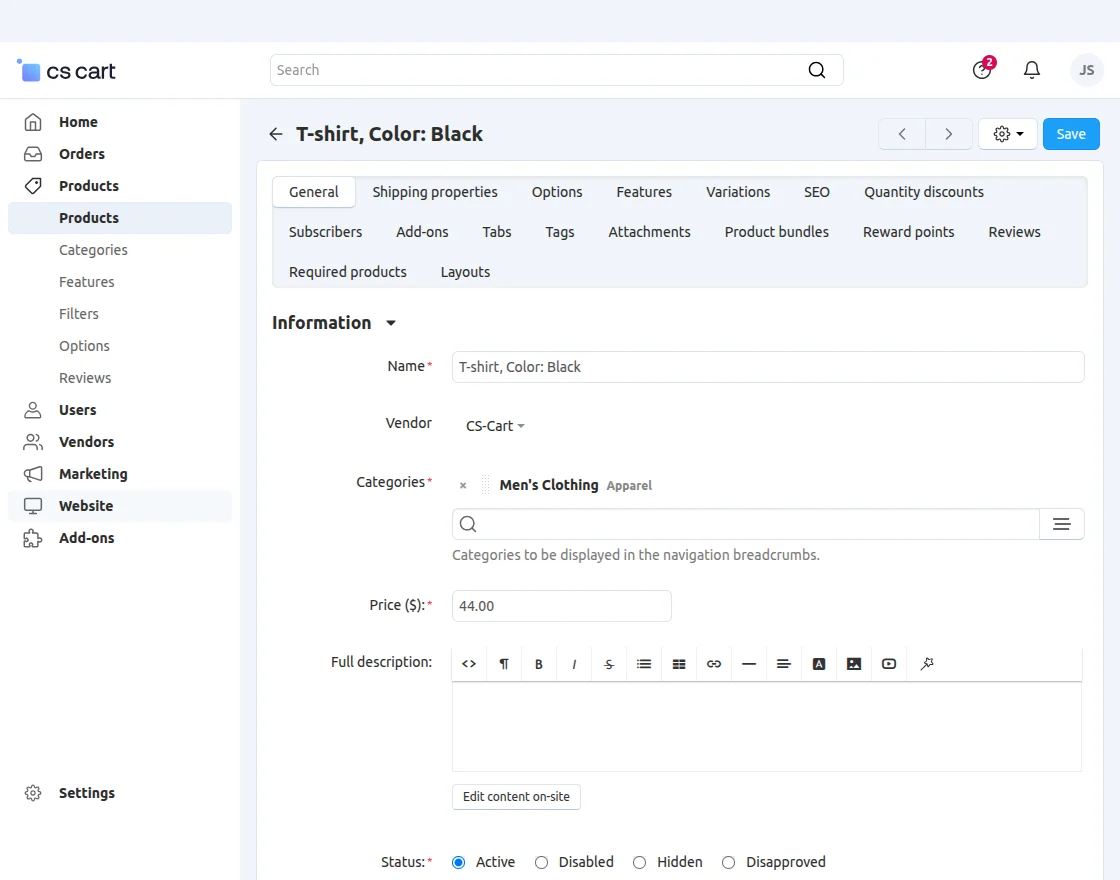
The admin can decrease the price by clicking on the product. Once the admin clicks on the product it will redirect to the product editing page as shown in the screenshot.

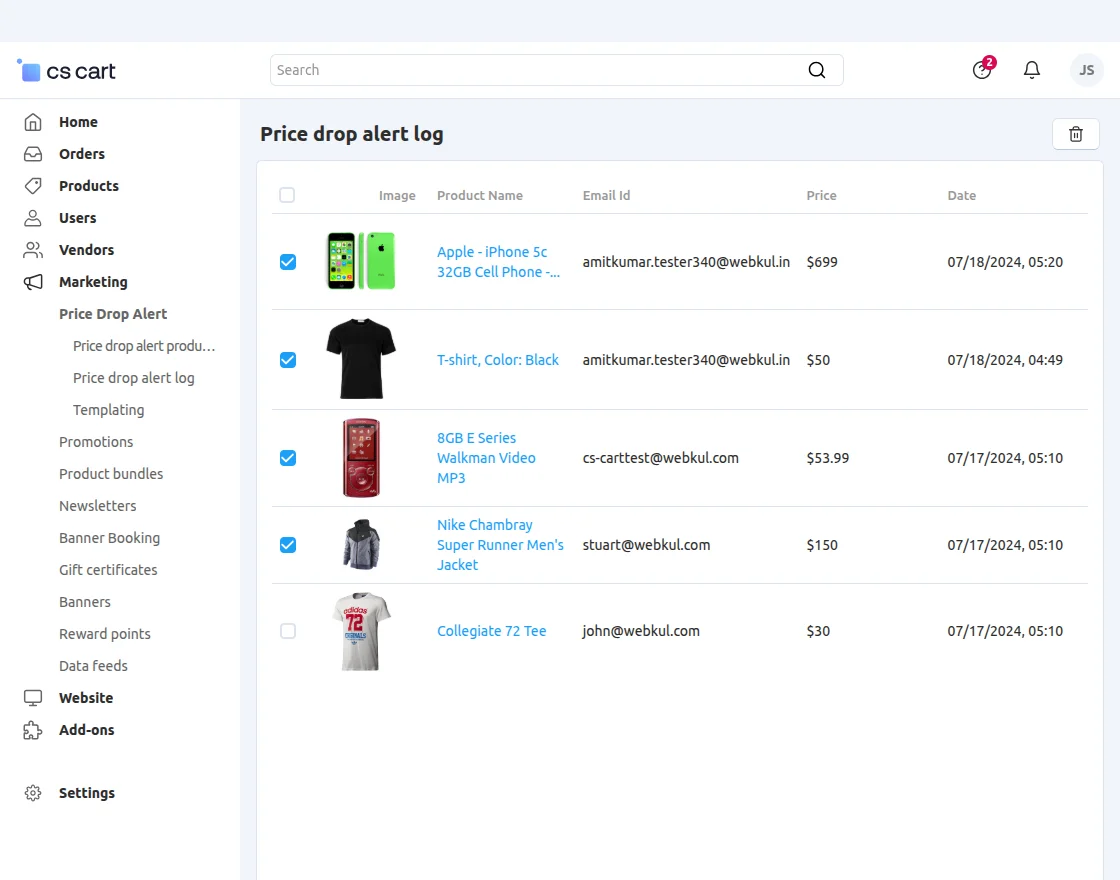
The admin can also multi-select products and remove them from the price drop alert list.
The customers can navigate via My Account>Price Drop Alert as per the image.

Here, the customer can view all the subscribed product for the price drop alert.

Support
That’s all for the CS-Cart Price Drop Alert module. However, if you still have any questions regarding the CS-Cart extensions.
Please create a support ticket by clicking Webkul Support System or send an email to support mail.
Current Product Version - 1.2
Supported Framework Version - 4.18


Be the first to comment.