CS-Cart Extended Order List expands order details directly on the order list page.
It works smoothly in the Admin, Vendor, and Customer areas, allowing users to expand and collapse orders on both the backend and frontend.
Users can quickly review the products in any order without opening the full order details page.
A visually engaging display of purchased product details with product images enhances the overall user experience.
Check a brief overview of the addon –
Features
- Works seamlessly with CS-Cart and CS-Cart Multi-Vendor.
-
Allows users to expand or collapse each order quickly.
-
Provides an option to show products with or without images in the expanded view.
-
Let’s admins set the default order list view as expanded or collapsed.
- Enables admins, vendors, and customers to view orders in expanded or collapsed format.
-
Displays expanded product details directly on the order list page.
-
Offers a simple and intuitive setup, easily configurable from the admin panel.
-
Enhances usability and reduces navigation time for all users.
Installation
After downloading the CS-Cart Extended Order List add-on, you’ll get one zip file, one install.txt file, and a relevant User Guide manual doc.
Read it carefully for proper configuration.
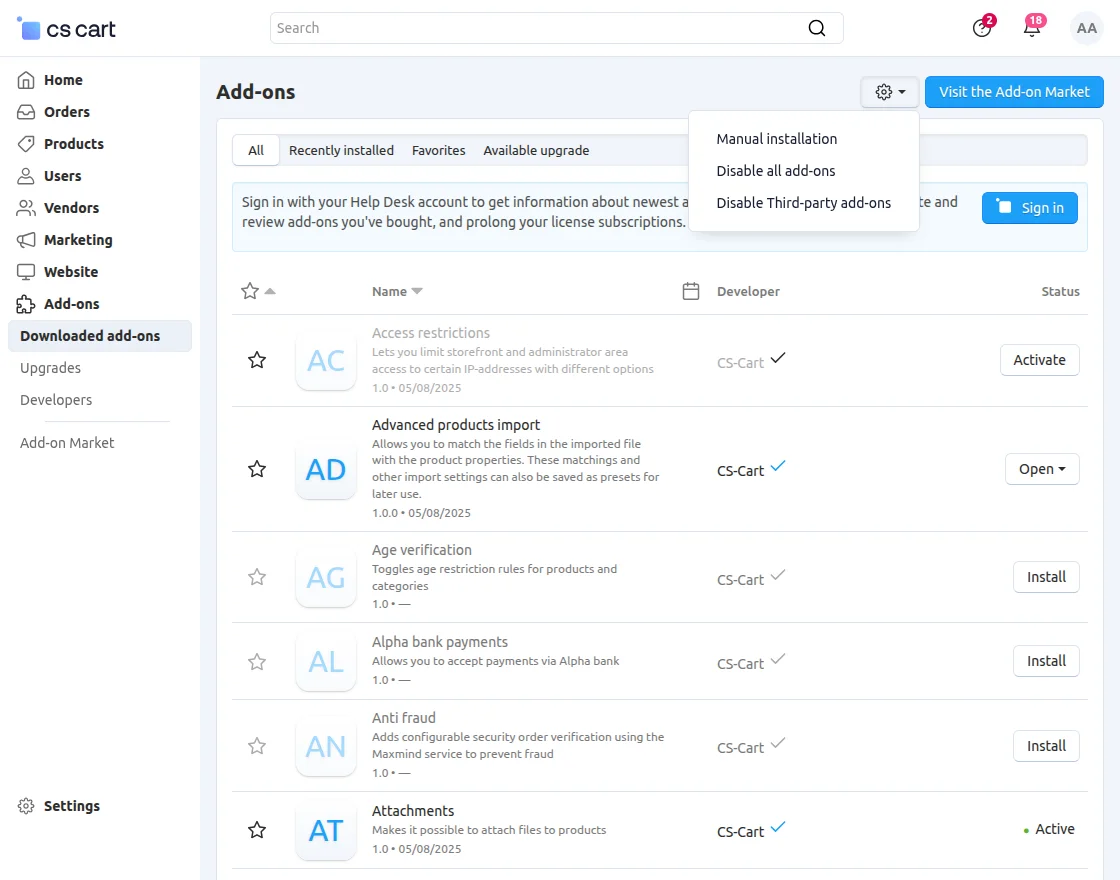
Go to Manage Add-ons, and click on “Manual Installation” as shown below in the snapshot.
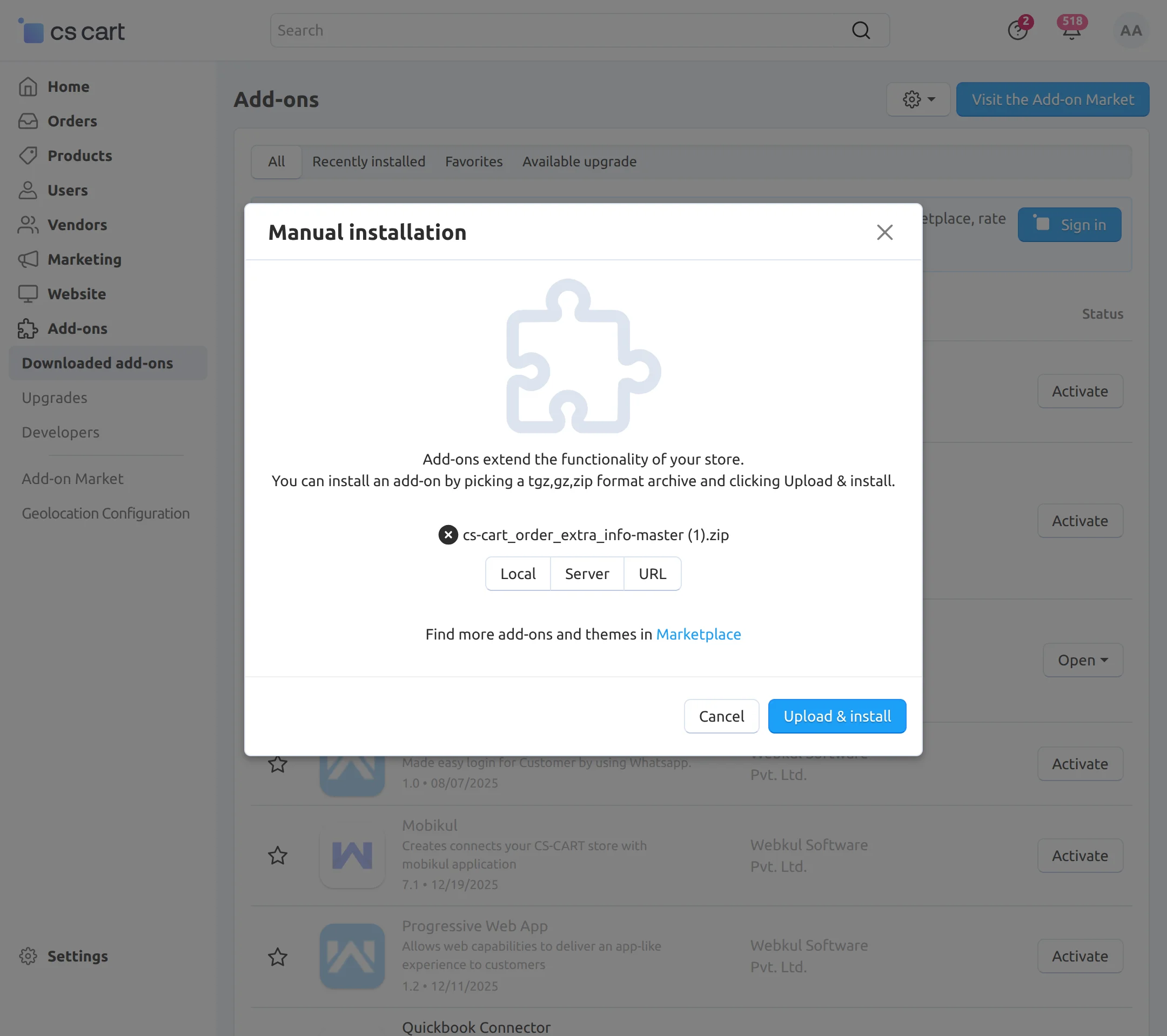
Click on “Local” to browse the zip file, and then click on “Upload & Install” as shown below in the snapshot.
Module Configuration
To configure the module, go to the Add-Ons >> Developers >> Webkul Software Pvt Ltd. >> Extended Order List >> Settings
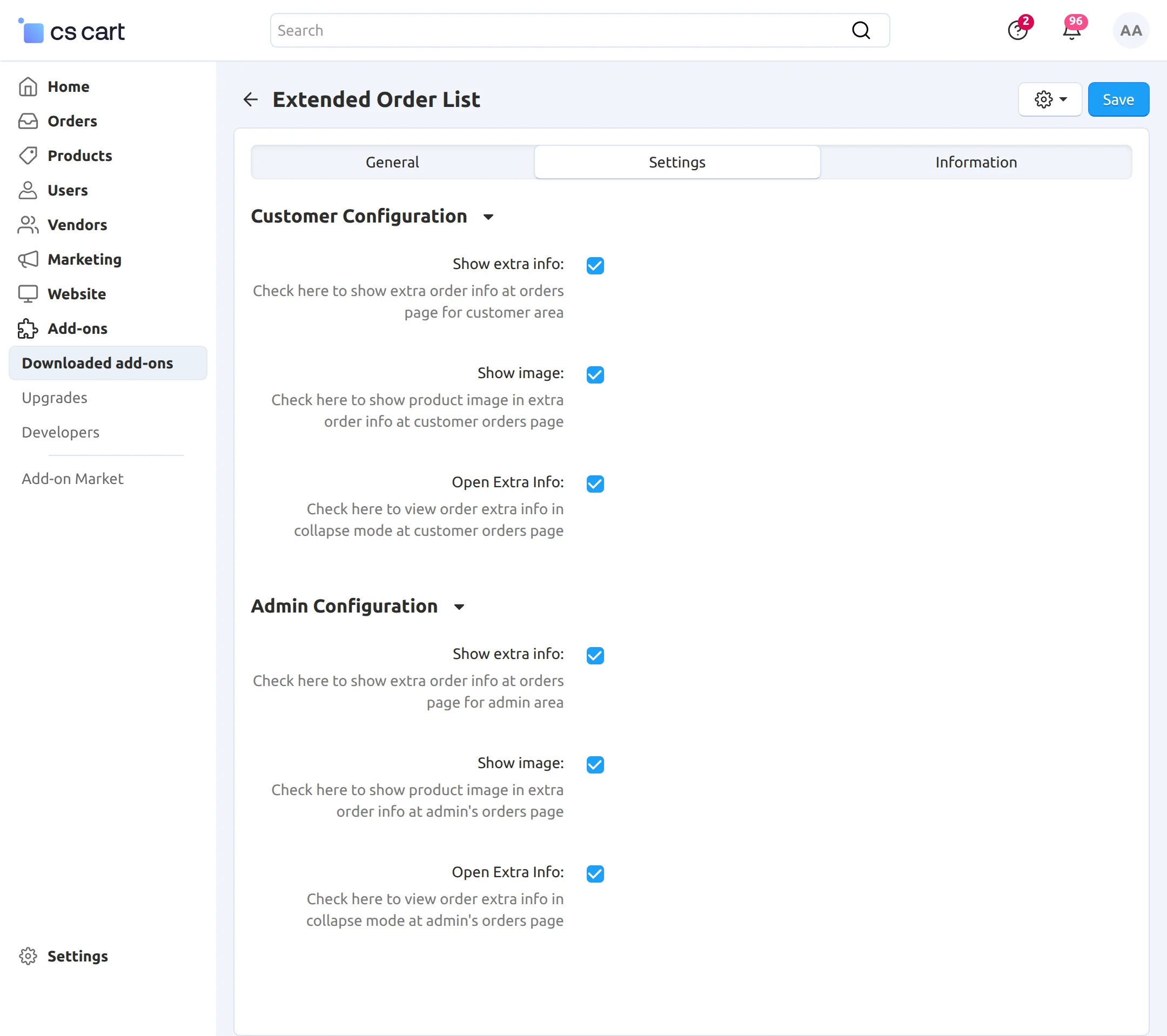
Customer Configuration
-
Show Extra Info: Displays additional order details on the customer orders page.
-
Show Image: Shows the product image in the extra order information section.
-
Open Extra Info: Opens the extra order details in a collapsible view on the customer orders page.
Admin Configuration
-
Show Extra Info: Displays additional order information on the admin orders page.
-
Show Image: Shows the product image in the extra order information section on the admin orders page.
-
Open Extra Info: Displays order extra information in a collapsible view on the admin orders page.
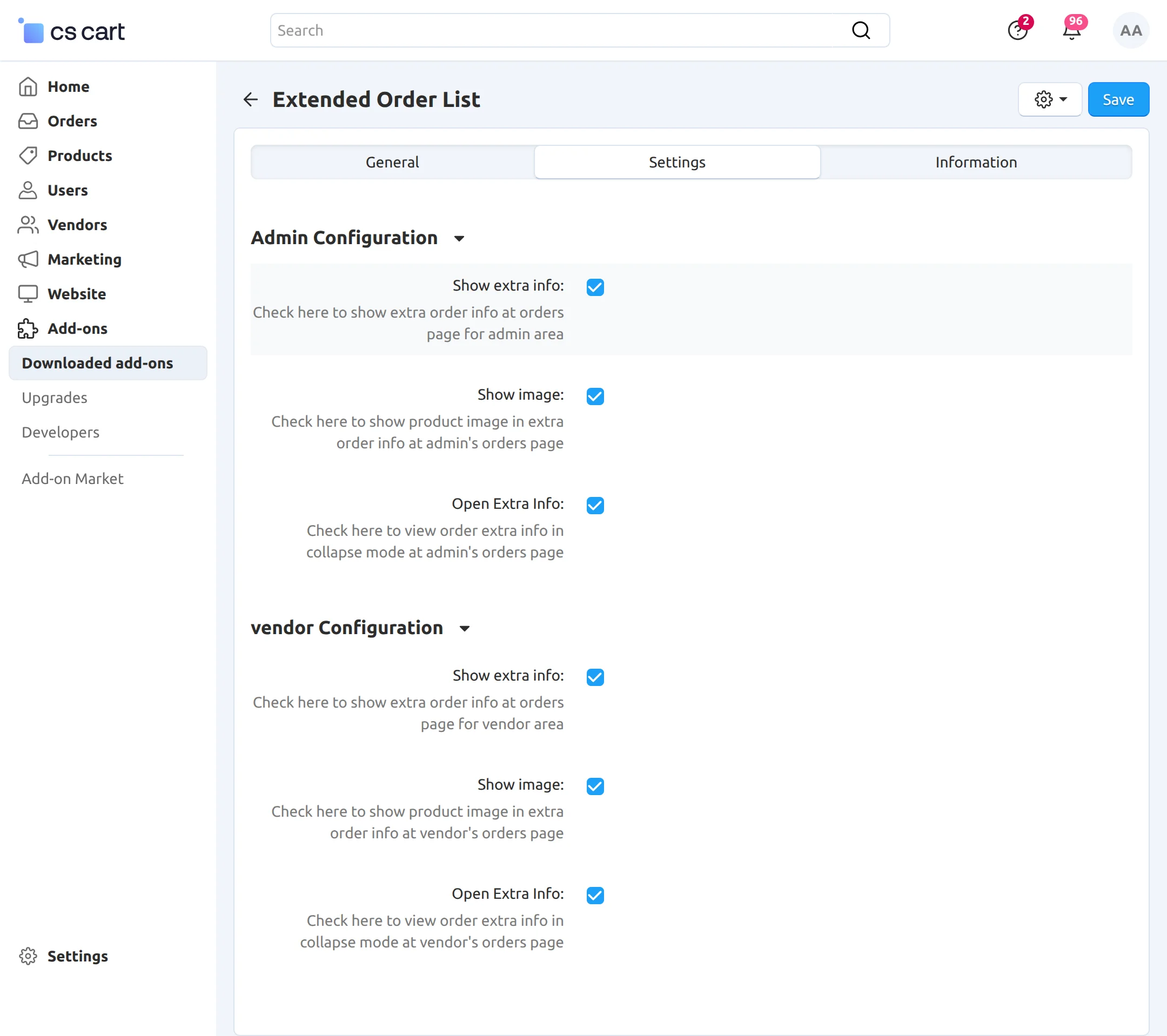
Vendor Configuration
-
Show Extra Info: Displays additional order information on the vendor orders page.
-
Show Image: Shows the product image in the extra order information section on the vendor orders page.
-
Open Extra Info: Displays order extra details in a collapsible view on the vendor orders page.
Admin end View
When you open the orders list, the system displays orders in an expanded view.
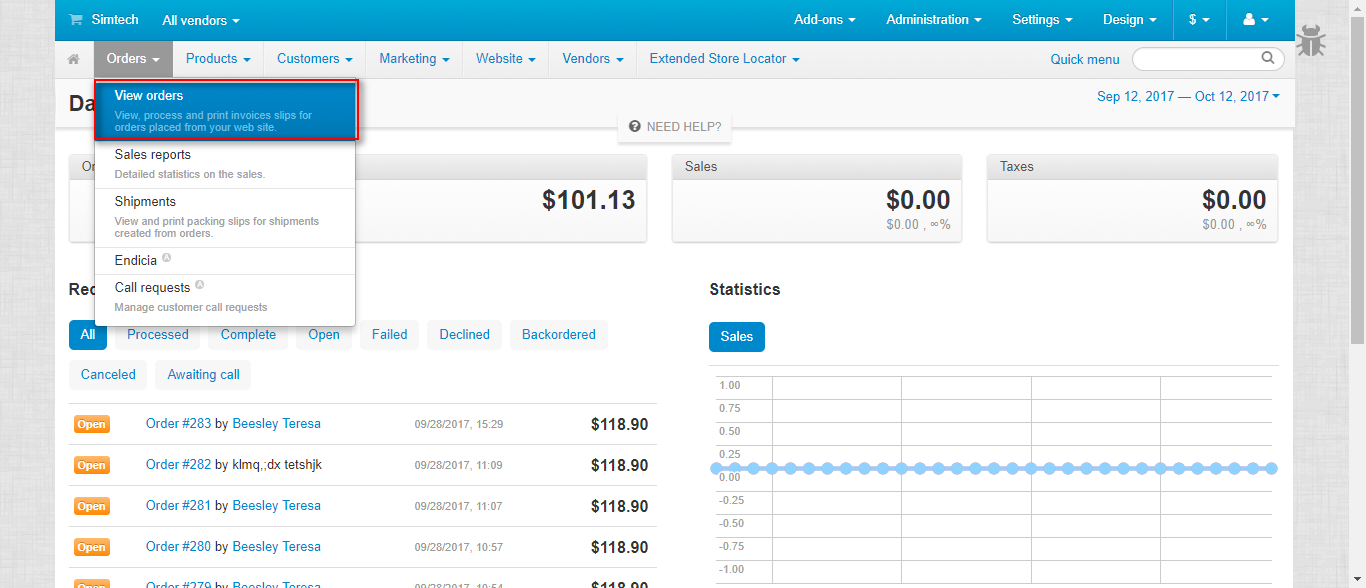
Admins or vendors can easily expand or collapse order details based on their requirements.
Front End View
The system displays order details to customers according to the admin’s configuration.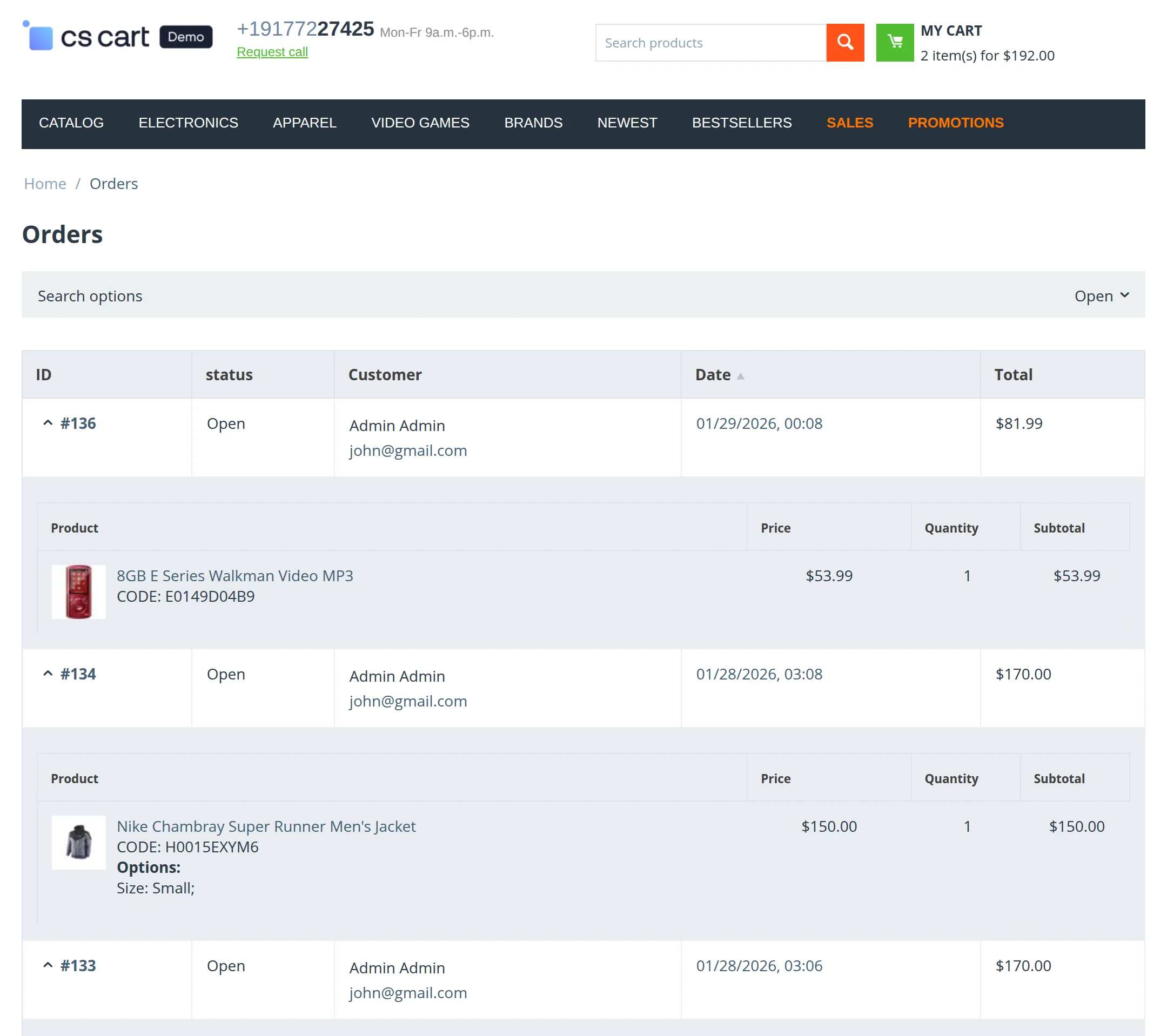 Customers can expand or collapse orders based on their requirements.
Support
If you have any questions, suggestions, or customization requests, feel free to contact us at [email protected] or submit a ticket at webkul.uvdesk.com.
Explore our premium-quality CS Cart Extensions to enhance your store functionality.
You can also explore our CS-Cart Development Services and Quality CS-Cart add-ons.
Current Product Version - 1.1
Supported Framework Version - 4.16.x, 4.17.x, 4.18.x, 4.19.x


Be the first to comment.