CS-Cart Customer Payment Link allows the admin to create an order from the backend and send a secure payment link to the customer.
The payment link redirects the customer to the checkout page with all order details already filled in, such as products, prices, discounts, shipping methods, and addresses.
The customer only needs to choose a preferred payment method and complete the payment.
Check a brief overview of the addon –
Features & Benefits
-
The add-on allows the admin to send the payment link to the customer through a custom email.
-
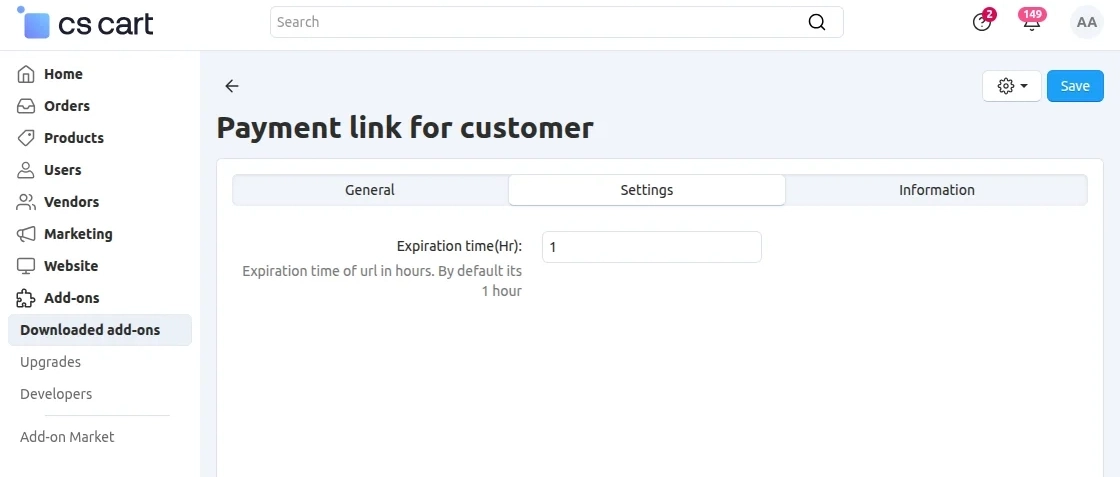
The admin can set an expiration time for the payment link.
-
The admin can recreate the payment link if the previous link expires.
-
The admin can easily configure and manage the add-on from the admin panel.
Also, check out CS-Cart Cybersource Payment Gateway for secure and reliable online payments.
Installation
After downloading the CS-Cart Payment Link For Customeradd-on, you’ll get one zip file, one install.txt file, and a relevant User Guide manual doc.
Please read it carefully for proper configuration.
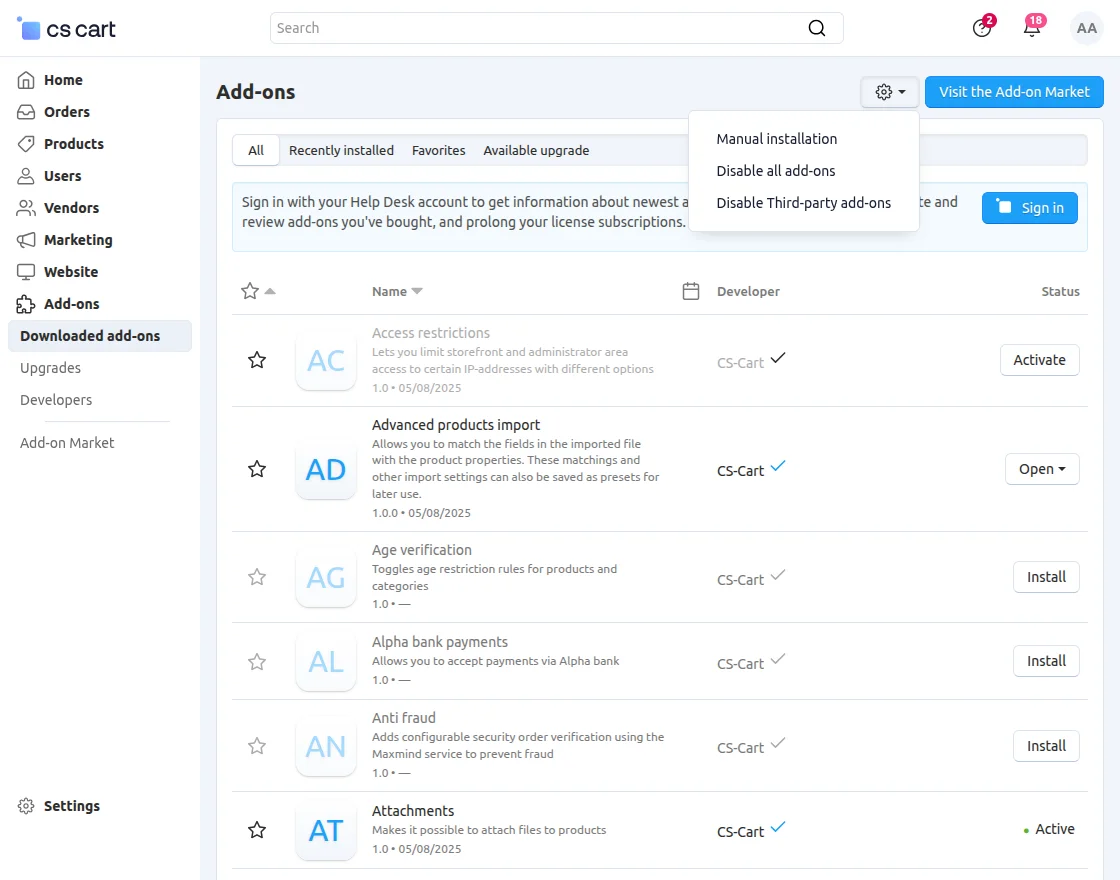
Go to Manage Add-ons, and click on “Manual Installation” as shown below in the snapshot.
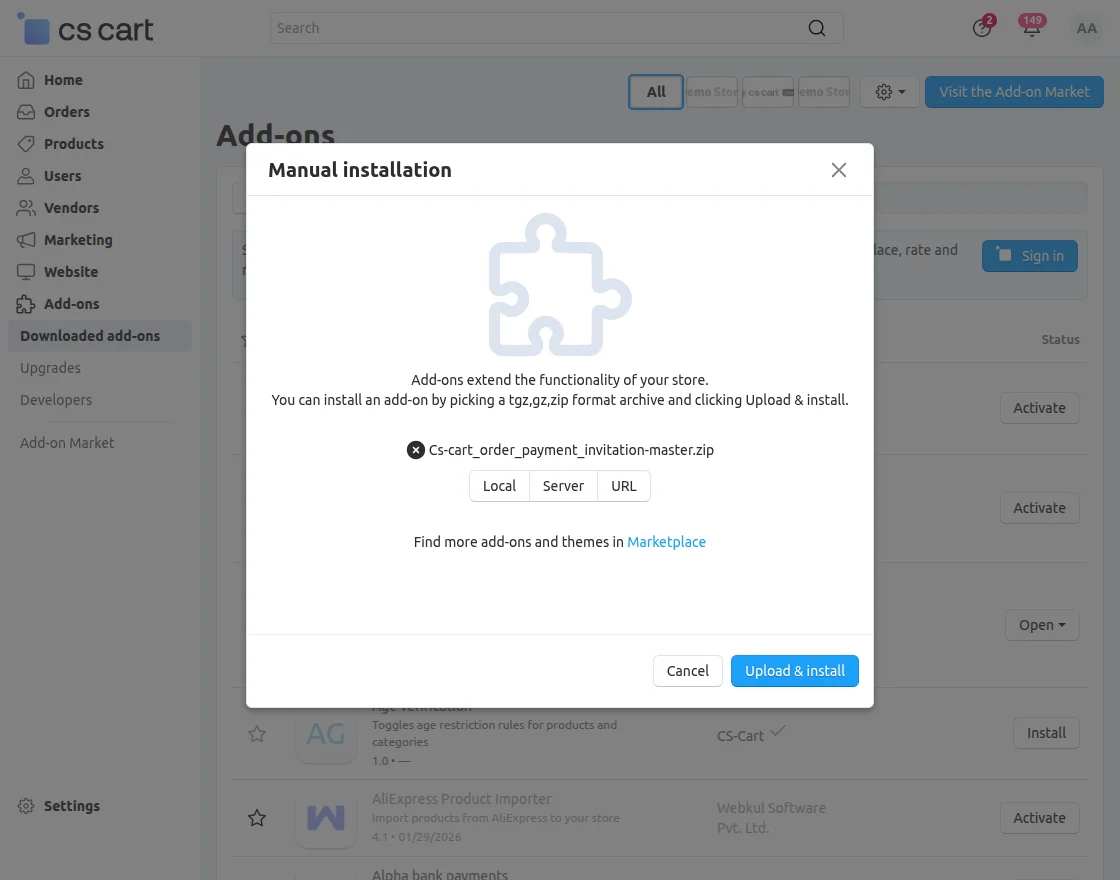
Click on “Local” to browse the zip file, and then click on “Upload & Install” as shown below in the snapshot.
Module Configuration | Admin
To configure the module, go to the Add-Ons >> Developers >> Webkul Software Pvt Ltd. >> Payment link for customer >> Settings.
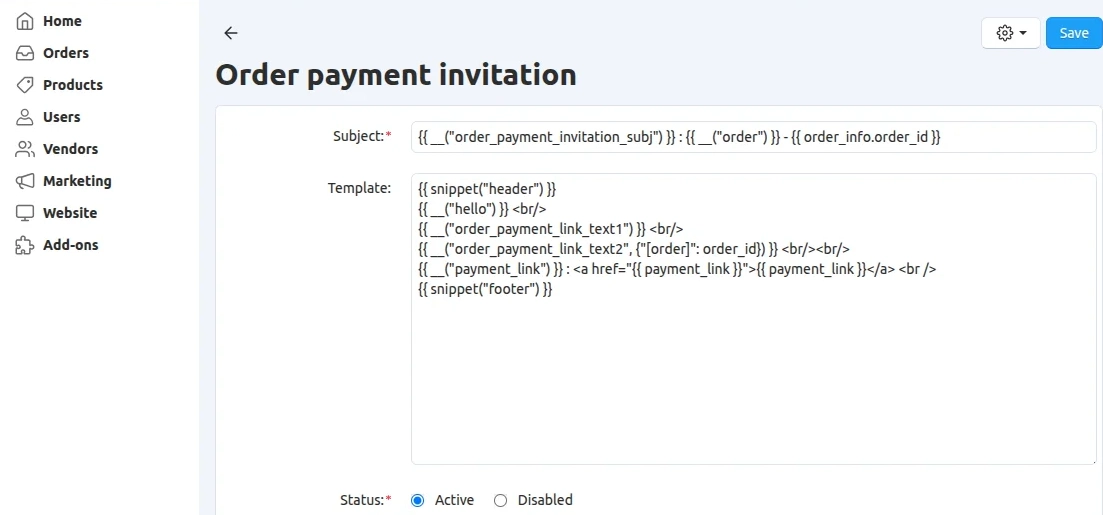
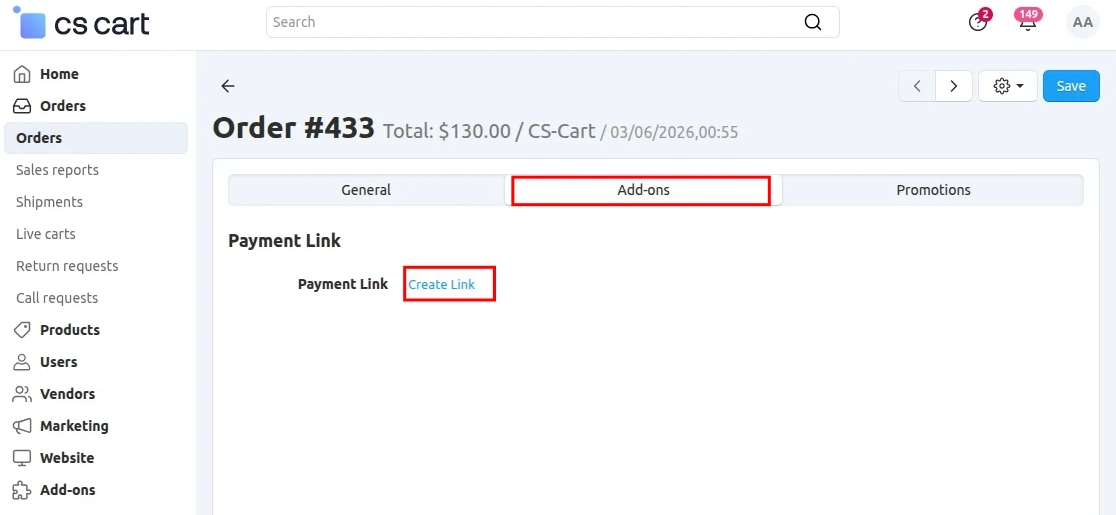
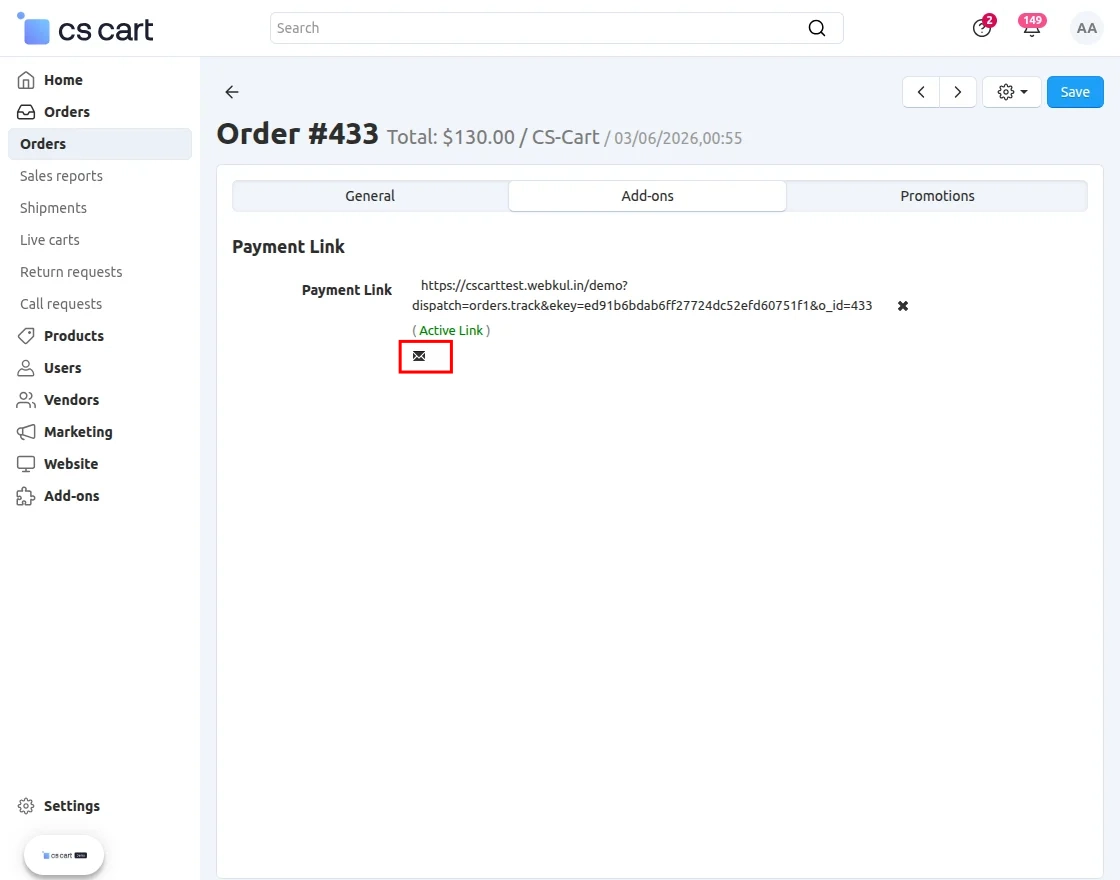
View of the custom email sent :
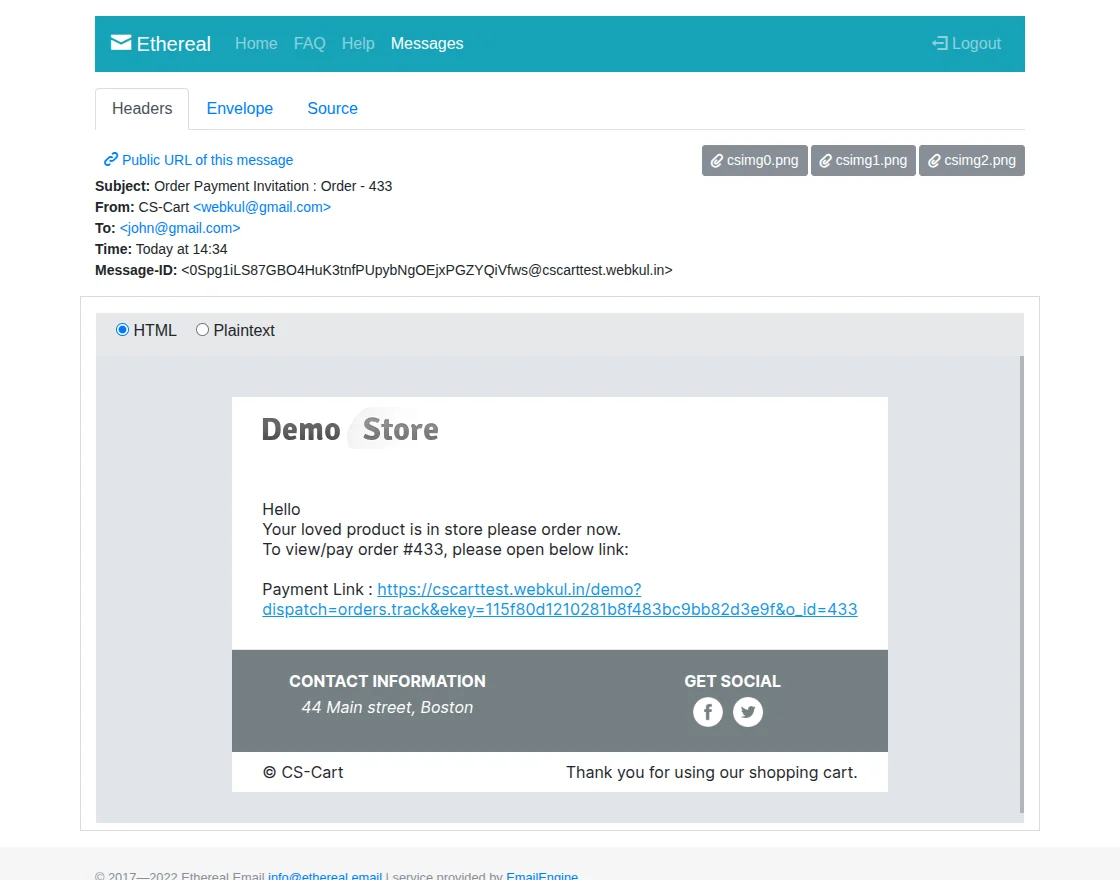
The customer will receive the email.
How Can The Customer Pay?
When the customer clicks the payment link, the system redirects them to the order details page on the storefront.
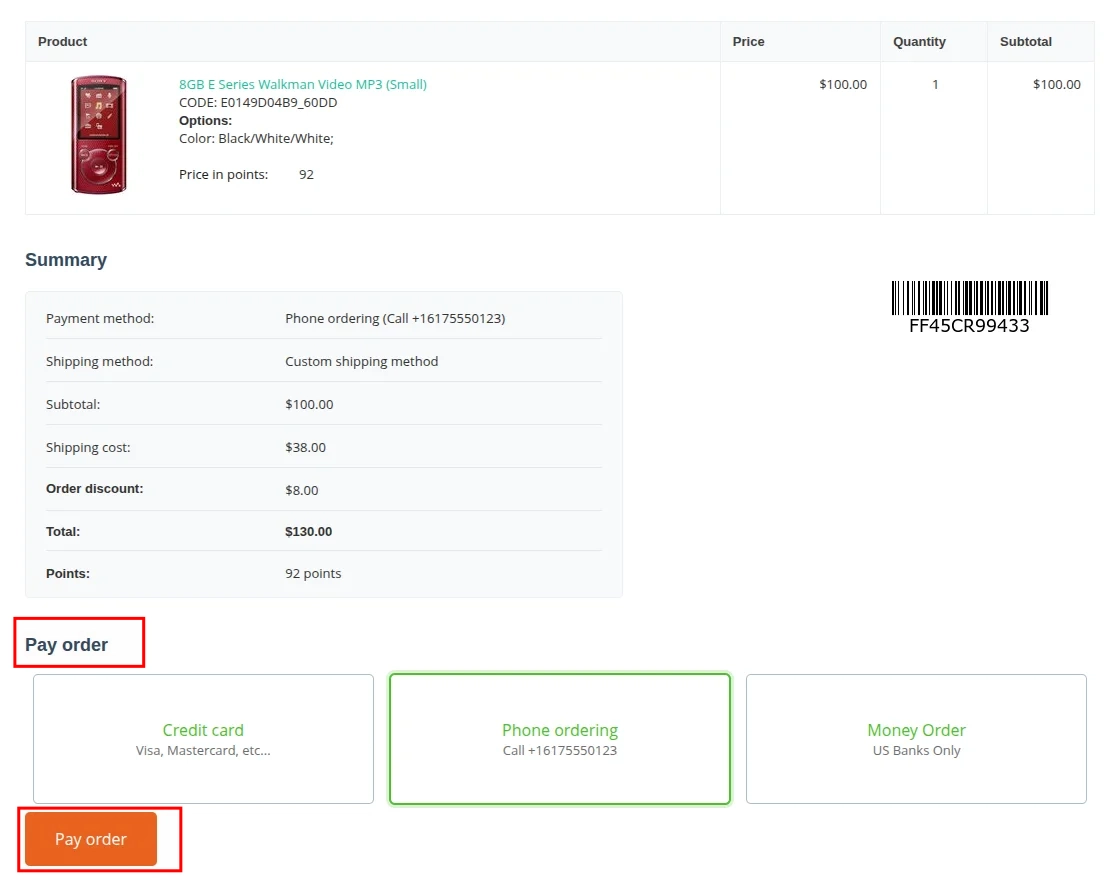
The customer can choose a preferred payment method and complete the payment. After the payment is successful, the order becomes ready for further processing.
Support
If you have any questions, suggestions, or customization requests, feel free to contact us at [email protected] or submit a ticket at webkul.uvdesk.com.
Explore our premium-quality CS Cart Extensions to enhance your store functionality.
You can also explore our CS-Cart Development Services and Quality CS-Cart add-ons.
Current Product Version - 1.2
Supported Framework Version - (4.16.x , 4.17.x, 4.18.x, 4.19.x)


Be the first to comment.