CS-Cart AliExpress Dropshipping Dropshipping is a retail fulfillment method where a store owner doesn’t keep the products it sells in stock.
Instead, when a store sells a product, it purchases the item from a third party and gets it ship directly to the customer. As a result, the merchant never sees or handles the product.
Import products along with reviews from AliExpress directly into your CS-Cart store and start selling them easily using the CS-Cart AliExpress Dropshipping add-on.
AliExpress is one of the most popular marketplaces for e-commerce entrepreneurs using the dropshipping business model.
Admin has the freedom to update the product prices and other product details after importing the same to the store.
After he/she receives the order of the imported product, he places the same order on AliExpress and gets it shipped directly from the warehouse to the customer.
NOTE:
- In order to check the demo you must have the Chrome extension in your browser.
- Click here to download the Chrome extension.
Check a brief overview of the plugin –
Features and Benefits
- Import AliExpress Products to add to your store with ease.
- Imported products fields include Product Name, Price, metadata, and main image.
- Functionality to edit the above-mentioned product fields before importing to the CS-Cart store.
- Moreover, Functionality to import products with the products’ option combinations.
- The admin can update the product details at the CS-Cart backend.
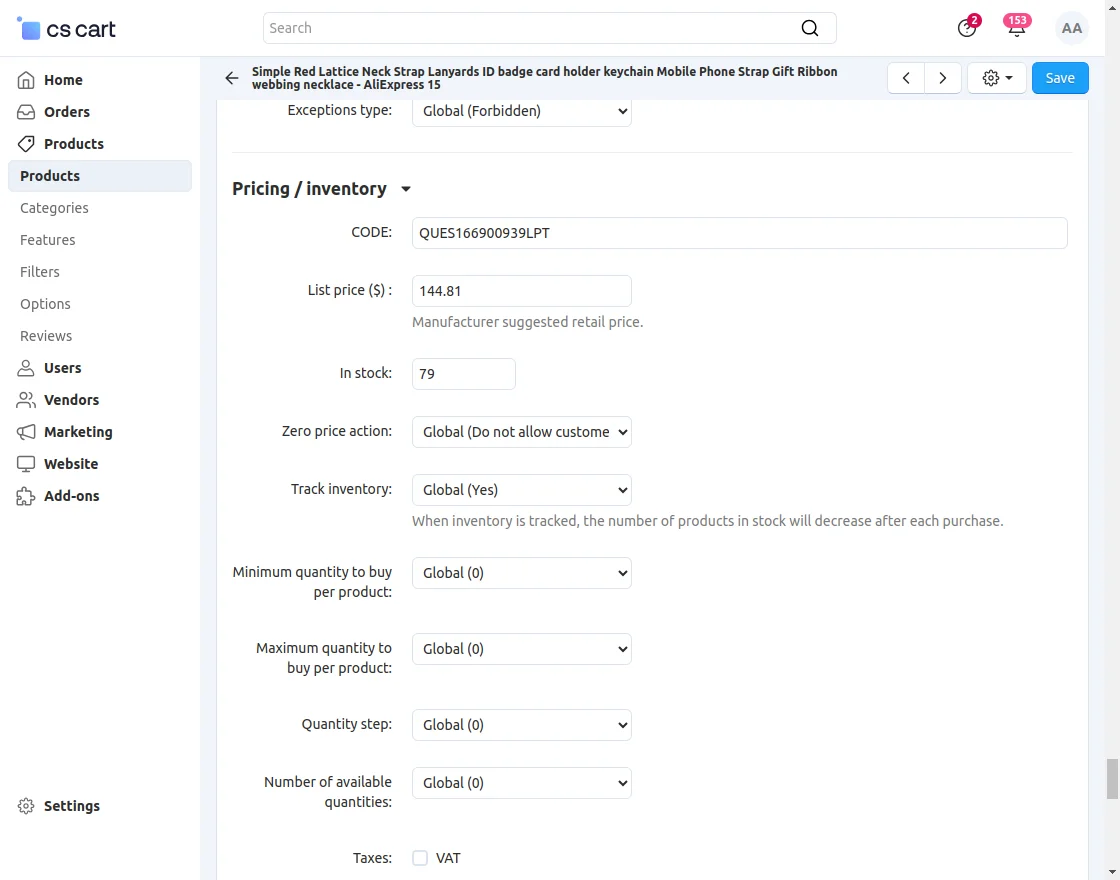
- Functionality to set the default quantity of a product when imported from AliExpress.
- Also, Option to predefine the associated and default category of the imported product at the Admin end.
- Option to set the default store for the newly imported product.
- In addition, there is an option to place orders on AliExpress directly if you receive any order for the imported product on CS-Cart.
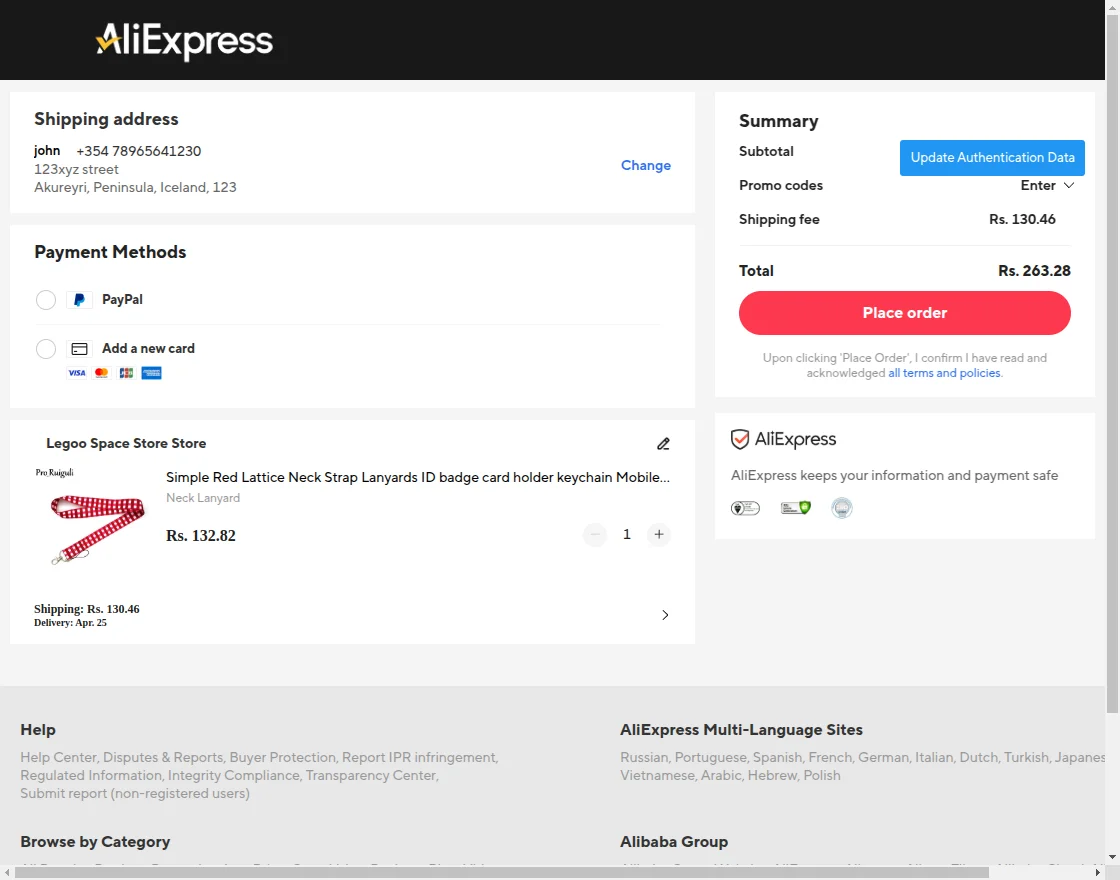
- In addition, the admin can edit the shipping address (if required) & enter the payment information, and click “Confirm & Pay” to place the order at AliExpress..
- A custom-built AliExpress Product Importer Chrome Browser Extension is available on the Chrome extension store.
- Moreover, Easy to configure and manage at the admin end.
- Admin can also import the reviews along with the products from AliExpress.
-
New: Functionality to import products via AliExpress API integration from the CS-Cart panel.
Latest Features (Version 2.1)
- Functionality to import products from the Aliexpress product details page.
- The product’s additional images are now getting imported.
- Item Specifics & packaging details are also getting imported from the product details part.
- Moreover, functionality to set pricing rules for imported products has also been provided.
- Working well with CS-Cart Ultimate/Multivendor edition.
Latest Features (Version 2.3)
- The product status can be enabled, disabled, or hidden.
- The product images will also be visible.
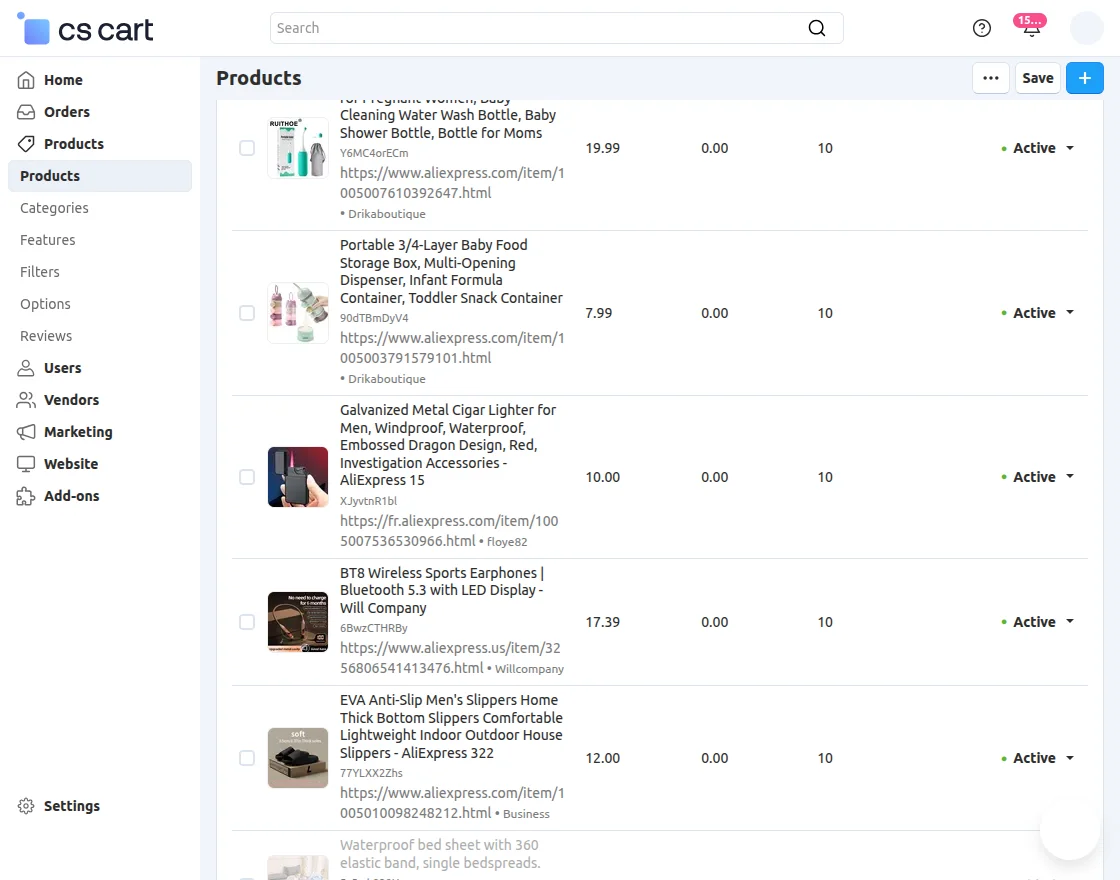
- Option added to show Aliexpress imported products.
New Features (Version 3.0)
- The module is compatible with Ali Express’s new update.
- While importing the product, the product’s variations images will also be imported from AliExpress.
- Both the list price and the Original price will be imported from AliExpress.
- AliExpress product link will be available on the imported product in the CS-Cart.
New Features (Version 4.0)
- Works seamlessly with the latest AliExpress update.
- Added the option to import the reviews from AliExpress.
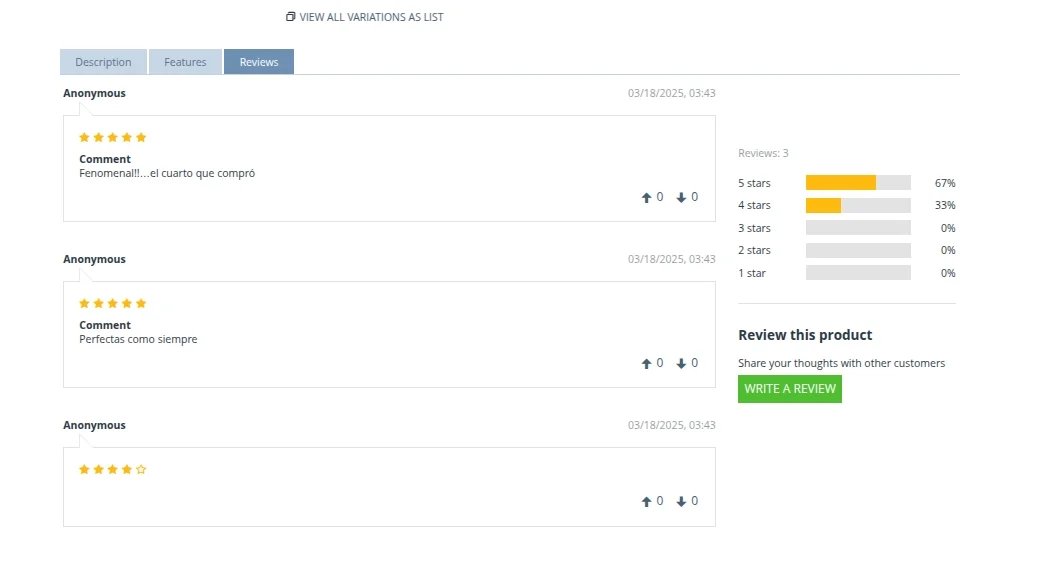
- Add real customer feedback from AliExpress to your store.
- Display genuine reviews to boost buyer confidence.
- Allows you to choose which reviews to import based on rating, language, or content.
New Features (Version 4.1)
- Products can be imported from the AliExpress API.
- A queue handler has been added for importing products through the AliExpress API.
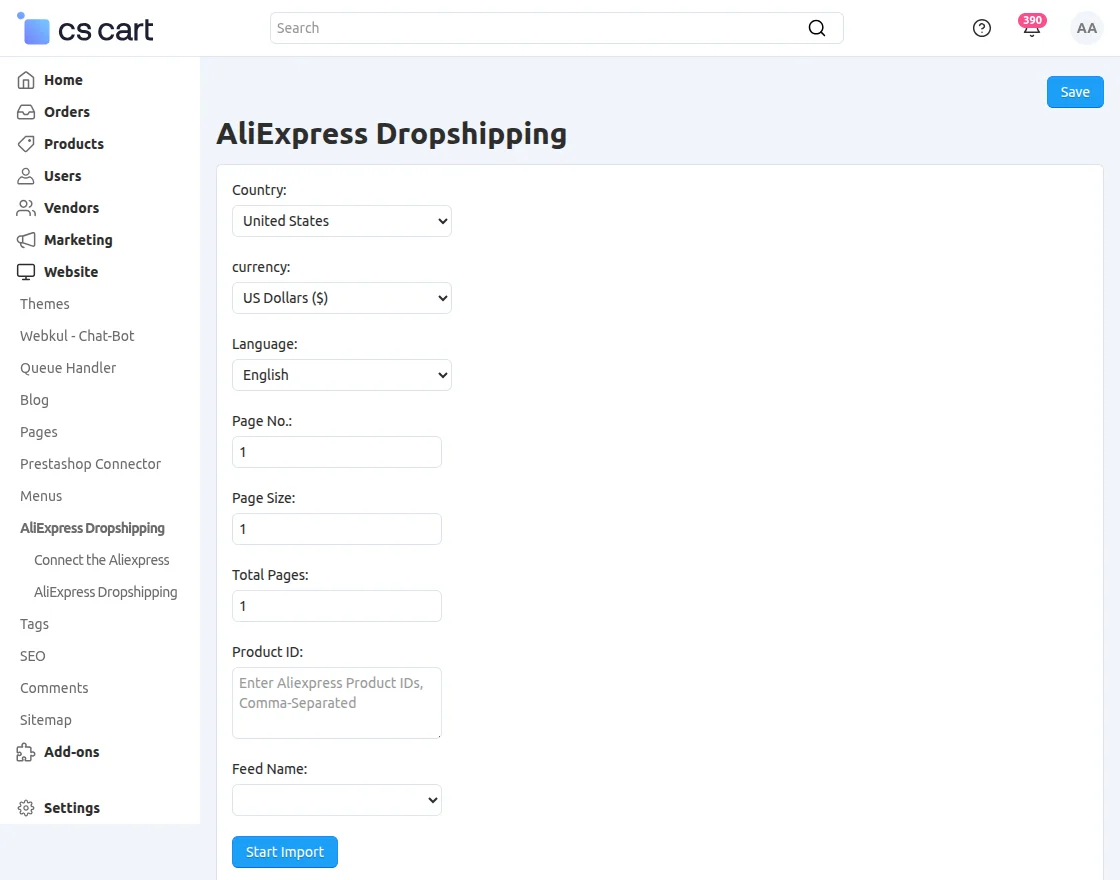
- Products can be imported using the AliExpress product ID.
- Products can be imported in multiple languages from the AliExpress Chrome extension.
To import products via the AliExpress API, the Queue Handler must be installed and configured properly.
Important Note
- It is mandatory for a website to be HTTPS.
- Also, there should be a live URL – It cannot work on local domains.
- You can import the product from AliExpress to CS-Cart from the AliExpress Product Details Page.
- Please make sure that you have installed both the add-on and Chrome extension properly to avail of the feature.
- And you can get the Chrome browser extension from here.
Installation of Chrome Extension
Firstly, you need to install an extension on your Google Chrome browser to import the products to your CS-Cart store.
Click here to download the Chrome extension.
How To Upload And Install The Add-on
After clicking the “Add to Chrome” button, the extension will be added to the Chrome browser. Just refresh the browser to make use of this extension.
How To Upload And Install The Add-on
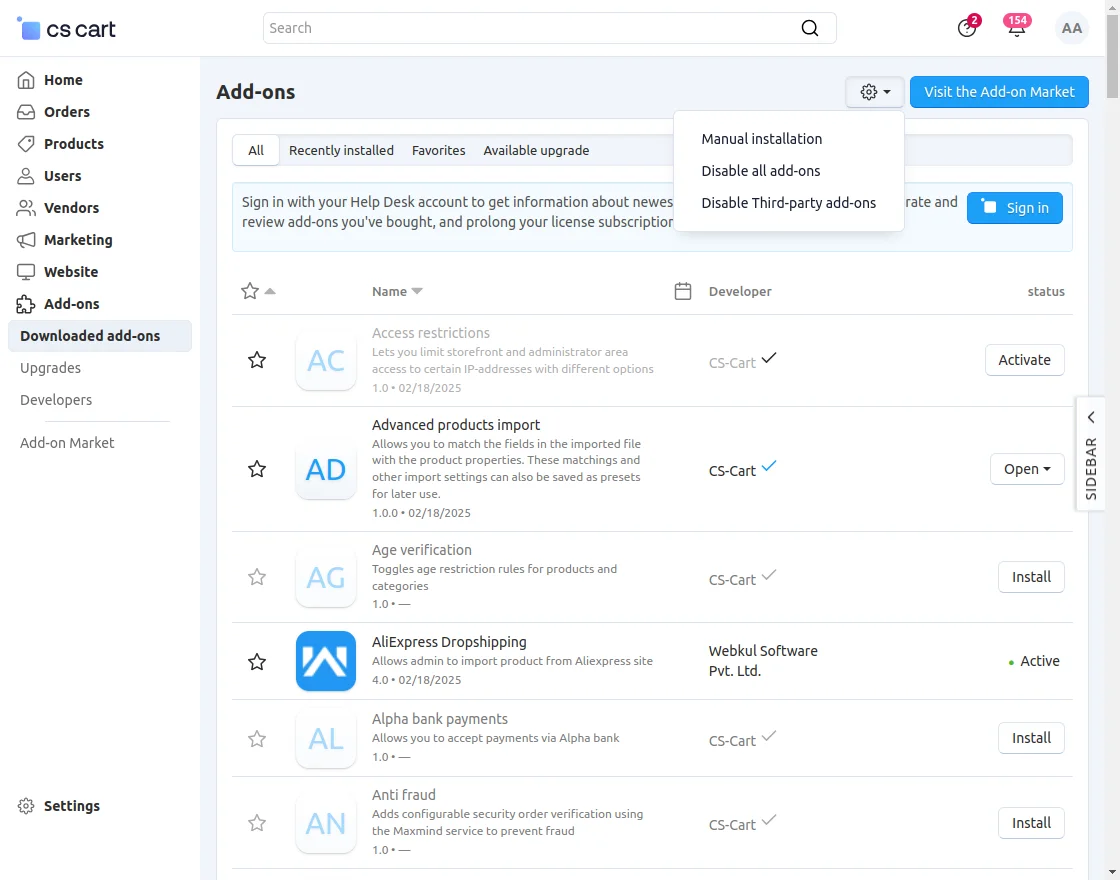
Click on “Local” to browse the zip file and then click on “Upload & Install” as shown below in the snapshot.
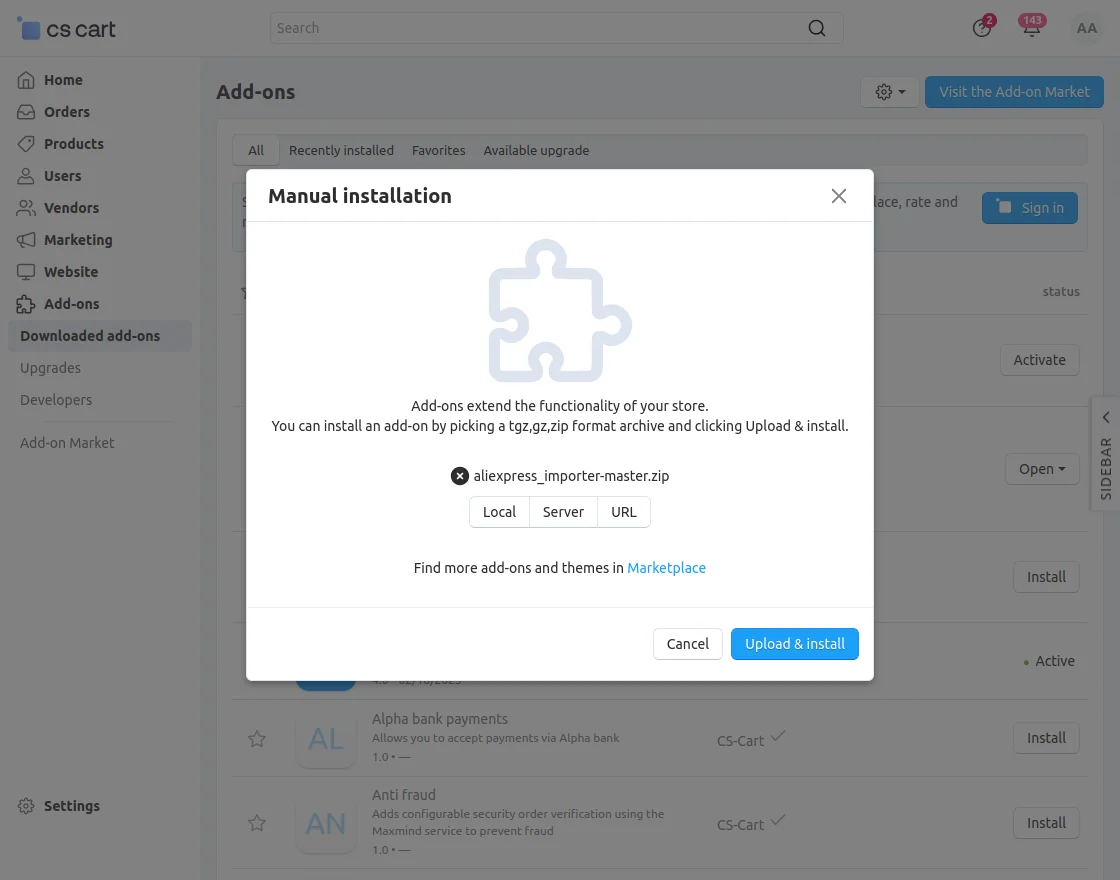
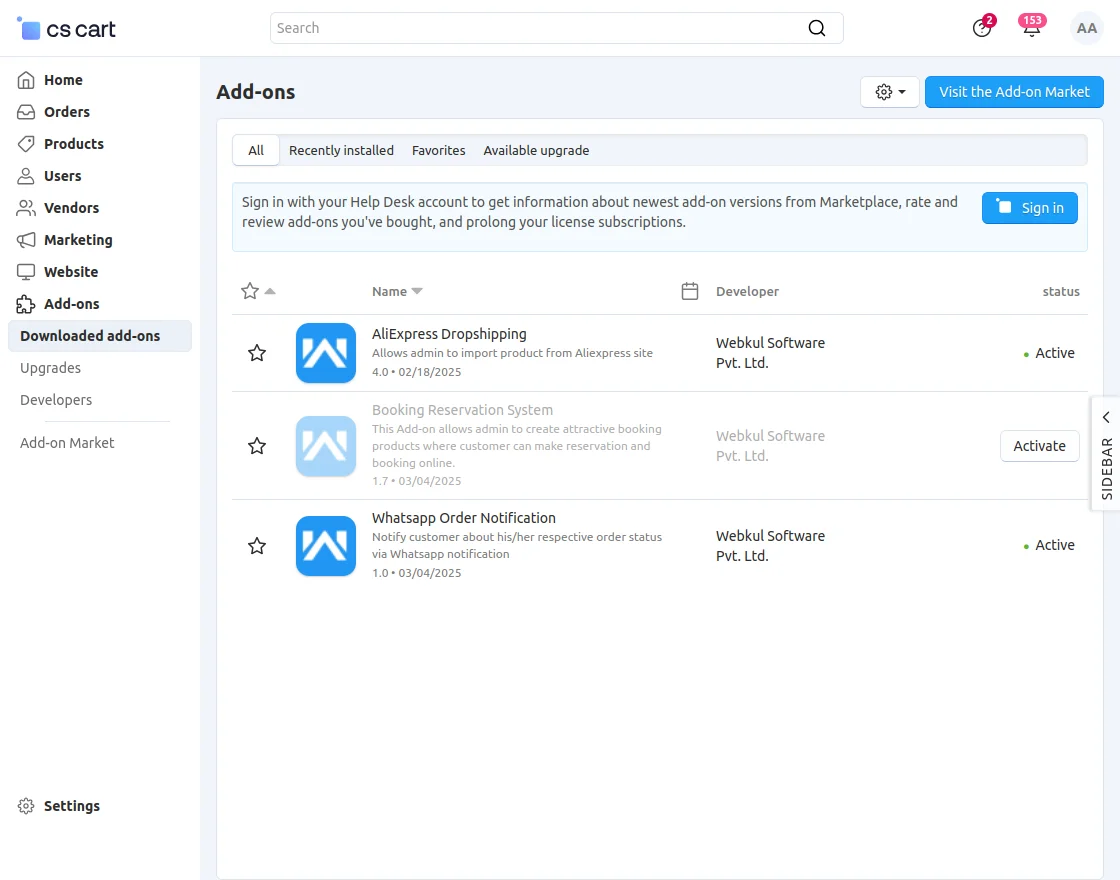
Add-on Configuration
After the add-on installation, configure the settings.
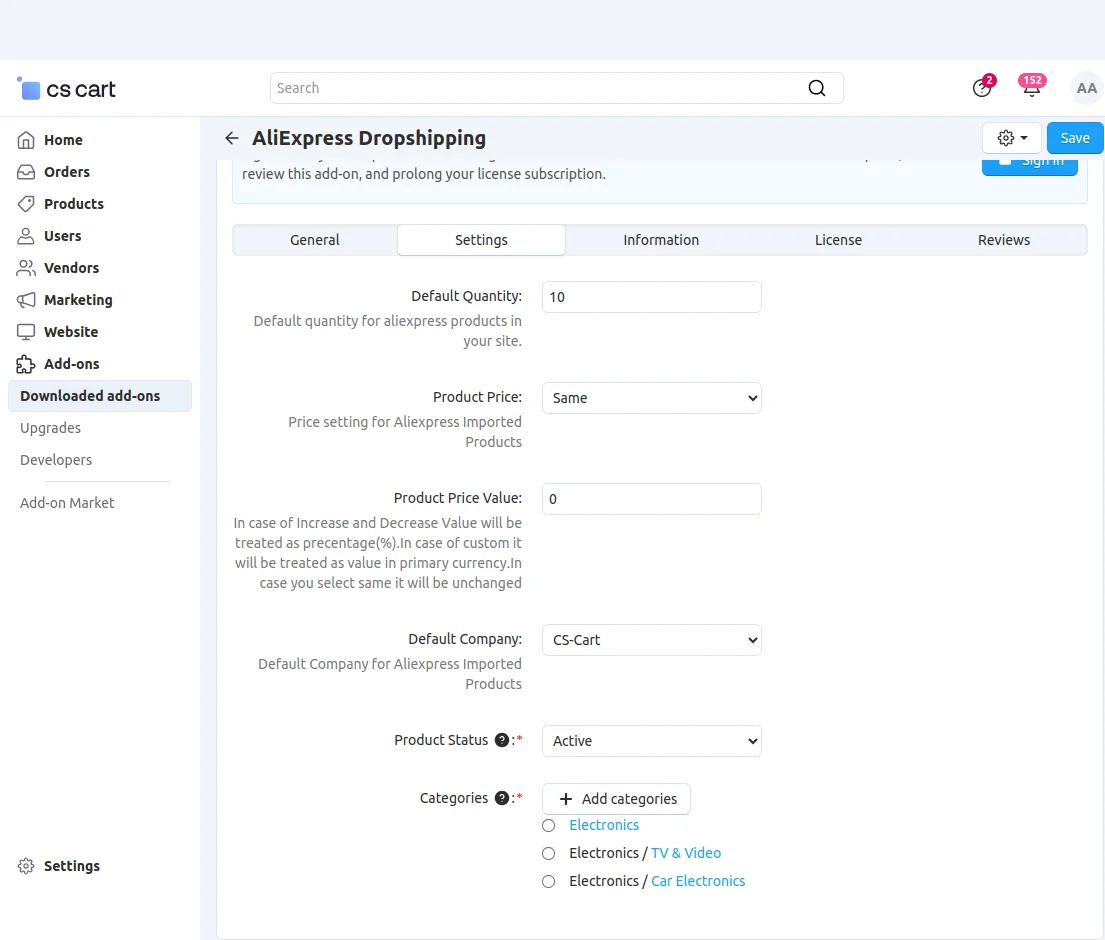
For the CS-Cart Ultimate (Multi-Store) edition, you can enable the Multistore settings and then proceed for all the stores accordingly.
For single-store configuration, please select the store first and then configure the settings.
- There is an option to enter the Default Quantity of the product when imported from AliExpress.
- Price setting for Aliexpress Imported Products. There are options to keep the product price the same/increase/decrease/custom price of the imported products.
- Enter the value for the product price of imported products. In the case of Increase and Decrease selected in the Product Price field, this value will be treated as a percentage(%).
- If selected Custom, it will be treated as an absolute value in the primary currency. In case you select Same it will be unchanged.
- Select the default company for the imported products.
- Set the default category of the imported product at the Admin end and save the settings.
- The product status can be enabled, disabled, or hidden.
Show/Hide Aliexpress imported products – On the right-hand side, below the Search in Category-
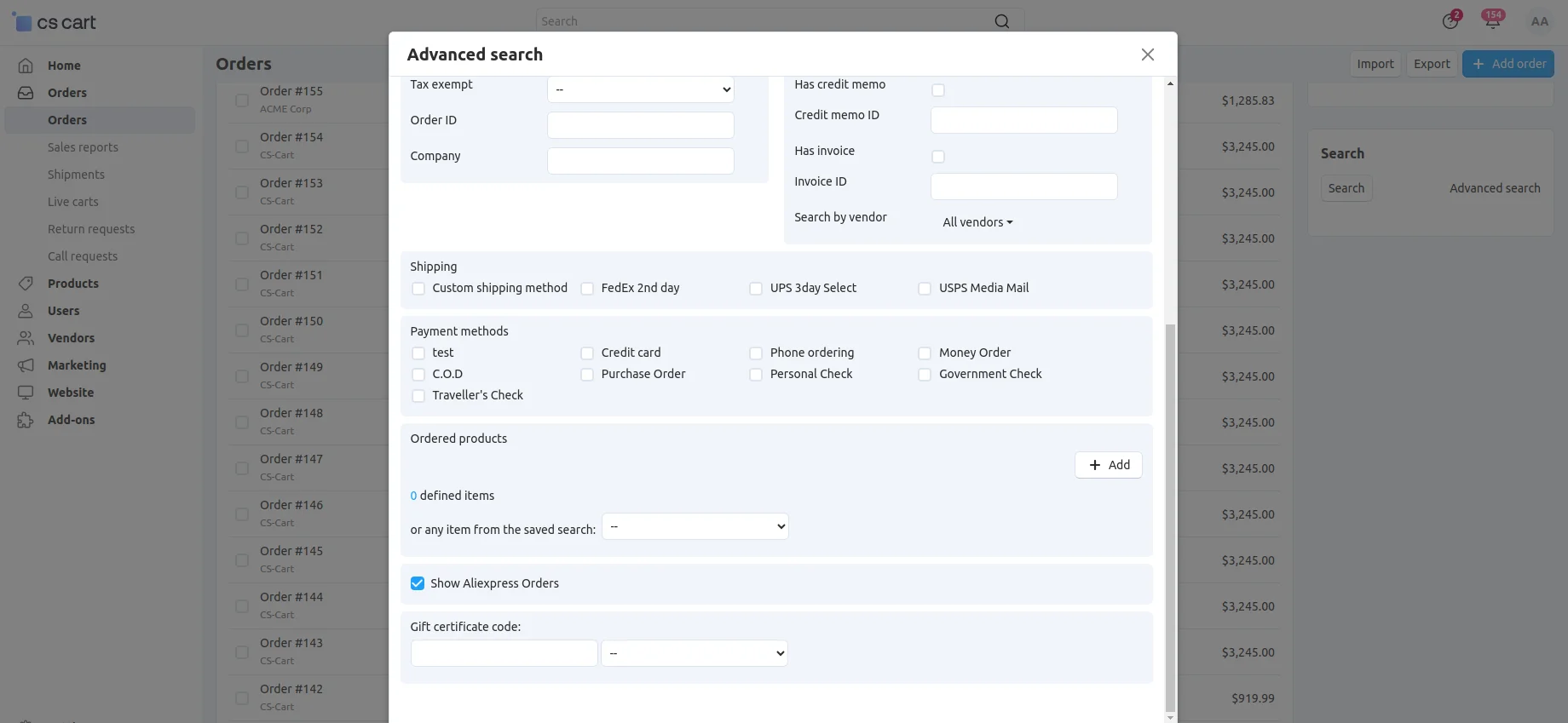
Now check the option “Show Ali Express Products” then all the products of Aliexpress will appear. 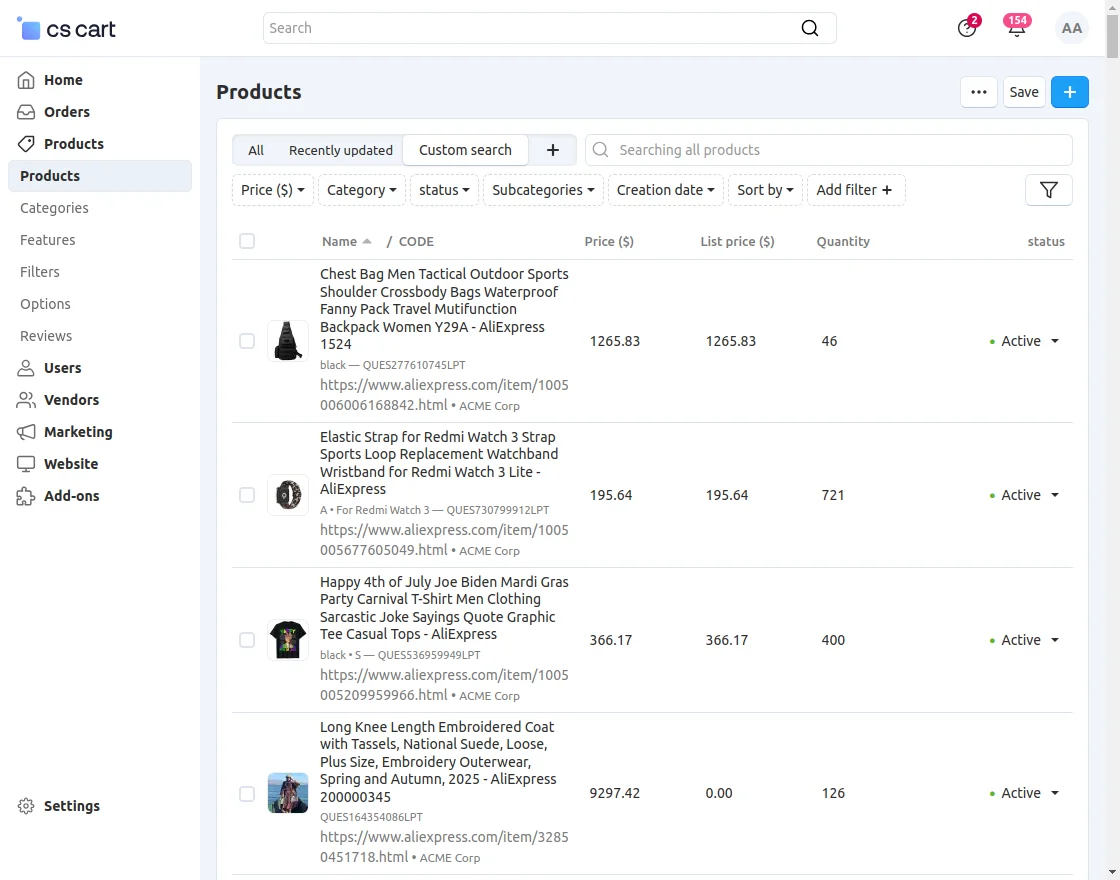
There is an option “Update Authentication Data” If you have added the Chrome extension properly.
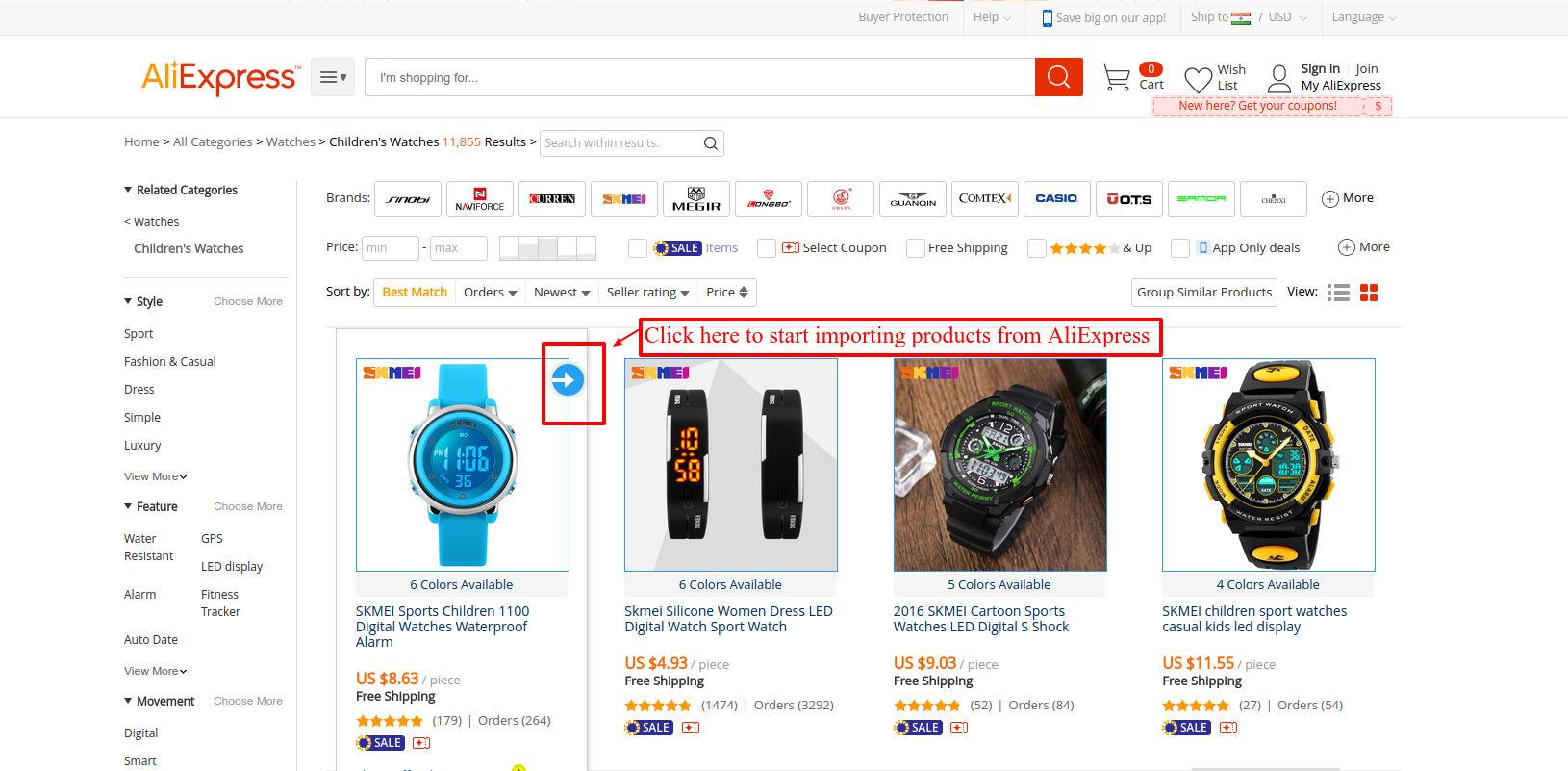
This brings up a pop-up to enter your store URL, Enter the URL, and click next to proceed.

Now enter the Email ID and Key of the Root Admin. Click the Next button to proceed.
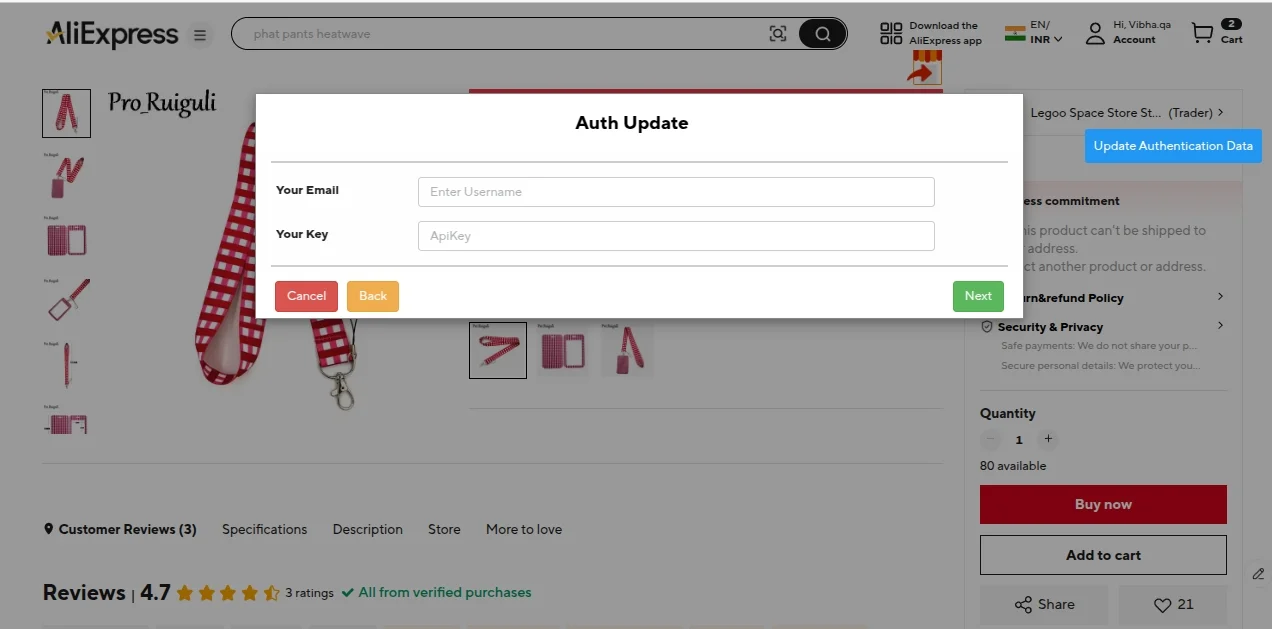
Finally, You can get the Root Admin’s API Key from the CS-Cart backend panel. Go to Users-> Administrators-> Vendor’s Administrators-> as shown below.
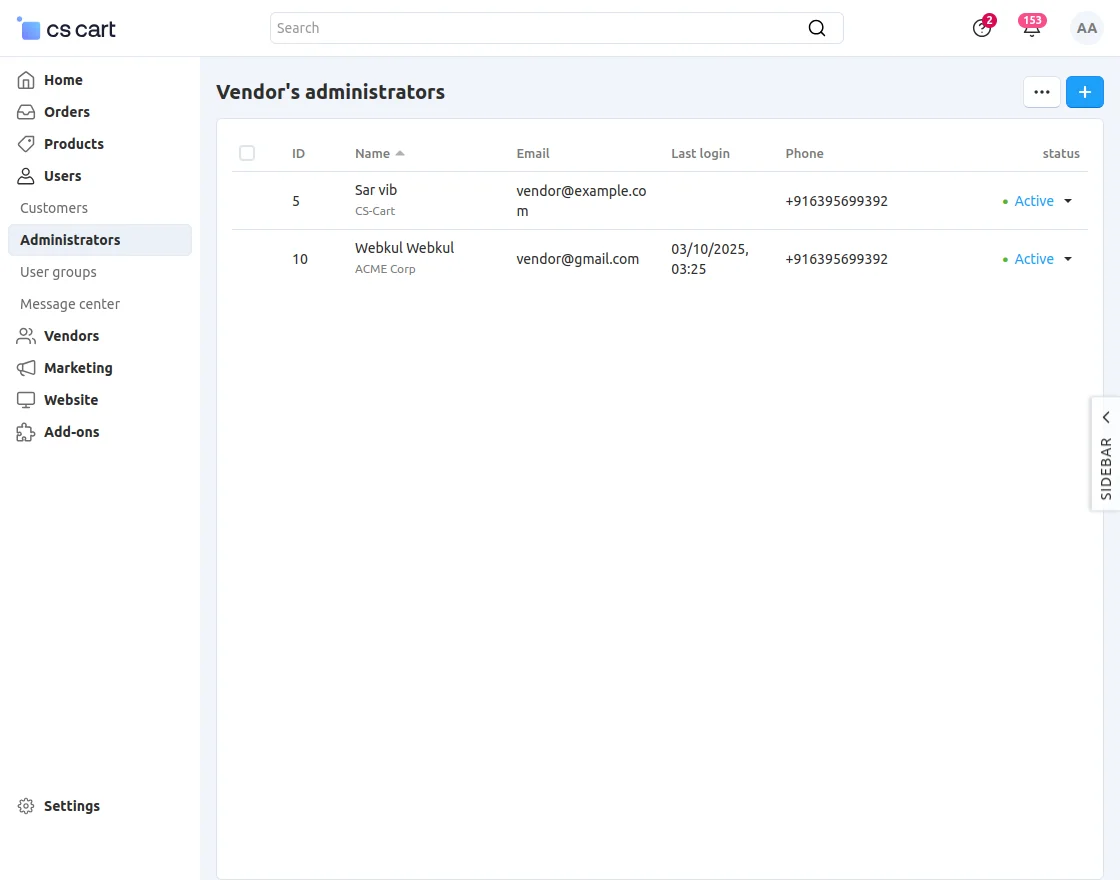
Open the profile details page of the root admin and click on the API access tab as shown below.
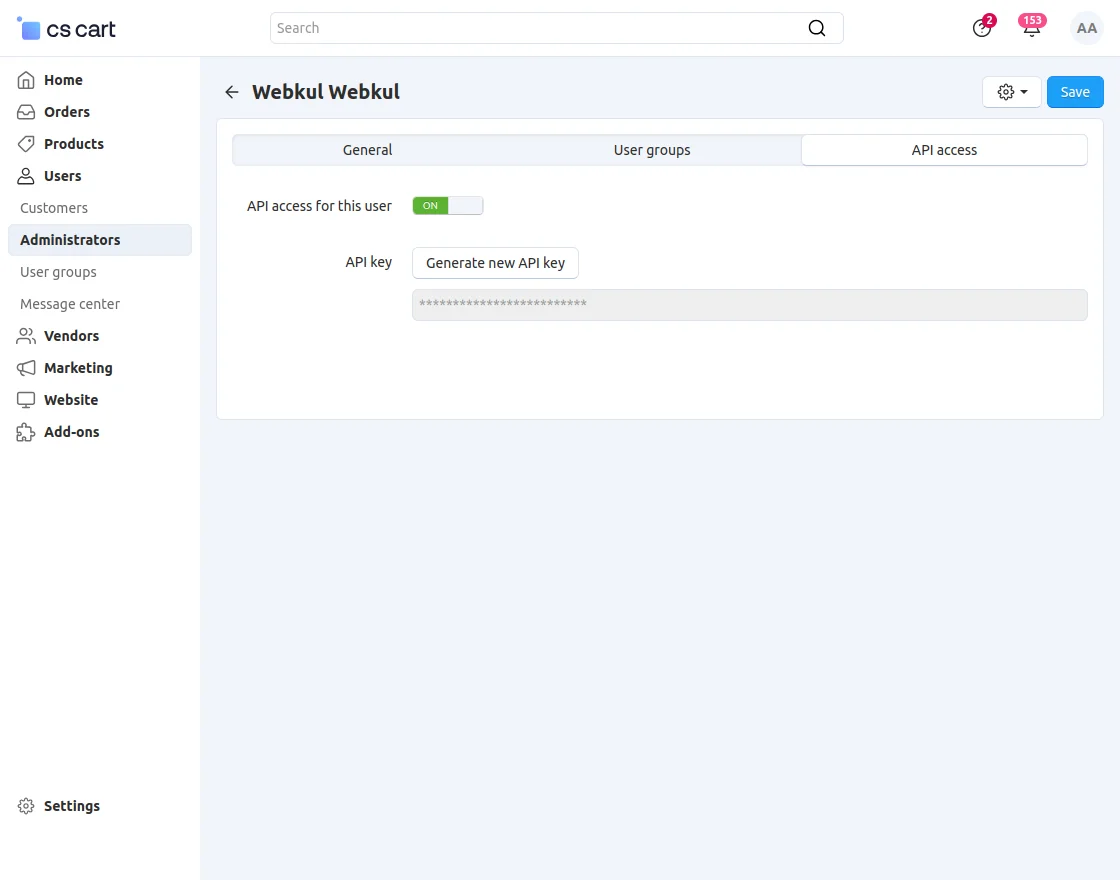
Check the box to allow the user to use the API. After checking, you will get the API key that you need along with the email ID of this Admin to enter while authenticating the details at the AliExpress end.
After entering the correct credentials, click the “Submit” button – you will see a success message “Authenticated Successfully“.
Now let’s see how to import the products along with their reviews –
With the add-on version 1.0, you can import the products via the Category Page and Product Detail page.
But in version 2.1, we have removed the functionality of importing products from the category page.
This version provides an option to import the products from the product details page only along with their description (Item Specification and packaging Details)
And, additional images have also been provided. Here’s the process to import products from AliExpress-
After you have installed the Chrome extension along with this add-on, just go to the AliExpress website.
Here, on the product details page, you can see the icon for the “AliExpress product Importer“.
Just click that icon to import the products into your store. Refer to the screenshots below.
Product Details Page-
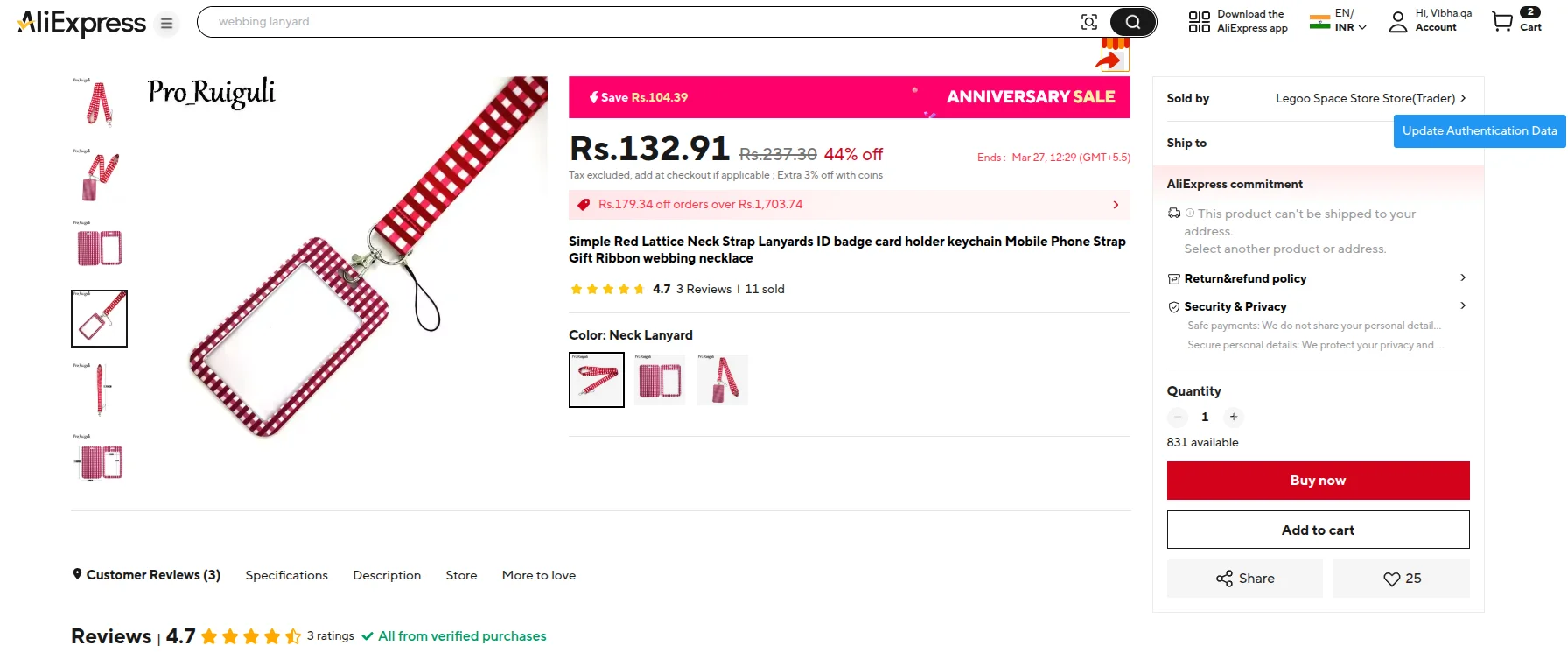
Once you click on the icon, you will get a pop-up with the following editable product fields to import.
- Name
- Price
- Metadata (Meta Title, Meta Description, Meta Tag Keywords)
- The product images will also be visible
- Review Count
- Review Section is visible (All from verified purchases)
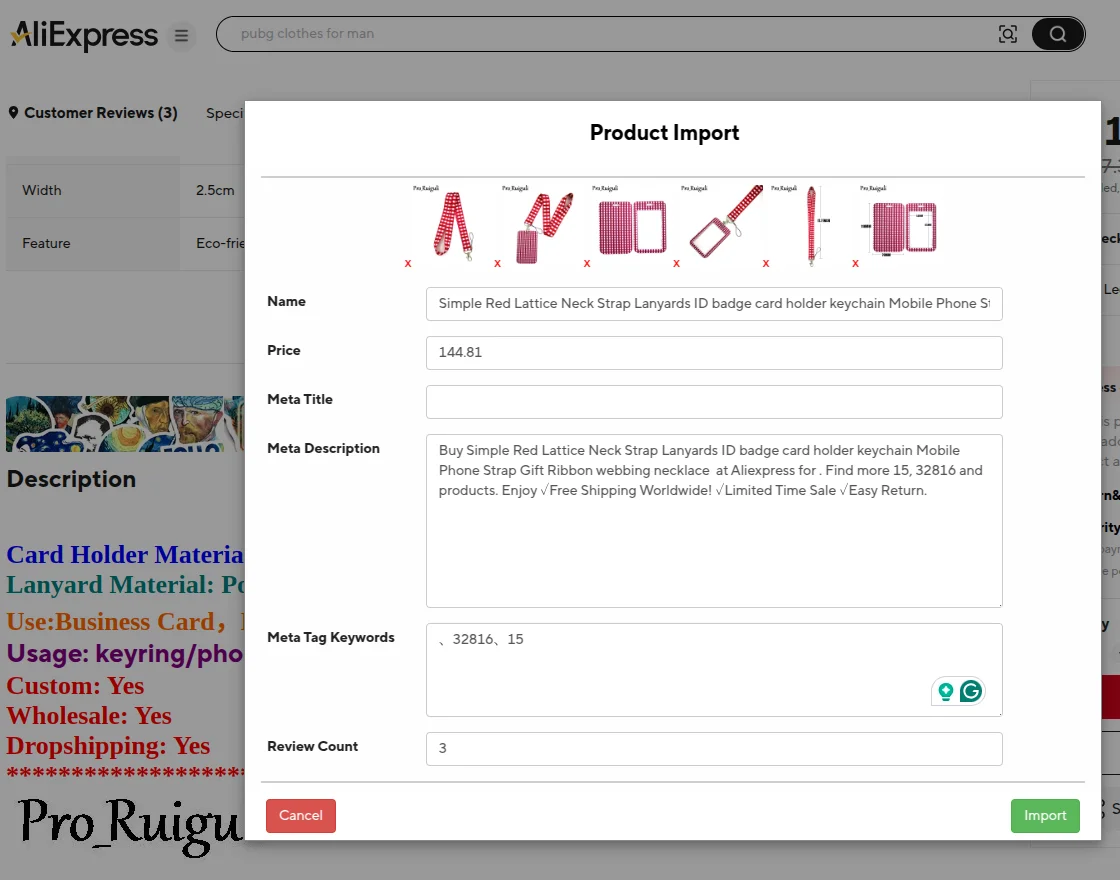
Edit the content if you want and click the Import button.
This way, you can import the desired product along with the product details, additional images, & options (If any) with option icons from AliExpress.
The product will be imported from AliExpress following the default settings made in the add-on configuration. You can find the same in the CS-Cart backend as shown below.
For the imported product, the List price will also be imported along with the original price.
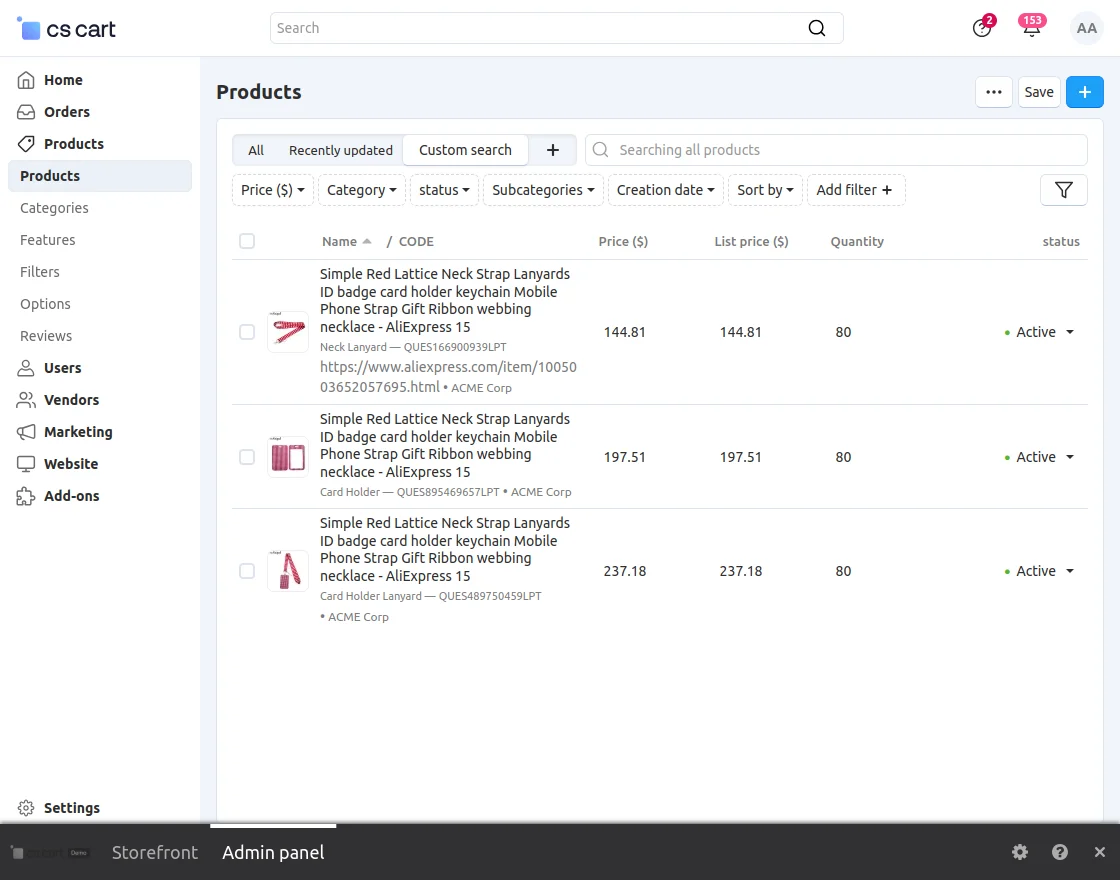
The product page will include a link to the corresponding AliExpress product, which will redirect the customer to the detailed page for that product on AliExpress.
Admin can also import the reviews along with the products from AliExpress.
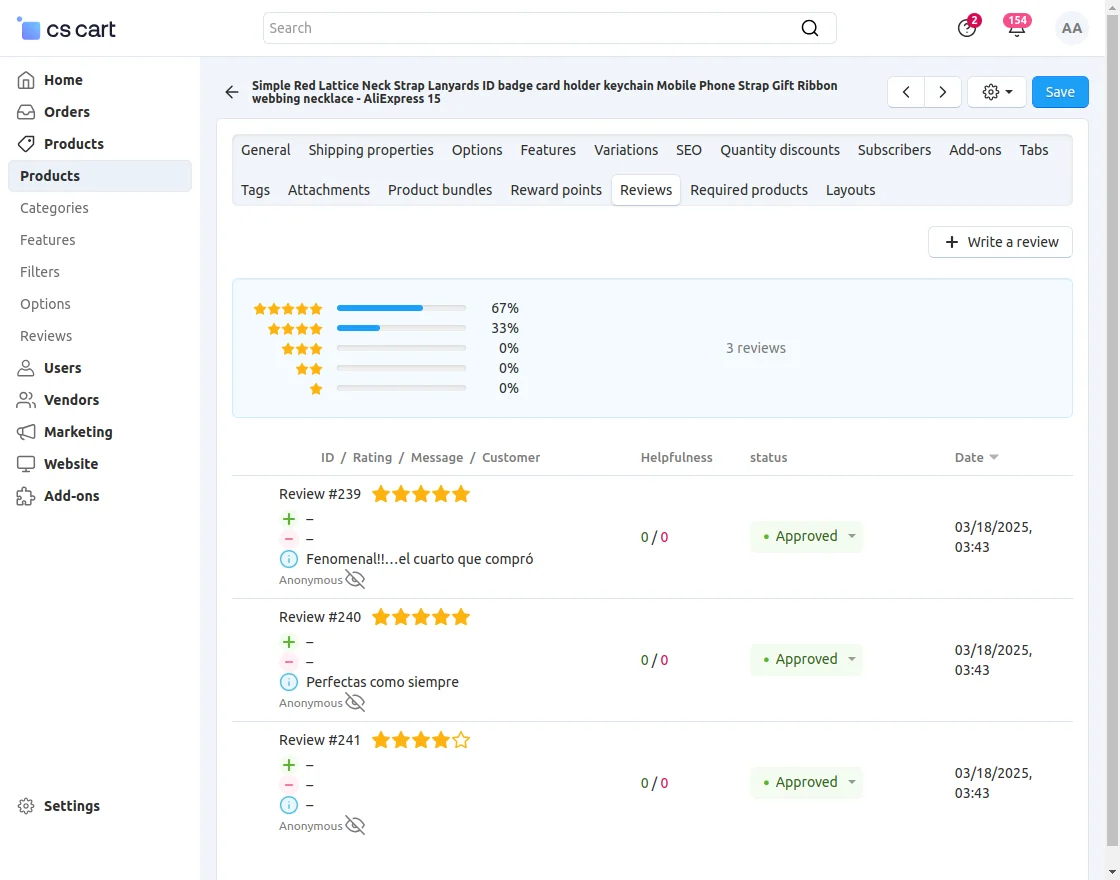
Customers can also check the product along with their genuine reviews.
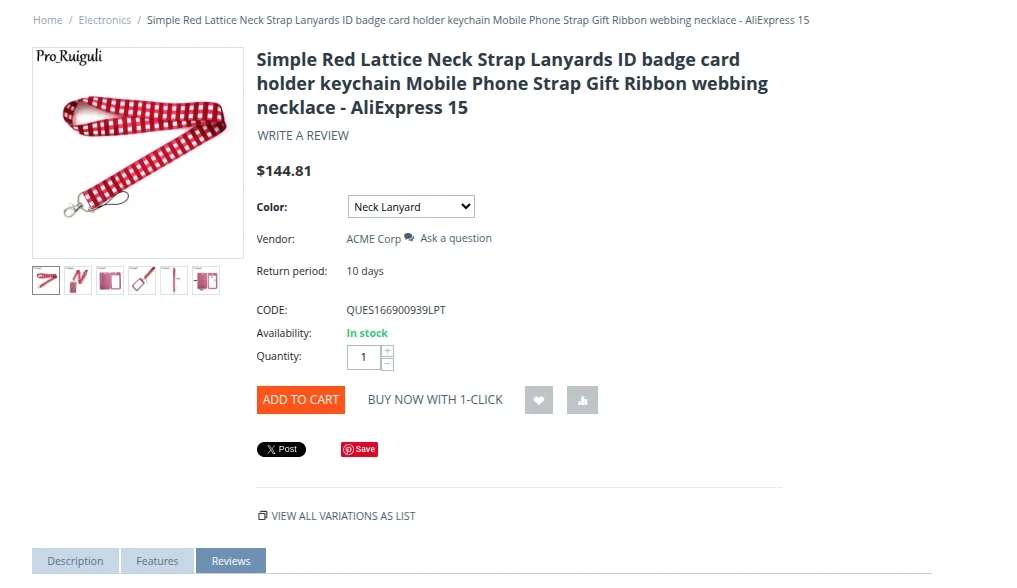
Imported General Details-
Product Variant Images-
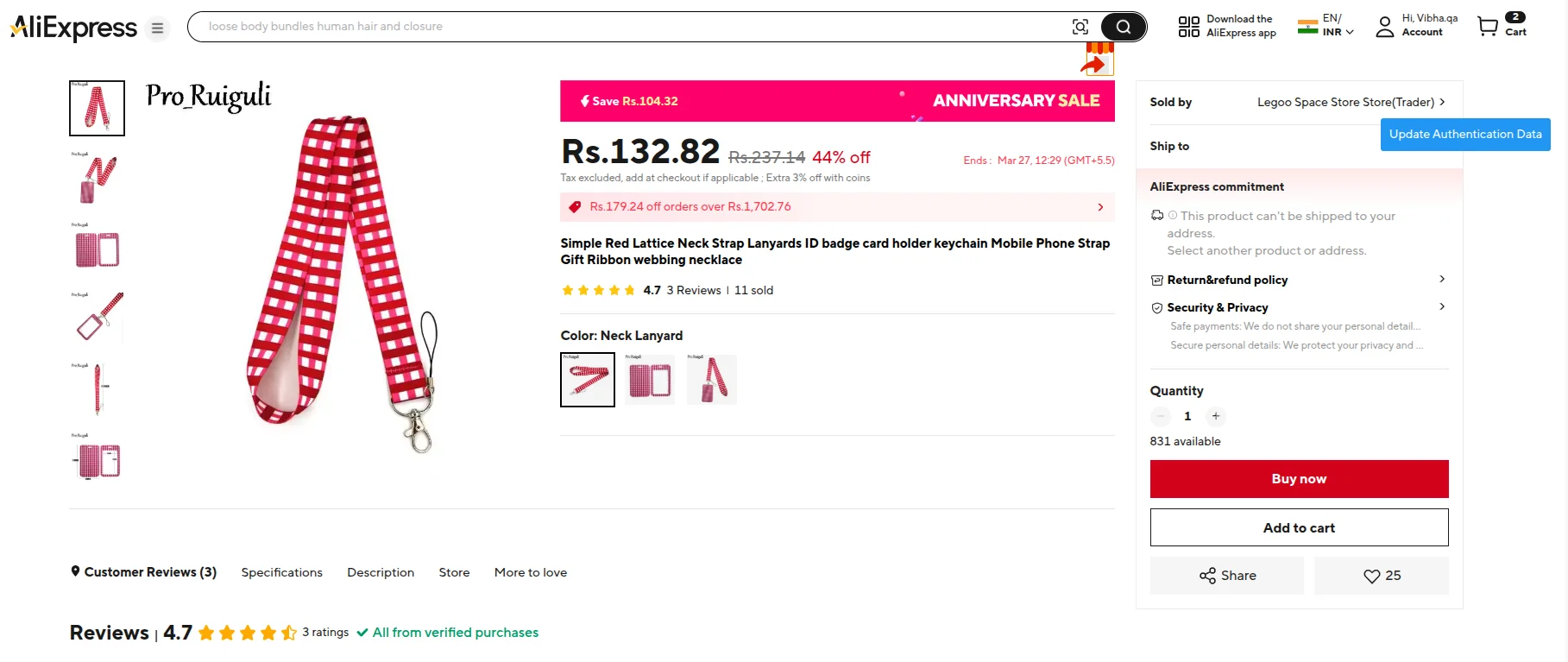
The images, as uploaded on AliExpress, will be imported for all variations of the product.
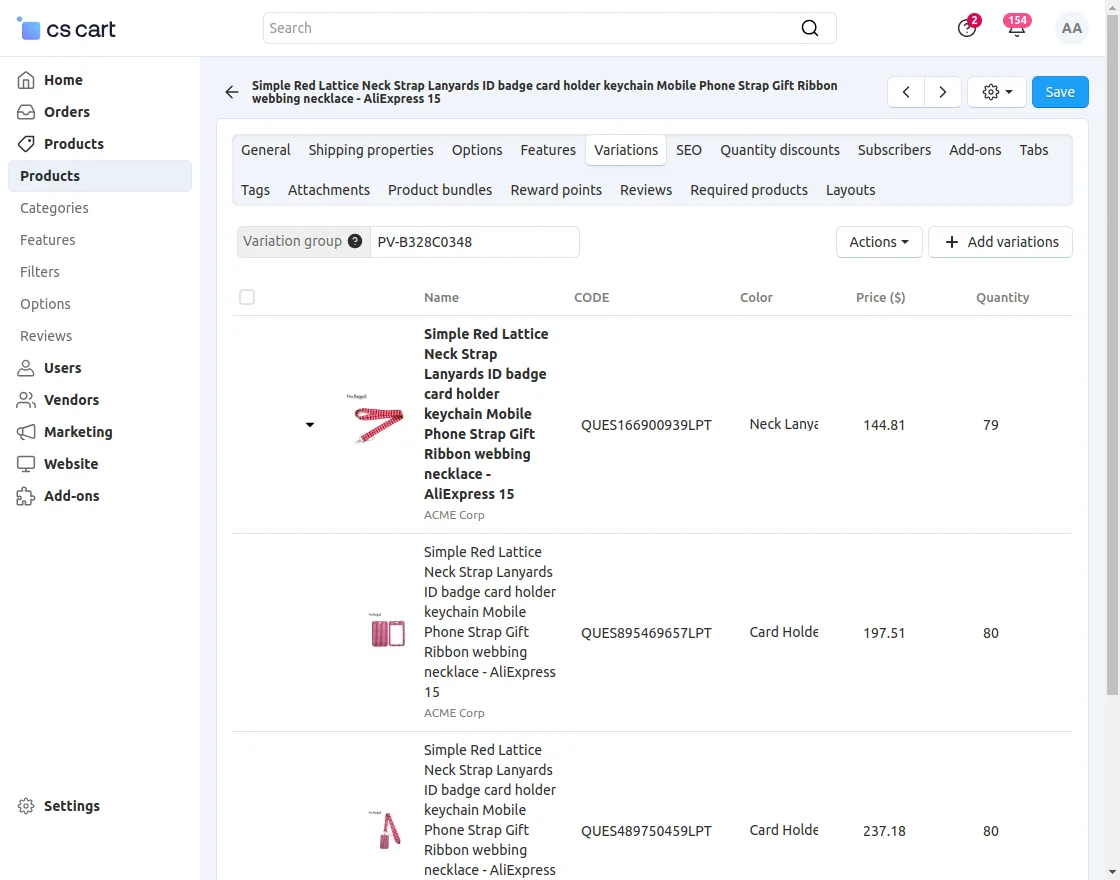
You can further edit and update the product details. This is how you can import products from AliExpress to CS-Cart.
AliExpress Product Import Through API
The CS-Cart AliExpress Dropshipping extension allows the admin/vendor to import products directly using the AliExpress API.
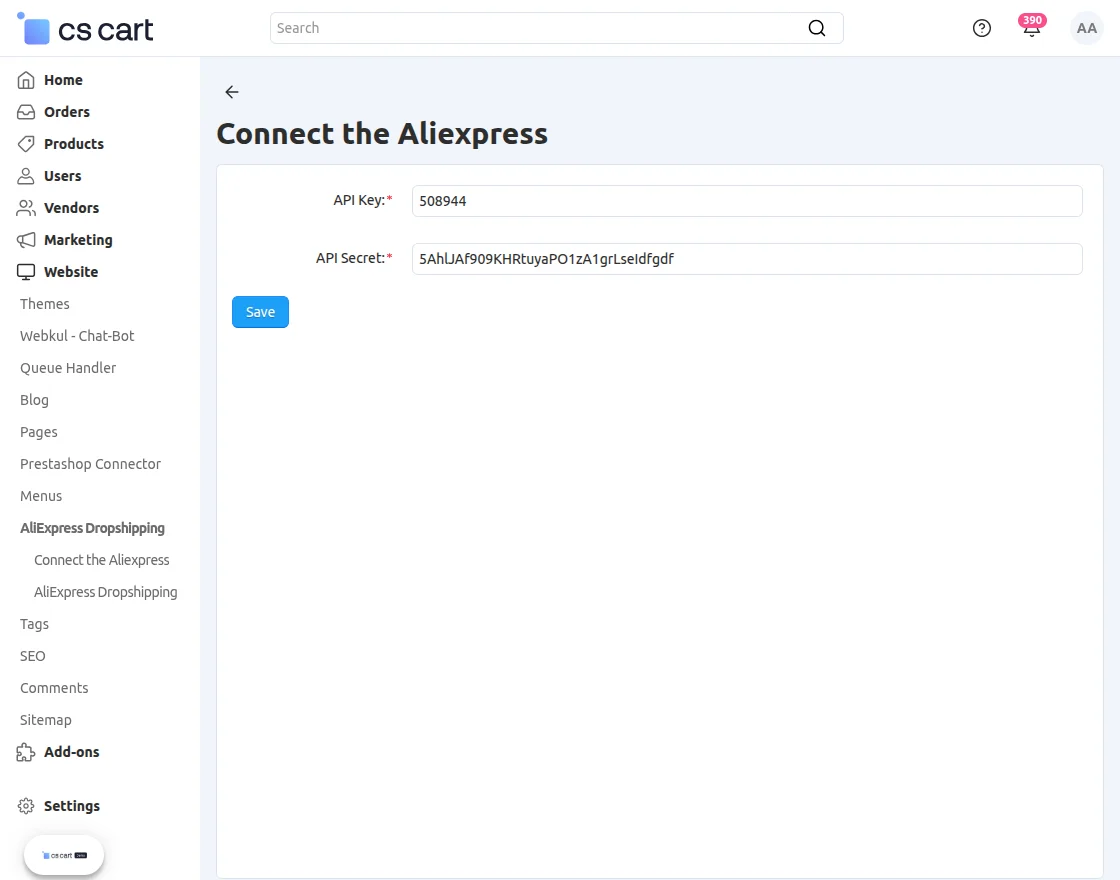
Go to the website panel and click on Connect to AliExpress.
- Enter the AliExpress API Key to connect your account.
- Add the AliExpress API Secret for secure authentication.
Save the credentials to enable API integration with CS-Cart.
After that, click on AliExpress Dropshipping to fill in the required import details.
AliExpress Order Placement
When the imported products get purchased at your store, the received orders will be visible under the Orders section at the CS-Cart admin end.
Moreover, there is an option to filter out the AliExpress imported product orders in the advanced search as shown below.
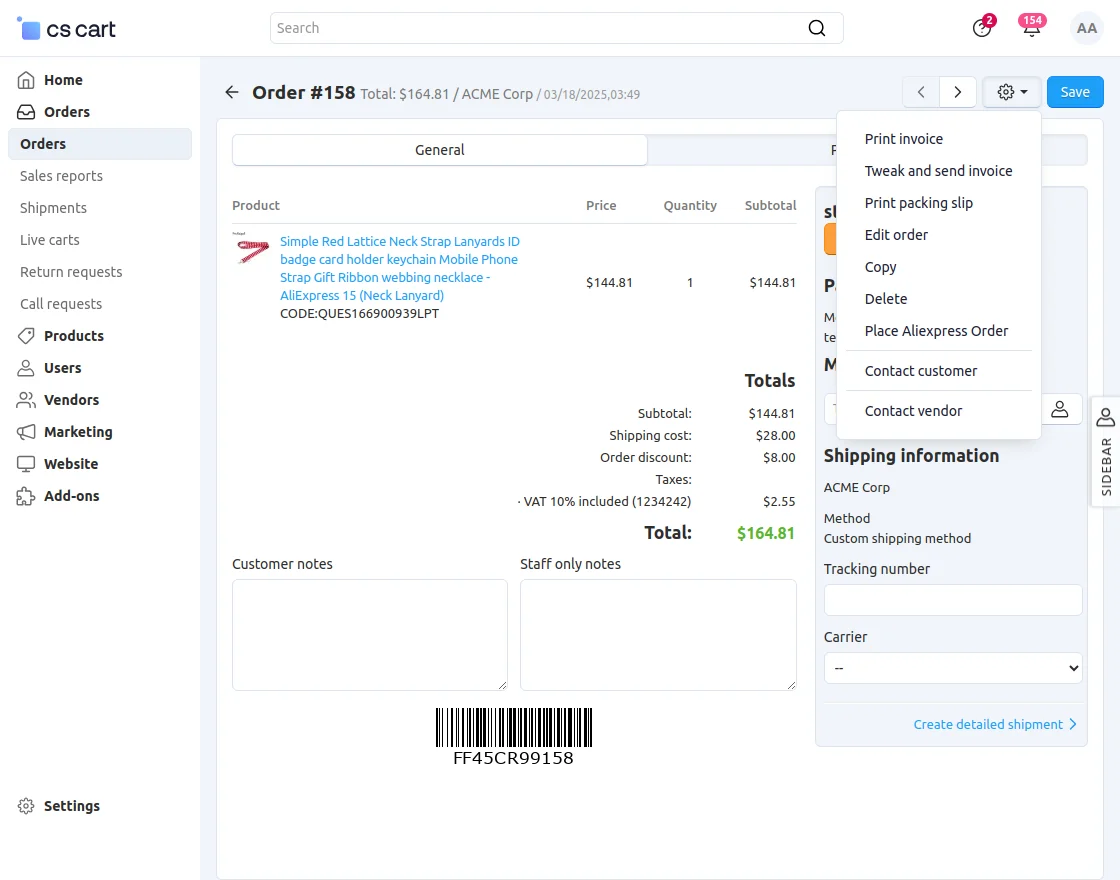
 On the order details page, you get the option to use the “Place Aliexpress Order” button on the gear drop-down.
 Once you click on the option, you will be redirected to the product page of the AliExpress website.
Note:
On the checkout page, the user has to fill in the shipping details on the AliExpress page before confirming and placing the order.
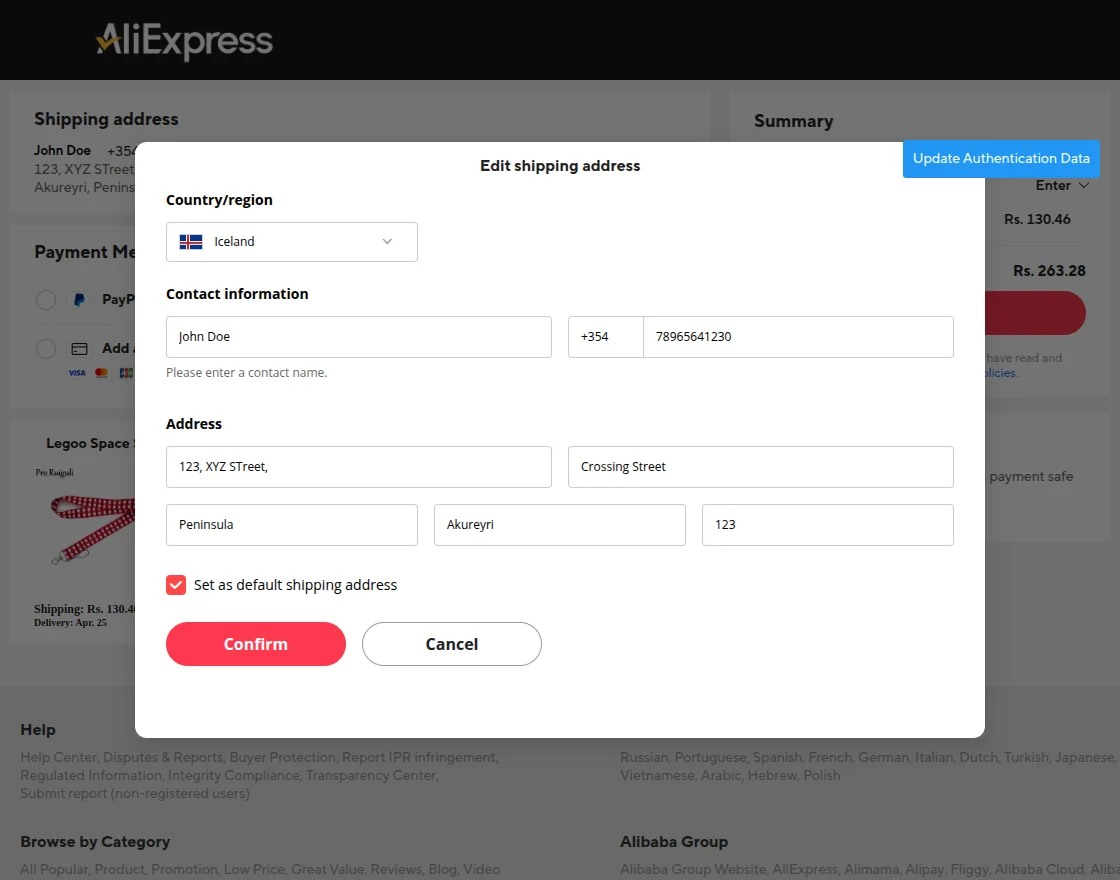
Next, You will be able to proceed with the payment page and need to fill in the details to complete the payment, in order to place an order.
Support
Current Product Version - 4.0
Supported Framework Version - 4.16.x, 4.17x, 4.18.x


Be the first to comment.