With the help of the WordPress WooCommerce Marketplace Split Order Plugin, separate order ids will generate while placing the order if there are multiple seller products in the shopping cart.
The customer and admin receive separate order ids for every seller.
Returns, Refunds & Replacements will manage very easily when all the sellers have their unique order ids.
It gives more clarity to the communication between a seller and a buyer. A buyer can give a reference of order id while communicating with a seller as it is different for every seller.
It gives a clear picture to the admin about the commission and all other things. Commission management can be done easily by the admin.
NOTES-
- WordPress WooCommerce Marketplace Split Order Plugin will work with the WooCommerce default payment methods like Cash on Delivery, Check Payments, and Direct Bank Transfer.
- In the case of any 3rd party payment plugin, it may need some customization if the third-party payment plugin code does not follow the default WooCommerce payment pattern.
- This plugin is now compatible with WooCommerce’s latest High-Performance Order Storage (HPOS) and Cart and Checkout block.
- WordPress WooCommerce Marketplace Split Order Plugin is an add-on to WordPress WooCommerce Multi Vendor Marketplace Plugin.
- To use this plugin you must install first WordPress WooCommerce Multi Vendor Marketplace Plugin.
We provide a production version of the plugin. If you want a development version then you can get it at an additional cost. Please contact [email protected] for it.
Check a brief overview of the plugin in the video below –
Features
- Separate order ids will generate at the back-end if there are multiple seller products in the shopping cart.
- When a buyer place an order with multiple seller products in the cart then, separate order ids will be generated in the back end.
- All the sellers get a separate order ID, allowing for individual processing and better order management.
- The customer also receives different order ids if they have purchased multiple seller products.
- The customer also receives different order ids while placing an order if there are multiple seller products in the order.
Effective distribution of Tax and Discounts between sellers.
Distribution of taxes and discounts will be based upon the share of a seller in the total amount.
Installation
The user will get a zip file that he has to upload in the “Add New” menu option in the WordPress admin panel.
For this login to WordPress Admin Panel and Under the Dashboard hover your mouse over the “Plugins” menu option which brings out a Sub-Menu and then select the “Add New Plugin” option.

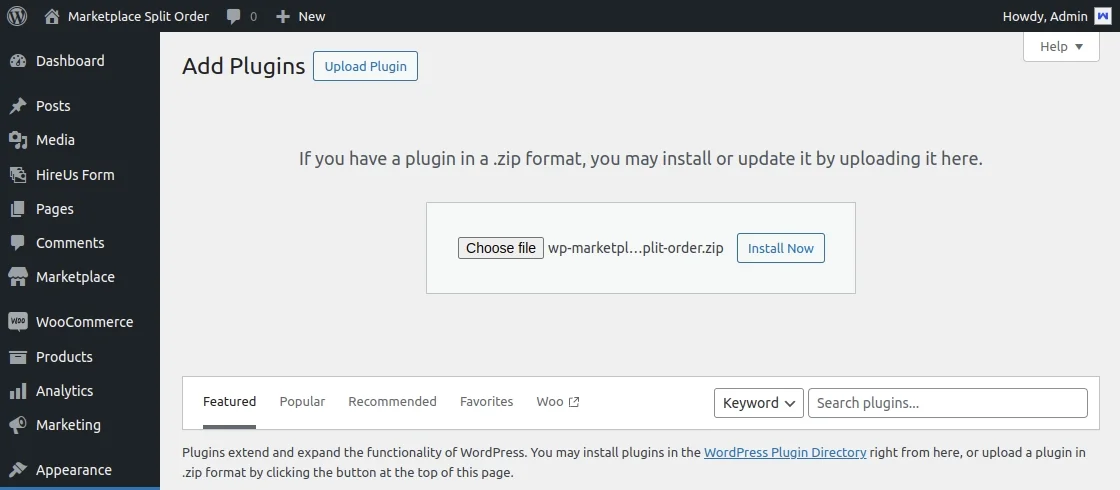
After this, you will see an option on the top of your page that is “Upload Plugin”, click the option to upload the zip file.

After clicking on the “Upload Plugin” option, below that you will see a button “Choose File” click on the button to browse for the zip file as per the snapshot below
Browsing the file, click the “Install Now” button to install the plugin as per the snapshot.
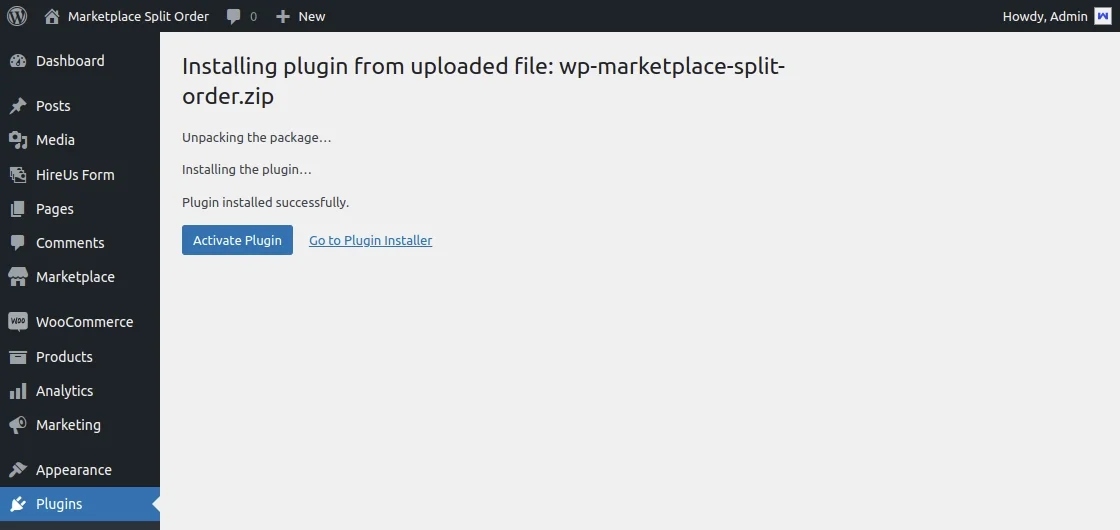
Now when the plugin is installed correctly, you will see the success message and an option to activate the plugin. Click on “Activate Plugin” to activate the installed plugin.
That is all for the installation part of the WordPress WooCommerce Marketplace Split Order Plugin.
Note- Check out how to Activate the WooCommerce Plugin through the purchase code and get updates on Webkul Modules directly on the Plugins page
Module Configuration | Admin End
By enabling the ‘WooCommerce Marketplace Split Order’ feature, orders will be split across multiple vendors, while disabling it will revert to a single order for all vendors.
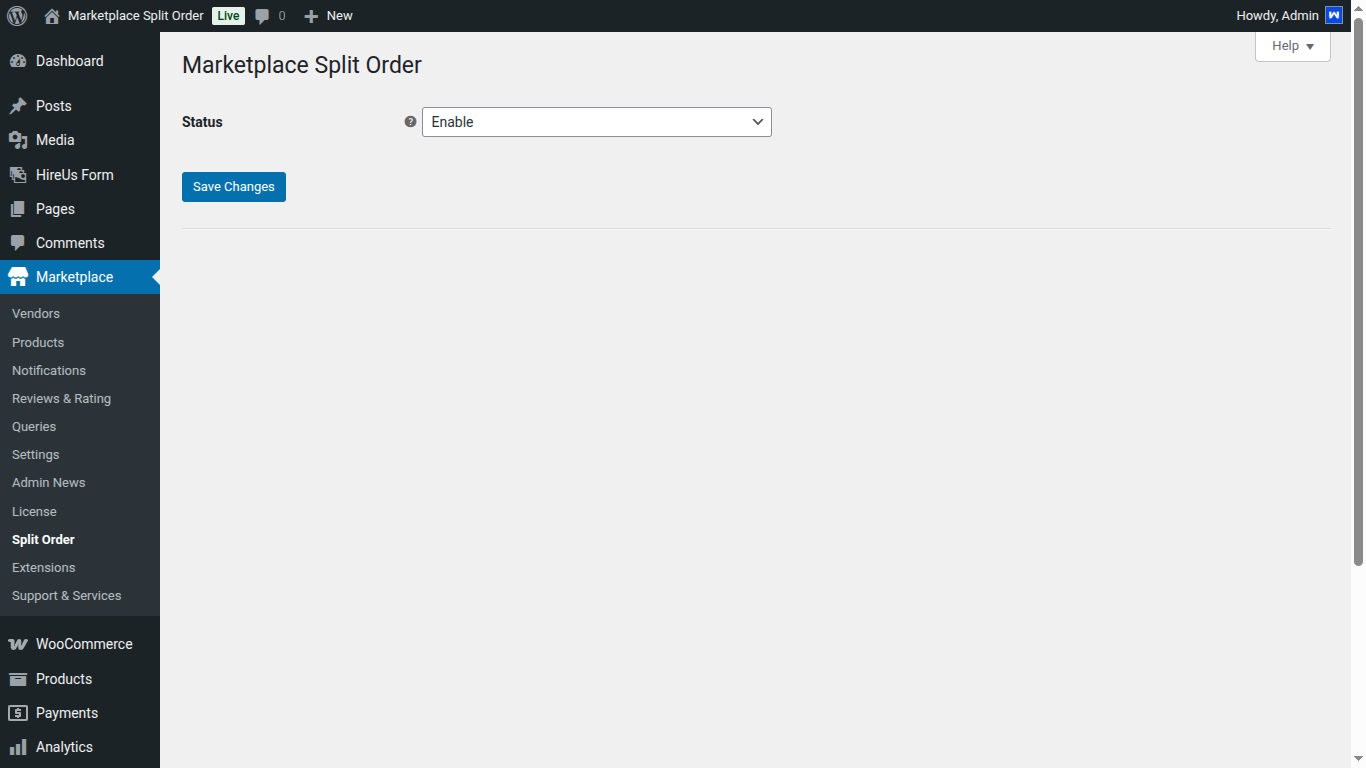
When a customer places an order with multiple vendors, a separate sub-order ID will be created for each vendor.
The admin can view these sub-orders in the ‘Sub Orders’ column, based on the number of vendors involved.
Additionally, the ‘View Suborder’ option in the Action column allows easy access to manage these sub-orders, as shown in the image below.

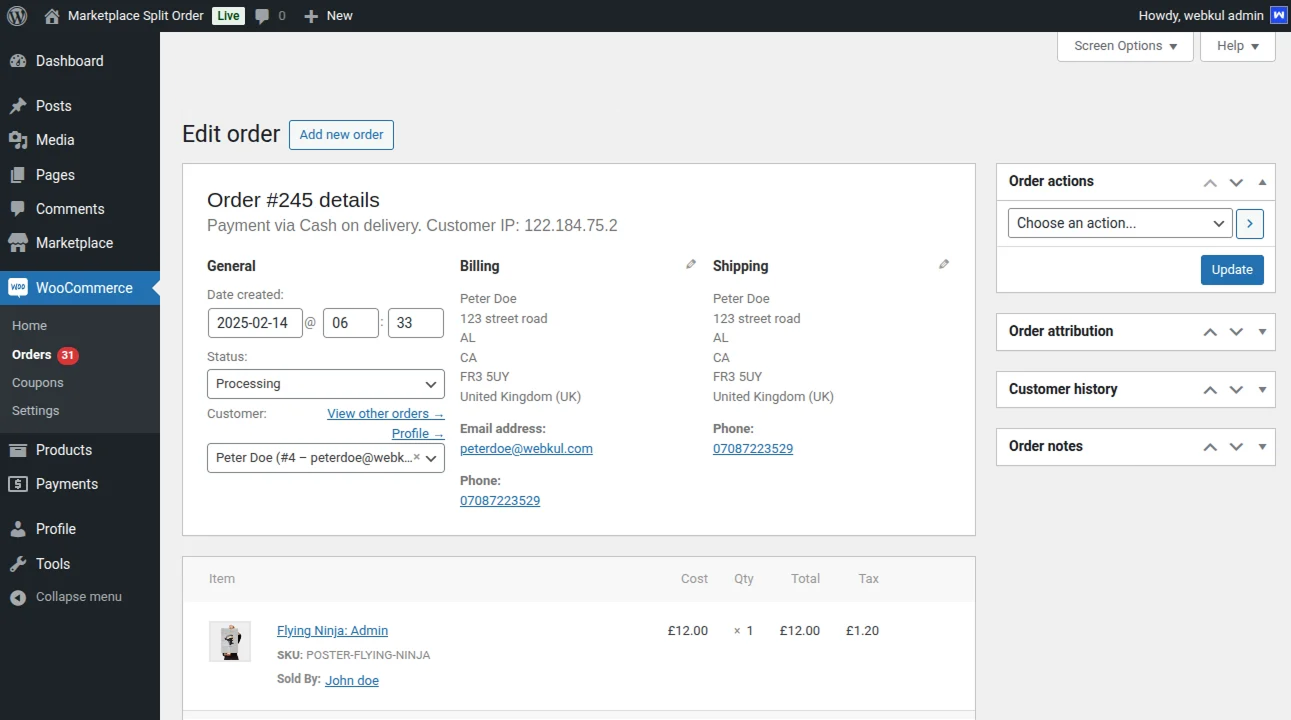
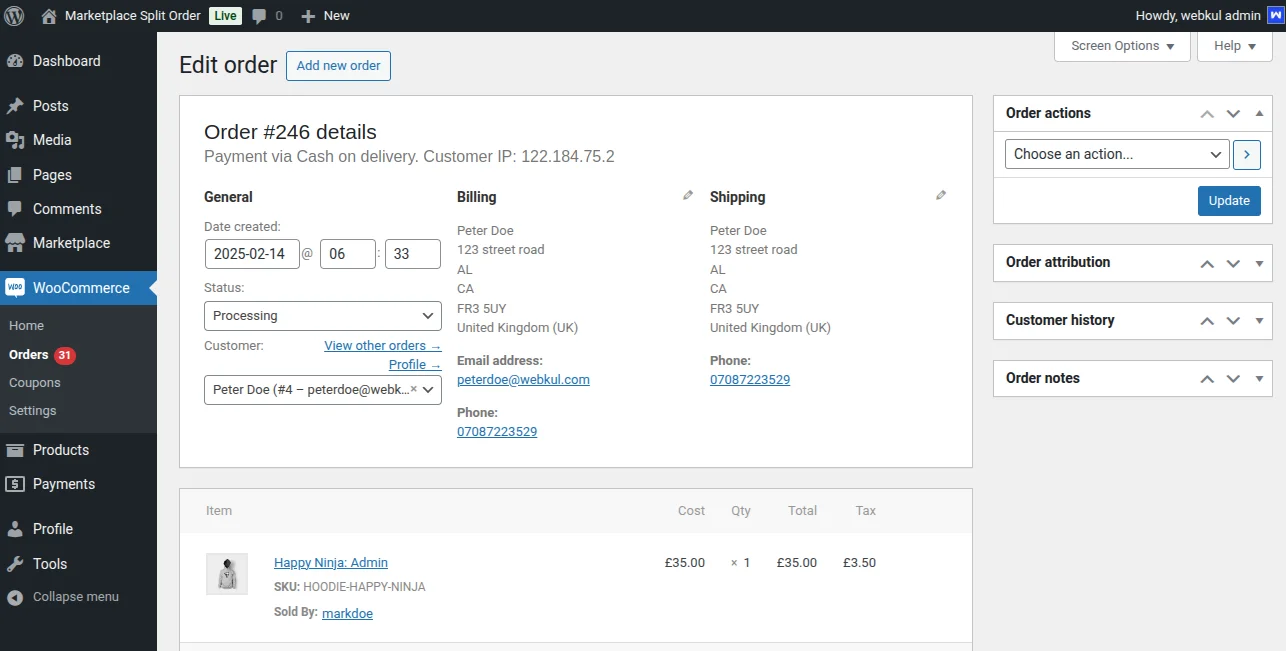
Admin can check order details by viewing the order as well as the below images.
Seller End
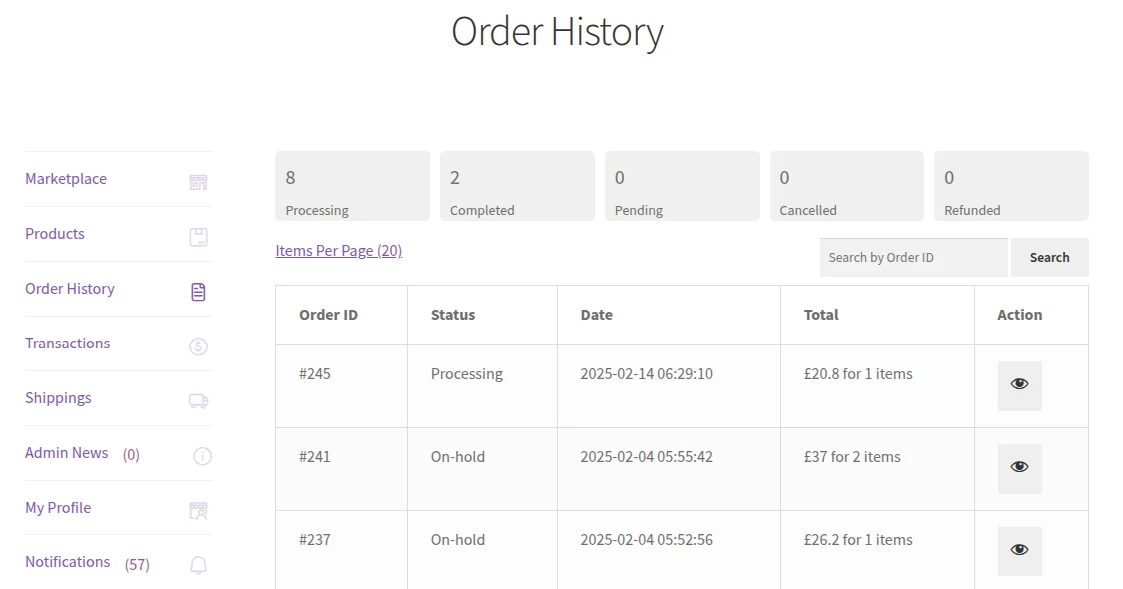
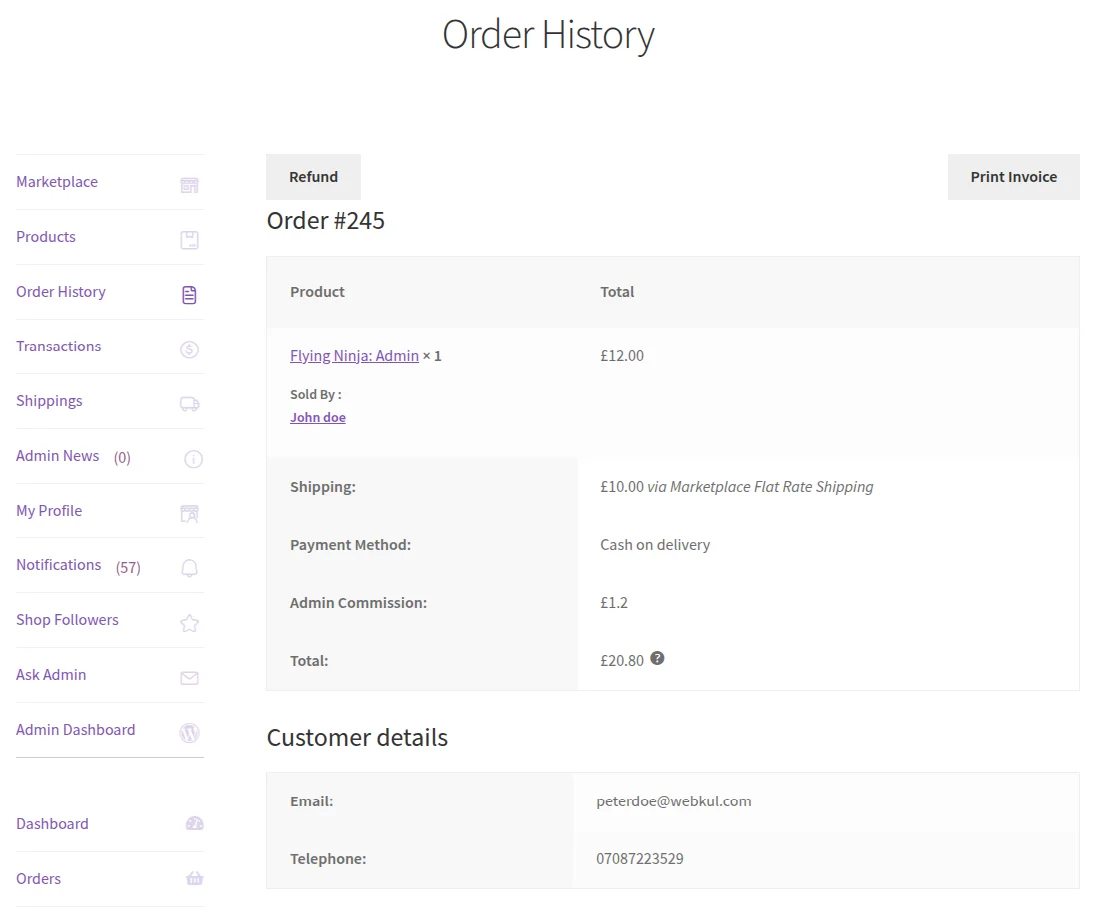
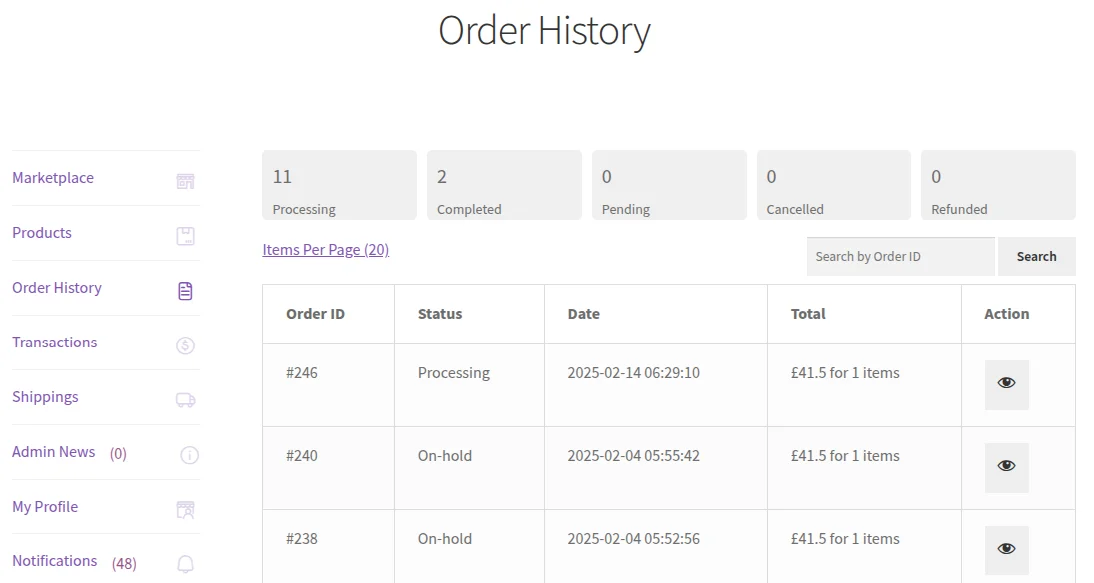
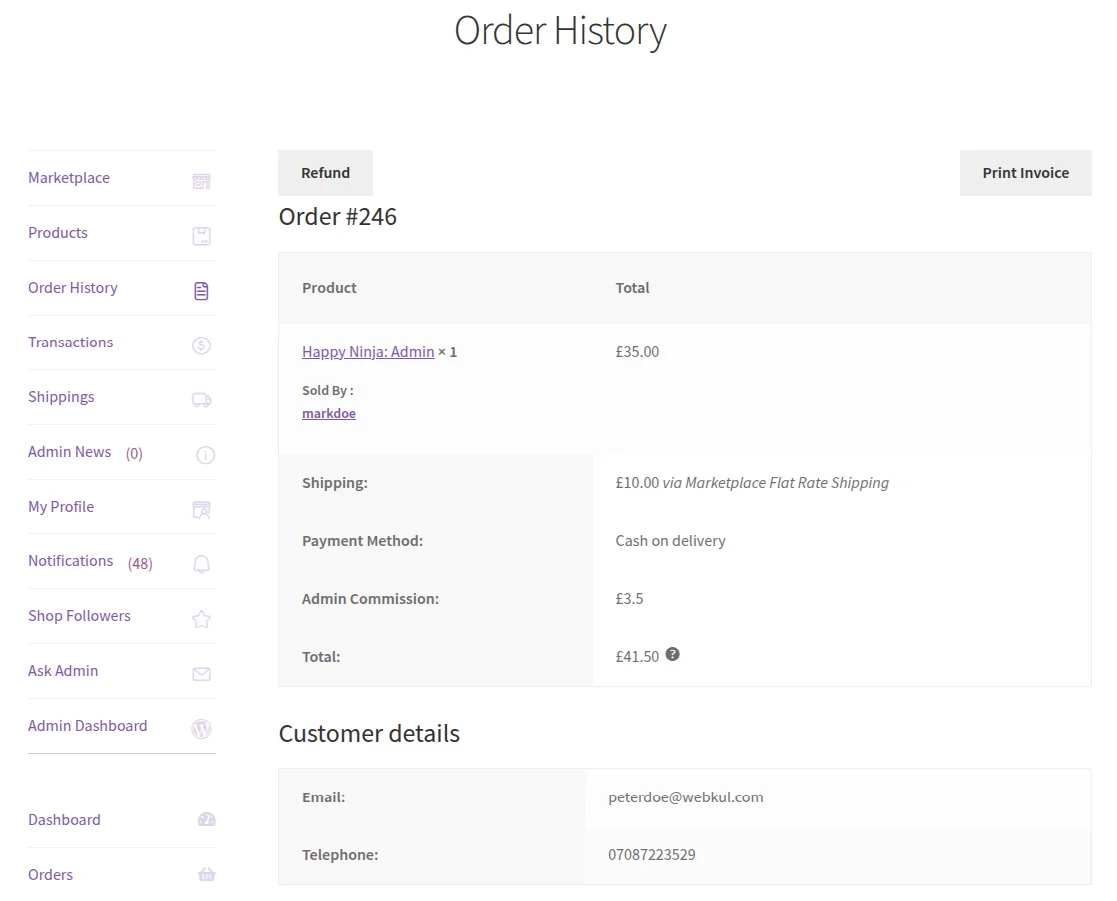
Each seller can view the order id for their products in “Order History” as following images.
Seller 1
Seller 2
Customer End
Now from the front-end, the customer will add different products from multiple sellers into the shopping cart like the image below.

Now the customer will proceed to the Checkout page. Customer will enter billing address, shipping address, select payment method, and shipping method.

After the Order confirmation, the customer receives two different order ids as in below images.
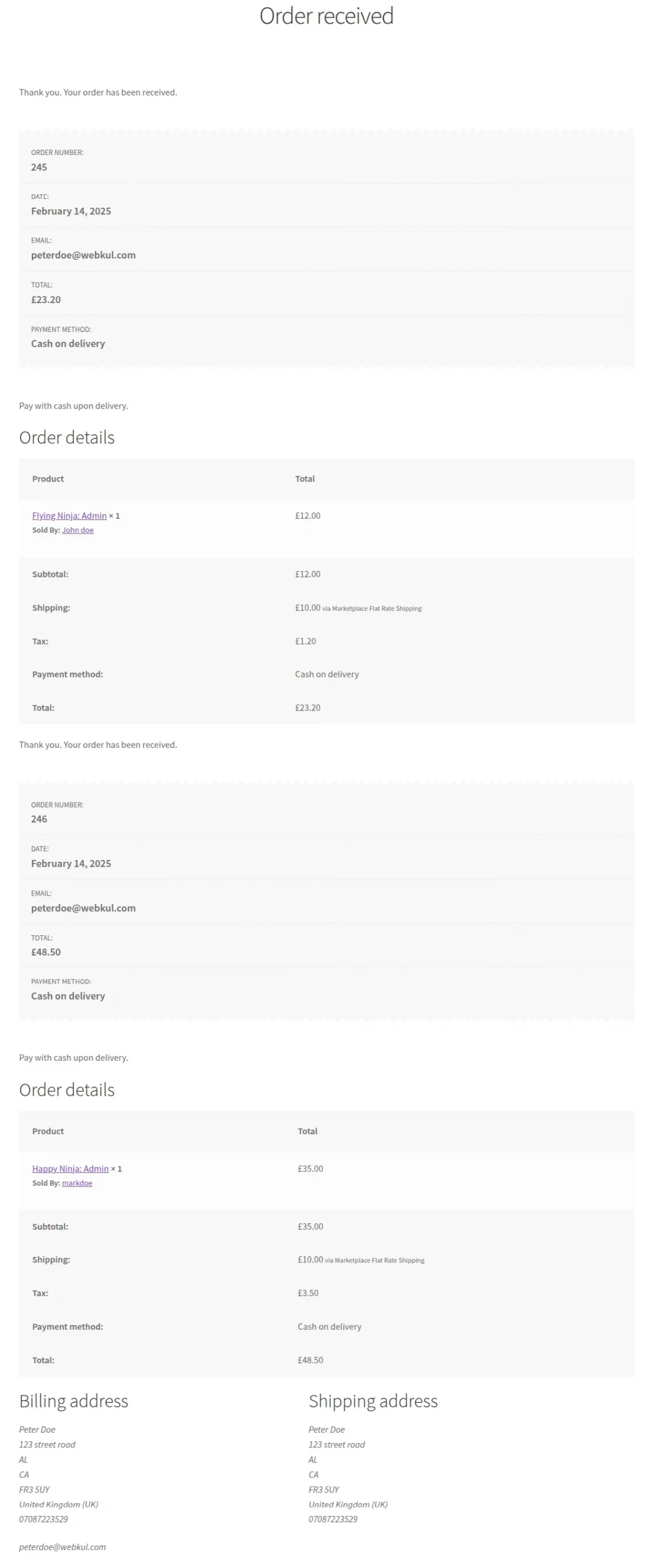
The customer can view particular order details in “My Account > Orders” as well.

That’s all for the WordPress WooCommerce Marketplace Split Order Plugin.
Support
For any technical assistance, please raise a ticket or reach us by mail at [email protected]
Also, Hire WooCommerce Developers for all kinds of services for web and mobile development, plugin development, mobile app, design services, and much more.
If you need custom WordPress Development services then feel free to reach us and also explore our exclusive range of WordPress WooCommerce Extensions.
Thanks for Your Time! Have a Good Day!
Current Product Version - 1.2.0
Supported Framework Version - WordPress: 6.8.1, WooCommerce 9.9.5, WooCommerce Marketplace: 6.2.0


4 comments
For resolving this issue with our plugin, please email us at [email protected]
Regards,
I am looking to separate order IDs based on shipping class. I have 2 shipping classes:
-Warehouse A
-Warehouse B
Warehouse A is for all my Woocommerce products that are not custom made. These products ship within 3-5 days.
Warehouse B is for all products that are custom made and take 4-5 weeks to ship.
Is this possible with this plugin? I do not want to use the “seller” functionality and only looking to separate the orders based on the products shipping classes.
Any insight?