SAP WordPress WooCommerce Connector – It’s always confusing to choose an eCommerce platform to set up an online store for your business.
The most popular eCommerce platform on the web right now is WooCommerce, with over 37 million downloads.
You must have known that WooCommerce is an open-source eCommerce plugin for WordPress designed for online businesses.
It powers over 28% of all online stores.
It is highly customizable, allowing retailers to add only those plugins they want for their business.
Optimize your store with WooCommerce & SAP Business One Integration for smooth functioning.
What is SAP Business One?
In simpler terms, SAP Business One® is an affordable solution to manage your entire business – from accounting to purchasing to inventory to sales.
An all-in-one single solution to streamline key processes and gain greater insight into your business to make informed decisions based on real-time information.
WooCommerce & SAP Business One Integration:
Our WooCommerce & SAP Business One Connector delivers integrations that are fast, simple, and affordable.
Our WooCommerce & SAP Business One connector helps in syncing order, category, product, and customer data in real-time.
What are the key benefits of using WooCommerce & SAP Business One Integration?
- Incorporates e-commerce with the SAP platform seamlessly.
- Provides a hassle-free environment by configuring SAP-centric concepts.
- It provides faster, more accurate access to the customer’s information and history.
Features of SAP B1 WooCommerce Connector
- Export Products, Categories, Orders, and Customers from WooCommerce to SAP Business One.
- Supports WooCommerce HPOS for better performance and future compatibility.
- Select product matching by SKU or Product ID when syncing products to SAP.
- Background processing for all export and import operations.
- Export WooCommerce order fees as SAP freight charges for precise logistics cost mapping.
- Real-time export is available for all supported objects, making instant sync possible as changes occur.
- Choose your preferred or default currency for smooth product price export to SAP.
- Select a default warehouse for product sync, with real-time inventory updates directly in SAP B1.
- Assign Business Partner, Sales Person, and Delivery Date when exporting orders to SAP.
- Send detailed tax and discount information with each order export for accurate financial reporting in SAP.
- Map WooCommerce shipping methods to SAP Freight fields to ensure all order logistics data is captured.
- Individual log files for each synced object give detailed tracking.
Installation and Set Up:
How to Install and Set Up Our WooCommerce & SAP Business One Connector.

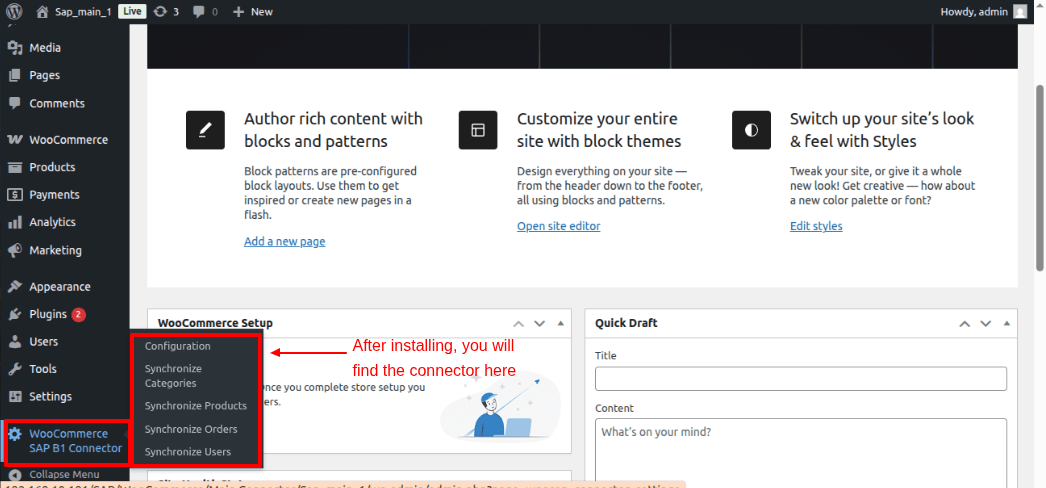
Click on the WooCommerce SAP Connector on the left side of the option bar. Fill in the details and connect your WooCommerce store to SAP.

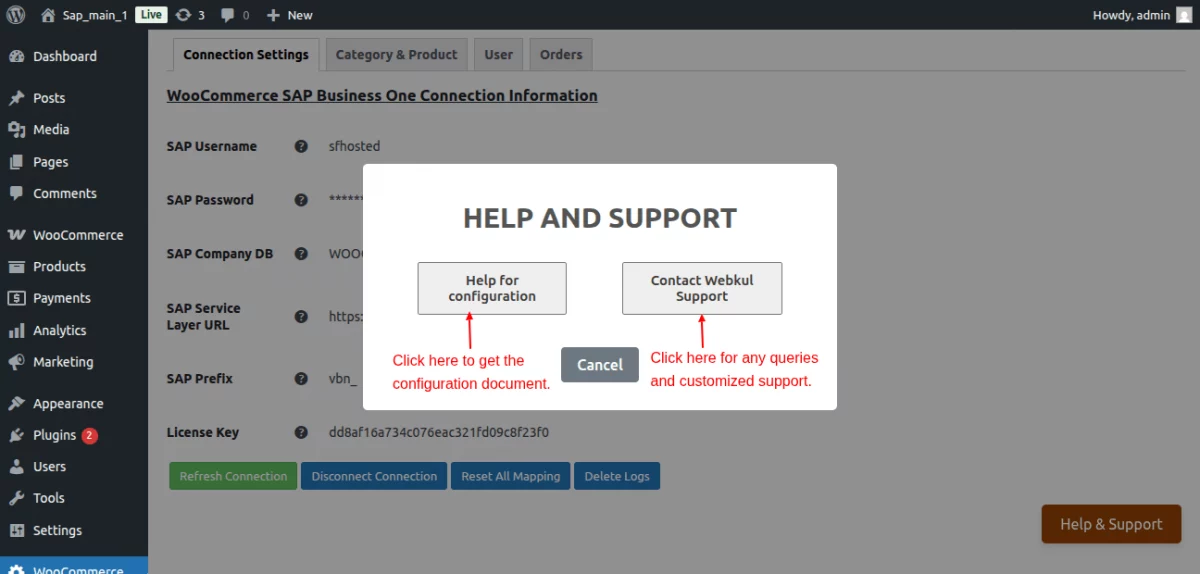
Shift to the Category & Product page for configurations.


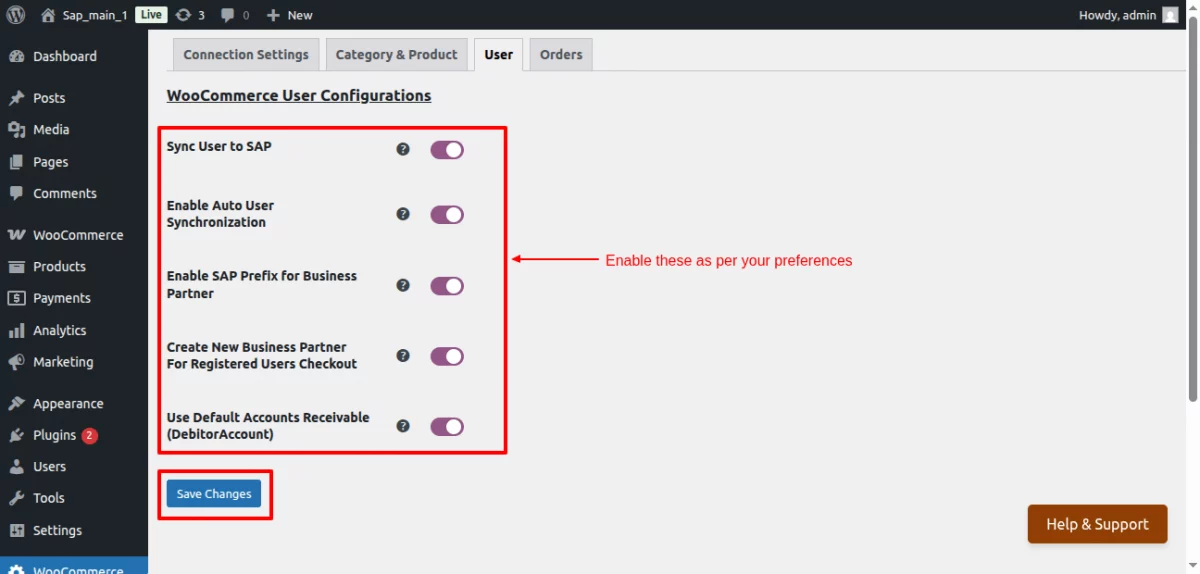
Next, click on User to sync customers to SAP B1.
Additionally, navigate to the Orders tab for order configurations.


Category Sync:
This is how categories can be synced from WooCommerce to SAP Business One.

Product Synchronization:
Synced in real-time.

Category & Product Sync at SAP Business One

Real-Time Stock Management:
Manage Inventory with Real-Time Data Insights.

Order Placed at WooCommerce End:
Here’s how an order is placed at the WooCommerce end.

Order Sync:
Data Synced In Real-Time for Order Management.

Order Sync at SAP Business One:
Data can be fetched easily after real-time order sync.

Billing & Shipping Address Sync at SAP Business One

User Sync:
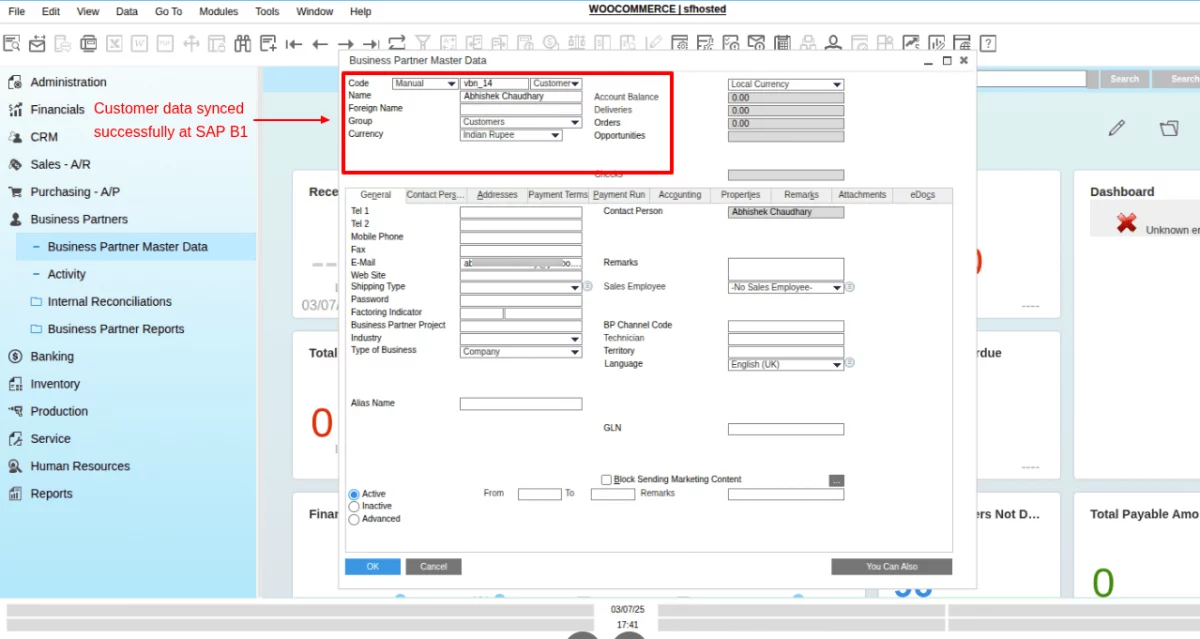
Click on the User section under WooCommerce SAP B1 connector. See your synced user here.

User Sync at SAP Business One
Conclusion:
Our SAP Business One and WooCommerce Integration is an affordable solution for your business.
Our integration manages all inventory and fulfillment, and synchronizes customer data, sales orders, and product info automatically.
Connect your store with our WooCommerce & SAP Business One Connector right away to reduce manual data glitches.
That’s it for our WooCommerce & SAP Business One Integration.
Support
For any technical assistance, please raise a ticket or reach us by email at [email protected]. Thanks for Your Time! Have a Good Day!
Also, discover various solutions to add more features and enhance your online store by visiting the WooCommerce plugins page.
Additionally, if you require expert assistance or want to develop custom unique functionality, Hire WooCommerce Developers for your project.
Current Product Version - Version 1.0


1 comments