Overview
Today, customers are more receptive than ever to gifts offered by brands. Gift On Order, besides improving brand image and reputation, offers many benefits to a business.
Gift on Order is now an important marketing technique, as it helps boost sales, gifts can strengthen relationships with loyal customers, and gain new ones.
Also, it generates more traffic on your site, retains customers, and whatnot.
The Gift on Order for Wix App provides admins the capability to create and offer gifts to customers based on their orders at a predetermined price.
This allows admins to incentivize customer purchases by offering gifts at a specified base price.
The Flow Of Installation And Configuration Of Gift On Order For Wix
To install the app, follow the following steps –
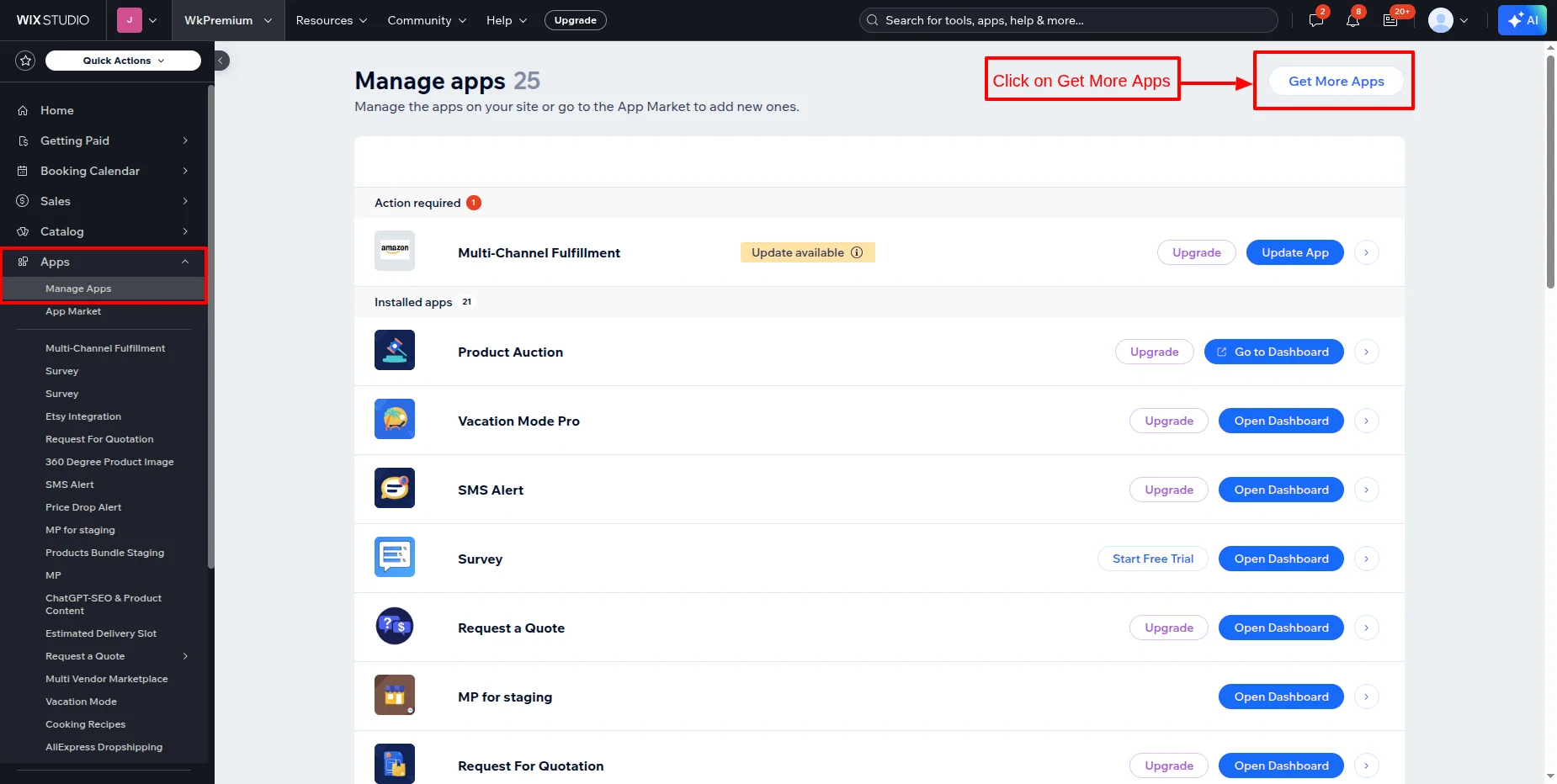
- Go to your Wix store, then click on Apps >> Manage Apps as shown.
- Now, click on Get More Apps.
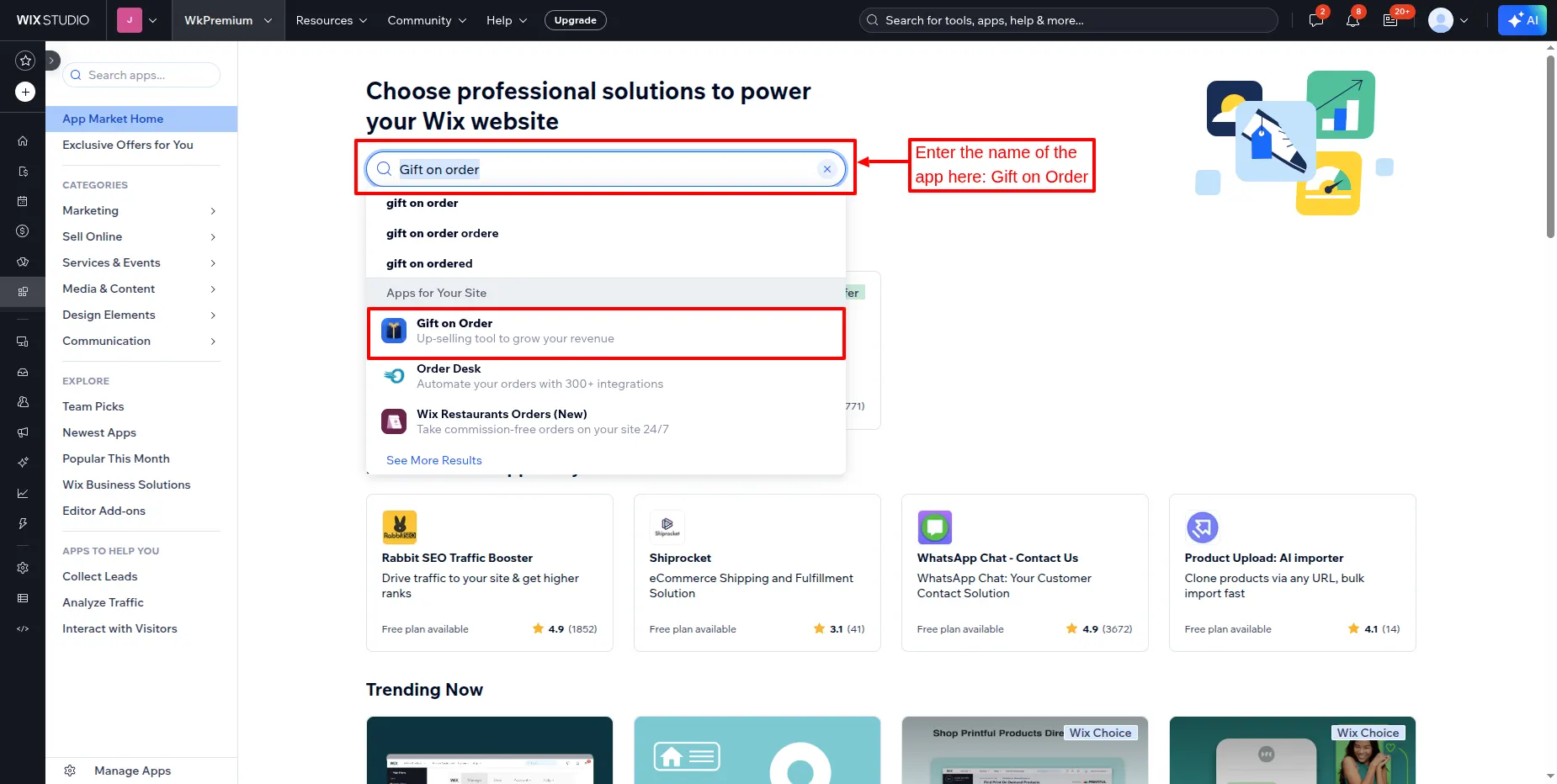
- Now, you’ll be redirected to the app market page from where you need to search for “Gift On Order “.
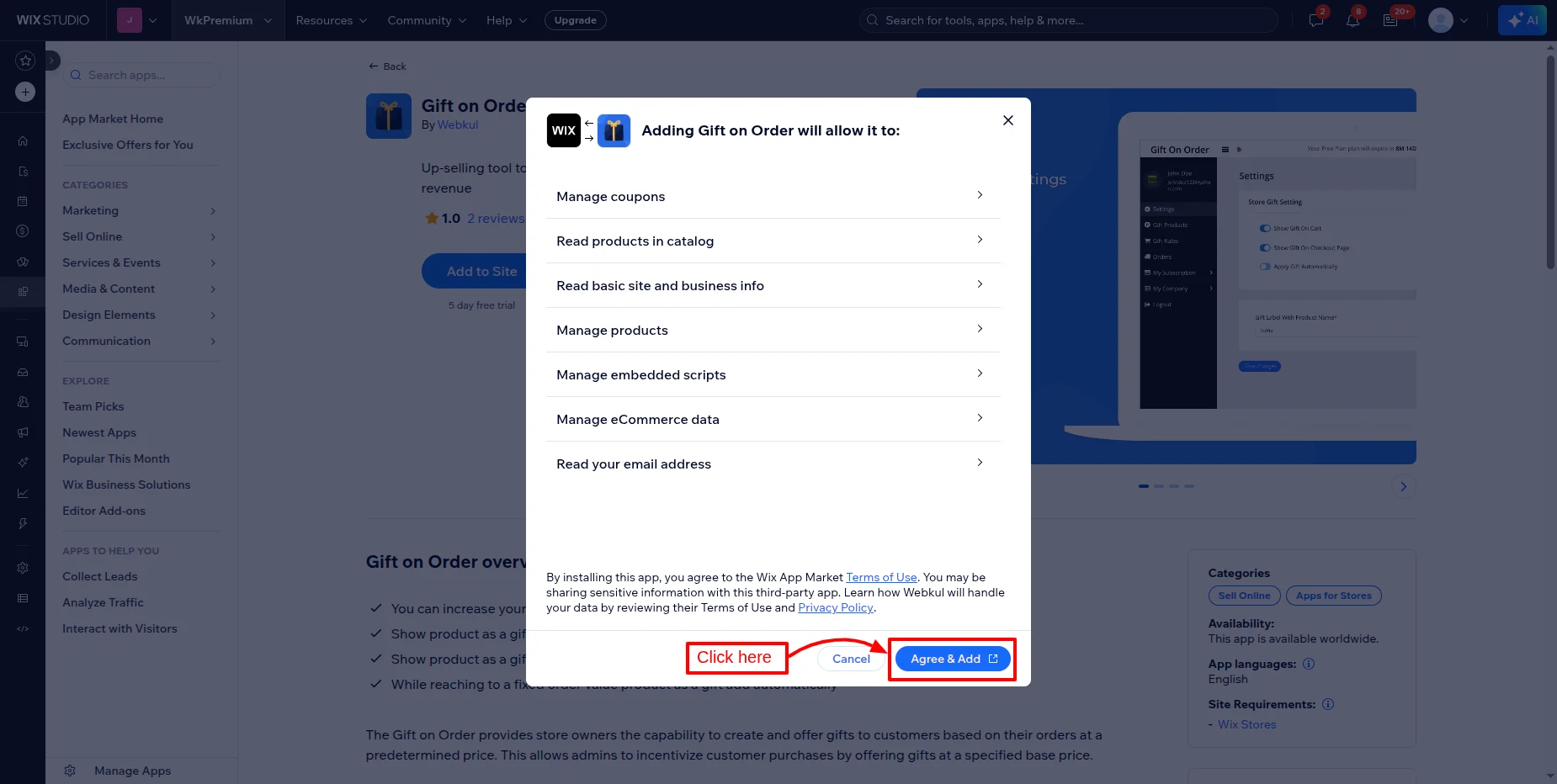
- Click on the “Agree & Add” button after reviewing all the terms of use and privacy policies.
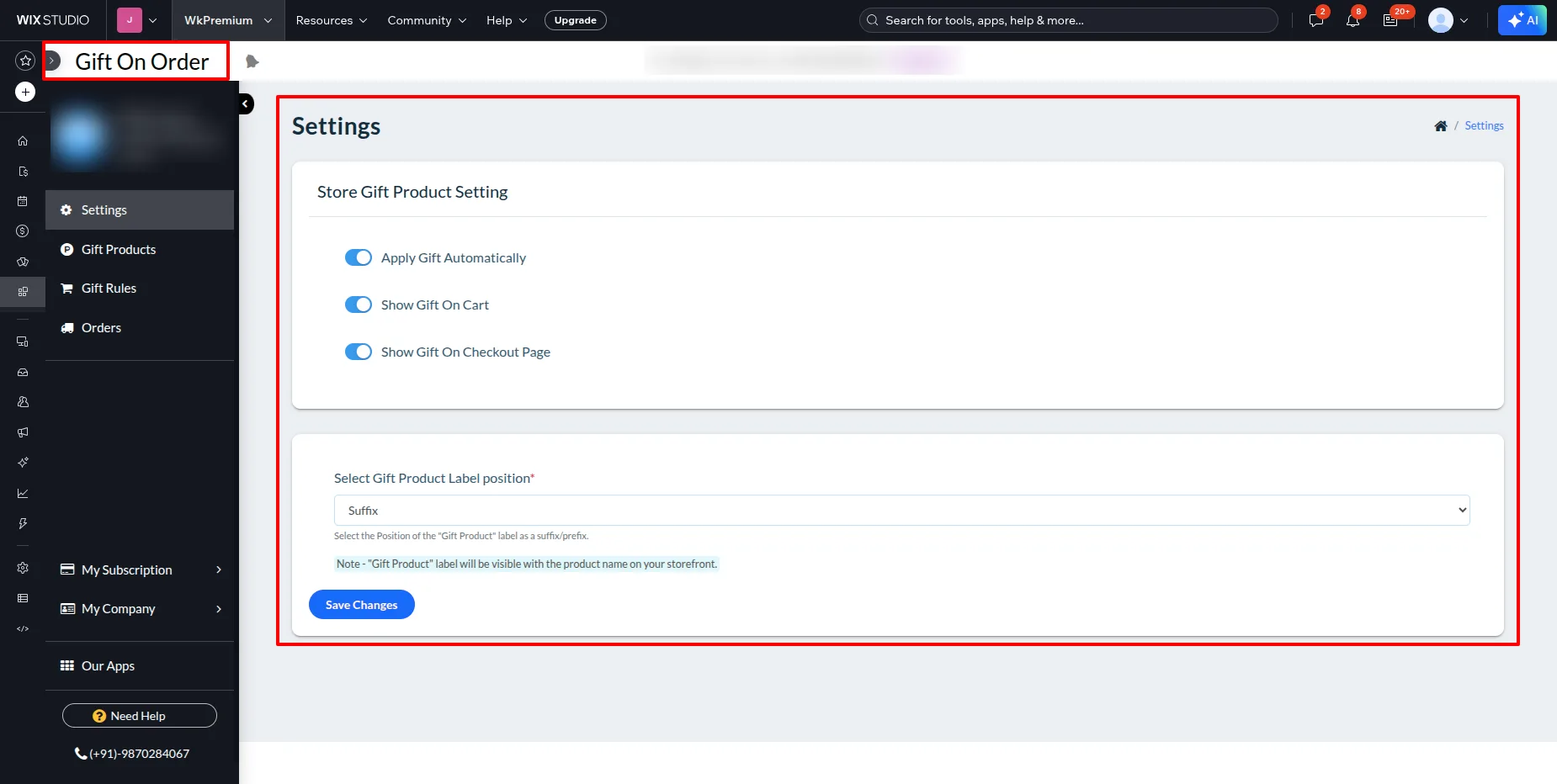
- Now, this button redirects you to the application dashboard, as shown in the screenshot below:
App Subscription :
To subscribe to the app, you need to go to the Wix Dashboard, then Apps >> Manage Apps.
Here, in front of the app, there is an upgrade option.
Click on the upgrade button.

After installing the application, configure the Settings as shown below.
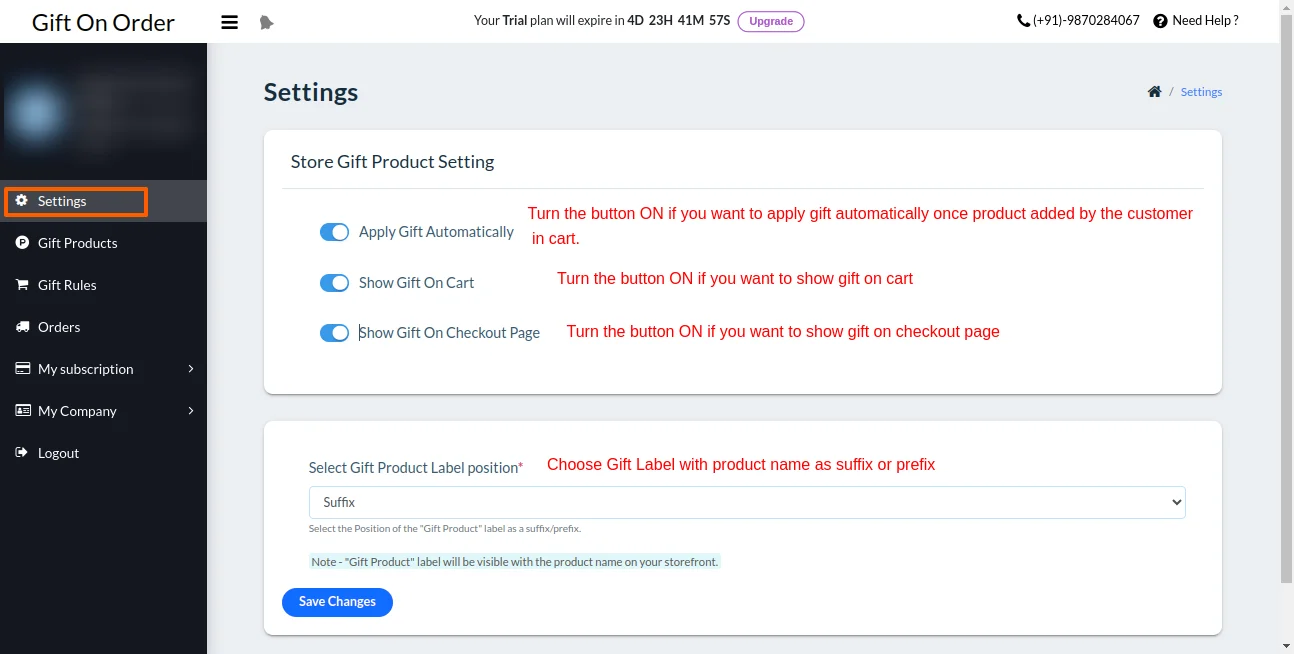
Now, Add Gift Products that you want to give as gifts to the customer, as shown below.


The created product will be shown in the list as below.

Next, we will create a gift rule, based on which it will be determined what gift to give the customer based on the cart/order price.


Now you can see the added gift rule in the list.

Front-End View
When the customer added the product of the amount on which the rule was created, the gift product got applied automatically, as you can see in the below screenshot.

When the “Apply Gift Automatically” option is not activated, then the gift will not be shown on the cart page.

I hope this blog will help you to understand the complete process involved in the Wix Gift On Order App. If in case you have any queries, please write us at [email protected] or create a ticket.
You can explore more here Wix Development Sercvices


Be the first to comment.