As we know when we try to log in to the Magento admin panel using the credentials and somehow the same account gets locked. Now how to unlock the same account so that we can use the credentials to log in to the admin panel? In this blog, we will learn about the same.
Magento 2 admin account can be locked due to many reasons. One such case is when users attempt to log in with the wrong username or lost the Admin password.
The Magento website also locks the user account after six failed attempts to log in. The Admin panel gets locked from trying multiple failed requests.
A locked Admin account will be temporarily disabled. Magento will display the following message:
“You did not sign in correctly or your account is temporarily disabled”.
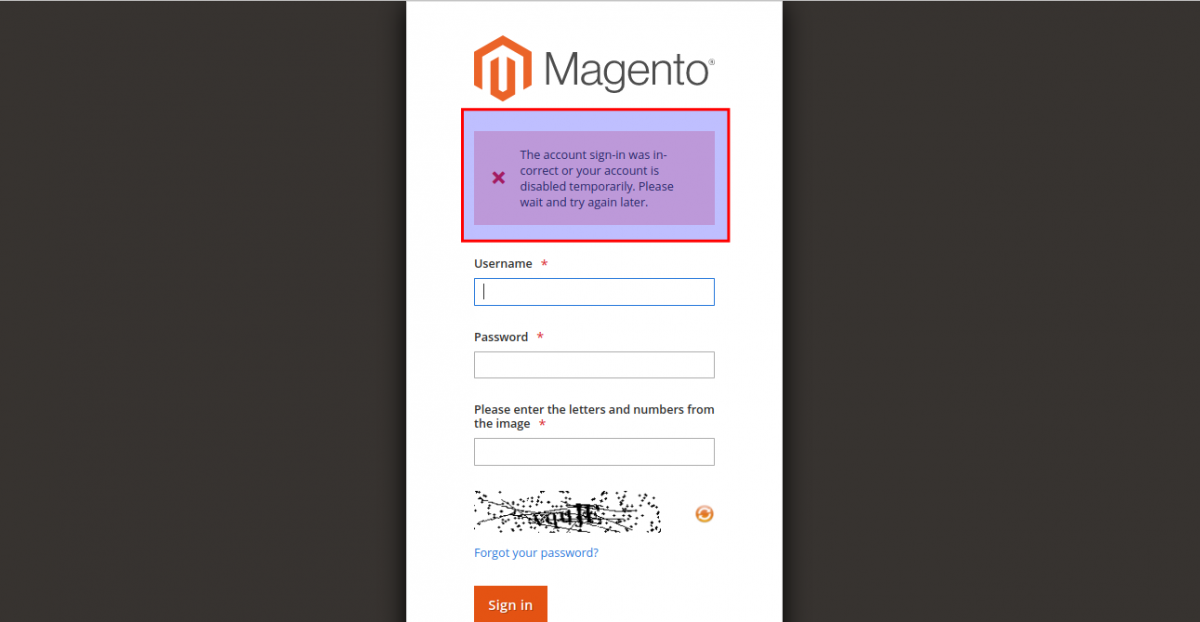
Once the account gets locked then after the correct credentials you will not be able to access the Magento admin dashboard.
But after some time Magento automatically allows the user to re-login with the correct credentials.
Now, to get it done instantly you can choose of the method to unlock the account.
1:) Unlock using the admin end.
To unlock the user we can try using another user who has full access to perform the operation in the admin panel.
This will work only if you are managing multiple user accounts.
To unlock the account follow the below-mentioned steps.
Step 1: On the Magento Admin interface, go to System > Permissions > Locked Users
Step 2: In the grid, select the checkbox of the locked account.
Step 3: In the upper-left corner, set Unlock from the Actions dropdown.
Step 4: Click Submit to unlock the account.

2:) Unlock using the command line.
In Magento, we have a command to unlock the user from CLI. reference https://experienceleague.adobe.com/docs/commerce-operations/installation-guide/tutorials/admin.html?lang=en .
Step 1: Open Magento 2 root directory
In CLI we have to open the Magento root directory. after that, we will run the below-mentioned command in step 2.
Step 2: Run command lines
Run the below command to unlock the Admin user:
$ bin/magento admin:user:unlock {username}
Note: Specify the username of the locked Admin account.
Example: $ bin/magento admin:user:unlock test
How to log into Magento? Once the command is implemented it will unlock the account. The User will be able to log in to the Admin account.
The user account “test” has been unlocked.
If the account is either not unlocked or the process failed, the following message displays:
The user account “test” was not locked or could not be unlocked.
In such cases:
- Verify the user is a Magento admin.
- Ensure the user account is active.
- Verify the account is currently locked in Locked Users.
If the account doesn’t exist, then the following message is displayed:
Couldn’t find the user account “test”.
3:) By programmatically.
We can use the below-mentioned code to unlock the user programmatically
$userIds = ['3'];
            if ($userIds && is_array($userIds)) {
                $affectedUsers = $this->_objectManager
                    ->get(\Magento\User\Model\ResourceModel\User::class)
                    ->unlock($userIds);
            }
You can use these lines of code to unlock the Magento user programmatically.
That’s all for this blog.
Happy coding 🙂


Be the first to comment.