We are delighted to announce that Relais Colis Shipping has been successfully added to our Multivendor Marketplace App.
This feature allows seamless shipping rate calculation and display at checkout for marketplace products.
Below is the complete setup guide for Admin and Sellers.
Admin Configuration
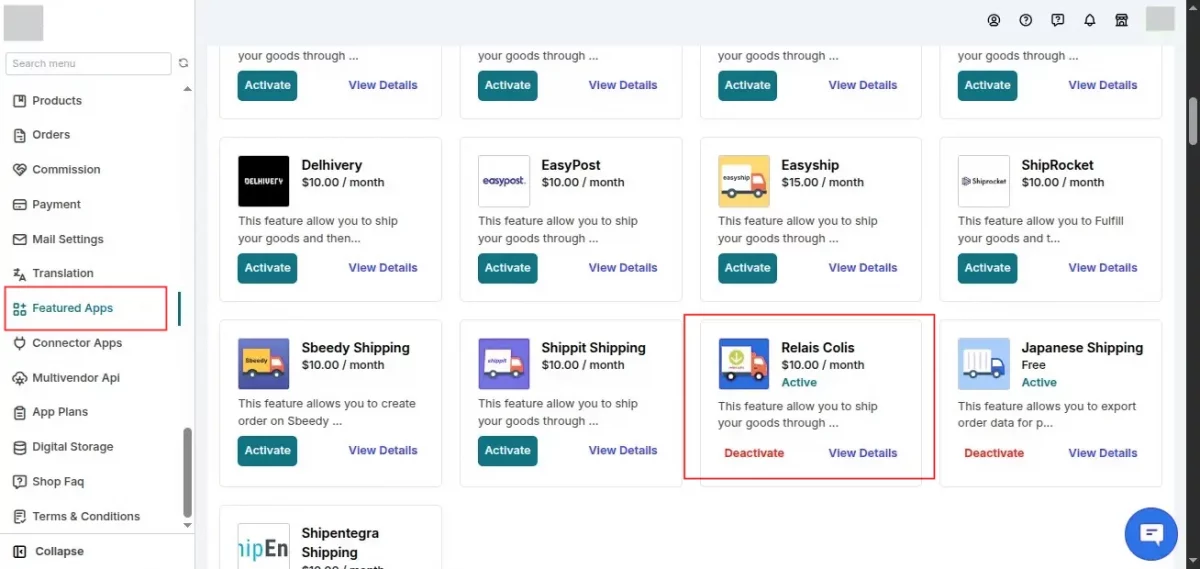
Step 1: Enable from Feature Apps
Navigate to:
Marketplace Admin Panel → Featured Apps
Enable Relais Colis Shipping from the list.
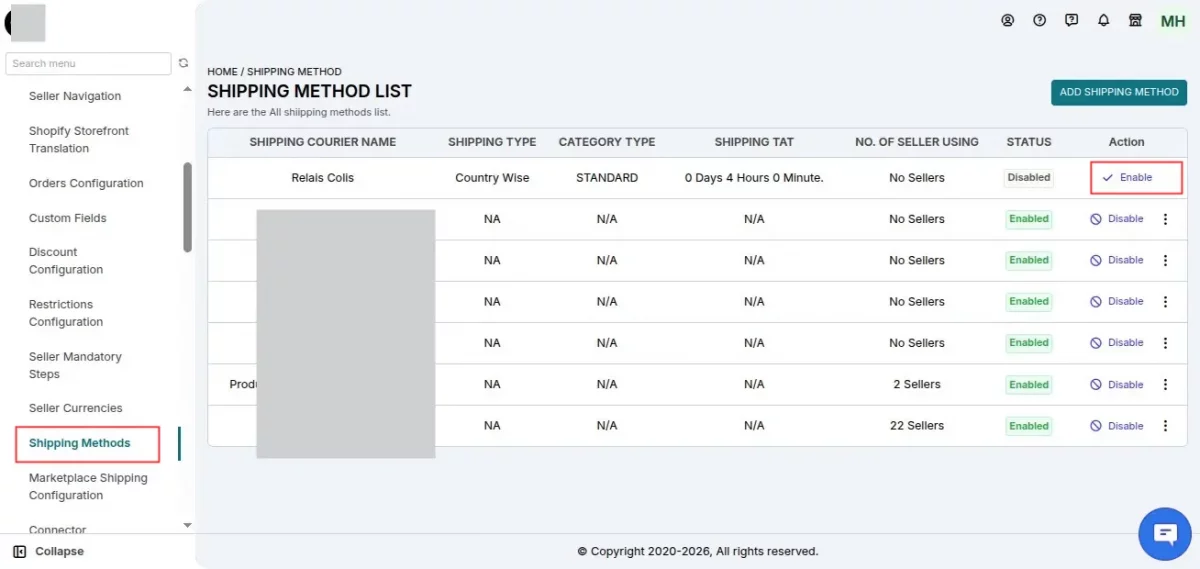
Step 2: Enable Shipping Method
After enabling the feature app, go to:
Marketplace Admin Panel >> Confiuration >> Shipping Methods
Find Relais Colis and click on Enable.
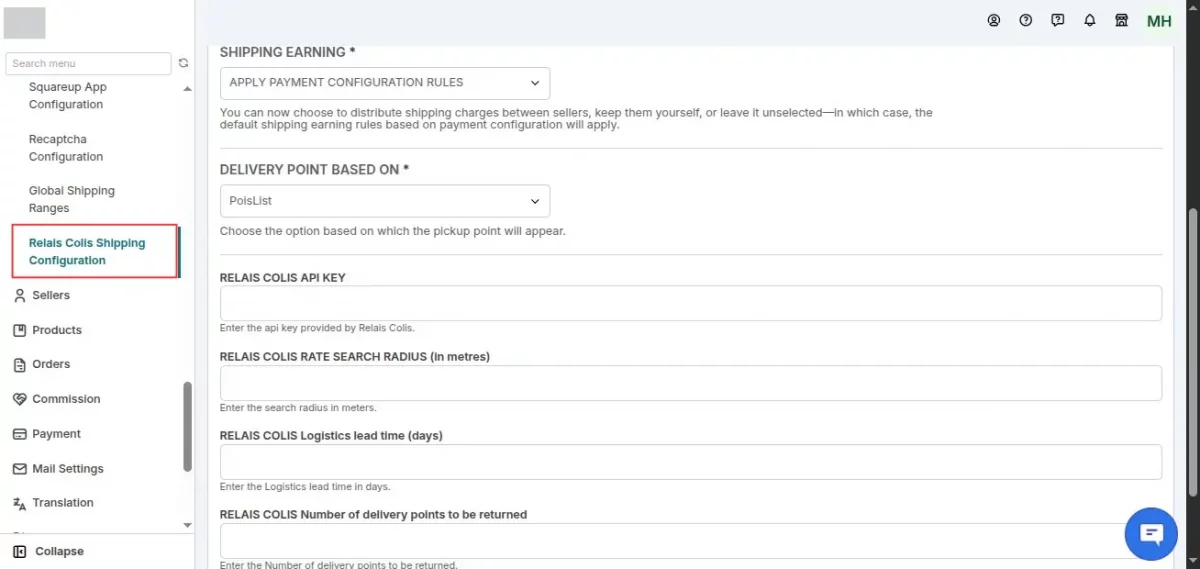
Step 3: Configure API Details
Once enabled, navigate to:
Marketplace Admin Panel >> Configuration >> Relais Colis Shipping Configuration
Here, the admin must:
- Enter API Key
- Set Rate Search Radius (in metres)
- Enter Logistics Lead Time (days)
- Configure Number of Delivery Points to be Returned
- Save the configuration
Seller Configuration
Once the admin enables and configures , sellers can activate it from their panel.
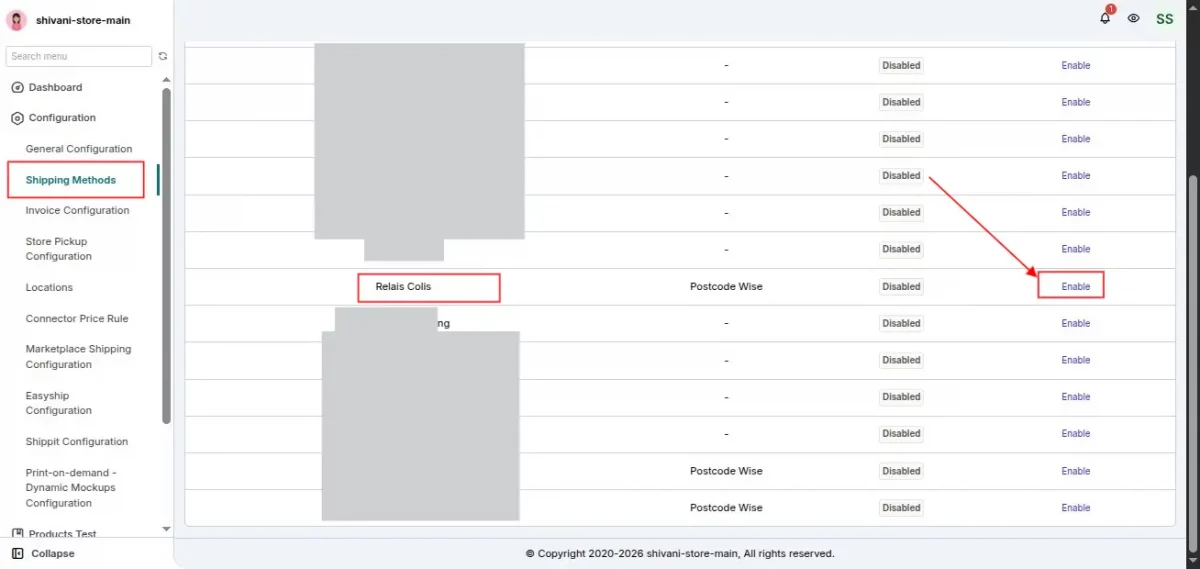
Step 4: Enable Shipping Method (Seller Panel)
Seller needs to navigate to:
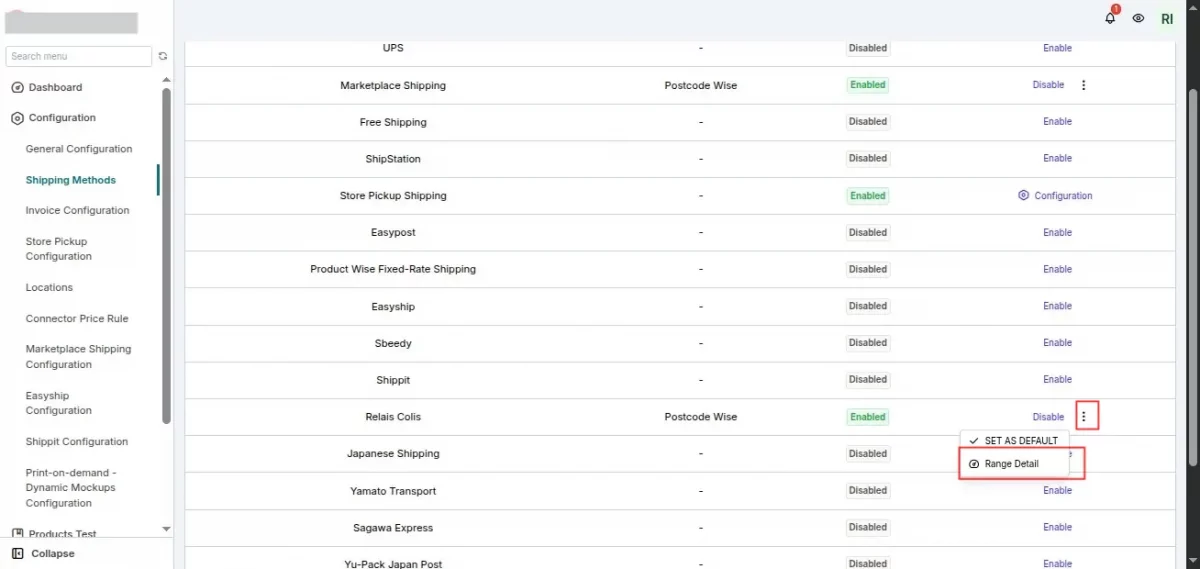
Seller Panel →Configuration >> Shipping Methods
Find Relais Colis and click on Enable.
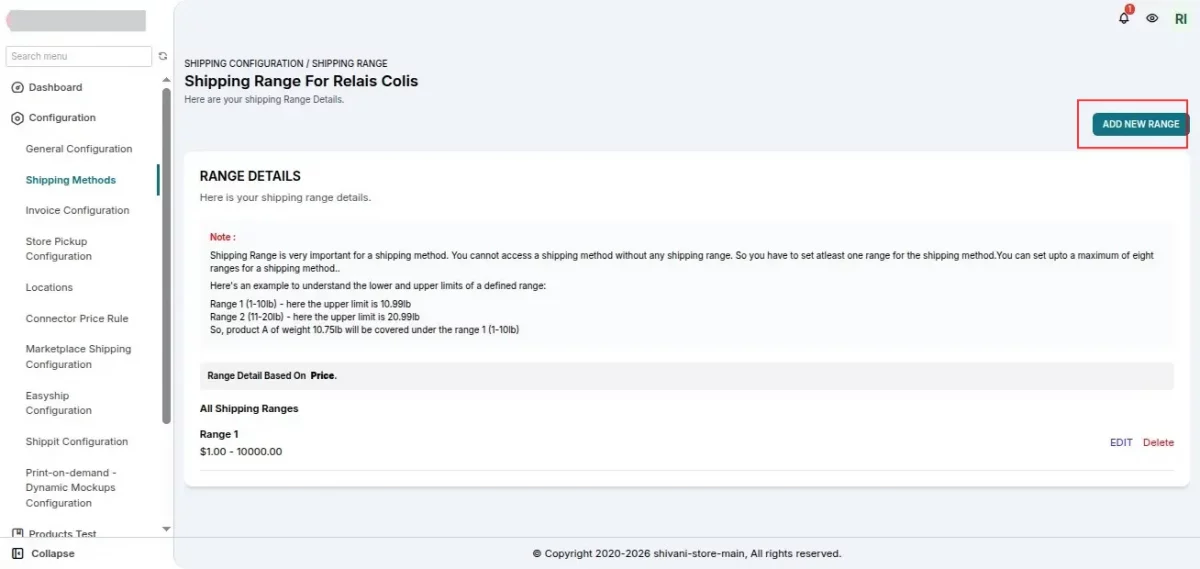
Step 5: Set Price Range
After enabling:
- Click on the three dots (⋮)
- Select Range Detail
- Configure the shipping price range
- Save settings
Product Setup
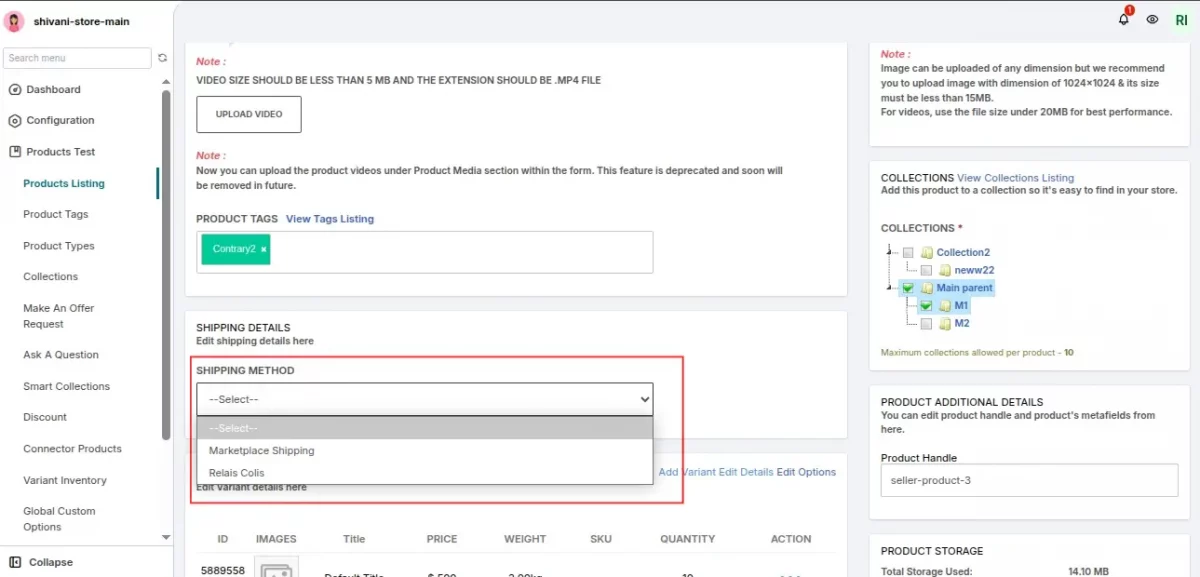
While adding or editing a product:
- Go to the Add Product Page
- Select Relais Colis Shipping under the Shipping section
- Save the product
Checkout Experience
Once everything is configured:
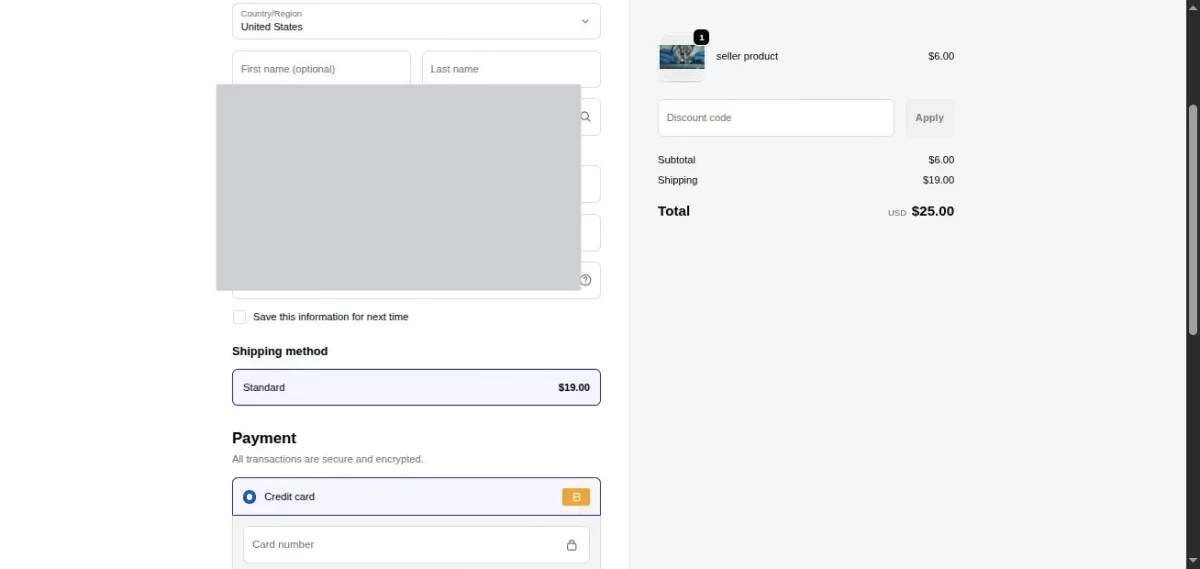
- When a customer purchases a product
- At checkout, Shipping rates will be displayed automatically
- Customer can select the available Relais Colis option
This ensures a smooth, automated, and accurate shipping experience for both sellers and customers.


Be the first to comment.