Shopify by default redirect customer on my-account page after login. But lets say some one searched on your site and find specific product now they want to login on your site . Then after login by-default he move to my-account page but you want move on same product page from where he try to login on your site.
Its can possible by following few step.
Step-1
First you need to login on your admin side . Then need to edit some of liquid file. For this click on online store. see image bellow
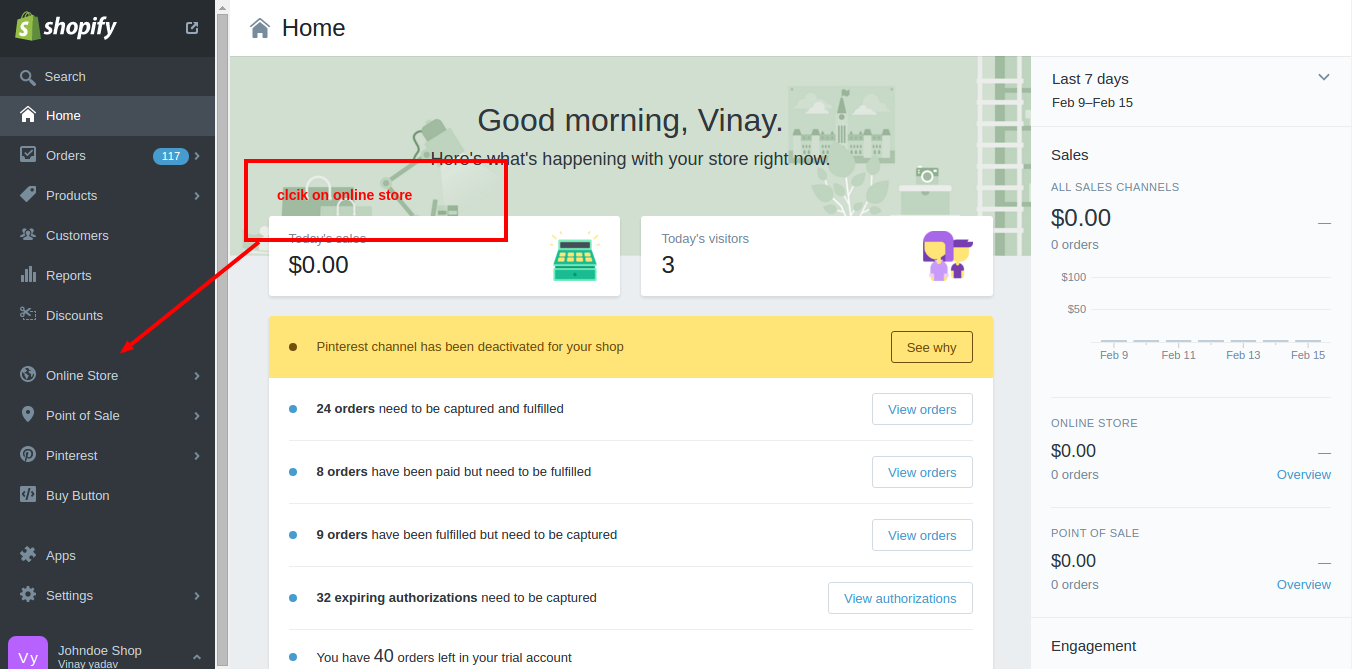
Step-2
Then click on Themes link. after click on theme link you need to click on three dots . see image bellow

Step-3
Then click on Html/css link refer image bellow
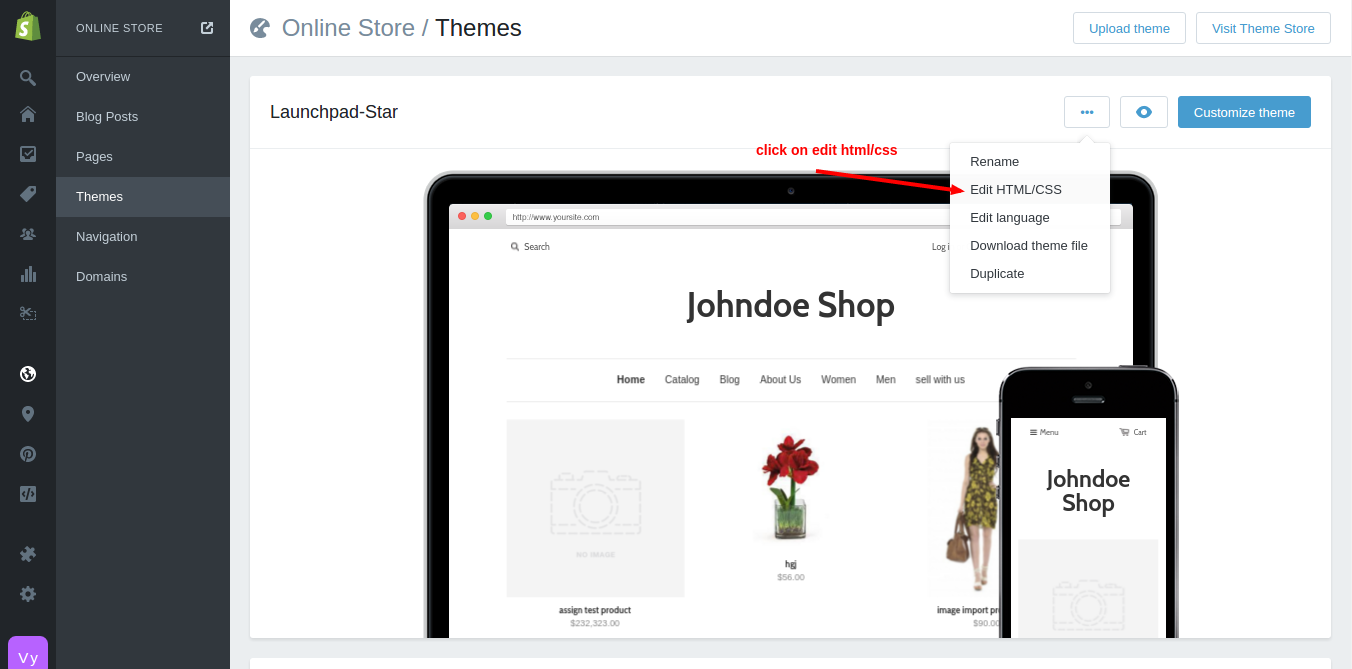
Step-4
A luanchpad has been open refer image bellow.
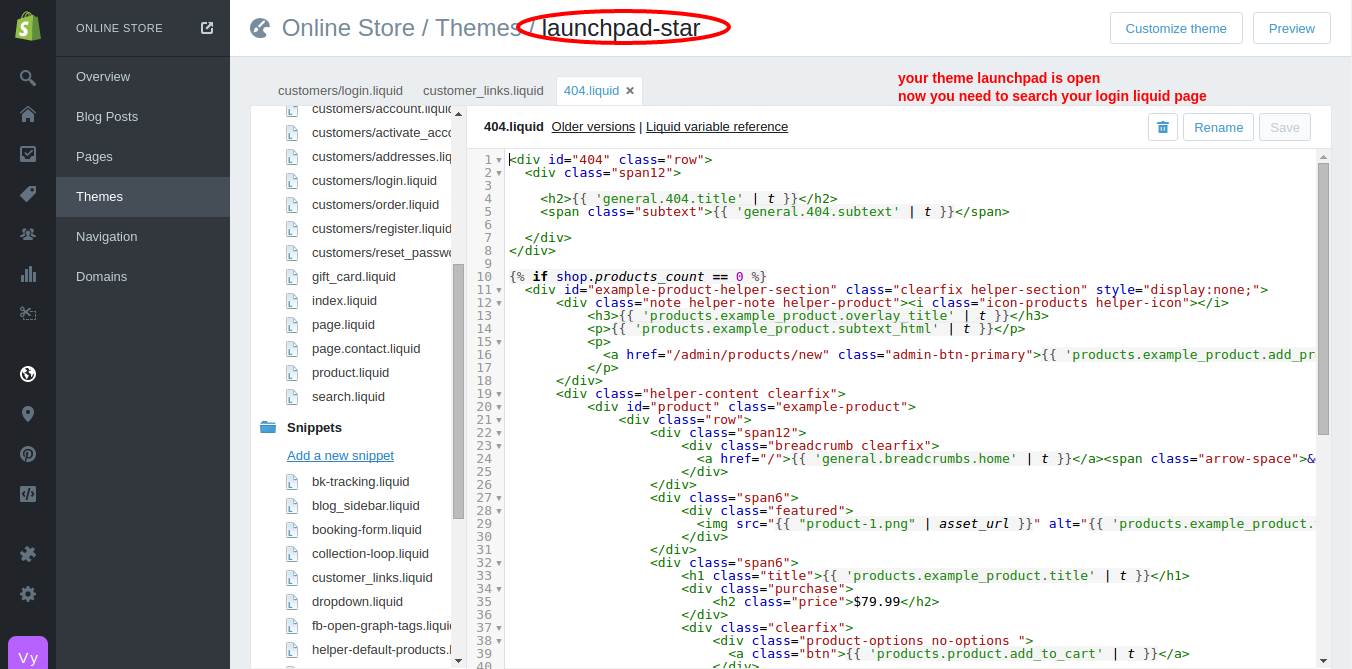
Now you need to find you customer login link liquid in both section asset asn snippets both . liquid file name is depend upon your theme. in my case its available in Snippets. Refer image bellow.
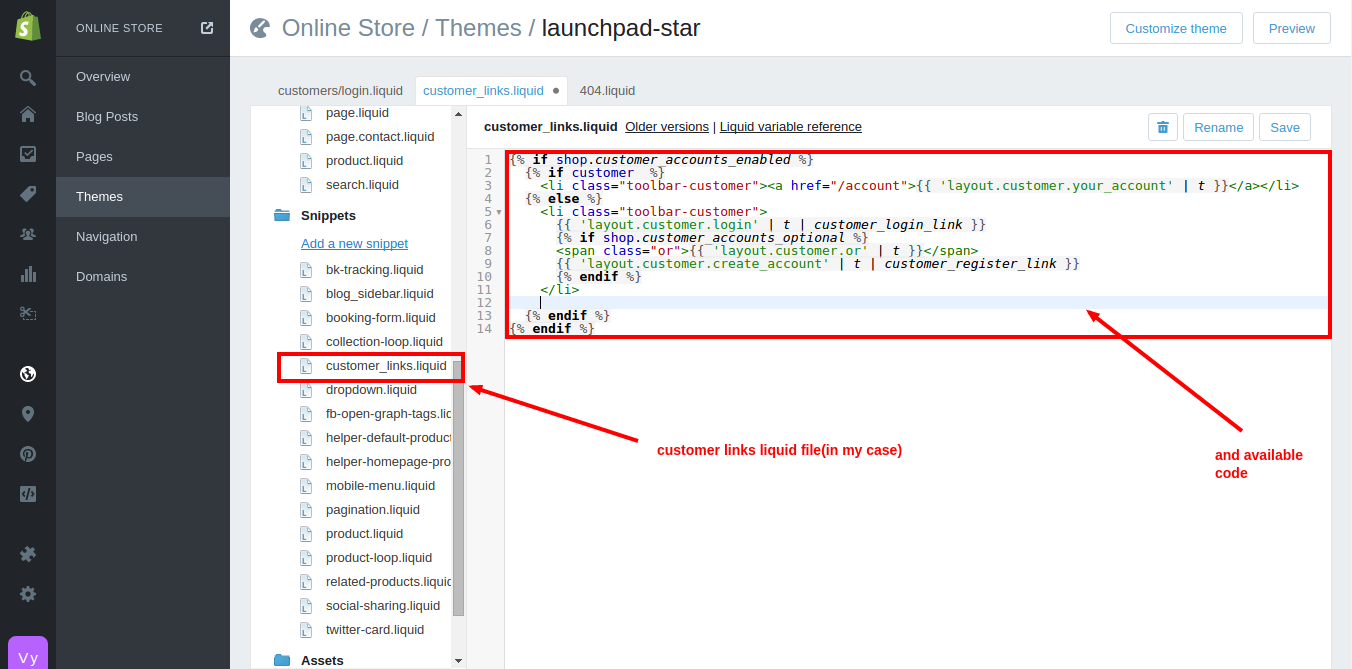
Step-5
Now you need to add some java-script code in this liquid file
<script type="text/javascript">
      var url_array = window.location.href.split('/');
      var length_array = url_array.length;
      if(url_array[length_array-1] !='login')
      {
        var logi_uri = "/account/login?checkout_url="+window.location.href;
        $("#customer_login_link").attr("href",logi_uri)
      }
</script>
Now you ready to redirect user on visited page after login . 🙂


Be the first to comment.