Do you want to expand your reach on the popular Walmart marketplace? Then Prestashop Walmart Connector is exactly what you need.
Prestashop Walmart Connector allows you to synchronize products from Prestashop to Walmart thus increasing the visibility of your products.
Above all, You can also import all the orders from your Walmart store to the Prestashop store.
Note: PrestaShop Walmart Connector module works in USA and not Canada and Mexico. If you need a module for Canada and Mexico, then please contact us.
Features
- Admin can export all the Prestashop products with their combinations to Walmart at once or specific products with their combinations to Walmart.
- Admin can update price & quantity of all the products and their combinations exported to Walmart or choose specific products to update on Walmart.
- With auto update feature, exported products on Walmart gets updated automatically when products are updated on Prestashop.
- Option to import all the orders from Walmart to Prestashop at once or specific orders by Walmart order ID.
- With auto update feature, whenever imported orders are updated on Prestashop then order status and shipping gets updated on Walmart.
- Map Prestashop product categories with Walmart categories.
- Option to set default category so that if Prestashop product category is not mapped with any Walmart category then product will be exported with default category.
- Map Prestashop product tax with Walmart tax.
- Also, Admin can set default tax so that if Prestashop product tax is not mapped with any Walmart tax then product will be exported with default tax rule.
- Set default payment method and order status for orders imported from Walmart to Prestashop.
- Admin can map Prestashop shipping methods with Walmart shipping methods.
- Furthermore, Admin can view the number of times he has exported the products to Walmart or updated the products on Walmart under “Feeds” tab.
How to Get Walmart Credentials
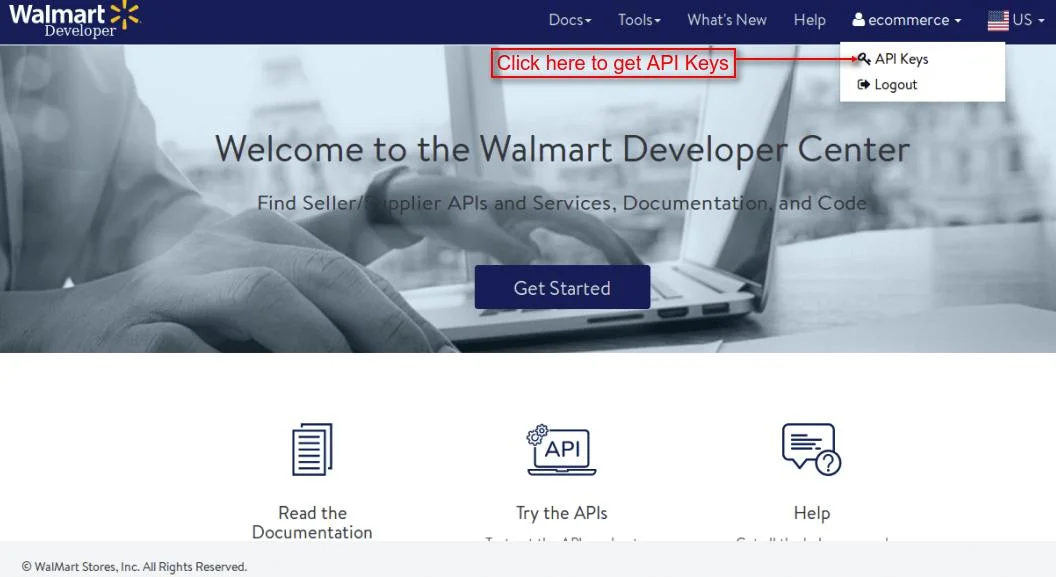
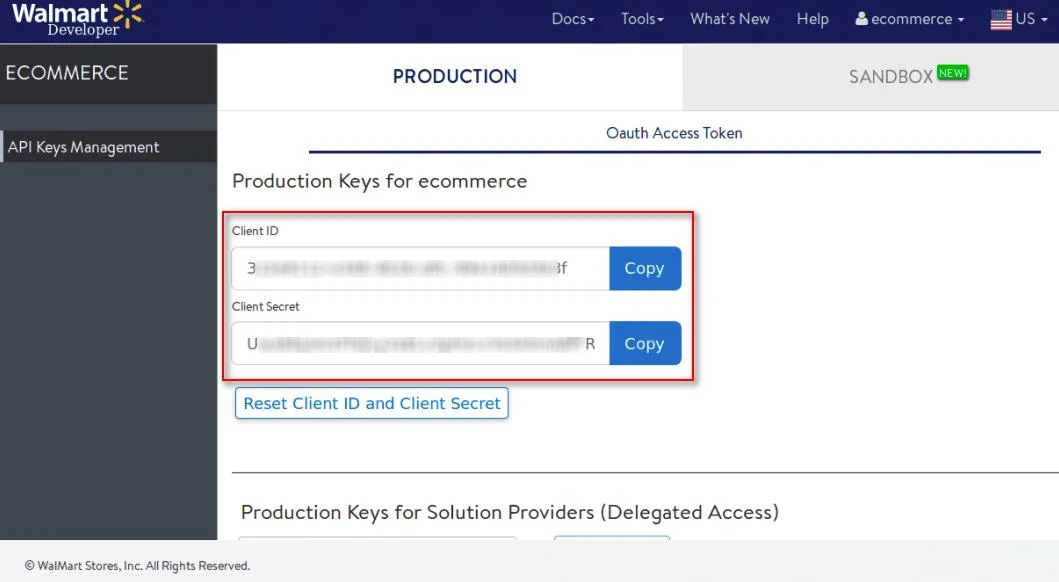
For getting Walmart Client Id and Walmart Client Secret, the store owner has to open the link: https://developer.walmart.com/#/home?isLoginReqd=true and then select the country.

Furthermore, after selecting the country, the store owner has to log in.

Installation
- Go to back office ->modules.
- Upload the module zip file.
- Thereafter the module will automatically get installed on your Prestashop.


Module Configuration – Walmart Connector
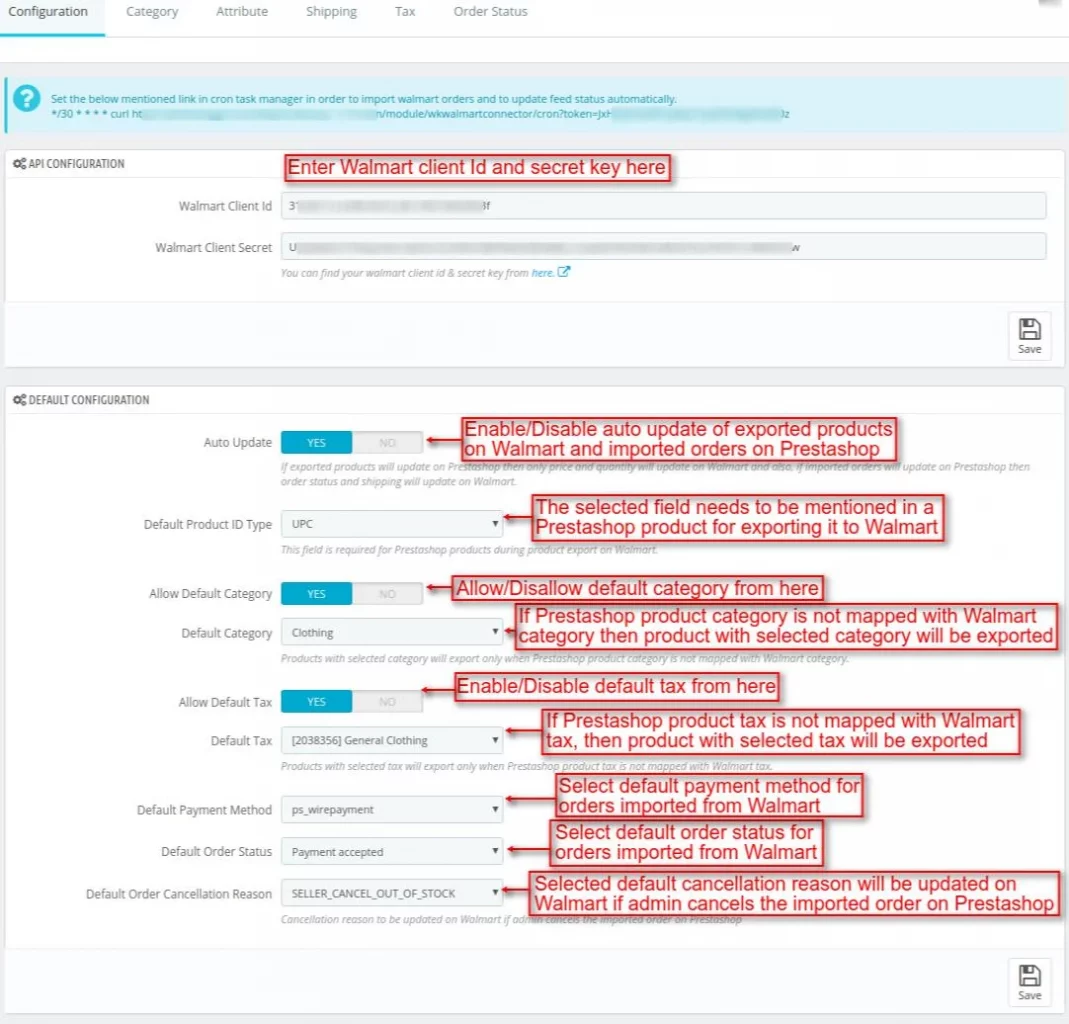
After installation of the module, a new tab “Walmart Connector” gets added from where admin can configure the module.

Configuration
Auto Update
If admin has enabled this feature, then:
- Only price and quantity of exported product on Walmart gets updated automatically when product is updated on Prestashop.
- Additionally, order status and shipping will be updated on Walmart if imported orders are updated on Prestashop.
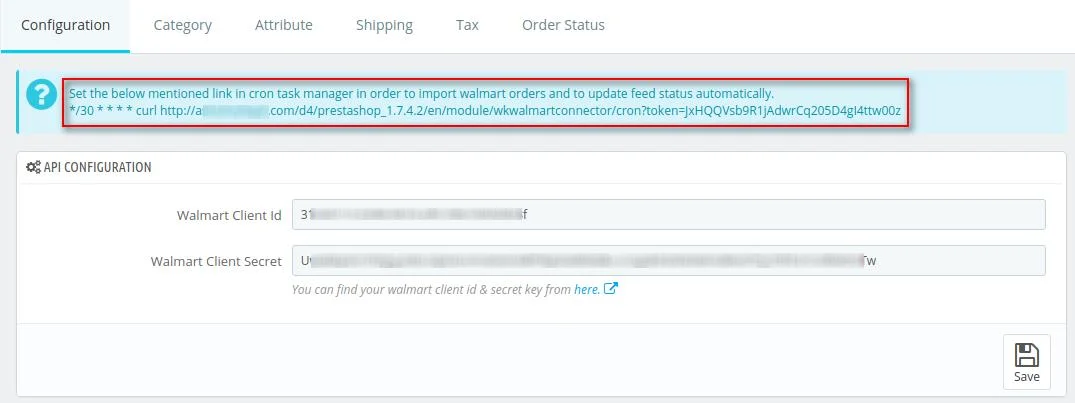
Cron Settings
Admin can import orders from Walmart to Prestashop and update feeds status automatically by setting the below mentioned link in cron task manager.
Category Mapping
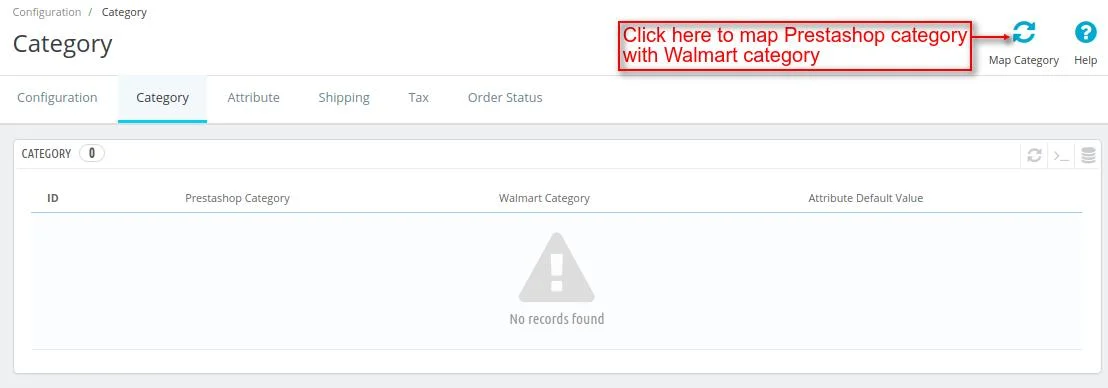
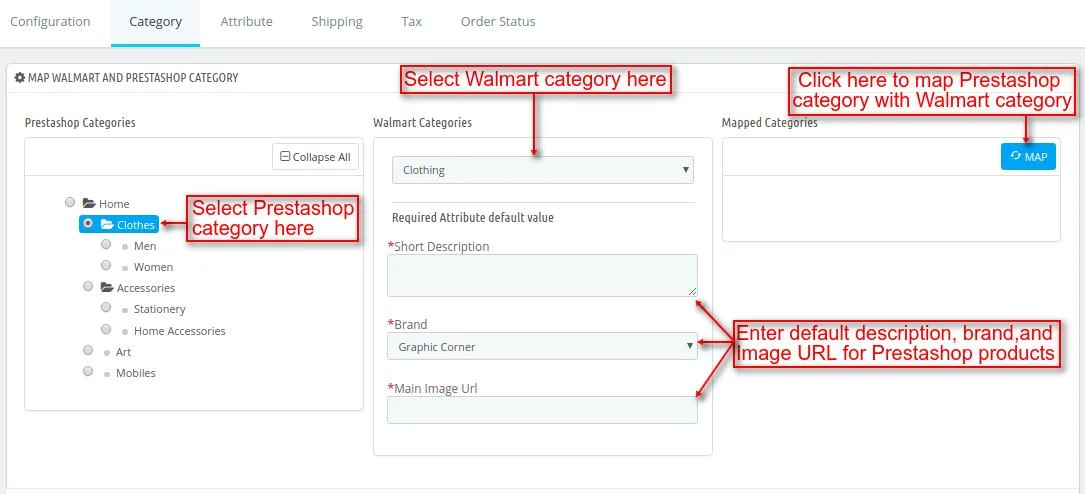
After selecting a Walmart category, the admin must enter the default product parameters.
These parameters will be used on Walmart if they are not specified in the PrestaShop product details.
Note: Only one Prestashop category can be mapped with one Walmart category.
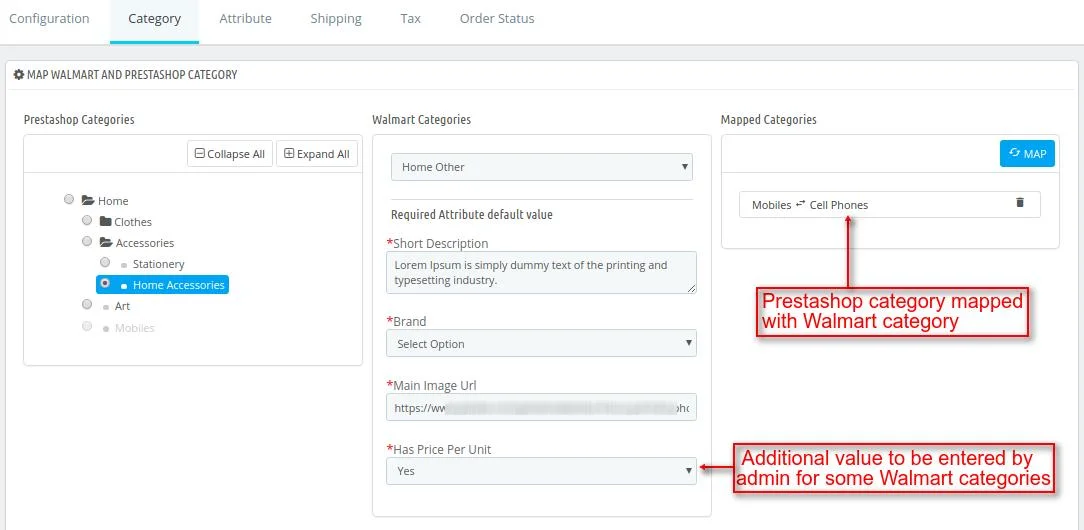
Admin can map multiple Prestashop subcategories with a single Walmart category.

When admin clicks on , a popup appears on the page from where admin can update the default product parameters.

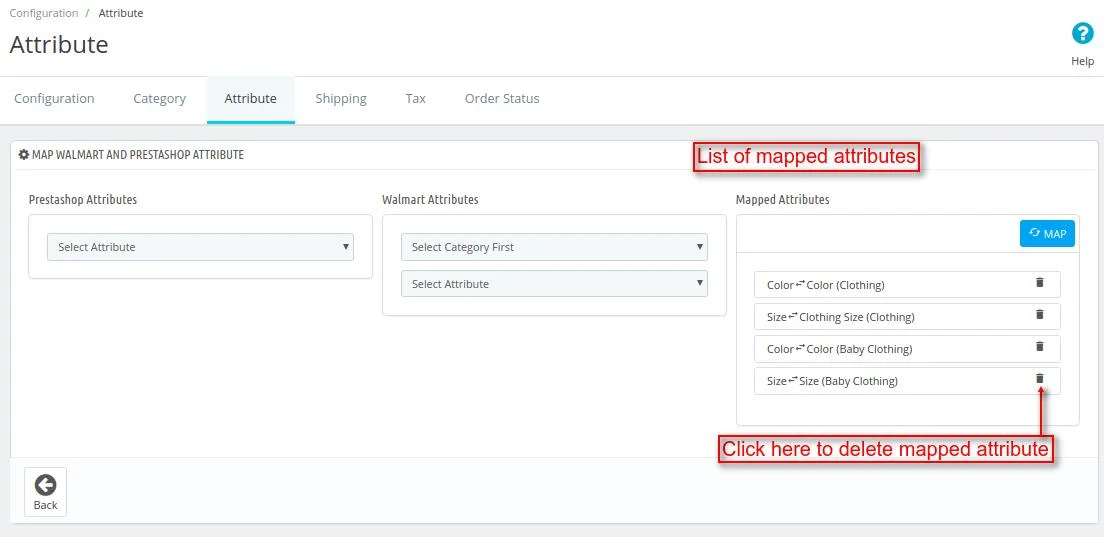
Attribute Mapping

For mapping a Prestashop attribute with Walmart attribute, admin has to select Walmart category first and then select its attribute.
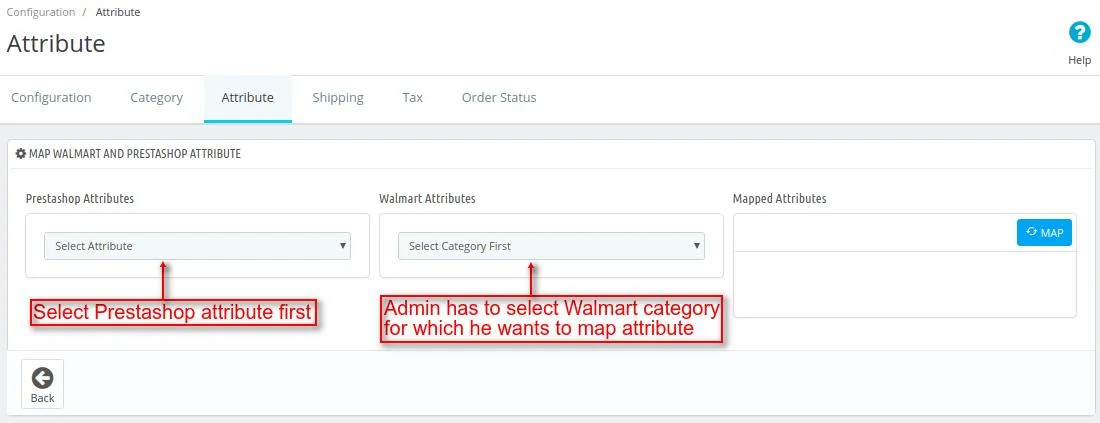

Once the attribute of a Walmart category has been mapped with Prestashop attribute, then that attribute of a Walmart category cannot be mapped with any Prestashop attribute.
Map Shipping Methods and Tax
Map Shipping Methods
Before importing orders from Walmart to Prestashop, admin has to map shipping methods.


Moreover, only one Prestashop shipping method can be mapped with one Walmart shipping method.

Map Tax Rule

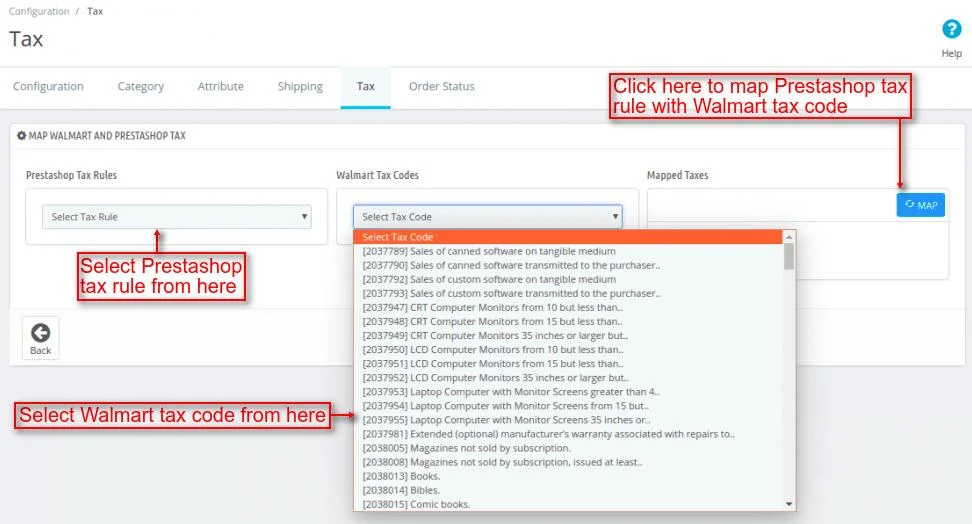
Only one Prestashop tax rule can be mapped with one Walmart tax code.

Export products
Admin can export products from Prestashop to Walmart by clicking on “Export product” button under “product” tab.

Also, Admin has the option to export all Prestashop products along with their combinations to Walmart at once or specific Prestashop products to Walmart.


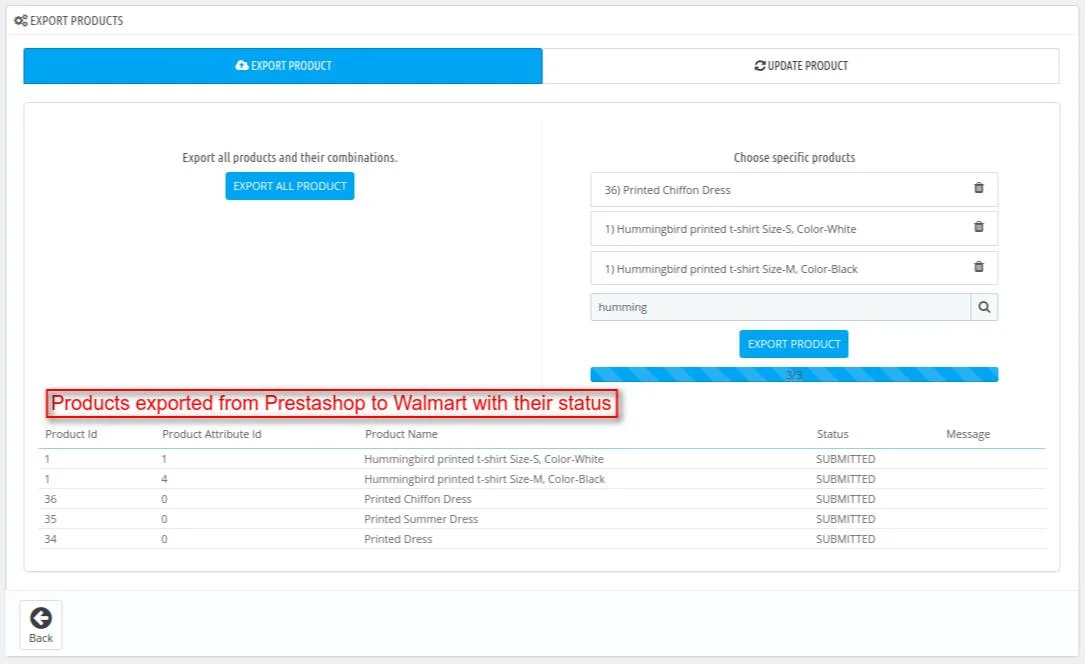
Subsequently, Once the products have been exported, admin can view list of products exported to Walmart, it’s category on Walmart, and also it’s status.

Note:
- For exporting products from Prestashop to Walmart, default currency should be USD.
- When a combination of a product is exported then that product combination is created as a separate product on Walmart.
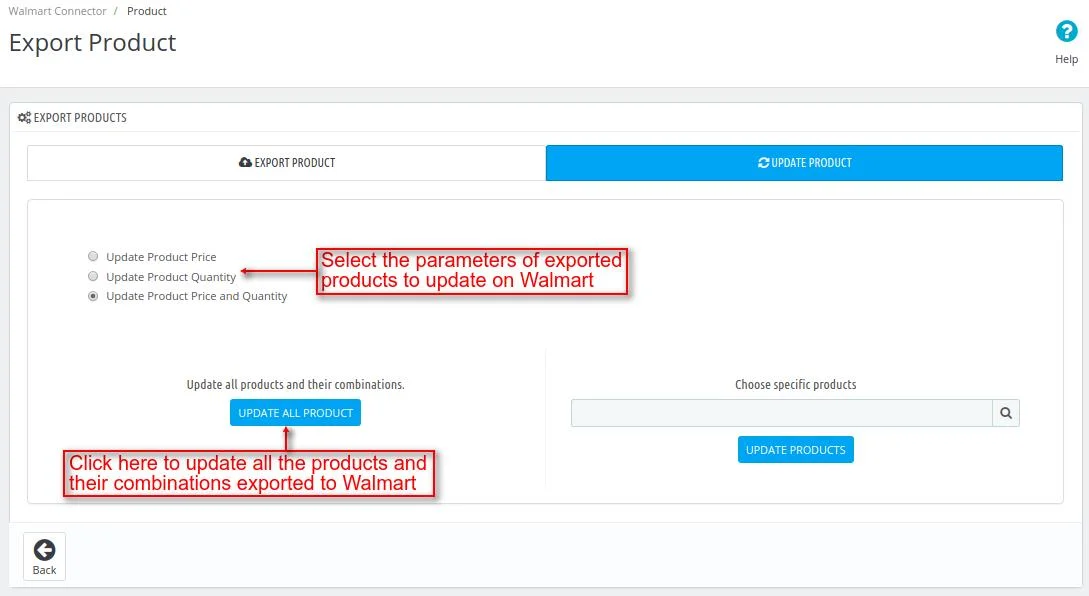
Update Product
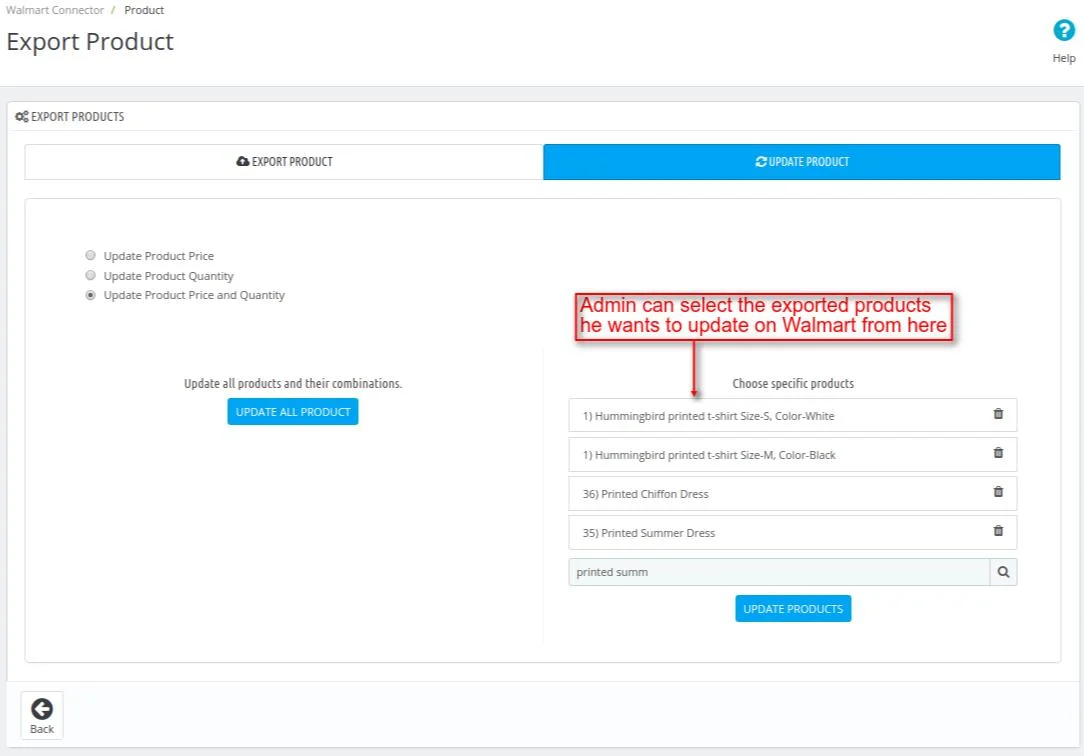
Furthermore, Admin can update product price, product quantity, or both product price and quantity of the exported products.
Additionally, admin can also update all the products and their combinations exported to Walmart all together or choose specific products he wants to update on Walmart.
Import Orders
Admin can import orders from Walmart to Prestashop by clicking on “Import Order from Walmart” button under “Order” tab.

Thereafter , admin has the option to import all the orders from Walmart at once or specific orders to Prestashop.

Once the order gets imported from Walmart, further admin can view customer’s name & email id, order amount, and status of the order.

When an order is imported from Walmart to Prestashop, then the product for which order has been placed gets created.

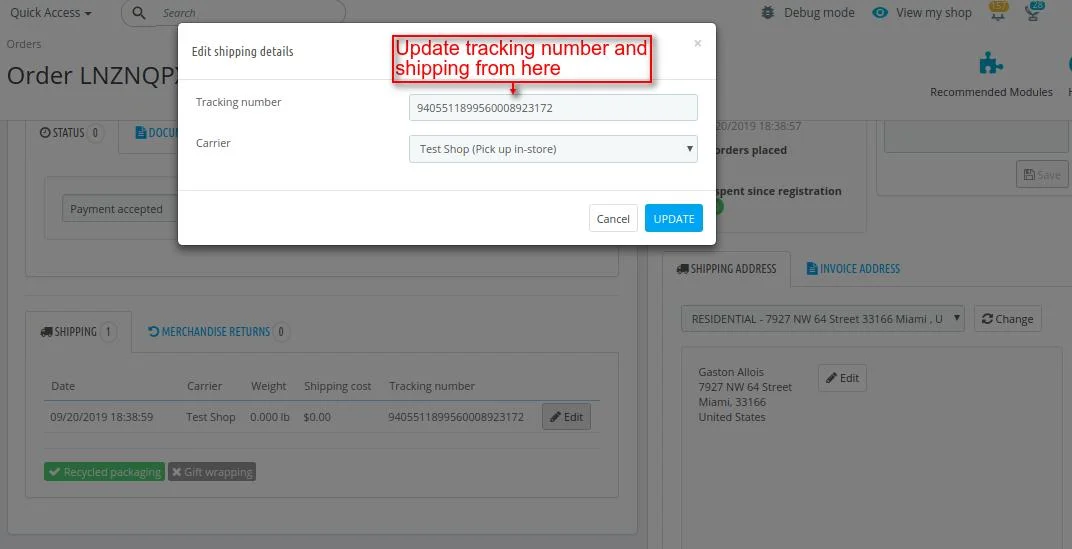
Once the order has been imported to Prestashop, then admin can update the tracking number and shipping from the orders page as shown below:
Note: For importing orders from Walmart to Prestashop, the default currency should be USD.
Feed
Whenever admin exports a product from Prestashop to Walmart or updates the exported product on Walmart a new feed gets created under the “Feed” tab.
Now, If admin has updated the price and quantity of the exported product on Walmart, then two feeds will be created: one for price and other for quantity.
Subsequently, if two combinations of a product is exported then a single feed will be created.

Support
For any kind of technical assistance or query, please raise a ticket at http://webkul.uvdesk.com or send us a mail at [email protected]
Also, please explore our Prestashop development services and vast range of quality Prestashop addons.
Current Product Version - 1.0.4
Supported Framework Version - 9.x.x, 8.x.x, 1.7.x.x


Be the first to comment.