We genuinely appreciate amazing CodeCanyon customers like you who take the time to share their experiences with others!
Your feedback not only helps us grow but also assists other buyers in making informed decisions. A review means a lot—not just to us but to the entire CodeCanyon community.
Whether it’s a kind word, a helpful tip, or a detailed note on how our product helped you, your voice makes a difference.
Leaving a review is quick and easy—it only takes a minute!
Step 1:
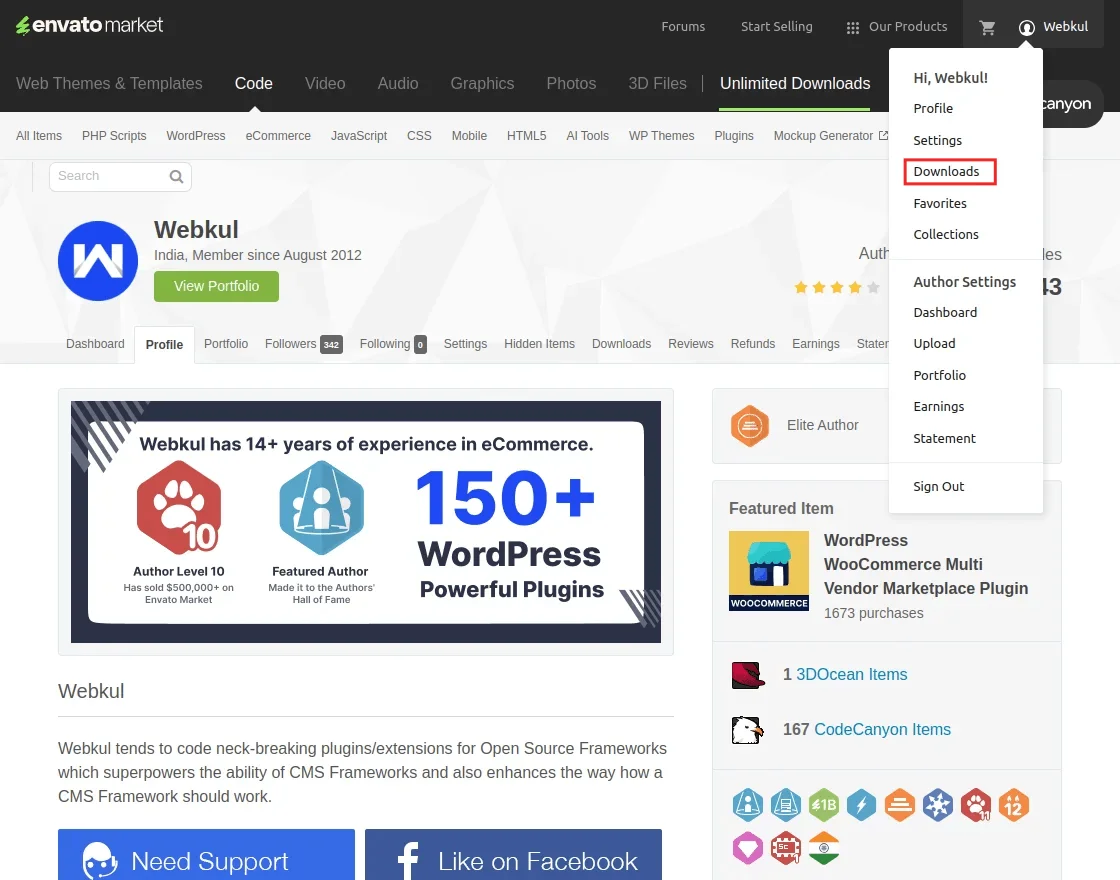
Log in to your Codecanyon account and head over to the Downloads section.
Step 2:
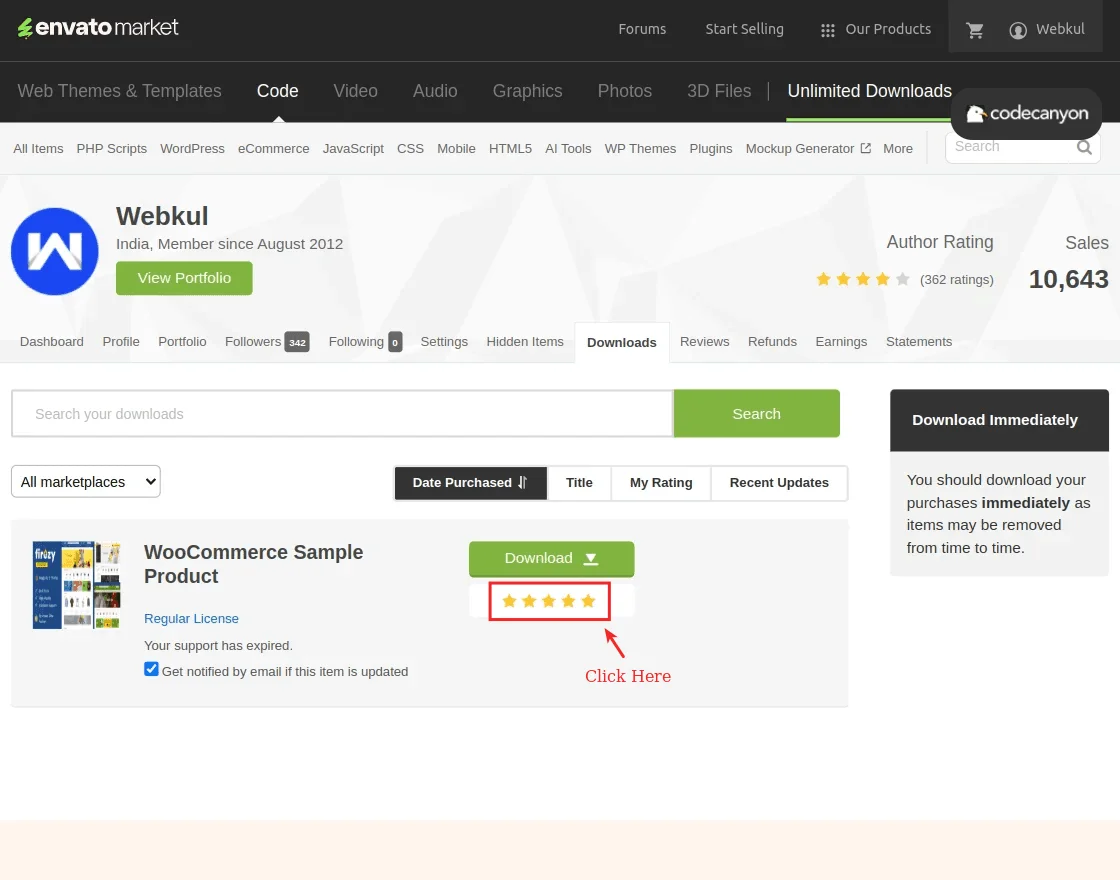
Find the product you purchased and want to review. Click the 5-star rating icon next to it.
Step 3:
Select the reason for your rating.
You can choose from categories like feature availability, customer support, flexibility, or code quality.
Then, write a few words about your experience with the product.

Step 4:
Click Save Review—and that’s it! You’re done.
Your kind words and 5-star support keep us inspired. We continuously work on improving our products based on real customer feedback.
Reviews not only highlight what we’re doing right but also guide us on what we can do better.
If you’ve had a great experience using our CodeCanyon product—whether it saved you time, added powerful functionality to your project, or was simply easy to use.
Please consider sharing that with the community.
Thank you so much for taking the time to leave a review.
We’re grateful for your support and excited to keep delivering features you’ll love.


1 comments