Save your customers from getting lost in products and make your e-Commerce website easy to navigate for your customers with Opencart Advanced Layered Navigation to make the shopping quick and easy.
Opencart Advanced Layered Navigation is designed to find products based on category, price, or any other attribute very easily.
This module optimizes and improves the navigation of your Opencart store. Using this module you can filter multiple attributes and attributes values at a time. This module also provides an impressive price bar.
Both are Ajax based means customers don’t need to wait for the page reload. Ajax filter integration allows your customers to filter unnecessary categories, attributes, and products to find what they are looking for quickly, without reloads for the page.
Check the plugin working in the video mentioned below –
Features
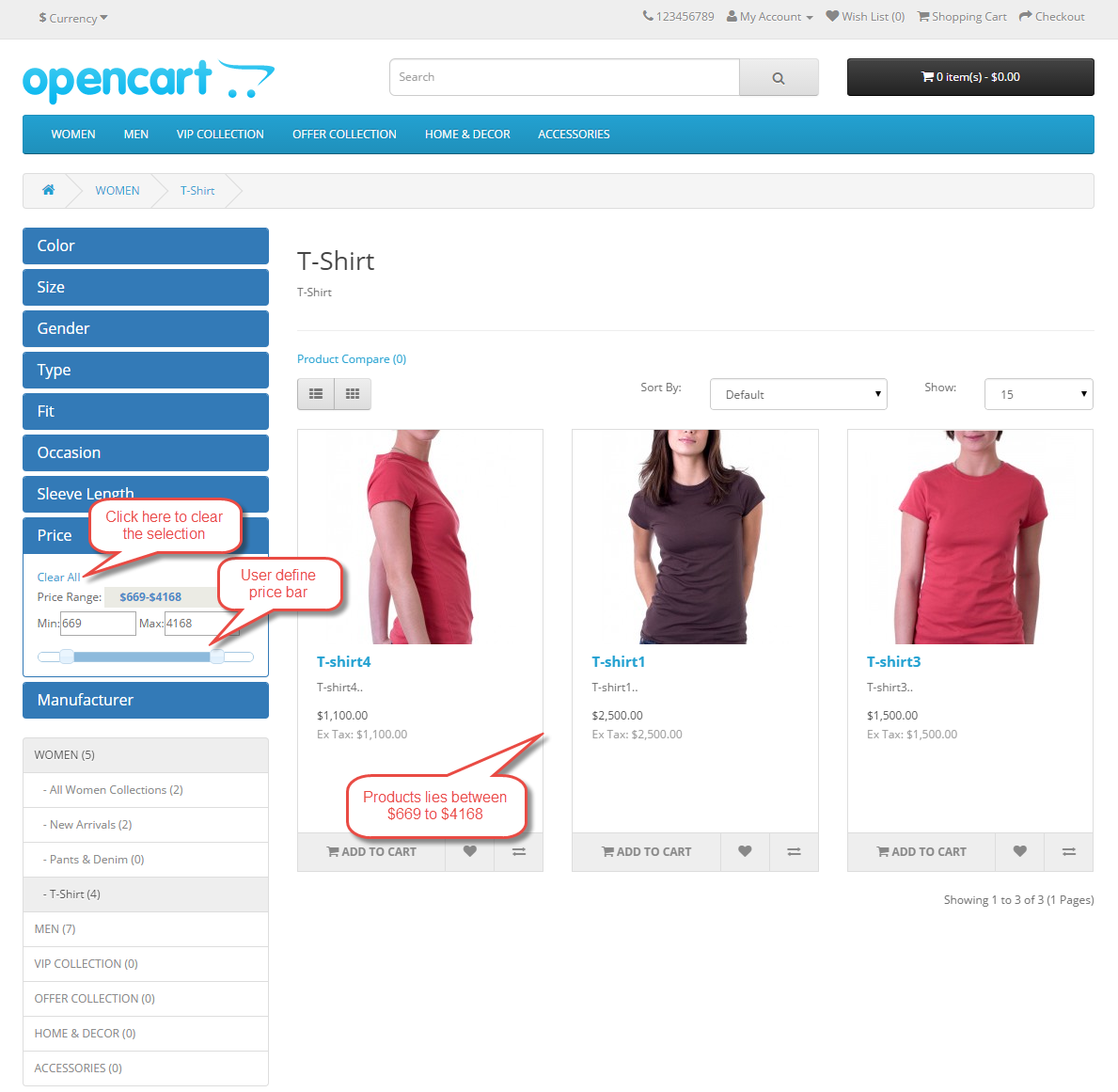
- Impressive price bar for user-defined range search.
- Ajax based filter that means customers don’t need to wait for the page reload.
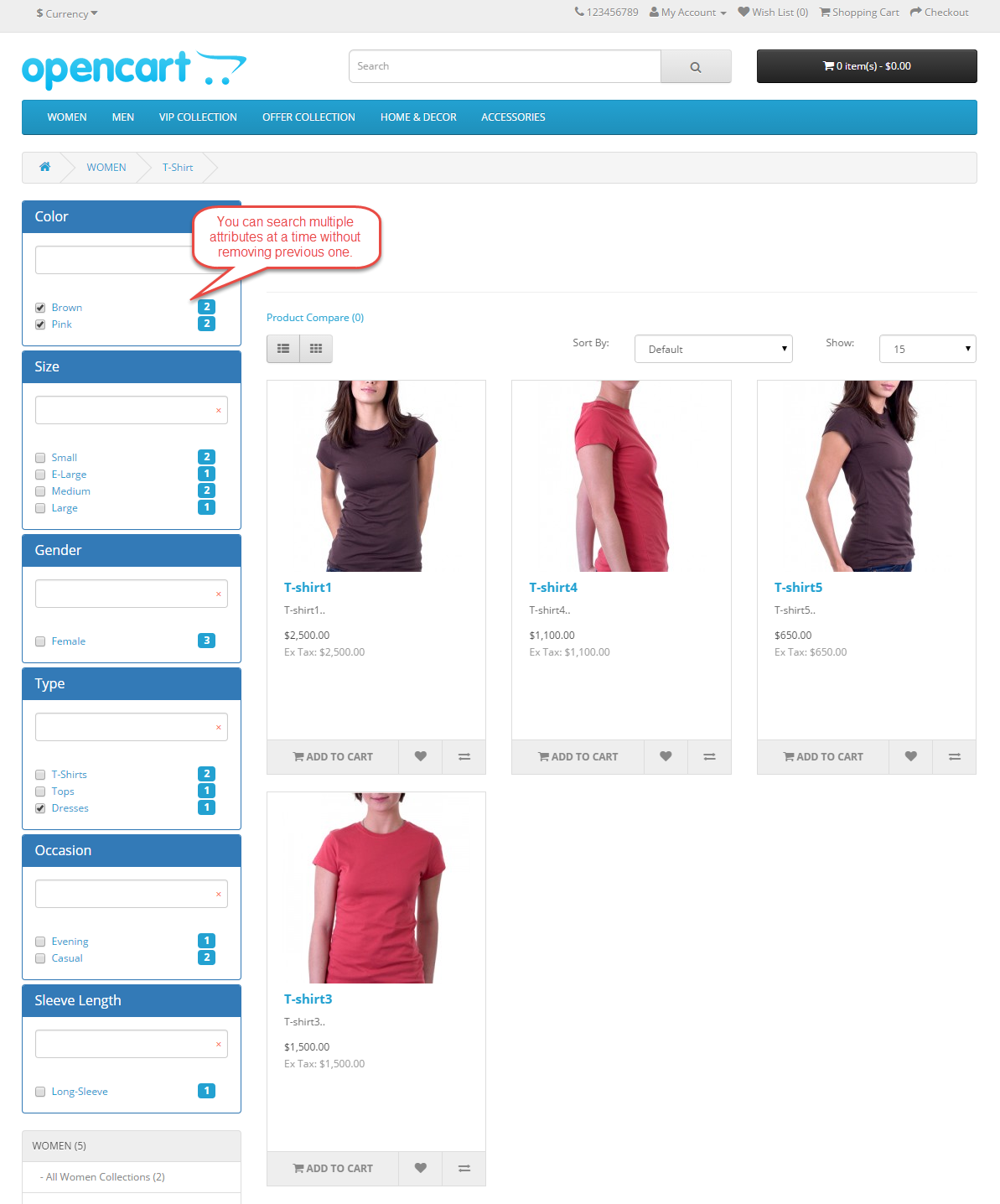
- The buyer can choose multiple attributes and attributes values at a time.
- Display current selection directly in the search box.
- Option for clear the selection.
- Increases conversion rate.
- All browsers compatible.
- Multi-language supported.
- This product is compatible with elastic search which makes it lighting fast.
- The code is fully open & you can customize it according to your need.
Installation
Installation of the Opencart Advanced Layered Navigation module is very simple. You just need to move the Admin then Catalog folder into Opencart root.

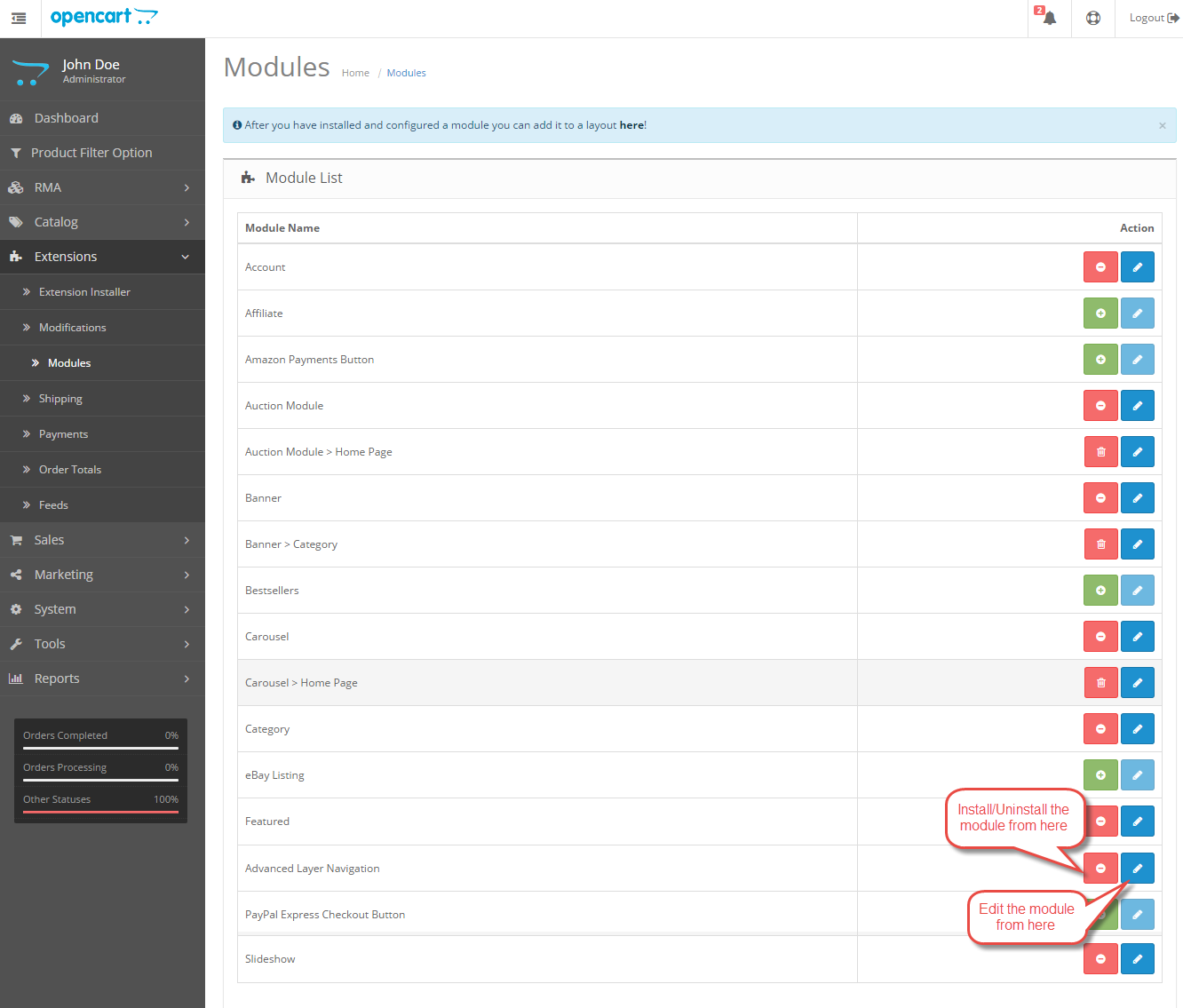
After that under Extension > Modules, Install the Opencart Advanced Layered Navigation module like this way.
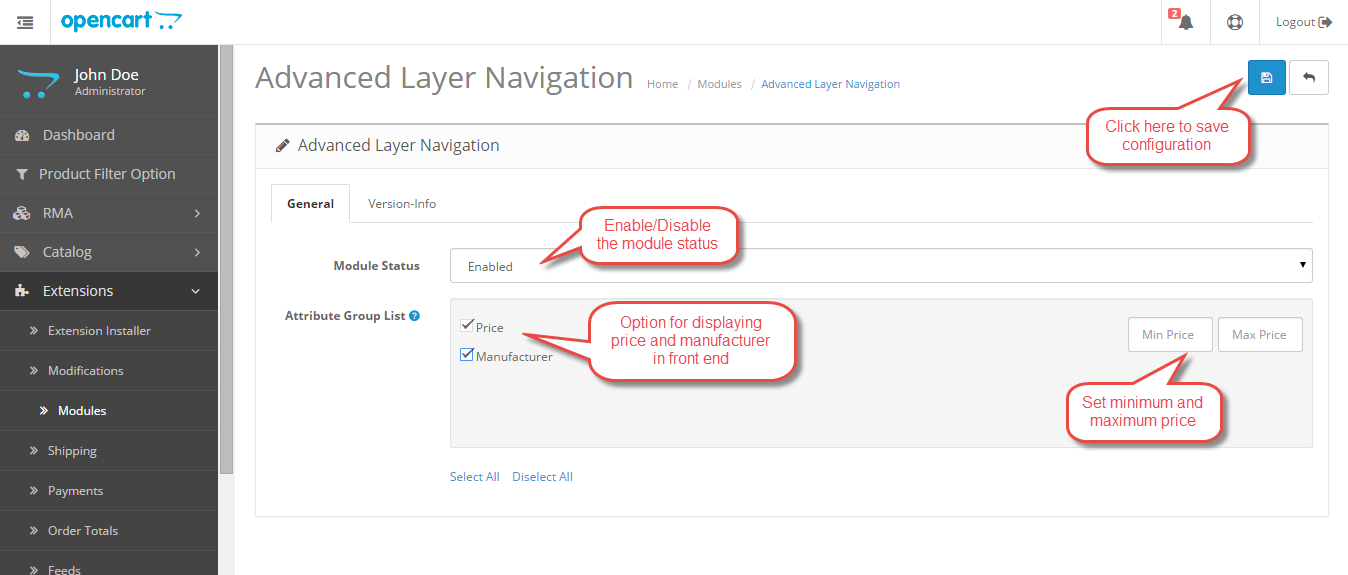
After clicking on edit option below page will open. Here Admin can set the Advanced Layered Navigation configuration as per their need.
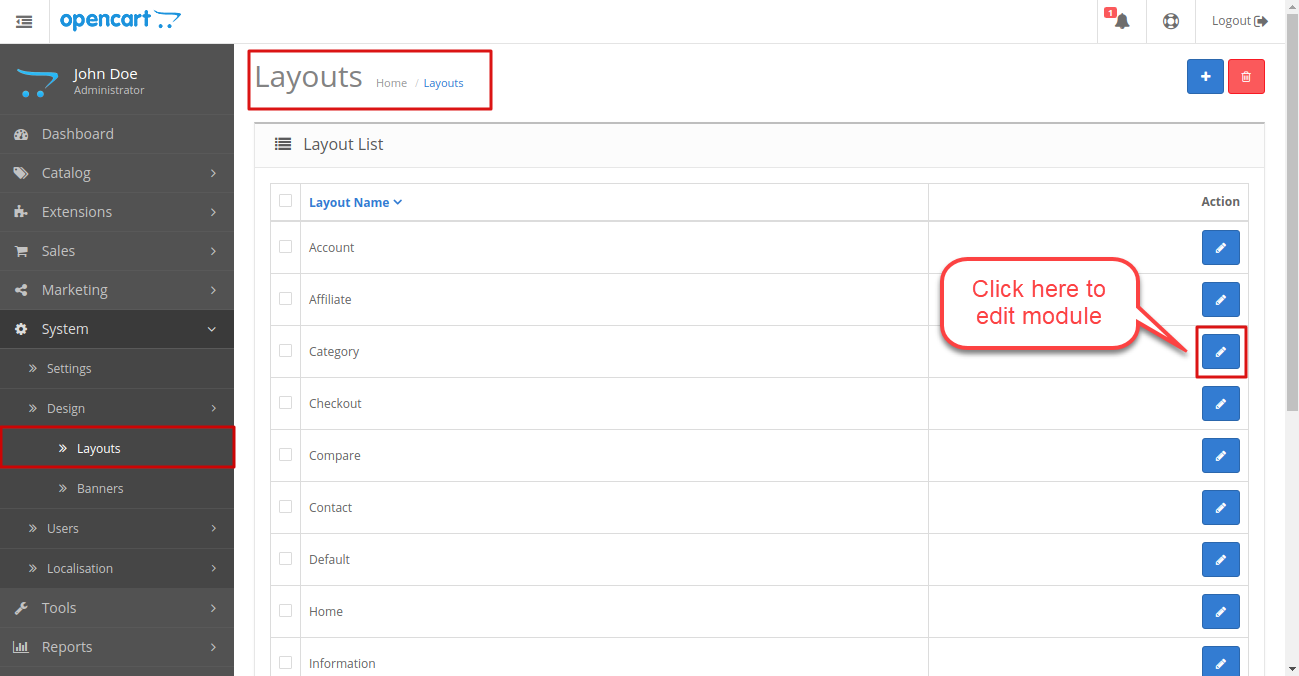
Next, Admin can set the layout for category page by going System > Design > Layouts > Category > Edit.
Admin can select the Advanced Layer Navigation module then set its position on the page. This will display the module on the Category page.

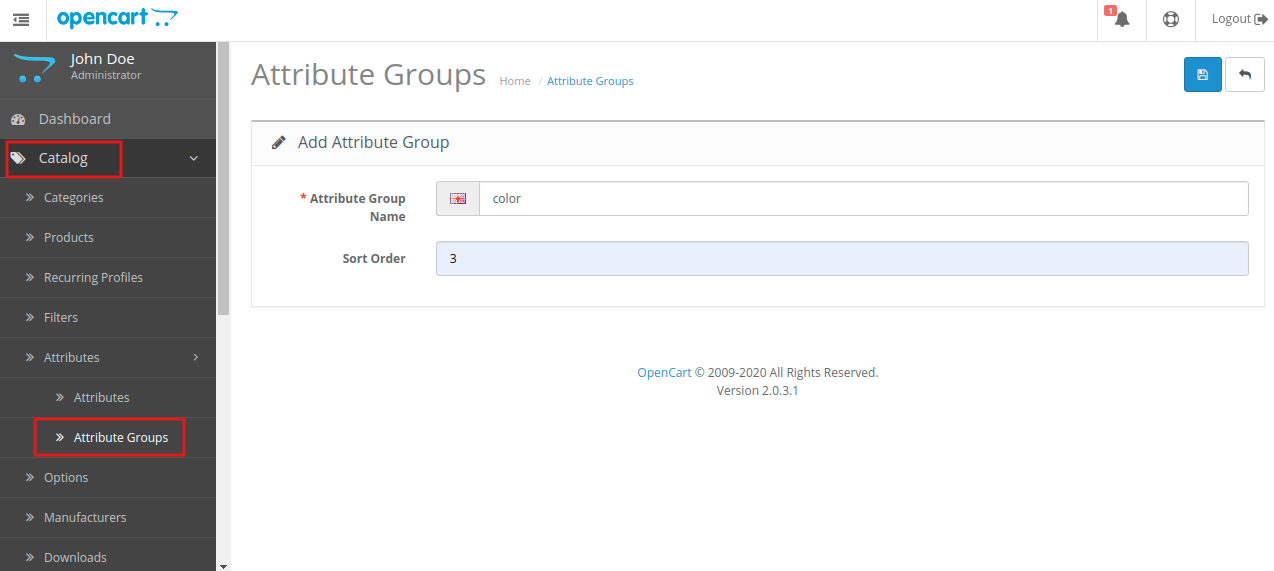
The Admin will have to create attribute groups and attributes so that the customers can filter those attributes on the front-end. From here admin can add, edit, or delete attribute groups.
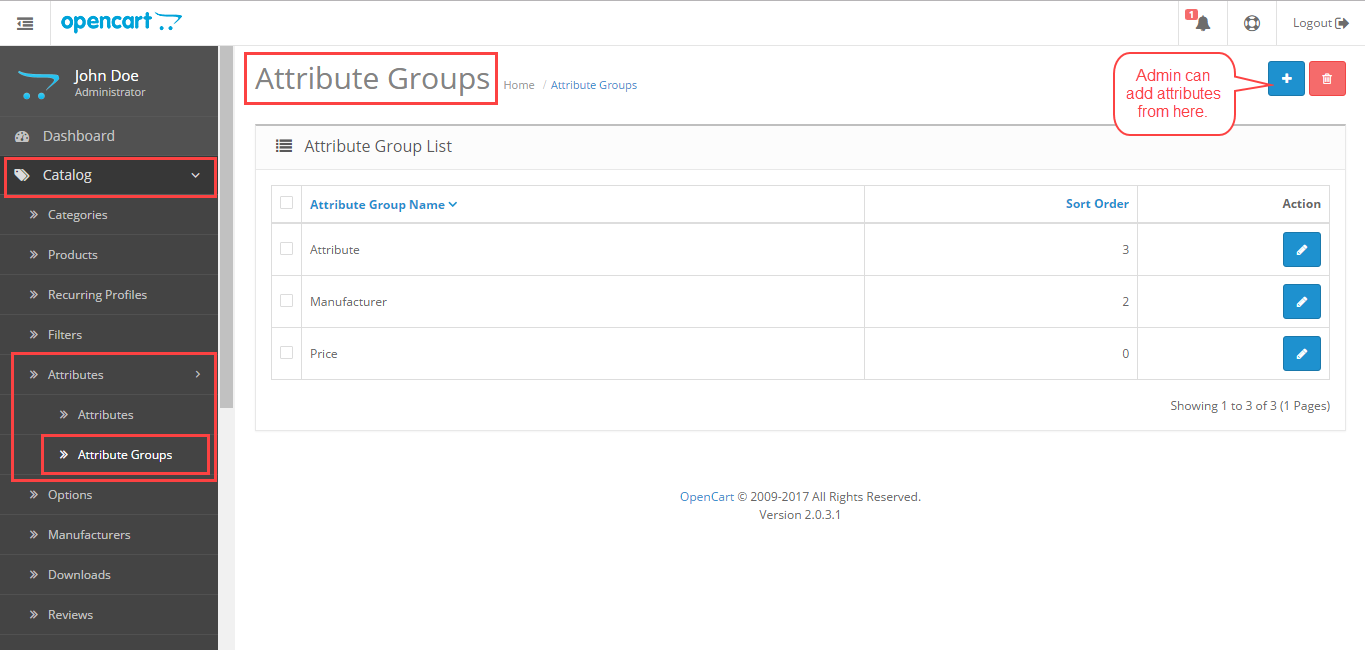
Admin can add these attribute groups by going to Catalog > Attributes> Add New. The admin will have to enter the attribute group name and sort order and then click on save.
Now after creating the attribute group, the admin will have to create attributes by navigating through Catalog> Attributes> Attributes. From here admin can add, edit, or delete attributes.
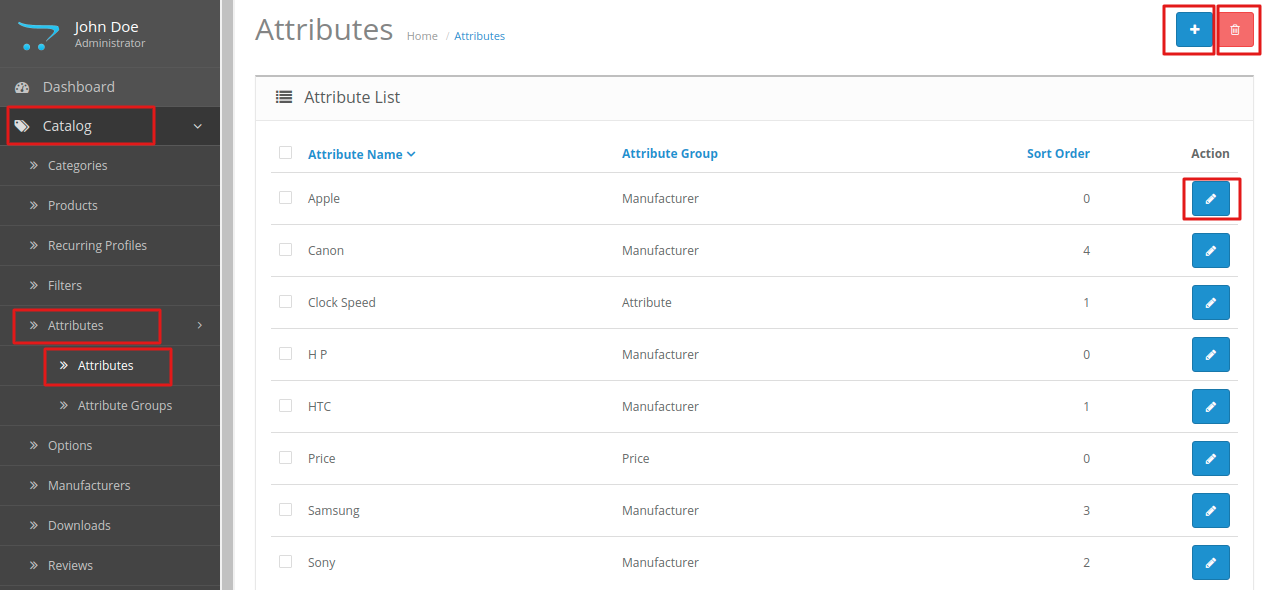
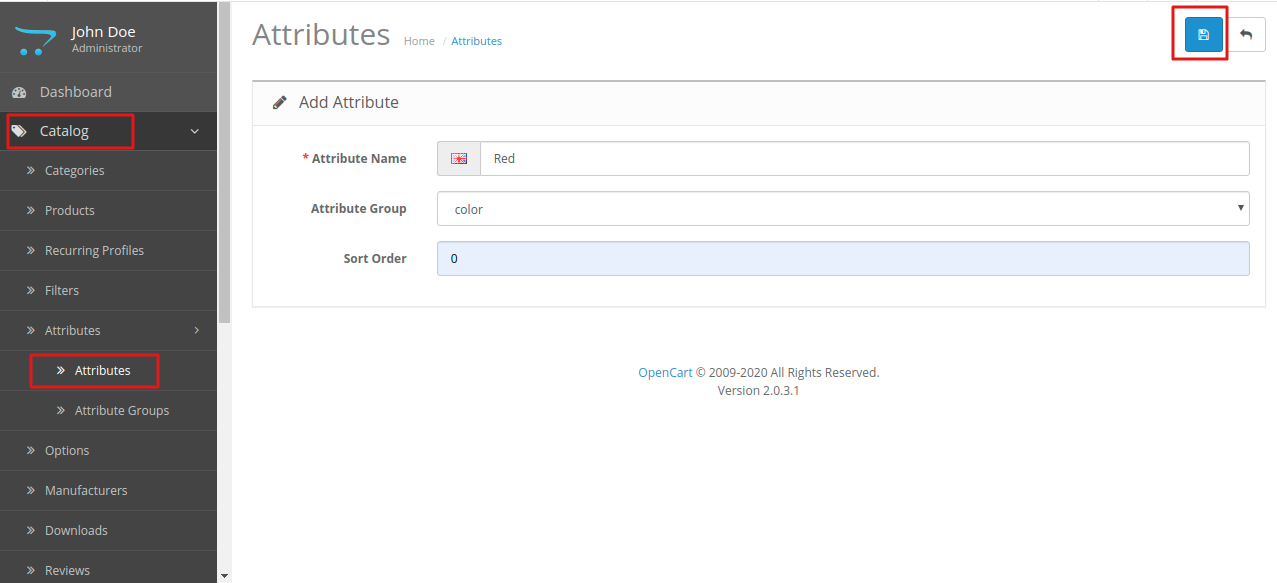
Also, the admin can add Attributes by clicking on Add New. Admin will have to enter the attribute name, select the attribute group, and enter the sort order for the attribute.
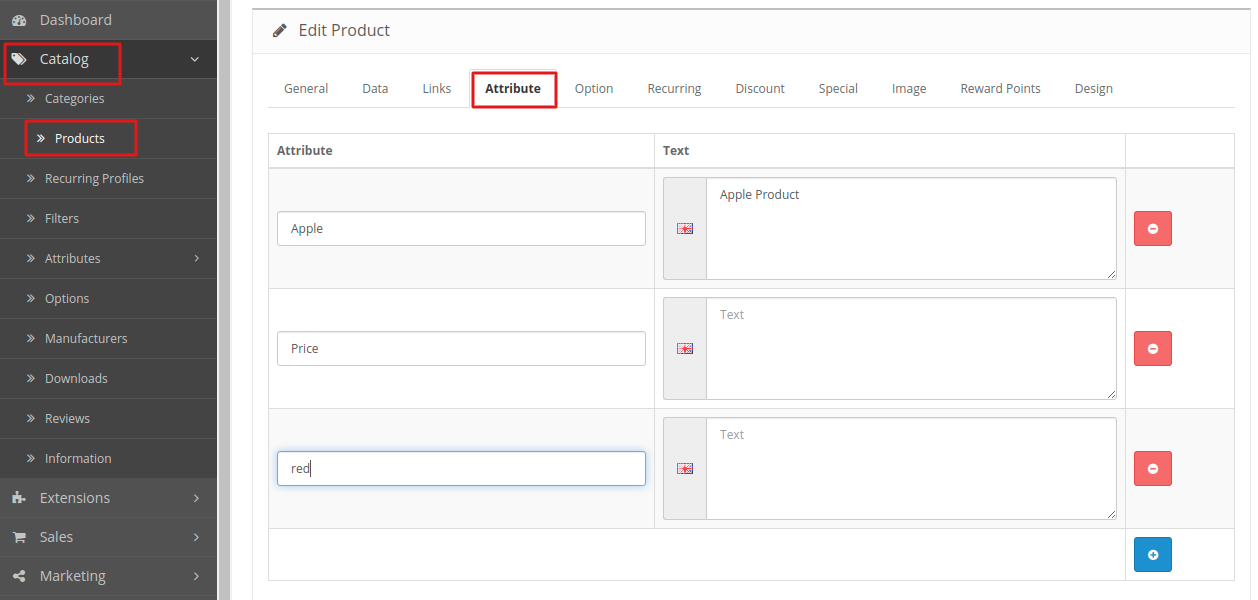
After this, the admin will have to assign these created attributes to the products so that the product can be filtered on the basis of these attributes.
The admin will have to navigate through catalog> products> edit product> attribute so that the product can be filtered on the front-end.
Front End
The customer can search the product with a user-defined range filter that is based on Ajax so you don’t need to wait for the page reload.
The customer can filter multiple attributes at a time then see the current selection directly in the search box.
You can search the particular attribute from attribute groups.

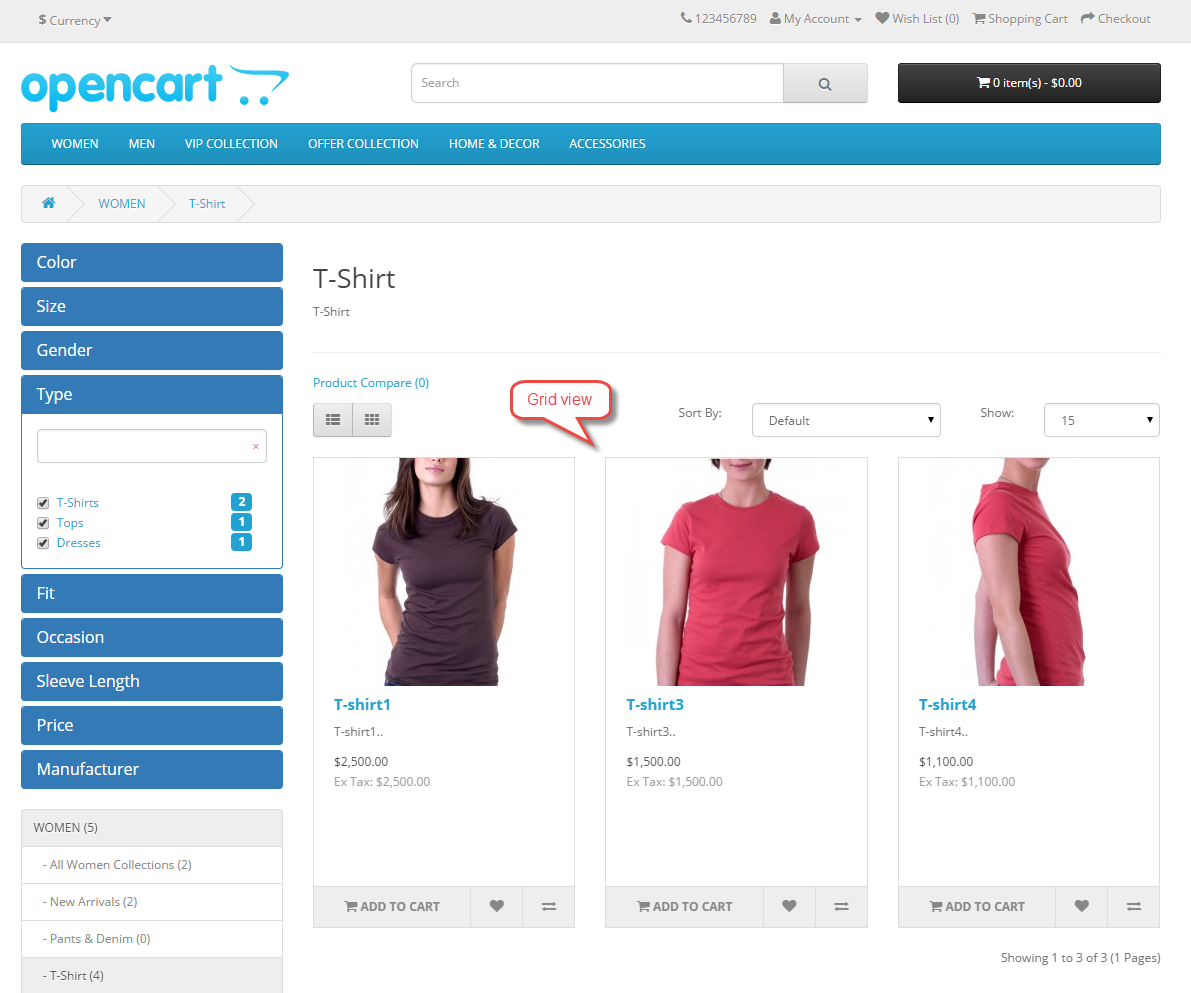
The customer can see the product search result in both List then Grid view.

Grid view
That’s all for the Opencart Advanced Layered Navigation, still, if you have any issue feel free to add a ticket then let us know your views to make the module better https://webkul.uvdesk.com/.
Current Product Version - 3.0.0.0
Supported Framework Version - 3.x.x.x


Be the first to comment.