INTRODUCTION
Odoo Website Paysafe Payment Acquirer: Pay Securely with Paysafe in Odoo!
Odoo Website Paysafe Payment Acquirer offers a secure and seamless payment experience through Odoo, effortlessly integrating with e-commerce platforms and websites for smooth transactions.
Paysafe is a global payment solutions provider offering card payments for businesses. It also ensures secure online payment processing for website transactions.
Paysafe Payment Acquirer offers both security and flexible payment options. It ensures fast, reliable transactions, allowing businesses to process payments smoothly and boost customer satisfaction.
FEATURES
- Odoo Website Paysafe Payment Acquirer offers diverse payment options, for customers.
- Transactions are secured with industry-standard protections, providing peace of mind.
- It supports global reach, allowing businesses to accept payments in various currencies.
- The integration with Odoo is seamless, making the setup process straightforward.
- You can track all payment transactions within the Odoo backend, giving you full visibility.
- Fraud protection is a key feature, ensuring compliance with PCI-DSS standards.
- It enhances the user experience with a smooth payment process and customizable messages.
- It supports various payment methods through Paysafe, catering to different customer preferences.
- It offers reliable transactions, ensuring that payments are completed swiftly and accurately.
INSTALLATION
- Once you purchase the App from the Webkul store, you will receive the link to download the zip file of the module.
- Extract the file on your system after the download finishes. As a result, you will be able to see a folder named- “wk_payment_paysafe”.
- Copy and paste this folder inside your Odoo Add-Ons path.
- Now, open the Odoo App and click on the Settings menu. Here, click on Activate the Developer Mode.
- Then, open the Apps menu and click on ‘Update Modules List.’
- In the search bar, remove all the filters and search “wk_payment_paysafe”.
- You will be able to see the module in the search results. Click on ‘Install’ to install it.
WORKFLOW
Configuration
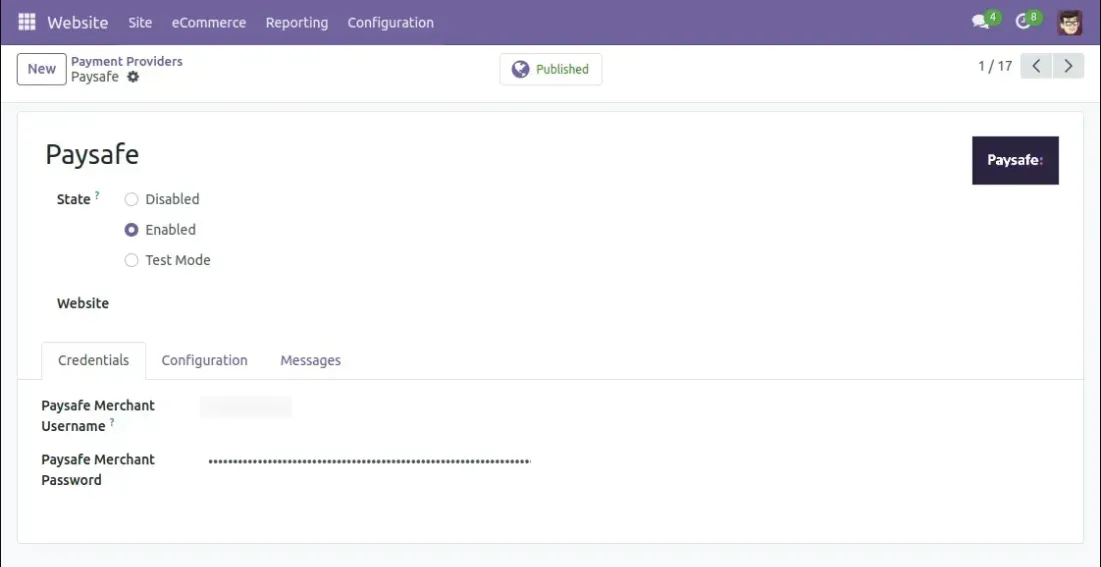
- After installation of the Odoo Website Paysafe Payment Acquirer, log in as the admin.
- Next, proceed to Configuration >> Payment Providers.
- Enable Paysafe Acquirer to accept transactions through your system.
Website View
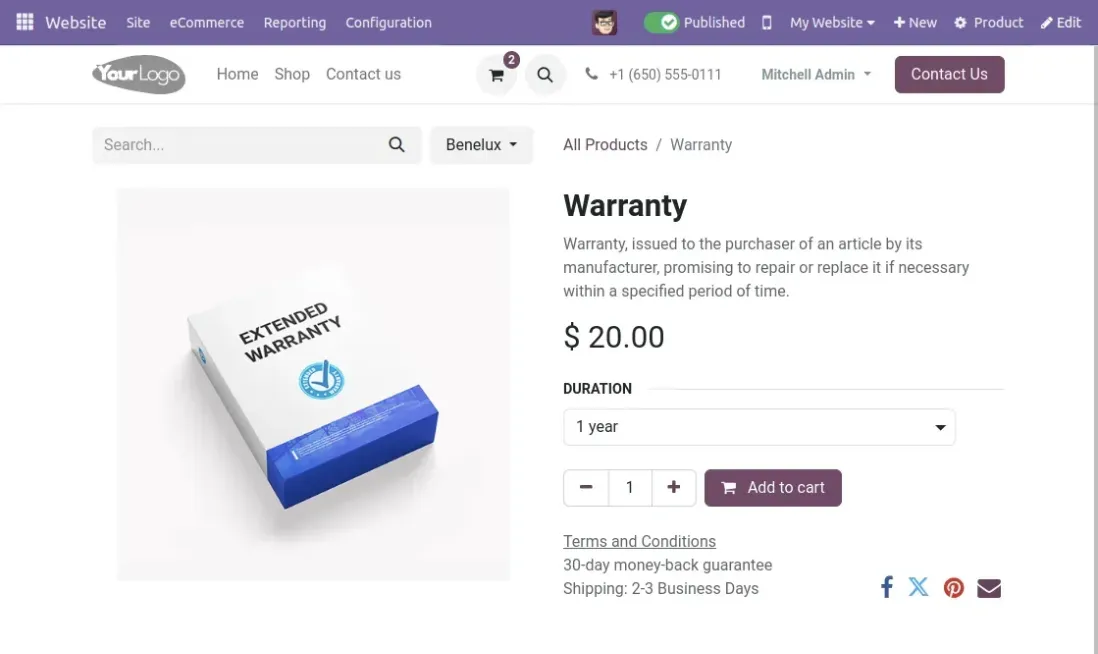
- Next, go to the website view and navigate to the shop.
- Select a product and add it to your shopping cart.
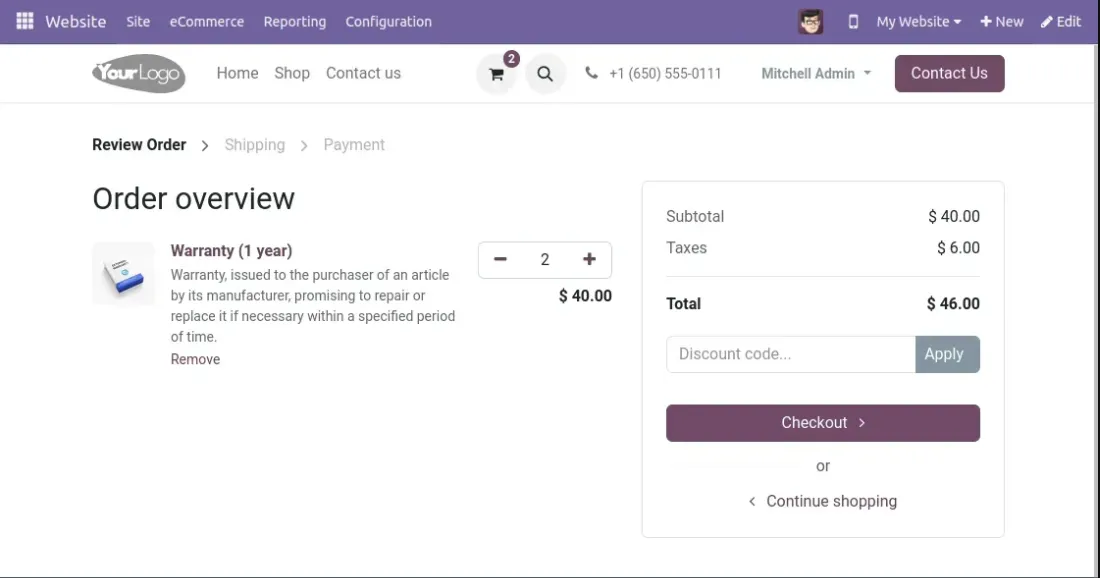
3. Next, click the checkout button to finalize your purchase.
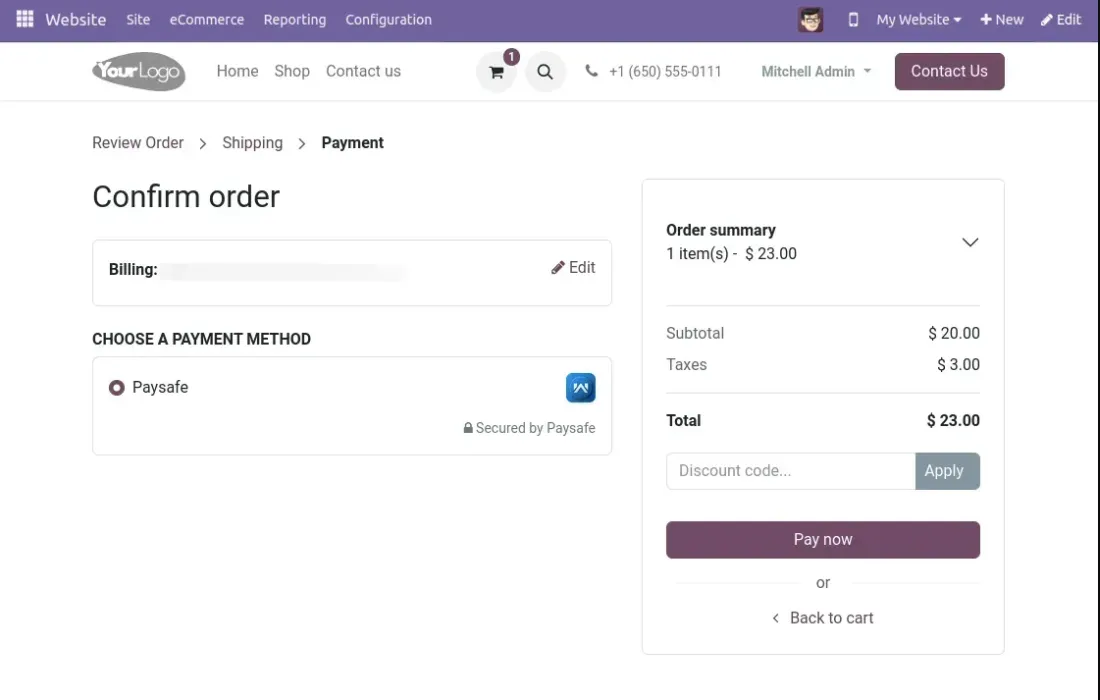
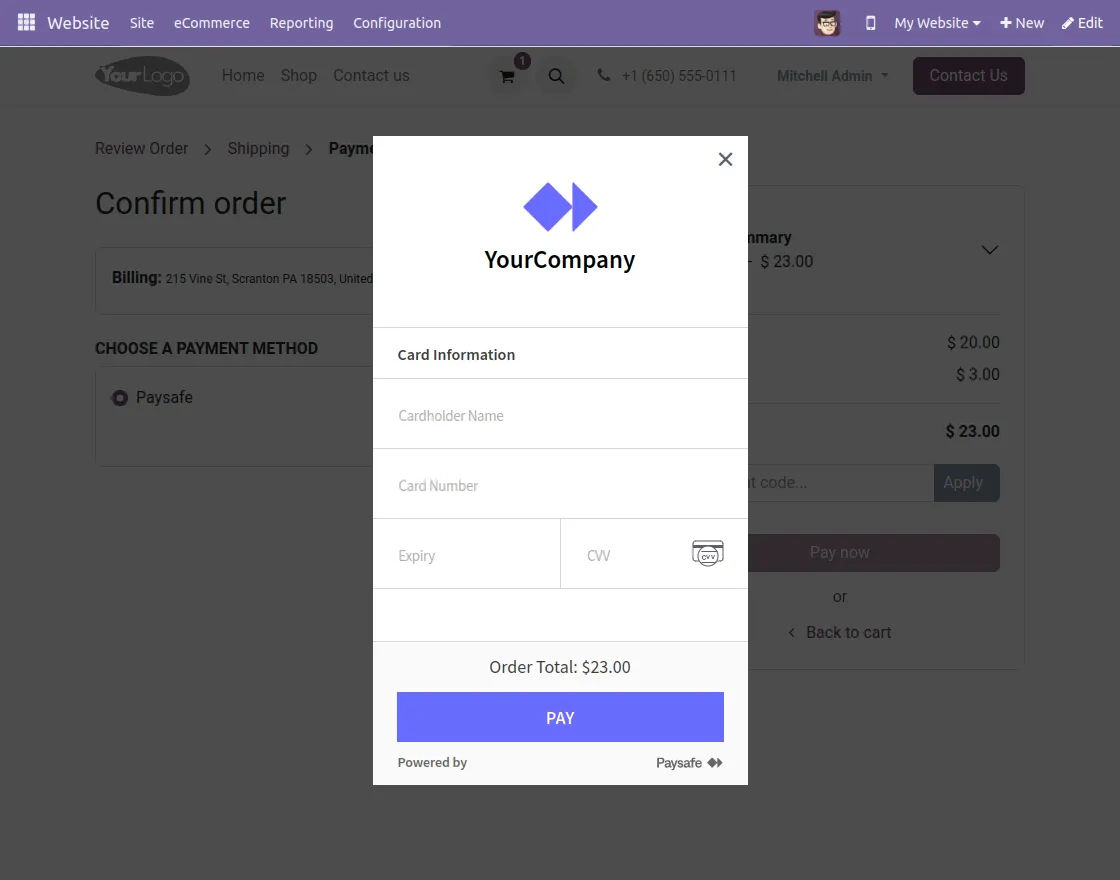
4. Here, you can choose your payment method to Pay.
5. Input your credit card details to proceed with the payment.
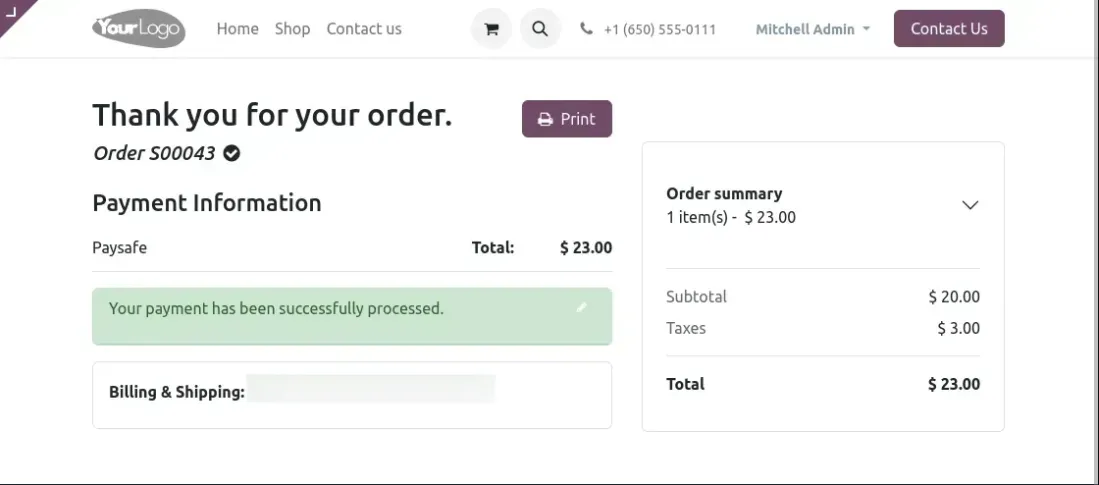
6. Now, your payment has been successfully processed.
Need Help?
Hope you find the guide helpful! Please feel free to share your feedback in the comments below.
If you still have any issues/queries regarding the same, please raise a ticket at the UV Desk.
I hope this helps. In case of any further queries, contact us at our support mail.
Thanks for paying attention!!
Current Product Version - 1.0.0
Supported Framework Version - V17,V16,V15


Be the first to comment.