Introduction
Odoo Website TrustPayment Acquirer enables secure online payments on your Odoo website using the TrustPayment gateway. It ensures a safe and reliable checkout experience with advanced security features.
This module helps businesses offer trusted card payments with strong fraud protection and easy payment management in Odoo.
Features
- Enables secure online payments on Odoo websites using the TrustPayment gateway
- Supports card-based payment methods for smooth customer transactions
- Provides 3D Secure authentication to enhance payment security
- Allows admins to track and manage payments directly from Odoo
- Supports European currencies for regional online transactions
- Ensures a safe and trusted checkout experience for customers
- Integrates seamlessly with Odoo website and eCommerce orders
Installation
- Once you purchase the App from Webkul store, you will receive a link to download module’s zip file.
- Extract the file on your system after download finishes. As a result, you will be able to see a folder named- ‘payment_trustpayment’.
- Copy and paste this folder inside your Odoo Add-Ons path.
- Now, open Odoo App and click on the Settings menu. Here, click on Activate Developer Mode.
- Then, open Apps menu and click on ‘Update Modules List.’
- In the search bar, remove all the filters and search ‘payment_trustpayment’.
- You will be able to see module in the search results. Click on ‘Activate’ to install it.
Workflow
1. After installing the Odoo Website TrustPayment Acquirer module, enable the feature for the required users from
Website > Configuration > Payment Providers.
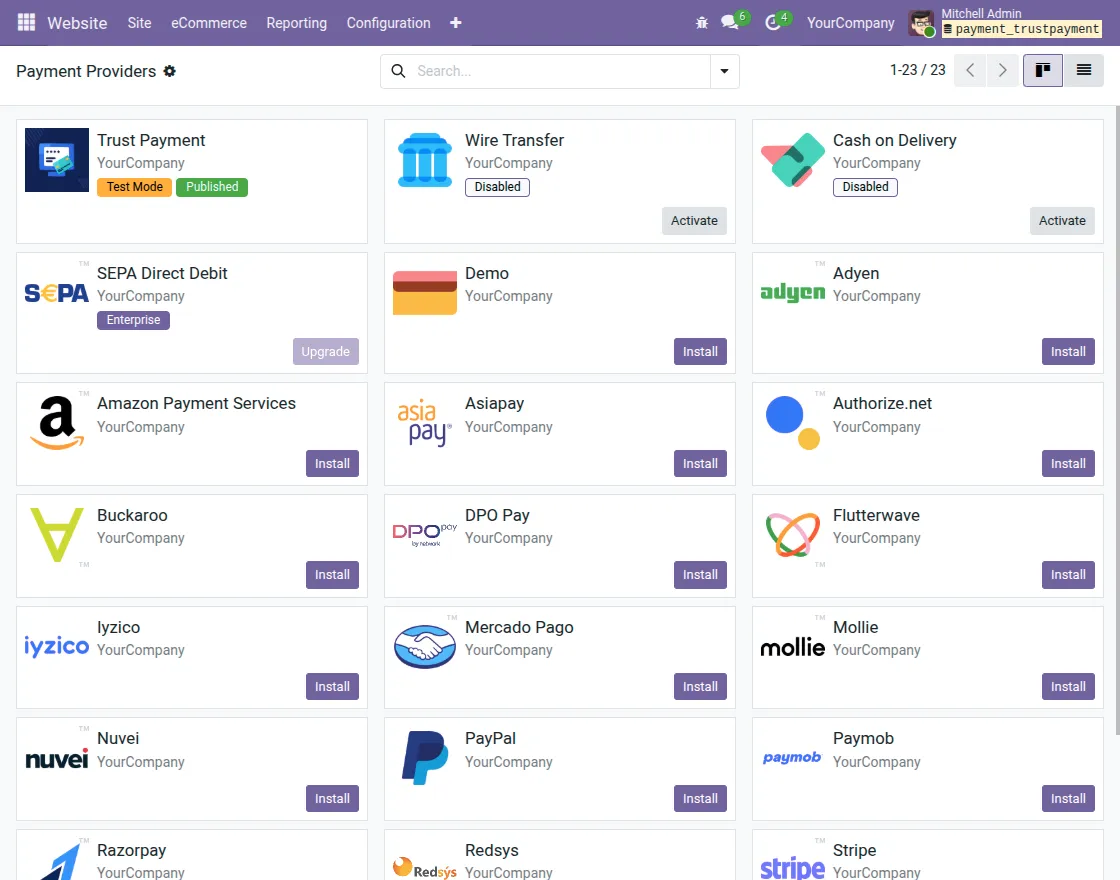
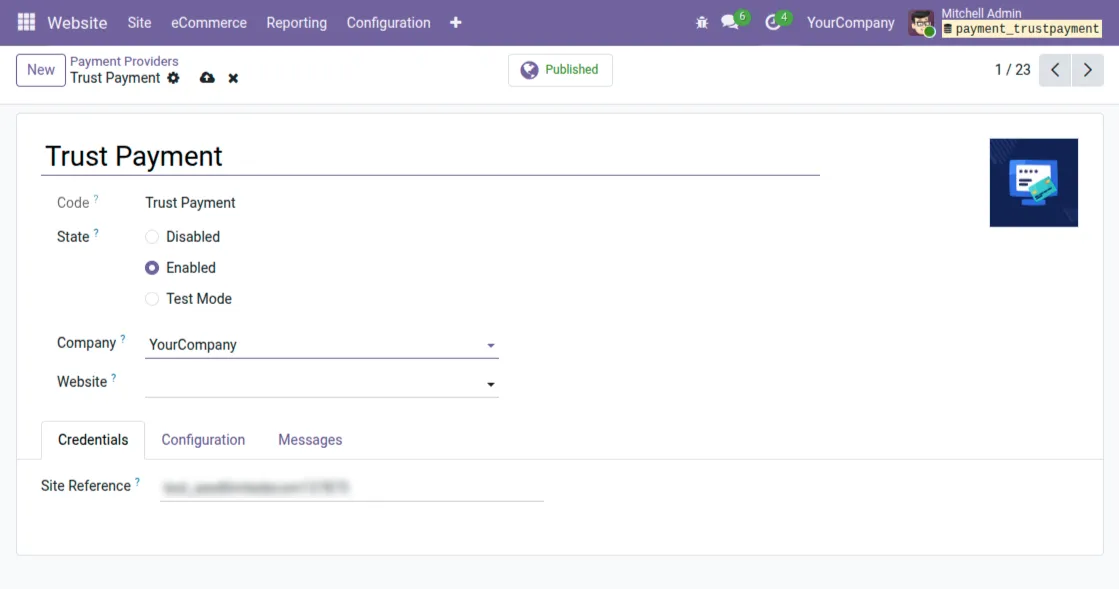
2. Select TrustPayment from the list of payment acquirers and set it to Enabled to activate the payment option.
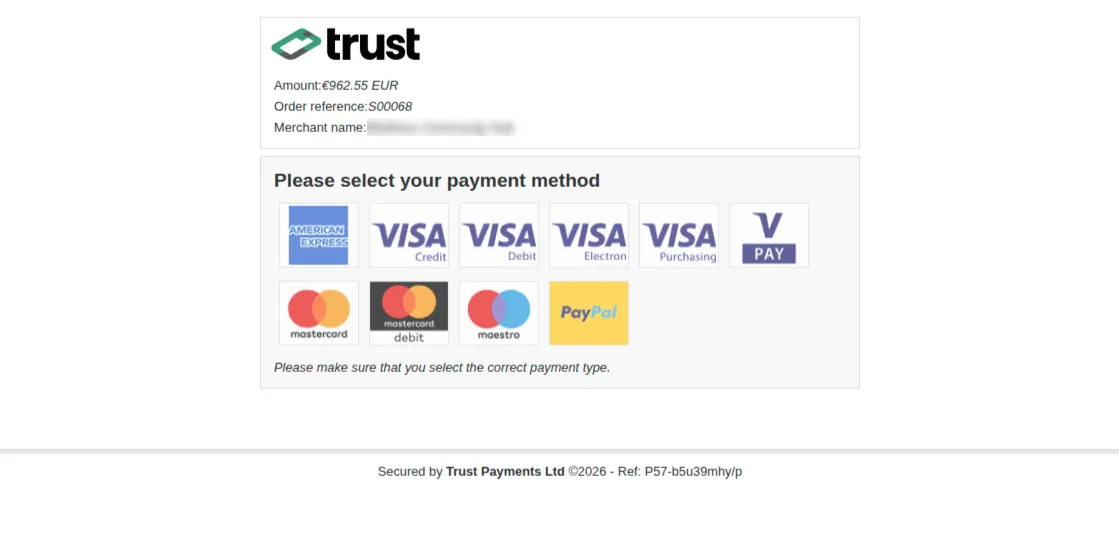
3. Select the Site > Products, add the product to the cart, enter the necessary details, and the TrustPayment option will be displayed.

4. Select the preferred payment method, such as a card, to proceed with the TrustPayment transaction securely.
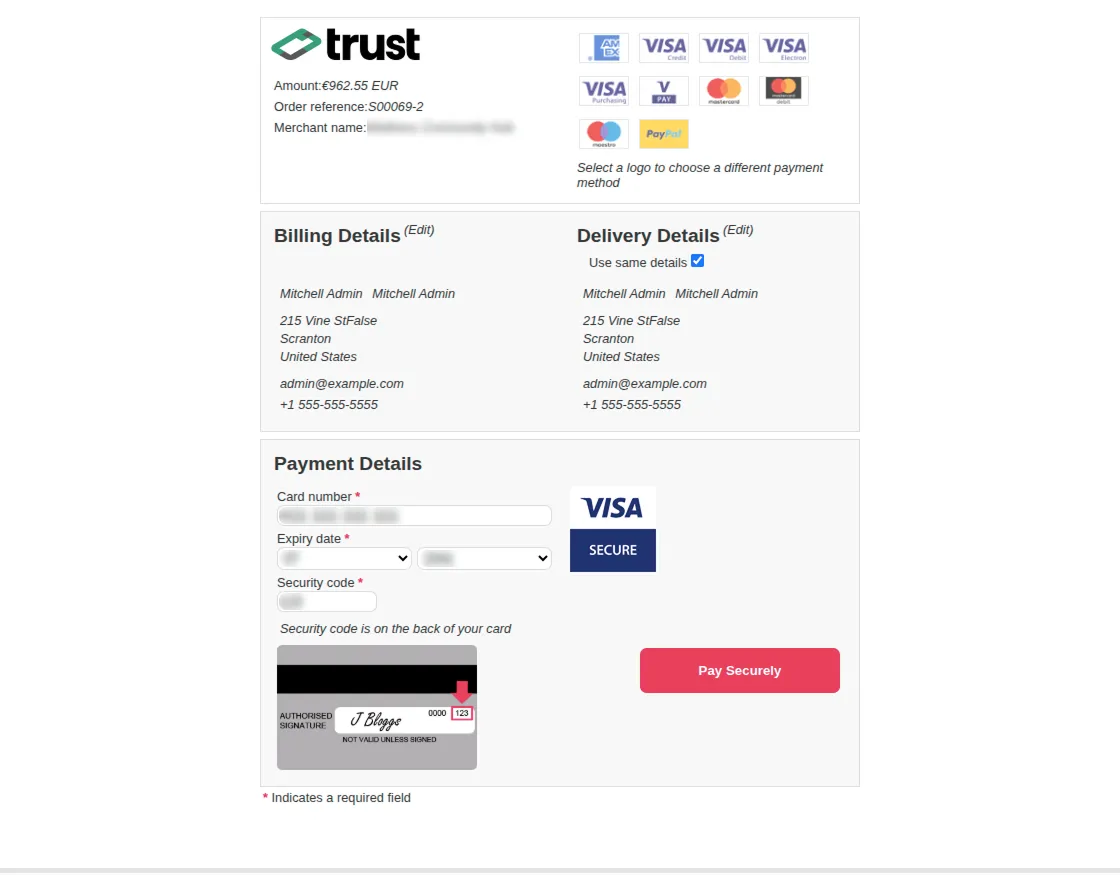
5. After selecting the payment method, enter the card details and submit them to complete the transaction securely.
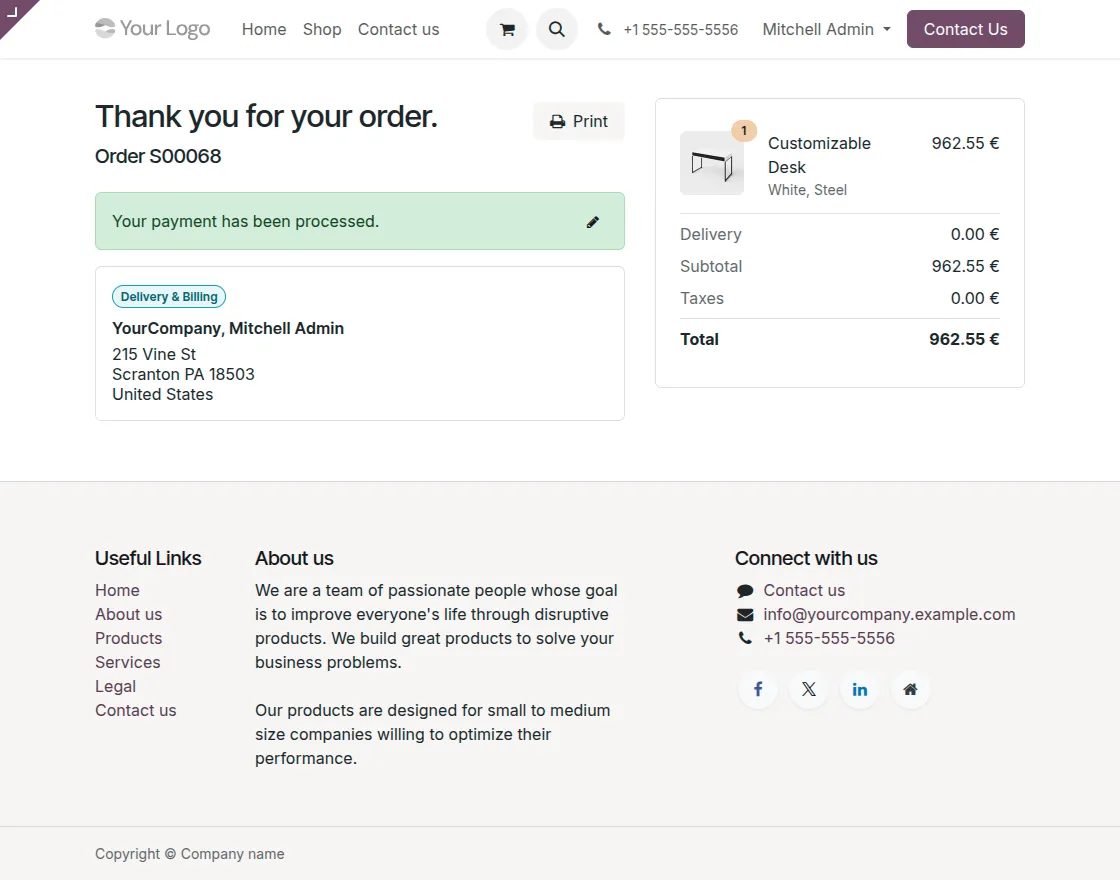
6. Once the payment is completed successfully, a confirmation message window will be displayed.
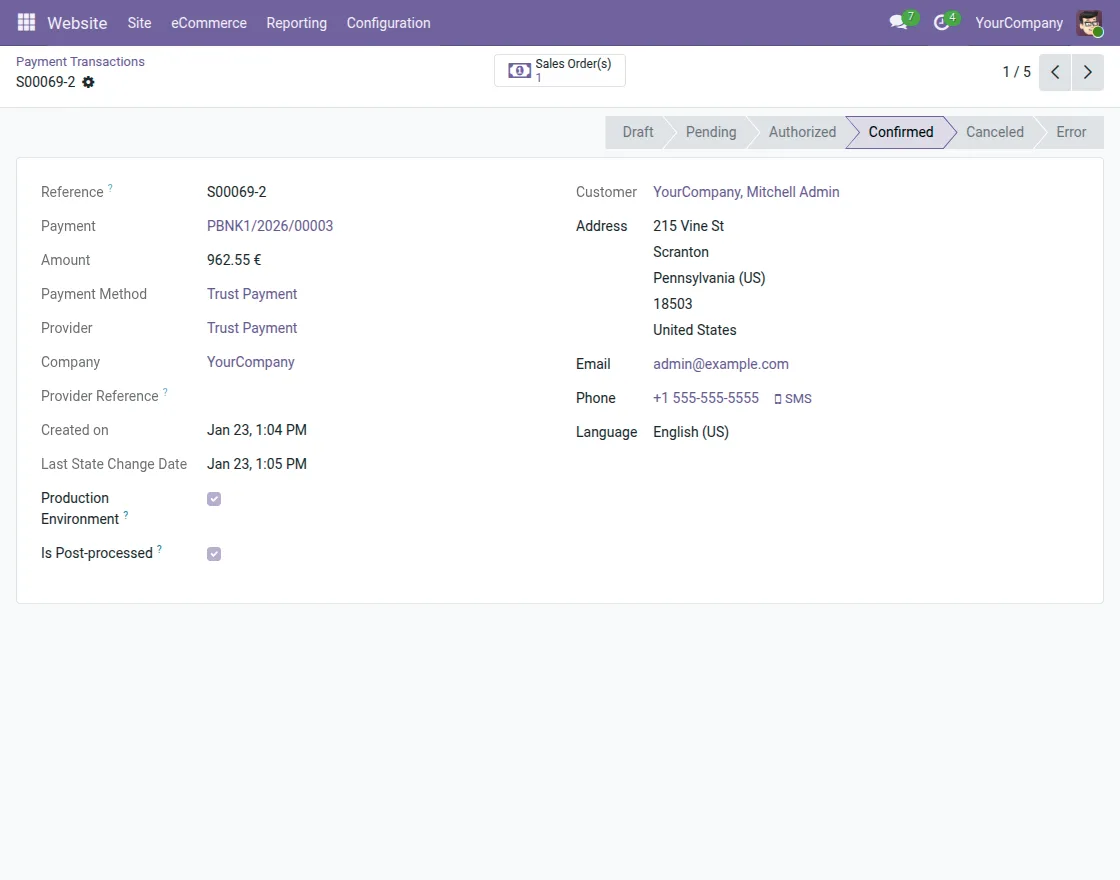
7. Admins can monitor all payment transactions from the Odoo backend by navigating to Configuration > Payment Transactions.
Where they can view detailed information for each transaction.
Need Help?
Hope you find this guide helpful. Please feel free to share your feedback in the comments below.
If you still face any issues or have queries, please create a support ticket at the UV Desk.
For further assistance, contact us at our support email.
Thanks for your time and attention!
Current Product Version - 1.0.0
Supported Framework Version - Odoo V14, 15, 16, 17, 18, 19


Be the first to comment.