Introduction
Odoo Website Product Multi UOM allows businesses to sell products in multiple units such as kg, pieces, litres, and more. Customers can choose their preferred unit directly from the product page.
When a customer selects a different unit, the product price updates instantly. This helps buyers clearly see the cost based on the selected quantity.
With Odoo Website Product Multi UOM, the admin can configure multiple Units of Measure for each product. The admin can also control which UOM options appear on the website.
This module improves flexibility in selling products and makes the shopping experience simple and transparent.
Features
- Odoo Website Product Multi UOM enables selling products in multiple units of measure.
- Customers can select the preferred unit on the product page.
- Automatic price update based on the selected unit.
- Configure multiple Units of measure per product.
- Control visible UOM options on the website.
- Assign custom Units of Measure to products.
- Support unit-based pricing for variable quantities.
- Smooth integration with Odoo website shop.
- Improve customer experience with flexible purchasing options.
Installation
- Once you purchase the App from the Webkul store, you will receive a link to download the module’s zip file.
- Extract the file on your system after the download finishes. As a result, you will be able to see a folder named- ‘wk_website_multi_uom’
- Copy and paste this folder inside your Odoo Add-Ons path.
- Now, open the Odoo App and click on the Settings menu. Here, click on Activate the Developer Mode.
- Then, open the Apps menu and click on ‘Update Modules List.’
- In the search bar, remove all the filters and search ‘wk_website_multi_uom’
- You will be able to see the module in the search results. Click on ‘Install’ to install it.
Workflow
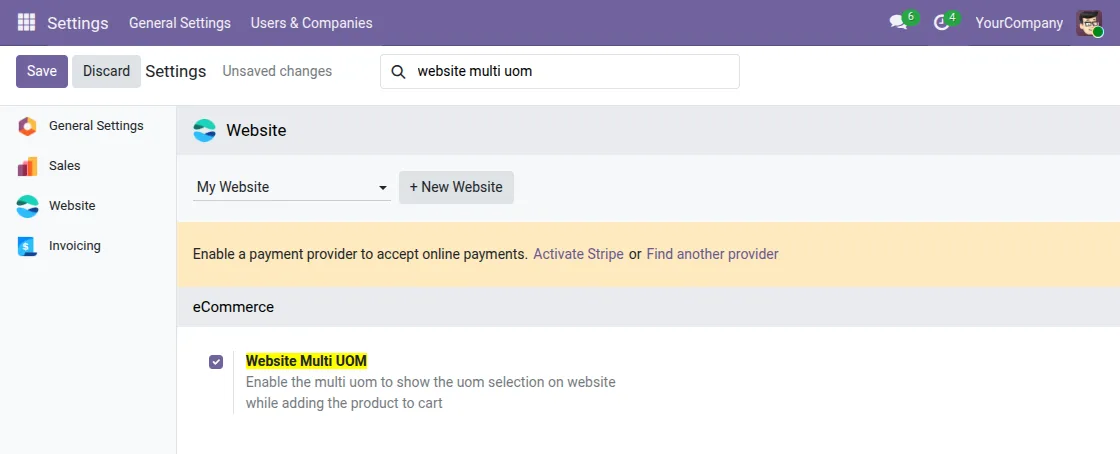
1. After installing the Odoo Website Product Multi UOM module, admins can configure Units of Measure and enable Website Multi UOM selling for website products.
Navigate to Settings → Website → eCommerce, then enable Website Multi UOM.
As a result, customers can select the desired UoM on the website while adding the product to the cart.
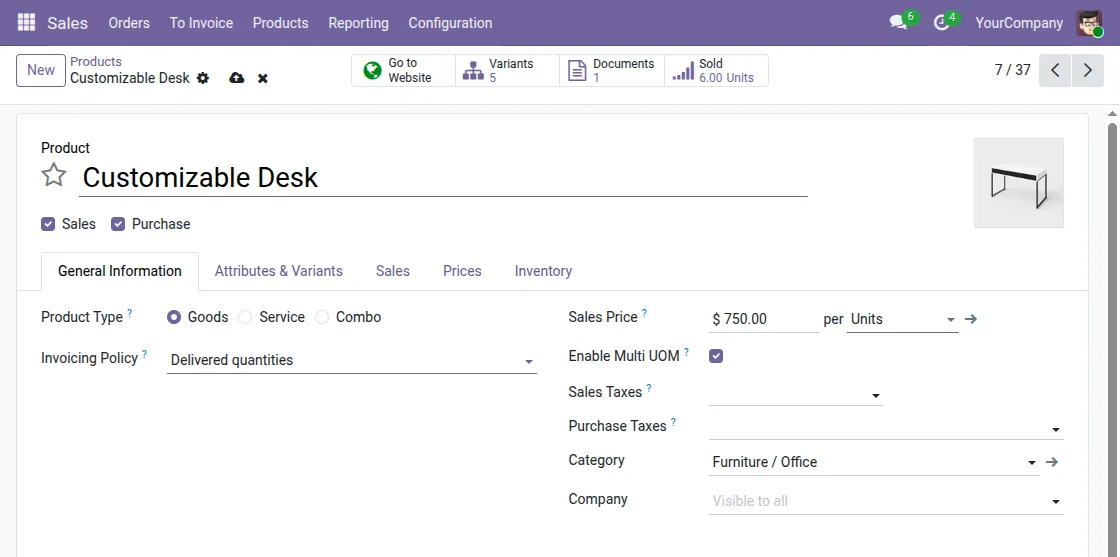
2. Admin can Enable Multi UOM to show the units of measure on the product page.
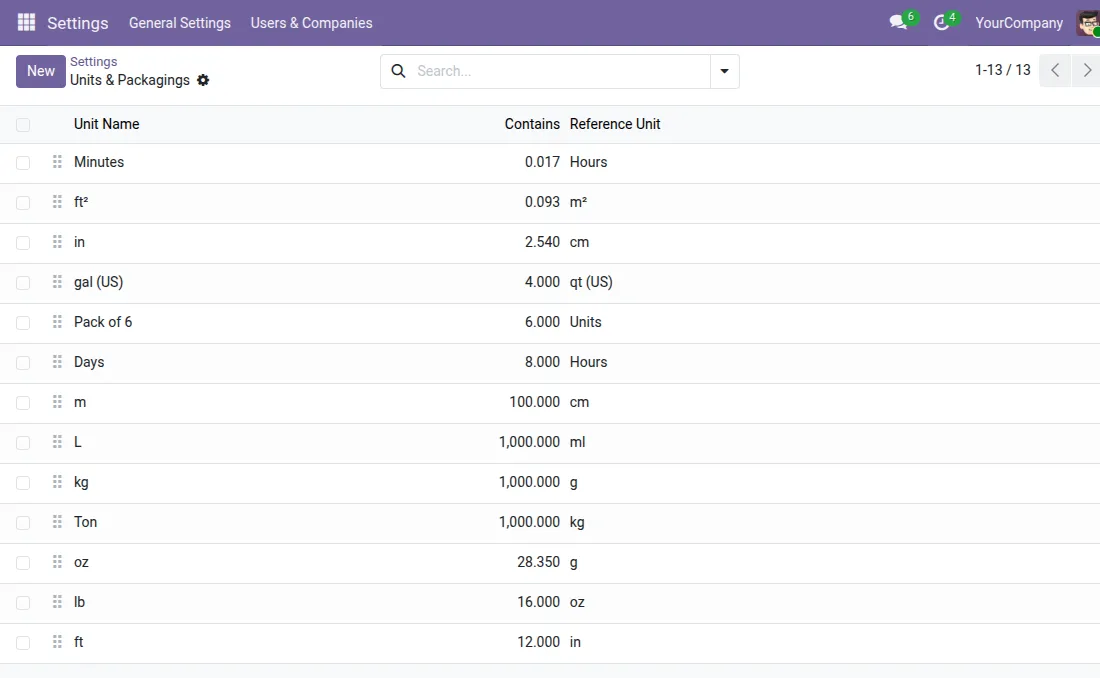
3. Admin can view and manage all Units of Measure from the backend and configure their settings.
Go to Settings → Units of Measure & Packagings, then click Units and Packagings to view and manage all Units of Measure.
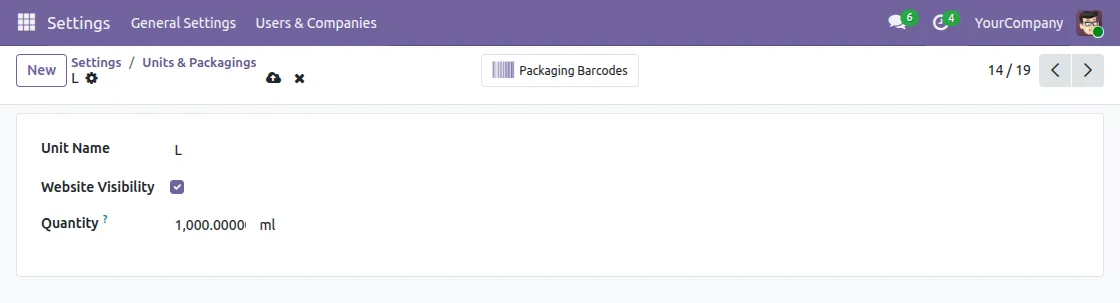
4. Admin can enable Website Visibility for all Units of Measure from Units & Packagings Settings.
Select any Units of Measure from the list to edit its website visibility settings.
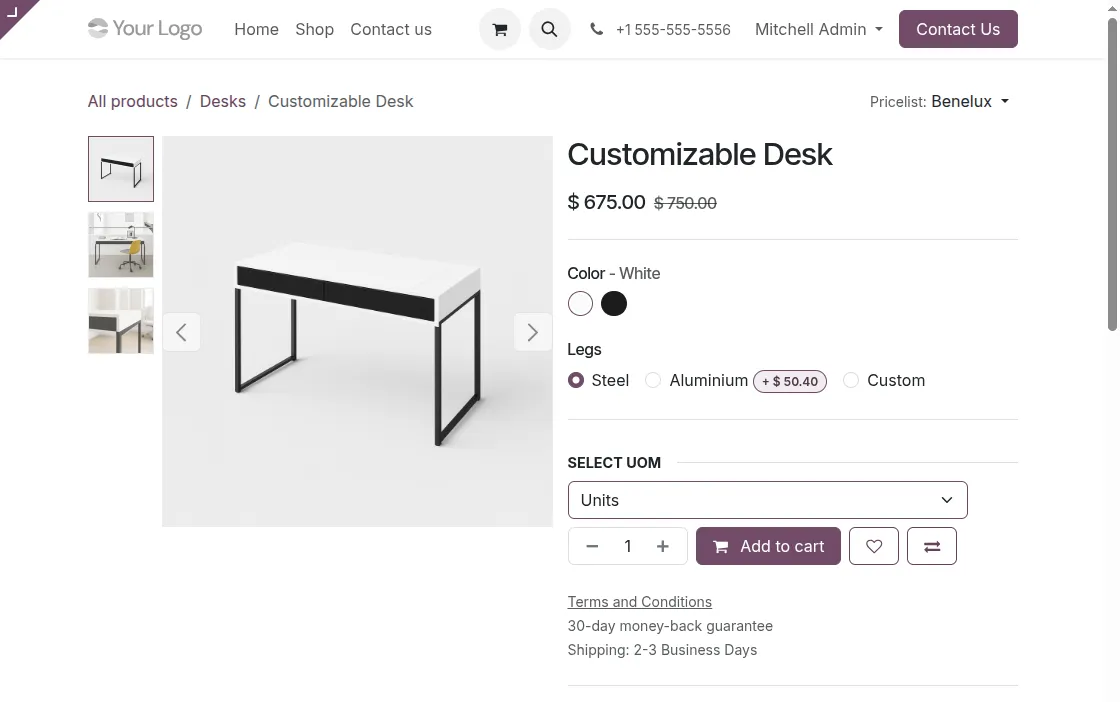
5. Odoo Website Product Multi UOM allows Customers to view and Select Available Units on the product page of the website.
Need Help?
Hope you find the guide helpful! Please feel free to share your feedback in the comments below.
If you still have any issues/queries regarding the same, please raise a ticket at the UV Desk.
I hope this helps. In case of any further queries, contact us at our support mail.
Thanks for paying attention!!
Current Product Version - 1.0.0
Supported Framework Version - Odoo V19 , Odoo V18 , Odoo V17


Be the first to comment.