INTRODUCTION
Odoo Taqnyat SMS Gateway is an Odoo module that integrates Taqnyat with Odoo, allowing you to send SMS directly to customers, vendors, and partners from a single system.
You can explore the module details on the Webkul Store using the Odoo Taqnyat SMS Gateway module page.
With this module, businesses can send single or bulk SMS, manage SMS templates, and organize contacts using SMS groups directly from Odoo.
It helps maintain fast and reliable communication without switching between systems.
Odoo Taqnyat SMS Gateway also supports automated SMS notifications for order confirmation, shipping updates, and important alerts.
It is suitable for growing businesses that need scalable and smooth SMS communication.
Prerequisites For Using Odoo Taqnyat SMS Gateway
Odoo Taqnyat SMS Gateway works in conjunction with the following module:
You must install the above-mentioned module to use the Odoo Taqnyat SMS Gateway without any issues.
Features
- Send a single SMS directly from Odoo
- Send bulk SMS to customers, vendors, and partners
- Create and manage multiple SMS contact groups
- Create and reuse SMS templates
- Enable condition-based SMS templates
- Automatic SMS sending based on events
- View SMS delivery status and history
- Auto-delete obsolete SMS records after delivery
- Enable or disable SMS access per user
Installation
- Once you purchase the App from the Webkul store, you will receive a link to download the module’s zip file.
- Extract the file on your system after the download finishes. As a result, you will be able to see a folder named- ‘taqnyat_sms_gateway.’
- Copy and paste this folder inside your Odoo Add-Ons path.
- Now, open Odoo app and click on the Settings menu. Here, click on Activate Developer Mode.
- Then, open the Apps menu and click on ‘Update Modules List.’
- In the search bar, remove all the filters and search ‘taqnyat_sms_gateway.’
You will be able to see the module in the search results. Click on ‘Install’ to install it.
Workflow
Use Taqnyat to Send SMS in Odoo. After configuration, you can send SMS directly from Odoo using Taqnyat credentials.
You can share order updates, alerts, and important messages instantly.

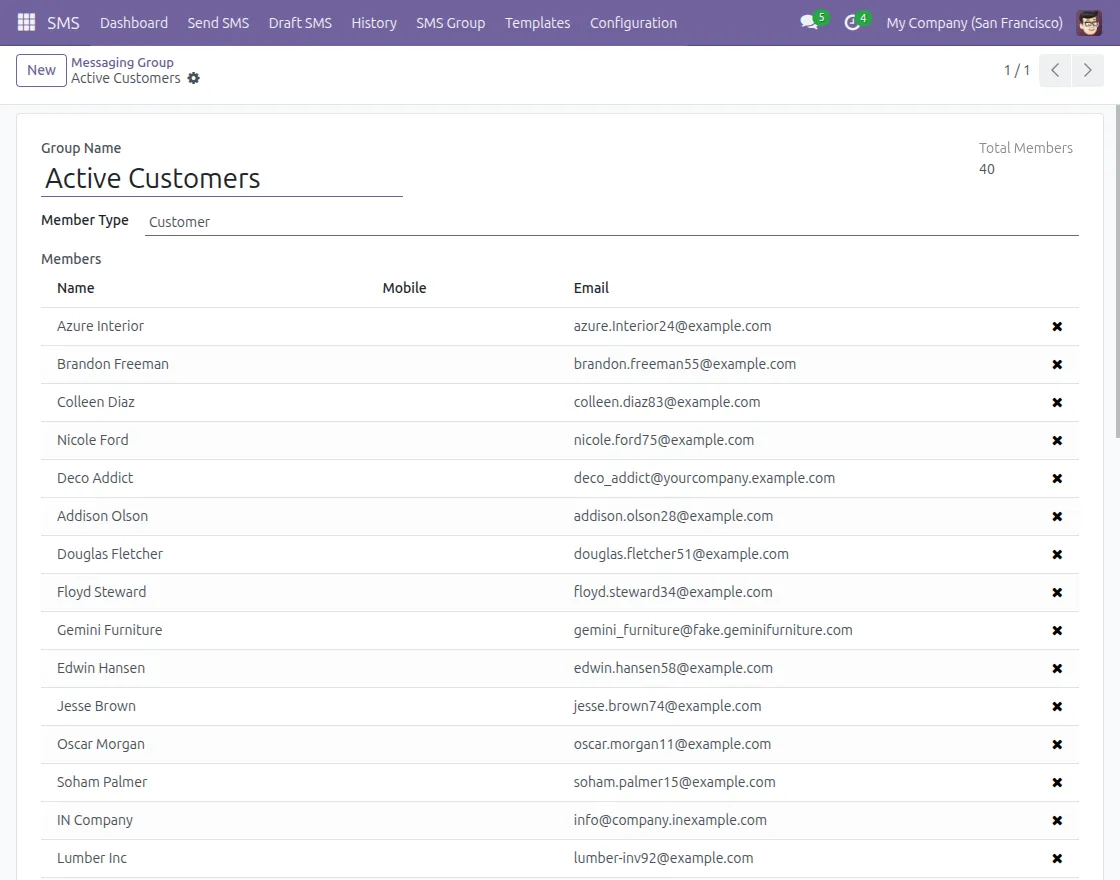
2. Create Multiple SMS Groups
Create SMS groups to organize contacts and send bulk SMS efficiently.
You can select a single group or multiple contacts while sending messages.
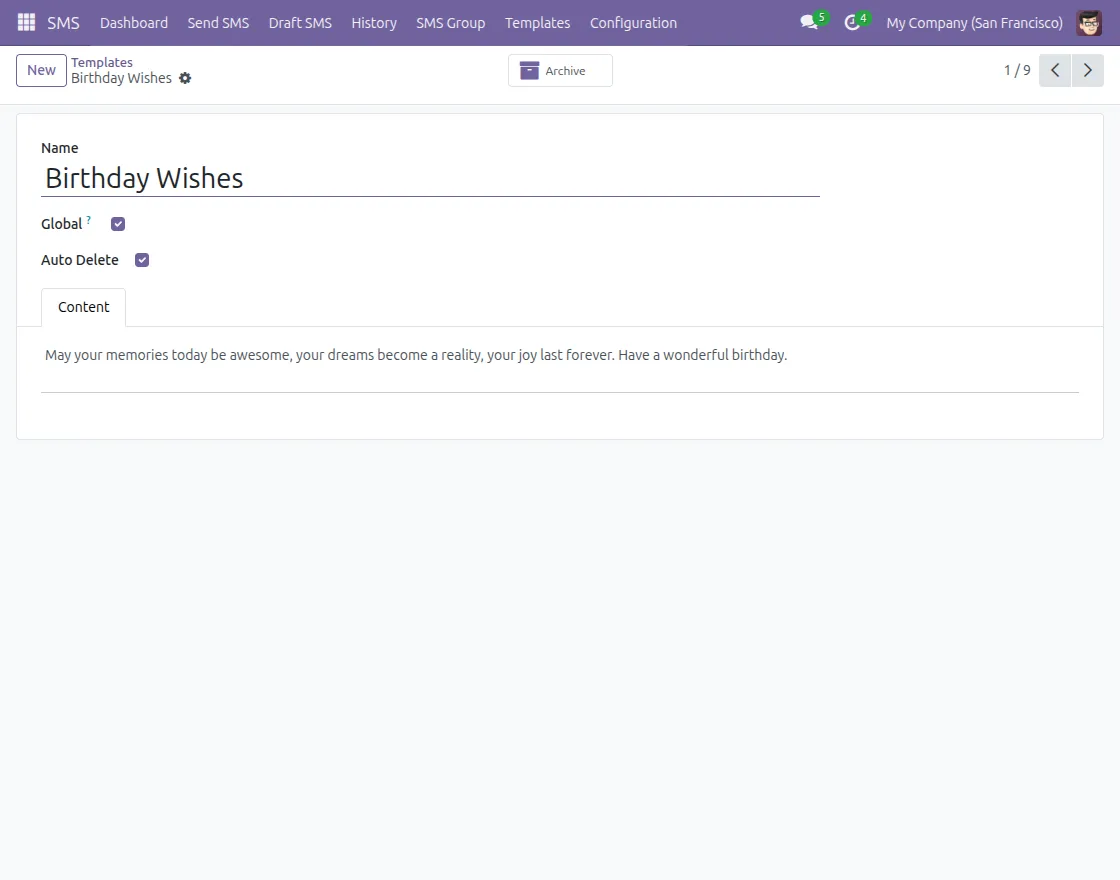
3. Create Multiple SMS Templates in Advance
Create and save SMS templates to reuse them later for consistent communication.
Templates can be linked with specific actions such as order placement or confirmation.
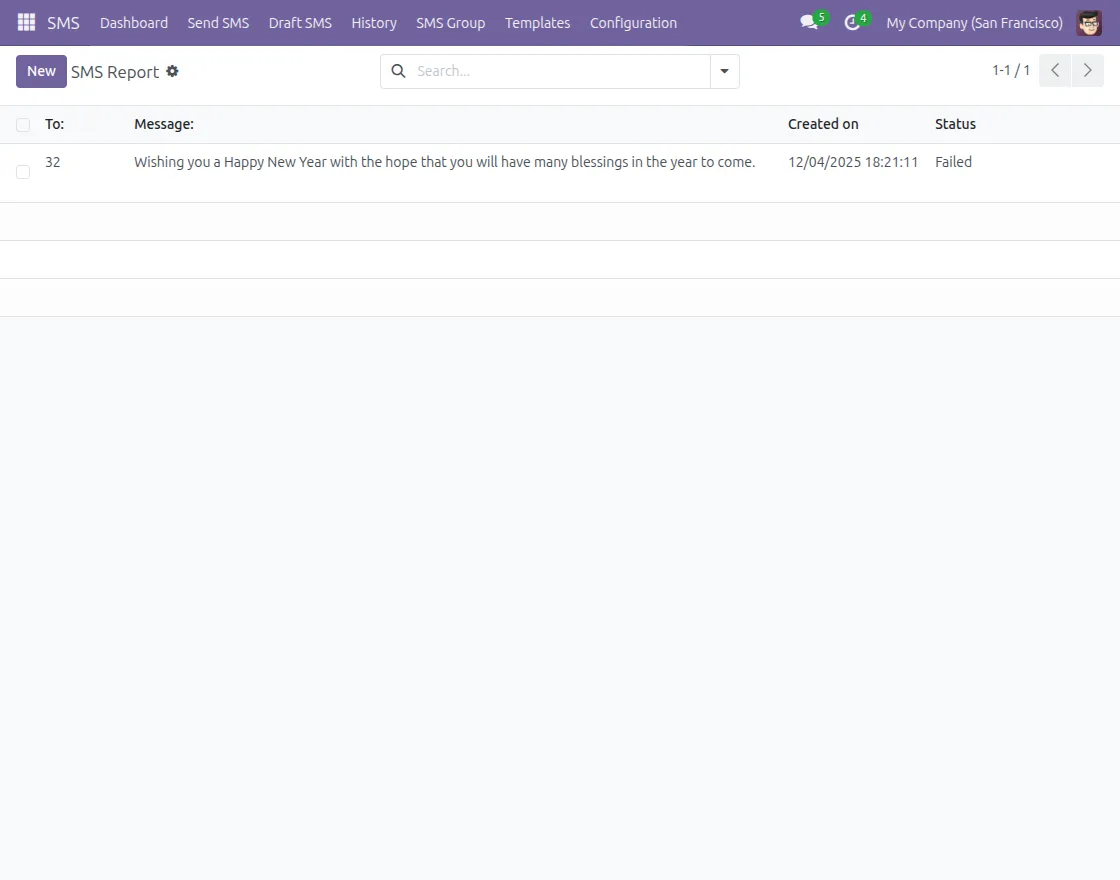
4. View SMS Delivery Status and Manage SMS History
Odoo maintains a record of all sent SMS messages.
You can open each message to check whether it is sent, failed, or delivered.
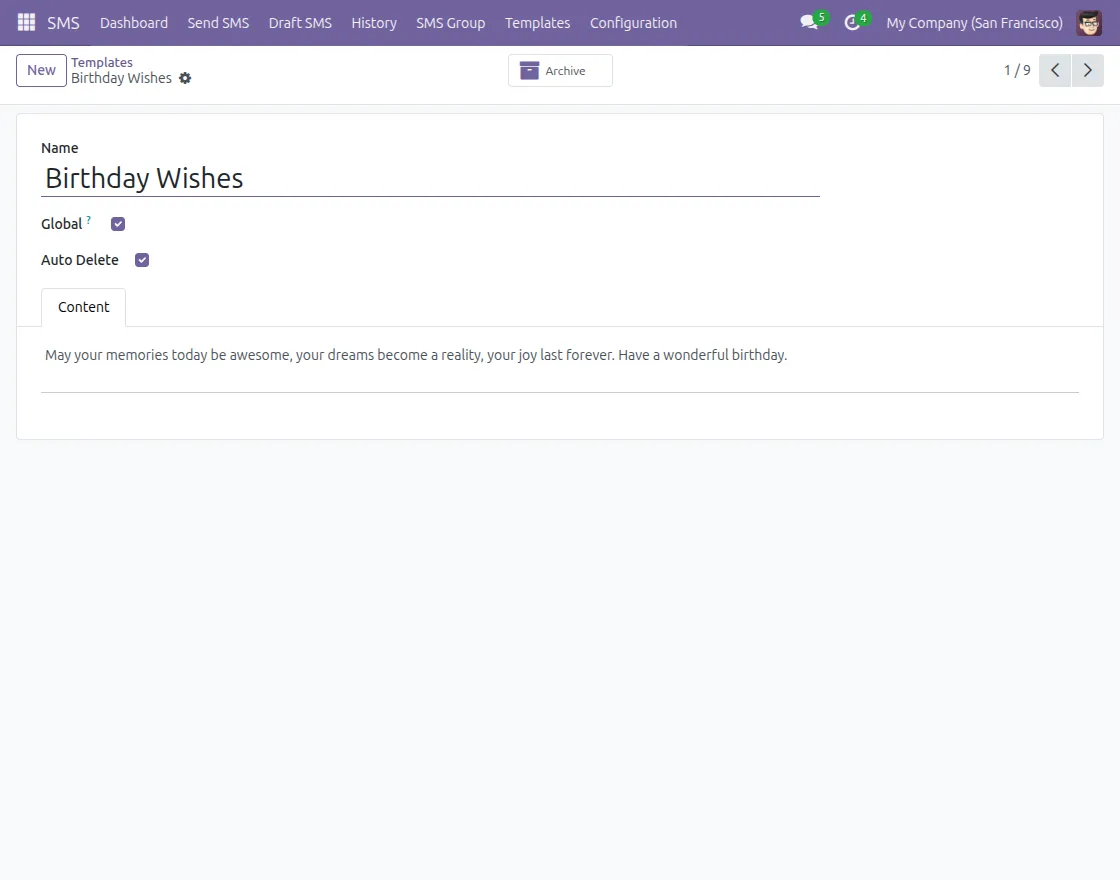
5. Auto-Delete SMS Records
Enable auto-delete to remove SMS records after delivery.
This feature can be configured at the template level to keep the system clean.
NEED HELP?
Hope you find the guide helpful! Please feel free to share your feedback in the comments below.
If you still have any issues/queries regarding the same, please raise a ticket at the UV Desk.
I hope this helps. In case of any further queries, contact us at our support mail.
Thanks for paying attention!!
Current Product Version - 17, 18, 19
Supported Framework Version - 1.0.0


Be the first to comment.