INTRODUCTION
Odoo Marketplace Tours helps new users understand the marketplace through a simple step-by-step guide.
This module highlights buttons, menus, and dashboard sections to guide users clearly.
It helps both admins and sellers learn marketplace actions without confusion. Odoo Marketplace Tour shows role-based guidance depending on who is logged in.
The tour appears automatically and can be restarted anytime if needed.
Prerequisites for using the Odoo Marketplace Tour
Odoo Marketplace Tour works in conjunction with the following module:
You must install the above-mentioned module to use Odoo Marketplace Tour.
Features
- Simple step-by-step marketplace tour
- Role-based tour for admin and seller
- Highlights dashboard buttons and menus
- Seller-specific marketplace tour
- Admin-specific marketplace tour
- Auto-start tour on first login
- Restart the tour anytime using the icon
- Easy and beginner-friendly guidance
Installation
- Once you purchase the app from the Webkul store, you will receive a link to download the module ZIP file.
- Extract the ZIP file after the download completes. You will see a folder named marketplace_tours.
- Copy and paste this folder into your Odoo Add-Ons path.
- Open the Odoo App and go to Settings, then click on Activate Developer Mode.
- Open the Apps menu and click on Update Modules List.
- Remove all filters and search for marketplace_tours.
- Click on Install to install the module.
WORKFLOW
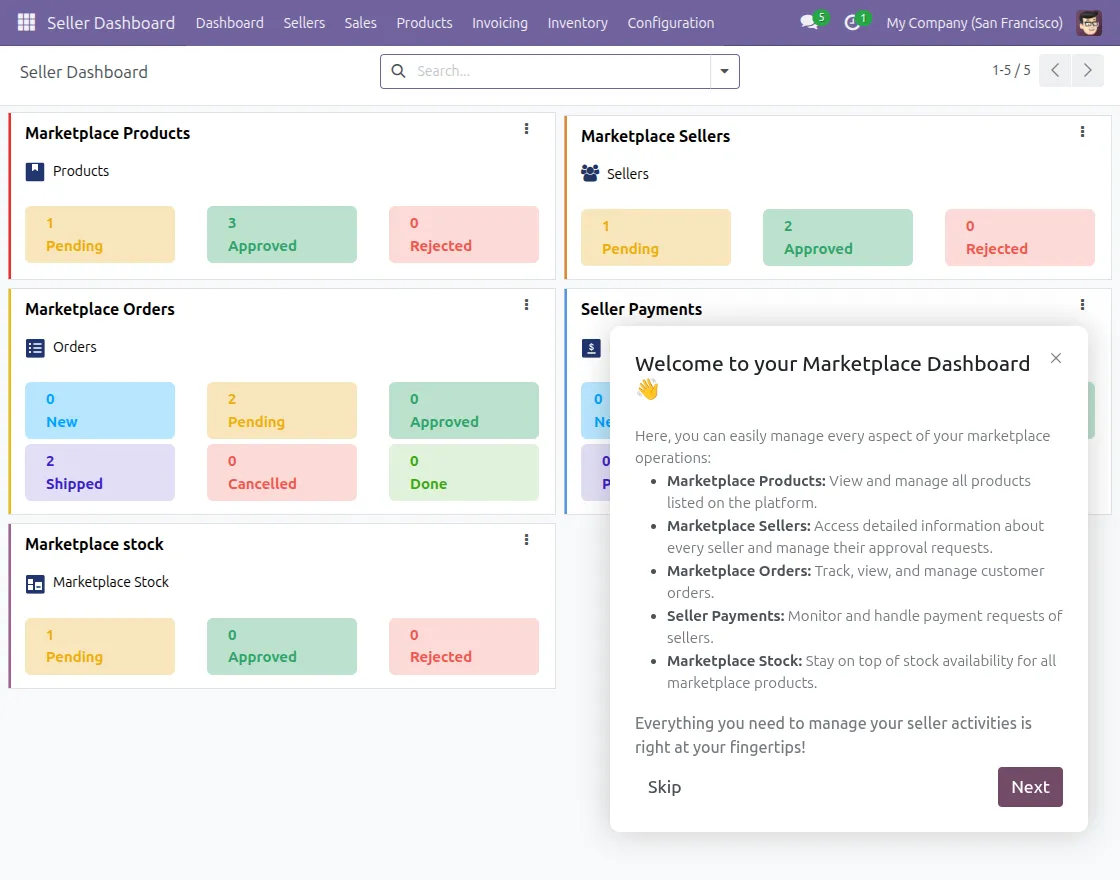
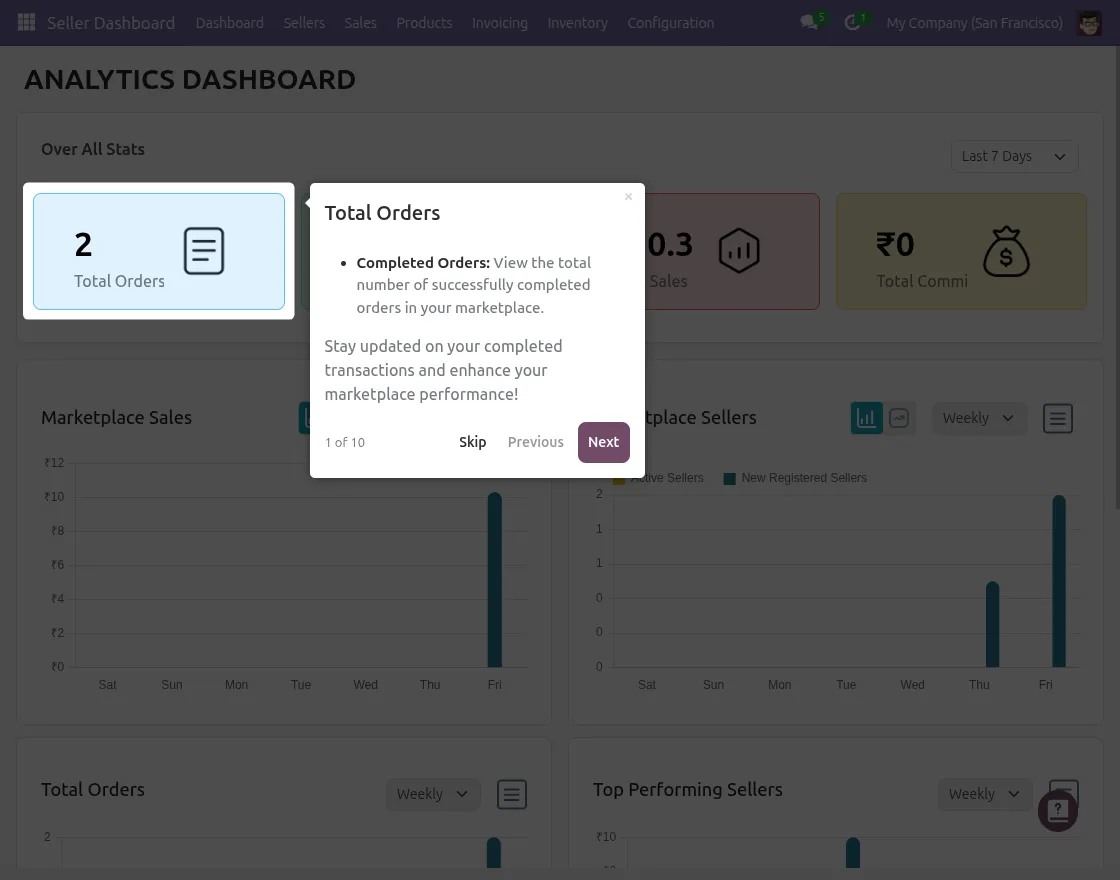
1. Admin Tour Dashboard
The marketplace tour guides admin page-by-page, like a storybook.
It explains to you the Sellers dashboard and the analytics dashboard.
2. Seller Tour Highlights
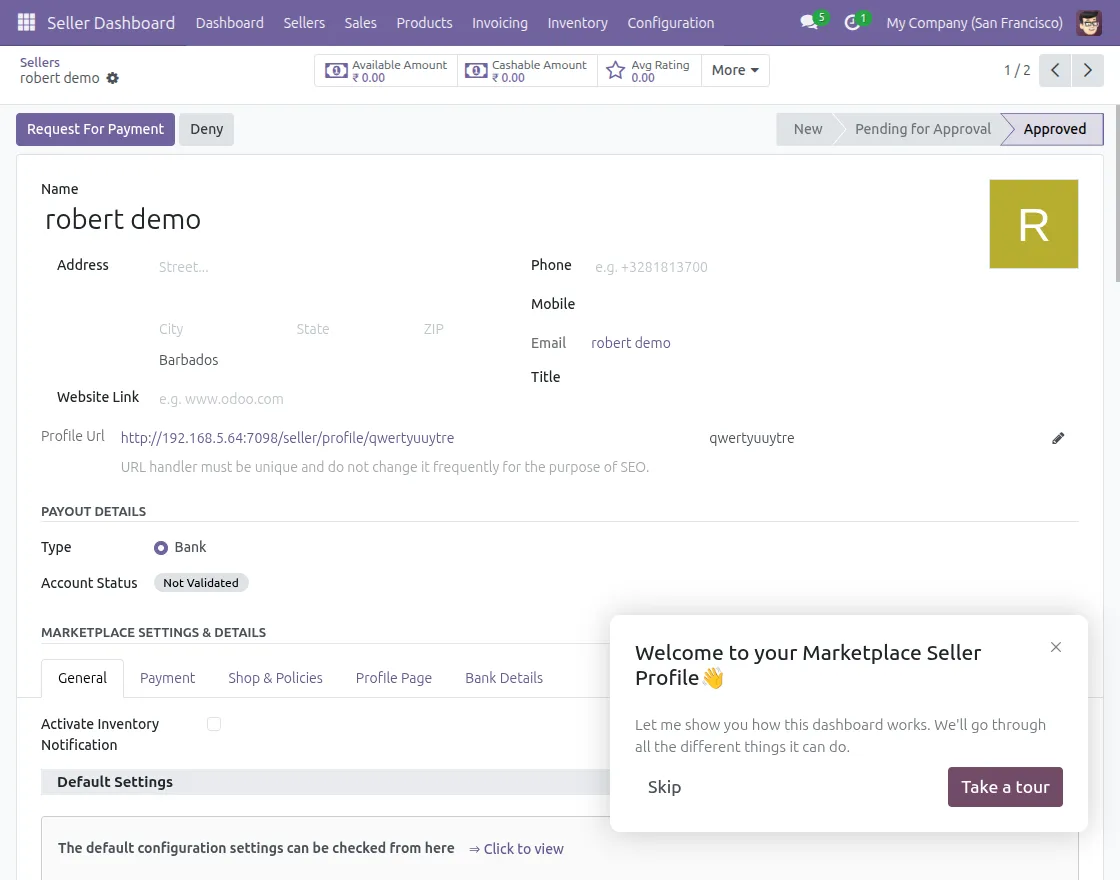
Sellers see a dedicated tour designed only for seller actions.
It guides them to manage the seller profile details
3. Seller Product details
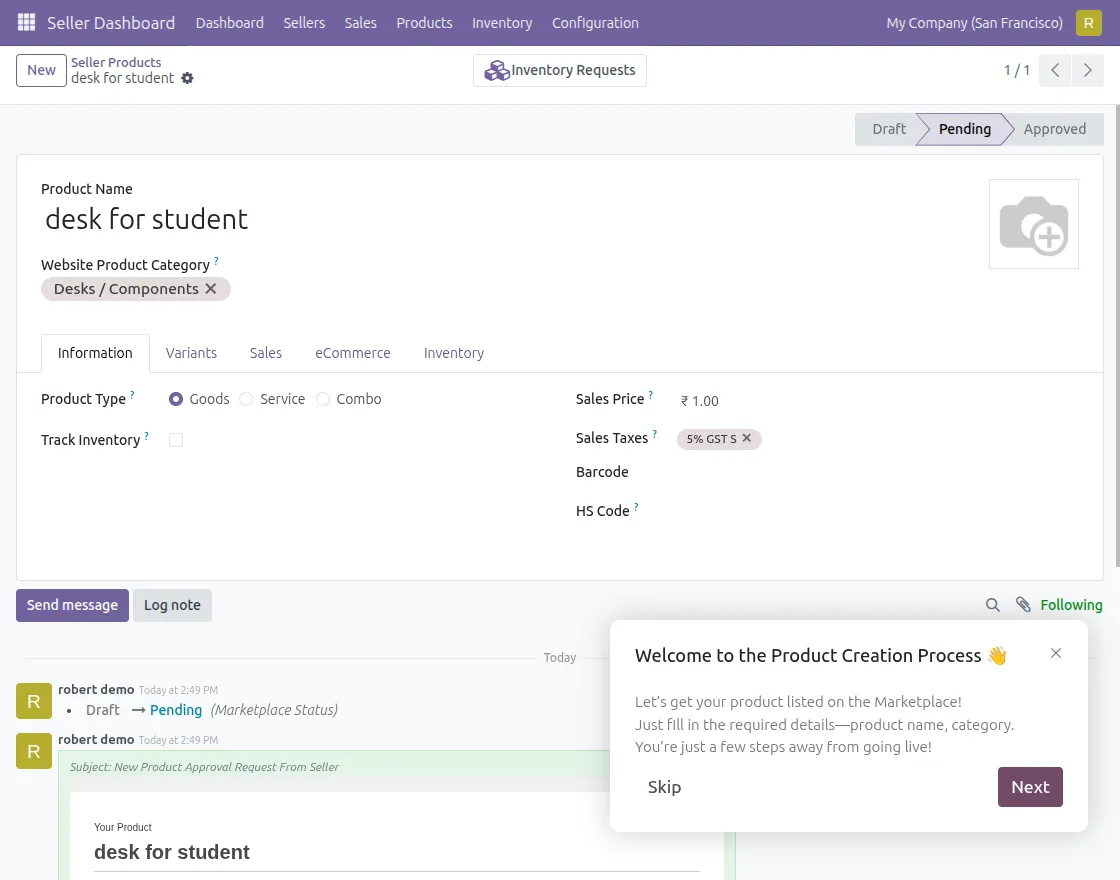
The tour guides the sellers through their products step by step.
It explains product-related actions and options for easy management.
NEED HELP?
Hope you find this guide helpful! Please feel free to share your feedback in the comments below.
If you still have any issues or queries, please create a ticket at the UV Desk. I hope this helps. In case of any further queries, contact us at our support email.
Thanks for paying attention!!
Current Product Version - 17, 18, 19
Supported Framework Version - 1.0.0


Be the first to comment.